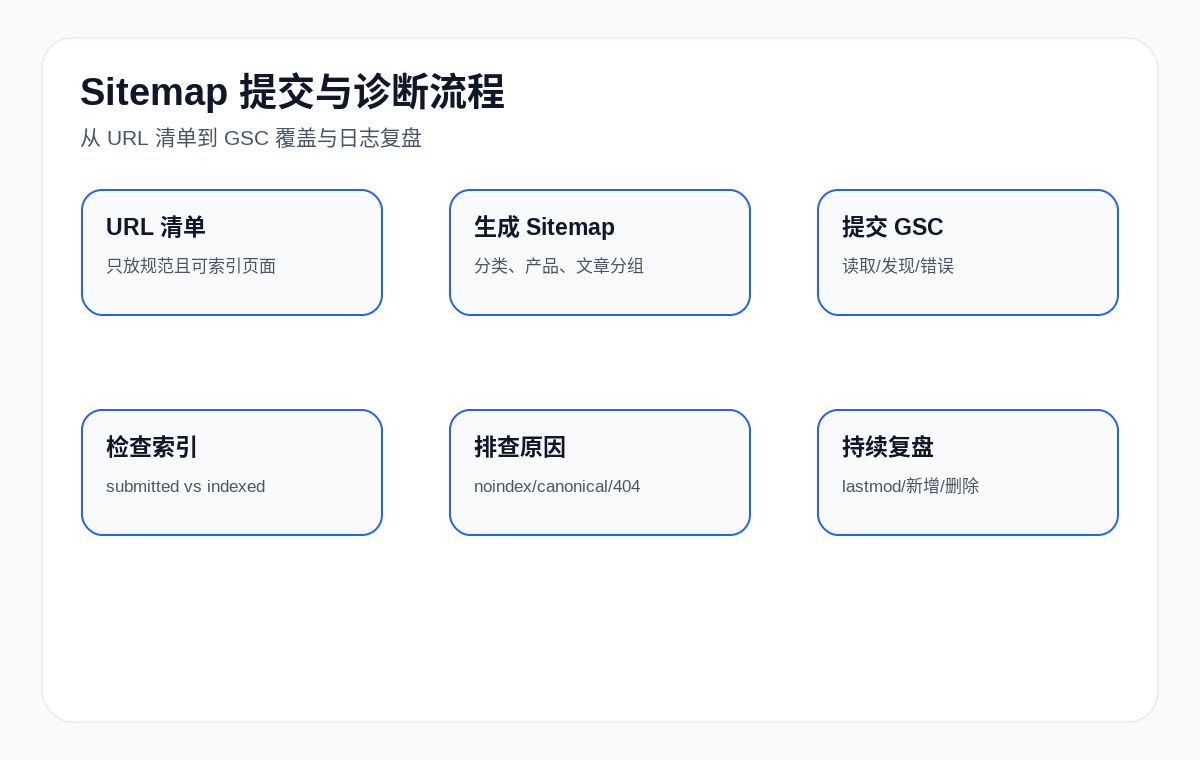
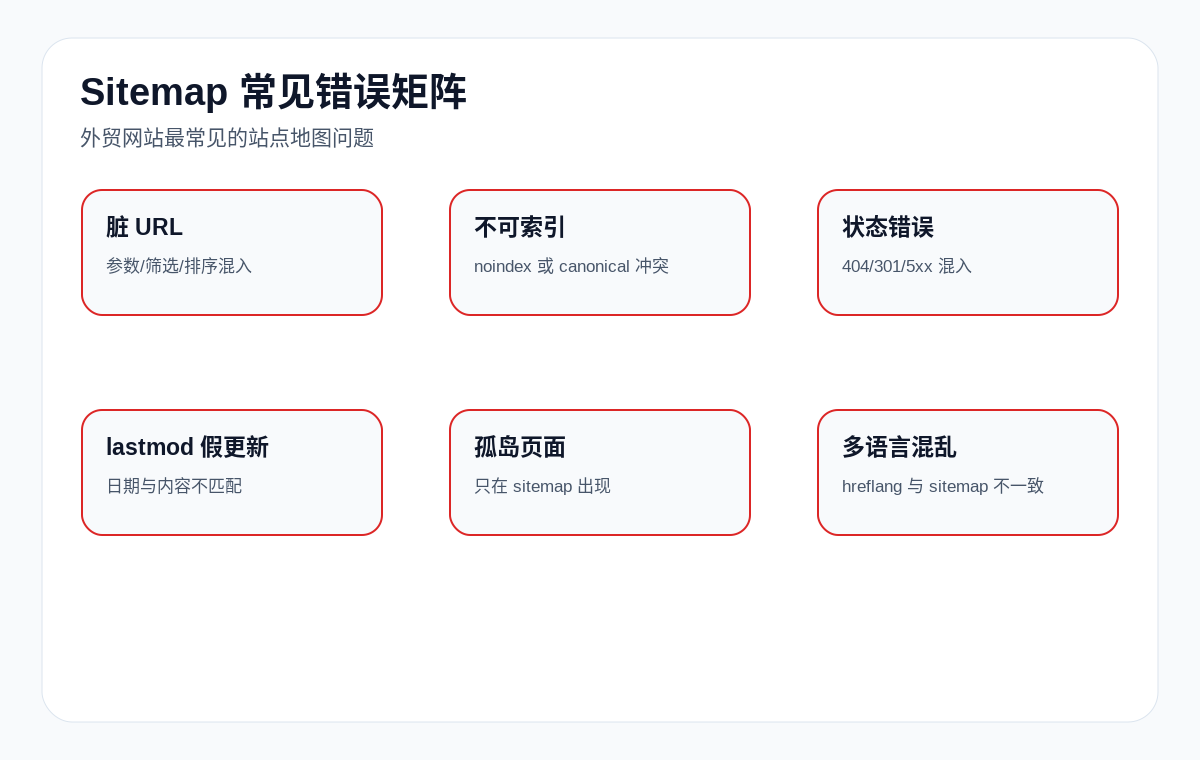
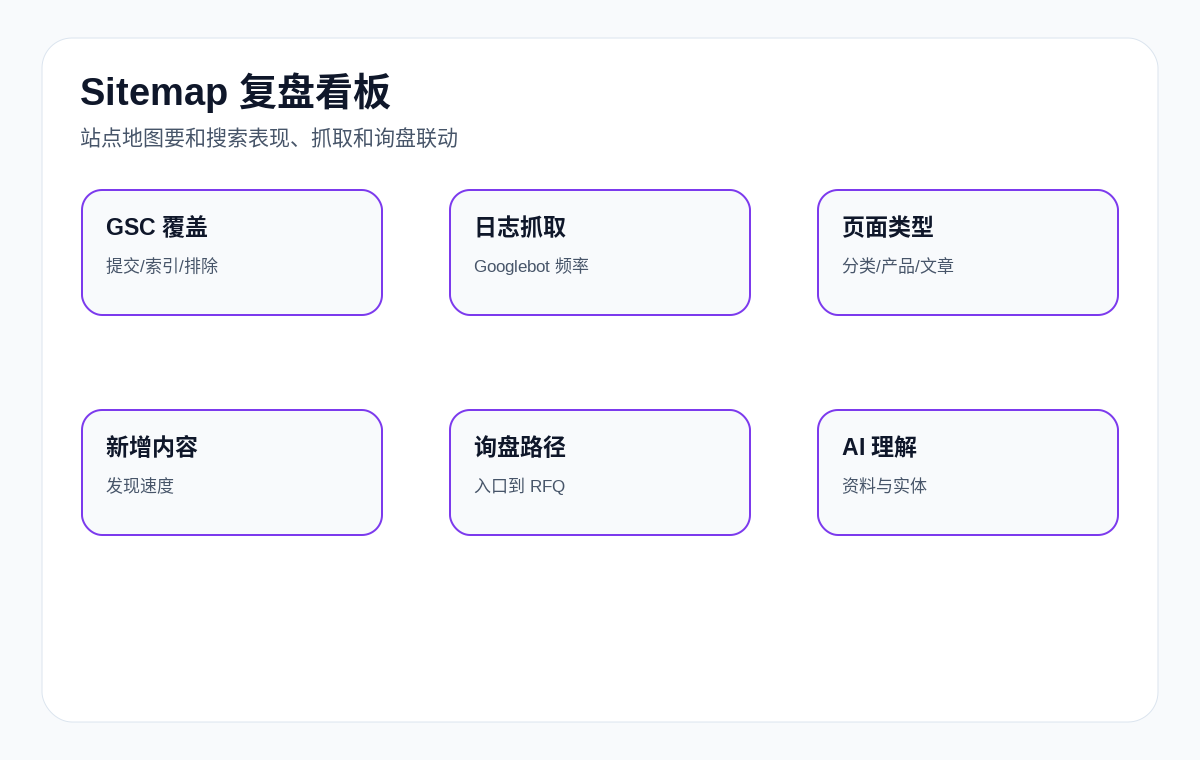
Sitemap Technical Guide is not about whether a sitemap exists. It is about which URLs the sitemap contains, whether those URLs are indexable, whether they are the canonical versions, whether they have real business value, and how, after submission, you use GSC, logs, GA4, and inquiry data to judge whether pages enter the correct search flow.
For export businesses, product-related pages for industrial components and custom manufacturing categories, and private label activewear manufacturer often include category pages, product pages, application pages, technical articles, resource pages, and inquiry pages. A sitemap should first help Google discover these core assets, rather than submitting large numbers of parameter pages, empty categories, old URLs, and low-value duplicate pages.
What Is a Sitemap: Definition and Role of a Sitemap
Sitemap is an XML file that lists the URLs of all the important pages on a website that you want search engines to crawl. It tells search engines such as Google and Bing: ”These pages are my core content; please discover and index them first.”
A sitemap itself does not guarantee that pages will be indexed—Google may choose not to crawl or index some pages in the sitemap. But a sitemap significantly increases the probability that pages will be discovered, especially in the following situations:
- A new site with little content and few external links, where crawlers have limited natural discovery paths
- A site with many deep pages (such as product detail pages) that are hard to reach entirely through links from the homepage
- A site that has just completed a migration or redesign and needs to guide crawlers to discover new URLs quickly
- A site that uses JavaScript to load content dynamically, which limits crawler rendering and discovery
Google’s official definition is: Sitemap is a file where you provide information about the pages, videos, and other files on your site. Simply put, it is a list of ”pages you want Google to know about.”
For export standalone sites, a sitemap is especially important—product category pages, product detail pages, application case pages, and technical article pages often number in the hundreds or even thousands. Without a sitemap, crawlers can only discover them slowly through a handful of homepage links and external links, and many pages remain in a ”Discovered – not indexed” state for a long time.
Sitemap Formats Supported
Google supports three sitemap formats, and XML is the most commonly used:
| Format | Use case | Example |
|---|---|---|
| XML Sitemap | Standard format, supports all types of URLs and metadata (lastmod, changefreq, priority) | <urlset xmlns="http://www.sitemaps.org/schemas/sitemap/0.9"> |
| RSS/Atom Feed | Suitable for news sites or frequently updated content | Google reads the most recent 20 articles in the feed |
| Plain text TXT | Simplest format, one URL per line | One full URL per line, up to 50,000 lines |
XML sitemap is the recommended format. A standard sitemap.xml file is structured as follows:
<?xml version="1.0" encoding="UTF-8"?>
<urlset xmlns="http://www.sitemaps.org/schemas/sitemap/0.9">
  <url>
    <loc>https://www.example.com/product/led-flood-light</loc>
    <lastmod>2026-07-20</lastmod>
    <changefreq>monthly</changefreq>
    <priority>0.8</priority>
  </url>
</urlset>
Google’s official specification requires that a single sitemap file be no larger than 50 MB (uncompressed) and contain no more than 50,000 URLs. If these limits are exceeded, you need to split the sitemap into multiple sitemaps and use a sitemap index file (Google’s official sitemap specification).
Comparison of Sitemap Generation Tools
Export standalone sites usually generate sitemaps in the following ways. WordPress plugins are the most convenient option:
| Method | Use case | Pros | Cons |
|---|---|---|---|
| WordPress SEO plugin (Rank Math / Yoast) | Almost all WordPress export sites | Automatically generates and updates the XML sitemap, with no manual work | Plugin settings may affect other SEO features |
| Online generator (XML-Sitemaps.com, etc.) | Non-CMS sites or one-off generation | No installation required; enter a URL and generate | The free version is limited (500 pages) and does not update automatically |
| Screaming Frog SEO Spider | Medium and large sites that need custom control | Configurable URL priority and lastmod strategy; exports custom sitemaps | Desktop software that must run locally |
| Custom Python script | Complex sites or sites with special rules | Fully controllable and can be integrated into a CI/CD pipeline | Requires development and maintenance effort |
| Shopify built-in | Shopify standalone sites | Automatically generates sitemap.xml without a plugin | Low controllability; cannot exclude specific pages |
Recommendation: WordPress sites can use the sitemap feature in Rank Math or Yoast directly. They automatically add new content, remove deleted URLs, and update the lastmod time. Rank Math’s sitemap also supports excluding specific page types (such as tag pages and abandoned category pages), which makes it very suitable for fine-grained URL governance on export sites.
After generation, the sitemap file is usually located at https://你的域名/sitemap_index.xml (Rank Math) or https://你的域名/sitemap.xml (Yoast).
Sitemap Validation: How to Check Whether a Sitemap Works
After submitting a sitemap, you need to verify regularly that Google is reading it correctly. Here are several validation methods:
Method 1: Google Search Console
Open the ”Sitemaps” report in GSC and check the sitemap’s ”Discovered URLs,” ”Submitted URLs,” and error status. If it shows ”Success,” Google has read the sitemap successfully. If it shows ”Couldn’t fetch,” ”Redirect error,” or ”Format error,” troubleshoot as indicated.
Method 2: Visit the Sitemap URL Directly
Open the sitemap URL in a browser (such as https://www.yourdomain.com/sitemap_index.xml) and confirm that the page returns XML content rather than an HTML page or a 404 error. The XML should contain a complete URL list, with no garbled characters or HTML tags.
Method 3: Online Sitemap Checking Tools
Use the XML Sitemaps Validator or the TechnicalSEO Sitemap Checker to verify whether the sitemap format is correct and whether the URLs are accessible.
Method 4: Server Log Checks
Check whether the server access log contains Googlebot GET requests pointing to the sitemap file. If Googlebot visits the sitemap periodically, Google is continuously reading and updating it.
Top1 Benchmark Conclusion: Google’s Official Rules + Export Page Quality Diagnostics
This page takes Google Search Central’s official sitemap documentation, sitemap specifications, and Search Console submission and coverage report documentation as its authoritative baseline, and also references mainstream XML sitemap SEO troubleshooting guides. The strength of official documentation is that it clearly explains sitemap formats, size limits, lastmod, submission methods, and reading rules.
But the real problem for export websites is usually not “not knowing how to generate XML,” but submitting pages that should not be submitted, thin content on core category pages, duplicate product pages, messy canonicals, inconsistent multilingual URLs, uncleaned old URLs, and GSC errors that no one diagnoses. This article adds operational judgment for export product pages, category pages, application pages, resource pages, and inquiry reviews.
Which URLs Should a Sitemap Include
| Page type | Recommended for inclusion | Criteria | Export example |
|---|---|---|---|
| Core category page | Yes | Indexable and can carry a product family | LED flood light collection |
| Core product page | Yes | Has unique specifications and inquiry value | waterproof connector M12 |
| Application page | Yes | Captures scenario keywords | packaging machine for frozen food |
| Technical article | Yes | Solves purchasing/technical questions | how to choose cnc machining parts |
| Filter/parameter page | Use caution | Include only when there is stable demand | material/stainless-steel |
| Search results page | No | Thin and duplicative | Site search URL |
Boundaries of Official Documentation: A Sitemap Helps Discover URLs, but Does Not Equal Indexing, Ranking, or Inquiries
Google Search Central’s definition of a sitemap is clear: a sitemap is a file that helps Google discover important URLs on a site, and it is especially suitable for large sites, new sites, pages with weak internal links, multimedia pages, or multilingual pages. But a sitemap is only a discovery and diagnostic entry point, not a controller of indexing, ranking, AI answers, or inquiry results. A successful submission, a successful read, or a URL appearing in the sitemap cannot be written directly as “already indexed,” “already ranked,” or “already bringing inquiries.”
For export websites, the professional value of a sitemap is turning the URL list into a reviewable asset: which product pages, category pages, application pages, resource pages, and articles are worth submitting; which parameter pages, empty categories, duplicate pages, noindex pages, redirect URLs, and non-canonical URLs should be excluded; and after submission, how to verify separately with Search Console, URL Inspection, Page indexing, server logs, GA4, and AI samples. If there is currently no usable GSC row data, you can only write baseline building and an observation plan, and cannot add impressions, clicks, CTR, average position, AI adoption, or inquiry changes.
| Official source | What it supports | How to use it in sitemap diagnostics | What it cannot prove |
|---|---|---|---|
| Google Search Central: Sitemaps overview | The role of sitemaps, their use cases, and the boundary of URL discovery. | Judge whether a large export site, a new site, deep product pages, multimedia pages, and multilingual pages need a sitemap to assist discovery. | The existence of a sitemap does not mean pages are indexed or ranked. |
| Google Search Central: Build and submit a sitemap | Sitemap formats, submission methods, sitemap index, and the formats Google supports. | Check whether XML, the sitemap index, URL normalization, lastmod, and the submission entry point are correct. | A successful submission does not mean Google will crawl or index every URL. |
| Search Console Help: Sitemaps report | Submission history, read status, errors, and Google’s record of processing the sitemap. | Use the Sitemaps report to confirm readability, the number of discovered URLs, and parsing errors. | A report showing that the sitemap is readable does not mean all URLs are indexed. |
| Search Console Help: URL Inspection tool | The indexing status, crawl status, canonical, and page version Google sees for a single URL. | Spot-check key URLs in product-sitemap, category-sitemap, and post-sitemap. | A single indexable URL does not mean it has produced search performance. |
| Search Console Help: Page indexing report | Page indexing status, reasons for not being indexed, duplicates, redirects, noindex, and crawl issues. | Group and troubleshoot causes such as Submitted not indexed, Duplicate, and Crawled currently not indexed. | The indexing report is not an inquiry or ranking report. |
| Google Search Central: robots.txt introduction | robots.txt controls crawl access; it is not responsible for expressing whether a page should be indexed. | Check whether URLs or resources in the sitemap are mistakenly blocked by robots. | Allowing crawling does not mean a page will be indexed. |
| Google Search Central: robots meta tag | Page-level indexing and snippet controls such as noindex, nofollow, and max-snippet. | Exclude noindex pages and align the index/follow status with the sitemap list. | index/follow is only an eligibility signal, not a performance promise. |
| Google Search Central: Canonical URL guidelines | How canonicals, redirects, internal links, and sitemaps work together for duplicate URLs. | Ensure the sitemap submits only canonical versions, so parameter pages, pagination, and variant pages do not split signals. | A canonical is a consolidation strategy, not a ranking controller. |
| Google Search Central: Localized versions | hreflang can be declared via HTML, HTTP headers, or sitemap, and multilingual versions must reference each other. | Check whether the hreflang, canonical, and sitemap are consistent across multilingual URLs such as /en/, /de/, and /es/. | hreflang cannot fix poor-quality translations or incorrect canonicals. |
| Google Search Central: Image sitemaps | Image sitemaps suit pages where images have value for search discovery. | Judge whether product photos, certificate images, structural drawings, and application-scenario images need clearer image discovery signals. | An image sitemap cannot replace image alt text, body context, and product documentation. |
| Google Search Central: Video sitemaps | Video sitemaps can help Google discover video pages and video metadata. | Use them for installation demos, factory videos, equipment operation videos, and product test video pages. | Submitting a video does not mean it will appear in search features. |
| Google Search Central: Search Essentials | Search eligibility, accessibility, content quality, and spam baselines. | Identify low-value, misleading, automatically generated, or inaccessible URLs in the sitemap. | Meeting basic eligibility does not mean impressions, clicks, or inquiries. |
| Search Console Help: Performance report | query, page, clicks, impressions, CTR, average position, country, device. | After launch, observe by URL group whether core pages in the sitemap have real search performance. | Without GSC row data, you cannot claim rankings, impressions, clicks, CTR, or trend improvement. |
| Google Analytics Help: About events | GA4 can record form, email, WhatsApp, download, RFQ, and resource page behavior. | Review on-site behavior and inquiry paths separately for core pages in the sitemap. | GA4 events cannot replace Search Console search performance. |
| Google Search Central: AI features and your website | AI search still depends on pages being accessible, indexable, clearly written, and grounded in basic SEO. | Make product pages, resource pages, FAQs, and entity information easier for search systems to discover and understand. | You cannot promise that AI answers will use your official website. |
| OpenAI Platform: Bots | Distinguish the purposes and access boundaries of OAI-SearchBot, GPTBot, and ChatGPT-User. | Combine robots.txt and logs to see whether AI crawlers can access public resource pages. | A crawler visit does not mean ChatGPT search displays your official website. |
| Bing Webmaster Blog: AI Performance | If visible in your account, you can observe citations, cited pages, and grounding query phrases. | Record separately whether resource pages in the sitemap are cited in citation samples. | A citation is not a Google ranking, answer position, or inquiry result. |
| IndexNow: Documentation | After a URL is added, updated, or deleted, you can send a notification to participating search engines. | After products are listed or delisted, articles are merged, or resource pages are updated, record the notified URL, time, and response status. | HTTP 200 only means the notification was received; it does not mean the URL was crawled, indexed, or displayed. |
Sitemap Acceptance Criteria: Discovery, Indexing, Performance, and Inquiries Must Be Separated
A professional sitemap diagnostic report cannot just screenshot “successful submission.” It must separate at least four layers of evidence: the discovery layer, the indexing layer, the search performance layer, and the business behavior layer. Each layer has different tools, different fields, and different boundaries.
| Acceptance layer | Fields to check | Evidence source | Pass criteria | Boundary |
|---|---|---|---|---|
| Discovery layer | sitemap index, child sitemaps, URL count, lastmod, HTTP 200, robots accessibility. | Sitemaps report, curl, server logs, robots.txt. | Google can read the sitemap and core URLs appear in the correct groups. | Being discovered does not mean being indexed. |
| Indexing layer | index/follow, canonical, duplicate, noindex, redirect, Submitted not indexed. | URL Inspection, Page indexing, page source. | Core URLs are indexable, canonical versions are consistent, and there are no obvious blocks. | Indexable does not mean ranked or clicked. |
| Content layer | Title, first-paragraph answer, product specifications, image alt, FAQ, resource pages, internal links. | Page body, on-site crawl, Search Essentials, helpful content principles. | The page is worth indexing and can explain purchasing questions. | Complete content cannot guarantee external platform results. |
| Performance layer | query, page, clicks, impressions, CTR, average position, country, device. | Search Console Performance report. | Explain by URL group which pages are starting to generate search performance. | Without GSC row data, you can only write an observation plan. |
| Behavior layer | Form, email, WhatsApp, resource downloads, RFQ, contact page paths. | GA4 events, CRM, sales feedback. | Can distinguish page visits, resource behavior, inquiry behavior, and sales follow-up. | Inquiries are shaped jointly by product, price, lead time, and sales. |
| AI sample layer | Platform, question set, date, answer summary, cited URLs, factual errors. | AI samples, Bing AI Performance, logs, page facts. | Can judge whether AI misunderstands the product, brand, information sources, and application boundaries. | AI samples are not stable platform results. |
When There Is No GSC Signal, Sitemap Diagnostics Must Be Downgraded to Baseline Building
If there is currently no usable GSC query, page, or page-query row data, sitemap articles and diagnostic reports cannot claim “ranking improvement after submission,” “indexing rate improvement bringing clicks,” “AI already adopting official website resources,” or “inquiry growth.” A more credible approach is to establish a baseline first: confirm that the sitemap can be read, whether core URLs are in the sitemap, whether pages are index/follow, whether canonicals are consistent, whether Search Console URL Inspection can query them, whether GA4 events are ready, and whether the AI sample table records the platform, date, and citation sources.
| No-data scenario | What you can write | What you cannot write | Next evidence |
|---|---|---|---|
| Sitemaps report only shows a successful submission | Google can read the sitemap or has recorded the submission history. | That all URLs are indexed or will rank. | Sample URL Inspection and Page indexing. |
| No GSC Performance rows | That query, page, country, device, clicks, impressions, and CTR should be observed by URL group. | Rankings, impressions, clicks, CTR, or trend improvement. | Wait for the 28-day and 90-day data to accumulate. |
| No GA4 events | That form, email, WhatsApp, download, and RFQ events need to be configured. | That organic search inquiries have improved. | Verify by source, page, and event name. |
| No log samples | That visits to key URLs by Googlebot, Bingbot, OAI-SearchBot, and others should be logged. | That search systems are already frequently crawling core pages. | Server logs, time range, and URL grouping. |
| AI samples not continuously retested | Build a record table of question sets, platforms, dates, answer summaries, and cited URLs. | That AI search has consistently adopted the official website. | Recheck the same question set across platforms and dates. |
Sitemap Delivery Boundaries: URL Governance Can Be Delivered, Search Results Cannot
What sitemap optimization can deliver is URL governance, submission records, technical troubleshooting, a page quality checklist, log observation, and a review cadence; what it cannot deliver is a specified ranking, a specified number of indexed pages, a specified AI answer, or a specified number of inquiries. For export businesses, a truly valuable sitemap project is not “submitting more URLs,” but making important product assets clearer, cleaner, and easier for search systems to discover, and letting the team know what data to use for verification later.
| Deliverable | Deliverable outcome | Acceptance material | Boundary note |
|---|---|---|---|
| URL inventory governance | Keep product pages, category pages, application pages, resource pages, and core articles; exclude low-value URLs. | URL grouping table, reasons for inclusion/exclusion, page roles. | Inventory governance is not an indexing promise. |
| Technical consistency | Sitemap, robots, index/follow, canonical, hreflang, and status codes are consistent. | Source code, URL Inspection, Sitemaps report, Page indexing. | Even after consistency passes, crawling and processing still take time. |
| Page quality checks | Add titles, body text, product specifications, image alt text, FAQs, resource pages, and internal links. | Before/after page content, screenshots, field tables, and internal link tables. | Improving page quality cannot directly control rankings. |
| Data review | Break out observations by GSC, GA4, logs, AI samples, and inquiry paths. | Date range, filter conditions, exported fields, change log. | When there is no data, write only what is pending observation, not results. |
| Update notifications | Record sitemap update times, IndexNow notifications, and handling of deleted or redirected old URLs. | URL, time, status code, response status, follow-up review date. | A received notification does not mean indexed or displayed. |
Step 1: A Sitemap Is Not an Indexing Guarantee
The role of a sitemap is to help search engines discover URLs and understand update times, not to guarantee indexing. Google still decides whether to index based on page quality, duplication, canonical pages, internal links, and crawl status.
Export websites cannot stuff every URL into the sitemap, and they certainly cannot use a sitemap to replace page quality work.
For products such as industrial components and custom manufacturing categories, and private label activewear manufacturer, the criterion is not how many URLs the sitemap contains, but whether the important pages are discovered, indexed, and understood, and ultimately enter a valid inquiry path.
Step 2: Define the Canonical URL Inventory First
A sitemap should contain only canonical, accessible, indexable, business-valuable URLs. Old URLs, redirect URLs, parameter URLs, site search pages, and duplicate pages should not be mixed in.
For products such as LED flood light, waterproof connector, and custom metal parts, prioritize category pages, core product pages, application pages, and technical guides.
For products such as industrial components and custom manufacturing categories, and private label activewear manufacturer, the criterion is not how many URLs the sitemap contains, but whether the important pages are discovered, indexed, and understood, and ultimately enter a valid inquiry path.
Step 3: Manage Product Pages and Category Pages in Groups
Export websites have many page types, so it is advisable to manage pages, posts, products, categories, applications, and resources in groups, which makes it easier to diagnose which type has a problem.
If the indexing rate of the product-sitemap is low, you usually need to check the product pages’ unique content, specifications, images, FAQs, and internal links.
For products such as industrial components and custom manufacturing categories, and private label activewear manufacturer, the criterion is not how many URLs the sitemap contains, but whether the important pages are discovered, indexed, and understood, and ultimately enter a valid inquiry path.
Sitemap Error Troubleshooting Table
| Error | Symptom | Cause | Fix |
|---|---|---|---|
| Submitted URL marked noindex | GSC reports the submitted page as noindex | The page has a noindex | Remove it or delete it from the sitemap |
| Duplicate without canonical | The submitted page was not selected as canonical | Duplicate or unclear canonical | Consolidate to one canonical page |
| Soft 404 | Page content is too thin or has no value | Empty category / out of stock / no content | Add content or delete |
| Redirect error | The submitted URL redirects | Old URLs mixed in | Submit the final 200 URL |
| Couldn’t fetch | Fetch failed | Server / robots / format | Check the status code and XML |
| Discovered not indexed | Discovered but not indexed | Quality / internal links / duplication | Add content and internal links |
Step 4: Keep Empty Categories Out of the Sitemap
Empty categories, or category pages with only one or two products and no descriptive content, are easily treated as low-value pages.
Shopify, WooCommerce, and product catalog sites often have empty collections, test categories, and filter tags, and these should not automatically enter the sitemap.
For products such as industrial components and custom manufacturing categories, and private label activewear manufacturer, the criterion is not how many URLs the sitemap contains, but whether the important pages are discovered, indexed, and understood, and ultimately enter a valid inquiry path.
Step 5: Do Not Fake-Update lastmod
lastmod should reflect substantive page updates. Changing only the footer, menu, punctuation, or a site-wide component should not make every page show as just updated.
For export sites, the situations that genuinely justify updating lastmod include specification changes, products being listed or delisted, added FAQs, resource version changes, and substantial content updates.
For products such as industrial components and custom manufacturing categories, and private label activewear manufacturer, the criterion is not how many URLs the sitemap contains, but whether the important pages are discovered, indexed, and understood, and ultimately enter a valid inquiry path.
Step 6: A Sitemap Must Work with Internal Links
Pages that appear only in the sitemap and have no navigation or body internal links may still be considered unimportant.
Application pages, technical articles, and product pages should be connected to one another through categories, related articles, product recommendations, and body links.
For products such as industrial components and custom manufacturing categories, and private label activewear manufacturer, the criterion is not how many URLs the sitemap contains, but whether the important pages are discovered, indexed, and understood, and ultimately enter a valid inquiry path.
Recommended Sitemap Groups for Export Sites
| Group | What belongs | What does not belong | Review focus |
|---|---|---|---|
| page-sitemap | Homepage, services, about, contact | Test pages and duplicate privacy pages | Brand and trust pages |
| product-sitemap | Core product pages | Low-quality variant pages | Product keywords and inquiries |
| category-sitemap | Category/collection pages | Empty categories | Product-family keyword impressions |
| post-sitemap | Technical articles and guides | Outdated short posts | Question keywords and internal links |
| application-sitemap | Industry/application pages | Pages with no product follow-through | Scenario keywords and paths |
| resource-sitemap | Resource/download description pages | PDFs without descriptions | Downloads and inquiries |
Step 7: Check the Coverage Report After Submitting to GSC
After submitting the sitemap, focus on whether it can be read, the number of discovered URLs, indexed and not indexed counts, and the specific exclusion reasons.
Do not look only at a successful submission. A successful submission only means Google can read the file; it does not mean pages will be indexed.
For products such as industrial components and custom manufacturing categories, and private label activewear manufacturer, the criterion is not how many URLs the sitemap contains, but whether the important pages are discovered, indexed, and understood, and ultimately enter a valid inquiry path.
Step 8: Break Down the Reasons for Submitted not indexed
Submitted but not indexed may come from thin content, duplication, canonical issues, crawl budget, weak internal links, insufficient quality, or unclear demand.
You need to sample by URL, not just look at the total.
For products such as industrial components and custom manufacturing categories, and private label activewear manufacturer, the criterion is not how many URLs the sitemap contains, but whether the important pages are discovered, indexed, and understood, and ultimately enter a valid inquiry path.
Step 9: The Sitemap and Canonical Must Match
The URLs in the sitemap should be the canonical versions. If you submit page A but A canonicalizes to B, Google may choose B, and GSC will show duplicate or non-canonical.
Multilingual pages and parameter pages are especially prone to errors.
For products such as industrial components and custom manufacturing categories, and private label activewear manufacturer, the criterion is not how many URLs the sitemap contains, but whether the important pages are discovered, indexed, and understood, and ultimately enter a valid inquiry path.
lastmod Usage Decision Table
| Situation | Update lastmod? | Reason | Recommendation |
|---|---|---|---|
| Changed the title and above-the-fold content | Yes | Affects the main content | Observe GSC after submission |
| Added FAQ/table | Yes | Substantive content change | Update lastmod |
| Changed punctuation only | No | No substantive change | Do not fake-update |
| Bulk footer replacement | No | Site-wide component change | Not recommended; avoid disturbing |
| Product specification change | Yes | Affects purchasing decisions | Sync the product page |
| Restock after out of stock | Yes | The status change matters | Update and recheck |
Step 10: Multilingual Sitemaps Must Match hreflang
A multilingual site can declare hreflang in the sitemap or in the page head, but the two must be consistent.
Do not have a /de/ page in the sitemap while the page head canonicalizes to /en/.
For products such as industrial components and custom manufacturing categories, and private label activewear manufacturer, the criterion is not how many URLs the sitemap contains, but whether the important pages are discovered, indexed, and understood, and ultimately enter a valid inquiry path.
Step 11: Image and Video Sitemaps Suit Specific Scenarios
If images and videos on an export website have value for search, you can consider image/video sitemaps or structured data.
Product structural drawings, installation videos, packaging videos, test videos, and factory process videos all have potential value.
For products such as industrial components and custom manufacturing categories, and private label activewear manufacturer, the criterion is not how many URLs the sitemap contains, but whether the important pages are discovered, indexed, and understood, and ultimately enter a valid inquiry path.
Step 12: Be Careful with PDFs and Resource Pages
Putting PDFs directly into the sitemap is not necessarily optimal. In many cases you should build an HTML resource description page and then offer the PDF for download.
Products with complex documentation, such as medical probe, industrial valve supplier, and packaging machine, are especially well suited to being handled by a resource page.
For products such as industrial components and custom manufacturing categories, and private label activewear manufacturer, the criterion is not how many URLs the sitemap contains, but whether the important pages are discovered, indexed, and understood, and ultimately enter a valid inquiry path.
90-Day Review Metrics
| Time | Sitemap signal | Search signal | Business action |
|---|---|---|---|
| 7 days | Readability, error count | Whether new URLs are discovered | Fix status codes/formats |
| 30 days | submitted/indexed ratio | Whether queries appear | Add internal links/content |
| 60 days | Changes in exclusion reasons | Clicks on target pages | Adjust titles and pages |
| 90 days | Crawl and indexing stability | Inquiry path quality | Keep/merge/delete |
| Ongoing | Additions and deletions stay in sync | Whether AI citations are accurate | Maintain resources and entities |
Step 13: Control E-commerce Filter Pages
Filter pages can generate a large number of combinations. Only combinations with search demand, unique content, and clear commercial value are worth putting into the sitemap.
cnc machining parts by material can be made into a stable page, but sorting, price filters, and color parameters usually should not be included.
For products such as industrial components and custom manufacturing categories, and private label activewear manufacturer, the criterion is not how many URLs the sitemap contains, but whether the important pages are discovered, indexed, and understood, and ultimately enter a valid inquiry path.
Step 14: Update the Sitemap After a Migration
After a website redesign, URL changes, article merges, or product deletions, update the sitemap promptly so old URLs are not submitted long term.
Old URLs should be handled with 301 or 410, but the sitemap should submit the final indexable version.
For products such as industrial components and custom manufacturing categories, and private label activewear manufacturer, the criterion is not how many URLs the sitemap contains, but whether the important pages are discovered, indexed, and understood, and ultimately enter a valid inquiry path.
Step 15: Logs Can Verify Crawl Behavior
Server logs show whether Googlebot visits the core URLs in the sitemap, whether the visit frequency is reasonable, and whether it is crawling large numbers of low-value parameters.
Large export product catalog sites especially need to judge in combination with logs.
For products such as industrial components and custom manufacturing categories, and private label activewear manufacturer, the criterion is not how many URLs the sitemap contains, but whether the important pages are discovered, indexed, and understood, and ultimately enter a valid inquiry path.
Which URLs Should a Sitemap Include
| Page type | Recommended for inclusion | Criteria | Export example |
|---|---|---|---|
| Core category page | Yes | Indexable and can carry a product family | LED flood light collection |
| Core product page | Yes | Has unique specifications and inquiry value | waterproof connector M12 |
| Application page | Yes | Captures scenario keywords | packaging machine for frozen food |
| Technical article | Yes | Solves purchasing/technical questions | how to choose cnc machining parts |
| Filter/parameter page | Use caution | Include only when there is stable demand | material/stainless-steel |
| Search results page | No | Thin and duplicative | Site search URL |
Step 16: A Sitemap Cannot Solve Quality Problems
If a page has no unique content, no internal links, no inquiry path, and no product evidence, submitting a sitemap cannot turn it into an asset.
A sitemap is a discovery tool, not a content quality tool.
For products such as industrial components and custom manufacturing categories, and private label activewear manufacturer, the criterion is not how many URLs the sitemap contains, but whether the important pages are discovered, indexed, and understood, and ultimately enter a valid inquiry path.
Step 17: AI Search Also Depends on Discoverable Resources
AI systems need stable, clear, accessible official website content. A sitemap cannot directly control AI citations, but it helps search systems discover core resource pages.
Organizing product specifications, FAQs, applications, and resource pages clearly makes them easier to understand.
For products such as industrial components and custom manufacturing categories, and private label activewear manufacturer, the criterion is not how many URLs the sitemap contains, but whether the important pages are discovered, indexed, and understood, and ultimately enter a valid inquiry path.
Step 18: Common Misconception 1: Submit Every URL
Submitting more does not mean better. Mixing in low-quality URLs dilutes diagnostic efficiency and may also expose site quality problems.
Submit only the canonical URLs that are worth discovering and indexing.
For products such as industrial components and custom manufacturing categories, and private label activewear manufacturer, the criterion is not how many URLs the sitemap contains, but whether the important pages are discovered, indexed, and understood, and ultimately enter a valid inquiry path.
Sitemap Error Troubleshooting Table
| Error | Symptom | Cause | Fix |
|---|---|---|---|
| Submitted URL marked noindex | GSC reports the submitted page as noindex | The page has a noindex | Remove it or delete it from the sitemap |
| Duplicate without canonical | The submitted page was not selected as canonical | Duplicate or unclear canonical | Consolidate to one canonical page |
| Soft 404 | Page content is too thin or has no value | Empty category / out of stock / no content | Add content or delete |
| Redirect error | The submitted URL redirects | Old URLs mixed in | Submit the final 200 URL |
| Couldn’t fetch | Fetch failed | Server / robots / format | Check the status code and XML |
| Discovered not indexed | Discovered but not indexed | Quality / internal links / duplication | Add content and internal links |
Step 19: Common Misconception 2: Submit Once and Forget It
Product listings and delistings, article merges, category adjustments, and multilingual launches all affect the sitemap.
Regular rechecks are needed, especially when export site content is continuously updated.
For products such as industrial components and custom manufacturing categories, and private label activewear manufacturer, the criterion is not how many URLs the sitemap contains, but whether the important pages are discovered, indexed, and understood, and ultimately enter a valid inquiry path.
Step 20: Common Misconception 3: Look Only at the Sitemap, Not the Page
A normal sitemap does not mean the page content is normal. You also need to check the title, body, images, internal links, canonical, noindex, speed, and inquiry path.
Technical diagnostics must be combined with content diagnostics.
For products such as industrial components and custom manufacturing categories, and private label activewear manufacturer, the criterion is not how many URLs the sitemap contains, but whether the important pages are discovered, indexed, and understood, and ultimately enter a valid inquiry path.
Sitemap Submission and Diagnostic Checklist
- Export all URLs in the sitemap
- Group by page type: categories, products, posts, applications, resources, pages
- Remove 404, 301, noindex, and non-canonical URLs
- Check whether canonicals match the sitemap
- Check empty categories, low-quality product pages, and parameter pages
- Confirm that lastmod changes only on substantive updates
- Submit to GSC and confirm it is readable
- Spot-check the submitted/indexed ratio
- Troubleshoot the causes of submitted not indexed and duplicate
- Check orphan pages together with internal links
- Use logs to see where Googlebot focuses its crawling
- Use inquiries and the CRM to judge the business value of core pages
Which URLs Should a Sitemap Include
| Page type | Recommended for inclusion | Criteria | Export example |
|---|---|---|---|
| Core category page | Yes | Indexable and can carry a product family | LED flood light collection |
| Core product page | Yes | Has unique specifications and inquiry value | waterproof connector M12 |
| Application page | Yes | Captures scenario keywords | packaging machine for frozen food |
| Technical article | Yes | Solves purchasing/technical questions | how to choose cnc machining parts |
| Filter/parameter page | Use caution | Include only when there is stable demand | material/stainless-steel |
| Search results page | No | Thin and duplicative | Site search URL |
Sitemap Error Troubleshooting Table
| Error | Symptom | Cause | Fix |
|---|---|---|---|
| Submitted URL marked noindex | GSC reports the submitted page as noindex | The page has a noindex | Remove it or delete it from the sitemap |
| Duplicate without canonical | The submitted page was not selected as canonical | Duplicate or unclear canonical | Consolidate to one canonical page |
| Soft 404 | Page content is too thin or has no value | Empty category / out of stock / no content | Add content or delete |
| Redirect error | The submitted URL redirects | Old URLs mixed in | Submit the final 200 URL |
| Couldn’t fetch | Fetch failed | Server / robots / format | Check the status code and XML |
| Discovered not indexed | Discovered but not indexed | Quality / internal links / duplication | Add content and internal links |
Recommended Sitemap Groups for Export Sites
| Group | What belongs | What does not belong | Review focus |
|---|---|---|---|
| page-sitemap | Homepage, services, about, contact | Test pages and duplicate privacy pages | Brand and trust pages |
| product-sitemap | Core product pages | Low-quality variant pages | Product keywords and inquiries |
| category-sitemap | Category/collection pages | Empty categories | Product-family keyword impressions |
| post-sitemap | Technical articles and guides | Outdated short posts | Question keywords and internal links |
| application-sitemap | Industry/application pages | Pages with no product follow-through | Scenario keywords and paths |
| resource-sitemap | Resource/download description pages | PDFs without descriptions | Downloads and inquiries |
lastmod Usage Decision Table
| Situation | Update lastmod? | Reason | Recommendation |
|---|---|---|---|
| Changed the title and above-the-fold content | Yes | Affects the main content | Observe GSC after submission |
| Added FAQ/table | Yes | Substantive content change | Update lastmod |
| Changed punctuation only | No | No substantive change | Do not fake-update |
| Bulk footer replacement | No | Site-wide component change | Not recommended; avoid disturbing |
| Product specification change | Yes | Affects purchasing decisions | Sync the product page |
| Restock after out of stock | Yes | The status change matters | Update and recheck |
90-Day Review Metrics
| Time | Sitemap signal | Search signal | Business action |
|---|---|---|---|
| 7 days | Readability, error count | Whether new URLs are discovered | Fix status codes/formats |
| 30 days | submitted/indexed ratio | Whether queries appear | Add internal links/content |
| 60 days | Changes in exclusion reasons | Clicks on target pages | Adjust titles and pages |
| 90 days | Crawl and indexing stability | Inquiry path quality | Keep/merge/delete |
| Ongoing | Additions and deletions stay in sync | Whether AI citations are accurate | Maintain resources and entities |
Supplement: Sitemap Priorities Differ by CMS
WordPress, WooCommerce, Shopify, and custom-built systems do not have exactly the same sitemap problems. Common WordPress issues are category, tag, author, attachment, and old post pages being mixed in; common WooCommerce issues are empty categories, low-quality variants, out-of-stock products, and filter parameters; common Shopify issues are the relationships among collection, product, tag, vendor, pagination, and multi-market URLs; common custom-built system issues are inconsistent XML format, lastmod, status codes, pagination, and multilingual directory maintenance.
For export products such as industrial components and custom manufacturing categories, and private label activewear manufacturer, a sitemap is not a standalone technical file but a mirror of product catalog quality. Which types of pages are included and which are excluded directly reflects whether the site clearly distinguishes core product pages, category pages, application pages, technical articles, resource pages, and low-value parameter pages.
CMS Difference Checklist
| System | Common risks | Check first | Recommended action |
|---|---|---|---|
| WordPress | Too many tag/attachment/author pages | post/page/category sitemap | Keep pages with search value |
| WooCommerce | Empty categories and duplicate variants | product/category sitemap | Add content or exclude low-quality pages |
| Shopify | Messy tag/vendor/collection URLs | collection/product URL | Control filter and tag indexing |
| Custom-built system | Inconsistent lastmod and status codes | XML, HTTP, canonical | Set up automatic validation rules |
FAQ: Common Sitemap Questions
Will pages definitely be indexed after submitting a sitemap?
No. A sitemap only helps discover URLs; whether a page is indexed still depends on page quality, duplication, canonical, internal links, crawling, and demand.
Is a sitemap with more URLs always better?
No. Submit only canonical, indexable, valuable URLs. Parameter pages, empty categories, old URLs, and low-quality duplicate pages should not be mixed in.
Can lastmod be updated every day?
Not recommended. lastmod should represent substantive content changes; fake updates reduce the credibility of the signal.
Should all product pages be included in the sitemap?
Core product pages with unique content and inquiry value should be included; thin variant pages, duplicate pages, and non-sellable pages require caution.
Should PDFs be included in the sitemap?
For complex resources, build an HTML description page first and then link to the PDF. Submitting PDFs directly is not necessarily helpful for inquiries or content understanding.
What should I do if the sitemap conflicts with robots?
Do not put pages blocked by robots or marked noindex into the sitemap. First decide whether you want the page indexed, then align the rules.
How should a multilingual site handle its sitemap?
You can declare hreflang in the sitemap or in the HTML head, but it must be consistent with the canonical, the language page status, and the sitemap URL.
What should I do when GSC reports submitted not indexed?
Sample-check page quality, duplication, canonical, internal links, content depth, search intent, and log crawling. Do not just resubmit.
Conclusion: A Sitemap Is a Discovery and Diagnostic Tool, Not an Indexing Shortcut
For export websites, the goal of working on a sitemap is not to submit more URLs, but to make core product assets such as industrial components and custom manufacturing categories, and private label activewear manufacturer easier to discover, and to let the team judge from GSC, logs, GA4, inquiries, and the CRM which pages are worth keeping, updating, merging, or deleting. The cleaner the sitemap, the more accurate the diagnostics; the stronger the page quality, the more meaningful the submission.
Further Reading on This B2B SEO & GEO Topic
- How to check Googlebot's content accessibility: A guide to rendering, text, links, and resources
- What is SEO: An introductory guide for B2B Export Websites covering crawling, indexing, ranking, and ultimately driving Inquiries
- How to Troubleshoot Orphan Pages: A Guide to Fixing Isolated Pages, Sitemaps, and Internal Links in Body Text
- URL Inspection in Practice: How to Understand the Version of a Page Google Currently Sees
- How to Check JavaScript SEO: A Guide to Crawling Navigation, Lazy Loading, Pagination, and B2B Export Pages
- GSC Indexing Diagnostics and Googlebot Crawl Architecture Hub for B2B Websites
- B2B Google SEO Tutorials
- Google SEM Optimization for Export Manufacturers