Just because something on a page can be clicked does not mean Google will treat it as a stable link. Many export-oriented websites appear to have navigation, cards, buttons and recommendation modules, yet very few of those links actually help Google discover pages, understand page relationships and pass context.
The point of crawlable links is not that “more links is better”. What matters is whether a link has a stable href, whether it points to an accessible and indexable target page, whether the anchor text explains the target page, and whether the surrounding context explains why anyone should go there. For export-oriented websites, this directly affects whether product pages and resource pages such as custom metal parts, LED flood light, packaging machine, medical probe, waterproof connector and industrial valve supplier can be discovered reliably.
This article avoids abstract technical concepts. Instead, it uses export product pages, category pages, FAQ pages, resource pages, industry pages and inquiry pages to explain which links Google can really follow, which are only “clickable illusions” in the user interface, and how you should diagnose and fix them.
Official documentation boundaries: crawlable links depend on href, target page and search eligibility
Google Search Central is direct about crawlable links: links should use the <a> element and place a resolvable URL in href. For export-oriented websites, this principle has to be read together with page eligibility. A clickable button does not mean Google can reliably discover the target page, and a URL that can be discovered does not mean it should be indexed, will rank, will be used by AI answers or will generate inquiries.
So a crawlable links diagnosis cannot stop at counting links. It must answer at least four questions: can the link itself be crawled, does the target URL return 200 and is it the canonical version, is the target page index/follow and does it have business value, and does the link context explain the product, resource, FAQ or inquiry path. If no usable GSC row data is currently available, you can only document crawlability, index eligibility and review fields; you must not add rankings, impressions, clicks, CTR, AI citations or inquiry changes.
| Official source | What it supports | How to use it in link diagnostics | What it cannot prove |
|---|---|---|---|
| Google Search Central: Make your links crawlable | Use a elements with href; link text should help users understand the target page. | Check whether product cards, buttons, images, resource downloads, language switchers and FAQ links have real href values. | A crawlable link does not mean the target page is indexed or ranked. |
| Google Search Central: JavaScript SEO basics | JavaScript rendering, routing, links and content discovery need to be processable by search systems. | Check whether click events, SPA routing, lazy-loaded cards and modal entry points keep equivalent links. | A user being able to click does not mean a crawler can reliably follow. |
| Google Search Central: Search Essentials | Search eligibility, accessibility, content quality and spam baselines. | Judge whether a linked page is eligible to enter the search process. | Meeting the basics does not equal existing search performance. |
| Google Search Central: Google crawlers and fetchers | The purposes of Googlebot, GoogleOther and related fetchers. | Combine with logs to see whether core URLs are visited by Googlebot, rather than only looking at the page in a browser. | A crawl visit does not mean indexed, shown or clicked. |
| Google Search Central: robots.txt introduction | robots.txt controls crawl access. | Check whether linked target pages or resources are mistakenly blocked by robots. | Allowing crawling does not mean the page will be indexed. |
| Google Search Central: robots meta tag | Page-level rules such as noindex, nofollow and snippet controls. | Confirm whether link targets are index/follow, and avoid pointing internal links at noindex targets. | index/follow is eligibility, not a promise of results. |
| Google Search Central: Canonical URL guidance | Canonical, redirect, internal link and sitemap coordination for duplicate URLs. | Unify internal links to the primary version, and avoid spreading signals across parameter pages, tracking pages and old URLs. | Canonical cannot fix every incorrect link path. |
| Google Search Central: Sitemaps overview | Sitemaps help Google discover important URLs. | Use sitemaps to assist discovery, but still provide navigation, body and contextual links to core pages. | A sitemap cannot replace internal links, and does not mean a page already participates in search. |
| Search Console Help: URL Inspection tool | Index status, crawl status, canonical and the page version Google sees for a single URL. | Spot-check whether link targets are indexable and whether the canonical Google chose is correct. | A single indexable URL does not mean existing search performance. |
| Search Console Help: Page indexing report | Page index status, reasons for not being indexed, duplicates, redirects and noindex issues. | Investigate orphan pages, Submitted not indexed, Duplicate and redirect chains. | The indexing report is not a click, ranking or inquiry report. |
| Search Console Help: Performance report | query, page, clicks, impressions, CTR, average position, country, device. | Review search performance by page and query after link fixes. | Without GSC row data you cannot write about ranking, impressions, clicks, CTR or trend improvements. |
| Google Analytics Help: About events | GA4 can record form, email, WhatsApp, download, RFQ and resource page behaviour. | See whether users move from articles, FAQs and resource pages into product pages, contact pages or download actions. | On-site behaviour cannot replace Search Console search performance. |
| Google Search Central: AI features and your website | AI search still depends on pages being accessible, indexable, clearly written and optimised with basic SEO. | Use clear internal links to help product facts, resource pages, FAQs and entity information form an understandable source. | You cannot promise that AI answers will adopt your website. |
| OpenAI Platform: Bots | Distinguish the purposes and access boundaries of OAI-SearchBot, GPTBot and ChatGPT-User. | Combine robots.txt with logs to observe whether AI crawlers can access public resource pages. | A crawler visit does not mean ChatGPT search shows your website. |
| Bing Webmaster Blog: AI Performance | If visible in your account, you can observe citations, cited pages and grounding query phrases. | Record cited pages separately from internal link structure, resource pages and question sets. | A citation is not a Google ranking, an answer position or an inquiry result. |
| IndexNow: Documentation | After a URL is added, updated or deleted, a notification can be sent to participating search engines. | After link fixes, new resource pages or old URL removals, record the notified URL, time and returned status. | A received notification does not mean crawled, indexed or shown. |
Crawlable links acceptance checklist: check layer by layer from code to business path
A crawlable link diagnosis should validate code, target page, page relationships and business paths separately. Otherwise it is easy to end up with “the tool sees plenty of links, but the core product pages are still weak”.
| Acceptance layer | Fields to check | Pass criteria | Common fixes | Boundary |
|---|---|---|---|---|
| Link code | a href, absolute/relative URLs, anchor text, image alt, underlying button links. | Core entry points use standard links, and anchor text explains the target page. | Turn onclick-only, data-url and div cards into real links. | Valid code does not mean the target page has search performance. |
| Target status | Status code, redirect chain, robots, index/follow, canonical, noindex. | The target URL returns 200, is the canonical version, and is eligible for indexing. | Unify the primary version, and clean up parameter URLs, old URLs and noindex targets. | Indexable does not mean indexed. |
| Context | Anchor text, surrounding paragraphs, page topic, product line relationships. | Both users and search systems can understand why they should go to the target page. | Replace “Learn more” with the specific product, resource, FAQ or inquiry action. | Clear context cannot directly control rankings. |
| Site structure | Paths among navigation, breadcrumbs, category pages, product pages, resource pages, articles and FAQs. | Core pages are not orphan URLs, and important pages have several reasonable entry points. | Add body internal links from category pages, application pages, resource pages and articles. | Internal links cannot replace content quality and external trust. |
| Data review | GSC query/page, Page indexing, logs, GA4 events, inquiry paths. | Distinguish discovery, indexing, search performance, on-site behaviour and inquiry feedback. | Set up a link change log, URL groupings and a review date. | Without data you can only write “to be observed”. |
How to write a crawlable links report when there is no GSC signal
If usable GSC query, page or page-query row data is not available right now, a crawlable links report must not claim “rankings improved after link fixes”, “clicks increased”, “AI now adopts our website” or “inquiries grew”. A more credible approach is to state which links were previously uncrawlable, which target URLs are now accessible, which pages are eligible for indexing, which pages still need content, canonical, resources or CTA work, and which data will be used to review later.
| No-data scenario | What you can write | What you cannot write | Next evidence |
|---|---|---|---|
| Source code inspection only | Whether links use a href and whether target URLs are clear. | Google has already followed or indexed these URLs. | URL Inspection, logs, Page indexing. |
| Crawler report only | A list of orphan pages, redirect chains, parameter links, weak anchor text and noindex targets. | Search rankings or clicks have already improved. | GSC Performance report and a page change log. |
| GA4 paths only | Whether users move from articles, FAQs and resource pages into product or inquiry pages. | Organic search performance has already improved. | Look separately at source/medium, landing page and event name. |
| AI samples only | Platform, question, date, cited URL and incorrect facts. | AI search has stably adopted our website. | Retest across platforms and dates, and record separately from page actions. |
Delivery boundaries: link governance can be delivered, external platform results cannot
What link governance can deliver is standard links, clean target URLs, sensible internal links, resource page entry points, inquiry paths and review fields. What it cannot deliver is a specified ranking, a specified AI answer, a specified number of clicks or a specified number of inquiries. Doing crawlable links properly is about making page assets easier to discover, understand and review, not about treating link count as a result.
| Deliverable | Deliverable outcome | Acceptance material | Boundary note |
|---|---|---|---|
| Link code fixes | Core buttons, cards, images, resource downloads and language switchers keep real href values. | Source code, before/after screenshots, link inventory. | After the code fix you still have to wait for crawling and processing. |
| Target URL governance | Clean up parameter pages, redirect chains, old URLs, noindex targets and non-canonical links. | Status codes, canonical, robots, URL Inspection. | Clean targets do not mean rankings. |
| Contextual internal links | Link from articles, FAQs, application pages and resource pages to product, category and inquiry pages. | Page inventory, anchor text, context notes. | Internal links only solve part of discovery and explanation. |
| Review system | Observe separately with GSC, GA4, logs, AI samples and inquiry paths. | Date range, filters, URL groupings, change log. | Without returning data, only write “to be observed”. |
1. Conclusion first: a crawlable link must satisfy three things at once
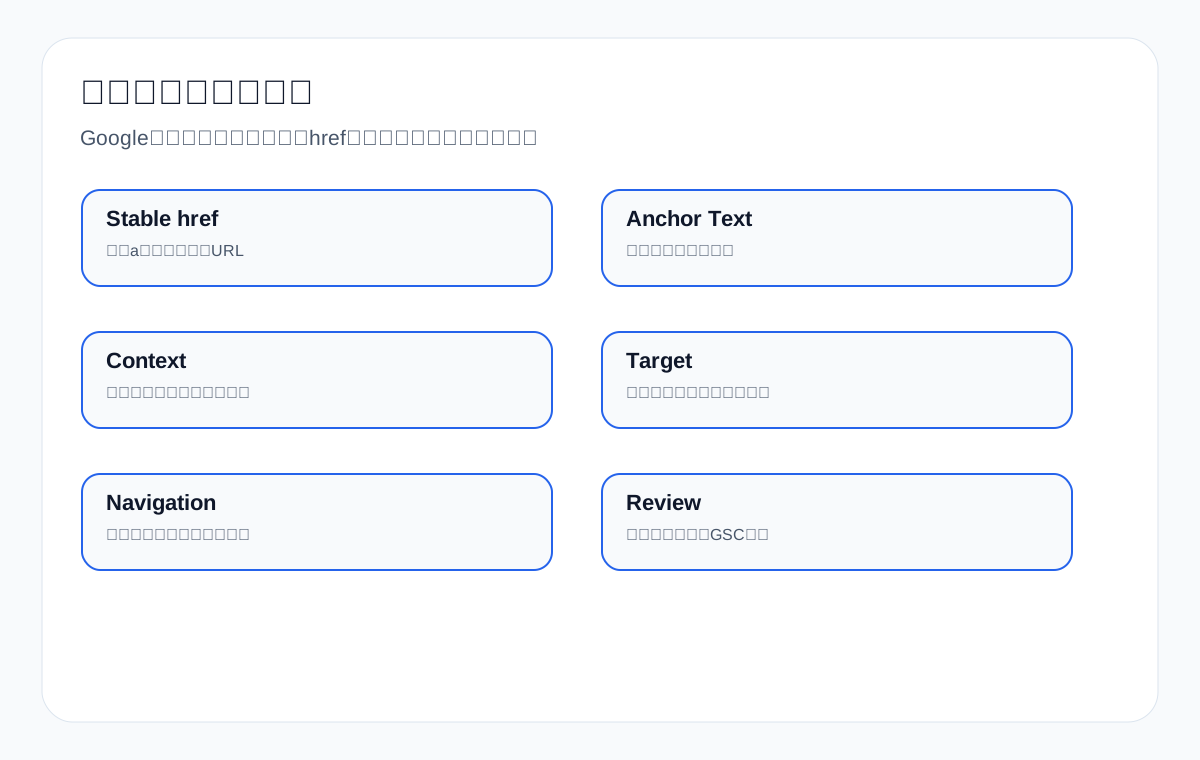
Whether a link has value cannot be judged only by whether a user can click it. More important: first, does it have a standard, stable, accessible href; second, do the anchor text and context explain the target page; third, should the target page itself be crawled and indexed.
| Judgement dimension | Passing behaviour | Common problems |
|---|---|---|
| href | A stable URL inside an a tag | Button only bound to a JS event |
| Target URL | Returns 200, indexable, primary version | Goes to a parameter page, redirect chain or error page |
| Anchor text | Explains the target page topic | Only “Learn more” or “Click here” |
| Context | Explains why the link is there | Orphan card with no text explanation |
| Page position | Reasonable entry points in navigation, body and related recommendations | Only a sitemap or script-based recommendations |
| Business path | Takes users to products, resources and inquiry | Visual jumps only, not serving the procurement path |
2. Which links Google follows more easily
Google understands standard HTML links more easily, especially links in body copy with clear anchor text. For example, in an FAQ about how to choose waterproof connector, naturally linking in the body to waterproof connector catalog, IP67 vs IP68 comparison and request a quote is clearer than a card that only says “Learn More”.
| Link type | Crawlability | Explanatory power | Best use |
|---|---|---|---|
| Body text link | High | High | Article to product page, FAQ to resource page |
| Main navigation link | High | Medium-high | Core category pages, service pages, resource pages |
| Breadcrumb link | High | Medium | Hierarchy and category understanding |
| Image-wrapped link | Medium | Depends on alt and surrounding text | Product cards and case entry points |
| JS button navigation | Unstable | Low | Not suitable as the only entry point |
| Post-form redirect | Low | Low | Cannot carry the page discovery path |
3. The link scenarios that go wrong most often on export websites
| Scenario | Risk | How to handle it |
|---|---|---|
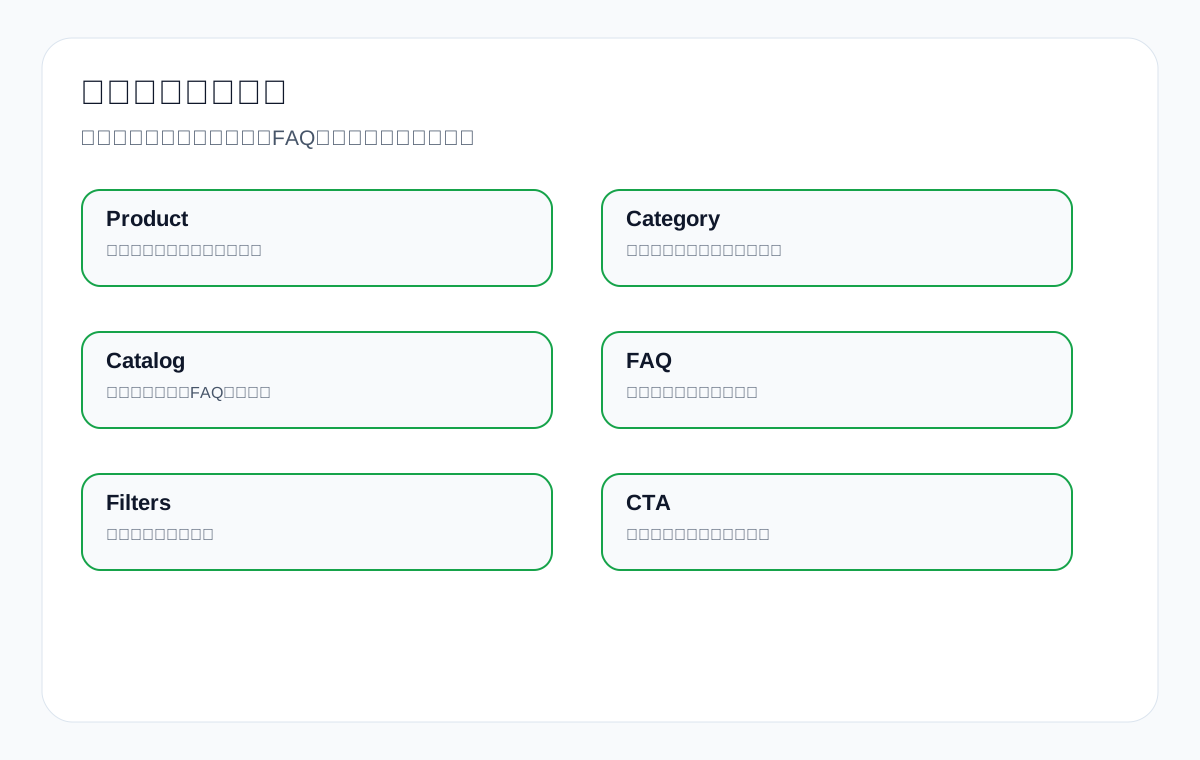
| Product card only has a JS click | Google may not see a stable entry point | Use standard links for both the card title and image |
| Filter pages generate unlimited URLs | Crawl budget is consumed by parameter pages | Control which filter pages are indexable and their canonical |
| Resource download button has no text link | Catalog and datasheet discovery is weak | Add resource pages and text download descriptions |
| FAQ accordion only has a button | Question and answer links explain poorly | Make answers and links part of readable HTML |
| Inquiry entry relies only on a modal | Conversion path accessibility is weak | Also provide a normal contact page link |
| Language switching uses scripts | Language version discovery is unstable | Use crawlable language links and hreflang |
4. Why “Learn more” is not good anchor text
“Learn more”, “Click here” and “View details” may work for users, but they explain very little to search engines and page relationships. Export websites should use anchor text that describes the target page.
| Weak anchor text | Better anchor text |
|---|---|
| Learn more | waterproof connector catalog |
| View details | custom metal parts tolerance guide |
| Click here | LED flood light for warehouse lighting |
| Product introduction | packaging machine price factors |
| Resource download | medical probe datasheet download |
5. Why body internal links matter more than automated recommendations
Automated recommendation modules can assist discovery, but body internal links explain context better. For example, in an article about packaging machine price, naturally linking in the body to pouch packing machine, automatic packaging line and maintenance checklist explains page relationships better than a random recommendation card at the bottom.
| Internal link position | Advantage | Shortcoming |
|---|---|---|
| Mid-body | Strong context, explains why the target page matters | Requires manual planning |
| End of article | Good for next-step reading and inquiry | Easily seen as a templated recommendation |
| Sidebar | Broad coverage | Weak context |
| Automatic related articles | Easy to maintain | Relevance is unstable |
| Navigation menu | Stable discovery | Limited slots, cannot go too granular |
6. How to check whether a link is crawlable
- Check whether a real a href exists in the source code or rendered HTML.
- After clicking, check whether the target page returns 200 rather than going to an error page or a complex redirect.
- Check whether the target URL is the canonical version, and avoid following a copy with tracking parameters.
- Check whether the anchor text describes the target page rather than generic button text.
- Check whether the context around the link is relevant to the target page topic.
- Check whether the target page is allowed to be indexed and is not canonicalised to another page.
| Check method | What it can reveal |
|---|---|
| Browser inspect element | Whether the link has an href |
| Crawler tool | Which on-site URLs are discovered and followed |
| GSC URL Inspection | Whether the target page is indexable and canonicalised |
| Log analysis | Whether Googlebot visits the link target |
| Site search/crawler | Orphan pages and pages with weak entry points |
| Manual front-end check | Whether the user path is smooth |
7. Build a link strategy by page type
| Page type | Where it should link to | Where it should get links from |
|---|---|---|
| Product page | Resource pages, FAQ pages, inquiry page, related products | Category pages, industry pages, article pages |
| Category page | Core products, selection guides, resource pages | Home page, navigation, industry pages |
| Industry page | Related products, cases, FAQ, inquiry page | Navigation, articles, product pages |
| FAQ page | Product pages, resource pages, contact page | Product pages, articles, search entry points |
| Resource page | Product pages, category pages, inquiry page | Product pages, FAQ pages, article pages |
| Inquiry page | Resource pages, product pages, service descriptions | Key commercial pages across the site |
8. 10 export link cases
Case 1: custom metal parts
Material pages, surface treatment pages and drawing submission pages should get body links from capability pages and articles.
Case 2: LED flood light
The warehouse lighting application page should link to wattage selection, illuminance recommendations and product series pages.
Case 3: packaging machine
The article on price factors should link to machine model pages, the maintenance page and the inquiry page.
Case 4: medical probe
The compatible device FAQ should link to the datasheet, the certification page and the product page.
Case 5: cnc machining parts
The industry page should link to materials, tolerances, inspection reports and case pages.
Case 6: ceramic dinnerware
The customisation page should link to glaze colours, packaging, MOQ and the sampling process.
Case 7: waterproof connector
The IP rating comparison article should link to the specification page, catalog and application pages.
Case 8: industrial valve supplier
The working conditions page should link to materials, pressure ratings and testing standards.
Case 9: private label activewear manufacturer
The fabric page should link to sampling, MOQ, sizing and packaging pages.
Case 10: stainless steel fasteners
The standards comparison page should link to material grades, coatings and the inventory page.
9. How to handle parameter links and tracking links
Advertising, email and analytics tools often add parameters to URLs. Parameters themselves are not the problem, but if many internal links point to parameterised versions, they can create duplication and noise.
| Link situation | Risk | Recommendation |
|---|---|---|
| Internal links carry utm parameters | Creates duplicate URL signals | Use clean URLs internally wherever possible |
| Filter parameters are indexable | Crawls large numbers of low-value pages | Open up only high-value filter combinations |
| Sort parameters are crawled | Duplicate content | Canonicalise to the main category page or restrict crawling |
| Multilingual parameters are messy | Weak language version identification | Use clear language paths and hreflang |
10. Link crawlability and the inquiry path
Crawlable links are not just an SEO technical issue; they also affect the user path. When an overseas buyer moves from an FAQ into a product page, then to a catalog, then to an inquiry page, that path needs to be clear and stable.
| User need | Link path you should provide |
|---|---|
| Wants to see specifications | FAQ/article → product page → datasheet |
| Wants to compare models | Article → category page → comparison table |
| Wants to confirm certification | Product page → certificate page → inquiry |
| Wants a quote | Product/resource page → RFQ/contact |
| Wants to see cases | Industry page → case page → related products |
11. How to build a link audit table
| Field | What to record |
|---|---|
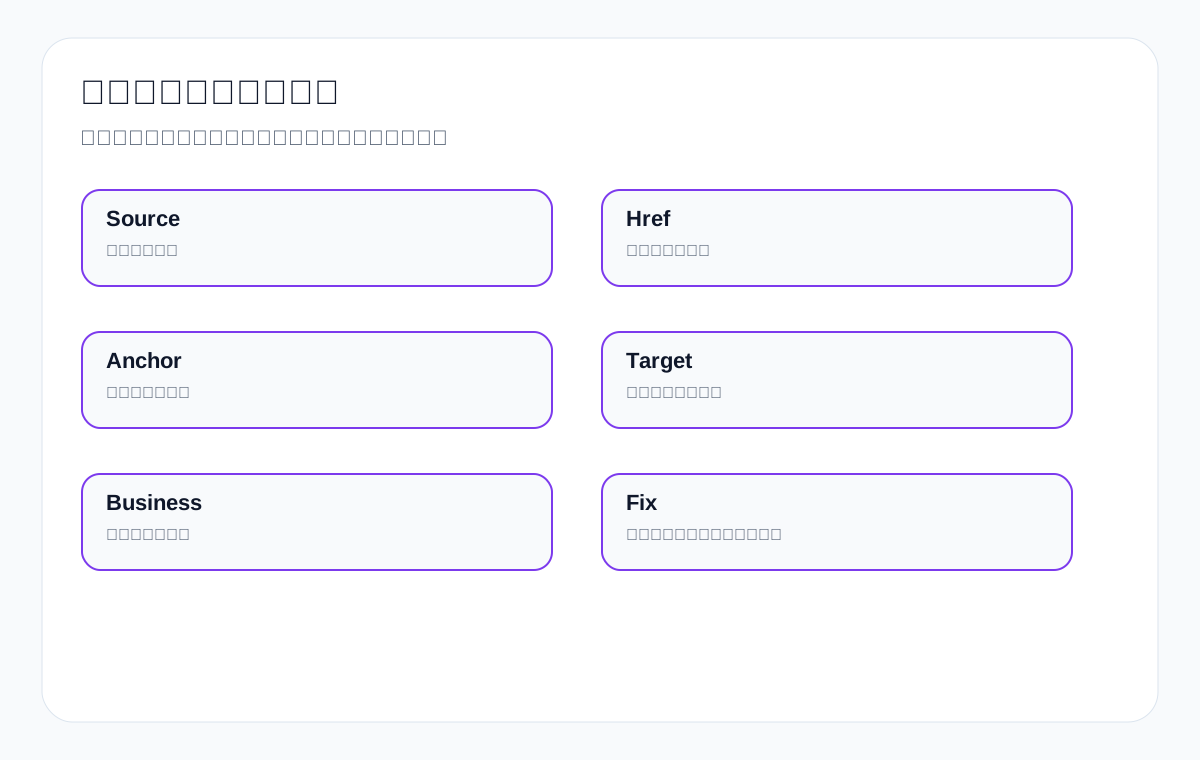
| Source URL | Which page the link is on |
| Target URL | Where the link goes |
| Link form | Text, image, button, JS, navigation |
| Anchor text | Whether it describes the target page |
| Target status | 200, indexable, correct canonical |
| Business impact | Which product line and page path it affects |
| Fix action | Change href, anchor text, internal link, navigation or parameters |
13.5 What links Google can actually follow usually have in common
From a practical standpoint, an internal link that has SEO value usually has several traits at once: it exists after the page loads, without the user needing to complete a complex interaction first; its target URL is the canonical version; its anchor text describes the target page; it sits in a meaningful context; and the page it links to is itself valuable.
| Trait | Why it matters | Export example |
|---|---|---|
| Visible in the initial or rendered HTML | Reduces discovery instability | A category page links directly to the waterproof connector series page |
| Clean target URL | Avoids parameter and duplicate page noise | Link to /waterproof-connector/ instead of a string of tracking parameters |
| Specific anchor text | Helps understand the target page topic | Use medical probe compatibility instead of “more” |
| Relevant context | Explains why the page is worth visiting | Link to material and sterilization FAQ inside sterilisation instructions |
| Indexable target page | Otherwise the link cannot strengthen a visible page | Do not point important links at noindex filter pages |
13.6 Which “clickable-looking” entry points most easily become illusions
The problem on many export websites is not a lack of entry points, but that the entry points work for the user interface while the discovery path for search engines is unstable. This is common with attractive product cards, carousels, modal buttons, filter interactions and download areas.
| Entry form | Why it may be a problem | More reliable handling |
|---|---|---|
| Whole card JS navigation | No standard href, or only a click event | Provide real links on the title, image and button |
| Button appears only on hover | Unstable for mobile and crawler understanding | Make core links visible by default |
| Resource link appears only in a modal | Weak resource page discovery | Also provide a normal resource page entry point |
| Products load asynchronously after filtering | Product URLs may not be discovered | Create statically accessible entry points for important categories and series |
| Infinite scroll recommendations | Later links are not necessarily processed reliably | Keep pagination or a stable recommendation area |
13.7 How to check links quickly in a browser
You do not need complex tools from the start; many problems can be tentatively judged in a browser. Right-click and inspect the element to see whether there is an a tag and an href; copy the link address to see whether it is the primary target version; disable some scripts to see whether core entry points still exist; check on mobile whether core category and product entry points can still be found.
- Check whether product card titles are real links.
- Check whether “Download catalog” links to a real resource page or file.
- Check whether the mobile menu can go directly to core category pages.
- Check whether language switching is a normal link rather than a pure script event.
- Check whether product names mentioned in FAQs link to the relevant product pages.
- Check whether articles contain body internal links rather than only random recommendations at the bottom.
13.8 How to use crawler tools for batch checks
Once the number of pages grows, you need crawler tools to review links in bulk. The point is not to generate a pile of reports, but to find orphan pages, pages with weak entry points, redirect chains, parameter noise and overly weak anchor text.
| Crawl finding | What it means | How to handle it |
|---|---|---|
| Important product pages have few entry points | Product pages may be buried too deep | Add body links from category pages, articles and industry pages |
| Large numbers of parameter URLs are discovered | High noise from filter, sort or tracking links | Canonicalise, restrict low-value parameters, clean up internal links |
| Anchor text repeats “View details” everywhere | Weak page relationship explanation | Change to anchor text that describes the target page |
| Many redirect chains | Target URLs are not clean enough | Link directly to the final URL |
| Resource pages have no entry points | Catalog and datasheet assets are orphaned | Link to resource pages from product pages, FAQs and articles |
13.9 How to write body links naturally
Body internal links are not about forcing keywords in, and you should not put one link in every paragraph. They should appear where the user needs the next piece of information. For example, when an article discusses the difference between IP ratings for waterproof connector, link naturally to IP67 vs IP68 comparison; when it discusses the catalog, link to waterproof connector catalog; when it discusses quoting, link to the RFQ page.
| Body scenario | Good link target | Anchor text example |
|---|---|---|
| Explaining specification differences | Comparison page/FAQ page | IP67 vs IP68 connector comparison |
| Discussing application scenarios | Industry page/application page | LED flood light for warehouse lighting |
| Discussing document preparation | Resource page | medical probe datasheet download |
| Discussing quotation factors | Price explanation page/inquiry page | packaging machine price factors |
| Discussing production capability | Capability page/product page | custom metal parts manufacturing capability |
13.10 Links and canonical should be reviewed together
If many internal links point to parameter pages, tracking pages or non-canonical versions, it becomes harder for Google to judge which page is the primary version. Canonical can help consolidate signals, but if internal links keep voting for the wrong URL, canonicalisation decisions still easily become muddled.
| Link problem | Canonical risk | Fix recommendation |
|---|---|---|
| Category page links to a URL with sort parameters | Parameter page competes with the main category page | Change internal links back to the main category page |
| Article links to an old product URL | Signals are scattered | Update to the current primary version URL |
| Multilingual pages link to each other messily | Language version selection is unstable | Use clear language paths and hreflang |
| Advertising parameter URLs are reused internally | Duplicate URLs enter the crawl | Use clean URLs on site; keep parameters for external channels only |
13.11 What links have to do with crawl budget
For small sites, crawl budget is not the first concern, but for export websites with many product lines, many filters and many parameters, link noise wastes Googlebot’s attention. This is especially true for WooCommerce or Shopify sites: if colour, size, sorting, price range and stock status all generate crawlable links, low-value pages easily occupy the discovery path.
| Low-value entry point | Impact | Recommendation |
|---|---|---|
| Sort links | Generate large numbers of duplicate listings | Do not treat them as indexable entry points |
| Price filters | Page value is usually low | Keep them for user interaction only, do not strengthen indexing |
| Colour/size combinations | Many duplicates and thin pages | Open up only combinations with search value |
| Site search result pages | Quality is uncontrollable | Usually not an indexable entry point |
| Tracking parameters | Create duplicate URLs | Do not use parameterised links internally |
13.12 The relationship between link crawlability and AI search visibility
AI search differs from traditional search, but both depend on clear, understandable page assets. If FAQs, resource pages and product pages are not connected by stable links, it is harder for both AI systems and search systems to understand which pages are core sources and which are only supporting explanations.
| Link structure | How it helps AI understanding |
|---|---|
| FAQ links to product and resource pages | Helps answers relate to their factual sources |
| Resource pages link back to product pages | Connects catalog and datasheet with the product entity |
| Industry pages link to cases and product pages | Helps understand application scenarios and solutions |
| Articles link to definitions, comparisons and inquiry pages | Helps form a complete decision path |
13.13 Team collaboration: who owns what across design, development and content
| Role | Responsible for | Easily overlooked issue |
|---|---|---|
| Design | Card, button and navigation visuals | It cannot only look good; it must keep clear links |
| Development | Link implementation, routing, parameters, JS interactions | Key entry points must not rely on events alone |
| Content | Body internal links and anchor text | Do not only write “Learn more” |
| SEO | Link audits, orphan pages, canonical relationships | Do not only look at page count |
| Sales | Feed back the resources and product paths users ask about most | Helps decide which pages need more entry points |
13.14 A 30-minute rapid audit process
| Time | Action | Goal |
|---|---|---|
| 0-5 minutes | Pick one product line and its core pages | Clarify the business goal |
| 5-10 minutes | Check navigation and category entry points | Confirm the main path is discoverable |
| 10-15 minutes | Check body internal links and anchor text | Confirm contextual explanatory power |
| 15-20 minutes | Check cards, buttons and download entry points | Confirm they are not JS fake entry points |
| 20-25 minutes | Check target page status and canonical | Confirm links go to the primary version |
| 25-30 minutes | Write the fix list | Clarify whether to change links, pages or the parameter strategy |
13.15 What export websites must do beyond generic technical documentation
Generic technical documentation usually tells you that Google can crawl a href links and that you should not rely on complex script navigation. That is the baseline, but export websites need to look one layer further: whether the link serves the procurement path. In other words, links should not only let crawlers move around, but also let users move smoothly between questions, resources, products, categories and inquiry.
| Generic advice | What export websites need to implement further | Example |
|---|---|---|
| Use standard href | Ensure links point to the primary version of products, resources and inquiry | waterproof connector catalog should not link to a parameter copy |
| Use descriptive anchor text | Use English product terms and procurement questions as anchor text | custom metal parts tolerance guide |
| Avoid JS-only links | Cards, buttons and modals should still keep normal links | Download datasheet should also have a resource page link |
| Control low-value URLs | Filters, sorting and tracking parameters must not steal primary page signals | Category pages should not link heavily to sort=price versions |
13.16 Three error cases: why Google ignores important pages when a site has many pages
Error case 1: the key product page only has an image card entry point
An LED flood light product series page has many attractive cards on the front end, but the card clicks rely on scripts, the titles are not standard links, and the body copy has no anchor text pointing to that series page. Users being able to click through does not mean Google can reliably treat it as an important page. To fix it, make the image, title and button all point to a clean URL, and add body internal links from application pages and articles.
Error case 2: the resource page only appears in a modal
A medical probe datasheet download entry point only appears after a modal form is submitted, and the page itself has no resource page explanation or text link. This makes the resource asset hard for search engines to understand. A better approach is to build a resource description page explaining the content, applicable models and download method, and link to it from product pages and FAQ pages.
Error case 3: filter pages scatter the category page signals
A ceramic dinnerware category page opened up a large number of colour, size, price and sort combination links, and the on-page cards also kept linking to parameter URLs. As a result, the main category page signals were diluted and crawling was consumed by low-value listings. When fixing it, keep the combinations that genuinely have search value, treat other filters as user interaction only, and unify internal links back to the main category or important subcategories.
13.17 Link fix priorities: which changes pay off most first
If you can only change some links at a time, prioritise the entry points that directly affect the business path. Do not start with edge pages; look first at core product lines, important category pages, resource pages and inquiry pages.
| Priority | What to change first | Why |
|---|---|---|
| Highest | Home page/navigation to core category pages | Affects discovery of key site-wide topics |
| Highest | Category page to core product pages | Affects product page discovery and weight distribution |
| High | Article/FAQ to product and resource pages | Brings educational traffic into the procurement path |
| High | Resource page to inquiry page | Directs evaluation needs towards conversion |
| Medium | Related article and case recommendations | Assists understanding of topic relationships |
| Low | Edge tag pages and low-value archives | Little impact on the business path |
13.18 How to review after link changes
Link fixes do not end when the changes are made. Over the next 2-6 weeks you need to observe whether Google discovers the target pages more often, whether more relevant queries appear in GSC, and whether users move from articles and FAQs into product pages, resource pages and inquiry pages.
| Review metric | What to look at | What it shows |
|---|---|---|
| GSC page data | Whether impressions and queries for target URLs increase | Whether page discovery and topic matching improved |
| Crawl records | Whether target pages are visited sooner | Whether entry points are more stable |
| GA4 paths | Whether users move from articles/FAQs into product and resource pages | Whether the user path is smoother |
| Inquiry quality | Whether customers arrive with more specific questions | Whether the link path helps procurement decisions |
| URL Inspection | Whether target pages are indexable and correctly canonicalised | Whether the technical state supports link value |
13.19 FAQ supplement: more practical link questions
Are footer links useful?
Footer links can assist discovery, but their context is weak and they are not suitable for carrying all important page discovery. Core product pages are better off also having navigation, category and body entry points.
Should buttons never be used?
Buttons are fine, but underneath there should preferably still be a normal link, or at least an equivalent text link entry point. Do not let critical paths depend only on script events.
Should both product card titles and images have links?
Yes, it is recommended. It makes the user experience more natural and the entry point clearer. Anchor text and image alt should also describe the product as far as possible.
Which matters more, external links or internal links?
These are different questions. External links affect external trust; internal links affect on-site discovery, page relationships and weight distribution. For export sites at a basic stage, internal links are often more controllable.
Are more links always better?
No. Links should serve page relationships and user paths. Large numbers of irrelevant links dilute the focus and can also create crawl noise.
Where should I add links after publishing a new page?
Prioritise natural entry points from related category pages, related articles, FAQs, home page modules or resource pages, and make sure the sitemap is submitted.
Can a resource PDF itself be the direct target?
Yes, but it is better to also have a resource description page explaining the file content, applicable products and the next inquiry path.
12. FAQ: common crawlable links questions
If a button can be clicked, why still look at href?
Because a user being able to click does not mean Google can reliably discover and understand the target page.
Are image links useful?
Yes, but they are best combined with alt text, surrounding copy and a clear target page.
Do all internal links need to be in the body?
No, but important pages should preferably have contextual body links.
Can internal links carry UTM parameters?
Internal use of UTM at scale is generally not recommended, to avoid creating duplicate URLs.
If the sitemap has links, are body links still needed?
Yes. Sitemaps help discovery; body links help explain relationships and importance.
Should all filter pages be open to Google crawling?
Not recommended. Open up only filter combinations with search value and content value.
Why was a new product page not discovered?
Possibly because navigation, category pages, body internal links and sitemap entry points are all weak.
What do crawlable links have to do with rankings?
They affect discovery, page relationships, weight distribution and understanding of the target page, but they are not the only ranking factor.
13. Conclusion: links are not decoration, but roads between page assets
For export websites, links are not visual decoration but roads between product pages, category pages, resource pages, FAQ pages and inquiry pages. When the roads are clear, Google finds important pages more easily and users complete their procurement decisions more easily.
When you audit crawlable links, do not just count links. Look at whether these links are genuinely crawlable, whether they explain the target page, whether they point to the primary version, and whether they serve the product lines and inquiry paths. Do this well and many problems become easier to solve: slow page discovery, orphan pages, weak category pages and resource pages nobody sees.
{
“@context”: “https://schema.org”,
“@type”: “FAQPage”,
“mainEntity”: [
{
“@type”: “Question”,
“name”: “Are footer links useful?”,
“acceptedAnswer”: {
“@type”: “Answer”,
“text”: “Footer links can assist discovery, but their context is weak and they are not suitable for carrying all important page discovery. Core product pages are better off also having navigation, category and body entry points.”
}
},
{
“@type”: “Question”,
“name”: “Should buttons never be used?”,
“acceptedAnswer”: {
“@type”: “Answer”,
“text”: “Buttons are fine, but underneath there should preferably still be a normal link, or at least an equivalent text link entry point. Do not let critical paths depend only on script events.”
}
},
{
“@type”: “Question”,
“name”: “Should both product card titles and images have links?”,
“acceptedAnswer”: {
“@type”: “Answer”,
“text”: “Yes, it is recommended. It makes the user experience more natural and the entry point clearer. Anchor text and image alt should also describe the product as far as possible.”
}
},
{
“@type”: “Question”,
“name”: “Which matters more, external links or internal links?”,
“acceptedAnswer”: {
“@type”: “Answer”,
“text”: “These are different questions. External links affect external trust; internal links affect on-site discovery, page relationships and weight distribution. For export sites at a basic stage, internal links are often more controllable.”
}
},
{
“@type”: “Question”,
“name”: “Are more links always better?”,
“acceptedAnswer”: {
“@type”: “Answer”,
“text”: “No. Links should serve page relationships and user paths. Large numbers of irrelevant links dilute the focus and can also create crawl noise.”
}
}
]
}
Keep reading this SEO series
If you are systematically working through export website SEO, it is worth continuing with the articles below. First get crawling, indexing, content, links and review relationships clear, then decide which page to change next.
- How to audit JavaScript SEO: a guide to navigation, lazy loading, pagination and crawling export pages
- How to write AI citation-ready content: a complete guide to making export pages easier for AI to cite
- Google crawling, indexing and ranking: a diagnostic guide for export websites from indexing to inquiry
- How search engines work: crawling, indexing, ranking and a diagnostic guide for export websites
- Technical SEO audit checklist: a diagnostic guide to crawling, indexing, structure and inquiry paths for export websites
- Sitemap technical guide: sitemap submission, indexing diagnostics and troubleshooting common errors
This page is machine-translated from the Simplified Chinese version and awaiting human review. It has not yet been proofread.