How search engines work is not a matter of general curiosity for export businesses; it is the foundation for diagnosing website problems. Many export sites doing SEO lump “not discovered,” “crawl failure,” “crawled but not indexed,” “low rankings,” and “traffic but no inquiries” into a single problem, so they keep rewriting titles, stuffing keywords, and publishing new articles without fixing the stage that is actually stuck. The basic pipeline of a search engine can be broken down into: discovering URLs, crawling pages, rendering content, building the index, ranking and serving results, users clicking, and reviewing the outcome.
If a custom metal parts page has no internal links from any relevant page, its first problem is discovery and importance; if a packaging machine page loads its core specifications only through JavaScript, the problem may be rendering and content visibility; if an LED flood light page is already indexed but ranks low, that is when you need to look at search intent, competitor structure, product specifications, FAQs, images, and internal links; if a page gets visits but no inquiries, then look at the purchasing path, the document checklist, and the conversion entry points. Based on Google’s official How Search Works documentation, this article turns the search engine process into a diagnostic framework that export websites can act on.
Where the official documentation ends: crawling, indexing, ranking, and AI citations are not the same problem
How search engines work cannot be summed up with a single line like “crawl first, then index, then rank.” For diagnosing an export website, what matters more is separating problems by stage: can the URL be discovered, can Googlebot access it, can the page be rendered, is the content eligible for the index, is it competitive for ranking under the query intent, do the search results earn clicks, and do those clicks turn into inquiries.
If a company sells custom metal parts, LED flood light, packaging machine, medical probe, waterproof connector, industrial valve supplier, ceramic dinnerware, or private label activewear manufacturer, the problems of different product lines are often not at the same stage. Some pages never make it into the sitemap, some are blocked by robots or a meta robots tag, some have unclear canonical targets, some carry too few product facts, some show impressions in GSC but a low CTR, and some get visits but have a weak RFQ path. Diagnosis must first locate the stage, and only then decide on the action.
Mapping official documentation to search-process verification fields
| Official documentation | Corresponding process | What it can verify | What it cannot establish |
|---|---|---|---|
| Google Search Central: How Search Works | Discovery, crawling, indexing, ranking | Search does not scan the entire web in real time; it goes through stages such as discovery, crawling, indexing, and serving results. | You cannot turn “the page exists” into “the page is already competing for rankings.” |
| Google Search Central: SEO Starter Guide | Basic page quality | Whether titles, body copy, image descriptions, internal links, and page purpose serve real users. | It cannot be written as a guaranteed ranking or a guaranteed click result. |
| Google Search Central: Search Essentials | Core eligibility for search | Whether a page is accessible and indexable, and whether it avoids spammy and misleading content. | Meeting basic requirements does not mean the page already has search performance. |
| Google Search Central: Crawling and indexing | Crawling and indexing overview | Whether URL discovery, crawl limits, indexing controls, duplicate URLs, and resource access are clear. | A successful crawl cannot be written as a successful index. |
| Google Search Central: Google crawlers and fetchers | Crawler identification | Whether visits from Googlebot, Google-InspectionTool, and others can be distinguished in logs or server rules. | A visit from any bot cannot be written as adoption by Google Search. |
| Google Search Central: Sitemaps overview | URL discovery path | Whether core articles, category pages, product pages, application pages, and resource pages are included in the sitemap. | A URL appearing in the sitemap does not mean the page has been indexed. |
| Google Search Central: robots.txt introduction | Crawl rules | Whether important pages, images, PDFs, JS/CSS, and product resources are blocked by mistake. | Being allowed by robots does not mean the page will be shown. |
| Google Search Central: robots meta tag | Indexing control | Whether page-level directives such as noindex, nofollow, max-snippet, and image previews are correct. | Removing noindex does not mean the page enters the index immediately. |
| Google Search Central: Canonical URL guidance | Duplicate URLs and canonical | Whether parameter pages, pagination, filter pages, variant pages, and multilingual URLs have a clear canonicalization strategy. | A canonical is not a command, and it is not a ranking promise. |
| Google Search Central: Structured data general guidelines | Structured data | Whether Schema fields come from visible page content, and whether duplicate plugin output and fabricated fields are avoided. | Schema is not a control switch for rich results or AI answers. |
| Google Search Central: Page experience | Page experience | Whether mobile usability, loading experience, intrusive elements, and page readability affect users. | Passing experience checks does not guarantee a top ranking. |
| Search Console Help: URL Inspection tool | Single-URL inspection | Indexing, crawling, canonical, and the version Google sees for priority URLs. | Being able to inspect a single URL does not mean it is being shown. |
| Search Console Help: Performance report | Search performance | query, page, clicks, impressions, CTR, average position, country, device. | Without GSC row data, you cannot fill in rankings, clicks, or CTR. |
| Google Search Central: AI features and your website | Basic boundaries of AI search | AI features still depend on pages being accessible, indexable, clear in content, and consistent with structured data. | You cannot promise that AI answers will use your website’s pages. |
| OpenAI Platform: Bots | AI crawler access | The purpose and access boundaries of OAI-SearchBot, GPTBot, and ChatGPT-User must be checked separately. | Allowing a bot to access the site does not mean AI search results will change. |
| Bing Webmaster Blog: AI Performance | Bing AI observation | If visible in the account, you can record citations, cited pages, and grounding query phrases. | A citation is not a ranking, an answer position, or an inquiry result. |
| IndexNow: Documentation | URL update notification | After adding, updating, or deleting URLs, record the submission time, the URL list, and the returned status. | HTTP 200 only means the notification was received; it does not mean the URL was indexed. |
Export website search-process diagnostic matrix: locate the stage first, then decide the action
The same symptom of “no organic traffic” can point to completely different stages. Search-process diagnosis should work like troubleshooting a circuit: check one layer at a time. Do not start by rewriting titles, and do not attribute every problem to content not being long enough.
| Stage | Typical symptom | Evidence to check | Export page example |
|---|---|---|---|
| URL discovery | The page has not been discovered for a long time. | Sitemap, internal links, status codes, logs, site navigation. | A new LED flood light application page has no entry point at all. |
| Crawl access | Crawling fails or resources are blocked. | robots, server status codes, resource access, Googlebot logs. | A medical probe product PDF summary page is blocked by a rule by mistake. |
| Rendering and comprehension | The page opens, but the key content is not in the HTML. | Source code, rendered HTML, image alt text, specification tables, JS dependencies. | The material and tolerance data for custom metal parts appear only inside images. |
| Index eligibility | Crawled but not indexed, duplicate, unclear canonical. | URL Inspection tool, canonical, duplicate URLs, page quality. | A waterproof connector filter page generates a large number of near-duplicate URLs. |
| Ranking competition | Indexed but not shown, or ranking very low. | GSC query/page, titles, content depth, internal links, search intent. | The industrial valve supplier category page has a scattered topic focus. |
| Click performance | Impressions but a low CTR. | GSC CTR, titles, snippets, brand credibility, page type. | The ceramic dinnerware page title does not state the material or the export scenario. |
| Inquiry conversion | Clicks but no RFQ. | GA4 events, forms, email, WhatsApp, downloads, sales feedback. | The packaging machine page has no fields for capacity, materials, or quote requests. |
Without GSC data, conclusions about the search process must be downgraded
If Search Console has no query, page, or page-query rows for the last 28 or 90 days, a search-process diagnosis cannot claim existing rankings, impressions, clicks, CTR, or changes in inquiries. At this stage you can build a technical baseline, a page baseline, a query set, an event baseline, and a review framework; once real row data appears, then judge search performance.
| Current evidence | Can be written as | Cannot be written as | Next review |
|---|---|---|---|
| GSC has no query or page rows | There is not yet a data baseline for judging search performance. | Rankings, clicks, or CTR have improved. | Recheck query, page, and page-query in 7-14 days. |
| The page is now in the sitemap | The discovery path is clearer. | The page has been indexed or shown. | Check logs, URL Inspection, and GSC. |
| robots and meta robots have been reviewed | There is no obvious block in crawl and indexing controls. | The search system will definitely use the page. | Continue checking crawling, indexing, and page quality. |
| Schema has been checked | Structured data is consistent with visible page content. | Rich results or AI citations have already happened. | Combine official testing, GSC enhancement reports, and AI samples. |
| GA4 events have been configured | Form, email, download, and RFQ actions can be observed going forward. | Changes in on-site events are directly equivalent to SEO results. | Combine source, page, inquired product, and sales feedback. |
AI search and GEO boundaries: first make your website crawlable, indexable, and quotable evidence
AI search and GEO do not bypass basic SEO. If a page cannot be discovered, crawled, rendered, and understood, it is hard for it to become reliable evidence. For an export site, AI visibility is not about making a certain platform always adopt your website; it is about making your website’s content easier for both systems and buyers to verify: what the product is, what scenarios it suits, where the evidence is, and how the inquiry path runs.
| Basic SEO stage | Corresponding AI/GEO risk | Action you control | Observe only |
|---|---|---|---|
| Weak URL discovery | AI systems struggle to find authoritative sources. | Sitemap, internal links, resource pages, category pages, and product page entry points. | When external platforms discover the page. |
| Thin page facts | Answers are likely to cite third parties or competitors. | Specification tables, FAQs, certificates, application scenarios, RFQ fields. | The source selection of a particular AI answer. |
| Inconsistent entities | The brand, products, markets, and capabilities are restated incorrectly. | Consistent company name, brand name, product families, address, and contact details. | How fast a platform’s knowledge base updates. |
| Mixed measurement definitions | Mixing brand mentions, website citations, clicks, and inquiries into one result. | Separate records for GSC, GA4, AI samples, Bing citations, and inquiries. | Fluctuation in platform answers and changes in competitor sources. |
30-60-90 day review: look at technical work, search performance, AI samples, and inquiries separately
A search-process diagnosis does not end on launch day. In the first 30 days, check whether URL, crawling, indexing, and page actions were actually implemented; at 60 days, check whether GSC and GA4 have formed an observable baseline; at 90 days, put AI samples, Bing citations, inquiry fields, and sales feedback together to decide the next round of priorities.
| Period | Review focus | Fields to record | What it is good for judging |
|---|---|---|---|
| 0-30 days | Sitemap, robots, index/follow, canonical, Schema, mobile tables, page facts. | URL, action, launch date, review result, owner. | Whether the controllable baseline was implemented. |
| 31-60 days | Whether query/page rows appear in GSC and whether GA4 events work correctly. | query, page, country, device, events, downloads, forms, email clicks. | Whether observable data is starting to form. |
| 61-90 days | AI answer samples, Bing citations, inquired products, sales feedback, and their relationship to page actions. | Platform, question, cited URL, competitor sources, inquiry fields, sales notes. | Which product line, page type, and evidence module to fix first in the next round. |
Benchmarking against the Top 1 and authoritative sources: what Google’s official How Search Works says
Google Search Central’s official How Search Works documentation breaks the search process into three major stages: Crawling, Indexing, and Serving search results. It explains that Google uses crawlers to download the text, images, and videos of pages it finds on the internet; during crawling it also renders pages and runs JavaScript using a recent version of Chrome; in the indexing stage it analyzes page text, images, and video files and stores the information in the Google index; and when a user searches, Google returns information relevant to the query. Google also explains in documents such as technical requirements, crawl stats, and URL Inspection that robots, noindex, status codes, resource accessibility, page value, and user demand all affect whether a page can appear in search results.
The Google How Search Works site also stresses that Google’s automated systems look for relevant, useful results in a vast index, and that Google does not accept payment to crawl more frequently or to improve rankings. The strength of official documentation is that it is authoritative, accurate, and clear about its boundaries; its gap is that it will not break the process down for an export business into product pages, category pages, industry pages, technical articles, inquiry paths, and GSC reviews. That is why this article on our site turns the official process into a diagnostic framework for export websites.
| Benchmark target | What it gets right | Common gap | How our site goes further |
|---|---|---|---|
| Google Search Central How Search Works | Authoritative explanation of crawling, indexing, and serving, including the rendering and indexing process | Stays at the official fundamentals and does not break down export page diagnosis | Adds troubleshooting paths for export product pages, category pages, and industry pages |
| Google Crawling and Indexing documentation | Explains how to control what Google discovers and parses | The documentation is scattered, so clients struggle to turn it into actions | Organized into a mapping table of discovery, crawling, indexing, and ranking problems |
| Google Ranking Systems Guide | Explains that automated ranking systems find relevant, useful results from the index | Does not provide a page-level rewrite process | Adds Top 1 benchmarking, purchasing intent, FAQs, and review metrics |
| General SEO explainer articles | Cover the concepts of crawlers, indexing, and ranking | Tend to stay at the concept level and are not actionable enough | Uses export product keywords and GSC statuses as diagnostic cases |
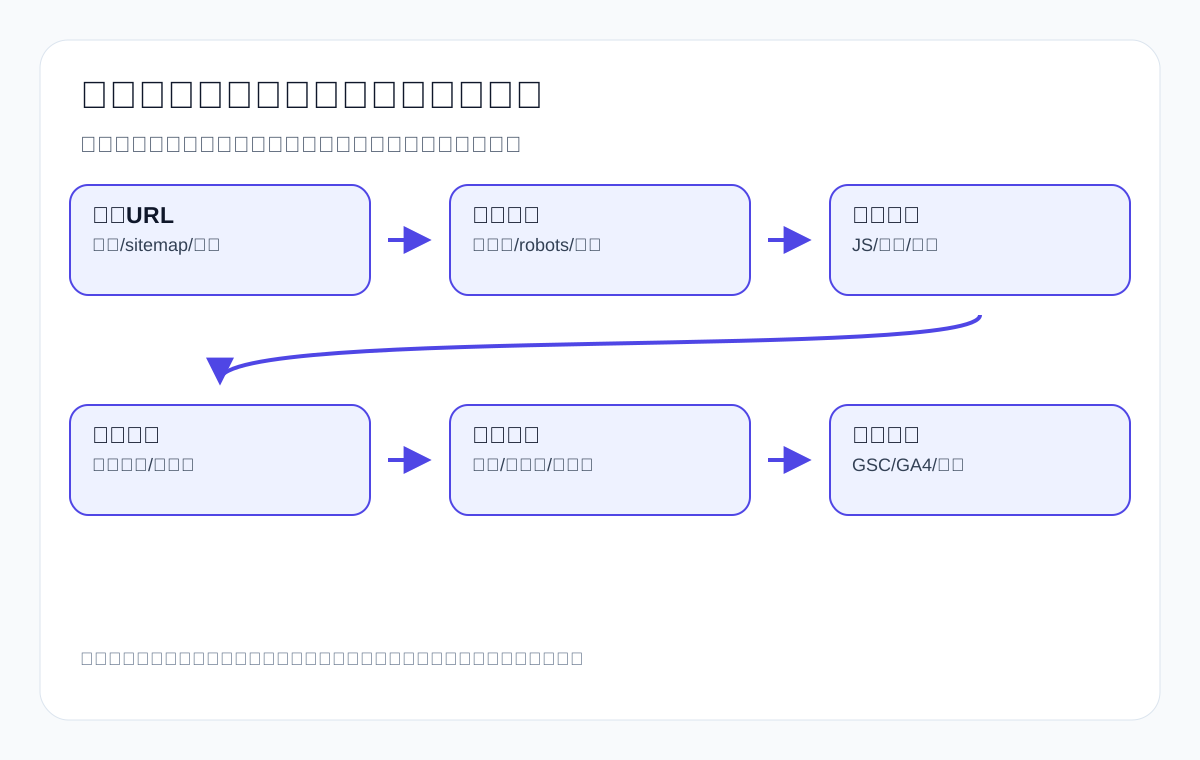
Stage 1: URL discovery — not every page is seen automatically
A search engine first has to know that a URL exists. It can discover pages through external links, internal links, sitemaps, known URLs, data sources, and past crawls. For an export website, when a new product page or new article goes live without internal links and relies only on the sitemap, both the discovery signal and the perceived importance are usually weak.
| Discovery source | Role | Export example | How to check |
|---|---|---|---|
| In-body internal links | Discover the URL and explain its context | Link from a CNC machining article to a custom metal parts page | crawl incoming links |
| Navigation/category | Provide a stable entry point | An LED flood light category page in the product menu | Front-end navigation and HTML links |
| sitemap | Submit a list of URLs | A new product page is added to the XML sitemap | GSC sitemap report |
| External links | Discover pages from other websites | A B2B platform or industry directory links to the website | Backlink tools / GSC links |
| Past crawls | Google knew the URL at some point | An old product page is still in the index | URL Inspection |
If a page has not been discovered, rewriting titles, adding FAQs, and writing longer content will not solve the problem right away. The first step should be to add relevant internal links, confirm the sitemap, check noindex/canonical, and use GSC URL Inspection to see whether Google knows the URL.
Stage 2: Crawling the page — can Googlebot access it normally
After Googlebot discovers a URL, it needs to crawl the page. Crawling problems commonly come from status code errors, robots.txt blocks, slow servers, redirect chains, access restrictions, mobile version issues, and failed resource loads. For an export website, a server that responds slowly overseas, overly heavy product images, and core content that loads only through scripts can also affect crawling and comprehension.
| Crawling problem | Symptom | Common cause on export sites | Fix |
|---|---|---|---|
| 404/5xx | The page is unreachable or the server errors | Product delisted, migration, unstable server | Fix the status code, redirect, or restore the page |
| Blocked by robots | Googlebot cannot crawl | A directory blocked by mistake, test rules left in place | Check robots.txt |
| Redirect chains | Crawl efficiency drops | An old URL hops several times | Collapse to a single 301 |
| Slow server | Crawling is limited or times out | Heavy images, poor caching, slow hosting | Optimize speed and caching |
| Mobile issues | Mobile Googlebot sees incomplete content | Responsive layout or hidden content problems | Check mobile rendering |
Stage 3: Rendering content — JavaScript and images cannot replace text
Google states officially that it renders pages and runs JavaScript during crawling, similar to a browser visit. But that does not mean you can leave key product specifications, navigation, FAQs, and inquiry information dependent on scripts or images. For an export B2B site, core content should be expressed in accessible HTML.
| Content format | Risk | Safer approach | Example |
|---|---|---|---|
| Specifications only in images | Machines struggle to understand them fully | Image plus an HTML specification table | LED flood light wattage, IP, and certification table |
| Navigation loaded later by JS | Link discovery is unreliable | Use HTML anchors for important links | Links to product categories and industry pages |
| FAQs collapsed and not in the HTML | Content may be invisible | Make sure it is readable in source or after rendering | MOQ, lead time, and certification questions |
| Unclear inquiry form requirements | Users do not know what to submit | Explain the document checklist in the body | Drawings, quantity, application environment |
| Lazy-loaded images without alt | Weak image semantics | Add alt text and surrounding explanation | A packaging machine operating diagram |
Stage 4: Indexing — a crawl does not guarantee inclusion
After Google crawls a page, it analyzes the content and decides whether to store it in the index. In URL Inspection, “Crawled – currently not indexed” or “Discovered – currently not indexed” are common, which shows that discovery/crawling and indexing are not the same thing. A page may stay out of the index because of insufficient quality, duplication, canonical, noindex, thin content, lack of demand, or weak internal importance.
| GSC status | Possible cause | Export site check | Action |
|---|---|---|---|
| Discovered, not indexed | Discovered but not yet crawled, or low priority | Missing internal links, weak page value, limited site crawl budget | Add internal links and raise page value |
| Crawled, not indexed | Crawled but not added to the index | Duplicate, thin, or unclear-intent content | Rewrite the content and merge duplicate pages |
| Duplicate without selected canonical | Google considers there to be a duplicate version | Product specification pages, filter pages, similar articles | Set a canonical or merge |
| Excluded by noindex | The page is explicitly excluded from indexing | Whether noindex was added by mistake | Confirm the page’s role, then adjust |
| Indexed but no traffic | It can be shown but is not competitive enough | Intent, titles, content, internal links, competitors | Move to ranking-stage diagnosis |
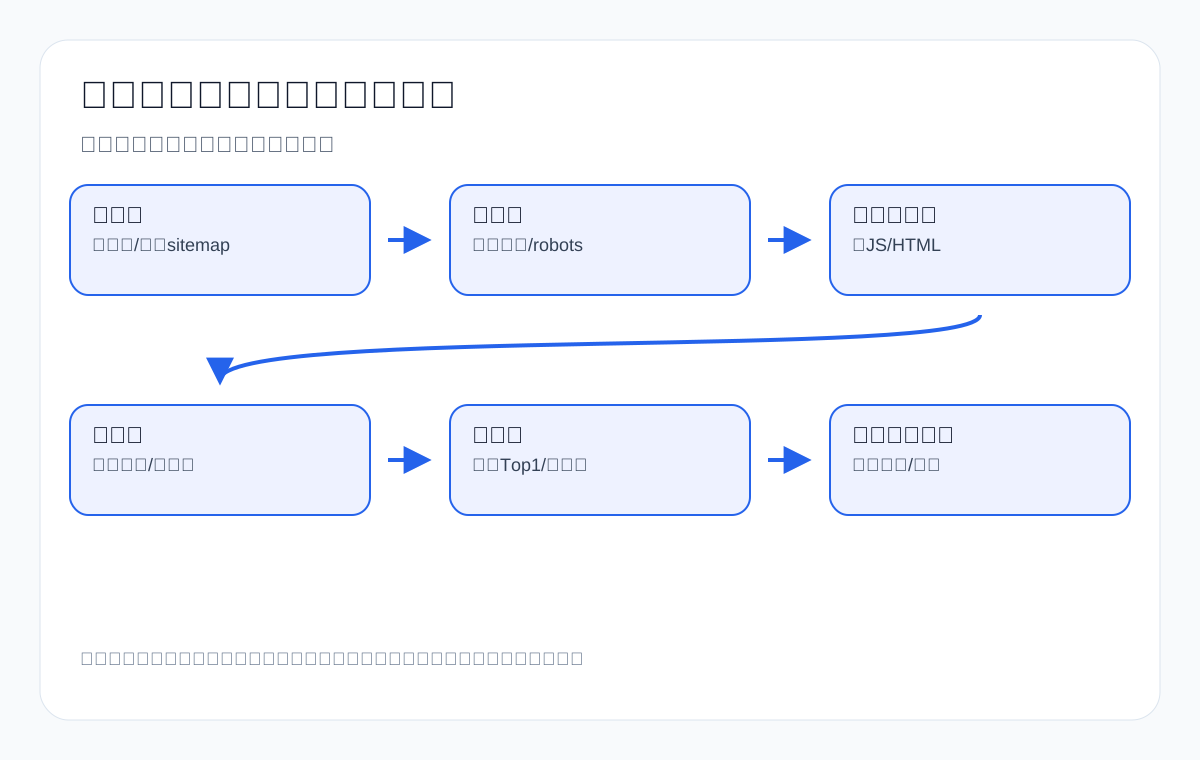
Stage 5: Ranking — ranking compares candidate pages under a query intent
Ranking is not simply about how many times a keyword appears; it is about choosing results from the index that are more relevant, more useful, more trustworthy, and better suited to user intent for a given query. When an export page ranks low, the common cause is not “too few keywords” but a mismatched page type, incomplete information, stronger competitors, missing proof, weak internal links, or a poor user path.
| Ranking problem | Common misdiagnosis | Correct check | Export action |
|---|---|---|---|
| Low ranking for a commercial keyword | Assuming the article is not long enough | Whether the SERP is mostly category/product pages | Use a category page to target the commercial keyword |
| Low ranking for a tutorial keyword | Only rewriting the title | Whether the Top 1 result has more complete steps, tables, and FAQs | Benchmark it and add depth |
| Low ranking for a comparison keyword | Only stuffing in two product names | Whether there are clear comparison dimensions | Add a comparison table and use cases |
| Low ranking for a regional keyword | Only adding a country name | Whether local certification, logistics, and application notes are covered | Add a country-market section |
| Rankings but no inquiries | Assuming rankings are useless | Whether the page has a clear document checklist and entry point | Improve the inquiry path |
Export website diagnosis: different problems need different actions
| Symptom | Possibly stuck stage | Check first | Do not do first |
|---|---|---|---|
| URL cannot be found in GSC | Discovery | Internal links, sitemap, robots, noindex | Do not change keywords first |
| URL is discoverable but the crawl fails | Crawling | Status codes, server, redirects, robots | Do not expand the article first |
| Crawled but not indexed | Indexing | Content value, duplication, canonical, page role | Do not just request indexing |
| Indexed but not ranking | Ranking | SERP intent, Top 1, content gaps, internal links | Do not just change the date |
| Clicks but no inquiries | Conversion path | Document checklist, form, product links, trust information | Do not just chase more traffic |
Export product page case: how to troubleshoot a custom metal parts page that is not indexed
Suppose a custom metal parts page still is not indexed two weeks after publication. The troubleshooting order should be: first check in URL Inspection whether it has been discovered; then check whether the page can be crawled; then check canonical/noindex; then check whether the page content is just a few product images and a couple of sentences of introduction; then check whether there are in-body internal links from related pages such as CNC machining, materials, surface finish, and quality inspection.
| Check item | If abnormal | Fix |
|---|---|---|
| Whether GSC has discovered the URL | Not discovered | Add it to the sitemap and add internal links from related pages |
| HTTP status code | Not 200 | Fix the URL, redirect, or server issue |
| canonical/noindex | Points to another page or noindex | Confirm whether the page should be indexed independently |
| Body content | Only images and promotional copy | Add materials, tolerances, surface finish, and quote documentation |
| Internal links | No relevant entry points | Add links from technical articles, category pages, and pillar pages |
Export category page case: how to troubleshoot a low-ranking LED flood light page
An LED flood light category page is indexed but ranks low, which means the problem has most likely moved to the ranking stage. At this point you cannot just look at keyword density; you need to look at what page types appear on the first page of the SERP and whether the top pages have wattage tables, IP rating explanations, installation scenarios, certifications, FAQs, product lists, and inquiry entry points.
| Benchmark item | Top 1 may have | What our site should add |
|---|---|---|
| Product range | Wattage, luminous efficacy, color temperature, IP rating | HTML specification table and product filters |
| Application scenarios | warehouse, parking lot, stadium | Explain installation and selection by scenario |
| Certifications | CE, RoHS, UL, DLC | Documentation notes for the target market |
| FAQ | IP65 vs IP66, wattage, mounting height | Pre-purchase questions and quote documentation |
| Conversion | Contact button and product inquiry | Inquiry document checklist and related product links |
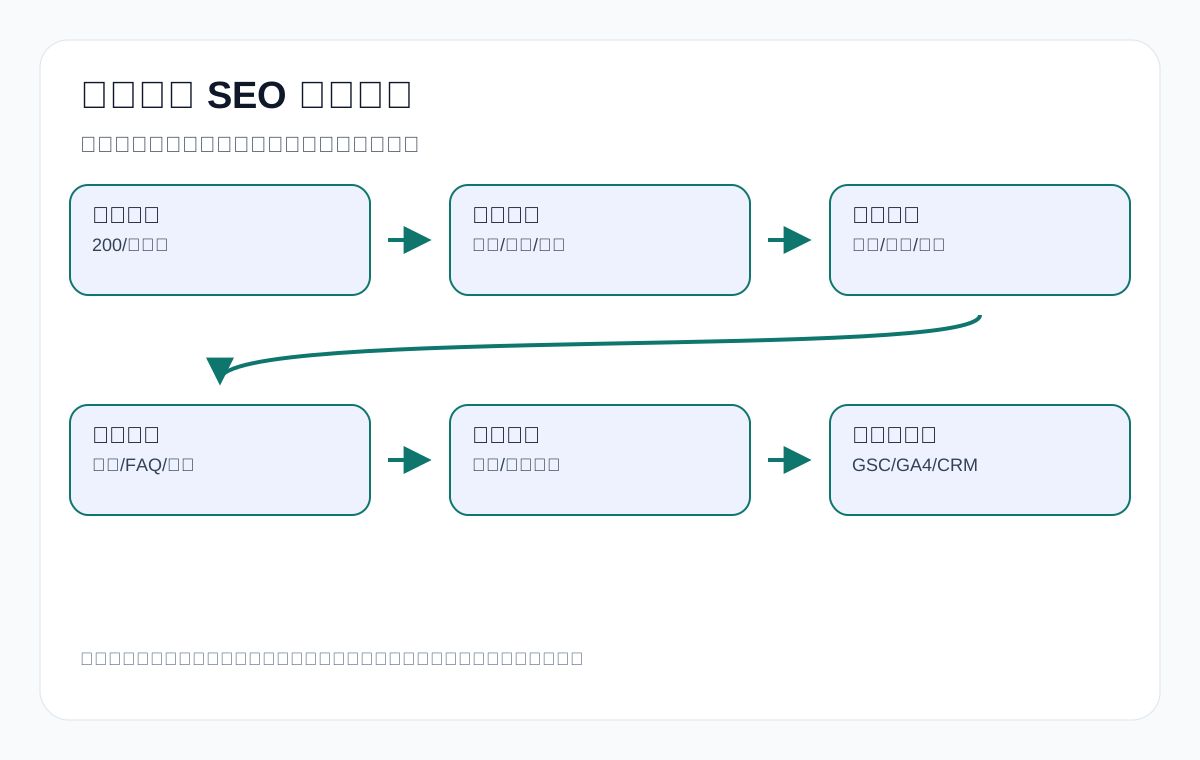
What Google’s official process teaches us about AI search and GEO
AI Overviews and answer-style results change how results are displayed and how answers are organized, but at the foundation they still depend on web content that can be discovered, crawled, indexed, and understood. Export businesses cannot skip basic SEO and chase AI citations directly. A page must first be discovered and understood by Google normally before you can discuss whether it might be used in search results or AI answers.
| Traditional search stage | Additional AI/GEO requirement | Export page action |
|---|---|---|
| Discovery | Clear relationships between the page and entities, products, and topics | Add internal links and consistent naming |
| Crawling/rendering | Key answers must not be hidden in invisible scripts | Output definitions, specifications, and FAQs in HTML |
| Indexing | Content has independent value and clear boundaries | Avoid duplication and thin content |
| Ranking/display | Paragraphs can be excerpted and tables understood | Write definition sentences, decision tables, and FAQs |
| Review | Watch whether the brand, URL, and definition sentences appear | Review together with GSC, GA4, inquiries, and AI answers |
How export page types relate to the search engine pipeline
Different page types play different roles in the search engine process. A product detail page must make specifications clear to both Google and buyers; a category page must explain the series and the selection path; an industry page must describe application scenarios; a technical article must answer questions and lead users toward a product or an inquiry. If a page’s role is unclear, it will struggle to rank for the right query even if it can be crawled and indexed.
| Page type | Primary search intent | Key SEO stage | Export example |
|---|---|---|---|
| Product detail page | Model, specifications, materials, quote request | Indexing + conversion path | waterproof connector specification page |
| Product category page | Supplier, manufacturer, series selection | Ranking + internal links | industrial valve supplier category page |
| Industry application page | Scenario solutions and fit assessment | Comprehension + ranking | packaging machine for food powder |
| Technical article | Problem explanation, comparison, process steps | Indexing + quotable structure | IP65 vs IP66 LED flood light |
| FAQ page | Pre-purchase questions | Content comprehension + conversion | custom metal parts quote requirements |
| Contact page | Submit an inquiry | Conversion path | Submit drawings, quantity, and application environment |
If the SERP for the commercial keyword private label activewear manufacturer is dominated by manufacturer capability pages, and you target it with an article titled “What is private label activewear,” that is a page-type mismatch. The ranking stage of the search engine process matches candidate pages to query intent, and if the page type is wrong, even very long content may not have an advantage.
Technical diagnosis case 1: a medical probe page is crawled but not indexed
Products like medical probe involve materials, device compatibility, sterilization, packaging traceability, and compliance boundaries. If the page has only product images and a single line like “high quality medical probe manufacturer,” Google may find after crawling that the content lacks value or duplicates other pages, and therefore not index it.
| Check stage | Finding | Explanation | Fix |
|---|---|---|---|
| Discovery | The URL is in the sitemap and has a category page link | Discovery is not the main problem | Keep the internal links |
| Crawling | 200 status code, accessible on mobile | Technically reachable | Move on to content |
| Rendering | Specifications are in images, with little text | Insufficient machine-readable information | Add an HTML specification table |
| Indexing | Crawled not indexed | Insufficient value or differentiation | Add compatible devices, materials, sterilization, and documentation requirements |
| Conversion | No document checklist | Buyers do not know how to request a quote | Add notes on samples, drawings, and certification documents |
This case shows that crawled-but-not-indexed is not necessarily a technical error; more often, the page simply does not provide enough independent value. For medical-related export products in particular, you must not fabricate compliance documents; instead, clearly state what documentation you can provide and what boundaries the buyer needs to confirm.
Technical diagnosis case 2: ceramic dinnerware ranks but has a low CTR
The ceramic dinnerware page is indexed and ranks, but its CTR is very low. The problem is not discovery or indexing here; it may be how the search result is expressed, the page type, or SERP competition. Buyers may care about stoneware, porcelain, bone china, microwave safe, dishwasher safe, gift packaging, and MOQ, while the title only says “Ceramic Dinnerware Manufacturer.”
| Stage | What to look at | Possible action |
|---|---|---|
| SERP | Whether top pages emphasize material and sets | Add material/set/packaging signals to the title |
| Content | Whether there is a material comparison and packaging table | Add a stoneware vs porcelain comparison |
| Images | Whether they show scenarios and sets | Add scenario images and alt text |
| FAQ | Whether it answers microwave and dishwasher safety | Add safety and certification questions |
| Inquiry | Whether it explains MOQ, packaging, and logo | Add a purchasing document checklist |
When the CTR is low, you cannot focus only on rankings. Whether the title, description, and rich snippet in the search results match what buyers care about also affects clicks.
Technical diagnosis case 3: waterproof connector gets traffic but no inquiries
The waterproof connector page gets organic visits but very few inquiries. At this point the search engine pipeline has at least reached ranking and clicks, so the problem may lie between page content and purchasing action. Buyers need to know the IP rating, pin number, current rating, cable diameter, mounting type, sample policy, MOQ, and certifications, but the page has no clear document checklist.
| User question | Page gap | Module to add |
|---|---|---|
| Is this connector suitable for outdoor equipment? | Only product photos | Application environment and IP rating notes |
| What cable diameter do I need? | No cable diameter table | Specification table |
| How long for samples? | No sample and MOQ information | Inquiry FAQ |
| Can it be exported to my target market? | No notes on certification documents | A certification and test documentation section |
| How do I get a quote? | No document checklist | Submit model, quantity, cable diameter, and application environment |
For pages like this, SEO work is not only about improving rankings; it is about helping buyers who have already landed on the page continue and complete their assessment. Between ranking and inquiries there are also page experience, trust, documentation, and path.
What signals search engines look at when understanding a page
We cannot know every algorithmic detail, and we should not present undisclosed factors as certain conclusions. But from Google’s official documentation and SEO practice, we can be sure that page content, titles, links, structure, accessibility, mobile experience, page intent, relevance, unique value, and matching user demand all matter.
| Signal type | Role | Export page practice |
|---|---|---|
| Title and H1 | State the page topic | Clearly state the product/problem/application without stuffing irrelevant words |
| H2/H3 | Organize sub-questions | Structure by material, specification, application, and FAQ |
| Body copy | Answer the search intent | Provide specifications, judgments, steps, and boundaries |
| Tables | Help readers understand comparisons and specifications | Product specifications, material comparisons, selection matrices |
| Internal links | Explain page relationships and paths | From article to product, from product to inquiry |
| External consistency | Help entity understanding | Consistent company name, product categories, and certification information |
| Structured data | Assist machine understanding | Product, FAQPage, Article, Breadcrumb |
How the search engine process relates to content production
Once you understand the search engine process, content production has to change too. It does not end when the article is written; discovery, crawling, indexing, ranking, and review should be considered from the moment a page is planned.
| Content stage | Corresponding search process | What must be done |
|---|---|---|
| Topic selection | Ranking/intent | Decide the target query and page type |
| Outline | Comprehension/indexing | Organize H2/H3 around one main question |
| Writing | Indexing/ranking | Add definitions, tables, steps, FAQs, and evidence |
| Publishing | Discovery/crawling | Add internal links and check the sitemap, status codes, and canonical |
| Updating | Indexing/ranking | Benchmark the Top 1, fill gaps, and do not just change the date |
| Review | Clicks/conversion | Review GSC, GA4, inquiries, and AI answer observations |
How search engines handle images, video, and PDFs
Export sites often have product photos, installation diagrams, videos, PDF catalogs, and specification sheets. Google can understand different resources, but the page body still needs to provide key context. You cannot put all core information into images or PDFs.
| Resource type | Common problem | Recommendation |
|---|---|---|
| Product images | No alt text, meaningless file names, no surrounding explanation | Add alt text, captions, and scenario notes |
| Specification images | Machines struggle to read the details | Also provide an HTML specification table |
| Video | No text summary or steps | Add a transcript, steps, and FAQs |
| PDF catalogs | Important content only in the PDF | Page summary plus PDF download |
| Certificate images | Just an image with no explanation of scope | State the certification name, market, and boundaries |
How the search process differs for multilingual and international SEO
Export sites often target multiple countries. Search engines still follow the discovery, crawling, indexing, and ranking process, but language, region, hreflang, content localization, and entity consistency affect comprehension.
| Problem | Possible impact | Handling |
|---|---|---|
| Multilingual pages without hreflang | The relationship between language versions is unclear | Set correct hreflang |
| Translated pages have no internal links | Weak discovery for language pages | Add navigation and in-body internal links in that language |
| The same product called different names | Entity understanding is fragmented | Unify product naming and categories |
| Country-market content is identical | Insufficient local relevance | Add certifications, applications, logistics, and language differences |
| Poor machine translation quality | Hard for both users and search systems to understand | Have core pages proofread by a human |
Search engine process troubleshooting checklist
- Does the page have a clear target query and page type?
- Can the page be discovered from relevant places within the site?
- Does the URL return 200, and is it affected by robots, noindex, or canonical?
- Is the core content readable in the HTML rather than only in images or scripts?
- Does the page have enough independent value, or does it duplicate other pages?
- What page type is the current Top 1 in the SERP, and where is its structure strong?
- Does the page include export product keywords, purchasing questions, specification tables, FAQs, and inquiry documents?
- Are there relevant internal links pointing to product pages, category pages, industry pages, and inquiry pages?
- After publishing, do you review GSC indexing, queries, CTR, and rankings?
- Do you use GA4 and inquiry records to judge whether the page drives meaningful action?
Common mistakes: mixing problems from different stages
- The page has not been discovered, yet you keep rewriting the title.
- robots is blocking crawling, yet you keep writing more content.
- The page is crawled but not indexed, yet you only keep requesting indexing instead of raising page value.
- The SERP for a commercial keyword is all category pages, yet you try to compete with a blog post.
- The page has traffic but no inquiries, yet you only chase higher rankings without improving the product path.
- Treating the sitemap as internal links, indexing as ranking, and ranking as inquiries.
- Using your own service-industry terms as examples instead of export product keywords and purchasing questions.
- Promising uncontrollable outcomes such as rankings, inquiries, or AI citations.
Crawl budget and export website size: even small sites should not waste crawls
Many small and mid-sized export sites do not need to worry excessively about “crawl budget,” but that does not mean they can create large numbers of low-value URLs. Product filter pages, duplicate tag pages, parameter combination pages, search result pages, and expired news pages all dilute a search engine’s attention. Large product catalog sites especially need to bring these pages under control.
| URLs that waste crawls | Common source | Recommendation |
|---|---|---|
| Filter parameter URLs | Color, size, price, sorting | canonical, noindex, or block unnecessary crawling |
| Duplicate tag pages | Too many WordPress tags | Merge tags and noindex low-value tags |
| Internal search result pages | ?s=keyword | Usually should not be indexed |
| Expired campaign pages | Trade shows, promotions, notices | Merge, redirect, or delete |
| Attachment pages | WordPress image attachment URLs | Redirect to the media file or the parent page |
| Duplicate product variants | Multiple similar model pages | Clarify the relationship between the main page and variants |
Export sites should concentrate crawl resources on core products, categories, industry solutions, technical tutorials, and inquiry paths, rather than letting search engines spend time on large numbers of worthless URLs.
Where structured data fits in the search process
Structured data is not a ranking button, and it cannot replace body content. Its role is to help search systems understand page type, organization, product, FAQ, breadcrumb, and article information more clearly. For export businesses, structured data should be consistent with the page body, and you must not enter information that the page does not display.
| Schema type | Suitable page | Note |
|---|---|---|
| Organization | Homepage, About Us, site-wide | Company name, logo, and contact details must be consistent |
| Product | Specific product pages | Price, stock, and reviews must not be fabricated |
| FAQPage | A real FAQ module | The page must display the corresponding Q&A on the front end |
| Article | Technical articles, guides | Author, date, and title must be accurate |
| BreadcrumbList | Multi-level websites | Reflect the real on-site path |
| HowTo | Clearly step-based tutorials | Do not force it onto ordinary introductory pages |
If the body of a cnc machining parts product page has no price or reviews, do not enter fake prices or ratings just for structured data. Credibility matters more than looking rich.
How to understand E-E-A-T for export B2B
E-E-A-T does not belong only to medical, financial, or news websites. Export B2B pages also need experience, expertise, authoritativeness, and trustworthiness, but the way they are expressed should come down to product documentation and purchasing evidence.
| Dimension | What an export page can show | Example |
|---|---|---|
| Experience | Production scope, application scenarios, common questions | Material testing experience with packaging machines |
| Expertise | Specifications, processes, materials, standards, workflows | Tolerance notes for cnc machining parts |
| Authoritativeness | Certifications, testing, industry resources, technical documents | LED flood light CE/RoHS documents |
| Trustworthiness | Company information, contact details, boundaries, after-sales notes | waterproof connector samples and MOQ |
| Transparency | Do not fabricate cases or exaggerate results | Do not write customer results without authorized data |
This content helps not only users but also search systems in judging whether a page looks like a reliable source. It cannot promise ranking outcomes, but it can raise the baseline quality of a page as a candidate result.
The difference between the search engine process and AI citations
Traditional search results and AI answers both depend on web page information, but they are presented differently in the end. Traditional search emphasizes returning a list of links, while AI answers emphasize summarizing and citing sources. What export businesses need to do is make pages suitable both for people to read and for machines to extract.
| Goal | Traditional search needs | AI answers need more | Page action |
|---|---|---|---|
| Be discovered | Internal links, sitemap, backlinks | Clear entity relationships | Unify product and company naming |
| Be understood | Titles, body copy, structure | Definition sentences, tables, boundaries | Answer clearly in the opening paragraph |
| Be compared | Relevance and usefulness | Quotable judgments | Add comparison tables and FAQs |
| Be trusted | Quality and source | Verifiable evidence | Add documents, certifications, and notes |
| Be converted | Clicks and path | Action after the answer | Clear inquiry documents and entry points |
How to read the different GSC reports
Google Search Console provides several reports, and different reports correspond to different stages of the search engine pipeline. Export businesses should not look only at Performance or only at Indexing.
| GSC report | Corresponding stage | What to look at | Action |
|---|---|---|---|
| Pages / Page indexing | Indexing | Reasons for indexed, excluded, and not indexed | Fix technical issues, content, duplication, and noindex |
| Sitemaps | Discovery | Number of submitted URLs and discovery status | Confirm important pages are in the sitemap |
| URL Inspection | Full pipeline for a single URL | Crawling, indexing, canonical, rendering | Diagnose page by page |
| Performance | Ranking/clicks | Queries, pages, countries, CTR, ranking | Optimize titles, content, and page type |
| Links | Internal and external links | Internal links and external links | Add links to high-value pages |
| Crawl Stats | Crawling | Crawl requests, responses, file types | Spot server and resource problems |
Full troubleshooting case: a private label activewear manufacturer page cannot move up the rankings
A garment factory created a private label activewear manufacturer page. The page is indexed, but it has stayed beyond position 20. At this point you should not just repeat the main keyword; first look at the SERP: do the top pages emphasize MOQ, fabric, sample garment process, logo techniques, size charts, packaging, certifications, lead time, and the brand launch process? If the Top 1 is a capability page and yours is a generic article, the page type is wrong.
| Check item | Finding | Action |
|---|---|---|
| Page type | The SERP is mostly manufacturer/service pages | Change it into a capability page rather than a pure article |
| Above the fold | It does not explain MOQ or the sample garment process | Add the information brand clients care about most |
| Content modules | Missing fabric, size, logo, and packaging tables | Add comparable tables |
| Trust information | No production capacity or quality boundaries | Add the process and the documents you can provide |
| Conversion | It only says contact us | Explain that inquiries should include style, fabric, quantity, and size chart |
This case maps to the ranking and conversion stages. The page has already been discovered, crawled, and indexed; the next step is to improve intent matching and purchasing judgment, not to keep submitting the sitemap.
Launch and review metrics
| Stage | Metric | Tool | Judgment |
|---|---|---|---|
| Discovery | Whether Google knows the URL | GSC URL Inspection | If not discovered, add internal links and the sitemap first |
| Crawling | Status code, crawl time, resource accessibility | GSC/Crawl/logs | If crawling fails, fix the technical issues first |
| Indexing | Whether it is indexed, duplicated, or noindex | GSC Page Indexing | If not indexed, look at value and duplication |
| Ranking | Queries, ranking, CTR | GSC Performance | For low rankings, benchmark the SERP |
| Conversion | Path, time on page, forms, inquiry quality | GA4/CRM | With traffic but no inquiries, look at the page path |
| AI visibility | Whether the brand, URL, and definition sentences are mentioned | Observation with a fixed question set | Observe trends only |
Full troubleshooting case: an industrial valve supplier category page is indexed but has a scattered topic
A common problem with an industrial valve supplier category page is trying to cover supplier capabilities, valve types, industry applications, materials, pressure ratings, standards, quoting, and company introduction all at once, which leaves the page topic scattered. A search engine can index it, but it will not necessarily consider it the best result for a specific query.
| Problem | Symptom | Adjustment |
|---|---|---|
| Page topic too broad | All valve types mixed together | Let the category page give an overview and subpages cover ball valve, gate valve, and check valve |
| Missing purchasing judgment | Only lists products, with no pressure, material, or connection type | Add a selection table and an industry application table |
| Messy internal links | Technical articles and product pages do not explain each other | Link from material/standards articles to the category page and product pages |
| Weak inquiry entry point | No explanation of quote documents | Add medium, pressure, size, standard, quantity, and target market |
This case shows that the ranking stage does not just compare page length; it compares which page better answers the current query. An export category page needs to organize the commercial keyword, product series, technical judgment, and inquiry path clearly.
FAQ: common questions about how search engines work
Does Google search the entire internet in real time?
No. Google usually crawls and indexes web pages first; when a user searches, it matches relevant results from a vast index rather than reading the entire web in real time on every search.
Does submitting a sitemap guarantee that a page will be indexed?
No. A sitemap helps with URL discovery, but it does not guarantee crawling, indexing, or ranking. The page still needs to be accessible, valuable, clearly themed, and reasonably interlinked.
What does crawled but not indexed mean?
It means Google has visited the page but has not added it to the index for now. Common causes include insufficient content value, duplication, unclear intent, canonical, weak internal importance, or lack of demand.
For a low ranking, should I change the title or the content first?
Look at the SERP and the page type first. If the Top 1 results are all category pages, your article may be the wrong page type; if the page type is right, then look at the title, content depth, tables, FAQs, internal links, and evidence.
Why does an export product page get indexed but receive no inquiries?
Being indexed only means the page can appear in the search system; it does not mean buyers will act. Check the product specifications, application scenarios, trust documents, quote document checklist, inquiry entry points, and page speed.
Do I still need to do basic SEO in the age of AI search?
Yes. AI answers still need sources that are discoverable, crawlable, understandable, and trustworthy. If basic SEO is poor, a page will have a harder time becoming a stable answer source.
Do longer pages rank more easily?
No. Long-form content suits technical tutorials and pillar content, but product pages, contact pages, and archive pages should not be padded. The key is whether the page fully answers the corresponding intent and provides the information needed for a purchasing decision.
Why does an export site have many indexed pages but still few inquiries?
Indexing means a page can enter the search system; it does not mean the page can support a purchasing decision. You need to keep checking page type, product specifications, trust information, internal link paths, the inquiry document checklist, and form usability.
Can search engines directly understand product specifications inside images?
Do not rely on images to carry core specifications. Product images can help convey appearance and scenarios, but key information such as specifications, materials, certifications, MOQ, lead time, and applicable scope should also be expressed in HTML text or tables.
Conclusion: locate the stage first, then choose the SEO action
The truly useful part of understanding how search engines work is that it reduces the wrong moves. If a page is not discovered, fix the discovery path first; if crawling fails, fix technical access; if it is crawled but not indexed, look at page value and duplication; if it is indexed but ranks low, benchmark search intent and the Top 1; if it gets visits but no inquiries, improve the product documentation and the conversion path.
For export businesses, SEO is not about making every page longer; it is about making important product pages, category pages, industry pages, and technical articles stronger at the right stage. Only after understanding the chain of discovery, crawling, rendering, indexing, ranking, and review can you know what problem each change is actually solving, and only then can your website serve buyers, search systems, and the AI answer environment more reliably.
Continue reading this SEO series
If you are working through export website SEO systematically, we suggest continuing with the articles below. First sort out the relationships among crawling, indexing, content, links, and review, then decide which page to change next.
- How to do keyword research: export product keywords, search intent, and the page mapping process
- How to build high-quality backlinks: a guide to link assets, outreach emails, and risk review for export websites
- Google crawling, indexing, and ranking: a diagnostic guide from indexing to inquiries for export websites
- Technical SEO audit checklist: a diagnostic guide to crawling, indexing, structure, and inquiry paths for export websites
- Sitemap technical guide: sitemap submission, index diagnosis, and troubleshooting common errors
- How to check Googlebot content accessibility: a guide to rendering, text, links, and resources
This page is machine-translated from the Simplified Chinese version and awaiting human review. It has not yet been proofread.