Orphan Pages usually refers to pages on a site that have no internal links pointing to them. They may exist in the sitemap, the WordPress database, GSC, GA4, external links, or direct URLs, but users and search engines find it hard to discover them through normal on-site paths. For a foreign-trade website, the issue is not just “has the page been crawled,” but whether product pages, category pages, industry application pages, and technical articles are being properly introduced to buyers and Google through the site structure.
If a custom metal parts capability page appears only in the sitemap but gets no in-body links from related articles such as CNC machining, materials, surface finish, or quote requirements, Google may know the URL exists but will struggle to understand its importance within the site. If an LED flood light product category page is not linked from pages such as warehouse lighting, IP65 vs IP66, or outdoor installation, the page is technically published but not recommended by the content system. This article follows the real troubleshooting process for foreign-trade sites to explain orphan pages, weakly discovered pages, sitemaps, in-body internal links, GSC, GA4, crawl, and fix priorities.
Top1 and benchmark comparison: what Ahrefs, Backlinko, and SEJ got right
Ahrefs has a clear definition of an orphan page: a page with no incoming links from within the site, unreachable from anywhere on the site, but possibly reachable through external links or a direct URL. Ahrefs also emphasizes that Google mainly relies on internal links, external links, and sitemaps to discover new pages; important pages that you want indexed and ranked should have at least one internal link, and preferably several, even if they are in the sitemap. Ahrefs’s practical method is to cross-compare crawlable URLs, sitemaps, external links, and GA/GSC or visit data to find URLs that the crawler cannot find but users or other sources can reach.
Backlinko and Search Engine Journal also emphasize that orphan pages affect discovery, indexing, link authority, and user access paths, and they recommend adding internal links from related pages, checking the sitemap, exporting GA/GSC URLs, and comparing crawl data. Their strength is clear definitions and tool workflows; their gap is that they do not go deep enough into page roles on foreign-trade B2B websites, product/category/industry pages, in-body internal link priorities, and inquiry reviews. What this article adds is a link architecture and fix decision-making that foreign-trade companies can execute directly.
| Benchmark source | What it gets right | Common gaps | How this site goes further |
|---|---|---|---|
| Ahrefs Orphan Page guide | Clear definition, explains sitemap/external link/internal link sources, provides a Site Audit workflow | Focused on tools and general SEO | Adds fix priorities for foreign-trade product pages, category pages, industry pages, and in-body internal links |
| Backlinko Orphan Pages | Explains that users and search engines cannot discover pages through navigation, and offers fix suggestions | Insufficient foreign-trade inquiry paths | Connects orphan pages with inquiry pages, product pages, and pillar pages |
| Search Engine Journal | Emphasizes that orphan pages in the sitemap can still be an SEO problem | Lacks the business judgment on whether a page is worth fixing | Adds decisions on keeping, retiring, noindexing, redirecting, and intentional isolation |
| Internal linking guides | Emphasize that relevant internal links aid discovery and pass authority | Tend to talk only about quantity | Emphasizes body context, anchor text, page roles, and the purchasing path |
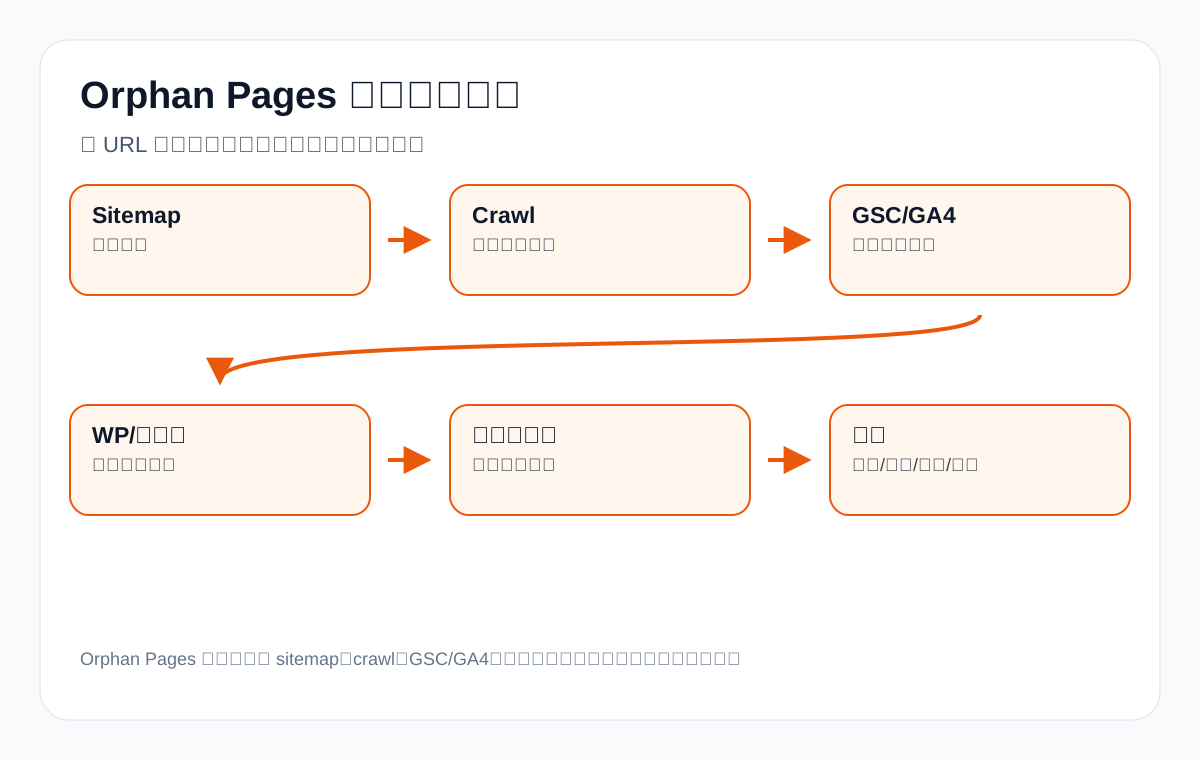
Orphan page, weakly discovered page, and dead-end page: the differences
Many tools label any page with no incoming internal links as an orphan page, but in practice you also need to distinguish fully isolated, weakly discovered, and dead-end pages. When fixing a foreign-trade site, do not rely only on tool labels; also look at whether the page has commercial value, is intentionally isolated, or simply lacks body context.
| Type | Definition | Foreign-trade example | How to handle |
|---|---|---|---|
| Fully isolated page | No internal links point to it | An old waterproof connector product page exists only in the sitemap | If valuable, add relevant in-body internal links; if not, merge or retire it |
| Weakly discovered page | Has automated listings, tags, and footer links, but lacks relevant in-body internal links | A packaging machine article only appears in the category archive | Add contextual links from pillar pages, older articles, and product pages |
| Dead-end page | The page does not link on to other related pages | A technical article does not link to a product page or inquiry page | Add outbound internal links to form a path |
| Intentionally isolated page | Not needed for organic search, such as campaigns, tests, events, or internal materials | Ad landing pages, temporary download pages | Can be noindexed or left isolated; do not force a fix |
| False-positive orphan page | The tool reports it wrongly because of crawl restrictions, JS, permissions, canonical, etc. | Links exist but the crawler did not see them | Check the source code, rendering, and tool settings |
Why a sitemap is not the same as internal links
A sitemap tells search engines which URLs can be crawled; it is closer to a URL list. In-body internal links place a page into the site’s semantics and user paths, showing which topics, products, categories, and purchasing questions it relates to. The two are not substitutes for each other.
| Item | Sitemap | In-body internal link | What it means for a foreign-trade site |
|---|---|---|---|
| Main role | Discover URLs | Explain relationships and importance | Product pages need both |
| Context | Almost none | Has anchor text and paragraph context | Shows why the page is relevant |
| User path | Users usually do not read it | Users can click to keep learning | Helps move from tutorial to inquiry |
| Priority signal | Limited | Better reflects on-site recommendation relationships | Core pages should have several relevant internal links |
| Fix value | Ensures the basic foundation for discovery and indexing | Improves understanding, authority, and conversion paths | In-body internal links are usually worth more investment |
Why foreign-trade websites easily produce orphan pages
- After a new product page is published, it is only added to the sitemap, not linked from category pages or related articles.
- When old products are retired, categories renamed, or menus adjusted, page entry points are lost.
- After a site redesign, migration, multilingual switch, or URL change, old pages get no redirects or internal link updates.
- Blog posts are published by date and sink to the bottom within a few weeks, with no pillar page link.
- Product category pages only list product cards and lack in-body links to technical guides and industry pages.
- Industry application pages are written but not linked to related products and FAQs.
- Ad landing pages, trade show pages, and download pages get mixed into the sitemap without a clear organic search goal.
- Site search, tags, and archive pages generate large numbers of low-value URLs without a real content path.
Data sources for orphan page troubleshooting: do not trust a single tool
A truly complete check requires merging multiple URL sources, then seeing which URLs are discovered by some sources but cannot be found by an on-site crawl.
| Data source | What it can reveal | Limitations | How to use it for a foreign-trade site |
|---|---|---|---|
| XML sitemap | Crawlable URLs declared by the site | Does not prove internal links exist | Find product/article pages that technically exist |
| Site crawl | URLs reachable from the homepage and internal links | May be affected by JS, robots, or permissions | Determine the real discovery path |
| GSC | URLs with impressions, indexing, clicks, or crawl records | Does not cover all URLs | Find pages with search potential but missing internal links |
| GA4 | URLs with user visits | Does not mean they can be found in search | Find pages visited via ads, email, or external links |
| WP database | All published pages and posts | Includes low-value content or content that should not be indexed | Find pages that sank after publishing |
| Backlink tools | Pages with external links but no internal links | Tool coverage is incomplete | Discover old resource pages, PDFs, and event pages |
| Server logs | Real crawler and user visits | Higher processing cost | Troubleshoot crawl waste on large sites |
Troubleshooting workflow: from URL list to fix decision
Step 1: Export sitemap URLs
Export all indexable URLs and exclude noindex pages, redirects, 404s, attachments, parameter pages, and pages that do not need organic search.
Step 2: Run a site crawl
Start crawling from the homepage and record which URLs the crawler can actually reach, the number of incoming internal links per page, click depth, canonical, status code, and indexability.
Step 3: Export GSC page data
Export URLs with impressions or clicks over the past 16 months. Pay special attention to pages that have impressions but cannot be reached by crawl, because they may have search value yet lack on-site paths.
Step 4: Export GA4 landing pages
Find pages that get visits but cannot be reached by an on-site crawl. These may come from ads, email, external links, social media, or old bookmarks.
Step 5: Compare with the WordPress published list
Many WordPress posts appear briefly in the archive after publishing, then become weakly discovered over time. A database list helps you find content that was published but has no stable entry point.
Step 6: Classify by commercial value
Not every orphan page is worth fixing. First decide whether it is a core product page, category page, industry page, technical article, ad page, expired page, or low-value page.
Step 7: Choose the fix action
Add internal links to valuable pages; merge duplicate pages; redirect or retire expired pages; keep intentionally isolated pages isolated or noindex them; for false reports, adjust the tool or crawl settings.
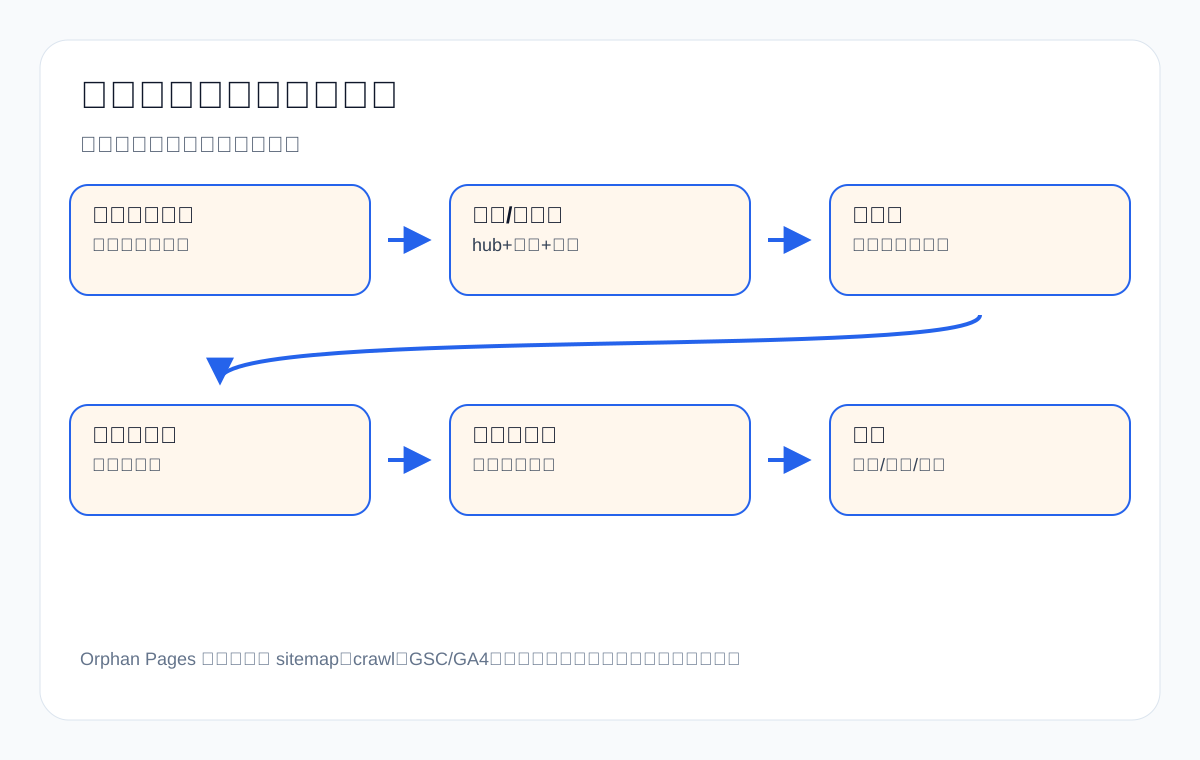
Fix priority: which orphan pages to handle first
| Priority | Page type | Why first | How to fix |
|---|---|---|---|
| P0 | Core product/category pages | Directly affects inquiries and commercial keywords | Add links from the homepage, categories, pillar articles, and related products |
| P1 | High-value technical articles | Can capture question keywords and lead to products | Add in-body internal links from pillar pages and related older posts |
| P2 | Industry application pages | Capture scenario and solution keywords | Interlink from product pages, category pages, and article pages |
| P3 | Pages with external links or historical impressions | They already have signals and should not be wasted | Keep the URL and add internal links or update the content |
| P4 | Expired news/event pages | Low commercial value | Merge, redirect, noindex, or leave them alone |
| P5 | Ad/test landing pages | Possibly intentionally isolated | Decide based on the campaign goal; do not force them into SEO |
How to add in-body internal links effectively
More internal links are not better, and you should not just link keywords at random. A good in-body internal link appears in a relevant paragraph, its anchor text explains what question the target page answers, and there is a real contextual relationship between the link target and the current paragraph.
| Link source | Link target | Anchor text example | Why it works |
|---|---|---|---|
| custom metal parts guide | cnc machining parts page | cnc machining parts tolerances and drawing requirements | Same purchasing path |
| LED flood light article | IP rating FAQ | How to choose between IP65 and IP66 outdoor luminaires | Resolves a specific decision |
| packaging machine category page | powder packaging machine page | Selecting a powder packaging machine | From broad keyword to niche scenario |
| medical probe article | compliance/packaging traceability page | medical probe packaging and traceability documentation | Covers trust and document needs |
| private label activewear page | MOQ and sample process FAQ | Small-batch activewear customization process | Answers pre-inquiry questions |
Internal link architecture for a foreign-trade website: from pillar page to inquiry page
Internal links on a foreign-trade website should reflect the purchasing path, not just serve SEO tool numbers. Technical articles explain problems, category pages capture commercial keywords, product pages show specifications, industry pages explain applications, and inquiry pages capture action.
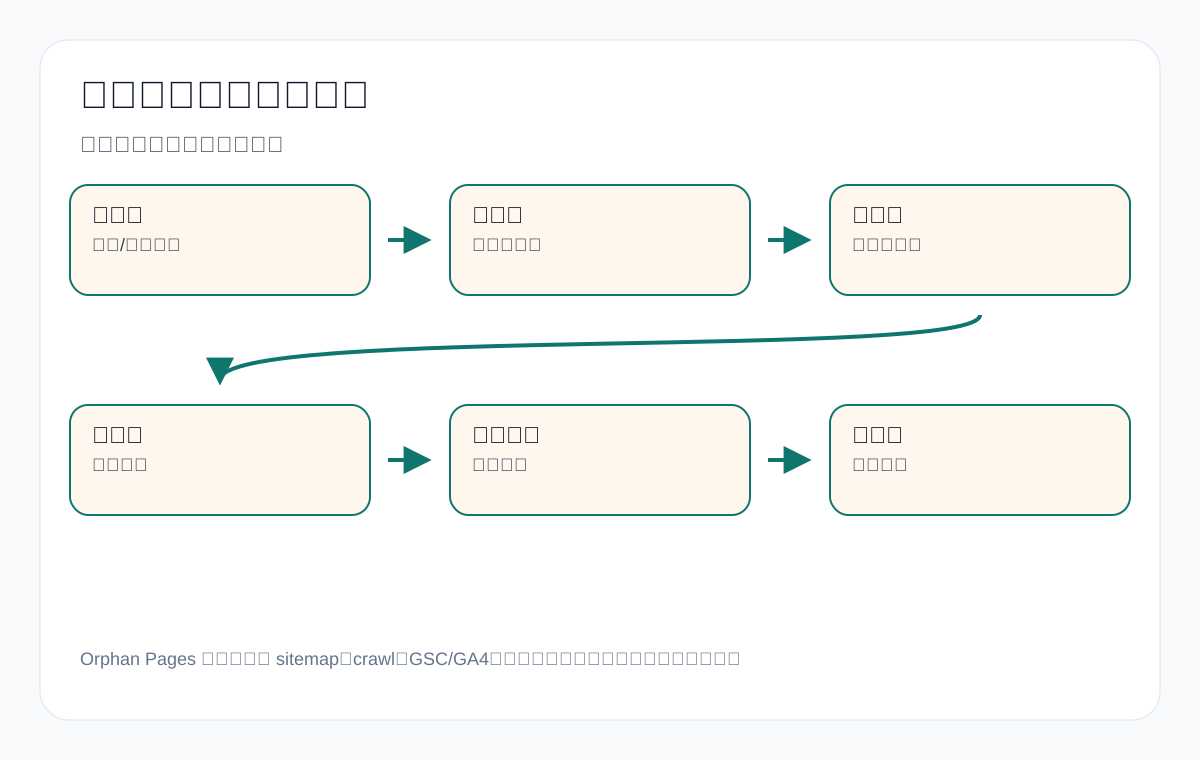
| Page level | Main task | Should link to | Not recommended |
|---|---|---|---|
| Pillar page | Explain the broad topic and the page map | Category pages, core tutorials, industry pages | Only writing concepts without giving paths |
| Category page | Capture commercial keywords and selection | Product pages, application pages, FAQ, inquiry page | Only placing product cards |
| Product page | Explain specifications, parameters, and quote materials | Related products, material guides, inquiry page | No further reading at all |
| Industry page | Explain scenarios and risks | Applicable products, case descriptions, technical articles | Writing it as a company promo page |
| Technical article | Answer questions and educate buyers | Product/category/industry/FAQ/inquiry pages | Only linking to other articles |
Which orphan pages do not need fixing
Not all orphan pages are mistakes. Ahrefs also notes that some pages are intentionally orphaned, such as in-tool help pages or ad landing pages. Foreign-trade companies also have pages that are not suited to being forced into the organic search structure.
| Page | Fix or not | Reason | Recommendation |
|---|---|---|---|
| Ad landing page | Not necessarily | May only serve ad traffic and A/B testing | Decide whether to noindex based on the campaign goal |
| Temporary trade show page | Usually not a priority | Time-sensitive with short search value | After it expires, merge into a show recap or delete it |
| Download confirmation page | Not needed | Should not be reached via organic search | noindex or keep it isolated |
| Thank-you page | Not needed | Used for conversion tracking | noindex, keep it out of the sitemap |
| Duplicate tag/archive pages | Be cautious | Possibly low-value and duplicative | Clean up the category structure instead of forcing internal links |
Foreign-trade scenario 1: why a custom metal parts product page becomes orphaned
Custom metal parts websites commonly have many pages: CNC machining, turning, milling, sheet metal fabrication, aluminum parts, stainless steel parts, surface finishing, quality inspection, quote requirements. The problem is that many companies create a new custom metal parts capability page but never link to it from these related pages, so it is not explained within the site.
| Related page | Where it should link | Suggested anchor text | Reason for the link |
|---|---|---|---|
| CNC machining parts article | custom metal parts capability page | custom metal parts drawing-based machining capability | Same purchasing path |
| surface finish guide | metal parts product page | Metal parts surface finishing options | Users need to judge materials and surface finishing |
| quality inspection page | capability page/inquiry page | Dimensional inspection and pre-shipment inspection requirements | Covers trust and documentation capability |
| quote requirements FAQ | inquiry page | Submit 2D/3D drawings to get a quote | Captures high-intent buyers |
If these pages all exist but do not link to one another, Google and users see a scatter of dots. The fix does not require every page to link to every other; it should revolve around the purchasing path: technical articles explain the decision, the capability page states the scope, and the inquiry page collects the materials.
Foreign-trade scenario 2: is it enough for an LED flood light category page to be only in the menu?
Many websites assume that if a category page is in the navigation menu, it is not an orphan page. Strictly speaking, it may not be fully isolated, but if it is not linked from relevant body content, it can still be a weakly discovered page. For LED flood light, the links with real explanatory power come from related articles such as IP rating, warehouse lighting, outdoor installation, energy saving, and certification.
| Source content | Link target | Contextual phrasing | User’s next step |
|---|---|---|---|
| IP65 vs IP66 article | outdoor floodlight category page | If the project needs a higher waterproof rating, you can check the corresponding outdoor LED flood light specifications | Compare product specifications |
| warehouse lighting guide | LED flood light product page | Warehouse lighting requires choosing wattage based on height and area | Submit the area and installation height |
| CE/RoHS FAQ | certification page/product page | Projects exporting to Europe should confirm certification documents | Request documents |
| Installation and maintenance article | related products and inquiry page | The installation environment affects the housing, bracket, and maintenance approach | Send project drawings |
Such links are not about padding the count; they move the buyer from a problem to a product. Menu links provide an entry point, and body links explain the reason; only together are they complete.
Foreign-trade scenario 3: how packaging machine articles avoid sinking after publishing
packaging machine websites usually have many articles: powder packaging, granule packaging, liquid filling, sachet packaging, automatic packaging lines, food packaging, pharmaceutical packaging, cleaning and maintenance, spare parts, and commissioning. If new articles are published only by date, they sink deep into the archive within weeks. The key to avoiding orphaning is deciding which topic group an article belongs to before publishing.
| Topic group | New article example | Where it should get links from | Where it should link to |
|---|---|---|---|
| Material form | powder packaging machine selection | packaging machine pillar page, powder product page | powder packaging machine product page, inquiry page |
| Industry application | food powder packaging requirements | food packaging industry page, powder packaging article | food packaging solutions page |
| Equipment maintenance | how to clean packaging machine | equipment FAQ, after-sales support page | spare parts page, support page |
| Small-batch production | small business packaging machine | small packaging machine category page | semi-automatic equipment page, quote page |
When each new article is published, plan at least 2–4 relevant entry points: one from a pillar page or category page, one from a related older article, one pointing to a product or inquiry page, and one pointing to an FAQ or support page. That way the article is not merely “published” but enters the site’s topic structure.
How to find valuable orphan pages in GSC
Some URLs in GSC may have no obvious internal links yet already have impressions or clicks. These pages are usually the most worth checking first, because they have already proven search demand; the site structure simply does not support them.
| GSC signal | What it may mean | Fix action | Foreign-trade example |
|---|---|---|---|
| Impressions but no clicks | The search system knows the page, but the title/snippet or ranking is insufficient | Add internal links, revise title/meta, strengthen content | waterproof connector FAQ |
| Clicks but not reachable by crawl | May have external visits or historical indexing | Check whether it should be included in the site structure | Old product detail page |
| Ranking in positions 8–20 | Has potential but lacks importance | Add in-body internal links from relevant high-authority pages | LED flood light guide |
| Highly commercial query terms | The page may have inquiry value | Prioritize the fix and add conversion paths | industrial valve supplier |
| Irrelevant query terms | The page may have muddled intent | Rewrite, merge, or noindex | Old news page mismatched to product keywords |
GSC’s advantage is telling you how Google already understands the page. When fixing orphan pages, prioritize URLs with impressions, commercial queries, and product relevance rather than blindly handling every page with zero data.
How to judge in GA4 whether orphan pages affect conversion paths
Some pages have no organic search performance but do get visits in GA4, with sources such as email, ads, social media, external links, customer forwards, or sales materials. These pages do not necessarily need an SEO fix, but you should decide whether they belong in the conversion path.
| GA4 behavior | Possible situation | Recommended handling |
|---|---|---|
| Many visits, little organic search | Ad or email landing page | See whether noindex is needed; do not necessarily add organic internal links |
| Few visits, high engagement | Niche, high-value content | If product-related, add contextual internal links |
| Entry via external link | An old resource is being cited | Keep and update it, and add on-site paths |
| Inquiry directly after entry | High commercial value | Prioritize including it in product/industry paths |
| High bounce with no follow-up | Unclear or outdated page intent | Update, merge, or retire |
How to write anchor text when fixing
Anchor text should naturally describe the target page’s topic rather than mechanically repeating keywords. A foreign-trade site can write anchor text as a purchasing question, a product attribute, or a next action.
| Weak anchor text | Better anchor text | Where it applies |
|---|---|---|
| Click here | Custom metal parts quote document checklist | Article to quote materials page |
| Learn more | LED flood light IP65 and IP66 selection guide | Product page to technical article |
| Products | Powder packaging machine specifications | Tutorial to product page |
| Solutions | warehouse lighting outdoor application guide | Category page to industry page |
| Contact us | Submit drawings and quantities for CNC machining parts quote advice | Technical article to inquiry page |
Do not write every internal link anchor as exactly the same primary keyword. Natural, varied, contextually clear anchor text better matches how real users read and better explains the target page’s role.
Technical issues also create “false orphans”
Some pages look orphaned but are actually misjudged because the crawl tool did not see a link or because of site technical settings. Before publishing a fix, rule out technical factors.
| Technical factor | Possible symptom | How to check | Handling |
|---|---|---|---|
| JS-rendered links | Clickable in a browser, invisible to the crawler | Check the source code and the rendered DOM | Output important links as HTML anchors |
| robots restrictions | The crawler cannot access certain directories | Check robots.txt | Allow the necessary resources or paths |
| Nofollow internal links | The link exists but passes weak signals | Check the link attributes | Do not nofollow important on-site links |
| canonical points elsewhere | The page is treated as a duplicate | Check canonical | Decide whether it should be merged or indexed independently |
| Pagination/filters | Deep product list pages are hard to discover | Check pagination links and filter URLs | Keep important category entry points and avoid crawl waste |
Anti-orphan checklist when publishing a new page
- Which pillar topic or product category does this page belong to?
- Add in-body internal links from at least 2–4 related older pages.
- Does the page itself link to higher-level pages and the next conversion page?
- Is it in the sitemap, without noindex or a wrong canonical?
- Can it be reasonably reached from the homepage, category pages, pillar pages, or archive pages?
- Does the anchor text naturally describe the page topic instead of saying “click here”?
- Is there a product page, industry page, FAQ, or inquiry page as the next step?
- After publishing, has a crawl checked the click depth and incoming internal links?
- After 7–14 days, have you checked the GSC crawl and indexing status?
- After 30–60 days, have you reviewed the query terms and conversion paths?
Orphan Pages fix log table
| Field | Description | Example |
|---|---|---|
| URL | Page being investigated | /waterproof-connector/ |
| Page type | Product, category, industry, article, landing page | Product category page |
| Discovery source | sitemap, GSC, GA4, external links, database | Has GSC impressions, not found by crawl |
| Commercial value | High, medium, low | High; impressions on commercial keywords |
| Problem | Fully isolated, weakly discovered, dead-end, false positive | Weakly discovered page |
| Fix action | Add internal links, merge, redirect, noindex, keep | Add in-body internal links from 4 related articles |
| Review date | 7/30/60/90 days | 2026-06-25 |
| Review metrics | Indexing, impressions, clicks, inquiries, paths | GSC query terms and GA4 paths |
Review metrics after the fix
| Metric | Period | What to look at | Notes |
|---|---|---|---|
| Crawl status | 7–14 days | Whether GSC recrawls | Whether the internal link entry points are discovered |
| Indexing status | 14–30 days | Whether the page enters the index or improves status | Whether the fix resolved the discovery problem |
| Query terms | 30–60 days | Whether target product/application/question terms appear | Whether the page is understood correctly |
| Click path | 30–60 days | Whether users in GA4 move from related articles to product pages | Whether internal links serve the purchasing path |
| Inquiry source | 30–90 days | Whether inquiries come from the fixed page or related paths | Whether commercial value improves |
| AI answer observation | 30–90 days | Whether the brand, URL, and definition sentences are more likely to be mentioned | Trend observation only |
Orphan page issues on multilingual foreign-trade sites
Many foreign-trade websites have English, Spanish, German, French, or Arabic versions. Multilingual sites are more prone to orphan pages: a product page is created in one language but the language switcher does not link to it; hreflang points to it, but the page has no entry in that language’s navigation; the English page has internal links while other language pages exist only in the sitemap.
| Problem | Symptom | How to check | How to fix |
|---|---|---|---|
| Language version lacks an entry point | The English page is reachable, the German page can only be opened by URL | Check the language switcher and local navigation | Add language switcher links and local category entry points |
| hreflang exists but no internal links | Google knows the alternate page, but users cannot reach it | Compare hreflang with crawl data | Add body and navigation entry points for important language pages |
| Translated pages are not in the topic structure | No links from related articles after translation | Check internal links within each language | Rebuild internal links for the local market |
| Country pages are orphaned | US, DE, and UAE pages have no context with one another | Check the relationship between region pages and product pages | Link from market description pages to product/category pages |
Multilingual sites cannot simply copy the English internal links. The German market may care more about CE, RoHS, energy consumption, and technical documents; the Middle East market may care more about high temperatures, dust protection, outdoor engineering, and delivery. Internal links should also serve local market purchasing questions.
Orphan problems on product category pages: more than just a URL with no entry point
Foreign-trade product category pages sometimes exist in the navigation but still lack enough semantic support. For example, an industrial valve supplier category page appears only in the product menu but gets no links from content such as material selection, pressure rating, oil and gas application, or water treatment valve. Such a page is not a complete orphan, but it remains weak in terms of topical understanding.
| Category page problem | Why it hurts SEO/GEO | How to fix |
|---|---|---|
| Only product cards, no category description | The page lacks understandable text | Add selection guidance, application scenarios, and FAQ |
| No links from tutorial pages | Lacks contextual recommendations | Link from material, application, and standards articles |
| The category page does not link to sub-products | The user path breaks | Add the product list and key subcategories |
| Does not link to the inquiry page | The commercial path is incomplete | Add quote materials and an inquiry entry point |
| Multiple duplicate category pages | Topic dilution and cannibalization | Merge them or define clear boundaries |
How industry application pages avoid becoming islands
Industry application pages are often written like promo pages: suitable for automotive, medical, lighting, packaging, electronics, and energy, but they do not link to specific products and get no links back from product pages. Such pages offer limited help to buyers and do not help the search system understand the “product—industry—problem” relationship.
| Industry page | Products/content it should link to | Purpose of the link |
|---|---|---|
| warehouse lighting application | LED flood light, installation height, IP rating, certification FAQ | Turn scenario needs into product choices |
| food powder packaging | powder packaging machine, cleaning, metering, bag type | Turn industry requirements into equipment parameters |
| medical device components | medical probe, materials, sterilization, packaging traceability | Turn compliance requirements into a document checklist |
| private label sportswear | activewear manufacturer, fabrics, samples, MOQ | Turn brand needs into a supply process |
Industry page internal links should be bidirectional: the industry page links to applicable products and technical articles, and product pages should also link to relevant industry applications. That way users entering from any point can continue to complete their purchasing decision.
Choosing between redirect, canonical, and noindex
Fixing orphan pages is not always about adding internal links. Some pages should be merged, some redirected, some noindexed, and some kept as they are. The wrong choice causes crawl waste or duplicate content.
| Situation | Recommended action | Notes | Foreign-trade example |
|---|---|---|---|
| The old page has external links and the topic still has value | Update and add internal links | Preserve existing signals | Old custom metal parts guide |
| The old and new pages are highly duplicative | Merge + 301 | Concentrate signals on the stronger page | Two waterproof connector category pages |
| The page is just a duplicate filter or parameter page | canonical or noindex | Avoid low-value indexing | Color/size filter URLs |
| Ad thank-you page | noindex | Should not enter search results | thank-you page |
| Temporary campaign page has expired | Redirect or delete | Depends on whether it has historical value | Expired trade show invitation page |
Internal link quality score: grade before adding a link
To avoid adding links everywhere, you can score each candidate internal link. Add high-scoring links first, and prefer not to add low-scoring ones.
| Scoring item | High-score behavior | Low-score behavior |
|---|---|---|
| Topical relevance | The source paragraph and the target page address the same purchasing question | Linking just because a keyword appears |
| User’s next step | Clicking lets the user continue the decision or inquire | Clicking leads to an irrelevant page |
| Anchor text clarity | Describes the target page’s content | Click here, learn more |
| Page value | The target page has commercial or topical value | The target page is low-quality, duplicate, or outdated |
| Natural placement | The link appears in body text explaining a related question | Forced into an irrelevant paragraph or the footer |
A 90-day observation plan after fixing orphan pages
Internal link fixes cannot be judged on the same day. Observe in three stages.
| Time | What to observe | Possible action |
|---|---|---|
| 7–14 days | GSC crawl, indexing status, whether a crawl can discover it | Check whether links are output in the HTML and whether they are cached |
| 30 days | Impressions, query terms, click depth, GA4 paths | Add more relevant internal links or adjust anchor text |
| 60 days | Ranking range, CTR, product page visit paths | Update the title, FAQ, or page content |
| 90 days | Inquiry sources, query term quality, AI answer observations | Decide whether to keep strengthening, merge, or leave it as is |
If after 90 days the page still has no impressions, no clicks, no inquiries, and no topical value, it is probably not worth fixing. At that point, consider merging, noindexing, or retiring it rather than piling on more links.
How to add internal links without hurting user experience
Internal links must serve reading, not interrupt it. When a foreign-trade buyer lands on a page, they usually want to quickly judge whether the product fits, whether the materials are complete, and how to ask for a quote next. If every sentence in an article carries a link, the page just looks cluttered.
- Link at most 1–2 genuinely relevant pages per important paragraph.
- Prioritize links to pages that help users continue their judgment.
- Do not link the same target page many times within a short distance.
- Do not use overly commercial anchor text that undermines credibility.
- The context around an internal link should explain why the user should click.
- For technical articles, answer the question first, then guide naturally to a product or inquiry.
Full troubleshooting case: why a waterproof connector page has impressions but no inquiries
Suppose a foreign-trade site has a waterproof connector page. GSC shows a small number of impressions over the past 3 months, with query terms including waterproof connector, IP67 connector, and outdoor cable connector, but few clicks, and in GA4 almost no users enter the page from related articles. After a crawl, it turns out the page appears only in the sitemap and the product archive, with no in-body internal links from articles such as IP rating, solar cable connector, or outdoor equipment wiring.
| Finding | Notes | Fix action |
|---|---|---|
| Has GSC impressions | Google has already established a preliminary relationship between the page and related queries | Keep and strengthen it; do not rush to delete |
| Very few incoming links in the crawl | The site does not seriously recommend the page | Add 3–5 in-body internal links from related technical articles |
| The page lacks an FAQ | It cannot answer questions about IP67/IP68, cable gauge, certification, or samples | Add a purchasing FAQ and a parameter table |
| No inquiry path | After reading, users do not know what materials to submit | Link to the inquiry page and state the cable gauge, quantity, and application environment |
After the fix, at 30 days check whether GSC query terms are more focused, at 60 days check product page clicks and GA4 paths, and at 90 days check whether inquiries include the cable gauge, IP rating, application environment, and quantity. This case shows that fixing orphan pages is not simply adding links; it is bringing the page back into the purchasing decision and inquiry path.
FAQ: common questions about orphan page troubleshooting
The page is in the sitemap, so why can it still be an orphan page?
A sitemap is only a URL list; it cannot show that a page has an entry point on the site, nor does it provide context. Important pages need internal links from related pages, especially in-body internal links.
Do all orphan pages have to be fixed?
No. Core product pages, category pages, industry pages, and high-value articles should be fixed; ad pages, thank-you pages, temporary pages, and download confirmation pages may simply not need an organic search entry point.
Are in-body internal links more important than navigation links?
Both matter. Navigation links provide a stable entry point, while in-body internal links provide semantic context. For technical articles and long-tail pages, in-body internal links often better explain why the target page is relevant.
How many internal links does a page need?
There is no fixed number. Important pages should get natural links from multiple related pages; low-value pages do not need links forced in for the sake of quantity. Relevance and context are what matter.
Are orphan pages guaranteed not to be indexed?
Not necessarily. Google may discover and index them through the sitemap, external links, or direct discovery. But without internal links, page discovery, importance understanding, and authority flow are all weaker.
How do you keep a new article from becoming an orphan page after publishing?
Plan entry points before publishing: add in-body internal links from related older articles, pillar pages, category pages, or industry pages; after publishing, check the sitemap, crawl, GSC, and front-end paths.
Where should a foreign-trade product page get internal links from?
Prioritize links from product category pages, related technical articles, industry application pages, pillar pages, and FAQ. The anchor text should describe the product’s use, specifications, or a purchasing question.
Do you need to update the sitemap at the same time as fixing orphan pages?
If the page is already in the sitemap, the focus is usually not resubmitting the sitemap but adding real on-site entry points and content quality. If the page should not be indexed, remove it from the sitemap and consider noindex, a redirect, or deletion.
How long until you see results after fixing orphan pages?
Check crawl and indexing at 7–14 days, query terms, impressions, and click paths at 30–60 days, and inquiry sources and whether the page truly enters the purchasing path at 90 days. Do not judge success or failure by single-day fluctuations.
Conclusion: the essence of fixing orphan pages is bringing important pages into the purchasing path
Orphan Pages are not just a technical error for tools to see. For a foreign-trade website, they directly affect whether product pages, category pages, industry pages, and technical articles can be discovered, understood, visited by users, and ultimately brought into the inquiry path. A sitemap can tell Google a page exists, but only in-body internal links and page architecture can show why the page matters.
When troubleshooting orphan pages, do not mechanically chase links for every URL; first judge the page’s value. Pages worth indexing and ranking should get relevant in-body internal links, navigation entry points, and context; pages unsuited to organic search can stay isolated, be noindexed, merged, or retired. This cannot promise stable rankings or inquiry results, but it can make the site structure clearer and keep important content from sinking after publishing.
Official basis and acceptance boundaries for orphan page fixes
The point of Orphan Pages is not to stuff URLs into a list, but to confirm whether Google can understand them through crawlable links, sitemaps, and page context. After fixing, recheck with data rather than judging by feel.
| Official source | Judgment it supports | Boundary it cannot cross |
|---|---|---|
| Google: Make your links crawlable | Confirm whether in-body internal links and navigation links can be crawled | JS click events cannot replace href links |
| Google: Sitemaps overview | Confirm whether an orphan page is at least discovered by the sitemap | A sitemap is not a substitute for internal link quality |
| Google: Consolidate duplicate URLs | Determine whether an orphan page is consolidated into another canonical page | When canonical points elsewhere, it cannot be reviewed as an independent page |
| Search Console Performance report | Observe impressions and clicks before and after the fix by page | During a low-data period, do not write that the fix has worked |
| Google: SEO Starter Guide | Check page titles, content, and internal linking fundamentals | Basic fixes are only an observable prerequisite |
Diagnostic acceptance table
| Check item | Fields to record | How to write during a low-data period |
|---|---|---|
| Indexing basics | index/follow, canonical, sitemap, robots, HTTP status code | Write only the current accessible state, not performance conclusions |
| Page evidence | Title, body, images, links, structured data, update time | List missing materials as gaps; do not add fabricated cases |
| Search data | GSC query/page/date/country/device | If GSC has zero rows, write zero rows; do not extrapolate rankings |
| Conversion observation | GA4 events, forms, downloads, inquiry entry points | If there are no events, fix collection first, then talk about judgment |
Keep reading this SEO series
If you are systematically working through foreign-trade website SEO, continue with the articles below. First clarify how crawling, indexing, content, links, and review relate, then decide which page to change next.
- How to do content pruning: a guide to deleting, merging, updating, and reviewing historical content on a foreign-trade website
- URL Inspection in practice: how to read the page version Google currently sees
- Google crawling, indexing, and ranking process: a diagnostic guide from indexing to inquiries for foreign-trade websites
- How search engines work: crawling, indexing, ranking, and a diagnostic guide for foreign-trade websites
- Technical SEO audit checklist: a diagnostic guide to crawling, indexing, structure, and inquiry paths for foreign-trade websites
- Sitemap technical guide: sitemap submission, indexing diagnostics, and common error troubleshooting
{
“@context”: “https://schema.org”,
“@type”: “FAQPage”,
“mainEntity”: [
{
“@type”: “Question”,
“name”: “The page is in the sitemap, so why can it still be an orphan page?”,
“acceptedAnswer”: {
“@type”: “Answer”,
“text”: “A sitemap is only a URL list; it cannot show that a page has an entry point on the site, nor does it provide context. Important pages need internal links from related pages, especially in-body internal links.”
}
},
{
“@type”: “Question”,
“name”: “Do all orphan pages have to be fixed?”,
“acceptedAnswer”: {
“@type”: “Answer”,
“text”: “No. Core product pages, category pages, industry pages, and high-value articles should be fixed; ad pages, thank-you pages, temporary pages, and download confirmation pages may simply not need an organic search entry point.”
}
},
{
“@type”: “Question”,
“name”: “Are in-body internal links more important than navigation links?”,
“acceptedAnswer”: {
“@type”: “Answer”,
“text”: “Both matter. Navigation links provide a stable entry point, while in-body internal links provide semantic context. For technical articles and long-tail pages, in-body internal links often better explain why the target page is relevant.”
}
},
{
“@type”: “Question”,
“name”: “How many internal links does a page need?”,
“acceptedAnswer”: {
“@type”: “Answer”,
“text”: “There is no fixed number. Important pages should get natural links from multiple related pages; low-value pages do not need links forced in for the sake of quantity. Relevance and context are what matter.”
}
},
{
“@type”: “Question”,
“name”: “Are orphan pages guaranteed not to be indexed?”,
“acceptedAnswer”: {
“@type”: “Answer”,
“text”: “Not necessarily. Google may discover and index them through the sitemap, external links, or direct discovery. But without internal links, page discovery, importance understanding, and authority flow are all weaker.”
}
}
]
}
Related reading: Google indexing troubleshooting: the sticking points in three real cases
This page is machine-translated from the Simplified Chinese version and awaiting human review. It has not yet been proofread.