AI SEO tools are not about having more of them; they work best when divided by task. For export manufacturers, factories, and trading companies in China, what really matters is not “buying the most comprehensive platform,” but knowing which tools are suited to keyword and procurement-question research, which are suited to structural rewriting of titles, paragraphs, and FAQs, and which are suited to AI search visibility monitoring and sample-based reviews.
If you sell custom metal parts, LED flood light, packaging machine, medical probe, cnc machining parts, ceramic dinnerware, waterproof connector, industrial valve supplier, private label activewear manufacturer, the biggest risk in page optimization is not a lack of tools—it is mixing keyword, rewriting, and monitoring tasks together. The usual result: an inaccurate keyword library, vague content, monitoring metrics nobody understands, and a team that concludes, “We have plenty of tools, but the pages still haven’t clearly improved.”
This article is not a generic tool ranking. It focuses on the real content workflow of an export website: what problems keyword tools solve, which structural work rewriting tools are good at, and how monitoring tools should combine GSC, GA4, inquiry sources, and AI sampling for review. The point is not chasing new features, but making each type of tool serve the building of page assets.
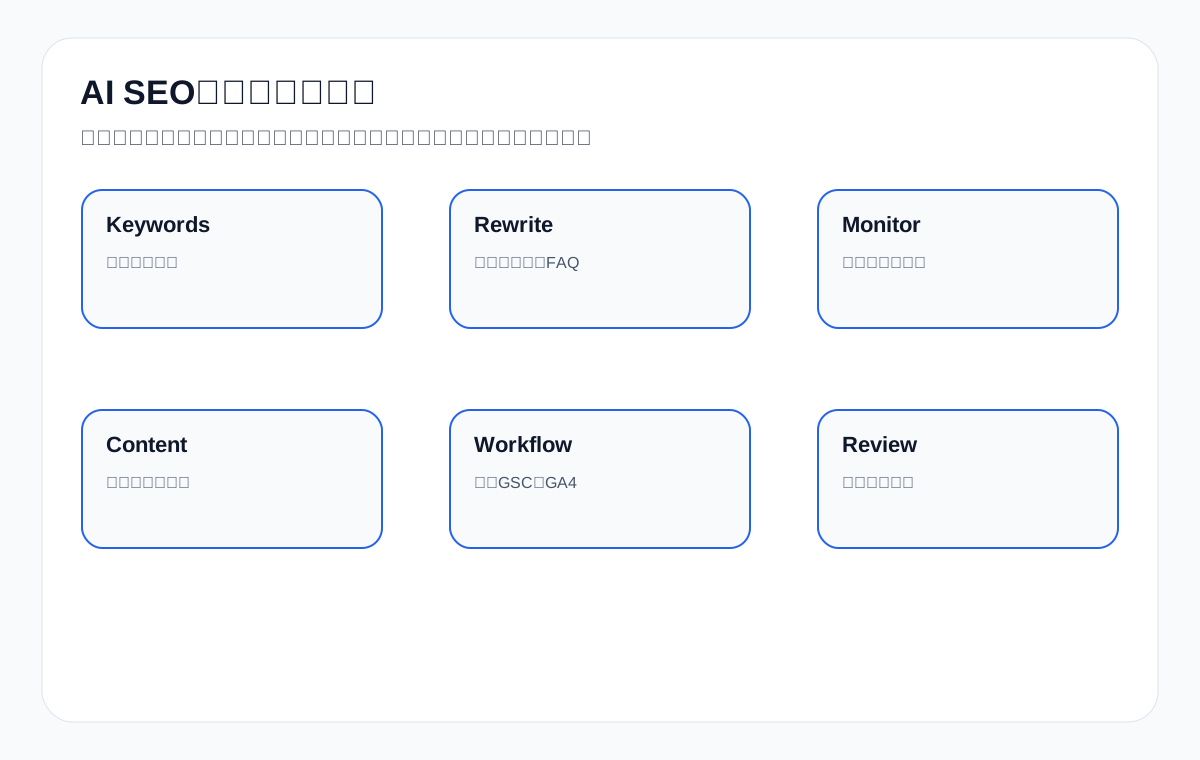
2. First, Divide Tools into Three Categories: Keywords, Rewriting, Monitoring — Don’t Try to Do It All at Once
Many teams encountering AI SEO tools for the first time hope one platform can handle their keyword library, content generation, titles, monitoring, AI mentions, and dashboards all at once. In practice, that expectation tends to make tool selection chaotic. A more effective approach is to divide the work into three task categories first.
The first category is keyword and question-mining tools, used to discover how buyers search, how questions group together, and what intent each page should serve. The second is rewriting and structuring tools, used to reorder existing content and add FAQs, comparison tables, and checklists—not to replace your decisions about page direction. The third is monitoring and review tools, used to observe AI mentions, brand co-occurrence, changes in target queries, page behavior, and inquiry quality.
Once you separate these three categories clearly, choosing tools becomes much easier. Otherwise, teams are easily led around by feature lists.
Table: How the Three Tool Categories Divide the Work
| Tool category | Main task | What not to expect too much from |
|---|---|---|
| Keyword tools | Mine demand, segment intent, build a keyword library | Directly producing publishable pages |
| Rewriting tools | Reorder structure, add FAQs, draft candidate titles | Deciding a page’s role for you |
| Monitoring tools | Record mentions, sample answers, track trends | Replacing business review and manual sampling |
3. Keyword Tool Recommendations: Solve “What to Write” and “Which Page Should Write It” First
The value of keyword tools is not just handing you a list of words; it is helping you break procurement questions into page tasks. For an export website, a genuinely useful keyword library usually has to include product terms, comparison terms, application-scenario terms, certification terms, question terms, inquiry-preparation terms, and resource terms at the same time.
For example, custom metal parts should not be judged only by search volume; it should be broken down further into material choice, surface finish, MOQ, tolerance, and prototype lead time. Likewise, waterproof connector should not stop at the head term but should extend to IP rating, outdoor application, marine environment, panel mount, and datasheet questions.
A good keyword tool should therefore support at least question mining, related-term grouping, SERP observation, and export/organization, so the team can genuinely connect the query set to product pages, category pages, FAQ pages, and resource pages.
How to Judge a Keyword Tool
| Evaluation dimension | Why it matters | Example from an export scenario |
|---|---|---|
| Question-mining capability | Surfaces real procurement questions | packaging machine maintenance checklist |
| Related-term clustering | Avoids splitting one intent into several thin pages | waterproof connector IP67/IP68 |
| SERP observation | Shows whether a product page or an article should own the query | industrial valve supplier vs valve material guide |
| Export and collaboration | Makes it easy to turn findings into an actionable team spreadsheet | custom metal parts RFQ questions |
Common Keyword Tool Pitfalls
| Pitfall | Why it causes problems | Better approach |
|---|---|---|
| Looking only at the highest-volume terms | A big term may not fit the current page | Start with procurement intent and the page’s role |
| Turning every question into a blog post | Commercial and informational terms get mixed together | Let product pages and FAQs each do their own job |
| Chasing only short English terms | Long-tail procurement questions get ignored | Add questions about certifications, materials, MOQ, and lead time |
| Reviewing the keyword library only once | Markets and product lines change | Update the query set monthly or quarterly |
4. Rewriting Tool Recommendations: Best for Structure, Not for Setting Direction for You
Rewriting tools are the easiest ones for teams to feel “save time,” because they quickly produce candidate titles, candidate FAQs, reordered paragraphs, and checklist-style structures. But what they do best is not defining a piece of content from scratch; it is working on pages whose direction is already clear.
For example, for a page about choosing LED flood light, if product and application information already exists, a rewriting tool is well suited to turning it into a “conclusion first, then comparison, then FAQ, then a next step” structure. Or for an article on medical probe material compatibility, a rewriting tool can help you add a comparison table of materials and sterilization methods, and organize six common questions.
But if the page’s role itself is wrong—say, a supplier page written like a popular-science article—a rewriting tool will not automatically correct the direction. Teams should therefore not mistake “rewriting is useful” for “it can decide page strategy.”
What Rewriting Tools Are Best At
| What it is good for | Why it is valuable | What it should not do directly |
|---|---|---|
| Comparing candidate titles | Makes it easy to compare different ways of making promises | Decide the page’s final positioning |
| Completing FAQs | Helps cover the follow-up questions | Replace confirmation of business facts |
| Reordering paragraphs | Easier for users and AI to extract | Make a wrong direction more complete |
| Generating tables and checklists | Improves the efficiency of judgment | Replace real proofreading of specifications, certifications, and MOQ |
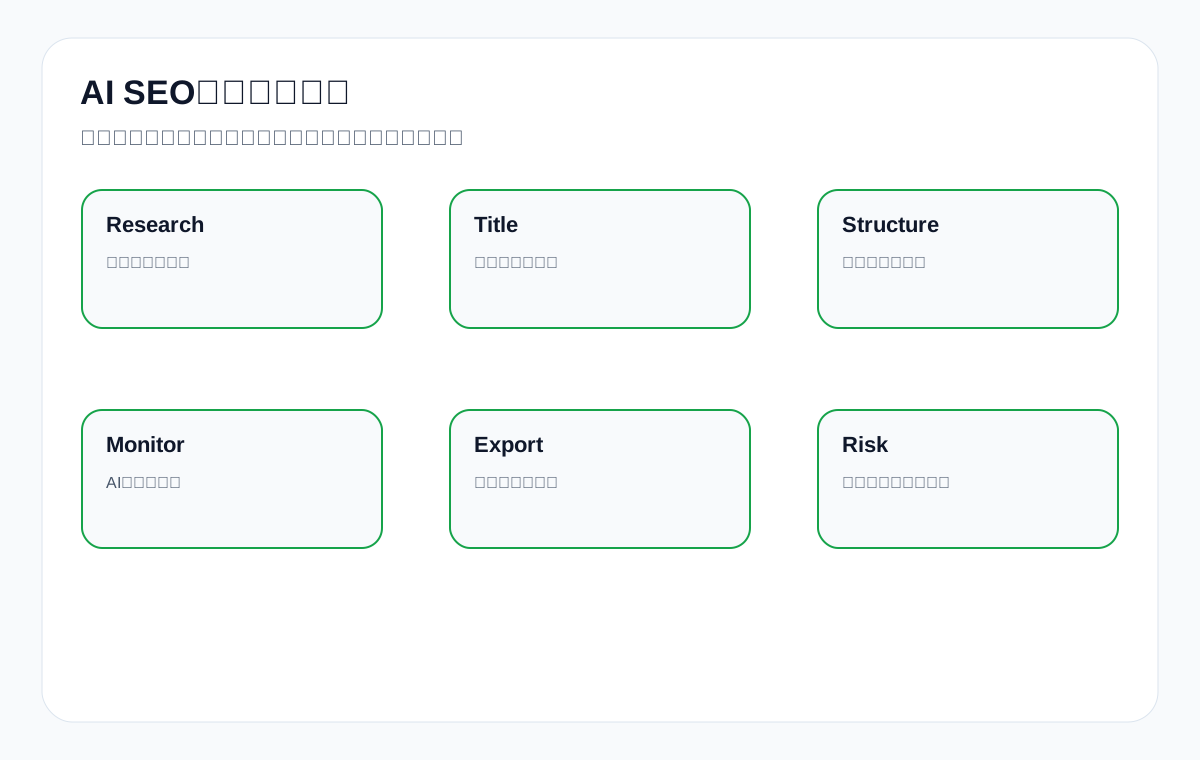
5. Monitoring Tool Recommendations: Don’t Just Watch “Whether You Were Mentioned”
Monitoring tools are the most easily misunderstood category. Many teams think that as long as they can see whether the brand appears in AI answers, monitoring is done. In reality, that is far from enough. For an export website, what matters more is: which page was mentioned, around what query, whether it was cited correctly, whether it appeared alongside competitors, and whether the mention led to a better visit path and inquiry.
A good monitoring tool should therefore not be just an “appeared / did not appear” alert, but should help you connect the query set, answer screenshots, citation links, competitor co-occurrence, and page action recommendations. Going further, it should also combine with GSC, GA4, and sales feedback, so that mentions with no business value are not treated as real progress.
For example, if a packaging machine page is mentioned in an AI answer, that does not necessarily mean the page is already strong. If users who click through do not continue to the relevant equipment page, resource page, or RFQ page, the business value of that mention may still be limited.
Minimum Requirements for a Monitoring Tool
| Minimum things to look at | Why it matters | Risk of looking at only one metric |
|---|---|---|
| Query dimension | Knows which questions triggered the mention | Totals alone are misleading |
| Page dimension | Knows which page was mentioned or cited | Cannot guide changes to specific pages |
| Competitor co-occurrence | Shows whether you are only appearing as a footnote | Cannot reveal the real gap |
| Answer accuracy | Avoids being mentioned while the content is misread | A wrong mention can actually hurt conversion |
| Review linkage | Must connect to GSC/GA4/inquiries | Otherwise it is just busy-looking data |
6. A Common Tool Combination for Export Websites, Rather Than a Single-Point Choice
In real work, the most reliable approach is not “finding one all-purpose tool,” but building a small, clearly defined combination. The most common combination is usually: one keyword/question-mining tool, one rewriting/structure-assistance tool, and one monitoring and sample-record tool.
If the team already has GSC, GA4, and on-site data foundations, this three-piece set is usually enough to cover most content work. What matters is not the number of tools, but whether they connect the query set, page improvements, and review.
For export teams with limited budgets, getting this small combination working well is usually more practical than trying five or six platforms at once.
Recommended Combination Logic
| Team stage | Better-fit combination | Core goal |
|---|---|---|
| Just starting with AI SEO | Keyword + rewriting + a manual monitoring sheet | Get page tasks in order first |
| Existing content team | Keyword + rewriting + a monitoring tool | Establish a stable review routine |
| Multi-product-line team | Keyword clustering + rewriting + sample monitoring + a data dashboard | Improve collaboration efficiency |
7. When It Is Worth Paying and When Free Tools Are Enough
Not every team needs to spend heavily from the start. For teams with few product lines, a limited number of pages, and an AI SEO method still being validated, free or low-cost tools plus manual spreadsheets are often enough. The key is to confirm whether the process actually works.
Cases that more clearly justify paying usually include: many product lines, many country markets, a large query set, a need for multi-person collaboration, a need for stable report exports, or a confirmed finding that a certain monitoring/rewriting/keyword tool clearly reduces time spent on repeated revisions.
Conversely, if a team has not even clarified its query set, page roles, and review metrics, rushing to buy a very expensive platform usually just produces a pile of data it does not understand yet.
Pay-or-Not Decision Table
| Situation | Worth paying for soon? | Reason |
|---|---|---|
| The query set is not yet in order | No | Clarify the process first |
| Many product lines and markets | Yes | Manual organization becomes very costly |
| Multiple people revise content together | Yes | Tools improve consistency and export efficiency |
| Just want to try AI content | No | Validate with free or lightweight methods first |
8. What Tool Recommendations Most Easily Overlook: Fact and Business Boundaries
Even the most convenient rewriting or generation tool can produce smooth content that still gets facts and business boundaries wrong. Especially for industrial goods, custom products, and technical products, models, materials, tolerances, certifications, MOQ, lead time, and applicable scenarios should never be left entirely to the model to guess.
Tool recommendations should therefore not look only at “can it write,” but at whether it fits easily into a human review workflow. A tool that reliably produces tables, candidate FAQs, and structural options and is easy for people to edit is often more practical than one that generates a long draft in one pass but is hard to proofread.
For export teams, what is truly sustainable is not letting tools replace judgment, but using tools to cut repetitive labor and leave more time for products, pages, and inquiry judgment.
Fact and Business Boundary Checklist
| Boundary type | What people must control |
|---|---|
| Product facts | Materials, tolerances, specifications, certifications, lead time |
| Business boundaries | MOQ, sampling process, applicable customer types |
| Page role | Whether a product page or an FAQ page should own it |
| Inquiry path | Whether it leads to the right resource pages and RFQ pages |
9. A Few Tool Usage Scenarios Closer to Real Export Websites
Scenario one: you want to expand the FAQ on a custom metal parts resource page. A keyword tool first helps you mine the tolerance, material, surface finish, and prototype lead time questions buyers ask most, and then a rewriting tool turns those questions into FAQs and a preparation checklist.
Scenario two: you want to rebuild a waterproof connector comparison page. A keyword tool finds questions about IP67/IP68, marine use, panel mount, and datasheets; a rewriting tool turns existing long paragraphs into a comparison table and a list of common misconceptions; a monitoring tool then samples whether AI answers are starting to extract the page content more accurately.
Scenario three: you want to judge whether a packaging machine page redesign worked. A monitoring tool records the query set and mentions, GSC shows target queries and CTR, and GA4 shows whether visitors more often reach product pages and RFQ pages. Only when all three layers are connected does the value of the tools truly land.
10. A More Practical Tool Evaluation Framework: Work Backward from Page Results
If the team often gets stuck on “this tool has so many features—should we buy it?”, ask the reverse questions: Can it help us find the right queries faster? Can it make the page structure better? Can it make mentions and review clearer? Can it reduce repeated revisions? Can it help better-matched inquiries reach the product or RFQ page?
Evaluating in this order automatically filters out a lot of feature noise. In the end, what you care about is not how advanced some button is, but whether it genuinely helps the page get stronger and the team get steadier.
100-Point Tool Evaluation Table
| Dimension | Points | What a high score looks like |
|---|---|---|
| Query set capability | 20 | Supports question mining, clustering, and collaborative export |
| Structural rewriting capability | 20 | Reliably generates candidate titles, FAQs, tables, and checklists |
| Monitoring and review capability | 20 | Records mentions, citations, competitor co-occurrence, and misreadings |
| Export-context fit | 20 | Examples and output stay close to product, application, and inquiry scenarios |
| Team collaboration value | 20 | Reduces repeated revisions and makes review easier |
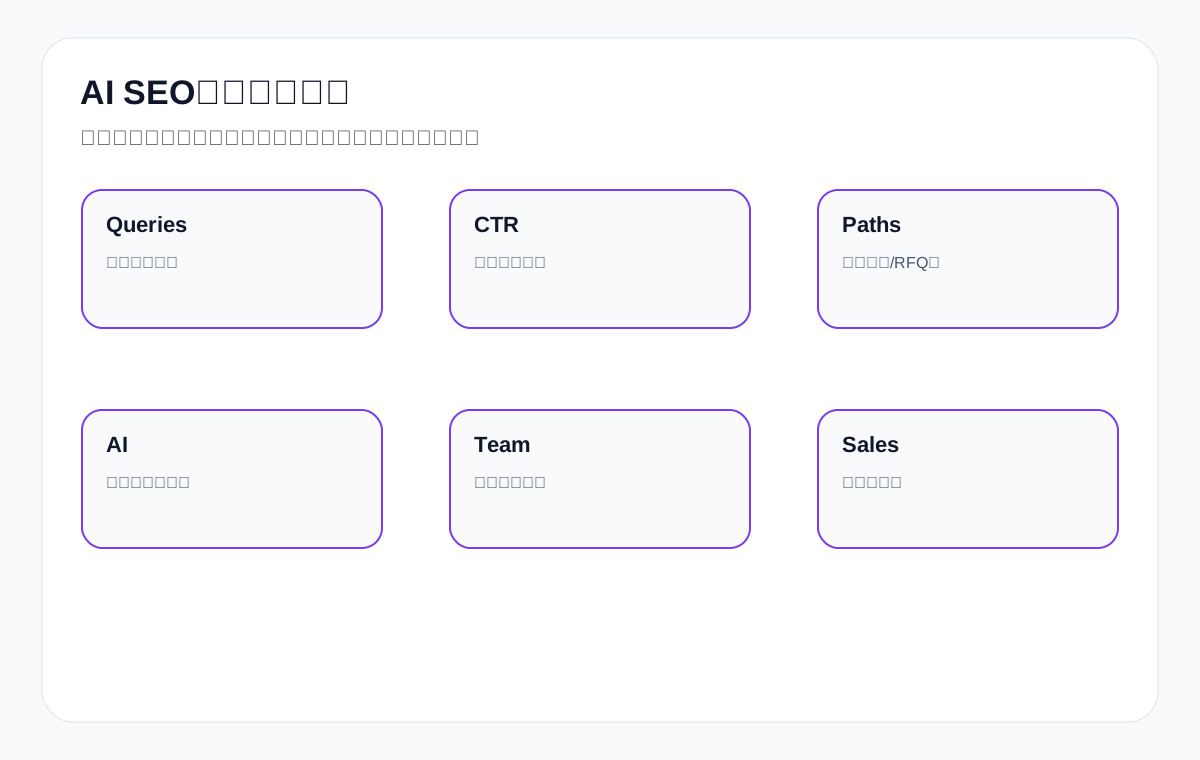
11. FAQ: The Most Common Questions About Choosing AI SEO Tools
Is buying one all-in-one platform enough?
Usually not. A steadier approach is to divide work among keyword, rewriting, and monitoring tasks, so that a single platform is not very strong in one link and very weak in another.
Can a rewriting tool write a complete long article for me directly?
It can produce a draft, but publishing it directly is not advisable. Especially for export technical content, fact-checking, product boundaries, and page roles still need human control.
Is the most important thing about a monitoring tool seeing whether the brand is mentioned by AI?
Not enough. You also need to see which queries triggered it, which page was mentioned, whether it was cited correctly, whether it appeared with competitors, and whether it led to better visits and inquiries.
Is it enough for a keyword tool to look only at search volume?
No. It is more important to look at question types, intent grouping, SERP results, page roles, and business value.
With a limited budget, which category should we buy first?
Usually start with keyword and rewriting tools, then build a monitoring sheet in a lightweight way. Once the query set and page workflow run smoothly, consider paying for heavier monitoring.
Why does the team still feel the content is not strong when there are so many tools?
Because tools can only amplify an existing process. If the query set, page roles, fact-checking, and review method are not in order, more tools just become noise.
12. Conclusion: Tool Selection Should Return to Page Tasks, Not Feature Stacking
The real value of AI SEO tools is not that you buy a platform that looks advanced, but that they help you genuinely connect the query set, page structure, AI mentions, and business review. For export manufacturers and trading companies, this means tools must serve English product terms, application scenarios, FAQs, resource pages, product pages, RFQ pages, and sales feedback—not stop at the content-generation layer.
Once you divide work among keyword, rewriting, and monitoring tasks and then use GSC, GA4, AI sampling, and inquiry quality for review, tools more easily become an accelerator for building page assets. Conversely, if you look only at the number of features or chase trends, you may buy many tools and still not have stronger pages.
Tools truly worth keeping long term should help the team find customer questions faster, strengthen page structure more reliably, see more clearly whether pages are understood and clicked, and steer visits toward products and inquiries with more confidence.
Final Checklist
| Check item | Completion standard |
|---|---|
| Tool roles | Keywords, rewriting, and monitoring each have clear responsibilities |
| Export context | Examples and output center on English product terms and procurement questions |
| Serving pages | Tool choices map to product pages, FAQ pages, and resource pages |
| Review method | Look at GSC, GA4, AI mentions, and inquiry quality together |
| Fact boundaries | Specifications, MOQ, certifications, and lead time are human-verified |
| Budget judgment | Validate the process first, then decide whether to pay heavily |
{
“@context”: “https://schema.org”,
“@type”: “FAQPage”,
“mainEntity”: [
{
“@type”: “Question”,
“name”: “Target query and page role tablennQuery type What it aims to solve Which tool type fits betternnKeyword research How customers actually search Keyword and question-mining toolsnTitle/structure How to make pages easier to read and extract Rewriting and structure toolsnMonitoring and review Whether pages are seen, mentioned, and clicked Monitoring and data-integration toolsnBusiness judgment Which tool to buy so the budget is not wasted Tool combination and collaboration workflownn2. First, Divide Tools into Three Categories: Keywords, Rewriting, Monitoring — Don’t Try to Do It All at OncenMany teams encountering AI SEO tools for the first time hope one platform can handle their keyword library, content generation, titles, monitoring, AI mentions, and dashboards all at once. In practice, that expectation tends to make tool selection chaotic. A more effective approach is to divide the work into three task categories first.nThe first category is keyword and question-mining tools, used to discover how buyers search, how questions group together, and what intent each page should serve. The second is rewriting and structuring tools, used to reorder existing content and add FAQs, comparison tables, and checklists—not to replace your decisions about page direction. The third is monitoring and review tools, used to observe AI mentions, brand co-occurrence, changes in target queries, page behavior, and inquiry quality.nOnce you separate these three categories clearly, choosing tools becomes much easier. Otherwise, teams are easily led around by feature lists.nTable: How the Three Tool Categories Divide the WorknnTool category Main task What not to expect too much fromnnKeyword tools Mine demand, segment intent, build a keyword library Directly producing publishable pagesnRewriting tools Reorder structure, add FAQs, draft candidate titles Deciding a page’s role for younMonitoring tools Record mentions, sample answers, track trends Replacing business review and manual samplingnn3. Keyword Tool Recommendations: Solve “What to Write” and “Which Page Should Write It” Firstn原文关键词类工具的价值…nThe value of keyword tools is not just handing you a list of words; it is helping you break procurement questions into page tasks. For an export website, a genuinely useful keyword library usually has to include product terms, comparison terms, application-scenario terms, certification terms, question terms, inquiry-preparation terms, and resource terms at the same time.nFor example, custom metal parts should not be judged only by search volume; it should be broken down further into material choice, surface finish, MOQ, tolerance, and prototype lead time. Likewise, waterproof connector should not stop at the head term but should extend to IP rating, outdoor application, marine environment, panel mount, and datasheet questions.nA good keyword tool should therefore support at least question mining, related-term grouping, SERP observation, and export/organization, so the team can genuinely connect the query set to product pages, category pages, FAQ pages, and resource pages.nHow to Judge a Keyword ToolnnEvaluation dimension Why it matters Example from an export scenarionnQuestion-mining capability Surfaces real procurement questions packaging machine maintenance checklistnRelated-term clustering Avoids splitting one intent into several thin pages waterproof connector IP67/IP68nSERP observation Shows whether a product page or an article should own the query industrial valve supplier vs valve material guidenExport and collaboration Makes it easy to turn findings into an actionable team spreadsheet custom metal parts RFQ questionsnnCommon Keyword Tool PitfallsnnPitfall Why it causes problems Better approachnnLooking only at the highest-volume terms A big term may not fit the current page Start with procurement intent and the page’s rolenTurning every question into a blog post Commercial and informational terms get mixed together Let product pages and FAQs each do their own jobnChasing only short English terms Long-tail procurement questions get ignored Add questions about certifications, materials, MOQ, and lead timenReviewing the keyword library only once Markets and product lines change Update the query set monthly or quarterlynn4. Rewriting Tool Recommendations: Best for Structure, Not for Setting Direction for YounRewriting tools are the easiest ones for teams to feel “save time,” because they quickly produce candidate titles, candidate FAQs, reordered paragraphs, and checklist-style structures. But what they do best is not defining a piece of content from scratch; it is working on pages whose direction is already clear.nFor example, for a page about choosing LED flood light, if product and application information already exists, a rewriting tool is well suited to turning it into a “conclusion first, then comparison, then FAQ, then a next step” structure. Or for an article on medical probe material compatibility, a rewriting tool can help you add a comparison table of materials and sterilization methods, and organize six common questions.nBut if the page’s role itself is wrong—say, a supplier page written like a popular-science article—a rewriting tool will not automatically correct the direction. Teams should therefore not mistake “rewriting is useful” for “it can decide page strategy.”nWhat Rewriting Tools Are Best AtnnWhat it is good for Why it is valuable What it should not do directlynnComparing candidate titles Makes it easy to compare different ways of making promises Decide the page’s final positioningnCompleting FAQs Helps cover the follow-up questions Replace confirmation of business factsnReordering paragraphs Easier for users and AI to extract Make a wrong direction more completenGenerating tables and checklists Improves the efficiency of judgment Replace real proofreading of specifications, certifications, and MOQnnFigure 2: Choose tools by page task first, then decide whether the export scenario really requires a paid tool.n5. Monitoring Tool Recommendations: Don’t Just Watch “Whether You Were Mentioned”nMonitoring tools are the most easily misunderstood category. Many teams think that as long as they can see whether the brand appears in AI answers, monitoring is done. In reality, that is far from enough. For an export website, what matters more is: which page was mentioned, around what query, whether it was cited correctly, whether it appeared alongside competitors, and whether the mention led to a better visit path and inquiry.nA good monitoring tool should therefore not be just an “appeared / did not appear” alert, but should help you connect the query set, answer screenshots, citation links, competitor co-occurrence, and page action recommendations. Going further, it should also combine with GSC, GA4, and sales feedback, so that mentions with no business value are not treated as real progress.nFor example, if a packaging machine page is mentioned in an AI answer, that does not necessarily mean the page is already strong. If users who click through do not continue to the relevant equipment page, resource page, or RFQ page, the business value of that mention may still be limited.nMinimum Requirements for a Monitoring ToolnnMinimum things to look at Why it matters Risk of looking at only one metricnnQuery dimension Knows which questions triggered the mention Totals alone are misleadingnPage dimension Knows which page was mentioned or cited Cannot guide changes to specific pagesnCompetitor co-occurrence Shows whether you are only appearing as a footnote Cannot reveal the real gapnAnswer accuracy Avoids being mentioned while the content is misread A wrong mention can actually hurt conversionnReview linkage Must connect to GSC/GA4/inquiries Otherwise it is just busy-looking datann6. A Common Tool Combination for Export Websites, Rather Than a Single-Point ChoicenIn real work, the most reliable approach is not “finding one all-purpose tool,” but building a small, clearly defined combination. The most common combination is usually: one keyword/question-mining tool, one rewriting/structure-assistance tool, and one monitoring and sample-record tool.nIf the team already has GSC, GA4, and on-site data foundations, this three-piece set is usually enough to cover most content work. What matters is not the number of tools, but whether they connect the query set, page improvements, and review.nFor export teams with limited budgets, getting this small combination working well is usually more practical than trying five or six platforms at once.nRecommended Combination LogicnnTeam stage Better-fit combination Core goalnnJust starting with AI SEO Keyword + rewriting + a manual monitoring sheet Get page tasks in order firstnExisting content team Keyword + rewriting + a monitoring tool Establish a stable review routinenMulti-product-line team Keyword clustering + rewriting + sample monitoring + a data dashboard Improve collaboration efficiencynn7. When It Is Worth Paying and When Free Tools Are EnoughnNot every team needs to spend heavily from the start. For teams with few product lines, a limited number of pages, and an AI SEO method still being validated, free or low-cost tools plus manual spreadsheets are often enough. The key is to confirm whether the process actually works.nCases that more clearly justify paying usually include: many product lines, many country markets, a large query set, a need for multi-person collaboration, a need for stable report exports, or a confirmed finding that a certain monitoring/rewriting/keyword tool clearly reduces time spent on repeated revisions.nConversely, if a team has not even clarified its query set, page roles, and review metrics, rushing to buy a very expensive platform usually just produces a pile of data it does not understand yet.nPay-or-Not Decision TablennSituation Worth paying for soon? ReasonnnThe query set is not yet in order No Clarify the process firstnMany product lines and markets Yes Manual organization becomes very costlynMultiple people revise content together Yes Tools improve consistency and export efficiencynJust want to try AI content No Validate with free or lightweight methods firstnn8. What Tool Recommendations Most Easily Overlook: Fact and Business BoundariesnEven the most convenient rewriting or generation tool can produce smooth content that still gets facts and business boundaries wrong. Especially for industrial goods, custom products, and technical products, models, materials, tolerances, certifications, MOQ, lead time, and applicable scenarios should never be left entirely to the model to guess.nTool recommendations should therefore not look only at “can it write,” but at whether it fits easily into a human review workflow. A tool that reliably produces tables, candidate FAQs, and structural options and is easy for people to edit is often more practical than one that generates a long draft in one pass but is hard to proofread.nFor export teams, what is truly sustainable is not letting tools replace judgment, but using tools to cut repetitive labor and leave more time for products, pages, and inquiry judgment.nFact and Business Boundary ChecklistnnBoundary type What people must controlnnProduct facts Materials, tolerances, specifications, certifications, lead timenBusiness boundaries MOQ, sampling process, applicable customer typesnPage role Whether a product page or an FAQ page should own itnInquiry path Whether it leads to the right resource pages and RFQ pagesnn9. A Few Tool Usage Scenarios Closer to Real Export WebsitesnScenario one: you want to expand the FAQ on a custom metal parts resource page. A keyword tool first helps you mine the tolerance, material, surface finish, and prototype lead time questions buyers ask most, and then a rewriting tool turns those questions into FAQs and a preparation checklist.nScenario two: you want to rebuild a waterproof connector comparison page. A keyword tool finds questions about IP67/IP68, marine use, panel mount, and datasheets; a rewriting tool turns existing long paragraphs into a comparison table and a list of common misconceptions; a monitoring tool then samples whether AI answers are starting to extract the page content more accurately.nScenario three: you want to judge whether a packaging machine page redesign worked. A monitoring tool records the query set and mentions, GSC shows target queries and CTR, and GA4 shows whether visitors more often reach product pages and RFQ pages. Only when all three layers are connected does the value of the tools truly land.n10. A More Practical Tool Evaluation Framework: Work Backward from Page ResultsnIf the team often gets stuck on “this tool has so many features—should we buy it?”, ask the reverse questions: Can it help us find the right queries faster? Can it make the page structure better? Can it make mentions and review clearer? Can it reduce repeated revisions? Can it help better-matched inquiries reach the product or RFQ page?nEvaluating in this order automatically filters out a lot of feature noise. In the end, what you care about is not how advanced some button is, but whether it genuinely helps the page get stronger and the team get steadier.n100-Point Tool Evaluation TablennDimension Points What a high score looks likennQuery set capability 20 Supports question mining, clustering, and collaborative exportnStructural rewriting capability 20 Reliably generates candidate titles, FAQs, tables, and checklistsnMonitoring and review capability 20 Records mentions, citations, competitor co-occurrence, and misreadingsnExport-context fit 20 Examples and output stay close to product, application, and inquiry scenariosnTeam collaboration value 20 Reduces repeated revisions and makes review easiernnFigure 3: Whether a tool deserves to stay long term depends on queries, pages, paths, AI mentions, and inquiry quality together.n11. FAQ: The Most Common Questions About Choosing AI SEO ToolsnIs buying one all-in-one platform enough?”,
“acceptedAnswer”: {
“@type”: “Answer”,
“text”: “Usually not. A steadier approach is to divide work among keyword, rewriting, and monitoring tasks, so that a single platform is not very strong in one link and very weak in another.”
}
},
{
“@type”: “Question”,
“name”: “Can a rewriting tool write a complete long article for me directly?”,
“acceptedAnswer”: {
“@type”: “Answer”,
“text”: “It can produce a draft, but publishing it directly is not advisable. Especially for export technical content, fact-checking, product boundaries, and page roles still need human control.”
}
},
{
“@type”: “Question”,
“name”: “Is the most important thing about a monitoring tool seeing whether the brand is mentioned by AI?”,
“acceptedAnswer”: {
“@type”: “Answer”,
“text”: “Not enough. You also need to see which queries triggered it, which page was mentioned, whether it was cited correctly, whether it appeared with competitors, and whether it led to better visits and inquiries.”
}
},
{
“@type”: “Question”,
“name”: “Is it enough for a keyword tool to look only at search volume?”,
“acceptedAnswer”: {
“@type”: “Answer”,
“text”: “No. It is more important to look at question types, intent grouping, SERP results, page roles, and business value.”
}
},
{
“@type”: “Question”,
“name”: “With a limited budget, which category should we buy first?”,
“acceptedAnswer”: {
“@type”: “Answer”,
“text”: “Usually start with keyword and rewriting tools, then build a monitoring sheet in a lightweight way. Once the query set and page workflow run smoothly, consider paying for heavier monitoring.”
}
}
]
}
13. Top-1 Benchmark Card: What Similar Tool Recommendation Articles Get Right and What They Miss
Similar tool recommendation articles usually get two things right. First, they can quickly list tool names and features, so readers see in a short time what common options exist in the market. Second, they use tables to compare price, target users, and main capabilities, helping readers make a first pass.
But they also often have clear gaps. Most lean toward content marketing teams or the SaaS context, focusing on writing blogs, generating titles, and monitoring brand exposure. They rarely explain how export manufacturers should actually use these tools around English product terms, product pages, category pages, resource pages, and inquiry paths. In other words, they are more like a “tour of the tool market” than a guide to “how to turn tools into page results.”
To go beyond such articles, we should not list a few more product names but answer more clearly: for pages like custom metal parts, waterproof connector, and packaging machine, exactly which tools should be used, which step comes first, which scenarios do not need paid tools, and which signals show that a tool is starting to deliver real value.
14. The Most Common Tool Usage Order for Export Teams
For most export teams, the more reliable order is not to buy monitoring first and then write content, but to clarify market questions and page tasks first, then add tools step by step. If target queries and page roles are not even decided, many of the data points inside a monitoring tool will also be hard for you to explain.
A more realistic order is usually: first use keyword tools to build an English procurement question library, then use rewriting tools to optimize the structure of core pages, and finally use monitoring tools to track AI mentions, query changes, and page behavior. The advantage of this order is that each layer builds on a foundation that is already clear. ’)
| Stage | What to use first | Why |
|---|---|---|
| Starting stage | Keyword tools | First learn how customers actually search |
| Page strengthening | Rewriting/structure tools | Turn existing pages into structures that are easier to read and extract |
| Validation stage | Monitoring and review tools | Confirm whether pages are mentioned, clicked, and correctly understood |
| Team collaboration stage | Export, collaboration, and dashboard tools | Reduce repeated revisions and make review more stable |
Many teams do exactly the reverse: buy monitoring first, then a generation tool, then go back and fill in the keyword library. This usually makes the project look busy but makes clear page actions very hard to form.
15. Which Free Methods Can Get the Process Working First
If the budget is limited, you can absolutely start the process with lighter methods. In the keyword stage, you can rely first on Google Autocomplete, People Also Ask, Search Console queries, on-site search logs, and common customer questions, and organize them into an initial query set. In the rewriting stage, basic AI tools can help with titles, FAQs, and structural reordering, but do not rely on them to produce the final draft. In the monitoring stage, a manual sampling sheet can record mentions, citations, and misreadings of fixed queries across different AI platforms.
The value of this lightweight method is that you validate “whether the process works” before paying for features. Once the process runs, deciding which parts are worth automating with money is more reliable than making a heavy investment from the start. ’)
| Task | Low-cost starting method | When to consider paying |
|---|---|---|
| Keyword mining | Google Autocomplete, PAA, GSC, sales questions | When the term volume is large, markets are many, and systematic clustering is needed |
| Titles and structure | Basic AI tools + manual reordering | When there are many pages, many repeated revisions, and multi-person collaboration |
| AI mention monitoring | A manual query-set sampling sheet | When the query set is very large and periodic reports are needed |
| Review dashboard | A spreadsheet integrating GSC/GA4/sales feedback | When unified tracking across product lines is needed |
16. Why Monitoring Is the Hardest—and Most Worth Getting Right
Monitoring is hard because, unlike a keyword tool, it does not immediately show a list of results, and unlike a rewriting tool, it does not immediately give you a new passage of copy. It requires the team to first define the query set, sampling frequency, record fields, and review criteria. But once done right, it becomes the key evidence for judging whether pages have truly entered the AI search visibility system.
Especially for export websites, many pages do not show their value only through traditional clicks. Some pages may first be mentioned in AI answers, and only then gradually build up branded search, resource visits, and better-matched inquiries. Without a monitoring layer, you will miss these early signals and find it harder to know which pages to invest further effort in. ’)
So the core value of a monitoring tool is not “letting you see your brand name,” but helping you answer: which pages are being seen, around which questions they are seen, whether the answer is accurate, and which page to fix next. The more clearly this question is answered, the easier it is for the team to move from gut-feel optimization to evidence-based optimization.
17. The Five Pitfalls Most Easily Hit When Using Tools
- Looking only at features, not page tasks, and ending up with many tools, none of which truly serves the current page problem.
- Treating a rewriting tool as a strategy tool and using it to decide page roles, so the direction is off from the very start.
- Understanding monitoring as watching total mention counts, without recording queries, pages, competitors, and misreadings, so it ultimately cannot guide improvement.
- Using keyword tools to chase only head terms without breaking out procurement questions, application scenarios, resource terms, and comparison terms, leaving the keyword library hollow.
- Investing more in tools than in page review, with the team trying tools every month but having no fixed rhythm for page improvement.
These pitfalls do not come from the tools themselves but from the order of use and the standards for judgment. If a team puts page tasks, product context, and review methods first and then chooses tools, the odds of falling into them are usually much lower. ’)
18. A Simplified Decision Method for Management
If you need to explain to your boss or business lead “why use this tool now instead of that one,” you do not have to go into many feature details. You can answer just four questions: Can it help us find customer questions faster? Can it make key pages clearer? Can it help us record AI mentions and misreadings? Can it make it easier for the team to review results across one or two product lines?
If a tool cannot answer these four questions, it may not fit the current stage even if it looks feature-rich. Conversely, even a plain-looking tool is worth keeping if it helps you more quickly put the query set, page structure, and review actions on solid ground. ’)
19. Which Tool Categories Product Pages, FAQ Pages, and Resource Pages Depend on More
Different pages depend on tools in different ways. Product pages depend more on keyword tools to mine purchase-decision terms and on rewriting tools to add FAQs and specification structures. FAQ pages depend more on question mining and structural rewriting. Resource pages depend more on monitoring and review, because they often carry the job of being “understood” and “cited.”
| Page type | Tools it depends on more | Key goal |
|---|---|---|
| Product pages | Keyword + rewriting | Add decision information and purchase questions |
| Category pages | Keyword + rewriting | Clarify series differences and application paths |
| FAQ pages | Keyword + rewriting | Cover follow-up questions and improve extractability |
| Resource pages | Monitoring + keyword | Record citations and resource visits |
| Industry/application pages | All three | Connect queries, content, and conversion paths |
Once this difference is clear, teams are less likely to mistakenly think “a certain tool is not comprehensive enough,” because different pages genuinely need different focal points. ’)
20. A Truly Actionable Trial Process: How to Judge in 30 Days Whether a Tool Is Worth Keeping
Many teams have no fixed process when trialing tools, so by the time the trial ends they can only decide on renewal by feel. A more reasonable approach is to set a small, comparable goal for the trial period. For example, test only around one product line, 10 to 20 target queries, and 3 to 5 key pages.
During these 30 days, the goal of a keyword tool is to help you organize a question set that looks more like what customers would search; the goal of a rewriting tool is to make the structure of key pages clearly clearer; the goal of a monitoring tool is to let you record AI mentions, citations, and misreadings consistently for the first time. If these three things do not improve noticeably, the tool may not be worth further investment no matter how many features it has. ’)
| Time period | What the keyword tool should validate | What the rewriting tool should validate | What the monitoring tool should validate |
|---|---|---|---|
| Week 1 | Whether it can organize the query set quickly | Whether it can produce better title/FAQ candidates | Whether it can build a sampling sheet |
| Week 2 | Whether it can separate product terms from question terms | Whether it can reorder the structure of key pages | Whether it can record first mentions and competitor co-occurrence |
| Week 3 | Whether it can support page mapping | Whether it can reduce revision rounds | Whether it can turn monitoring results into page actions |
| Week 4 | Whether it can settle into a reusable spreadsheet | Whether the team can reuse it consistently | Whether it can enter a fixed review rhythm |
21. Tool Selection Also Depends on Contracts and Delivery, Not Just the Account Itself
As a team grows, tool selection is not just “is this account easy to use”; it also involves export permissions, member collaboration, reporting methods, data retention, screenshot records, version history, and handover costs. Especially when a tool is used by an external partner, the company should care more about: can this data ultimately stay in our own hands, and can it become our own review asset?
For example, if a monitoring tool only has an in-platform dashboard and no stable export and manual annotation capability, it will be hard for you to continue reviewing once the collaboration ends. Likewise, if a keyword tool can only be operated by one person and cannot export groupings and page mappings, team collaboration costs will be high. ’)
So from a management perspective, a tool truly worth keeping must not only “work” but also be “handover-ready, reviewable, and archivable.” ’)
| Contract/delivery concern | Why look at it |
|---|---|
| Whether the query set and groupings can be exported | Avoids leaving the keyword library inside one account |
| Whether monitoring records and screenshots can be exported | Makes ongoing review and team handover easier |
| Whether it supports multi-person collaboration | Reduces information being held by one person |
| Whether it is easy to record manual annotations | Keeps the “why we changed it” on file |
| Whether it can connect to the existing data dashboard | Avoids the tool becoming an island |
22. When to Stop Using a Tool
Many teams find it easier to buy tools than to stop using them. The result is more and more accounts, while fewer and fewer are actually used often. A more mature approach is to set “retirement signals” for each tool category. If those signals are not met for a full cycle, it is time to reassess whether to keep paying.
- Keyword tools: the team rarely opens them anymore, or the keyword library they produce barely helps with page roles.
- Rewriting tools: the output looks fast, but the cost of human revision has not actually dropped.
- Monitoring tools: you see only scattered mentions and still cannot turn them into page actions or business review.
- Collaboration tools: reports are hard to export, and the team still reorganizes everything by hand.
Stopping a tool does not mean the method failed; it means you are now clearer about what the current stage truly needs. Saving the budget for the parts that genuinely improve page-asset building is usually more reasonable than continuing to pay for a “complete tool stack.” ’)
23. Teams of Different Sizes Do Not Have the Same Tool Priorities
A small team of fewer than 3 people, a content team of around 10, and an export group spanning multiple product lines do not share the same tool priorities. Small teams should prioritize lightweight, flexible combinations with low learning cost; mid-sized teams need collaboration and export more; cross-product-line teams place more weight on monitoring stability, a unified query set, and a review dashboard.
So when you see someone recommend a platform, do not just ask “is it strong?”—ask “does it fit our current size and stage?” A very strong but very heavy system placed in a just-starting team often adds maintenance cost. ’)
| Team type | What to prioritize | What not to chase from the start |
|---|---|---|
| Small teams | A lightweight query set + basic rewriting + manual review | A complex full-stack system |
| Mid-sized teams | Export, collaboration, and reuse of titles and structures | Too many scattered accounts |
| Multi-product-line teams | A unified query set, monitoring stability, and cross-team dashboards | Relying only on verbal, manual updates |
24. Why the “Best Tool for SEO” Is Not Necessarily Best for an Export Website
Many tools are highly rated in the SEO industry but are not necessarily the best fit for an export website. The reason is simple: export websites care more about product terms, scenario terms, resource terms, inquiry terms, and page roles, while many general SEO tools lean toward content marketing, traffic tracking, or blog topic selection. ’)
So tool selection must return to the product and procurement context: Can it help us explain material differences, certification requirements, application environments, MOQ, lead time, FAQs, and resource pages clearly? Can it help us make custom metal parts pages and waterproof connector pages clearer? If not, then even if it is very popular in the industry, it may not be what you should buy right now. ’)
25. A Reminder Before the Final Conclusion: Tools Are Only Amplifiers
Whether keyword, rewriting, or monitoring tools, they are essentially amplifiers. They amplify a method you have already clarified, and they also amplify confusion you have not sorted out. If the query set is unclear, page roles are chaotic, and no one controls fact boundaries, then even the best tool may only generate a batch of content and data that needs rework faster. ’)
So what the team really needs to build is not dependence on a particular tool but the judgment to work around page tasks: what customers are searching for, which page should own it, what needs to be added, and how to verify it. Once this method is clear, tools become an efficiency asset rather than budget pressure. ’)
26. Two Kinds of Information We Should Add Beyond Ordinary Tool Rankings
If you only write an “AI SEO tool recommendation list,” it is easy to write about whose features are greater, whose interface looks better, and whose price is higher. But what export companies truly need is often not this kind of consumer-style comparison but two harder-to-find kinds of information.
The first is page-task-oriented information: whether this tool suits product pages, category pages, FAQ pages, resource pages, or industry pages; whether it is better at finding problems, better at reordering structure, or better at review. The second is business-oriented information: after adopting this tool, is it easier to concentrate product terms, make pages easier to understand, and get sales more relevant inquiries? ’)
Once these two kinds of information are included, the article is no longer just a tool list but more like an actionable selection guide. ’)
27. Choosing Tool Priority by Page Type Is More Reliable Than Choosing by “Tool Fame”
Many selection mistakes essentially come from one simple question: when choosing tools, the team is thinking “which tool is the strongest,” not “which type of page is most critical for us right now.” If your weakest area is product pages and category pages, priority should go to keyword and structure tools. If your weakest area is the mention and understanding of resource pages and FAQ pages, then monitoring and sample records matter more.
This page-oriented tool priority is often more reliable than choosing by market hype, because it directly serves the part of the site that most needs strengthening right now. ’)
| Current priority pages | Which tool type to add first | Reason |
|---|---|---|
| Product pages | Keyword + rewriting | Add product decision terms and structural expression first |
| Category pages | Keyword + rewriting | Need to clarify product tiers and application paths |
| FAQ pages | Keyword + rewriting | Need to cover follow-up questions and improve extractability |
| Resource pages | Monitoring + keyword | Need to see whether they are mentioned, cited, and downloaded |
| Industry/solution pages | All three | Carry demand explanation, page ownership, and review tasks at the same time |
For example, if the biggest problem with your waterproof connector page group is that “category pages and FAQ pages are competing for the same questions,” then keyword and rewriting tools usually come before monitoring tools. But if the pages are basically in order and you just want to know which page is mentioned in AI search, then the value of the monitoring layer rises. ’)
28. Final Practical Checklist: Ask Yourself These 8 Questions Before Buying a Tool
- What matters most to us right now: discovering demand, changing structure, or monitoring and review?
- Which do we most want to strengthen: product pages, category pages, FAQ pages, resource pages, or industry pages?
- Do we have even the most basic English product terms, question terms, and page mapping table?
- Does someone own the manual verification of specifications, MOQ, certifications, lead time, and fact boundaries?
- Have we defined success criteria for the tool trial period?
- Can this tool be exported, handed over, and accumulated into a team asset?
- If it only makes writing faster but does not make pages stronger, will we stop using it?
- If we do not use it, can we still get the process working through lightweight methods first?
If more than half of these 8 questions still cannot be answered clearly, then what you most need now is usually not another new tool, but to first sort out page tasks, the query set, and the review method. Once the method is solid, tool selection actually becomes much easier. ’)
29. How to Truly Connect Tool Results to the Monthly Review
The reason many teams buy tools but feel the value is small is that tool results never enter a fixed review rhythm. The query set organized by a keyword tool sits aside, title candidates generated by a rewriting tool are forgotten after they are sent out, and mention screenshots from a monitoring tool never make it back to the page revision list. Over time, tools become scattered actions rather than part of the team’s method.
A more reliable approach is to look at four fixed tables in the monthly review. The first is the target query and page mapping table, to see which queries still lack a clear owning page. The second is the page change table, to see what was changed in titles, FAQs, structure, and evidence modules. The third is the AI sampling and competitor co-occurrence table, to see which pages are starting to be mentioned and whether there are misreadings. The fourth is the business performance table, to see whether GSC, GA4, resource visits, RFQ entries, and inquiry quality are moving closer to target. ’)
As long as every tool output can return to these four tables, you will become clearer about which tools are helping you push pages forward and which are only generating information noise. For an export website, this step is often more important than continuing to study “which vendor has more features.” ’)
| Monthly review table | Core question | Which tool type it connects to |
|---|---|---|
| Query and page mapping table | Which questions still lack the right page to answer them | Keyword tools |
| Page change table | Which structures and modules were actually changed this month | Rewriting tools |
| AI sampling record table | Which pages were mentioned, misread, and co-occurred with whom | Monitoring tools |
| Business performance table | Which changes brought better visits and inquiries | GSC/GA4/sales feedback |
When tools and these four tables are truly connected, AI SEO tools start to move from “seems useful” to “genuinely helping us make pages stronger.”
One last reminder: different procurement roles focus on different things when they see the same page. Technical buyers care more about specifications, materials, testing, and limits; business buyers care more about MOQ, lead time, sampling, packaging, and the cooperation process; owners care more about whether the page is bringing better-matched inquiries. So whether a tool is useful ultimately depends on whether it helps the same page serve these different real-world judgments at once, rather than just making the content longer or smoother. As long as this standard is consistently upheld, the tool stack becomes clearer with use rather than more cluttered.
If you are choosing tools right now, try a small test with one product line first: use a keyword tool to organize 20 English procurement questions, use a rewriting tool to make one category page and one FAQ page clear, and then use sample monitoring to record 2 weeks of AI mentions and page behavior. If this small process runs, you will find a combination that truly fits you faster than reading ten more tool rankings.
In the end, choosing AI SEO tools is not a game for software hobbyists but part of governing page assets. As long as you always put page tasks, export product context, human verification, and monthly review first, tools will truly help you make the website stronger.
Official Basis and AI SEO Tool Acceptance Boundaries
AI SEO tool recommendations must not be written as “buy a certain tool and you will get rankings, citations, and inquiries.” Tools can only help a team collect leads, rewrite structure, check pages, monitor samples, and record results. What can actually be accepted are pages, data, and actions, not the feature list on a tool’s marketing page. Especially during a low-data period in GSC, if there is currently no usable signal, you can only write “to be observed”—you must not write tool scores, third-party estimates, AI answer screenshots, or subjective search results as this site’s performance.
A more reliable approach is to divide tools into five categories: search performance tools, page technical tools, structured data tools, AI crawler and log tools, and AI citation/mention observation tools. Each category must correspond to an acceptance field, and must also state clearly what conclusions cannot be drawn.
Tool Acceptance Boundaries Corresponding to Official Sources
Search Console Help: Performance report
Good for verifying: query, page, country, device, clicks, impressions, CTR, average position.
Cannot be used to conclude: you cannot write low-sample or zero-row data as a trend, and you cannot write a tool’s estimated search volume as this site’s GSC performance.
Tool acceptance: any keyword tool suggestion must return to the GSC date window, page URL, query group, and sample size; when there is currently no usable signal, write only “to be observed.”
Search Console Help: URL Inspection tool
Good for verifying: a single page’s index status, crawl time, canonical, sitemap source, pageFetchState, and the Google-known version.
Cannot be used to conclude: you cannot write “indexable” as already ranking, and you cannot write a request for indexing as Google having re-evaluated the page.
Tool acceptance: after a major page change, record URL Inspection, especially whether lastCrawlTime is later than the modification time.
Google Search Central: AI features and your website
Good for verifying: AI Mode / AI Overviews still rely on basic SEO; pages must be crawlable, indexable, able to show snippets, and have understandable content.
Cannot be used to conclude: you cannot conclude that a certain tool will get a page into AI Overviews or AI Mode, or earn a guaranteed AI citation.
Tool acceptance: AI SEO tools can only assist in finding problems; final acceptance depends on whether pages meet search fundamentals and content clarity.
Google Search Central: robots.txt introduction
Good for verifying: whether robots.txt mistakenly blocks Googlebot, important directories, CSS/JS/image resources, or public resource pages.
Cannot be used to conclude: robots.txt allowing crawling does not mean the page is already indexed or already has AI visibility.
Tool acceptance: conclusions from crawler-check tools must be read together with meta robots, X-Robots-Tag, canonical, sitemap, and server logs.
Google Search Central: Make your links crawlable
Good for verifying: whether key pages have real hrefs between them and whether anchor text explains the next page’s topic.
Cannot be used to conclude: you cannot treat visible buttons, script-based navigation, or a tool-generated internal link graph as something Google can definitely crawl.
Tool acceptance: internal-link tool results must be sampled against front-end HTML to confirm that product pages, category pages, resource pages, and articles can discover one another.
Google for Developers: About PageSpeed Insights
Good for verifying: PageSpeed Insights provides both mobile/desktop lab data and CrUX real-user data; low-traffic pages may not have URL-level real-user data.
Cannot be used to conclude: you cannot write a single Lighthouse score as the real user experience, and you cannot write a score of 90 as a guarantee of SEO ranking.
Tool acceptance: performance tools must separate lab data from field data; when there is no CrUX data, state clearly that it is a simulated diagnosis and do not write user-experience conclusions.
Google Search Console: Rich Results Test
Good for verifying: whether structured data in a public URL or code may generate Google-supported rich results.
Cannot be used to conclude: passing the test does not mean search results will definitely show rich results, nor does it mean AI citations or ranking improvements.
Tool acceptance: Schema tool results must match the visible body text; information that is not displayed must not be hard-coded into markup.
Google Analytics Help: About events
Good for verifying: on-site downloads, forms, email clicks, WhatsApp clicks, RFQ, contact page visits, and other follow-up behaviors.
Cannot be used to conclude: GA4 events cannot explain changes in search results pages, nor can they replace GSC query and page data.
Tool acceptance: monitoring tools must record search performance and on-site behavior separately, then cross-check inquiry quality with sales feedback.
OpenAI Platform: Overview of OpenAI Crawlers
Good for verifying: OpenAI distinguishes OAI-SearchBot, GPTBot, and ChatGPT-User; their purposes relate to search display, training crawls, and user-triggered visits respectively.
Cannot be used to conclude: you cannot write allowing GPTBot as a ChatGPT Search visibility result, and you cannot write one crawler appearance in the logs as being recommended by AI.
Tool acceptance: log tools should distinguish user agent, status code, URL, time, and page type, and avoid lumping all AI visits into one metric.
Bing Webmaster Blog: AI Performance
Good for verifying: Bing AI Performance can observe citations, cited pages, grounding queries, and page-level citation activity.
Cannot be used to conclude: Bing data cannot represent Google, ChatGPT, or all AI platforms; citation count also does not equal inquiries.
Tool acceptance: AI visibility monitoring should record the platform, question, cited URL, screenshot date, whether the answer is correct, and follow-up on-site actions separately.
Good for verifying: sending notifications to participating search engines after a URL is added, updated, or deleted.
Cannot be used to conclude: you cannot write an IndexNow 200 as already crawled, indexed, ranked, or included in AI answers.
Tool acceptance: submission tools only record the notification action; afterward you still need to check sitemap, logs, GSC, Bing Webmaster, and URL Inspection.
AI SEO Tool Diagnostic Acceptance Table
Keyword tool acceptance
What to look at: query intent, page type, country/language, competing pages, and existing GSC query/page rows.
Pass criteria: tool suggestions can land on specific pages: create, merge, update, add FAQs, add resource pages, or keep observing.
Boundary: you cannot write a tool’s search volume as this site’s traffic, and you cannot promise that a certain term will rank.
Rewriting tool acceptance
What to look at: titles, opening paragraphs, definition sentences, paragraph order, specification tables, FAQs, internal links, and evidence sources.
Pass criteria: after rewriting, the page’s facts are clearer, and buyers can judge materials, specifications, applications, risks, and the next step.
Boundary: AI rewriting output must not be treated directly as fact; product specifications, certifications, prices, lead times, and capability boundaries must be verified by people.
Monitoring tool acceptance
What to look at: GSC, GA4, server logs, AI answer samples, Bing AI Performance, and sales feedback.
Pass criteria: the same question library, the same date window, and the same page URL can be rechecked, compared, and explained.
Boundary: a single screenshot, one mention, or one score is not a stable result; if there is no data, write that there is currently no usable signal.
Technical tool acceptance
What to look at: URL Inspection, robots.txt, canonical, sitemap, PageSpeed Insights, Rich Results Test, and mobile tables and images.
Pass criteria: problems found by tools can be mapped to front-end pages, source code, or GSC fields, with retest records after fixes.
Boundary: passing technical tools does not mean content quality is sufficient, nor does it mean rankings, AI citations, or inquiry growth.
Delivery Boundaries for Tool Recommendations
Tool selection articles are most easily misunderstood as “buying a tool solves SEO.” A more professional way to write is to treat tools as part of the workflow: define page tasks first, then choose tools, then execute changes, and finally recheck with GSC, URL Inspection, GA4, logs, and AI samples. Tools can improve the efficiency of finding problems and reviewing, but they cannot replace product facts, page quality, and real data.
- What can be promised: a tool list, order of use, field templates, review tables, sampling methods, page rewriting actions, technical checks, and follow-up observation windows.
- What cannot be promised: that buying a certain tool will definitely produce rankings, impressions, AI citations, inquiries, or CTR growth.
- How to write during a low-data period: when there is currently no usable signal, write “an observation item has been set up, pending changes in GSC/URL Inspection/logs/AI samples”; you must not treat tool predictions as results.
- Management judgment: tool renewal should not depend on the number of features but on whether it reduces repetitive work, makes page actions more accurate, and makes review more trackable.
Continue Reading This GEO Series
If you are systematically learning about GEO and AI search visibility, the following articles are a good next read. Start with the concepts, then move on to diagnosis, monitoring, content structure, and collaboration boundaries.
- What GEO has to do with brand authority: why AI search looks at brands more and more
- How to choose GEO monitoring tools: where to look for mentions, citations, and traffic
- What a GEO visibility diagnosis includes: AI answers, entity consistency, citation sources, and review
- How to read a GEO diagnosis report: a guide to judging AI answers, citation sources, and entity consistency
- How to monitor AI search visibility: a checklist of brand mentions, official-site citations, and competitor answers for export websites
- How to do AI Visibility Monitoring: a guide for new export websites
This page is machine-translated from the Simplified Chinese version and awaiting human review. It has not yet been proofread.