A valuable Google SEO diagnosis report is not a list of every tool warning, and it is not a screenshot of your scores. It helps an export business judge which issues affect indexing, how search engines understand the site, buyer trust, and the inquiry path; which issues need development work or internal materials; which are only watch items; and which tool warnings can be ignored for now. For factories and trading companies selling industrial components and custom manufacturing categories, or private label activewear manufacturer, a diagnosis report must ultimately land on specific pages and business actions.
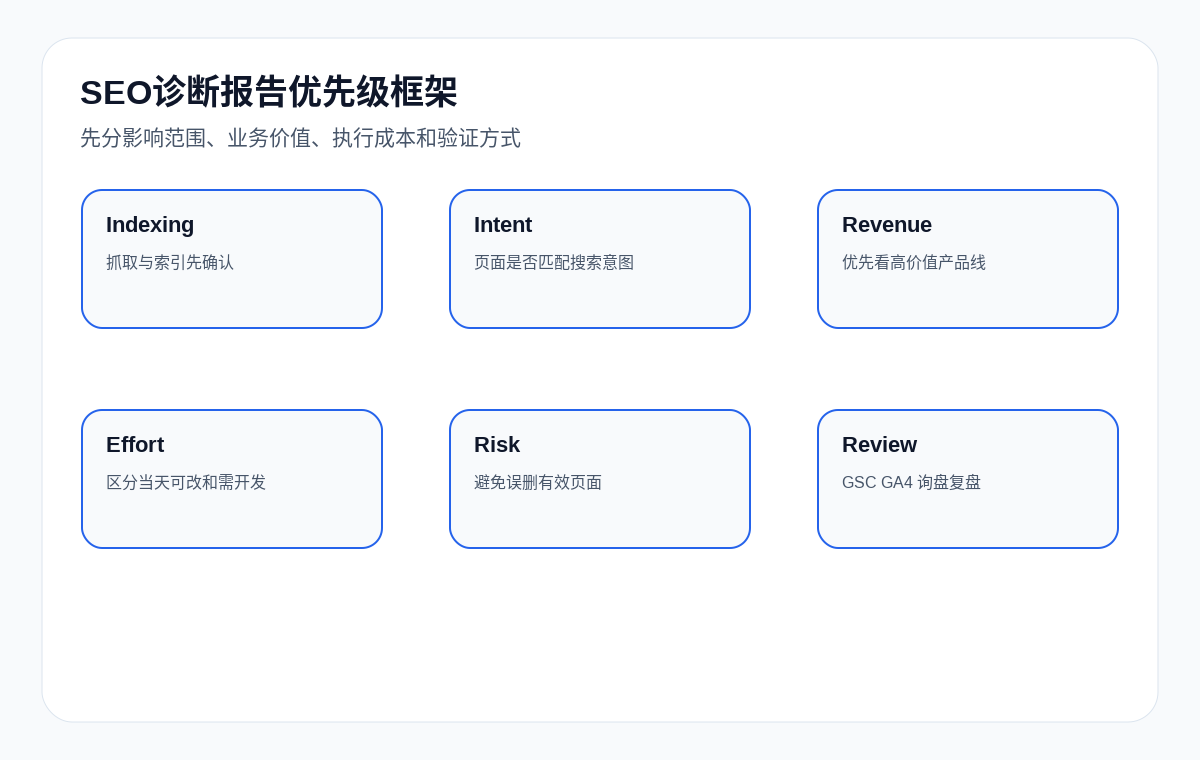
This guide is not about chasing a perfect score. It is about reading the priorities behind the report: start with indexing and accessibility, then look at search intent and each page’s role, then look at content evidence and the conversion path, and finally review everything against GSC, GA4, inquiry sources, and sales feedback.
2. Benchmarking Against Top1 and Authoritative Guides: Where Ordinary SEO Audit Guides Fall Short
Today’s authoritative references usually come from Google Search Central’s SEO Starter Guide, Search Essentials, URL Inspection, Page indexing, and Core Web Vitals documentation, plus guides on SEO audit and technical SEO audit from Ahrefs, Semrush, Screaming Frog, Moz, and others. Their strength is breadth: crawling, indexing, titles, content, links, structured data, speed, mobile, backlinks, and reporting tools are all covered.
But these guides still leave a gap for Chinese export businesses. They often tell you to check titles, speed, indexing, content, and links, yet they rarely say whether limited development resources should go first to the indexing problem on a custom metal parts category page, to the specification table on an LED flood light product page, or to watching impression changes on a packaging machine article. They also rarely put GSC queries, GA4 form events, and sales feedback into the same table to guide a decision.
Top1 / Authoritative Benchmark Gap Card
| Benchmark source | What it does well | What export businesses still lack | How this article goes further |
|---|---|---|---|
| Google official documentation | Trustworthy; defines search fundamentals, indexing, page experience, and compliance boundaries | Does not provide export-specific business prioritization | Applies official principles to product pages, category pages, resource pages, and inquiry pages |
| Ahrefs/Semrush audit guides | Comprehensive checklists, good for finding issues | Can push businesses to chase tool scores and ignore business value | Adds business value, execution cost, and inquiry review |
| Screaming Frog-style technical checklists | Fine-grained URL-level data | Non-technical staff struggle to judge order | Uses a four-quadrant triage matrix to explain what to fix first and what to watch |
3. First Step in Reading a Report: Confirm Whether It Is URL-Level
If a report only says the site has title issues, content issues, speed issues, and backlink issues, without listing specific URLs, it is hard to act on. An export business should require the diagnosis to reach the page level: which category page, product page, article page, or inquiry page has a problem. Only when the URL is clear can you judge business value and assign an owner.
For example, if a waterproof connector page and an ordinary blog post both have duplicate titles, their priority is not the same. The former may target high-value sourcing terms and affect inquiries; the latter may be a low-impression article. A report cannot flatten every issue into equal importance.
Minimum requirements for URL-level diagnosis
| Item | Unacceptable report | Acceptable report |
|---|---|---|
| Issue location | Many page titles need optimization | Lists the URL, current title, target query, and suggested title |
| Business role | Content is too thin | States whether the URL is a category page, product page, application page, or article page |
| Impact assessment | Page experience is poor | States whether it affects indexing, clicks, inquiries, or trust evidence |
| Action | Recommend optimizing the page | Specifies changing the title, adding a specification table, adding FAQs, adding internal links, or fixing technical items |
| Review metric | Observe the effect later | Specifies whether to watch GSC queries, GA4 events, inquiry sources, or AI citations |
4. Four Buckets of Issues: Fix Now, Schedule a Fix, Watch, and Leave Alone
When reading an SEO diagnosis report, the most important thing is not the number of issues but triage. Put every issue into one of four buckets: fix now, schedule a fix, watch, and leave alone. Fix now usually covers crawling, indexing, access to important pages, form submission, broken redirects, and clear search-intent mismatches. Schedule a fix usually needs development, design, or internal material. Watch items usually lack data or have uncertain impact. Leave alone usually means low-value URLs, tool false positives, or issues with very little business impact.
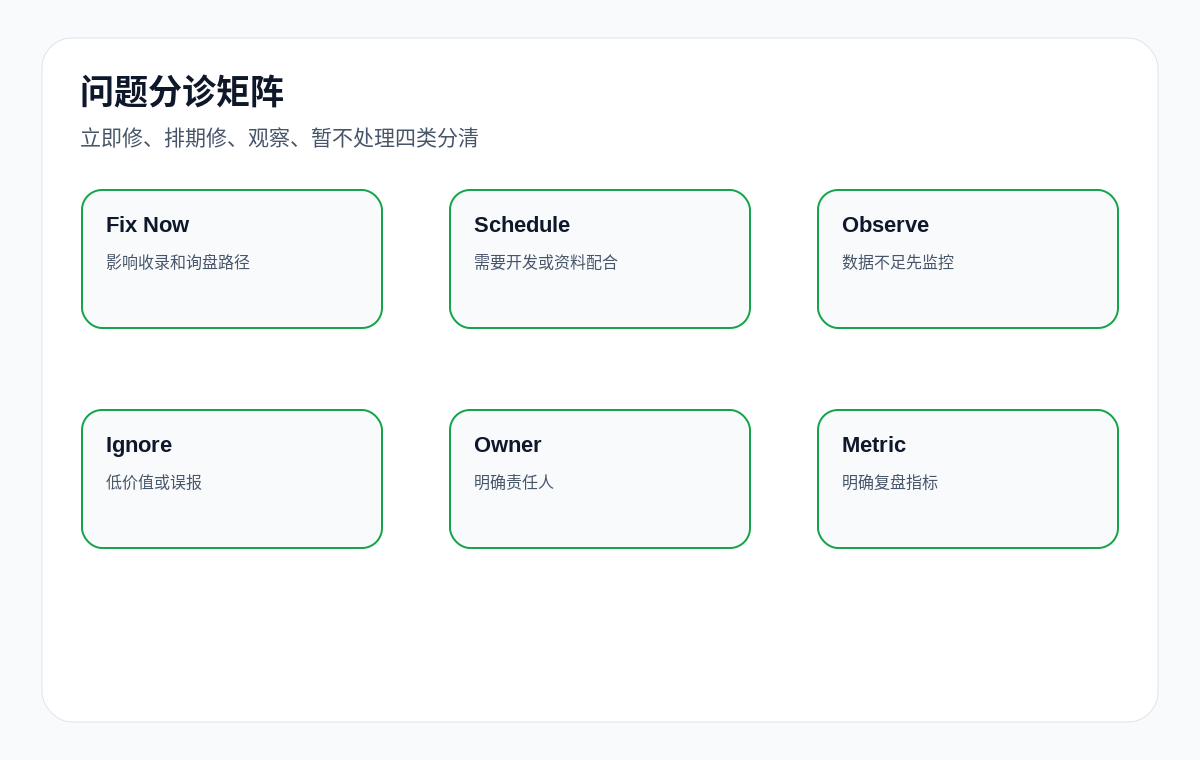
Issue triage matrix
| Category | Typical issue | Export website example | How to handle |
|---|---|---|---|
| Fix now | Important page inaccessible, noindex set by mistake, form unusable, core page returns 404 | industrial valve supplier category page set to noindex | Confirm the cause and fix it the same day, then recheck immediately |
| Schedule a fix | Speed optimization, structured data, page structure rebuild, large-scale internal link changes | packaging machine application page needs a rewritten structure and added images | Put it in a 2-to-4-week plan with a named owner |
| Watch | New page not indexed, slight impression fluctuations, low-sample CTR anomalies | A newly published LED flood light FAQ has no impressions after two weeks | Record the baseline and wait for more data |
| Leave alone | Low-value tag pages, tool warnings with no business meaning, minor issues on historically low-traffic pages | An old campaign page with no inquiry value is missing an H1 | Do not consume core resources |
5. Indexing and Crawling Issues: Why They Usually Come First
If Google cannot discover, crawl, or index a page, even excellent content and conversion design struggle to do their job. When reading a report, an export business should first check whether important pages are accessible, allowed to be indexed, included in the sitemap, internally linked, wrongly canonicalized, or stuck out of the index because of duplication or low quality.
But not indexed also needs context. A newly published article that is not indexed yet may simply need time; a core product category page that has been missing from the index for a long time is a serious problem. A diagnosis report must separate page value from the reason for the status.
Indexing issue assessment table
| Symptom | Possible cause | Fix first or watch | Review metric |
|---|---|---|---|
| Important category page not indexed | Few internal links, thin content, wrong canonical, noindex set by mistake | Fix first | GSC page indexing, URL Inspection, target query impressions |
| New article not indexed after one week | Short discovery time, low site crawl frequency | Watch or add a few internal links | GSC discovery status and crawl date |
| Product page judged as duplicate | Similar specifications, similar titles, weak content differences | Schedule a fix | Add unique specifications, applications, and FAQs, then watch |
| Many filter pages crawled | Parameter URLs uncontrolled | Schedule a fix | Crawl stats, index coverage, logs, and useless pages |
| Inquiry page inaccessible | Form script or security policy problem | Fix now | HTTP status, form events, sales inbox confirmation |
6. Titles and Search Intent: Not Longer, More Accurate
Diagnosis reports often point out duplicate titles, titles that are too long, or titles missing keywords. But an export business cannot mechanically stuff keywords into titles. A title must answer the page’s role: is this a supplier screening page, a product specification page, an application solution page, a technical tutorial page, or an inquiry page.
Take a custom metal parts page. If the goal is supplier screening, the title should highlight manufacturer, materials, process, and custom capability. If the page is really about one specific product, it should not force a broad head term. An LED flood light product page can highlight wattage, IP rating, and application; a packaging machine application page can highlight materials and packaging methods.
Examples of title fixes
| Page | Common problem | Better direction |
|---|---|---|
| custom metal parts category page | Title only names the product and does not show supply capability | Custom Metal Parts Manufacturer for CNC, Stamping and Casting |
| LED flood light product page | Title is too broad and does not show specifications | 200W IP66 LED Flood Light for Warehouse and Outdoor Projects |
| packaging machine application page | Title only names the equipment | Powder Packaging Machine Selection Guide for Food and Chemical Products |
| waterproof connector product page | Title lacks the specifications buyers care about | IP67 Waterproof Connector Supplier for Industrial Cable Assembly |
7. Content Issues: Do Not Just Count Words, Look at Sourcing Evidence
Many reports say content is thin or content quality is insufficient. But content quality on an export website is not a simple word count; it is whether sourcing evidence is sufficient. Buyers want to know materials, specifications, applications, certificates, MOQ, lead time, packaging, customization capability, quality control, downloadable materials, and after-sales support.
If an article or page only says in general terms that quality is good, service is good, and experience is rich, it is not strong even with a high word count. Conversely, a product page with a specification table, application photos, FAQs, certificate notes, similar products, downloadable materials, and an inquiry prompt may suit commercial intent even without an exaggerated word count.
Content quality assessment table
| Page type | Weak content | Strong content |
|---|---|---|
| Product page | Only a short intro and an image | Specification table, materials, applications, certificates, FAQ, downloadable materials, inquiry entry |
| Category page | A pile of product listings | Product range, process capability, application industries, selection advice, internal links, and FAQ |
| Application page | Only names the applicable industry | Scenario problems, solution choices, matching products, comparison tables, and common misconceptions |
| Technical article | Only explains concepts | Steps, decision criteria, examples, tables, review metrics, and links to related pages |
| Resource page | Files are scattered | Material versions, applicable products, certificate validity, and download instructions |
8. Technical Issues: Look at Impact, Do Not Be Intimidated by Jargon
Technical SEO reports often contain terms like canonical, robots, sitemap, schema, Core Web Vitals, redirect chain, 404, hreflang, and JavaScript rendering. Non-technical owners do not need every detail, but they must know what each issue affects: Google finding the page, Google understanding the page, how fast users can open it, or the inquiry path.
Business translation table for technical issues
| Technical item | Business meaning | When it takes priority |
|---|---|---|
| canonical | Tells Google which version is the main page | Handle immediately when an important page is pointed to the wrong URL |
| robots/noindex | Controls whether a page can be crawled or indexed | Handle immediately when a core page is blocked |
| sitemap | Helps search engines discover important URLs | Handle when important pages are not submitted or many invalid URLs slip in |
| Core Web Vitals | Affects loading experience and the conversion path | Handle when core mobile pages are slow, bounce is high, or forms are affected |
| schema | Helps search engines understand products, FAQs, and organization information | Add it when page facts are clear and field sources are reliable |
| 404/redirect | Affects access for users and search engines | Prioritize when a URL with backlinks, internal links, or inquiry value is broken |
9. Link Issues: Separate Backlinks, Internal Links, and Spam Links
Link issues in a diagnosis report fall into at least three groups: internal links, external links, and spam or risky links. Export businesses often treat backlink count as the core metric, but internal links more directly determine whether important pages are discovered and understood, and whether article traffic flows to inquiry pages.
For example, if an article about waterproof connector IP rating does not link to the waterproof connector product page and the cable assembly category page, it will struggle to help inquiries even if it has traffic. Conversely, buying a batch of irrelevant backlinks at random may bring risk rather than value.
Link diagnosis assessment table
| Link type | What the report should state | How the export business should handle it |
|---|---|---|
| Internal links | Which articles, categories, and products lack relevant links between them | Prioritize linking from highly relevant articles to high-value product and category pages |
| Natural external links | Link source, relevance, target page, anchor text | Keep them and analyze which content attracts links |
| Spam links | Source quality, abnormal anchor text, whether the scale is suspicious | Do not panic; first judge whether there is real risk |
| Broken links | Internal 404s, broken external links, and valuable old URLs | Fix important internal links and, when needed, add relevant redirects |
10. Speed and Experience: Do Not Chase Tool Scores Alone
Speed issues must be read together with the page’s role. Experience problems on the homepage, core category pages, key product pages, and inquiry pages usually rank higher; small score fluctuations on low-traffic article pages can wait. A report should state which metric is poor, which resource it affects, and how much effort a fix costs.
Speed and experience priorities
| Page | Common problem | Handling priority |
|---|---|---|
| Homepage | Large above-the-fold image, carousel, heavy third-party scripts | High, because it affects brand and the main entry |
| Product category page | Oversized product images, slow filter scripts | High, because it affects sourcing browsing |
| Product page | Slow loading of images, specification tables, and downloads | High, because it affects the inquiry decision |
| Article page | Uncompressed images, slow table-of-contents script | Medium, depending on traffic and commercial value |
| Contact page | Form script errors or a slow map | High, because it directly affects conversion |
11. GSC Review: Which Data to Watch After a Fix
After a fix is done, do not judge success or failure the next day. GSC usually needs time to recrawl and accumulate data. Watch in layers at 7, 14, 30, and 60 days: for indexing issues, check crawl and index status; for title and content issues, check queries and CTR; for page structure issues, check impressions and clicks on the target page; for conversion issues, combine GA4 and inquiry sources.
GSC review table
| Change type | What to watch at 7-14 days | What to watch at 30-60 days |
|---|---|---|
| Indexing fix | URL Inspection, crawl date, page index status | Whether the target page starts gaining impressions |
| Title adjustment | CTR for the target query and changes in the displayed title | Whether clicks rise and queries match better |
| Content expansion | New queries, long-tail impressions, index stability for the page | Position for target terms, clicks, and inquiry assistance |
| Internal link adjustment | Target URL impressions, crawl frequency, and related queries | Whether category and product pages capture more related terms |
| Technical speed | Core metrics, mobile experience, bounces, and events | Whether the conversion path runs more smoothly |
12. GA4 and Inquiries: SEO Diagnosis Cannot Stop at Search
For an export business, an SEO diagnosis that only looks at Google Search is incomplete. You also need to know whether visitors who land on the site view products, download materials, click WhatsApp, submit forms, and visit the contact page, and whether the sales team considers the inquiries valid.
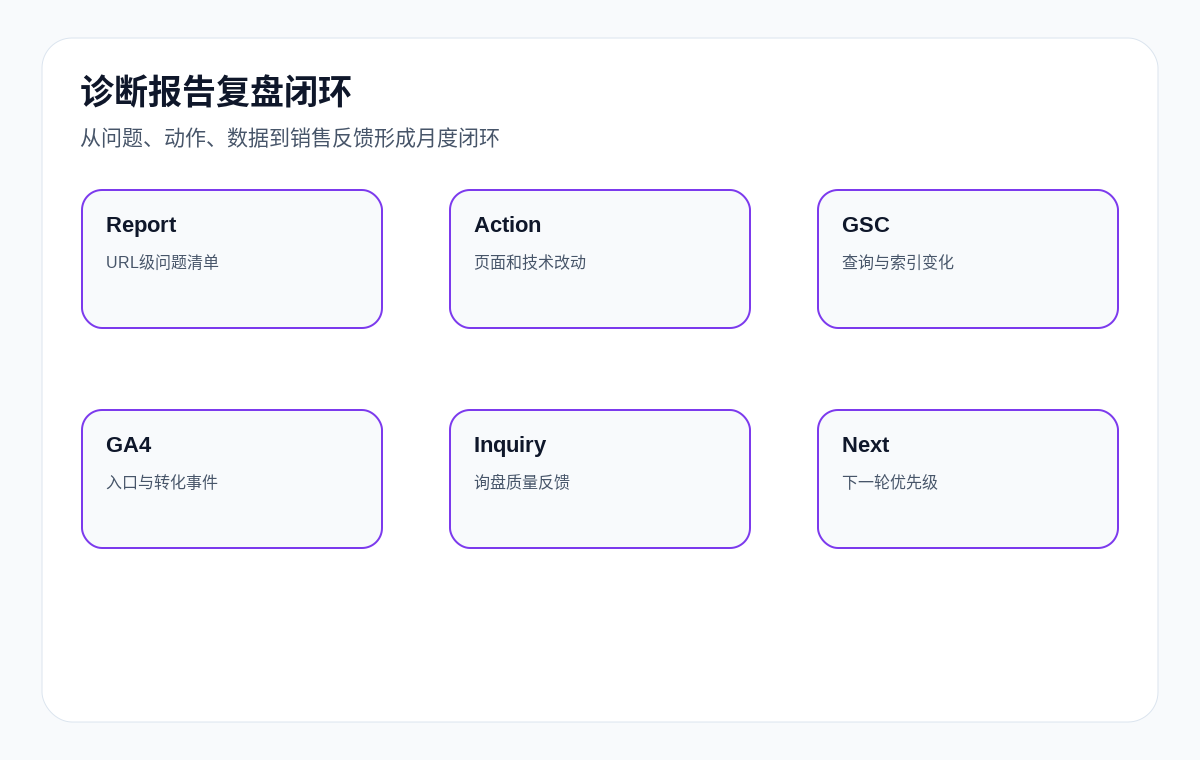
GA4 and inquiry review
| Metric | What to watch | How to interpret it |
|---|---|---|
| Landing page | Which pages drive organic search visits | Judge whether content enters the right product line |
| Engagement | Scroll, time on page, material downloads, product clicks | Judge whether the page meets sourcing information needs |
| Conversion events | Forms, WhatsApp, email clicks, downloads | Judge whether the inquiry path is clear |
| Inquiry product | The product, country, and buying stage behind an inquiry | Judge whether keywords and pages match the business |
| Sales feedback | Validity, repeated questions, price sensitivity | Adjust pages and FAQs in response |
13. AI Citation Review: A New Dimension for Diagnosis Reports
As AI search and AI answers grow, export websites should also watch whether AI understands the official site accurately. An SEO diagnosis report can add an AI citation review: for a fixed set of English sourcing questions, watch whether AI answers mention the brand, cite the official site, misread product capability, or frequently cite competitors and third-party directories.
This is not a promise that AI will recommend you; it checks whether the evidence on your official site is clear enough. For example, does the medical probe page explain materials and compatible equipment? Does the industrial valve supplier page show industry applications and certificates? Does the private label activewear manufacturer page explain fabrics, MOQ, sampling, and packaging processes?
AI citation review table
| Dimension | Question to observe | Page action |
|---|---|---|
| Brand mention | Does AI mention the company or brand | Standardize how the company name, brand name, and product lines are written |
| Official site citation | Does it cite product pages, resource pages, or FAQs | Add citable paragraphs, tables, and downloadable materials |
| Answer accuracy | Does it misstate specifications, certificates, or capability | Correct page facts and FAQs |
| Competitor co-occurrence | Which competitors often appear | Analyze competitors’ evidence modules and third-party sources |
14. False Positives in the Report: What Can Wait
SEO tools find many issues, but not every issue deserves immediate action. Tools do not know your business priorities, and they do not know whether some pages are intentionally kept out of search. When reading a report, avoid being led by the number of issues.
Common false positives or low-priority items
| Warning | Why it is not necessarily urgent | When to handle it |
|---|---|---|
| Overly long titles on low-value pages | The page has no search or inquiry value | Clean them up together when resources allow |
| A small number of external spam links | Many sites naturally receive low-quality links | Look into it further only if there is a clear attack or risk of a manual action |
| A new page not indexed yet | Google needs time to discover and index it | Handle it when it exceeds a reasonable period and has business value |
| Incomplete image alt text | Important product images should be handled; decorative images do not need heavy effort | Prioritize core product and application pages |
| Tool score is not perfect | A perfect score does not equal inquiry performance | Handle it when it affects core page experience |
15. How to Run a Diagnosis Review Meeting Inside an Export Business
An effective SEO diagnosis review meeting should not involve marketing staff alone. Invite the export manager, the product or technical lead, sales representatives, development or operations, and the external team to look at it together. The goal is not to discuss every issue but to decide which pages to handle first in the next cycle, who provides materials, who executes technical items, and what data to review with.
Diagnosis review meeting flow
| Step | Questions to discuss | Output |
|---|---|---|
| Baseline review | Current indexation, impressions, clicks, inquiries, and status of key pages | Baseline data table |
| Issue triage | What to fix now, what to schedule, what to watch | Priority list |
| Material needs | Which product specifications, certificates, images, and FAQs are missing | Material owner and deadline |
| Technical actions | Which items need development or operations | Technical task list |
| Review metrics | Which GSC, GA4, inquiry, and AI citation metrics to watch next month | Review dashboard |
16. Diagnosis Focus by Website Stage
Diagnosis focus at different stages
| Website stage | What to prioritize | What not to over-focus on |
|---|---|---|
| New site, 0-3 months | Indexing, base structure, core pages, brand terms, GSC baseline | Short-term ranking fluctuations |
| Has content but little traffic | Keyword mapping, page intent, internal links, content evidence | Word count of a single article |
| Has traffic but few inquiries | Landing pages, conversion path, product page evidence, form events | Raw impression growth |
| Many inquiries but poor quality | Search intent, country, product line, sales feedback | Only the total inquiry count |
| Preparing for AI visibility | Entity consistency, resource pages, FAQ, official site citation evidence | The result of a single AI answer |
17. Product Line Priority: Not Every Page Deserves Equal Investment
Export websites often carry many product lines, but budget, materials, and development resources are limited. A diagnosis report that ignores product line priority lets the team burn time on low-value pages. Layer product lines by profit, inquiry value, competitive feasibility, material completeness, and sales feedback.
For example, custom metal parts and cnc machining parts may have high order values but strong competition, requiring fuller evidence on processes, materials, tolerances, inspection, and cases. ceramic dinnerware may depend more on images, sets, packaging, and customization capability. waterproof connector may depend more on specifications, IP rating, application environment, and certifications. Different product lines have different diagnosis priorities.
Product line priority scoring table
| Dimension | High-priority signal | Low-priority signal | Diagnosis action |
|---|---|---|---|
| Profit and order value | High value per inquiry, strong repeat-purchase potential after closing | Low profit, intense price competition | Prioritize content and conversion path on high-value product pages |
| Search demand | GSC already shows impressions, or third-party tools show related demand | Almost no search signal | Build pages and internal links first where demand exists |
| Competitive feasibility | Existing pages are close to the first two pages, or long-tail terms have an opening | Head terms are dominated by giants and there is no differentiation | Start with long-tail and application scenarios |
| Material completeness | Specifications, images, certificates, and FAQs are complete | Materials are missing and cannot be confirmed internally | Upgrade pages with complete materials first |
| Sales feedback | Good inquiry quality, concentrated customer questions | Few inquiries and sales cannot tell why | Use sales questions to add FAQs and restructure pages |
If a diagnosis report concludes that all site content needs optimization, the business should keep asking: which five pages first, why those, what data you expect to watch, who provides materials, and how the work will be accepted. Only then does a diagnosis turn from a broad report into an executable plan.
18. Page Type Priority: What to Check on Category, Product, and Article Pages
The same technical issue has different priority depending on page type. Core category pages affect product groupings and commercial terms; product pages affect specific models and the inquiry decision; article pages affect question-type traffic and internal link entry points; resource pages affect trust and AI citations; the contact page affects final conversion.
Diagnosis focus by page type
| Page type | Check first | Common improvement actions |
|---|---|---|
| Category page | Target commercial terms, product range, internal links, product listings, FAQ, inquiry entry | Add a product range table, application industries, selection advice, and related product entries |
| Product page | Specifications, images, certificates, MOQ, downloads, similar products | Add a specification table, application images, sourcing FAQ, and material downloads |
| Application page | Scenario problems, matching products, industry terms, solutions, case evidence | Add a problem-solution-product-inquiry path |
| Article page | Search intent, steps, tables, internal links, whether it leads to commercial pages | Add an action checklist, examples, FAQ, and links to related product pages |
| Resource page | File accessibility, version, certificate validity, citation path | Organize download pages, certificate pages, and product associations |
| Contact page | Form usability, fields, response expectations, source tracking | Fix form events, reduce fields, add an inquiry prompt |
Many export websites write plenty of article pages while category and product pages stay weak. Here a diagnosis report should not simply recommend publishing more articles; it should judge whether articles can route question-type traffic to commercial pages. If articles do not link internally to relevant product pages, or product pages cannot answer buyer questions, traffic is unlikely to turn into inquiries.
19. How to Score Severity: Use Impact, Value, Cost, and Confidence
To avoid arguments, score every issue on four dimensions: impact scope, business value, execution cost, and judgment confidence. Issues with high impact, high business value, low execution cost, and high confidence should be handled first; issues with uncertain impact, low business value, and high execution cost can be watched or postponed.
SEO issue scoring model
| Dimension | 1 point | 3 points | 5 points |
|---|---|---|---|
| Impact scope | Affects only a single low-value page | Affects one small section | Affects a core product line or site-wide indexing |
| Business value | Brings almost no inquiries | Has some traffic or supporting value | Directly affects key products or inquiry pages |
| Execution cost | Needs major development or a large amount of material | Needs cross-department coordination | Can be changed the same day or with a little material |
| Judgment confidence | Tool warning with weak evidence | Supported by some data | Verifiable from GSC/GA4/logs/inquiries |
For example: if an industrial valve supplier category page is set to noindex by mistake, impact is high, business value is high, execution cost is low, and confidence is high, so it should be fixed at once. If a traffic-free tag page is missing a meta description, impact is low and business value is low, so even with a tool warning it should not consume core resources.
20. From Report to Task: Writing Tickets That Both Development and Content Understand
Many diagnosis reports fail in execution because the language cannot be turned directly into tasks. The content team does not understand technical items, development does not understand the business goal, and sales does not know what to report back. Rewrite each issue as a ticket: page, issue, cause, action, acceptance, and review metric.
Ticket example
| Field | Example |
|---|---|
| Page | https://example.com/waterproof-connector/ |
| Issue | The page targets waterproof connector supplier but lacks IP rating, pin count, wire gauge, and application scenario descriptions |
| Cause | Buyers cannot tell whether the product suits marine, industrial control, or outdoor cable assembly scenarios |
| Action | Add a specification table, application notes, FAQ, internal links to related products, and an inquiry prompt |
| Acceptance | The page includes a specification table, 3 application scenarios, 8 FAQs, and 2 related product entry points |
| Review | After 30 days, check GSC queries, GA4 form events, and how well inquiries match products |
This is clearer than optimize the waterproof connector page and makes it easier to judge completion quality in a monthly review. External teams, internal staff, and developers should all communicate around acceptance-ready tasks like this.
21. Common Mistake: Treating the Diagnosis Report as a One-Off File
SEO diagnosis is not a one-off file; it is the starting point for continuous review. Many businesses get a report, change a batch of content, and then stop tracking. That causes two problems: first, you do not know which changes worked; second, the next report starts from scratch and prior experience is not retained.
A better approach is to build a closed loop of issue-action-data-conclusion. For every important issue, record the change date, what changed, the owner, the expected impact, and the review date. After 30 days, do not simply ask whether rankings appeared; check whether the page was recrawled, whether queries changed, whether CTR improved, whether visitors moved toward inquiries, and whether sales received better-matched demand.
Review loop record table
| Field | What to record |
|---|---|
| Issue ID | One number per issue to avoid repeated discussion |
| URL | The specific page address |
| Action | Change the title, add content, fix indexing, add internal links, optimize the form, and so on |
| Date | Proposed date, execution date, review date |
| Owner | Who is responsible in content, development, sales, and the external team |
| Data | GSC, GA4, inquiry sources, sales feedback, AI citations |
| Conclusion | Effective, no clear change, needs more observation, needs a strategy change |
22. Export English Product Term Examples: How One Issue Lands in Different Businesses
To keep a diagnosis report from staying in generic SEO terminology, the examples below use different export product terms to show how one type of issue turns into different actions.
Product term action examples
| Product term | Diagnosis finding | Page action | Review metric |
|---|---|---|---|
| custom metal parts | The category page has only a general introduction and lacks material and process coverage | Add tables for CNC, stamping, casting, surface finish, and tolerance | Impressions for target commercial terms, drawing uploads in inquiries |
| LED flood light | Product page specifications are incomplete and large images hurt loading | Add wattage, lumen, IP rating, and beam angle, and compress images | Mobile experience, product page form events |
| packaging machine | The application page does not separate powder, granule, and liquid | Split application scenarios and add a selection table | Clicks on long-tail application terms and how well inquiries match materials |
| medical probe | Missing compliance and material information | Add materials, sterilization, compatible equipment, certificates, and traceability information | Material downloads and high-quality inquiries |
| ceramic dinnerware | Many images but missing packaging and customization information | Add sets, glaze, packaging, MOQ, dishwasher suitability, and customization FAQ | Time on image pages and fewer inquiry questions |
| industrial valve supplier | The category page has no industry applications or certificates | Add oil gas, water treatment, chemical, pressure rating, and certificates | Industry term impressions and inquiries from target countries |
23. When a New Diagnosis Is Needed
You do not need a full diagnosis every month. A new diagnosis is usually needed when the site is redesigned, product lines change substantially, traffic drops suddenly, core pages are migrated, inquiry quality changes noticeably, you enter a new market, you start working on AI search visibility, or more than 6 to 12 months have passed since the last full diagnosis.
Triggers for a new diagnosis
| Trigger | What to check |
|---|---|
| Site redesign or migration | URLs, redirects, indexing, page structure, forms, and analytics events |
| Sudden traffic drop | GSC queries, pages, countries, algorithm updates, technical changes, and competitor moves |
| Product line changes | Keyword mapping, category structure, internal links, and how old pages are handled |
| Change in inquiry quality | Landing pages, search intent, form fields, sales feedback, and country markets |
| New market expansion | Country terms, language, certificates, application scenarios, and local competition |
| AI visibility goal | Entity consistency, resource pages, FAQ, third-party citations, and AI answer sampling |
24. Executive Summary: Judge a Report’s Value in Three Minutes
If you are the owner or export manager and have no time to read the full SEO diagnosis report, start with four questions. First, does the report name the 5 to 10 most important URLs? Second, do those URLs correspond to high-value products, key markets, or the inquiry path? Third, does every issue have a clear action, owner, and review metric? Fourth, does the report state which results cannot be promised and which need time to watch?
A genuinely valuable report translates technical language into business language. For example, instead of only saying the canonical is abnormal, it explains that the custom metal parts category page is wrongly pointed to another page, which may affect that category page’s ability to target supplier screening terms, and that development should correct it and recheck the index status in GSC. Instead of only saying content is weak, it explains that the LED flood light product page lacks IP rating, luminous flux, application scenarios, and downloadable materials, so buyers cannot tell whether it suits warehouse and outdoor projects.
Owner’s scorecard
| Question | Low-scoring report | High-scoring report |
|---|---|---|
| Is it specific | Only site-wide scores and issue counts | Lists specific URLs, page roles, and business impact |
| Is it actionable | Suggests optimizing, improving, strengthening | States what to change, who changes it, and when to review |
| Does it understand export business | Only talks about traffic and rankings | Connects product terms, sourcing questions, the inquiry path, and sales feedback |
| Does it have boundaries | Implies certain short-term results | Explains controllable work, observation periods, and uncontrollable factors |
| Can it be reviewed | Produce another new report next month | Continue the issue list and record actions, data, and conclusions |
So when reading a Google SEO diagnosis report, do not ask how many issues there are; ask whether the report tells the team what to fix this week, how to execute this month, and what data to watch next month. If the answer is yes, it is a diagnosis report that can drive export website growth.
For an export business, the best use of a diagnosis report is to put it into the monthly business meeting rather than leaving it in the marketing department folder. The product lead confirms facts, sales confirms inquiry quality, development confirms technical actions, the external team confirms search data and page strategy, and the owner only needs to look at priority, cost, risk, and next steps. That way each diagnosis becomes a website asset instead of a one-off tool screenshot.
17. Diagnosis Report Execution Checklist: From Report to Action
- First organize the issues in the report by URL; do not accept conclusions that only give an overall description.
- Label each URL with its page type: category page, product page, application page, article page, resource page, or inquiry page.
- Label each issue with its impact: indexing, understanding, clicks, trust, conversion, or review.
- Label each page with its business value: key product, profit product, inquiry value, or strategic market.
- Sort issues into the four buckets: fix now, schedule a fix, watch, and leave alone.
- Name the owners: the business provides materials, the external team changes content, development handles technical work, and sales reports back on inquiries.
- Back up important pages before publishing and record the change date after publishing.
- At 7 to 14 days, check crawling, indexing, and early query changes.
- At 30 to 60 days, check GSC, GA4, inquiry sources, and sales feedback.
- Each month bring new data back to the priority list instead of starting a new report.
18. FAQ: Common Questions About Google SEO Diagnosis Reports
Does a higher number of issues make an SEO diagnosis report better?
No. More issues do not make a better report. What matters is whether it can separate business impact, page value, execution cost, and review method.
If a tool score is low, must it be fixed first?
Not necessarily. First check whether it affects a core page, indexing, user experience, or the inquiry path. Small score issues on low-value pages can wait.
Do all unindexed pages need immediate action?
No. Core product and category pages that stay unindexed for a long time need priority, while new articles or low-value pages can be watched first.
Are duplicate titles a serious problem?
It depends on page value and search intent. If several important pages target different products but have similar titles, handle it; low-value pages can wait.
If content is too thin, must it become a long article?
Not necessarily. Product pages need sourcing evidence and FAQ, technical articles can be long and in depth, and contact or navigation pages should not be padded with words.
Should backlink risk be handled immediately?
First judge the source, scale, anchor text, and whether there is any abnormal change. Do not act blindly just because a tool lists low-quality links.
How long after fixing SEO issues before data shows up?
Indexing issues may show status changes within days to weeks; content and ranking changes usually take longer, so watch in layers at 7, 14, 30, and 60 days.
Should an SEO diagnosis report include inquiries?
Yes. An export website ultimately cares about valid inquiries and business opportunities; GSC and GA4 are only part of the review.
Should AI search visibility be part of the diagnosis?
It can be a new dimension, but observe it with a fixed query set, brand mentions, official site citations, and answer accuracy; do not treat a single answer as a conclusion.
Who should attend the diagnosis review meeting?
The export manager, product or technical lead, sales representatives, development or operations, and the external team should all take part so the report does not stall.
19. Final Judgment: A Good Report Should Tell You What to Do Next
A good Google SEO diagnosis report should let you answer five questions after reading it: which pages matter most, which issues affect the business most, which actions can be done this month, which need development or material support, and what data to watch after the fix. If a report cannot turn issues into URLs, owners, actions, and review metrics, it is only a problem list, not a management tool.
An export business should treat the SEO diagnosis report as a roadmap: first make sure Google can discover and understand important pages, then let buyers read the product evidence, then make the inquiry path smooth, and finally keep reviewing with GSC, GA4, inquiry sources, sales feedback, and AI citations. Only then does the diagnosis report truly serve export business growth instead of stopping at tool scores and technical jargon.
Official Sources and Acceptance Boundaries for Diagnosis Reports
A Google SEO diagnosis report should read like an evidence table, not a promotional page. Every conclusion must be traceable to a URL, field, screenshot, or report entry. When GSC has no data, you may only write “no rows available at this time”; you must not invent rankings, clicks, or inquiries.
| Diagnosis module | Official source | Delivery fields | Boundary |
|---|---|---|---|
| Search performance | Performance report | query, page, clicks, impressions, CTR, position | Only write the data actually returned |
| Single-page indexing | URL Inspection tool | indexing, crawl, canonical, enhancements | Single-URL evidence cannot be expanded into a site-wide conclusion |
| Sitemap entry | Sitemaps overview | sitemap URL, lastmod, whether important pages exist | Appearing does not equal being indexed |
| Canonical URL | Canonical URL methods | self-referencing, duplicate pages, parameter pages, Google selected canonical | canonical is a signal, not a command |
| Event review | GA4 events | forms, email, downloads, buttons, inquiry path | Event data does not equal search impression data |
Report acceptance criteria
| Acceptance item | Acceptable wording | Unacceptable wording |
|---|---|---|
| Issue priority | Ranks by impact scope, evidence strength, and fix cost | Only lists a pile of tool screenshots |
| Page action | Binds every recommendation to a URL, reason, action, owner, and recheck date | Only says “optimize content” or “increase authority” |
| Low-data period | Marks GSC zero rows, pending observation, and the next recheck window | Writes it as an existing ranking, click, or inquiry conclusion |
| Risk boundary | Explains what can be delivered and what can only be observed | Writes search system results as guaranteed results |
Further Reading on This B2B SEO & GEO Topic
- Why do quotes from GEO Agency Partners vary so much: How to assess query sets, number of platforms, and competitor monitoring
- What to confirm before signing a Google SEO service contract: Goals, permissions, deliverables, and risk boundaries
- What to confirm before signing a GEO service contract: AI monitoring, data ownership, and review boundaries
- How to choose a Google SEO outsourcing provider: A 2026 market overview and list of pitfalls to avoid
- Actual test of 500 Chinese queries: 80.9% have been covered by Google AI Overview
- Editorial Internal Linking, Backlink Risk Auditing, and Content Refresh Hub
- Generative Engine Optimization Research
- B2B SEO & GEO Scope and Pricing Standards