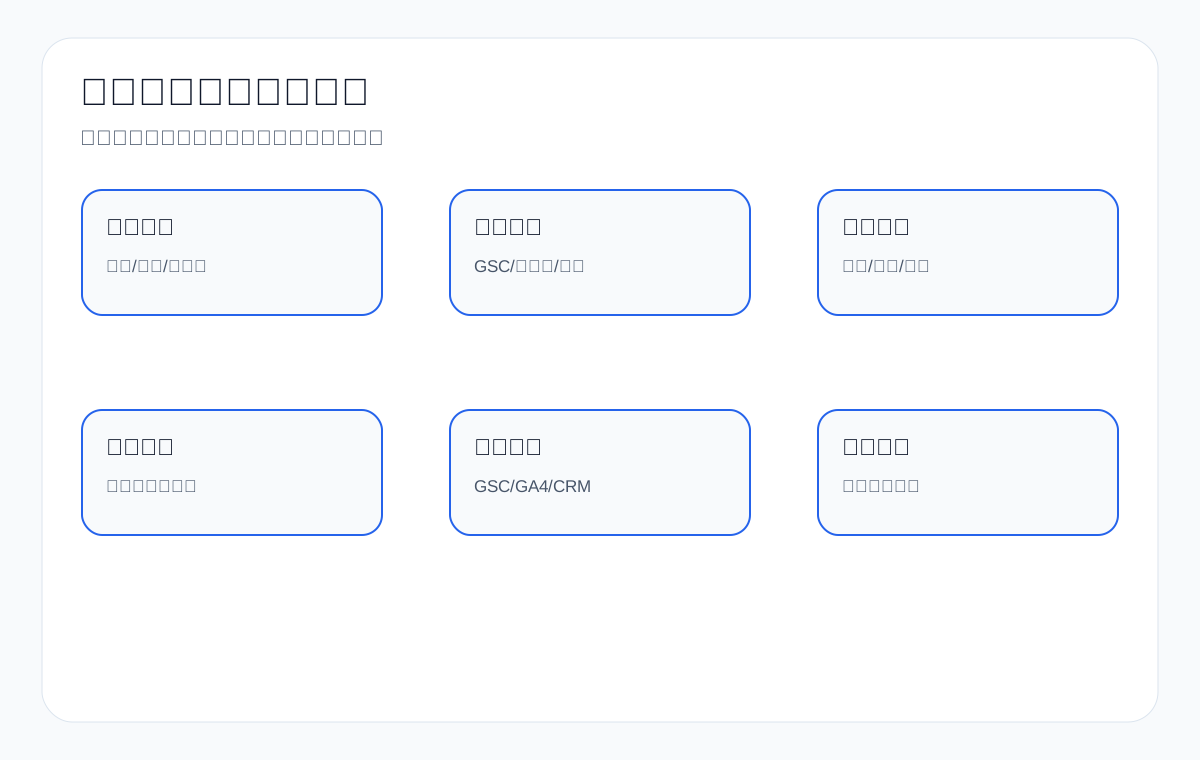
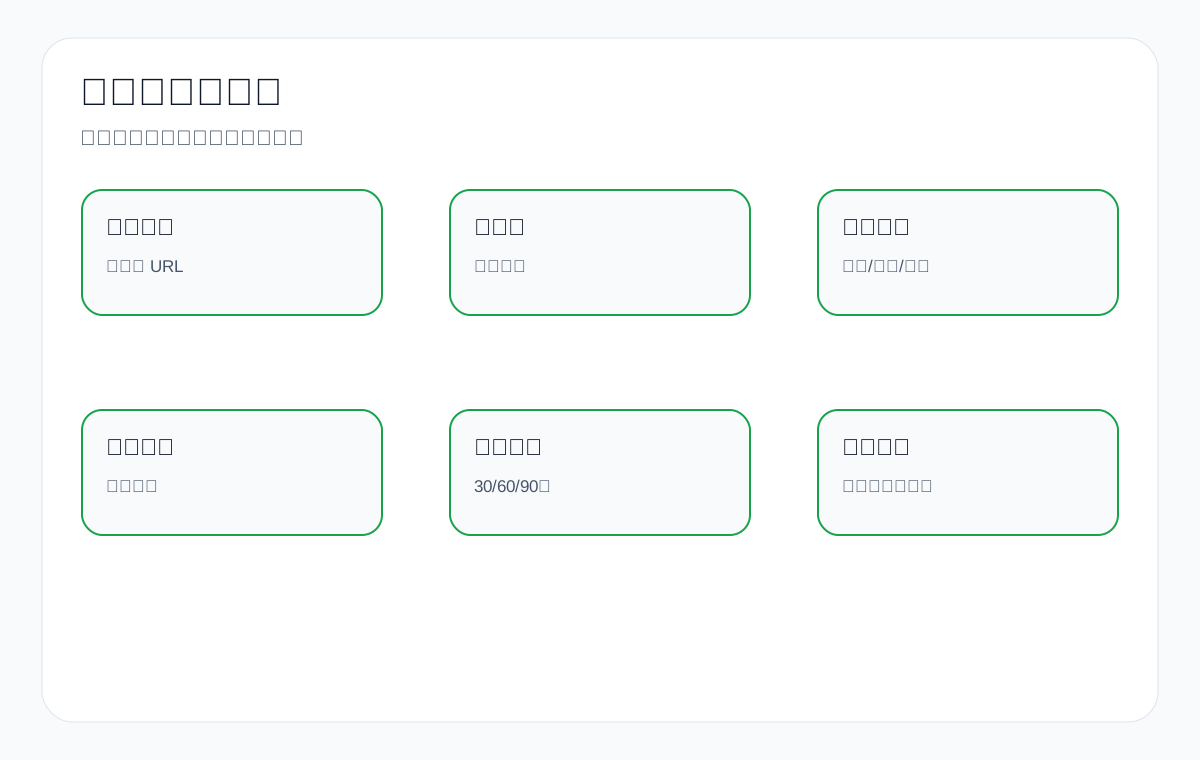
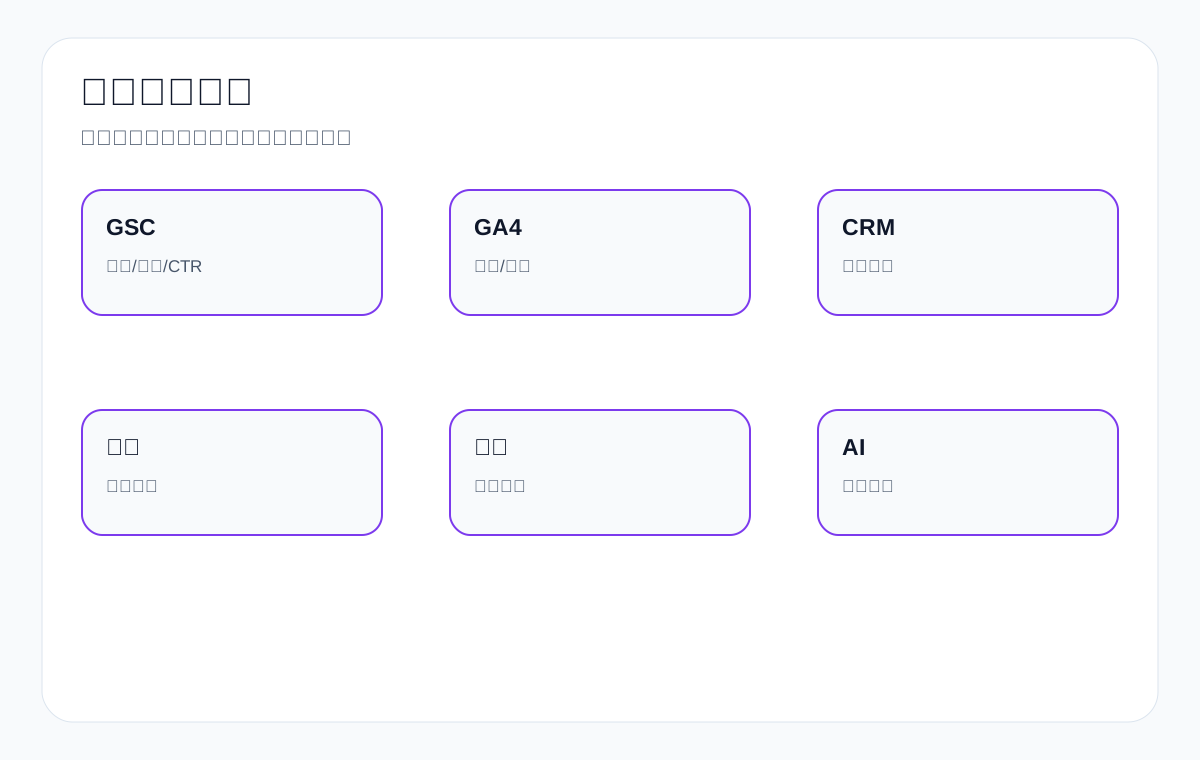
A Google website diagnosis service is not about running a few tools and taking screenshots, and it is not simply saying “publish more articles.” A diagnosis that is genuinely valuable brings together technical health, indexing, content, page structure, keyword intent, GSC, GA4, inquiry sources, and sales feedback to answer the questions clients care about most: Why does the site get no organic traffic? Why does it get indexed pages but no inquiries? Why are there so many pages that are still not understood correctly? What should be fixed first?
This article is written for Chinese export factories and trading companies. Using product terms such as custom metal parts, LED flood light, packaging machine, medical probe, cnc machining parts, ceramic dinnerware, waterproof connector, industrial valve supplier, and private label activewear manufacturer, it explains what scope, deliverables, evaluation criteria, and review metrics a Google website diagnosis service should include. The focus is on helping clients understand, decide, and act. It avoids an internal operations tone and makes no promises about outcomes that cannot be controlled.
Official diagnosis sources: A Google website diagnosis should evaluate technical health, indexing, content, and data separately
A Google website diagnosis report should not just list tool screenshots, and it should not attribute every problem to “not enough content” or “not enough authority.” A more reliable approach is to start from the official documentation of Google Search Central, Search Console, GA4, OpenAI, Bing, and IndexNow and break the diagnosis into reviewable fields: whether a page is accessible, whether it can be indexed, whether it has a canonical URL, whether the sitemap covers core pages, whether the content serves real procurement questions, whether Search Console has query and page data, and whether GA4 can show the inquiry path.
For an export business, the value of a diagnosis report is not to create anxiety but to turn problems into priorities, owners, and review fields. If there is currently no usable GSC query, page, or page-query row data, then rankings, impressions, clicks, CTR, AI adoption, or inquiry changes must not be filled in. The report can only state “which foundations are in place, which URLs need spot checks, and which fields should be observed in the next round.”
Mapping table: official sources and diagnosis modules
| Official source entry point | What to check during diagnosis | Acceptance fields for an export website | What it does not prove |
|---|---|---|---|
| Google Search Central: How Search Works | Search involves discovery, crawling, indexing, and serving results. | Break problems into URL discovery, crawling, indexing, page understanding, and search performance. | A page going live does not mean it is participating in search results. |
| Google Search Central: SEO Starter Guide | Whether titles, body copy, images, links, and site structure help users understand the page. | Whether product pages, category pages, application pages, and resource pages answer procurement questions. | Advising clients to “write more content” is not a complete diagnosis. |
| Google Search Central: Search Essentials | Whether the site meets the basic eligibility and quality floor for search. | Whether core URLs are accessible, indexable, and free of obvious spam or quality risks. | Meeting the basic eligibility bar does not mean the site has clicks or inquiries. |
| Google Search Central: Search Console start guide | Search Console can show search performance and site issues. | Whether account access, the site property, sitemap, performance report, and indexing report are available. | Performance must not be written up when there is no access or no data. |
| Search Console Help: Page indexing report | Page indexing status and reasons pages are not indexed. | Group non-indexed URLs by cause: noindex, duplicate, canonical, crawling, quality, 404, and so on. | An indexing report is not a ranking or inquiry report. |
| Search Console Help: URL Inspection tool | A single URL’s indexing status, crawl status, canonical, and the version of the page Google sees. | Sample records for the home page, category pages, product pages, resource pages, and contact page. | A single URL being indexable does not mean it will rank. |
| Search Console Help: Performance report | query, page, clicks, impressions, CTR, average position, country, device. | Review product terms, pages, countries, and devices as separate dimensions. | Without row data, do not write about ranking, impressions, clicks, CTR, or trend improvement. |
| Google Search Central: Sitemaps overview | A sitemap helps Google discover important URLs. | Whether core product lines, application pages, resource pages, and article pages are in the sitemap. | Being present in a sitemap does not mean a URL has been crawled, indexed, or shown. |
| Google Search Central: robots.txt introduction | robots.txt controls the scope of crawling access. | Whether it mistakenly blocks product directories, images, CSS, JS, search crawling, or AI-related crawl paths. | Allowing crawling does not mean a page will be indexed. |
| Google Search Central: Consolidate duplicate URLs | Duplicate URLs need to be handled together through canonical tags, redirects, internal links, and the sitemap. | Whether product variants, parameter pages, multilingual pages, and old URLs are splitting signals. | A canonical tag is not a ranking promise. |
| Google Search Central: Structured data general guidelines | Structured data must come from content that is actually visible on the page. | Whether Product, Organization, FAQ, and Breadcrumb fields have a source of truth on the page. | Schema must not be used to invent information the page does not contain. |
| Google Search Central: Page experience | Page experience is part of useful content; mobile readability and interaction need to be checked. | Whether mobile tables, images, CTAs, forms, speed, and visual stability affect reading. | A speed score cannot replace content and indexing diagnosis. |
| Google Analytics Help: About events | GA4 events can show actions such as form submissions, emails, WhatsApp, downloads, and RFQ buttons. | Whether the on-site inquiry path, resource downloads, contact buttons, and product page behavior can be recorded. | GA4 events cannot replace Search Console search performance. |
| Google Search Central: AI features and your website | AI search capabilities still depend on pages that are accessible, indexable, and clearly written. | Record AI samples, brand mentions, cited URLs, page facts, and incorrect facts separately. | You cannot promise that AI answers will use your website. |
| OpenAI Platform: Bots | Distinguish the purpose and access boundaries of OAI-SearchBot, GPTBot, and ChatGPT-User. | Whether robots rules and logs unintentionally block public pages and resource pages. | You cannot claim that ChatGPT will display content in a specified way. |
| Bing Webmaster Blog: AI Performance | If visible in the account, you can observe AI citations, cited pages, and grounding query phrases. | Record Bing AI performance separately from traditional search performance, GSC, GA4, and sales feedback. | It does not represent all AI platforms. |
| IndexNow: Documentation | After a URL is added, updated, or deleted, a notification can be sent to participating search engines. | Whether notification actions happen after important product pages, resource pages, and articles are updated. | It cannot replace content quality, crawl eligibility, and indexing eligibility. |
Diagnosis acceptance criteria: a report must at least let these fields be reviewed
| Diagnosis layer | Evidence that must be provided | What the client can do with it | Unacceptable wording |
|---|---|---|---|
| Technical foundation | URLs, status codes, robots, noindex, canonical, sitemap, mobile, and speed evidence. | Identify which issues block crawling, indexing, reading, or the inquiry path. | Just saying “the website has technical problems.” |
| Indexing status | Page indexing, URL Inspection sampling, sitemap cross-checking, and grouping of non-indexed reasons. | Decide which URLs need fixing, merging, rewriting, or continued observation. | Drawing conclusions from a site: query alone. |
| Content quality | Page facts, procurement questions, product specifications, FAQ, image captions, resource downloads, and internal links. | Know which pages need more product evidence and which should be merged. | Only writing “there is too little content.” |
| Search performance | GSC query, page, country, device, clicks, impressions, CTR, average position. | Decide by page and product line whether the next round should change titles, opening paragraphs, or page structure. | Writing about ranking changes without GSC row data. |
| On-site behavior | GA4 events, forms, email, WhatsApp, RFQ, downloads, and contact page paths. | Judge whether a search click leads to an inquiry action. | Treating traffic volume as inquiry quality. |
| AI visibility | Platform, query, date, answer summary, brand mention, cited URL, factual accuracy. | Identify whether page facts are clear enough and which errors require copy fixes. | Treating a single screenshot as a long-term result. |
| Execution priority | P0/P1/P2 issues, owners, planned actions, acceptance materials, and review dates. | Turn the diagnosis report into an execution checklist. | Only vague conclusions such as “recommend optimizing.” |
How to downgrade diagnosis conclusions when there is no GSC data
If a site currently has no usable GSC query, page, or page-query row data, a diagnosis can still be done, but the conclusions must be downgraded: first assess whether the search foundation, page facts, tracking events, and review definitions are in place, rather than writing that search performance has improved.
| Missing evidence | What can be written | What cannot be written | Next review step |
|---|---|---|---|
| No GSC Performance rows | The query, page, country, device, clicks, impressions, CTR, and average position fields to watch. | Ranking, impressions, clicks, CTR, or trend improvement. | Keep 28-day and 90-day date ranges and wait for the first row data. |
| No URL Inspection sampling | List a sampling checklist for the home page, category pages, product pages, resource pages, and contact page. | Asserting that all core pages are already participating in search. | Record indexing status, canonical, crawl time, and page version. |
| No GA4 events | Explain that form, email, WhatsApp, download, RFQ, and resource page events need to be set up. | That organic search inquiries have improved. | First make on-site actions observable. |
| No sales feedback | Set up inquiry fields: product, country, specifications, application, budget, lead time, and missing materials. | That inquiry quality has improved. | Compare page performance with sales feedback every month. |
| No AI samples | Build a table of platform, question, date, answer summary, cited URL, and incorrect facts. | That AI search has adopted the website. | Re-test across platforms with a fixed question set, and record it separately from page actions. |
Delivery boundaries: a diagnosis delivers evidence, priorities, and actions, not results on external platforms
What a Google website diagnosis can deliver is problem evidence, impact assessment, priorities, fix actions, owners, review metrics, and the timing of the next check. It cannot control Google rankings, all AI answers, the number of inquiries, or whether a client closes a deal. Stating this boundary clearly makes the report more suitable for real execution.
| Deliverable | Acceptable outcome | Boundary note | Review materials |
|---|---|---|---|
| Technical diagnosis | A list of status code, crawling, indexing, sitemap, robots, canonical, and mobile issues. | Fixing foundational issues does not mean search performance appears immediately. | Source code, GSC, URL Inspection, and mobile checks. |
| Content diagnosis | Product facts, page structure, FAQ, image alt text, resource pages, and internal linking recommendations. | Strengthening content does not directly control rankings. | Before-and-after page comparisons, a URL list, and a content change log. |
| Data diagnosis | Review GSC, GA4, inquiry tables, sales feedback, and AI samples as separate tables. | A single data source cannot explain all business results. | Exported fields, date ranges, and filter conditions. |
| Execution roadmap | P0/P1/P2 priorities, owners, actions, acceptance documents, and review dates. | An execution roadmap is not a promise of results. | Task list, follow-up records, and next-round plan. |
Top1 benchmark conclusion: an SEO audit checklist must become a diagnosis the client can act on
This page uses the official Google Search Console documentation, the Search Central guides on crawling, indexing, page experience, and structured data, and mainstream SEO audit deliverables and technical SEO audit checklists as authoritative benchmarks. These benchmarks cover the technical, indexing, content, linking, and reporting dimensions.
However, most generic checklists miss what export businesses care about most: how product pages, category pages, application pages, inquiry pages, English product terms, GSC queries, GA4 paths, CRM lead quality, AI citations, and sales feedback feed into the diagnosis. This article fills in client-readable deliverables and priority decisions.
Diagnosis modules overview
| Module | What to check | What the client gets | Example |
|---|---|---|---|
| Technical diagnosis | Crawling, speed, mobile, JS, status codes | Know whether the site is blocked | Product page 404/slow loading |
| Indexing diagnosis | GSC coverage, canonical, noindex, duplication | Know why pages are not indexed | Category pages excluded |
| Content diagnosis | Titles, H1, body copy, images, FAQ | Know whether pages answer procurement questions | LED flood light category page |
| Structure diagnosis | Navigation, internal links, sitemap, topic relationships | Know whether pages are orphaned | Application page with no entry point |
| Data diagnosis | GSC, GA4, inquiry sources, CRM | Know traffic and inquiry quality | cnc machining inquiries |
| Review plan | Priorities, cadence, metrics | Know how to evaluate results after the changes | 30/60/90 days |
Step 1: A diagnosis service first answers “why is this not working?”
The value of a Google website diagnosis service is that it breaks “no traffic, no indexing, no inquiries, many pages but no results” into verifiable problems.
What clients need is a clear view of where the problems are, what to fix first, and how to verify it — not a pile of jargon.
For sites in these product categories — custom metal parts, LED flood light, packaging machine, medical probe, cnc machining parts, ceramic dinnerware, waterproof connector, industrial valve supplier, private label activewear manufacturer — the goal of a diagnosis is not to prove that the website has problems, but to help the export team decide which page, which product line, which market, and which inquiry path deserves priority optimization.
Step 2: Confirm business goals and page scope first
Before a diagnosis, clarify the target products, target markets, current website stage, core pages, and available data.
The diagnosis priorities for custom metal parts and LED flood light are different, so the same set of judgments cannot be applied to both.
For sites in these product categories — custom metal parts, LED flood light, packaging machine, medical probe, cnc machining parts, ceramic dinnerware, waterproof connector, industrial valve supplier, private label activewear manufacturer — the goal of a diagnosis is not to prove that the website has problems, but to help the export team decide which page, which product line, which market, and which inquiry path deserves priority optimization.
Step 3: Technical diagnosis checks whether the site is blocked
The technical part checks crawling, status codes, robots, noindex, canonical, speed, mobile, JS, the sitemap, and redirects.
If core product pages cannot be accessed reliably, even good content will struggle to have an effect.
For sites in these product categories — custom metal parts, LED flood light, packaging machine, medical probe, cnc machining parts, ceramic dinnerware, waterproof connector, industrial valve supplier, private label activewear manufacturer — the goal of a diagnosis is not to prove that the website has problems, but to help the export team decide which page, which product line, which market, and which inquiry path deserves priority optimization.
Diagnosis deliverables checklist
| Deliverable | Should include | Should not be only | Client use |
|---|---|---|---|
| Issue list | URL, evidence, impact, priority | A vague statement that the page is poor | Decide what to fix first |
| Page mapping | Keyword/intent/page type | A keyword list alone | Avoid internal conflict |
| Technical screenshots | GSC/crawl/speed evidence | A verbal judgment | Confirm the source of the problem |
| Content recommendations | Specific sections and modules | Vague advice to write more | Guide page edits |
| Review metrics | GSC/GA4/CRM metrics | A single line saying “keep watching” | Evaluate results |
| Boundary statement | What is controllable and what is not | A promise of results | Manage expectations |
Step 4: Indexing diagnosis checks whether pages are being kept
GSC coverage, URL Inspection, site: queries, and the sitemap help determine whether pages are in the index.
If many category, product, and application pages are excluded, sample them by reason.
For sites in these product categories — custom metal parts, LED flood light, packaging machine, medical probe, cnc machining parts, ceramic dinnerware, waterproof connector, industrial valve supplier, private label activewear manufacturer — the goal of a diagnosis is not to prove that the website has problems, but to help the export team decide which page, which product line, which market, and which inquiry path deserves priority optimization.
Step 5: Content diagnosis checks whether pages answer procurement questions
Export pages need to answer questions about products, specifications, materials, certifications, applications, delivery, samples, MOQ, documentation, and inquiries.
If a page only talks about company strengths and does not answer procurement questions, it is hard for it to become a search asset.
For sites in these product categories — custom metal parts, LED flood light, packaging machine, medical probe, cnc machining parts, ceramic dinnerware, waterproof connector, industrial valve supplier, private label activewear manufacturer — the goal of a diagnosis is not to prove that the website has problems, but to help the export team decide which page, which product line, which market, and which inquiry path deserves priority optimization.
Step 6: Keyword and page mapping diagnosis
A diagnosis does not just hand over keywords; it determines which terms should be handled by category pages, product pages, application pages, article pages, or the contact page.
The term waterproof connector supplier should not be handled only by blog posts; it needs a category or product series page.
For sites in these product categories — custom metal parts, LED flood light, packaging machine, medical probe, cnc machining parts, ceramic dinnerware, waterproof connector, industrial valve supplier, private label activewear manufacturer — the goal of a diagnosis is not to prove that the website has problems, but to help the export team decide which page, which product line, which market, and which inquiry path deserves priority optimization.
Diagnosis priorities for export pages
| Page type | What to focus on | Common problem | Action |
|---|---|---|---|
| Category page | Product family, selection, internal links | Only a product list | Add specifications and FAQ |
| Product page | Specifications, images, certifications, RFQ | Copied documentation or too thin | Add facts and inquiry information |
| Application page | Scenarios, recommended products | No product follow-through | Add internal links and a product matrix |
| Article page | Connection between questions and commercial pages | Concepts only | Link to category/product pages |
| Contact page | Form and fields | Cannot judge the requirement | Add product/quantity/country fields |
| Resource page | Version and scope of use | A bare PDF | Build an HTML explainer page |
Step 7: Internal link diagnosis checks whether paths are clear
Article, category, product, application, resource, and contact pages need to form clear paths.
A sitemap alone is not enough for orphan pages.
For sites in these product categories — custom metal parts, LED flood light, packaging machine, medical probe, cnc machining parts, ceramic dinnerware, waterproof connector, industrial valve supplier, private label activewear manufacturer — the goal of a diagnosis is not to prove that the website has problems, but to help the export team decide which page, which product line, which market, and which inquiry path deserves priority optimization.
Step 8: Speed and mobile diagnosis
Speed issues must be judged by page type. Product images, filters, forms, and third-party scripts can all affect the experience.
If export buyers open the site slowly on mobile, inquiries are affected.
For sites in these product categories — custom metal parts, LED flood light, packaging machine, medical probe, cnc machining parts, ceramic dinnerware, waterproof connector, industrial valve supplier, private label activewear manufacturer — the goal of a diagnosis is not to prove that the website has problems, but to help the export team decide which page, which product line, which market, and which inquiry path deserves priority optimization.
Step 9: GSC data diagnosis
GSC shows queries, pages, clicks, impressions, CTR, average position, and indexing issues.
The diagnosis should break data down by page type and target market, not just look at site-wide averages.
For sites in these product categories — custom metal parts, LED flood light, packaging machine, medical probe, cnc machining parts, ceramic dinnerware, waterproof connector, industrial valve supplier, private label activewear manufacturer — the goal of a diagnosis is not to prove that the website has problems, but to help the export team decide which page, which product line, which market, and which inquiry path deserves priority optimization.
Priority decision table
| Priority | Characteristic | Why it comes first | Example |
|---|---|---|---|
| P0 | Blocks crawling/indexing/forms | Nothing else works until it is fixed | noindex, 404, form failure |
| P1 | Weak core commercial pages | Affects inquiry conversion | Main category/product pages |
| P2 | Impressions but weak clicks | Can be improved quickly | Titles and meta descriptions |
| P3 | Traffic but no inquiries | Path or content problem | Articles missing product internal links |
| P4 | Weak supporting content | Long-term improvement | FAQ/resource pages |
| P5 | Low-value pages | Observe or merge | Duplicate tag pages |
Step 10: GA4 and inquiry path diagnosis
GA4 shows whether users move from articles to products, from categories to products, and from products to the contact page.
If traffic exists but the path breaks, the content hand-off or the CTA has a problem.
For sites in these product categories — custom metal parts, LED flood light, packaging machine, medical probe, cnc machining parts, ceramic dinnerware, waterproof connector, industrial valve supplier, private label activewear manufacturer — the goal of a diagnosis is not to prove that the website has problems, but to help the export team decide which page, which product line, which market, and which inquiry path deserves priority optimization.
Step 11: CRM and sales feedback diagnosis
Sales feedback tells us whether an inquiry is real, whether it comes from a target country, and whether it includes specifications and budget.
An SEO diagnosis cannot look only at traffic; it must look at lead quality.
For sites in these product categories — custom metal parts, LED flood light, packaging machine, medical probe, cnc machining parts, ceramic dinnerware, waterproof connector, industrial valve supplier, private label activewear manufacturer — the goal of a diagnosis is not to prove that the website has problems, but to help the export team decide which page, which product line, which market, and which inquiry path deserves priority optimization.
Step 12: AI search visibility diagnosis
AI visibility examines whether the site has clear facts, citable tables, FAQ, consistent entities, and accurate descriptions.
It does not promise how AI will display content; it only judges whether the content is easier to understand.
For sites in these product categories — custom metal parts, LED flood light, packaging machine, medical probe, cnc machining parts, ceramic dinnerware, waterproof connector, industrial valve supplier, private label activewear manufacturer — the goal of a diagnosis is not to prove that the website has problems, but to help the export team decide which page, which product line, which market, and which inquiry path deserves priority optimization.
90-day review table
| Time | What to check | Tool | Action |
|---|---|---|---|
| 7 days | Whether technical issues are fixed | GSC/crawler | Confirm accessibility |
| 30 days | Changes in queries and indexing | GSC | Update titles and FAQ |
| 60 days | Changes in paths and events | GA4 | Optimize internal links/CTAs |
| 90 days | Inquiry quality | CRM/forms | Adjust page priorities |
| Ongoing | AI citations and competitor changes | AI/GSC | Add facts and content |
Step 13: Benchmarking against competitor pages
A diagnosis should benchmark against current search results and competitor pages to see which questions, tables, evidence, and FAQ they cover.
The point is to find gaps, not just to look at our own website.
For sites in these product categories — custom metal parts, LED flood light, packaging machine, medical probe, cnc machining parts, ceramic dinnerware, waterproof connector, industrial valve supplier, private label activewear manufacturer — the goal of a diagnosis is not to prove that the website has problems, but to help the export team decide which page, which product line, which market, and which inquiry path deserves priority optimization.
Step 14: Deliverables must be actionable
After receiving the diagnosis, the client should know the URL, evidence, impact, priority, recommended action, and review metric for every issue.
Statements like “recommend optimizing content” have no execution value.
For sites in these product categories — custom metal parts, LED flood light, packaging machine, medical probe, cnc machining parts, ceramic dinnerware, waterproof connector, industrial valve supplier, private label activewear manufacturer — the goal of a diagnosis is not to prove that the website has problems, but to help the export team decide which page, which product line, which market, and which inquiry path deserves priority optimization.
Step 15: The boundary statement must be clear
A diagnosis can find problems, propose priorities, define actions, and set review metrics, but it cannot promise a specific ranking, a specific number of inquiries, or a particular AI display result.
Being clear about boundaries is actually more professional.
For sites in these product categories — custom metal parts, LED flood light, packaging machine, medical probe, cnc machining parts, ceramic dinnerware, waterproof connector, industrial valve supplier, private label activewear manufacturer — the goal of a diagnosis is not to prove that the website has problems, but to help the export team decide which page, which product line, which market, and which inquiry path deserves priority optimization.
Diagnosis modules overview
| Module | What to check | What the client gets | Example |
|---|---|---|---|
| Technical diagnosis | Crawling, speed, mobile, JS, status codes | Know whether the site is blocked | Product page 404/slow loading |
| Indexing diagnosis | GSC coverage, canonical, noindex, duplication | Know why pages are not indexed | Category pages excluded |
| Content diagnosis | Titles, H1, body copy, images, FAQ | Know whether pages answer procurement questions | LED flood light category page |
| Structure diagnosis | Navigation, internal links, sitemap, topic relationships | Know whether pages are orphaned | Application page with no entry point |
| Data diagnosis | GSC, GA4, inquiry sources, CRM | Know traffic and inquiry quality | cnc machining inquiries |
| Review plan | Priorities, cadence, metrics | Know how to evaluate results after the changes | 30/60/90 days |
Step 16: Review is not optional
At 30, 60, and 90 days after the diagnosis, review GSC, GA4, CRM, page updates, and changes in AI citations.
Without review, a diagnosis is just a one-off report.
For sites in these product categories — custom metal parts, LED flood light, packaging machine, medical probe, cnc machining parts, ceramic dinnerware, waterproof connector, industrial valve supplier, private label activewear manufacturer — the goal of a diagnosis is not to prove that the website has problems, but to help the export team decide which page, which product line, which market, and which inquiry path deserves priority optimization.
Step 17: Common mistake 1: relying only on tool screenshots
Tool screenshots are not diagnosis conclusions. Conclusions must explain causes, impact, and actions.
Clients need information they can make decisions with.
For sites in these product categories — custom metal parts, LED flood light, packaging machine, medical probe, cnc machining parts, ceramic dinnerware, waterproof connector, industrial valve supplier, private label activewear manufacturer — the goal of a diagnosis is not to prove that the website has problems, but to help the export team decide which page, which product line, which market, and which inquiry path deserves priority optimization.
Step 18: Common mistake 2: looking only at the home page
In export SEO, the key often lies in category pages, product pages, application pages, and article pages.
The home page is only one trust entry point.
For sites in these product categories — custom metal parts, LED flood light, packaging machine, medical probe, cnc machining parts, ceramic dinnerware, waterproof connector, industrial valve supplier, private label activewear manufacturer — the goal of a diagnosis is not to prove that the website has problems, but to help the export team decide which page, which product line, which market, and which inquiry path deserves priority optimization.
Diagnosis deliverables checklist
| Deliverable | Should include | Should not be only | Client use |
|---|---|---|---|
| Issue list | URL, evidence, impact, priority | A vague statement that the page is poor | Decide what to fix first |
| Page mapping | Keyword/intent/page type | A keyword list alone | Avoid internal conflict |
| Technical screenshots | GSC/crawl/speed evidence | A verbal judgment | Confirm the source of the problem |
| Content recommendations | Specific sections and modules | Vague advice to write more | Guide page edits |
| Review metrics | GSC/GA4/CRM metrics | A single line saying “keep watching” | Evaluate results |
| Boundary statement | What is controllable and what is not | A promise of results | Manage expectations |
Step 19: Common mistake 3: delivering only a keyword list
If keywords are not mapped to pages, they cannot be executed.
Every keyword group must correspond to a page type and an action.
For sites in these product categories — custom metal parts, LED flood light, packaging machine, medical probe, cnc machining parts, ceramic dinnerware, waterproof connector, industrial valve supplier, private label activewear manufacturer — the goal of a diagnosis is not to prove that the website has problems, but to help the export team decide which page, which product line, which market, and which inquiry path deserves priority optimization.
Step 20: Common mistake 4: ignoring inquiry quality
If an SEO diagnosis ignores inquiry quality, it is easy to mistake useless traffic for results.
CRM and sales feedback must be part of the review.
For sites in these product categories — custom metal parts, LED flood light, packaging machine, medical probe, cnc machining parts, ceramic dinnerware, waterproof connector, industrial valve supplier, private label activewear manufacturer — the goal of a diagnosis is not to prove that the website has problems, but to help the export team decide which page, which product line, which market, and which inquiry path deserves priority optimization.
Google website diagnosis service execution checklist
- Confirm target products, markets, and core pages
- Obtain GSC, GA4, and the necessary page data
- Sample the home page, category pages, product pages, application pages, article pages, and contact page
- Check crawling, indexing, canonical, noindex, and the sitemap
- Check titles, H1, body copy, images, FAQ, and internal links
- Map keyword intent and pages
- Check speed, mobile, and form paths
- Analyze GSC queries, pages, CTR, and indexing issues
- Analyze GA4 paths and events
- Combine inquiry sources and CRM to judge lead quality
- Output a URL-level issue list and priorities
- Define 30/60/90-day review metrics
Diagnosis modules overview
| Module | What to check | What the client gets | Example |
|---|---|---|---|
| Technical diagnosis | Crawling, speed, mobile, JS, status codes | Know whether the site is blocked | Product page 404/slow loading |
| Indexing diagnosis | GSC coverage, canonical, noindex, duplication | Know why pages are not indexed | Category pages excluded |
| Content diagnosis | Titles, H1, body copy, images, FAQ | Know whether pages answer procurement questions | LED flood light category page |
| Structure diagnosis | Navigation, internal links, sitemap, topic relationships | Know whether pages are orphaned | Application page with no entry point |
| Data diagnosis | GSC, GA4, inquiry sources, CRM | Know traffic and inquiry quality | cnc machining inquiries |
| Review plan | Priorities, cadence, metrics | Know how to evaluate results after the changes | 30/60/90 days |
Diagnosis deliverables checklist
| Deliverable | Should include | Should not be only | Client use |
|---|---|---|---|
| Issue list | URL, evidence, impact, priority | A vague statement that the page is poor | Decide what to fix first |
| Page mapping | Keyword/intent/page type | A keyword list alone | Avoid internal conflict |
| Technical screenshots | GSC/crawl/speed evidence | A verbal judgment | Confirm the source of the problem |
| Content recommendations | Specific sections and modules | Vague advice to write more | Guide page edits |
| Review metrics | GSC/GA4/CRM metrics | A single line saying “keep watching” | Evaluate results |
| Boundary statement | What is controllable and what is not | A promise of results | Manage expectations |
Diagnosis priorities for export pages
| Page type | What to focus on | Common problem | Action |
|---|---|---|---|
| Category page | Product family, selection, internal links | Only a product list | Add specifications and FAQ |
| Product page | Specifications, images, certifications, RFQ | Copied documentation or too thin | Add facts and inquiry information |
| Application page | Scenarios, recommended products | No product follow-through | Add internal links and a product matrix |
| Article page | Connection between questions and commercial pages | Concepts only | Link to category/product pages |
| Contact page | Form and fields | Cannot judge the requirement | Add product/quantity/country fields |
| Resource page | Version and scope of use | A bare PDF | Build an HTML explainer page |
Priority decision table
| Priority | Characteristic | Why it comes first | Example |
|---|---|---|---|
| P0 | Blocks crawling/indexing/forms | Nothing else works until it is fixed | noindex, 404, form failure |
| P1 | Weak core commercial pages | Affects inquiry conversion | Main category/product pages |
| P2 | Impressions but weak clicks | Can be improved quickly | Titles and meta descriptions |
| P3 | Traffic but no inquiries | Path or content problem | Articles missing product internal links |
| P4 | Weak supporting content | Long-term improvement | FAQ/resource pages |
| P5 | Low-value pages | Observe or merge | Duplicate tag pages |
90-day review table
| Time | What to check | Tool | Action |
|---|---|---|---|
| 7 days | Whether technical issues are fixed | GSC/crawler | Confirm accessibility |
| 30 days | Changes in queries and indexing | GSC | Update titles and FAQ |
| 60 days | Changes in paths and events | GA4 | Optimize internal links/CTAs |
| 90 days | Inquiry quality | CRM/forms | Adjust page priorities |
| Ongoing | AI citations and competitor changes | AI/GSC | Add facts and content |
Supplement: diagnosis priorities at different export stages
New sites, established sites, redesigned sites, and multilingual sites have different diagnosis priorities. For a new site, the first checks are usually whether crawling, indexing, core product pages, category pages, and the inquiry path are complete. For an established site, the focus is usually duplicate content, keyword cannibalization, old URLs, low-quality articles, and inquiry quality. For a redesigned site, the focus is redirects, 404s, canonical, the sitemap, GSC changes, and whether old page value is carried over. For a multilingual site, the focus is hreflang, language directories, country markets, currency, inventory, and localized content.
For example, a new custom metal parts site may first need materials, processes, tolerances, RFQ fields, and drawing upload instructions. An established LED flood light site may need to merge duplicate articles and strengthen category page selection and application pages. A redesigned packaging machine site needs to protect old equipment pages, application pages, and PDF resources. A multilingual medical probe site needs to check compliance information, compatible devices, and document versions in particular. A diagnosis service cannot just follow a tool sequence; it must set priorities based on the website stage and business goals.
Diagnosis priorities by website stage
| Website stage | Priority checks | Common problem | Recommended deliverable |
|---|---|---|---|
| New site | Indexing, core pages, inquiry path | Thin pages, weak internal links | Page build checklist |
| Established site | Duplicate content, old URLs, data decay | Many articles but weak inquiries | Merge/update/keep recommendations |
| Redesigned site | Redirects, 404s, canonical | Loss of old value | URL mapping and risk list |
| Multilingual site | hreflang, country directories, localization | Wrong-country pages shown | Language page group diagnosis |
| Ecommerce/catalog site | Categories, products, filters, Schema | Too many low-quality parameter pages | Index control and category page recommendations |
Supplement: how a client can judge whether a diagnosis report is reliable
A reliable Google website diagnosis report should be understandable even to a non-technical client: which URL has a problem, what the evidence is, what it affects, why it should be handled first, how it is recommended to be changed, and which metrics to watch after the change. If a report only piles up tool screenshots, lists English jargon, and gives vague recommendations, the client will struggle to decide the next action.
An export business can test the quality of a diagnosis with four questions. First, does it cover core product pages, category pages, application pages, article pages, and inquiry pages? Second, does it combine GSC, GA4, forms, and sales feedback? Third, does it rank problems by business impact? Fourth, does it clearly explain controllable actions and uncontrollable factors? A diagnosis that can answer these four questions is closer to a decision-making service rather than a formalistic report.
Supplement: what materials the client needs to prepare before a diagnosis
The closer a diagnosis is to the real business, the more valuable its conclusions. Before starting, an export business can prepare: target product lines, target countries, core customer types, historical inquiry tables, a list of key pages, GSC and GA4 access, recent redesign records, advertising keywords, common sales questions, product documentation, certification files, PDFs, images, and competitor URLs. The more complete the materials, the better the diagnosis can distinguish among “technical problems,” “content problems,” “business positioning problems,” and “insufficient data problems.”
For example, if an industrial valve supplier can provide main operating conditions, pressure ranges, material standards, and target industries, it becomes possible to judge whether category and application pages are missing key content. If a private label activewear manufacturer can provide fabric, MOQ, sample, size, and packaging information, it becomes possible to judge whether product pages and FAQ answer buyer questions. A diagnosis is not about asking the client to hand over complex files; it is about turning existing business information into a basis for page optimization.
Pre-diagnosis material preparation table
| Material | Purpose | What to do if it is missing | Impact on the output |
|---|---|---|---|
| GSC access | View queries, indexing, pages | Only a public-page diagnosis is possible | Lower data accuracy |
| GA4 data | View paths and events | Infer from page structure | Weaker conversion assessment |
| Inquiry records | Judge lead quality | Interview sales | Business priorities are less granular |
| Product documentation | Judge content gaps | Sample and organize pages | Page recommendations are rougher |
| Competitor URLs | Benchmark search results | Search by target terms | The benchmark scope changes |
Supplement: post-diagnosis division of work
A diagnosis report is not the end; it is the start of dividing the work. Technical issues are usually handled by development or operations; page content by the content and product documentation owners; keyword and page mapping by the SEO and business owners together; the inquiry path by sales, operations, and the form owner together; and reviews by operations pulling GSC, GA4, and CRM data on a regular schedule. Every recommendation needs an owner, a priority, and a review date.
If the diagnosis finds that a packaging machine application page lacks industry scenarios, the content owner should add scenarios and a selection table, the product owner should confirm specifications, sales should provide customer questions, and operations should add internal links and check GSC query changes after 30–60 days. If the diagnosis finds that a waterproof connector product page has insufficient inquiry fields, the form owner should add fields such as pin count, cable size, IP rating, quantity, and country, and sales should then report whether leads are more complete.
Post-diagnosis division of work table
| Issue type | Owner | Action | Review |
|---|---|---|---|
| Technical blocker | Development/operations | Fix status codes, canonical, speed | 7–14 days |
| Thin page content | Content/product | Add specifications, copy and images, FAQ | 30–60 days |
| Confused page mapping | SEO/business | Adjust keywords and page roles | 30 days |
| Weak inquiry path | Sales/operations | Optimize forms and CTAs | 30–90 days |
| Inaccurate AI description | Content/brand | Add facts, definitions, tables | 60–90 days |
FAQ: common questions about the Google website diagnosis service
What is the difference between a diagnosis service and SEO optimization?
A diagnosis first determines the problems and priorities; optimization executes page, technical, content, and review actions based on the diagnosis.
Can a diagnosis be done without GSC data?
A basic page and technical diagnosis can be done, but GSC/GA4 makes it more accurate. Without authorized data, it cannot be written up as a definitive case conclusion.
What should a diagnosis report include?
It should include the issue URL, evidence, impact, priority, recommended action, review metrics, and a boundary statement.
Can a diagnosis promise rankings?
No. A diagnosis can point out controllable problems and optimization directions, but search results are affected by competition, algorithms, products, and the market.
Which pages should an export website diagnosis look at first?
Start with core category pages, core product pages, application pages, the contact page, and articles that already have organic traffic or inquiry value.
Why look at inquiry quality?
Because organic traffic does not equal valid customers. Inquiry country, product, specifications, quantity, and sales stage can show whether SEO is serving the business.
Can AI search visibility be diagnosed too?
It can diagnose whether content is clear, citable, consistent in its entities, and accurately described, but it cannot promise how AI will display it.
How soon should a review happen after the diagnosis?
We recommend checking search and indexing changes at 30 days, paths and clicks at 60 days, and inquiry quality and page priority adjustments at 90 days.
Supplement: wording a diagnosis report should avoid
A report should use fewer empty adjectives and more evidence and URLs; fewer alarming conclusions and more explanation of impact and priority; fewer unverifiable promises and more reviewable metrics. That is how a client can truly use a diagnosis report to make decisions.
Conclusion: a good diagnosis tells an export business what to do next
The value of a Google website diagnosis service is that it turns the problems of websites related to products such as custom metal parts, LED flood light, packaging machine, medical probe, cnc machining parts, ceramic dinnerware, waterproof connector, industrial valve supplier, and private label activewear manufacturer from vague impressions into verifiable evidence, executable actions, and reviewable metrics. Clients do not need a pile of incomprehensible tool screenshots; they need to know which pages are blocking search visibility, which content does not answer procurement questions, which technical issues affect indexing, and which data can prove whether changes are working.
Continue reading this SEO series
If you are systematically working through export website SEO, we suggest continuing with the articles below. First clarify how crawling, indexing, content, links, and review relate to one another, then decide which page to change next.
- What does WooCommerce Google SEO for export lead generation include: how to optimize category pages, filter pages, and product pages
- What to review before getting a quote from a Google SEO team: don’t rush to ask about price
- The Google crawling, indexing, and ranking process: a diagnosis guide for export websites from indexing to inquiries
- How search engines work: a guide to crawling, indexing, ranking, and export website diagnosis
- Technical SEO audit checklist: a guide to diagnosing crawling, indexing, structure, and inquiry paths on export websites
- Sitemap technical guide: sitemap submission, indexing diagnosis, and troubleshooting common errors
{
“@context”: “https://schema.org”,
“@type”: “FAQPage”,
“mainEntity”: [
{
“@type”: “Question”,
“name”: “Diagnosis modules overview Module What to check What the client gets Example Technical diagnosis Crawling, speed, mobile, JS, status codes Know whether the site is blocked Product page 404/slow loading Indexing diagnosis GSC coverage, canonical, noindex, duplication Know why pages are not indexed Category pages excluded Content diagnosis Titles, H1, body copy, images, FAQ Know whether pages answer procurement questions LED flood light category page Structure diagnosis Navigation, internal links, sitemap, topic relationships Know whether pages are orphaned Application page with no entry point Data diagnosis GSC, GA4, inquiry sources, CRM Know traffic and inquiry quality cnc machining inquiries Review plan Priorities, cadence, metrics Know how to evaluate results after the changes 30/60/90 daysnStep 1: A diagnosis service first answers “why is this not working?” The value of a Google website diagnosis service is that it breaks “no traffic, no indexing, no inquiries, many pages but no results” into verifiable problems. What clients need is a clear view of where the problems are, what to fix first, and how to verify it — not a pile of jargon. For sites in these product categories — custom metal parts, LED flood light, packaging machine, medical probe, cnc machining parts, ceramic dinnerware, waterproof connector, industrial valve supplier, private label activewear manufacturer — the goal of a diagnosis is not to prove that the website has problems, but to help the export team decide which page, which product line, which market, and which inquiry path deserves priority optimization.nStep 2: Confirm business goals and page scope first Before a diagnosis, clarify the target products, target markets, current website stage, core pages, and available data. The diagnosis priorities for custom metal parts and LED flood light are different, so the same set of judgments cannot be applied to both. For sites in these product categories — custom metal parts, LED flood light, packaging machine, medical probe, cnc machining parts, ceramic dinnerware, waterproof connector, industrial valve supplier, private label activewear manufacturer — the goal of a diagnosis is not to prove that the website has problems, but to help the export team decide which page, which product line, which market, and which inquiry path deserves priority optimization.nStep 3: Technical diagnosis checks whether the site is blocked The technical part checks crawling, status codes, robots, noindex, canonical, speed, mobile, JS, the sitemap, and redirects. If core product pages cannot be accessed reliably, even good content will struggle to have an effect. For sites in these product categories — custom metal parts, LED flood light, packaging machine, medical probe, cnc machining parts, ceramic dinnerware, waterproof connector, industrial valve supplier, private label activewear manufacturer — the goal of a diagnosis is not to prove that the website has problems, but to help the export team decide which page, which product line, which market, and which inquiry path deserves priority optimization.nDiagnosis deliverables checklist Deliverable Should include Should not be only Client use Issue list URL, evidence, impact, priority A vague statement that the page is poor Decide what to fix first Page mapping Keyword/intent/page type A keyword list alone Avoid internal conflict Technical screenshots GSC/crawl/speed evidence A verbal judgment Confirm the source of the problem Content recommendations Specific sections and modules Vague advice to write more Guide page edits Review metrics GSC/GA4/CRM metrics A single line saying “keep watching” Evaluate results Boundary statement What is controllable and what is not A promise of results Manage expectationsnStep 4: Indexing diagnosis checks whether pages are being kept GSC coverage, URL Inspection, site: queries, and the sitemap help determine whether pages are in the index. If many category, product, and application pages are excluded, sample them by reason. For sites in these product categories — custom metal parts, LED flood light, packaging machine, medical probe, cnc machining parts, ceramic dinnerware, waterproof connector, industrial valve supplier, private label activewear manufacturer — the goal of a diagnosis is not to prove that the website has problems, but to help the export team decide which page, which product line, which market, and which inquiry path deserves priority optimization.nStep 5: Content diagnosis checks whether pages answer procurement questions Export pages need to answer questions about products, specifications, materials, certifications, applications, delivery, samples, MOQ, documentation, and inquiries. If a page only talks about company strengths and does not answer procurement questions, it is hard for it to become a search asset. For sites in these product categories — custom metal parts, LED flood light, packaging machine, medical probe, cnc machining parts, ceramic dinnerware, waterproof connector, industrial valve supplier, private label activewear manufacturer — the goal of a diagnosis is not to prove that the website has problems, but to help the export team decide which page, which product line, which market, and which inquiry path deserves priority optimization.nStep 6: Keyword and page mapping diagnosis A diagnosis does not just hand over keywords; it determines which terms should be handled by category pages, product pages, application pages, article pages, or the contact page. The term waterproof connector supplier should not be handled only by blog posts; it needs a category or product series page. For sites in these product categories — custom metal parts, LED flood light, packaging machine, medical probe, cnc machining parts, ceramic dinnerware, waterproof connector, industrial valve supplier, private label activewear manufacturer — the goal of a diagnosis is not to prove that the website has problems, but to help the export team decide which page, which product line, which market, and which inquiry path deserves priority optimization.nDiagnosis priorities for export pages Page type What to focus on Common problem Action Category page Product family, selection, internal links Only a product list Add specifications and FAQ Product page Specifications, images, certifications, RFQ Copied documentation or too thin Add facts and inquiry information Application page Scenarios, recommended products No product follow-through Add internal links and a product matrix Article page Connection between questions and commercial pages Concepts only Link to category/product pages Contact page Form and fields Cannot judge the requirement Add product/quantity/country fields Resource page Version and scope of use A bare PDF Build an HTML explainer pagenStep 7: Internal link diagnosis checks whether paths are clear Article, category, product, application, resource, and contact pages need to form clear paths. A sitemap alone is not enough for orphan pages. For sites in these product categories — custom metal parts, LED flood light, packaging machine, medical probe, cnc machining parts, ceramic dinnerware, waterproof connector, industrial valve supplier, private label activewear manufacturer — the goal of a diagnosis is not to prove that the website has problems, but to help the export team decide which page, which product line, which market, and which inquiry path deserves priority optimization.nStep 8: Speed and mobile diagnosis Speed issues must be judged by page type. Product images, filters, forms, and third-party scripts can all affect the experience. If export buyers open the site slowly on mobile, inquiries are affected. For sites in these product categories — custom metal parts, LED flood light, packaging machine, medical probe, cnc machining parts, ceramic dinnerware, waterproof connector, industrial valve supplier, private label activewear manufacturer — the goal of a diagnosis is not to prove that the website has problems, but to help the export team decide which page, which product line, which market, and which inquiry path deserves priority optimization.nStep 9: GSC data diagnosis GSC shows queries, pages, clicks, impressions, CTR, average position, and indexing issues. The diagnosis should break data down by page type and target market, not just look at site-wide averages. For sites in these product categories — custom metal parts, LED flood light, packaging machine, medical probe, cnc machining parts, ceramic dinnerware, waterproof connector, industrial valve supplier, private label activewear manufacturer — the goal of a diagnosis is not to prove that the website has problems, but to help the export team decide which page, which product line, which market, and which inquiry path deserves priority optimization.nPriority decision table Priority Characteristic Why it comes first Example P0 Blocks crawling/indexing/forms Nothing else works until it is fixed noindex, 404, form failure P1 Weak core commercial pages Affects inquiry conversion Main category/product pages P2 Impressions but weak clicks Can be improved quickly Titles and meta descriptions P3 Traffic but no inquiries Path or content problem Articles missing product internal links P4 Weak supporting content Long-term improvement FAQ/resource pages P5 Low-value pages Observe or merge Duplicate tag pagesnStep 10: GA4 and inquiry path diagnosis GA4 shows whether users move from articles to products, from categories to products, and from products to the contact page. If traffic exists but the path breaks, the content hand-off or the CTA has a problem. For sites in these product categories — custom metal parts, LED flood light, packaging machine, medical probe, cnc machining parts, ceramic dinnerware, waterproof connector, industrial valve supplier, private label activewear manufacturer — the goal of a diagnosis is not to prove that the website has problems, but to help the export team decide which page, which product line, which market, and which inquiry path deserves priority optimization.nStep 11: CRM and sales feedback diagnosis Sales feedback tells us whether an inquiry is real, whether it comes from a target country, and whether it includes specifications and budget. An SEO diagnosis cannot look only at traffic; it must look at lead quality. For sites in these product categories — custom metal parts, LED flood light, packaging machine, medical probe, cnc machining parts, ceramic dinnerware, waterproof connector, industrial valve supplier, private label activewear manufacturer — the goal of a diagnosis is not to prove that the website has problems, but to help the export team decide which page, which product line, which market, and which inquiry path deserves priority optimization.nStep 12: AI search visibility diagnosis AI visibility examines whether the site has clear facts, citable tables, FAQ, consistent entities, and accurate descriptions. It does not promise how AI will display content; it only judges whether the content is easier to understand. For sites in these product categories — custom metal parts, LED flood light, packaging machine, medical probe, cnc machining parts, ceramic dinnerware, waterproof connector, industrial valve supplier, private label activewear manufacturer — the goal of a diagnosis is not to prove that the website has problems, but to help the export team decide which page, which product line, which market, and which inquiry path deserves priority optimization.n90-day review table Time What to check Tool Action 7 days Whether technical issues are fixed GSC/crawler Confirm accessibility 30 days Changes in queries and indexing GSC Update titles and FAQ 60 days Changes in paths and events GA4 Optimize internal links/CTAs 90 days Inquiry quality CRM/forms Adjust page priorities Ongoing AI citations and competitor changes AI/GSC Add facts and contentnStep 13: Benchmarking against competitor pages A diagnosis should benchmark against current search results and competitor pages to see which questions, tables, evidence, and FAQ they cover. The point is to find gaps, not just to look at our own website. For sites in these product categories — custom metal parts, LED flood light, packaging machine, medical probe, cnc machining parts, ceramic dinnerware, waterproof connector, industrial valve supplier, private label activewear manufacturer — the goal of a diagnosis is not to prove that the website has problems, but to help the export team decide which page, which product line, which market, and which inquiry path deserves priority optimization.nStep 14: Deliverables must be actionable After receiving the diagnosis, the client should know the URL, evidence, impact, priority, recommended action, and review metric for every issue. Statements like “recommend optimizing content” have no execution value. For sites in these product categories — custom metal parts, LED flood light, packaging machine, medical probe, cnc machining parts, ceramic dinnerware, waterproof connector, industrial valve supplier, private label activewear manufacturer — the goal of a diagnosis is not to prove that the website has problems, but to help the export team decide which page, which product line, which market, and which inquiry path deserves priority optimization.nStep 15: The boundary statement must be clear A diagnosis can find problems, propose priorities, define actions, and set review metrics, but it cannot promise a specific ranking, a specific number of inquiries, or a particular AI display result. Being clear about boundaries is actually more professional. For sites in these product categories — custom metal parts, LED flood light, packaging machine, medical probe, cnc machining parts, ceramic dinnerware, waterproof connector, industrial valve supplier, private label activewear manufacturer — the goal of a diagnosis is not to prove that the website has problems, but to help the export team decide which page, which product line, which market, and which inquiry path deserves priority optimization.nDiagnosis modules overview Module What to check What the client gets Example Technical diagnosis Crawling, speed, mobile, JS, status codes Know whether the site is blocked Product page 404/slow loading Indexing diagnosis GSC coverage, canonical, noindex, duplication Know why pages are not indexed Category pages excluded Content diagnosis Titles, H1, body copy, images, FAQ Know whether pages answer procurement questions LED flood light category page Structure diagnosis Navigation, internal links, sitemap, topic relationships Know whether pages are orphaned Application page with no entry point Data diagnosis GSC, GA4, inquiry sources, CRM Know traffic and inquiry quality cnc machining inquiries Review plan Priorities, cadence, metrics Know how to evaluate results after the changes 30/60/90 daysnStep 16: Review is not optional At 30, 60, and 90 days after the diagnosis, review GSC, GA4, CRM, page updates, and changes in AI citations. Without review, a diagnosis is just a one-off report. For sites in these product categories — custom metal parts, LED flood light, packaging machine, medical probe, cnc machining parts, ceramic dinnerware, waterproof connector, industrial valve supplier, private label activewear manufacturer — the goal of a diagnosis is not to prove that the website has problems, but to help the export team decide which page, which product line, which market, and which inquiry path deserves priority optimization.nStep 17: Common mistake 1: relying only on tool screenshots Tool screenshots are not diagnosis conclusions. Conclusions must explain causes, impact, and actions. Clients need information they can make decisions with. For sites in these product categories — custom metal parts, LED flood light, packaging machine, medical probe, cnc machining parts, ceramic dinnerware, waterproof connector, industrial valve supplier, private label activewear manufacturer — the goal of a diagnosis is not to prove that the website has problems, but to help the export team decide which page, which product line, which market, and which inquiry path deserves priority optimization.nStep 18: Common mistake 2: looking only at the home page In export SEO, the key often lies in category pages, product pages, application pages, and article pages. The home page is only one trust entry point. For sites in these product categories — custom metal parts, LED flood light, packaging machine, medical probe, cnc machining parts, ceramic dinnerware, waterproof connector, industrial valve supplier, private label activewear manufacturer — the goal of a diagnosis is not to prove that the website has problems, but to help the export team decide which page, which product line, which market, and which inquiry path deserves priority optimization.nDiagnosis deliverables checklist Deliverable Should include Should not be only Client use Issue list URL, evidence, impact, priority A vague statement that the page is poor Decide what to fix first Page mapping Keyword/intent/page type A keyword list alone Avoid internal conflict Technical screenshots GSC/crawl/speed evidence A verbal judgment Confirm the source of the problem Content recommendations Specific sections and modules Vague advice to write more Guide page edits Review metrics GSC/GA4/CRM metrics A single line saying “keep watching” Evaluate results Boundary statement What is controllable and what is not A promise of results Manage expectationsnStep 19: Common mistake 3: delivering only a keyword list If keywords are not mapped to pages, they cannot be executed. Every keyword group must correspond to a page type and an action. For sites in these product categories — custom metal parts, LED flood light, packaging machine, medical probe, cnc machining parts, ceramic dinnerware, waterproof connector, industrial valve supplier, private label activewear manufacturer — the goal of a diagnosis is not to prove that the website has problems, but to help the export team decide which page, which product line, which market, and which inquiry path deserves priority optimization.nStep 20: Common mistake 4: ignoring inquiry quality If an SEO diagnosis ignores inquiry quality, it is easy to mistake useless traffic for results. CRM and sales feedback must be part of the review. For sites in these product categories — custom metal parts, LED flood light, packaging machine, medical probe, cnc machining parts, ceramic dinnerware, waterproof connector, industrial valve supplier, private label activewear manufacturer — the goal of a diagnosis is not to prove that the website has problems, but to help the export team decide which page, which product line, which market, and which inquiry path deserves priority optimization.nGoogle website diagnosis service execution checklistnConfirm target products, markets, and core pages Obtain GSC, GA4, and the necessary page data Sample the home page, category pages, product pages, application pages, article pages, and contact page Check crawling, indexing, canonical, noindex, and the sitemap Check titles, H1, body copy, images, FAQ, and internal links Map keyword intent and pages Check speed, mobile, and form paths Analyze GSC queries, pages, CTR, and indexing issues Analyze GA4 paths and events Combine inquiry sources and CRM to judge lead quality Output a URL-level issue list and priorities Define 30/60/90-day review metricsnDiagnosis modules overview Module What to check What the client gets Example Technical diagnosis Crawling, speed, mobile, JS, status codes Know whether the site is blocked Product page 404/slow loading Indexing diagnosis GSC coverage, canonical, noindex, duplication Know why pages are not indexed Category pages excluded Content diagnosis Titles, H1, body copy, images, FAQ Know whether pages answer procurement questions LED flood light category page Structure diagnosis Navigation, internal links, sitemap, topic relationships Know whether pages are orphaned Application page with no entry point Data diagnosis GSC, GA4, inquiry sources, CRM Know traffic and inquiry quality cnc machining inquiries Review plan Priorities, cadence, metrics Know how to evaluate results after the changes 30/60/90 daysnDiagnosis deliverables checklist Deliverable Should include Should not be only Client use Issue list URL, evidence, impact, priority A vague statement that the page is poor Decide what to fix first Page mapping Keyword/intent/page type A keyword list alone Avoid internal conflict Technical screenshots GSC/crawl/speed evidence A verbal judgment Confirm the source of the problem Content recommendations Specific sections and modules Vague advice to write more Guide page edits Review metrics GSC/GA4/CRM metrics A single line saying “keep watching” Evaluate results Boundary statement What is controllable and what is not A promise of results Manage expectationsnDiagnosis priorities for export pages Page type What to focus on Common problem Action Category page Product family, selection, internal links Only a product list Add specifications and FAQ Product page Specifications, images, certifications, RFQ Copied documentation or too thin Add facts and inquiry information Application page Scenarios, recommended products No product follow-through Add internal links and a product matrix Article page Connection between questions and commercial pages Concepts only Link to category/product pages Contact page Form and fields Cannot judge the requirement Add product/quantity/country fields Resource page Version and scope of use A bare PDF Build an HTML explainer pagenPriority decision table Priority Characteristic Why it comes first Example P0 Blocks crawling/indexing/forms Nothing else works until it is fixed noindex, 404, form failure P1 Weak core commercial pages Affects inquiry conversion Main category/product pages P2 Impressions but weak clicks Can be improved quickly Titles and meta descriptions P3 Traffic but no inquiries Path or content problem Articles missing product internal links P4 Weak supporting content Long-term improvement FAQ/resource pages P5 Low-value pages Observe or merge Duplicate tag pagesn90-day review table Time What to check Tool Action 7 days Whether technical issues are fixed GSC/crawler Confirm accessibility 30 days Changes in queries and indexing GSC Update titles and FAQ 60 days Changes in paths and events GA4 Optimize internal links/CTAs 90 days Inquiry quality CRM/forms Adjust page priorities Ongoing AI citations and competitor changes AI/GSC Add facts and contentnnSupplement: diagnosis priorities at different export stagesnNew sites, established sites, redesigned sites, and multilingual sites have different diagnosis priorities. For a new site, the first checks are usually whether crawling, indexing, core product pages, category pages, and the inquiry path are complete. For an established site, the focus is usually duplicate content, keyword cannibalization, old URLs, low-quality articles, and inquiry quality. For a redesigned site, the focus is redirects, 404s, canonical, the sitemap, GSC changes, and whether old page value is carried over. For a multilingual site, the focus is hreflang, language directories, country markets, currency, inventory, and localized content.nFor example, a new custom metal parts site may first need materials, processes, tolerances, RFQ fields, and drawing upload instructions. An established LED flood light site may need to merge duplicate articles and strengthen category page selection and application pages. A redesigned packaging machine site needs to protect old equipment pages, application pages, and PDF resources. A multilingual medical probe site needs to check compliance information, compatible devices, and document versions in particular. A diagnosis service cannot just follow a tool sequence; it must set priorities based on the website stage and business goals.nDiagnosis priorities by website stage Website stage Priority checks Common problem Recommended deliverable New site Indexing, core pages, inquiry path Thin pages, weak internal links Page build checklist Established site Duplicate content, old URLs, data decay Many articles but weak inquiries Merge/update/keep recommendations Redesigned site Redirects, 404s, canonical Loss of old value URL mapping and risk list Multilingual site hreflang, country directories, localization Wrong-country pages shown Language page group diagnosis Ecommerce/catalog site Categories, products, filters, Schema Too many low-quality parameter pages Index control and category page recommendationsnSupplement: how a client can judge whether a diagnosis report is reliablenA reliable Google website diagnosis report should be understandable even to a non-technical client: which URL has a problem, what the evidence is, what it affects, why it should be handled first, how it is recommended to be changed, and which metrics to watch after the change. If a report only piles up tool screenshots, lists English jargon, and gives vague recommendations, the client will struggle to decide the next action.nAn export business can test the quality of a diagnosis with four questions. First, does it cover core product pages, category pages, application pages, article pages, and inquiry pages? Second, does it combine GSC, GA4, forms, and sales feedback? Third, does it rank problems by business impact? Fourth, does it clearly explain controllable actions and uncontrollable factors? A diagnosis that can answer these four questions is closer to a decision-making service rather than a formalistic report.nnSupplement: what materials the client needs to prepare before a diagnosisnThe closer a diagnosis is to the real business, the more valuable its conclusions. Before starting, an export business can prepare: target product lines, target countries, core customer types, historical inquiry tables, a list of key pages, GSC and GA4 access, recent redesign records, advertising keywords, common sales questions, product documentation, certification files, PDFs, images, and competitor URLs. The more complete the materials, the better the diagnosis can distinguish among “technical problems,” “content problems,” “business positioning problems,” and “insufficient data problems.”nFor example, if an industrial valve supplier can provide main operating conditions, pressure ranges, material standards, and target industries, it becomes possible to judge whether category and application pages are missing key content. If a private label activewear manufacturer can provide fabric, MOQ, sample, size, and packaging information, it becomes possible to judge whether product pages and FAQ answer buyer questions. A diagnosis is not about asking the client to hand over complex files; it is about turning existing business information into a basis for page optimization.nPre-diagnosis material preparation table Material Purpose What to do if it is missing Impact on the output GSC access View queries, indexing, pages Only a public-page diagnosis is possible Lower data accuracy GA4 data View paths and events Infer from page structure Weaker conversion assessment Inquiry records Judge lead quality Interview sales Business priorities are less granular Product documentation Judge content gaps Sample and organize pages Page recommendations are rougher Competitor URLs Benchmark search results Search by target terms The benchmark scope changesnSupplement: post-diagnosis division of worknA diagnosis report is not the end; it is the start of dividing the work. Technical issues are usually handled by development or operations; page content by the content and product documentation owners; keyword and page mapping by the SEO and business owners together; the inquiry path by sales, operations, and the form owner together; and reviews by operations pulling GSC, GA4, and CRM data on a regular schedule. Every recommendation needs an owner, a priority, and a review date.nIf the diagnosis finds that a packaging machine application page lacks industry scenarios, the content owner should add scenarios and a selection table, the product owner should confirm specifications, sales should provide customer questions, and operations should add internal links and check GSC query changes after 30–60 days. If the diagnosis finds that a waterproof connector product page has insufficient inquiry fields, the form owner should add fields such as pin count, cable size, IP rating, quantity, and country, and sales should then report whether leads are more complete.nPost-diagnosis division of work table Issue type Owner Action Review Technical blocker Development/operations Fix status codes, canonical, speed 7–14 days Thin page content Content/product Add specifications, copy and images, FAQ 30–60 days Confused page mapping SEO/business Adjust keywords and page roles 30 days Weak inquiry path Sales/operations Optimize forms and CTAs 30–90 days Inaccurate AI description Content/brand Add facts, definitions, tables 60–90 daysnFAQ: common questions about the Google website diagnosis servicenWhat is the difference between a diagnosis service and SEO optimization?”,
“acceptedAnswer”: {
“@type”: “Answer”,
“text”: “A diagnosis first determines the problems and priorities; optimization executes page, technical, content, and review actions based on the diagnosis.”
}
},
{
“@type”: “Question”,
“name”: “Can a diagnosis be done without GSC data?”,
“acceptedAnswer”: {
“@type”: “Answer”,
“text”: “A basic page and technical diagnosis can be done, but GSC/GA4 makes it more accurate. Without authorized data, it cannot be written up as a definitive case conclusion.”
}
},
{
“@type”: “Question”,
“name”: “What should a diagnosis report include?”,
“acceptedAnswer”: {
“@type”: “Answer”,
“text”: “It should include the issue URL, evidence, impact, priority, recommended action, review metrics, and a boundary statement.”
}
},
{
“@type”: “Question”,
“name”: “Can a diagnosis promise rankings?”,
“acceptedAnswer”: {
“@type”: “Answer”,
“text”: “No. A diagnosis can point out controllable problems and optimization directions, but search results are affected by competition, algorithms, products, and the market.”
}
},
{
“@type”: “Question”,
“name”: “Which pages should an export website diagnosis look at first?”,
“acceptedAnswer”: {
“@type”: “Answer”,
“text”: “Start with core category pages, core product pages, application pages, the contact page, and articles that already have organic traffic or inquiry value.”
}
}
]
}
This page is machine-translated from the Simplified Chinese version and awaiting human review. It has not yet been proofread.