A WordPress site can look normal in Google indexing and organic traffic and still not be reliably accessible to AI answer systems. AI crawling can be affected by robots rules, CDN/WAF, security policies, server limits, cache differences, country or region rules, JavaScript rendering, parameters embedded in images, PDF materials, and log anomalies. For export manufacturers and trading companies, the most dangerous part of this kind of problem is that SEO tools may report no errors, yet AI answers may fail to read your product facts, company entity, and supporting materials.
This article is written for export WordPress sites. It uses English product terms such as custom metal parts, LED flood light, packaging machine, medical probe, cnc machining parts, ceramic dinnerware, waterproof connector, industrial valve supplier, and private label activewear manufacturer as examples to explain why normal traditional SEO does not mean normal AI crawling, and how to protect site security while letting legitimate search and answer systems read your core content.
Test first, then change: Use our free tool, the AI Crawler Access Checker, enter your URL, and within 10 seconds you can see whether eight AI crawlers including GPTBot, ClaudeBot, and PerplexityBot are allowed or blocked, then work through the items below one by one.
Official-source boundaries: diagnose WordPress AI crawling with access evidence first, not scare stories
Whether a WordPress site affects AI crawling cannot be decided by “a tool reported no errors” or “an AI didn’t mention the official site”. A more reliable approach is to break official documentation into reviewable fields: whether a page can be discovered by search systems, whether robots mistakenly blocks it, whether Googlebot requests are genuine, what the user-agent boundaries for AI bots are, whether the sitemap provides discovery signals, and whether the logs contain access evidence.
For export businesses, this boundary matters especially. If pages for custom metal parts, LED flood light, packaging machine, medical probe, waterproof connector, and industrial valve supplier look good in a browser, but their core specifications, application scenarios, certification materials, and FAQ do not reliably appear in HTML or crawlable resources, AI systems may not be able to read the key facts. Conversely, if GSC has no query or page data yet, you also cannot turn a single AI answer sample into a statement about search performance.
Mapping official sources to AI crawling diagnostic fields
| Official source | What it can support | What it cannot establish | How to verify in WordPress |
|---|---|---|---|
| Google Search Central: AI features and your website | AI features still depend on the basic conditions of being crawlable, indexable, and able to display snippets, and page content must match structured data. | It cannot establish that “meeting the basic conditions guarantees inclusion in AI answers”. | Check index/follow, canonical, body readability, structured data, internal links, and the page’s role. |
| Google Search Central: robots.txt introduction | robots.txt is an access rule for crawlers and is suitable for managing crawl scope. | You cannot write “robots isn’t blocking” as “the page is already indexed”. | Check the root robots.txt, rules for different user-agents, core directories, and the sitemap declaration. |
| Google Search Central: robots.txt specification | You can review Allow, Disallow, wildcards, rule precedence, and file location. | Vague wording cannot replace checking the rules one by one. | Test product pages, category pages, resource pages, images, and PDF resources separately. |
| Google Search Central: Google crawlers and fetchers | Different Google crawlers and fetchers serve different purposes. | You cannot treat every Google visit as the same kind of search crawl. | Log Googlebot, Google-InspectionTool, AdsBot, and other visits separately. |
| Google Search Central: Verify Googlebot | You can use the official method to confirm whether a request really comes from Google. | You cannot judge authenticity from the user-agent string alone. | Run DNS or official verification for unusual crawls to avoid letting spoofed requests through. |
| Google Search Central: Sitemaps overview | A sitemap can help search systems discover URLs and update-time signals. | A URL being in the sitemap does not mean it has been crawled, indexed, or shown. | Check whether key articles, product pages, and category pages are in the sitemap and whether lastmod is trustworthy. |
| Search Console Help: URL Inspection tool | You can review Google’s index, crawl, and page status for a single URL. | It cannot replace site-wide rankings, AI citation, or inquiry judgments. | Spot-check the homepage, category pages, product pages, resource pages, and this article. |
| Search Console Help: Performance report | You can see real queries, pages, clicks, impressions, CTR, and average position. | When there is no row data, you cannot fill in trends, rankings, or CTR. | Review separately by page, query, country, and device. |
| Google Analytics Help: About events | GA4 events can record forms, email, WhatsApp, downloads, and other visit actions. | You cannot write visit events directly as search or AI results. | Record AI crawl fixes, organic search visits, and inquiry actions separately. |
| OpenAI Platform: Bots | OpenAI distinguishes visit types such as OAI-SearchBot, GPTBot, and ChatGPT-User. | You cannot merge GPTBot, ChatGPT search, and user-triggered visits into one definition. | Check OAI-SearchBot, GPTBot, and ChatGPT-User separately in robots and logs. |
| Bing Webmaster Blog: AI Performance | You can observe citations, cited pages, and grounding query phrases in Bing AI Performance. | Citation data does not equal a specified ranking, a specified answer position, or a business result. | When Bing Webmaster data is available, record the cited URL, query phrase, and date. |
| IndexNow: Documentation | After a URL is updated, you can submit a change notification to help search systems learn about the change. | An HTTP 200 only means the notification was received, not that the URL is indexed. | Record the submission time, URL list, returned status, and subsequent crawl review. |
AI crawling acceptance checklist: look at robots, Googlebot, AI bots, server responses, and logs separately
A reliable WordPress AI crawling diagnosis must at least separate “rules permit” from “real visits”. robots is the rule, the HTTP response is the scene, logs are the evidence, GSC is the observation from Google’s search side, and AI answer samples are only samples of external behavior.
| Check item | Acceptable record | Risk signal | How to review on an export site |
|---|---|---|---|
| robots.txt | Lists User-agent, Allow, Disallow, Sitemap, and conclusions for core directories. | Only saying “robots is fine” without showing the rules. | Look separately at product pages, category pages, blog pages, images, PDFs, and download directories. |
| meta robots / X-Robots-Tag | Confirms important URLs are index/follow and that downloadable resources were not mistakenly given noindex. | The page opens in the front end, but the response headers or page head refuse indexing. | Spot-check the custom metal parts category page, product pages, and application pages. |
| Googlebot verification | Unusual requests are verified by the official method rather than by the UA string alone. | Security rules block real Googlebot as an ordinary bot. | Ask the host or CDN for request IP, time, status code, and matched rule. |
| AI bot boundaries | OAI-SearchBot, GPTBot, and ChatGPT-User are recorded separately. | Opening or blocking all AI bots with a single decision. | Decide the boundary between training crawls and search-display crawls according to your company’s content protection policy. |
| Server response | An ordinary browser, Googlebot, AI bots, and overseas visits all receive a reasonable status code. | Ordinary visits get 200 while specific UAs get 403, 429, a CAPTCHA, or empty HTML. | Retest the same URL under different UAs, countries, and network conditions. |
| Body readability | Key product facts are in the HTML, text tables, or crawlable resources. | Specifications appear only after images, accordion components, or script rendering. | Spot-check the specification tables for LED flood light, medical probe, and waterproof connector. |
| sitemap | Important URLs are in the sitemap and lastmod reflects real content updates. | Old URLs, valueless parameter pages, or missing important product pages. | Compare the sitemap URLs against your business priority list. |
| Access logs | Record time, UA, IP, status code, URL, matched rule, and response size. | The report only contains guesses and no log samples. | Keep samples for 30 days, covering at least the homepage, category pages, product pages, and resource pages. |
Without GSC data, AI crawling diagnosis can only start with a technical baseline
If GSC has no query, page, or page-query rows for either 28 days or 90 days, the conclusion must be downgraded. You can say “crawl rules, index tags, sitemap, response status, and log signals have been checked so far”, but you cannot say “search performance improved”, “AI citations increased”, or “inquiries grew”. No data means no data. This wording must be stated clearly.
| Current evidence | You may write | Do not write | Follow-up review |
|---|---|---|---|
| No GSC query or page rows | There is currently no GSC baseline available for judging search performance. | Page rankings, CTR, or clicks have already improved. | Review page, query, and page-query every 7-14 days. |
| robots allows key URLs | No public blocking at the robots level was found. | Google and AI systems will definitely crawl. | Combine server logs, GSC URL inspection, and status codes. |
| sitemap contains target URLs | Discovery signals have been provided to search systems. | The URL has already been crawled or indexed. | Check the sitemap, logs, and GSC index status. |
| Pages add product facts | Pages now have clearer machine-readable content. | AI answers will reliably cite the official site. | Build an AI answer sampling table for the same query set. |
| GA4 events configured | User actions and inquiry paths can be observed going forward. | Fixing AI crawling directly produces business results. | Look at organic search visits, AI samples, and inquiry actions separately. |
Common false-positive trouble spots in WordPress: check security rules, caching, redirects, and rendering layer by layer
Many WordPress AI crawling problems are not caused by articles being too short, but by the system returning different content to different visitors. Security extensions, CDN/WAF, caching, geographic rules, redirects, mobile rendering, and the way product specifications are displayed can all prevent search and AI visits from getting the complete page.
| False-positive point | Common symptom | Fields to check | Handling boundary |
|---|---|---|---|
| Security extensions | Specific UAs or request rates trigger 403, 429, or a CAPTCHA. | Matched rule, visit time, request path, response status. | Make minimal adjustments for allowlists and target bots only; do not disable overall protection. |
| CDN/WAF | Overseas and domestic visits see different statuses. | Country, node, cache hit, WAF rule, response headers. | Allow reading of core pages first, then keep protection on sensitive paths. |
| Caching | Ordinary users see new content while bots get an old or empty version. | cache-control, response size, HTML fragments, refresh time. | Clear the cache after updates and retest with public URLs. |
| Redirects | Some UAs are redirected to the homepage, a login page, a country page, or a parameter page. | 301/302 chains, canonical, language path, final URL. | Keep important pages on a stable, indexable final URL. |
| JavaScript rendering | Visible in the browser, but the raw HTML lacks product specifications. | view-source, rendered DOM, location of the main content. | Keep core facts directly in the HTML or in crawlable text wherever possible. |
| Parameters embedded in images | Product specifications exist only in images, posters, or PDFs. | Image alt, body tables, PDF links, download responses. | Write key specifications, applications, certifications, and MOQ as body text. |
30-60-90 day review: separate visits, indexing, AI samples, and inquiry actions
AI crawling diagnosis is not a one-time screenshot. A better review separates technical accessibility, Google search data, AI answer samples, Bing citations, GA4 events, and inquiry records. They are related, but they must not be merged into a single result.
| Period | Review focus | Recordable fields | What you must not write |
|---|---|---|---|
| Days 0-30 | Rules, status codes, sitemap, HTML text, and log samples. | URL, UA, status code, index tags, response size, fix records. | Do not write that rankings, AI citations, or inquiries have already changed. |
| Days 31-60 | Whether page/query rows appear in GSC and whether AI answer samples can read official site facts. | Query, page, date, platform, whether the official site is cited, error points. | Do not write a single sample as a stable trend. |
| Days 61-90 | Whether organic search, AI citations, GA4 events, and inquiry paths can form a reviewable chain. | GSC row data, Bing citations, GA4 events, inquiry sources, page changes. | Do not promise that external platforms will deliver a definite result. |
Benchmarking against top-ranking and authoritative sources: from news-level risk to an actionable troubleshooting table
In the current English SERP, content about AI crawler blocking, GPTBot robots, Google-Extended, Cloudflare/WAF bot protection, and managed WordPress AI bot access usually comes from search media, hosting/CDN documentation, AI company crawler documentation, and technical blogs. Their strength is reminding site owners to pay attention to robots, user-agents, CDN rules, and security policies.
The gap in this content is that most articles lean toward news or technical explanation and do not bring together product pages, category pages, application pages, resource pages, inquiry paths, and AI citation reviews for export WordPress sites; they also rarely explain the difference between “Googlebot is fine” and “AI answer systems can read it”.
This article strengthens the topic by breaking AI crawling problems into six layers: rules, responses, security, caching, rendering, and logs. Each layer maps to observable symptoms, export business risks, and correction suggestions.
| Benchmark dimension | Typical coverage | What this article adds |
|---|---|---|
| robots and UA | Discusses rules such as GPTBot/Google-Extended | Explains the boundaries of different channels |
| CDN/WAF | Discusses security policies and blocking | Adds false-positive risk for export sites |
| WordPress scenarios | Rarely detailed | Adds caching, themes, extension features, and mobile |
| Content readability | Rarely discussed | Adds product facts, tables, and FAQ visibility |
| Review | Mostly stays technical | Adds GSC, GA4, AI answers, and inquiries |
1. Why SEO tools cannot see AI crawling problems
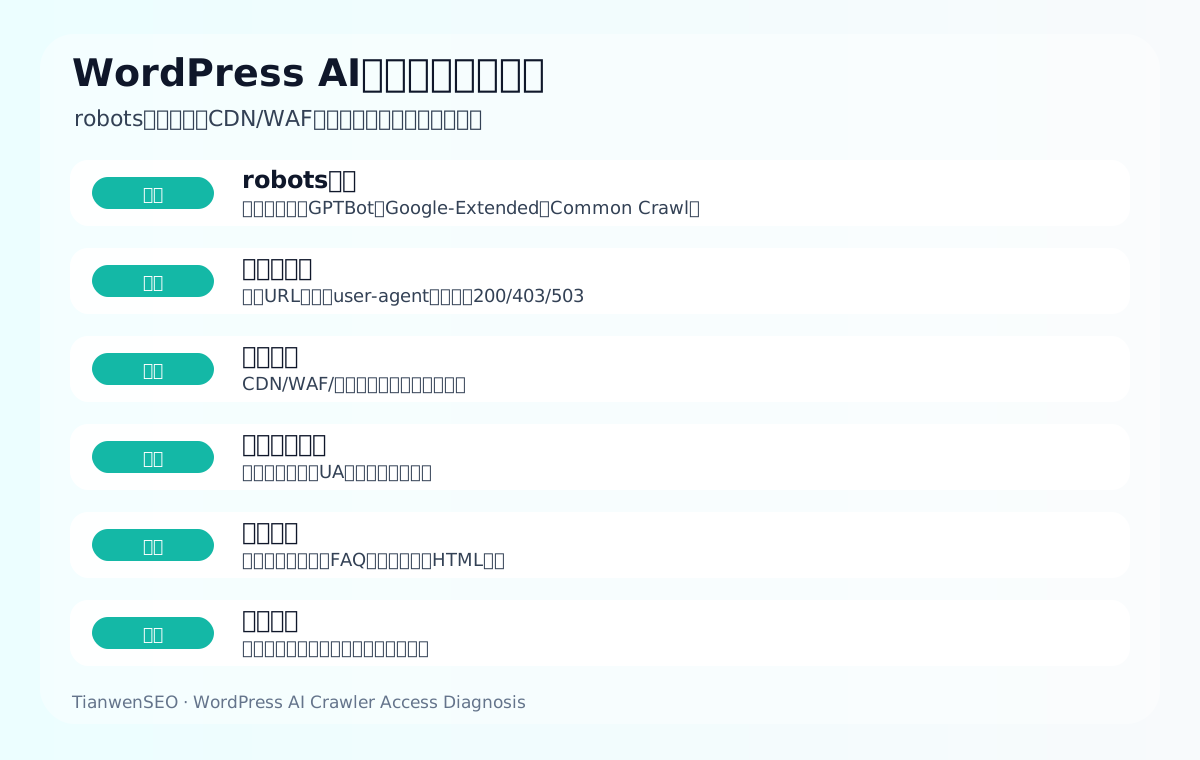
Traditional SEO tools usually simulate a browser or the Googlebot perspective. They can find many crawl, index, and page problems, but they do not necessarily simulate the different user-agents, source IPs, request rates, and security policies used by AI answer systems.
So a page may be indexed normally by Google and open normally in an ordinary browser, while some AI-related crawl requests receive 403, a CAPTCHA, empty HTML, or rate limiting.
| Symptom | What an SEO tool may show | Actual risk |
|---|---|---|
| Google indexing is normal | Page is indexable | The AI channel may be blocked |
| Browser is normal | Page opens | Crawler UAs may get 403 |
| robots is normal | No obvious Disallow | The WAF can still block |
| Speed is normal | Users browse quickly | Overseas or specific UAs are slow |
| Content is visible | Browser shows content | Key facts are missing from the HTML |
2. Check robots first: rules should be clear, not one-size-fits-all
robots.txt can allow or restrict different crawlers. An export site needs to be clear about which search and AI-related visits it wants to allow to read content, and which it does not want used for training or crawling. Different bots have different purposes and rules, so all AI-related visits cannot be treated as one thing.
If a company chooses to restrict certain AI training uses, it must also confirm that this will not mistakenly block access to content it wants to appear in search or answer scenarios.
| Check item | What to look at | Risk |
|---|---|---|
| Disallow | Whether it blocks core directories | Product pages wrongly blocked |
| User-agent | Whether it is one-size-fits-all | Legitimate sources wrongly affected |
| Sitemap | Whether it is readable | Weak discovery path |
| Resource directories | Whether images/JS/CSS are blocked | Incomplete rendering |
| Change records | Who changed the rules | Not traceable |
3. Then check server responses: does the same URL return the same content to different user-agents?
The same URL may return different statuses to a browser, Googlebot, Bingbot, common AI crawlers, and an ordinary curl request. Check 200, 301, 403, 429, 503, CAPTCHAs, redirects, and blank pages.
For example, a medical probe resource page is normal in a browser, but some UAs receive 403, making it hard for AI answers to read certification and test materials.
| Response result | Possible cause | Action |
|---|---|---|
| 200 | Normal access | Continue checking content |
| 301/302 | Redirect chain or regional redirect | Simplify the rules |
| 403 | Blocked by security policy | Check the WAF/CDN |
| 429 | Rate limiting | Set a reasonable allowlist/rate limit |
| 503 | Unstable server | Optimize hosting and caching |
4. CDN/WAF and security policies: protect the site without false positives
Export sites need protection against malicious crawling, attacks, and spam traffic, but overly strict security policies can mistakenly block legitimate search and answer system visits. CDNs, WAFs, managed protection, country restrictions, challenge pages, CAPTCHAs, and rate limits all need to be checked.
Security is not simply opening the door to all crawlers. It means distinguishing core search channels, AI answer sources, malicious traffic, and valueless crawls.
| Security layer | Possible false positive | How to check |
|---|---|---|
| WAF rules | UA or IP blocked | Logs and event records |
| Bot Fight/challenge pages | Crawlers receive a verification page | Simulate requests |
| Country restrictions | Overseas buyers affected | Test from target countries |
| Rate limiting | Normal crawls get 429 | Log request frequency |
| Cache rules | Different content for different UAs | Compare the HTML |
5. Caching and redirects: different visitors may see different pages
Caching, mobile adaptation, language redirects, country redirects, A/B tests, login state, and cache-busting parameters can all cause different visitors to see different content. If an AI crawl gets a stripped-down version, the wrong language version, or empty content, the page will be hard to cite correctly.
Export sites in particular should avoid forcing IP-based redirects to the wrong language or region, which can prevent search and AI systems from reliably accessing English product pages.
| Source of difference | Risk | Handling |
|---|---|---|
| Mobile cache | Missing content | Unify core content |
| Country redirect | Target page inaccessible | Provide an accessible URL |
| Language redirect | Wrong language crawled | Standardize hreflang |
| A/B testing | Unstable answers | Keep core content consistent |
| Login restrictions | Materials unreadable | Provide a public summary |
6. Rendered content: can AI read product facts?
Even if a page is accessible, AI may not be able to read the key content. Product specifications that exist only in images, tables loaded by scripts, FAQs hidden in accordions, PDFs with no HTML summary, and downloadable materials with no description all affect understanding.
A custom metal parts page should present materials, tolerances, surface treatment, inspection, and quotation materials as HTML text, rather than placing them only in images or PDFs.
| Content form | Risk | How to fix |
|---|---|---|
| Specifications in images | Hard for machines to read | Add a text table |
| JS tables | Unstable crawling | Keep HTML content |
| Collapsed FAQ | May be invisible | Ensure the source code is readable |
| PDF materials | Missing context | Add an HTML summary |
| Video descriptions | Missing text | Add written steps |
7. Log analysis: what ultimately matters is real visits
Logs are important evidence for judging AI crawling problems. They can tell you which user-agents visited which URLs, what the status codes were, whether requests were blocked, how frequent they were, and whether core product pages were visited.
Without logs, relying only on the front end and tool tests makes hidden blocking hard to find.
| Log field | What to look at | Purpose |
|---|---|---|
| user-agent | Visit source | Distinguish bots |
| URL | Page visited | See whether core pages are read |
| Status code | 200/403/429/5xx | Judge blocking |
| Time and frequency | Visit pattern | Judge rate limiting |
| IP/region | Source distribution | Troubleshoot regional rules |
8. Export business risk: it is not just articles that AI may fail to read
AI crawling problems affect more than blog articles. Product pages, category pages, application pages, resource pages, certificate pages, FAQs, and company profiles can all affect AI answers.
If an industrial valve supplier’s certificate pages and application pages are blocked, AI may only be able to cite platform pages or competitor materials.
| Page type | Value for AI reading | Risk |
|---|---|---|
| Product pages | Specifications and applications | Missing product facts |
| Category pages | Product range | Unclear supply capability |
| Application pages | Scenario solutions | Missing industry problems |
| Resource pages | Certificates and tests | Insufficient trust |
| Company profile | Entity information | Incorrect brand description |
9. Common WordPress triggers
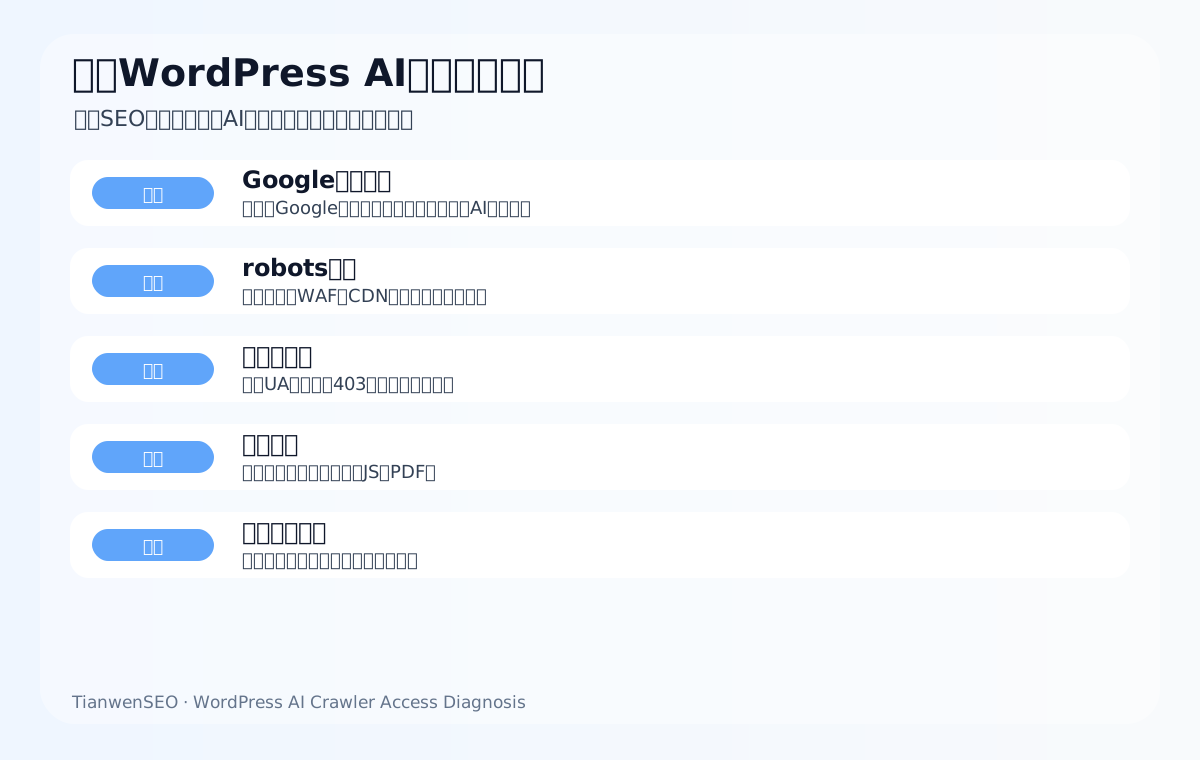
Common triggers include security extension features, caching, CDNs, firewalls, managed hosting default policies, media hotlink protection, login restrictions, attachment page rules, mobile display differences, and form protection.
When executing, return to specific pages, such as the LED flood light category page, the packaging machine application page, the medical probe resource page, the waterproof connector FAQ, and the custom metal parts product page, rather than only looking at the homepage.
10. Which bots deserve priority checks
At minimum, check publicly identifiable sources such as Googlebot, Bingbot, GPTBot, Common Crawl, and PerplexityBot, and decide the allowed scope based on your own policy.
When executing, return to specific pages, such as the LED flood light category page, the packaging machine application page, the medical probe resource page, the waterproof connector FAQ, and the custom metal parts product page, rather than only looking at the homepage.
11. Do not open the door to every AI crawler
Security still matters. Rules should be based on purpose and risk, rather than opening the site to all unknown crawlers for the sake of AI exposure.
When executing, return to specific pages, such as the LED flood light category page, the packaging machine application page, the medical probe resource page, the waterproof connector FAQ, and the custom metal parts product page, rather than only looking at the homepage.
12. How to run a preliminary check with curl
Request the same URL with different user-agents and compare the status codes, redirects, HTML length, and whether a CAPTCHA or empty content appears.
When executing, return to specific pages, such as the LED flood light category page, the packaging machine application page, the medical probe resource page, the waterproof connector FAQ, and the custom metal parts product page, rather than only looking at the homepage.
13. How to use GSC as supporting evidence
GSC shows the Google channel and index status, but it does not cover all AI crawl sources. It is a foundation, not the whole picture.
When executing, return to specific pages, such as the LED flood light category page, the packaging machine application page, the medical probe resource page, the waterproof connector FAQ, and the custom metal parts product page, rather than only looking at the homepage.
14. How to use GA4 and inquiries to judge impact
If AI or brand awareness improves, it may show up as changes in brand search, direct visits, product page paths, and inquiry quality.
When executing, return to specific pages, such as the LED flood light category page, the packaging machine application page, the medical probe resource page, the waterproof connector FAQ, and the custom metal parts product page, rather than only looking at the homepage.
15. How to talk to your server/hosting provider
When communicating, do not just say AI cannot crawl the site. Provide the URL, user-agent, status code, time, logs, and business impact.
When executing, return to specific pages, such as the LED flood light category page, the packaging machine application page, the medical probe resource page, the waterproof connector FAQ, and the custom metal parts product page, rather than only looking at the homepage.
16. How to avoid blocking overseas buyers by mistake
Country restrictions, CAPTCHAs, and challenge pages may also affect real customers. Test from networks in your target markets.
When executing, return to specific pages, such as the LED flood light category page, the packaging machine application page, the medical probe resource page, the waterproof connector FAQ, and the custom metal parts product page, rather than only looking at the homepage.
17. How to re-check after a fix
After a fix, re-check status codes, HTML content, logs, the AI answer baseline, GSC queries, and inquiry paths.
When executing, return to specific pages, such as the LED flood light category page, the packaging machine application page, the medical probe resource page, the waterproof connector FAQ, and the custom metal parts product page, rather than only looking at the homepage.
18. When you do not need to allow certain crawlers
If a type of crawling is only used for training and brings no search or answer visibility, a company may restrict it according to its own content policy. The key is that the rules are clear and do not mistakenly block target channels.
When executing, return to specific pages, such as the LED flood light category page, the packaging machine application page, the medical probe resource page, the waterproof connector FAQ, and the custom metal parts product page, rather than only looking at the homepage.
Export example 1: how to check AI crawling for custom metal parts
The custom metal parts page must confirm that AI-related visits can read materials, tolerances, surface treatment, and quotation materials. Test status codes and HTML content first, then check whether tables, FAQ, image alt, resource pages, and internal links are readable.
If the page is normal for browsers but abnormal for specific UAs, check the CDN/WAF, security rules, caching, and logs. After fixing, see whether AI answers can describe this product line more accurately.
Export example 2: how to check AI crawling for LED flood light
The LED flood light page must confirm that AI-related visits can read power, waterproof rating, installation height, and warranty. Test status codes and HTML content first, then check whether tables, FAQ, image alt, resource pages, and internal links are readable.
If the page is normal for browsers but abnormal for specific UAs, check the CDN/WAF, security rules, caching, and logs. After fixing, see whether AI answers can describe this product line more accurately.
Export example 3: how to check AI crawling for packaging machine
The packaging machine page must confirm that AI-related visits can read materials, speed, bag types, and after-sales service. Test status codes and HTML content first, then check whether tables, FAQ, image alt, resource pages, and internal links are readable.
If the page is normal for browsers but abnormal for specific UAs, check the CDN/WAF, security rules, caching, and logs. After fixing, see whether AI answers can describe this product line more accurately.
Export example 4: how to check AI crawling for medical probe
The medical probe page must confirm that AI-related visits can read certifications, compatibility, materials, and testing. Test status codes and HTML content first, then check whether tables, FAQ, image alt, resource pages, and internal links are readable.
If the page is normal for browsers but abnormal for specific UAs, check the CDN/WAF, security rules, caching, and logs. After fixing, see whether AI answers can describe this product line more accurately.
Export example 5: how to check AI crawling for cnc machining parts
The cnc machining parts page must confirm that AI-related visits can read DFM, volume production, and inspection reports. Test status codes and HTML content first, then check whether tables, FAQ, image alt, resource pages, and internal links are readable.
If the page is normal for browsers but abnormal for specific UAs, check the CDN/WAF, security rules, caching, and logs. After fixing, see whether AI answers can describe this product line more accurately.
Export example 6: how to check AI crawling for ceramic dinnerware
The ceramic dinnerware page must confirm that AI-related visits can read material, glaze color, packaging, and MOQ. Test status codes and HTML content first, then check whether tables, FAQ, image alt, resource pages, and internal links are readable.
If the page is normal for browsers but abnormal for specific UAs, check the CDN/WAF, security rules, caching, and logs. After fixing, see whether AI answers can describe this product line more accurately.
Export example 7: how to check AI crawling for waterproof connector
The waterproof connector page must confirm that AI-related visits can read IP rating, wire gauge, current, and outdoor applications. Test status codes and HTML content first, then check whether tables, FAQ, image alt, resource pages, and internal links are readable.
If the page is normal for browsers but abnormal for specific UAs, check the CDN/WAF, security rules, caching, and logs. After fixing, see whether AI answers can describe this product line more accurately.
Export example 8: how to check AI crawling for industrial valve supplier
The industrial valve supplier page must confirm that AI-related visits can read materials, pressure, standards, and operating conditions. Test status codes and HTML content first, then check whether tables, FAQ, image alt, resource pages, and internal links are readable.
If the page is normal for browsers but abnormal for specific UAs, check the CDN/WAF, security rules, caching, and logs. After fixing, see whether AI answers can describe this product line more accurately.
Export example 9: how to check AI crawling for private label activewear manufacturer
The private label activewear manufacturer page must confirm that AI-related visits can read fabric, sizing, sampling, and packaging. Test status codes and HTML content first, then check whether tables, FAQ, image alt, resource pages, and internal links are readable.
If the page is normal for browsers but abnormal for specific UAs, check the CDN/WAF, security rules, caching, and logs. After fixing, see whether AI answers can describe this product line more accurately.
Export example 10: how to check AI crawling for solar mounting bracket
The solar mounting bracket page must confirm that AI-related visits can read materials, wind load, installation, and certifications. Test status codes and HTML content first, then check whether tables, FAQ, image alt, resource pages, and internal links are readable.
If the page is normal for browsers but abnormal for specific UAs, check the CDN/WAF, security rules, caching, and logs. After fixing, see whether AI answers can describe this product line more accurately.
19. List your core URLs before troubleshooting
Do not start by randomly testing the whole site. First list the homepage, core category pages, key product pages, application scenario pages, resource pages, FAQ pages, company profile page, and contact page. Mark each URL with its product line, target English product terms, and business value.
For example, for product lines such as custom metal parts, LED flood light, packaging machine, medical probe, and waterproof connector, test product pages, category pages, resource pages, and application pages separately. AI answers need more than articles; they also need product facts, certificates, specifications, and company entity information.
20. Round 1: compare a browser visit with a plain request
Open the page in a browser, then request the page with a plain command-line request, and compare the status codes, HTML length, title, and body. If the plain request gets a redirect, empty content, or a security page, the access layer may differ.
For example, for product lines such as custom metal parts, LED flood light, packaging machine, medical probe, and waterproof connector, test product pages, category pages, resource pages, and application pages separately. AI answers need more than articles; they also need product facts, certificates, specifications, and company entity information.
21. Round 2: compare search bots with AI-related user-agents
Request the same URL with different user-agents and compare the responses. If Googlebot is normal while some AI-related UAs are abnormal, check the security rules, CDN, WAF, and hosting policy.
For example, for product lines such as custom metal parts, LED flood light, packaging machine, medical probe, and waterproof connector, test product pages, category pages, resource pages, and application pages separately. AI answers need more than articles; they also need product facts, certificates, specifications, and company entity information.
22. Round 3: different countries and network environments
Overseas websites serve customers abroad. Test access from networks in target markets or from edge nodes, to avoid the situation where access is normal domestically but slow overseas or blocked by a challenge page.
For example, for product lines such as custom metal parts, LED flood light, packaging machine, medical probe, and waterproof connector, test product pages, category pages, resource pages, and application pages separately. AI answers need more than articles; they also need product facts, certificates, specifications, and company entity information.
23. Round 4: is the key content in the HTML?
Open the source code or crawl the HTML, and confirm whether product specifications, FAQ, tables, resource summaries, and internal links are present. Being visible in the browser does not mean it can be reliably read from the HTML.
For example, for product lines such as custom metal parts, LED flood light, packaging machine, medical probe, and waterproof connector, test product pages, category pages, resource pages, and application pages separately. AI answers need more than articles; they also need product facts, certificates, specifications, and company entity information.
24. Round 5: images, PDFs, and downloadable materials
If important specifications are in images or PDFs, add HTML summaries and captions. AI answers and search systems can read clear text, tables, and structured content more easily.
For example, for product lines such as custom metal parts, LED flood light, packaging machine, medical probe, and waterproof connector, test product pages, category pages, resource pages, and application pages separately. AI answers need more than articles; they also need product facts, certificates, specifications, and company entity information.
25. Round 6: log verification
Check the specific URL, user-agent, status code, time, and source in the server or CDN logs. Logs can prove the real access result and are important evidence when communicating with your host or CDN provider.
For example, for product lines such as custom metal parts, LED flood light, packaging machine, medical probe, and waterproof connector, test product pages, category pages, resource pages, and application pages separately. AI answers need more than articles; they also need product facts, certificates, specifications, and company entity information.
26. Round 7: AI answer baseline
Before and after fixing access problems, record whether AI answers mention the official site, whether descriptions are accurate, and whether cited sources change. Do not look only at technical status; also look at the answer layer.
For example, for product lines such as custom metal parts, LED flood light, packaging machine, medical probe, and waterproof connector, test product pages, category pages, resource pages, and application pages separately. AI answers need more than articles; they also need product facts, certificates, specifications, and company entity information.
27. Which pages are worth testing first
Prioritize pages that can affect inquiries: core product pages, category pages, application pages, resource pages, certification pages, and high-value guides. Low-value archive pages and tag pages should not take troubleshooting resources away from those.
For example, for product lines such as custom metal parts, LED flood light, packaging machine, medical probe, and waterproof connector, test product pages, category pages, resource pages, and application pages separately. AI answers need more than articles; they also need product facts, certificates, specifications, and company entity information.
28. What to say when you contact your host or CDN
Provide the specific URL, the test user-agent, the returned status code, the time, the request headers, log excerpts, and the business impact. Do not just say “AI can’t crawl it”, or the other party will have a hard time locating the issue.
For example, for product lines such as custom metal parts, LED flood light, packaging machine, medical probe, and waterproof connector, test product pages, category pages, resource pages, and application pages separately. AI answers need more than articles; they also need product facts, certificates, specifications, and company entity information.
29. Don’t forget regression testing after a fix
After security rules, caching, and extension features are updated, previously fixed rules may change. It is advisable to save the core URLs and test methods and run regression tests regularly.
For example, for product lines such as custom metal parts, LED flood light, packaging machine, medical probe, and waterproof connector, test product pages, category pages, resource pages, and application pages separately. AI answers need more than articles; they also need product facts, certificates, specifications, and company entity information.
30. What content should not be opened to all crawlers
Floor prices, undisclosed customer materials, internal documents, permission-gated downloads, sensitive specifications, and non-public materials should not be opened for the sake of AI visibility. AI crawling diagnosis is not about giving up content security.
For example, for product lines such as custom metal parts, LED flood light, packaging machine, medical probe, and waterproof connector, test product pages, category pages, resource pages, and application pages separately. AI answers need more than articles; they also need product facts, certificates, specifications, and company entity information.
31. Common configuration risk table
The table below can serve as an AI crawling access self-check for export WordPress sites. It does not require a company to open all access; instead, it helps identify which rules may affect legitimate search and answer systems reading core content.
| Location | Common risk | Possible symptom | Suggested check |
|---|---|---|---|
| robots.txt | Directory or resource wrongly blocked | Page opens but resources are unreadable | Check core URLs and resource directories |
| CDN/WAF | UA or region blocking | Specific requests get 403 or a challenge page | Check security events and logs |
| Caching | Different content for different UAs | HTML missing body text or using the wrong language | Compare HTML length and titles |
| WordPress extension features | Security/cache rule conflict | Login state is normal, visitors are abnormal | Temporarily disable rules for testing |
| Server | Rate limiting or overseas instability | 429, 503, or timeouts | Check access logs and monitoring |
32. A 90-day AI crawling review plan
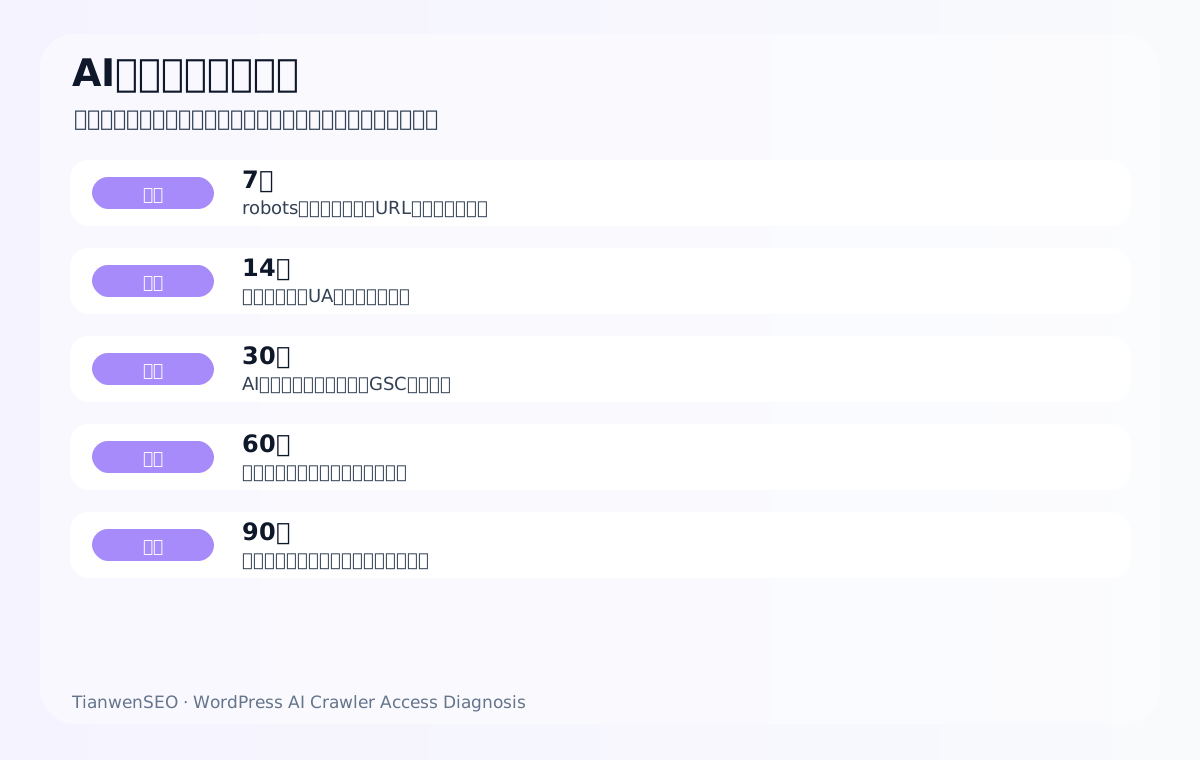
In the first 30 days, complete the technical accessibility baseline first: core URL list, robots, status codes, responses for different user-agents, CDN/WAF logs, and readable HTML content. This stage does not pursue immediate changes in AI answers; it confirms the foundation for content being read.
In the second 30 days, strengthen page comprehensibility: write product specifications, applications, FAQ, certificates, resource summaries, and company entity information as clear HTML content. For export sites, this step matters more than simply changing security rules, because being accessible does not mean being correctly understood.
In the third 30 days, review AI answers and business paths: record whether AI answers are more accurate, whether they cite the official site or more reasonable sources, whether GSC queries change, whether product page paths in GA4 are clearer, and whether inquiries include more complete product specifications.
33. How to balance AI visibility and content protection
Export companies should not open all content for the sake of AI visibility. Public product introductions, specification summaries, certification descriptions, FAQ, application scenarios, and company entity materials can usually be opened; price floors, customer materials without authorization, internal process details, undisclosed drawings, and sensitive files should remain protected.
A more reasonable approach is to establish a public layer and a protected layer: the public layer serves search, AI answers, and pre-purchase judgment; the protected layer is provided through forms, sales communication, or download permissions. This way you neither miss AI search visibility nor sacrifice business security.
34. How AI crawling problems relate to inquiry quality
AI crawling access sounds like a technical issue, but it ultimately affects inquiry quality. If AI cannot read product specifications, application limits, certifications, and quotation materials, it may give vague or incorrect answers, and buyers will find it hard to quickly confirm a match when they later visit the official site.
When both AI and the official site can clearly express product facts, inquiries are usually more specific: customers come with model numbers, specifications, quantities, target markets, certification requirements, and application scenarios, rather than just asking “how much is the price”.
35. Who owns what when teams work together
AI crawling access troubleshooting is usually not something one person can complete. The content owner provides core URLs and target English product terms; the technical owner checks the server, caching, CDN, WAF, and logs; the SEO owner checks GSC, robots, sitemap, indexing, and SERP; the sales owner reports which product information is most easily misunderstood or asked about incorrectly by customers.
Without collaboration, problems are easily misjudged. Content people may think the article is not long enough, technical people may think the server is fine, and sales people may only see unclear inquiries. Only by putting these signals in the same table can you know whether the real problem is access, understanding, citation, or conversion.
36. Pre-launch and post-launch checklist
| Stage | Check item | Pass standard | How to record |
|---|---|---|---|
| Pre-launch | Core URLs, robots, sitemap | Important pages are discoverable | URL list |
| 7 days after launch | Status codes, HTML, mobile | Different UAs can get core content | Test screenshots and logs |
| 14 days after launch | GSC index and logs | Core pages have crawl records | GSC and log summaries |
| 30 days after launch | AI answer baseline | Descriptions are more accurate or sources are more reasonable | Answer record table |
| 60 days after launch | Inquiry quality | Customer questions are more specific | Sales feedback |
37. Don’t turn AI crawling diagnosis into fear-based marketing
Not every WordPress site is necessarily blocking AI crawlers, and not every AI crawling problem immediately affects inquiries. The purpose of diagnosis is not to create anxiety, but to let a company know which core content is accessible, understandable, and citable, which rules need to be clarified, and which pages need added text and evidence.
For export companies, what is truly worth worrying about is not “whether some AI crawler visits”, but whether the target buyer’s questions are answered correctly in AI answers, whether the official site is a reliable source, whether product facts are clear, and whether the inquiry path is complete.
If a company is just starting this check, it can begin with the 10 most important URLs: the homepage, 3 core category pages, 3 key product pages, 2 resource or application pages, and 1 contact or inquiry page. Test these pages clearly first, then expand to the whole site.
This controls troubleshooting cost and prioritizes protecting the page assets closest to inquiries.
After that, expand gradually by product line and keep recording.
This is more stable than randomly checking the whole site at once, and it is easier to review.
It is also somewhat safer and more reliable.
FAQ: common questions about WordPress blocking AI crawlers
Why does WordPress block AI crawling?
It may come from robots, CDN/WAF, security policies, caching, managed hosting default rules, CAPTCHAs, rate limiting, or rendering differences.
If Google indexing is normal, can there still be AI crawling problems?
Yes. Normal Googlebot access does not mean all AI-related access is normal.
If robots.txt doesn’t block anything, is the site safe?
Not necessarily. Blocking can happen at the server, CDN, WAF, or security policy layer.
Should all AI crawlers be allowed?
One-size-fits-all is not advisable. Distinguish valuable channels, training uses, malicious crawling, and business risk.
How do I run a preliminary test?
Request core URLs with different user-agents and compare status codes, HTML length, redirects, and content.
Why are logs important?
Logs show real visits and blocking, rather than only tool simulations.
What if AI cannot read product specifications?
Write specifications, parameters, FAQ, and resource summaries as HTML text, not only images or PDFs.
What if security and AI visibility conflict?
Set rules by source, purpose, and risk in layers, protecting the site while avoiding false positives for legitimate search.
How long after a fix until I see results?
Look at visits and logs over 7-14 days first, then at AI answers, search, and inquiry changes over 30-90 days.
Does this guarantee that AI will cite the official site?
No. It addresses the foundation of access and comprehensibility; citations are also affected by content, sources, entities, and system changes.
Conclusion: AI crawling access is the technical foundation of AI SEO
If AI answer systems cannot reliably read a page, the AI SEO, GEO, and AEO work that follows lacks a foundation. Export WordPress sites need to care about both security and accessibility: block the malicious traffic that should be blocked, and do not mistakenly block the core content that legitimate search and answer systems should read.
The most reliable approach is to troubleshoot layer by layer across robots, server responses, CDN/WAF, caching, rendering, and logs, then review the results together with GSC, GA4, the AI answer baseline, and inquiry quality. Only then can you know whether the problem is technical access, content structure, entity consistency, or the business path.
Keep reading this SEO series
If you are mapping out SEO for an export website systematically, it is worth reading the following pieces in order. Clarify how crawling, indexing, content, links, and review relate to each other before deciding which page to change next.
- How much did AI Overviews cut click-through rates in 2026: how export SEO should read it
- The link logic in Google AI Mode and AI Overviews: how independent export sites should respond
- How to use Google SEO analysis tools: combining GSC, GA4, and page diagnosis to read export inquiries
- How to build an SEO tool stack: crawling, speed, logs, rankings, content, and inquiry review
- How to validate keywords with Google Trends: export product terms, seasonality, and regional judgment
- Google Trends usage details: region, category, and time window
{
“@context”: “https://schema.org”,
“@type”: “FAQPage”,
“mainEntity”: [
{
“@type”: “Question”,
“name”: “Why does WordPress block AI crawling?”,
“acceptedAnswer”: {
“@type”: “Answer”,
“text”: “It may come from robots, CDN/WAF, security policies, caching, managed hosting default rules, CAPTCHAs, rate limiting, or rendering differences.”
}
},
{
“@type”: “Question”,
“name”: “If Google indexing is normal, can there still be AI crawling problems?”,
“acceptedAnswer”: {
“@type”: “Answer”,
“text”: “Yes. Normal Googlebot access does not mean all AI-related access is normal.”
}
},
{
“@type”: “Question”,
“name”: “If robots.txt doesn’t block anything, is the site safe?”,
“acceptedAnswer”: {
“@type”: “Answer”,
“text”: “Not necessarily. Blocking can happen at the server, CDN, WAF, or security policy layer.”
}
},
{
“@type”: “Question”,
“name”: “Should all AI crawlers be allowed?”,
“acceptedAnswer”: {
“@type”: “Answer”,
“text”: “One-size-fits-all is not advisable. Distinguish valuable channels, training uses, malicious crawling, and business risk.”
}
},
{
“@type”: “Question”,
“name”: “How do I run a preliminary test?”,
“acceptedAnswer”: {
“@type”: “Answer”,
“text”: “Request core URLs with different user-agents and compare status codes, HTML length, redirects, and content.”
}
}
]
}
This page is machine-translated from the Simplified Chinese version and awaiting human review. It has not yet been proofread.