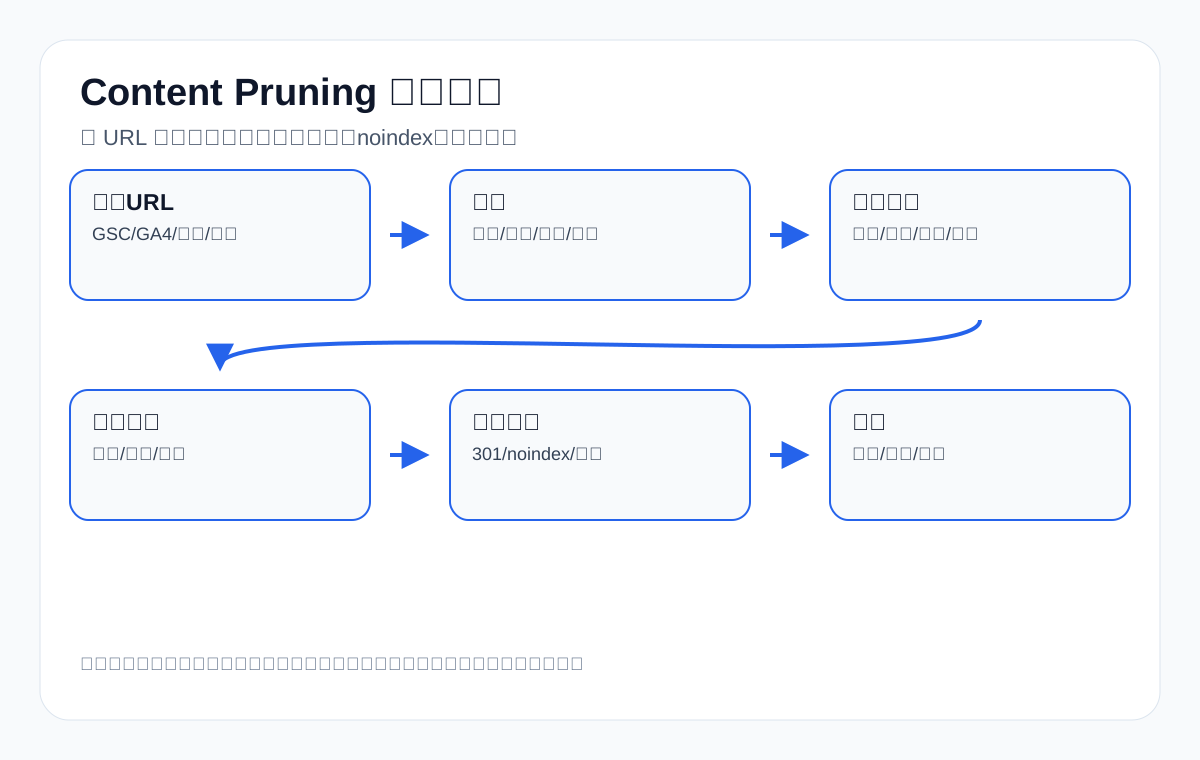
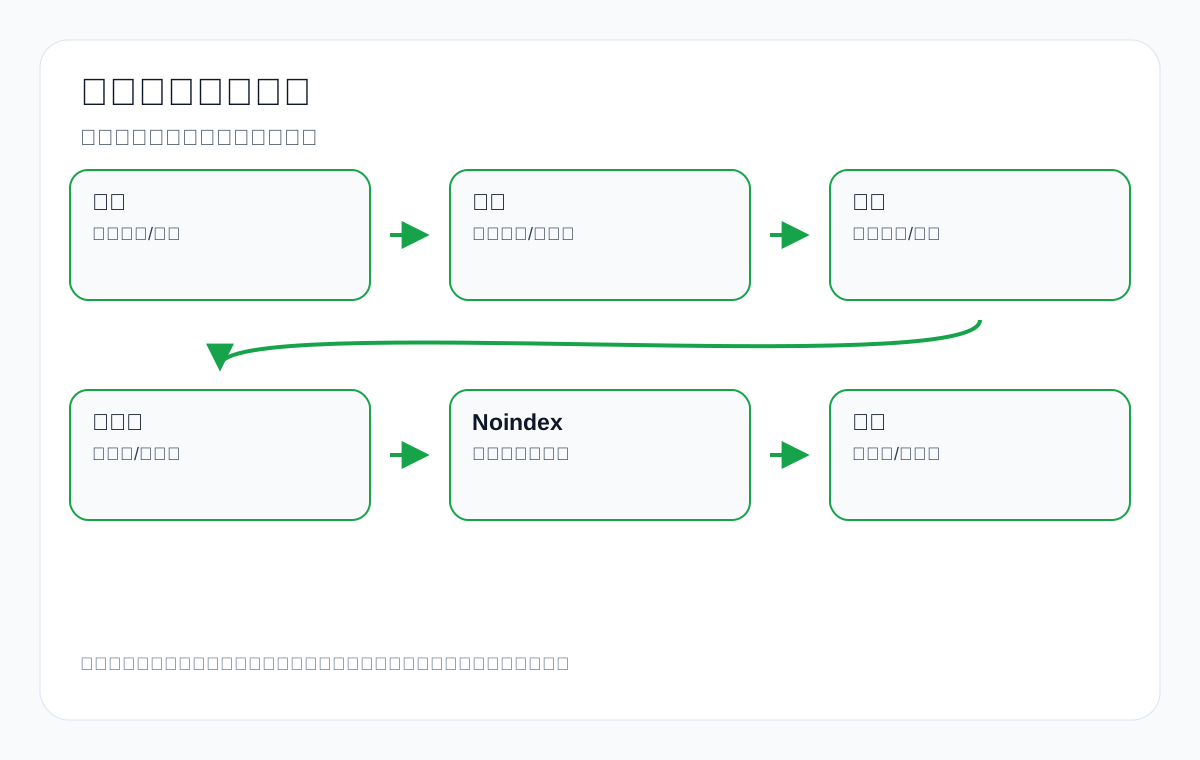
Content Pruning can be translated as content trimming, but it is not simply deleting old articles, nor is it emptying low-traffic pages in one go. For export manufacturers, factories, and trading companies, a more accurate understanding is this: regularly review the product pages, category pages, application scenario pages, industry articles, trade show news, old model descriptions, duplicate blog posts, and low-quality translated pages on your website, and decide which content to keep, which to update, which to merge, which to redirect, which is only suitable for noindex, and which can genuinely be deleted.
This guide is for teams with English export websites and a need for Google SEO and GEO/AI search visibility. Whether you sell custom metal parts, LED flood light, packaging machine, medical probe, cnc machining parts, ceramic dinnerware, waterproof connector, industrial valve supplier, or private label activewear manufacturer, historical content gradually loses effectiveness as product lines change, market demand shifts, the way buyers phrase their questions changes, and Google’s quality assessments evolve. The purpose of Content Pruning is to make the pages that genuinely help buyers evaluate, inquire, and trust the website stronger—not to create more pages that nobody reads, clicks, or cites.
In the current English SERP, Semrush’s Content Pruning guide emphasizes definitions, audits, identifying low-quality content, updating or deleting, 301s, noindex, and monitoring; resources such as Ahrefs and Search Engine Journal also remind readers not to equate “low traffic” with “low value.” This content is helpful for SEO practitioners, but export businesses often still lack several things when implementing it: whether product pages and category pages can be deleted, how to handle old model pages, what to do with pages that generate no inquiries but carry technical trust value, how to distinguish declining GSC query groups from changes in demand, how to review whether AI Overviews/ChatGPT cite the website, and how sales and customer service feedback enters the decision table. This article fills those gaps.
Conclusion first: five principles of Content Pruning for export websites
- Do not delete pages based on traffic alone: B2B inquiries are low-frequency, high-ticket, and long-cycle, and a page with only a few visits a year may still correspond to high-value purchasing.
- Do not judge quality by word count alone: a waterproof connector product page with clear specifications and straightforward selection guidance may be more valuable than a vague 5,000-word article.
- Do not turn all historical content into new content: some old models, applications, and trade show content still convey experience and credibility; they only need to be archived, redirected, or turned into series pages.
- Do not execute without backups and a mapping table: record every URL’s action, reason, target page, 301, internal links, sitemap, and review metrics.
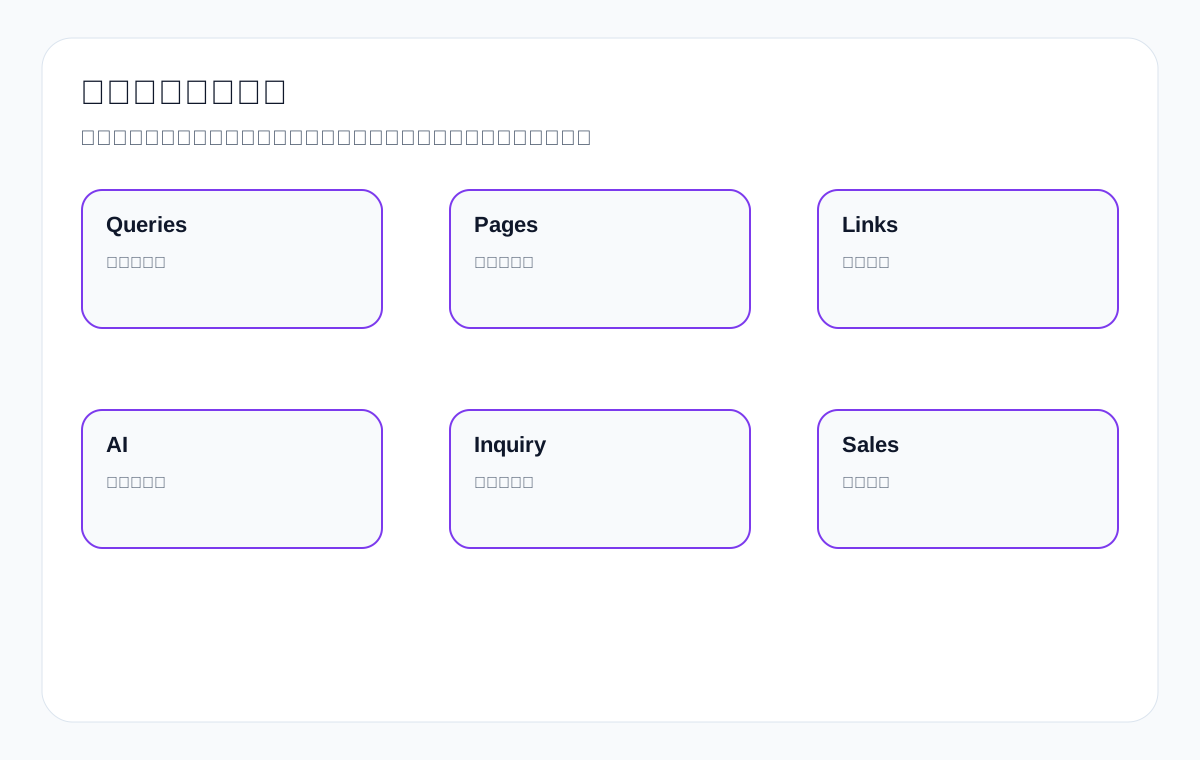
- Review after pruning: look at GSC query terms, GA4 engagement, inquiry sources, CRM product types, AI answer citations, and changes in internal links to important pages.
Where official documentation ends: Content Pruning is not simply deleting pages, but reorganizing indexable assets
Content Pruning is often translated as content trimming.
But on an export website, it is not simply deleting low-traffic pages. A more accurate approach is to place every URL back into officially verifiable fields and judge: can the page be discovered, is crawling allowed, is it worth indexing, is it duplicate, should it be merged, does it need noindex, does it still have business value.
These judgments cannot rely on gut feeling alone. Search Console, GA4, product lines, inquiry quality, page type, and follow-up retesting all need to go into the same table.
Table mapping official documentation to Content Pruning actions
| Documentation entry point | What judgments it can support | What it cannot decide for you |
|---|---|---|
| Google Search Central: SEO Starter Guide | Pages should serve real user needs and help search engines crawl, understand, and present content. | You cannot delete pages just because traffic is low. |
| Google Search Central: Search Essentials | Judge whether a page meets the basic requirements for crawlability, indexability, compliant content, and anti-spam. | You cannot keep a low-quality page just by changing its title. |
| Google Search Central: Sitemaps overview | Verify whether important URLs should still appear in the sitemap. | It cannot guarantee that a page will be indexed after you submit the sitemap. |
| Google Search Central: robots.txt introduction | Check whether a page or resource is mistakenly blocked by crawling rules. | You cannot use robots to address quality problems on pages that are already indexed. |
| Google Search Central: Preferred URL guidance | For duplicate or near-duplicate pages, judge whether merging, canonical, or redirects are needed. | It cannot replace judgments about content quality and page intent. |
| Google Search Central: Block Search indexing with noindex | For pages users still need to access but that are unsuitable for search indexing, assess whether noindex is appropriate. | You cannot use noindex to hide every low-value page. |
| Search Console Help: Performance report | View search performance by query, page, clicks, impressions, CTR, average position, country, and device. | It cannot by itself prove that a page has business value. |
| Google Analytics Help: About events | Observe on-site behavior such as form submissions, email clicks, WhatsApp, downloads, and button clicks. | You cannot interpret a single on-site event directly as SEO success. |
| Google Search Central: AI features and your website | In the AI search era, pages still need to be accessible, indexable, and clearly written. | It cannot promise that pruning will get your content used in AI answers. |
Content Pruning acceptance checklist: every URL needs a reason for its action
| Action | Which pages it suits | Acceptance fields | Risk boundary |
|---|---|---|---|
| Keep | Pages with product facts, inquiry value, and indexing or internal-link value. | Page type, product line, GSC performance, GA4 behavior, sales feedback. | You cannot keep a page merely because it has existed historically. |
| Update | Pages with the right topic but thin facts, poor structure, or insufficient FAQs. | New fact tables, FAQs, internal links, structured data, retest date. | You cannot change only the title without touching the body. |
| Merge | Pages competing for the same intent, with duplicate content, or diluting each other. | Target URL, old URLs, redirects, canonical, content migration record. | You cannot force different product lines into one page. |
| noindex | Pages users still need to access but that are unsuitable for search results. | Reason for noindex, whether internal links remain, whether removed from the sitemap. | You cannot use noindex as a substitute for content governance. |
| Delete or redirect | Pages with no business value, no search value, and no updatable facts. | Backup, target URL, status code, internal link updates, 30/90-day recheck. | You cannot delete without a mapping. |
Without GSC data, be more cautious about content pruning conclusions
If Search Console has no query or page row data yet, you cannot write that “rankings improved after deletion” or “clicks increased after merging.”
At this stage, you can verify the actions you control first: the URL inventory is complete, page types are clear, sitemap and robots status can be rechecked, duplicate pages have reasons for merging, product pages have fact tables, GA4 events can observe on-site behavior, and deletions or noindex decisions have backups and mappings.
| Current evidence | Conclusions you can write | Conclusions you cannot write |
|---|---|---|
| GSC has no row data yet | There is currently no search performance to analyze, and a URL baseline needs to be established first. | That a given page’s rankings improved after pruning. |
| Page was merged | Duplicate intent is reduced and the target page is more complete. | That clicks will definitely grow. |
| Page was set to noindex | The page is temporarily excluded from search result display. | That overall site quality will definitely improve. |
| GA4 events are observable | You will be able to see on-site behavior and inquiry actions going forward. | That current inquiries were already produced by the pruning actions. |
The goal of Content Pruning is to make important pages stronger and stop ineffective pages from consuming judgment effort. It is not about deleting more, but about making the product lines, resource pages, and search entry points of an export website clearer.
What kinds of export website problems Content Pruning solves
After an export website has been running for a few years, the most common problem is not “too few pages” but pages diluting each other. In the early days, many companies publish large numbers of short articles, trade show news, small product pages, duplicate category pages, simple translated pages, and industry news with no inquiry value in order to cover keywords. As product lines adjust, this content makes it hard for Google and AI systems to determine what the website is truly good at.
| Symptom | Common scenario on export websites | Possible impact | Pruning direction |
|---|---|---|---|
| Many pages but few effective entry points | Hundreds of short news posts, while a handful of product/industry pages bring the actual inquiries | Crawl budget and internal link equity are spread thin | Merge topics, strengthen pillar pages, clean up duplicate content |
| Multiple pages competing for the same keyword | custom metal parts, cnc machining parts, and precision machining scattered across several weak articles | Keyword cannibalization and unstable rankings | Do keyword mapping, keep the main page, merge similar content |
| Old product pages still get traffic | An old LED flood light model or a discontinued valve still has search demand | Buyers land there and cannot find a replacement | Keep the explanation and guide users to replacement products, use a 301 when necessary |
| Large numbers of thin content pages | A ceramic dinnerware category page with only one image and a few lines of specs | Weak page quality that cannot answer buyer questions | Expand selection guidance, MOQ, materials, applications, and FAQs |
| Translated articles that do not match overseas phrasing | Chinese articles translated literally into English, with examples still in a domestic context | Search intent mismatch, making it harder for AI to cite | Rewrite around English product terms and buyer question structures |
| Archive/tag pages proliferate | Tag pages and date archive pages are indexed | Low-value pages occupy the index | noindex or canonicalize them |
Don’t misunderstand Content Pruning: deleting more does not mean doing better
Many teams hear “content pruning” and assume it is a one-time “clean up the junk pages” campaign. That understanding is dangerous. On export websites, a page’s value is often not only in traffic; it also lies in buyer trust, sales support, technical explanation, after-sales Q&A, AI answer citations, industry coverage, and long-tail inquiries.
For example, a sterilization compatibility page for a medical probe may have very low search volume, but once a buyer evaluating suppliers sees the materials, disinfection methods, compatible equipment, and certification boundaries, it reduces communication costs. Likewise, an actuator selection guide for an industrial valve supplier may not get much traffic, but it can shape whether buyers believe you have engineering capability. Such pages should not be deleted just because traffic is low.
| Misguided practice | Why it is wrong | Safer approach |
|---|---|---|
| Delete anything with no clicks in 90 days | B2B long-tail demand can be seasonal, and inquiries are low-frequency | Combine 12–16 months of GSC, GA4, inquiry, and sales feedback |
| Delete anything with few words | Product and spec pages are naturally concise but may be critical | Check whether the page answers selection, specifications, applications, and purchase concerns |
| Delete anything old by publish date | Historical content may still cover old models, replacement models, or historical industry issues | Decide whether to update, redirect, archive, or keep |
| Merge all similar terms into one page | Different search intents may need different pages | Do keyword mapping and SERP page-type assessment first |
| Delete without a 301 | Existing links and historical signals may be lost | Map to the most relevant replacement page |
| No review after pruning | You cannot tell whether the actions worked | Build 7-day, 30-day, and 90-day review tables |
Step 1: Build a complete URL inventory
The first step of Content Pruning is not opening the CMS and looking page by page, but pulling out every URL on the site that search engines might discover. For export websites in particular, you need to look at products, categories, applications, articles, case studies, resource downloads, tags, archives, language versions, and historical redirects at the same time.
- Export indexable URLs from the XML sitemap.
- Export URLs with impressions, clicks, or indexing records over the past 16 months from the GSC Pages report.
- Export landing page, engagement, conversion, form submit, scroll, and other data from GA4.
- Export currently accessible URLs, status codes, titles, H1s, canonicals, meta robots, internal link counts, and image alt text from a site crawler.
- Export inquiry source URLs, inquired products, countries, customer types, and follow-up results from the CRM or form system.
- Collect technical articles or product description pages that are frequently sent to customers from sales, customer service, and engineering colleagues.
| Field | Description | Why it matters |
|---|---|---|
| URL | Page address | Avoid duplicates and omissions |
| Page type | Product, category, article, application, news, tag, archive | Different types have different evaluation criteria |
| Target term | The query the page was originally meant to cover | Judge whether it matches search intent |
| GSC 16-month impressions/clicks | Search performance | Distinguish “no one searches for it” from a title/content problem |
| GA4 engagement | Time on page, scrolling, conversion events | Judge whether the page helps understanding |
| Inquiries/CRM | Forms, emails, product lines, countries | The most important business signal in B2B |
| Internal link count | Body entry points and navigation entry points | Judge whether the page is discoverable within the site |
| Backlinks/citations | Whether other sites or AI cite it | Avoid mistakenly deleting trust assets |
| Current recommended action | Keep, update, merge, redirect, noindex, delete | Produce an actionable list |
Step 2: Group by page type, not one-size-fits-all
Two low-traffic pages are not the same: product pages, category pages, technical articles, and trade show news are handled completely differently. The most common mistake export businesses make is treating all historical content as blog posts.
| Page type | What to check first when performance is low | Common actions |
|---|---|---|
| Product page | Whether specs are complete, images are clear, applications are specific, and replacement models exist | Update, add FAQs, add internal links, keep, or redirect |
| Product category page | Whether it covers buyers’ category intent and has a selection table | Expand content, merge duplicate categories, strengthen internal links |
| Application scenario page | Whether it explains industry problems and solutions | Update with case-based phrasing, add product recommendations, keep |
| Technical tutorial | Whether it answers real purchasing/engineering questions | Update, merge, rewrite as pillar content |
| Trade show news | Whether it still has brand trust value | Turn into a company news archive, noindex, or keep selected items |
| Tag/archive pages | Whether they generate search value | Mostly noindex or disable indexing |
| Download page | Whether it hosts catalogs, spec sheets, manuals | Keep and optimize the conversion path |
| Old language pages | Translation quality and whether hreflang/canonical are correct | Rewrite, merge, or noindex |
Step 3: Give every page a value score
Scoring is not for mechanical ranking, but to help the team discuss. For B2B export websites, judge from at least five dimensions: search value, business value, content quality, technical state, and replacement relationship.
| Dimension | High-score indicators | Low-score indicators | Data source |
|---|---|---|---|
| Search value | Impressions, clicks, long-tail terms, rankings close to page one | No impressions for a long time and no clear target term | GSC |
| Business value | Brings inquiries, frequently sent by sales, customers ask about it | No one uses it, cannot explain the product | CRM/sales feedback |
| Content quality | Complete specs, scenarios, selection guidance, FAQs, images | Vague, duplicate, outdated, literally translated | Manual review |
| Technical state | Crawlable, indexable, normal title/H1/canonical | 404s, duplicate canonicals, loading errors | Crawler/logs |
| Replacement relationship | A clear main page or new model takes over | No replacement and no value | Keyword mapping/product line |
Step 4: Decide the action—keep, update, merge, redirect, noindex, delete
The core of Content Pruning is choosing the action. The table below can serve as a meeting review sheet for export websites; every URL must have a clear explanation of “why it is handled this way.”
| Action | Applicable conditions | Export example | Execution points |
|---|---|---|---|
| Keep | Has inquiries, sales value, technical trust, or stable long-tail terms | medical probe sterilization guide gets low traffic but buyers often read it | Add internal links and update the date; no major rewrite needed |
| Update | Demand still exists, but information is old, structure is weak, examples are few | An old LED flood light article lacks IP rating, wattage, and application | Update specs, images, FAQs, and GSC query terms |
| Merge | Multiple pages cover the same intent and none is strong | Three thin articles on cnc machining parts, custom machined parts, and precision machining | Choose the main page, merge useful passages, 301 the old pages |
| 301 redirect | An old model, old category, or duplicate URL has a clear replacement page | old waterproof connector model to new IP67 connector page | The target page must be the most relevant; do not point everything to the homepage |
| Noindex | Users need it but search value is low, or it creates duplication | Internal resource download index pages, filter result pages, some tag pages | Keep accessible but excluded from indexing |
| Delete/410 | No traffic, no links, no business value, no replacement relationship | Expired campaign pages, blank test pages, meaningless literal translations | Back up first, record the reason, monitor 404s |
Step 5: How to handle export product pages
Product pages are the content on an export website that should least be deleted roughly. Many B2B product pages do not bring large amounts of traffic every day, but they carry the job of letting buyers confirm specifications, materials, applications, certifications, MOQ, lead times, customization capability, and supplier credibility.
Criteria for keeping or updating a product page
- Whether it corresponds to a product that is still sold or can still be customized.
- Whether there are historical inquiries, email inquiries, WhatsApp conversations, or sales forwarding records.
- Whether it covers specific English product terms, such as custom metal parts, waterproof connector, ceramic dinnerware.
- Whether it has clear images, a specification table, application scenarios, material descriptions, and FAQs.
- Whether it can serve as the receiving page for a category page, application page, or industry page.
- Whether there is an old-model replacement relationship that can guide buyers to ask about new models.
| Product page state | Recommended action | Reason |
|---|---|---|
| Still sold but the page is thin | Update | Add specs, applications, images, FAQs, and an inquiry entry point |
| Discontinued but has a replacement model | Keep the explanation or 301 | Help buyers find the new model |
| Discontinued with no search/business value | Delete or 410 | Reduce ineffective indexing |
| Multiple model pages with highly duplicate content | Merge into a series page or strengthen the differences | Avoid duplicate content |
| Product page mistakenly set to noindex | Restore indexing | Important commercial pages should participate in search |
| Old URL has backlinks | 301 to the most relevant page | Preserve historical signals |
Step 6: How to handle product category pages and application pages
Category pages and application pages are often the core pages of export SEO. Category pages correspond to procurement search, such as LED flood light manufacturer and cnc machining parts supplier; application pages correspond to solution and industry search, such as outdoor stadium lighting, medical device connector, and food packaging machine for pouch.
| Page | Common problem | How to optimize |
|---|---|---|
| Category page | Only a product list, with no selection explanation | Add a category definition, selection table, spec comparison, and FAQ |
| Application page | Only says what the company can do, with no industry problem | Describe the application environment, pain points, recommended products, and case boundaries |
| Industry page | Coverage is too broad, like a brochure | Add industry standards, procurement risks, and material/certification requirements |
| Series page | Differences among multiple models are unclear | Add model comparisons and selection advice |
| Old category page | Old and new categories coexist and compete for terms | Merge or 301, keeping a clear main category |
Step 7: How to handle historical blog posts and tutorials
Blogs and tutorials are where the problem of “writing a lot but building no assets” appears most often. Export businesses may previously have written dozens of posts about Google ranking, product news, shipment update, exhibition invitation, buying guide, but much of that content has no target terms, no search intent, no product examples, and does not help buyers make decisions.
- Merge short posts on the same topic into one pillar article, such as packaging machine buying guide.
- Turn outdated year-based articles into evergreen guides, keeping the necessary update date.
- Turn pure news into a company news archive so it stops competing for important keywords.
- Rewrite SEO articles with no product scenarios from the perspective of export buyers, for example using GSC query terms to discover LED flood light buyer questions.
- Add checklists, tables, FAQs, and review metrics to articles that only have concepts and no steps.
| Historical article type | Recommendation | Example |
|---|---|---|
| Short Q&A | Merge into an FAQ or pillar page | What is IP67 connector merged into waterproof connector guide |
| Year-based article | Update into evergreen content | 2022 packaging machine trends changed to buying checklist |
| Duplicate tutorial | Keep the strongest version, 301 the others | Multiple custom metal parts material guide articles merged |
| Trade show preview | noindex or archive | Canton Fair booth notice |
| Case review | Keep but state the boundaries clearly | Do not fabricate unauthorized project material |
| Irrelevant industry news | Delete or rewrite | Generic news unrelated to products and purchasing |
Step 8: How to use GSC data—don’t look only at clicks
GSC is the core data source for Content Pruning, but you cannot look only at clicks. For export websites, impressions, query terms, countries, pages, average position, CTR, and time trends all need to be viewed together.
| GSC signal | What it may indicate | Next step |
|---|---|---|
| High impressions, low clicks | title/meta are not compelling, or search intent does not match | Change the title, description, above-the-fold answer |
| Ranking 8–20 | The page has potential but lacks depth | Add content, internal links, charts, and FAQs |
| Query terms drifting increasingly off-topic | Demand has changed or the page covers too scattered a set of topics | Redo keyword mapping |
| Country mismatch | The content attracts non-target markets | Adjust the title and example scenarios |
| Long-tail terms scattered across multiple URLs | Keyword cannibalization | Merge or clarify page roles |
| Mostly brand-term visits | The page is more of a trust/conversion asset | Do not delete it for low non-brand traffic |
Step 9: How GA4, CRM, and inquiry data enter the decision
SEO data only explains search-side performance; it cannot fully explain business value. B2B websites need to bring GA4 and CRM data into pruning decisions. If a page does not get much traffic but has brought high-quality RFQs, or sales often send it to customers to explain products, it should not be deleted lightly.
| Business signal | High-value indicator | Recommendation |
|---|---|---|
| Form submission | The page brings clear product inquiries | Keep or strengthen the conversion entry point |
| Email click | Buyers click mailto or copy the email address | Optimize the CTA and product materials |
| WhatsApp/phone | The page prompts communication | Keep and add trust information |
| Catalog download | The page helps with selection | Add download instructions and related products |
| Sales forwarding | Sales often use it to explain issues | Update into a clearer technical page |
| RFQ quality | Inquired product, country, and MOQ match | Add similar terms and internal links |
Step 10: Content Pruning from the AI search and GEO perspective
Many buyers now ask questions in ChatGPT, Perplexity, Google AI Overviews, or other AI search tools, such as “how to choose waterproof connector for outdoor lighting” or “best material for custom metal parts in marine application.” If website pages are poorly structured, repetitive, and unclear in their definitions, AI systems have a harder time treating your pages as a trustworthy source.
- Keep pages that give clear definitions, steps, tables, and FAQs.
- Merge duplicate topics so one main page answers the question more completely.
- Add extractable tables for product selection and purchasing questions.
- Avoid vague brand promotion; add specifications, limitations, and applicable scenarios.
- Review whether AI cites the website, which page it cites, and whether the answer is accurate.
| GEO-friendly module | How to write it | Export example |
|---|---|---|
| Concise definition | Explain the concept and applicable scenarios above the fold | What is IP67 waterproof connector |
| Decision table | List conditions and selection advice | LED flood light wattage selection table |
| Step checklist | Let AI extract the process | packaging machine supplier evaluation checklist |
| FAQ | Cover questions buyers commonly ask | MOQ, lead time, material, certification |
| Limitations | State what cannot be guaranteed or what does not apply | Do not promise ranking or inquiry results unaffected by competition |
| Entity consistency | Company, product, and industry terms stay consistent | industrial valve supplier + actuator + pressure rating |
Step 11: Backups and a mapping table are mandatory before execution
Any deletion, merge, redirect, or noindex action should have a backup first. This is especially true for WordPress sites, where many pages may have historical comments, images, internal links, downloadable attachments, Rank Math SEO titles and descriptions, Elementor page structures, or custom fields.
| Execution item | Must be recorded | Reason |
|---|---|---|
| Original URL | Full address and post ID | Makes rollback easier |
| Original title and meta | title, description, H1 | Preserve historical optimization information |
| Original body | HTML backup | Avoid mistakenly deleting useful content |
| Target action | Update/merge/301/noindex/delete | Team confirmation |
| Target URL | The page that receives the merge or redirect | Avoid 404s and irrelevant redirects |
| Execution date | Year, month, day | Review timeline |
| Review metrics | GSC/GA4/inquiries/indexing | Judge the effect |
Step 12: How to write an updated page more strongly
If a page is judged to need an “update,” do not just add a few paragraphs. Updates on an export website should reinforce buyer decisions: why they search, what they compare, what they worry about, which specifications they need, how to judge whether a supplier is reliable, and when they should inquire.
- Give a clear answer above the fold instead of a long buildup.
- Add English product terms and buyer questions, such as custom metal parts tolerance and LED flood light IP66 vs IP67.
- Add specification tables, selection tables, and application scenario tables.
- Add images, flowcharts, comparison charts, or diagrams.
- Add FAQs and common misconceptions.
- Add internal links to related product pages, category pages, and application pages.
- Update the title/meta so the search result conveys the page’s value.
Step 13: How to merge pages and avoid keyword cannibalization
Merging pages is not copying several articles together. The right approach is to choose the main page first, then extract the genuinely valuable passages, tables, FAQs, and images from the old pages and reorganize them into a more complete page. Then 301 the old pages to the main page and update internal links.
| Step | Action | Notes |
|---|---|---|
| Choose the main page | Choose the page that best matches search intent, has the best historical performance, and has the most stable URL | Do not choose the newest but weakest page |
| Extract content | Keep product examples, FAQs, data, and images unique to the old pages | Remove duplicates and filler |
| Restructure the outline | Organize by definition, decision, steps, tables, case boundaries, FAQ | It is not simple stitching |
| Set up the 301 | Old URLs point to the main page or the most relevant section | Do not point everything to the homepage |
| Update internal links | Change all old on-site links to the main page | Avoid making users take detours |
| Review | See whether GSC query terms are concentrated and rankings are stable | Observe for at least 30–90 days |
Step 14: When noindex is more appropriate than deletion
Some pages are useful to users but unsuitable for search. Examples include filter result pages, internal download indexes, some author pages, date archives, thin tag pages, and duplicate parameter combination pages. These pages can remain accessible without letting search engines index them.
| Pages suited to noindex | Reason | Export website example |
|---|---|---|
| Date archive | Low search value and easy duplication | /2021/05/ |
| Thin tag page | Only a small list of articles | /tag/export-news/ |
| Filter result page | Duplicate parameter combinations | ?color=black&size=xl |
| Internal resource entry | Users need it but it is unsuitable for search | catalog download index |
| On-site search results | Dynamically duplicated | /?s=connector |
| Some campaign pages | Brand record but no need to rank | old exhibition gallery |
Step 15: The bottom line for deleting pages
Before truly deleting a page, confirm that it has no search value, no business value, no backlinks, no internal links, no replacement product significance, and is not material customers commonly use. After deletion, continue monitoring 404s, the GSC Excluded report, and important page performance.
- Back up the original content and meta first.
- Check for external and internal links.
- Confirm there is no related replacement page; if there is, prefer a 301.
- Confirm it is not product history, certification, downloads, or after-sales documentation.
- Within 7 days after deletion, check 404s and indexing changes.
- Within 30–90 days, see whether the topic pages gain more concentrated performance.
Export product example one: how to handle historical custom metal parts content
Suppose a factory has 12 articles about custom metal parts: custom metal parts manufacturer, custom machined metal parts, precision metal parts, CNC metal parts supplier, stainless steel custom parts, and so on. Each is only a few hundred words, and the content repeats.
| Old page | Problem | Recommended action |
|---|---|---|
| custom metal parts manufacturer | Strong commercial intent but thin content | Update as the main page |
| custom machined metal parts | Highly duplicate with the main page | Merge into the main page and 301 |
| precision metal parts | Can serve as a tolerance and precision topic | Keep and rewrite as a technical page |
| stainless steel custom parts | Clear material intent | Keep or merge into a material selection guide |
| CNC metal parts supplier | Related to the cnc machining parts category | Link to the CNC category page and strengthen internal links |
After this treatment, the site has not reduced topic coverage; it has made the buyer search path clearer: the commercial main page captures manufacturer/supplier intent, the technical page captures tolerance/material/process intent, and the category page captures CNC machining parts intent.
Export product example two: how to handle old LED flood light model pages
| Page state | Handling | Notes |
|---|---|---|
| Old model still gets searches | Keep and note the replacement model | Buyers may search for a replacement |
| Old model out of stock but a new series exists | 301 or in-page guidance | Lead users into the new LED flood light series |
| Old model specs still have after-sales value | Keep but de-emphasize the inquiry entry point | Help existing customers understand the specs |
| Multiple duplicate old model pages | Merge into a discontinued models guide | Reduce duplicate indexing |
| Trade show news featuring old models | noindex or archive | Preserve the brand record without competing for rankings |
Export product example three: how to update packaging machine tutorials
Content about packaging machinery often has the problem of “many articles but all too general.” Buyers do not just search for packaging machine; they search for pouch packaging machine, automatic filling sealing machine, food packaging machine, packing machine for powder, small business packaging machine, and so on.
| Historical content problem | Update direction | Module to add |
|---|---|---|
| Only talks about equipment advantages | Change into a selection guide | Material, packaging format, speed, precision, cleaning, after-sales |
| No industry scenarios | Add food, powder, liquid, and hardware scenarios | Application table |
| No inquiry guidance | Add an RFQ information checklist | Product samples, bag type, capacity, voltage |
| No risk warnings | Add common misconceptions | Looking only at price, ignoring after-sales, ignoring cleaning |
| No review metrics | Add GSC/inquiry term analysis | See which application terms bring inquiries |
Export product example four: how to expand a ceramic dinnerware category page
- Add set quantities, materials, glaze, applicable scenarios, and packaging methods.
- Add English buyer terms such as dishwasher safe, microwave safe, lead-free, and restaurant grade.
- Use a table to explain the differences between home use, restaurant, hotel, gift set, and private label.
- Keep high-quality product pages and merge thin pages for duplicate colors/patterns.
- noindex or archive expired promotion news.
Export product example five: how to keep waterproof connector technical pages
Waterproof connector technical pages may not get much search volume, but they are well suited to being cited by buyers and AI. Examples include IP67 vs IP68, pin count selection, cable diameter, outdoor lighting connector, and marine connector application. During Content Pruning, prioritize keeping pages that explain these questions and expand thin content into decision tables.
| Technical topic | Why it is worth keeping | How to strengthen |
|---|---|---|
| IP67 vs IP68 | Buyers often compare waterproof ratings | Add usage scenarios and test conditions |
| Pin count selection | Affects selection | Add a 2/3/4/5 pin comparison |
| Cable diameter | Affects installation | Add cable diameter and sealing ranges |
| Outdoor lighting application | Corresponds to the LED flood light scenario | Link to the lighting industry page |
| Material comparison | Affects lifespan and cost | Add a nylon, metal, rubber comparison |
Review cycle: what to look at on day 7, day 30, and day 90
| Time | Focus | How to judge |
|---|---|---|
| 7 days | HTTP status, indexing status, 404s, redirect chains | Confirm there are no technical errors |
| 14 days | Whether new crawling/indexing changes appear in GSC | Observe exclusion reasons |
| 30 days | Whether impressions, clicks, and query terms concentrate on target pages | Make a preliminary judgment on the merge effect |
| 60 days | Inquiry sources, GA4 engagement, internal link clicks | Judge business value |
| 90 days | Topic cluster rankings, long-tail terms, AI citations, conversion quality | Decide whether to keep strengthening or adjust |
Content Pruning checklist
- Have sitemap, GSC, GA4, crawler, and CRM data been exported?
- Has each URL been labeled with a page type and target intent?
- Are product pages, category pages, application pages, articles, and archive pages distinguished?
- Have backlinks, internal links, inquiries, and sales usage value been checked?
- Is the reason for keeping, updating, merging, 301ing, noindexing, or deleting written for each URL?
- Have you avoided deleting directly based on low traffic, low word count, or an old publish date?
- Have the original body, title, meta, images, and custom fields been backed up?
- Have internal links and the sitemap been updated?
- Have 7/30/90-day review metrics been set?
- Have you checked whether AI search cites important pages on the website?
Common misconceptions
- Treating Content Pruning as a one-time deletion campaign instead of long-term content governance.
- Looking only at organic traffic, not inquiries, sales support, and technical trust.
- Deleting old product pages without giving buyers an entry point to new models.
- Not updating internal links after merging pages, so the site still points to old URLs.
- Setting all low-traffic pages to noindex, which reduces long-tail product term coverage.
- Not recording the reason for actions, so the team cannot review later.
- Mistakenly deleting pages with backlinks and historical signals in order to reduce the page count.
- Ignoring duplication issues on multilingual pages and in hreflang/canonical.
Team collaboration: who should join the Content Pruning review
Content Pruning cannot be decided only by the people who write articles, nor only by technical staff. Historical content on an export website involves products, sales, customer service, engineering, SEO, and website maintenance, and each role sees a different kind of value. Sales knows which pages help explain price and lead time, engineering knows which specification documents cannot be deleted, customer service knows which FAQs reduce repetitive communication, SEO is responsible for judging search intent, indexing, and internal links, and website maintenance staff handle status codes, redirects, and the sitemap.
| Role | Questions to confirm | Output |
|---|---|---|
| Sales | Has this page been sent to customers? Does it help pre-quote communication? | Keep/update recommendations and real customer questions |
| Product/engineering | Are the specs, materials, and application scope still accurate? | Technical corrections and replacement model relationships |
| Customer service/order follow-up | Do customers often ask the questions on this page? | FAQ, lead time, packaging, samples, after-sales questions |
| SEO | Does the page have target terms, cannibalization, indexing, and search potential? | Keyword mapping and page actions |
| Website maintenance | Are 301s, noindex, canonical, images, and internal links correct? | Technical execution and recheck records |
If the team is small, at least look at “search data” and “business data” separately. For example, a valve material guide for an industrial valve supplier may have average SEO data, but sales feedback says it explains the selection boundaries among stainless steel, cast iron, and brass, which shows the page still has value for keeping and updating.
Handling anomalies after publishing
After pruning is complete, if certain keywords fluctuate in the short term, do not roll back immediately. First check for technical errors: do old URLs 301 to the correct pages, do target pages return 200, does canonical point to themselves, has the sitemap been updated, can internal links in important body content still reach the target pages, and does GSC report Soft 404, Duplicate without user-selected canonical, or Crawled currently not indexed.
| Anomaly | Check first | Recommendation |
|---|---|---|
| Old URL becomes a 404 | Whether a 301 was missed | Add one to the most relevant receiving page |
| Target page not indexed | robots, noindex, canonical, internal links | Fix technical signals and submit for inspection |
| Short-term ranking drop | Whether too much unrelated content was merged | Split intents or strengthen the main page structure |
| Lower inquiry quality | Whether buyer decision information was deleted | Restore selection, FAQ, specification, and application content |
| Fewer AI answer citations | Whether definitions, tables, and FAQs became weaker | Add extractable passages and decision tables |
FAQ: common questions about Content Pruning
Is Content Pruning about deleting low-traffic pages?
No. Low traffic is only a signal, not a reason to delete. B2B export pages also need to be judged on inquiries, sales usage, technical trust, long-tail terms, backlinks, internal links, and replacement relationships.
Should an export product page with no traffic be deleted?
Not yet. First confirm whether the product is still sold, whether sales forwards it, whether it has inquiry value, and whether it can support a category page. If the product is still important, updating it should take priority over deleting it.
Where should old model product pages 301 to?
Point them first to the most relevant new model, series page, or category page. Do not point all old models to the homepage, or both users and search engines will struggle to understand the relationship.
Will merging content cause rankings to drop?
There may be short-term fluctuation, which is why you need backups and reviews. If the merge logic is sound, the main page is stronger, and the 301s and internal links are clear, it is usually better for topic concentration in the long run—but you cannot promise immunity from market and competitive effects.
What is the difference between noindex and deletion?
noindex keeps the page accessible but keeps search engines from indexing it; deletion means the page no longer exists. For pages that are still useful to users but have low search value, noindex is often safer than deletion.
How often should Content Pruning be done?
We recommend a lightweight check every quarter and a systematic audit every 6–12 months. You should also review after product line changes, site redesigns, major GSC fluctuations, or large batches of content updates.
Why is content pruning even more necessary in the AI search era?
AI prefers pages with clear structure, well-defined concepts, and trustworthy information. Large amounts of duplicate thin content dilute topic signals and make it harder for AI to identify the website’s source of professional content.
What is the most important step before deleting a page?
Backups and mapping. Record the original URL, original content, reason for the action, target URL, execution date, and review metrics so that an accidental deletion can be recovered.
Conclusion: the goal of Content Pruning is to make important content stronger
Doing Content Pruning on an export website is not about making the page count look smaller; it is about making it easier for buyers, Google, and AI systems to understand what products you make, what applications they suit, which purchasing problems you can solve, which pages are authoritative entry points, and which content is only supporting material.
If your website has already accumulated a large number of old articles, old product pages, duplicate categories, trade show news, and thin content, do not rush to delete. Build a URL inventory first, judge by page type and business value, and then choose to keep, update, merge, redirect, noindex, or delete. For export product sites in categories such as custom metal parts, LED flood light, packaging machine, medical probe, cnc machining parts, ceramic dinnerware, and waterproof connector, truly effective pruning makes valuable content more concentrated, more complete, and easier for buyers to trust.
Continue reading this SEO series
If you are systematically working through export website SEO, we suggest continuing with the articles below. First clarify how crawling, indexing, content, links, and review relate to each other, then decide which page to change next.
- How to do Keyword Mapping: A guide to export keyword mapping, page intent, and cannibalization fixes
- How to diagnose Orphan Pages: A guide to fixing isolated pages, sitemaps, and body internal links
- How to do content SEO: A guide to search intent, information gain, and indexable content
- How to do keyword research: Export product terms, search intent, and the page mapping process
- How to mine competitor keywords: From competitor pages and English product terms to inquiry opportunities
- How to choose keyword tools: Choose by diagnostic scenario, not by working through a tool list
{
“@context”: “https://schema.org”,
“@type”: “FAQPage”,
“mainEntity”: [
{
“@type”: “Question”,
“name”: “Criteria for keeping or updating a product pagenWhether it corresponds to a product that is still sold or can still be customized. Whether there are historical inquiries, email inquiries, WhatsApp conversations, or sales forwarding records. Whether it covers specific English product terms, such as custom metal parts, waterproof connector, ceramic dinnerware. Whether it has clear images, a specification table, application scenarios, material descriptions, and FAQs. Whether it can serve as the receiving page for a category page, application page, or industry page. Whether there is an old-model replacement relationship that can guide buyers to ask about new models.nProduct page state Recommended action Reason Still sold but the page is thin Update Add specs, applications, images, FAQs, and an inquiry entry point Discontinued but has a replacement model Keep the explanation or 301 Help buyers find the new model Discontinued with no search/business value Delete or 410 Reduce ineffective indexing Multiple model pages with highly duplicate content Merge into a series page or strengthen the differences Avoid duplicate content Product page mistakenly set to noindex Restore indexing Important commercial pages should participate in search Old URL has backlinks 301 to the most relevant page Preserve historical signalsnStep 6: How to handle product category pages and application pagesnCategory pages and application pages are often the core pages of export SEO. Category pages correspond to procurement search, such as LED flood light manufacturer and cnc machining parts supplier; application pages correspond to solution and industry search, such as outdoor stadium lighting, medical device connector, and food packaging machine for pouch.nPage Common problem How to optimize Category page Only a product list, with no selection explanation Add a category definition, selection table, spec comparison, and FAQ Application page Only says what the company can do, with no industry problem Describe the application environment, pain points, recommended products, and case boundaries Industry page Coverage is too broad, like a brochure Add industry standards, procurement risks, and material/certification requirements Series page Differences among multiple models are unclear Add model comparisons and selection advice Old category page Old and new categories coexist and compete for terms Merge or 301, keeping a clear main categorynStep 7: How to handle historical blog posts and tutorialsnBlogs and tutorials are where the problem of “writing a lot but building no assets” appears most often. Export businesses may previously have written dozens of posts about Google ranking, product news, shipment update, exhibition invitation, buying guide, but much of that content has no target terms, no search intent, no product examples, and does not help buyers make decisions.nMerge short posts on the same topic into one pillar article, such as packaging machine buying guide. Turn outdated year-based articles into evergreen guides, keeping the necessary update date. Turn pure news into a company news archive so it stops competing for important keywords. Rewrite SEO articles with no product scenarios from the perspective of export buyers, for example using GSC query terms to discover LED flood light buyer questions. Add checklists, tables, FAQs, and review metrics to articles that only have concepts and no steps.nHistorical article type Recommendation Example Short Q&A Merge into an FAQ or pillar page What is IP67 connector merged into waterproof connector guide Year-based article Update into evergreen content 2022 packaging machine trends changed to buying checklist Duplicate tutorial Keep the strongest version, 301 the others Multiple custom metal parts material guide articles merged Trade show preview noindex or archive Canton Fair booth notice Case review Keep but state the boundaries clearly Do not fabricate unauthorized project material Irrelevant industry news Delete or rewrite Generic news unrelated to products and purchasingnStep 8: How to use GSC data—don’t look only at clicksnGSC is the core data source for Content Pruning, but you cannot look only at clicks. For export websites, impressions, query terms, countries, pages, average position, CTR, and time trends all need to be viewed together.nGSC signal What it may indicate Next step High impressions, low clicks title/meta are not compelling, or search intent does not match Change the title, description, above-the-fold answer Ranking 8–20 The page has potential but lacks depth Add content, internal links, charts, and FAQs Query terms drifting increasingly off-topic Demand has changed or the page covers too scattered a set of topics Redo keyword mapping Country mismatch The content attracts non-target markets Adjust the title and example scenarios Long-tail terms scattered across multiple URLs Keyword cannibalization Merge or clarify page roles Mostly brand-term visits The page is more of a trust/conversion asset Do not delete it for low non-brand trafficnStep 9: How GA4, CRM, and inquiry data enter the decisionnSEO data only explains search-side performance; it cannot fully explain business value. B2B websites need to bring GA4 and CRM data into pruning decisions. If a page does not get much traffic but has brought high-quality RFQs, or sales often send it to customers to explain products, it should not be deleted lightly.nBusiness signal High-value indicator Recommendation Form submission The page brings clear product inquiries Keep or strengthen the conversion entry point Email click Buyers click mailto or copy the email address Optimize the CTA and product materials WhatsApp/phone The page prompts communication Keep and add trust information Catalog download The page helps with selection Add download instructions and related products Sales forwarding Sales often use it to explain issues Update into a clearer technical page RFQ quality Inquired product, country, and MOQ match Add similar terms and internal linksnStep 10: Content Pruning from the AI search and GEO perspectivenMany buyers now ask questions in ChatGPT, Perplexity, Google AI Overviews, or other AI search tools, such as “how to choose waterproof connector for outdoor lighting” or “best material for custom metal parts in marine application”. If website pages are poorly structured, repetitive, and unclear in their definitions, AI systems have a harder time treating your pages as a trustworthy source.nKeep pages that give clear definitions, steps, tables, and FAQs. Merge duplicate topics so one main page answers the question more completely. Add extractable tables for product selection and purchasing questions. Avoid vague brand promotion; add specifications, limitations, and applicable scenarios. Review whether AI cites the website, which page it cites, and whether the answer is accurate.nGEO-friendly module How to write it Export example Concise definition Explain the concept and applicable scenarios above the fold What is IP67 waterproof connector Decision table List conditions and selection advice LED flood light wattage selection table Step checklist Let AI extract the process packaging machine supplier evaluation checklist FAQ Cover questions buyers commonly ask MOQ, lead time, material, certification Limitations State what cannot be guaranteed or what does not apply Do not promise ranking or inquiry results unaffected by competition Entity consistency Company, product, and industry terms stay consistent industrial valve supplier + actuator + pressure ratingnStep 11: Backups and a mapping table are mandatory before executionnAny deletion, merge, redirect, or noindex action should have a backup first. This is especially true for WordPress sites, where many pages may have historical comments, images, internal links, downloadable attachments, Rank Math SEO titles and descriptions, Elementor page structures, or custom fields.nExecution item Must be recorded Reason Original URL Full address and post ID Makes rollback easier Original title and meta title, description, H1 Preserve historical optimization information Original body HTML backup Avoid mistakenly deleting useful content Target action Update/merge/301/noindex/delete Team confirmation Target URL The page that receives the merge or redirect Avoid 404s and irrelevant redirects Execution date Year, month, day Review timeline Review metrics GSC/GA4/inquiries/indexing Judge the effectnStep 12: How to write an updated page more stronglynIf a page is judged to need an “update,” do not just add a few paragraphs. Updates on an export website should reinforce buyer decisions: why they search, what they compare, what they worry about, which specifications they need, how to judge whether a supplier is reliable, and when they should inquire.nGive a clear answer above the fold instead of a long buildup. Add English product terms and buyer questions, such as custom metal parts tolerance and LED flood light IP66 vs IP67. Add specification tables, selection tables, and application scenario tables. Add images, flowcharts, comparison charts, or diagrams. Add FAQs and common misconceptions. Add internal links to related product pages, category pages, and application pages. Update the title/meta so the search result conveys the page’s value.nStep 13: How to merge pages and avoid keyword cannibalizationnMerging pages is not copying several articles together. The right approach is to choose the main page first, then extract the genuinely valuable passages, tables, FAQs, and images from the old pages and reorganize them into a more complete page. Then 301 the old pages to the main page and update internal links.nStep Action Notes Choose the main page Choose the page that best matches search intent, has the best historical performance, and has the most stable URL Do not choose the newest but weakest page Extract content Keep product examples, FAQs, data, and images unique to the old pages Remove duplicates and filler Restructure the outline Organize by definition, decision, steps, tables, case boundaries, FAQ It is not simple stitching Set up the 301 Old URLs point to the main page or the most relevant section Do not point everything to the homepage Update internal links Change all old on-site links to the main page Avoid making users take detours Review See whether GSC query terms are concentrated and rankings are stable Observe for at least 30–90 daysnStep 14: When noindex is more appropriate than deletionnSome pages are useful to users but unsuitable for search. Examples include filter result pages, internal download indexes, some author pages, date archives, thin tag pages, and duplicate parameter combination pages. These pages can remain accessible without letting search engines index them.nPages suited to noindex Reason Export website example Date archive Low search value and easy duplication /2021/05/ Thin tag page Only a small list of articles /tag/export-news/ Filter result page Duplicate parameter combinations ?color=black&size=xl Internal resource entry Users need it but it is unsuitable for search catalog download index On-site search results Dynamically duplicated /?s=connector Some campaign pages Brand record but no need to rank old exhibition gallerynStep 15: The bottom line for deleting pagesnBefore truly deleting a page, confirm that it has no search value, no business value, no backlinks, no internal links, no replacement product significance, and is not material customers commonly use. After deletion, continue monitoring 404s, the GSC Excluded report, and important page performance.nBack up the original content and meta first. Check for external and internal links. Confirm there is no related replacement page; if there is, prefer a 301. Confirm it is not product history, certification, downloads, or after-sales documentation. Within 7 days after deletion, check 404s and indexing changes. Within 30–90 days, see whether the topic pages gain more concentrated performance.nExport product example one: how to handle historical custom metal parts contentnSuppose a factory has 12 articles about custom metal parts: custom metal parts manufacturer, custom machined metal parts, precision metal parts, CNC metal parts supplier, stainless steel custom parts, and so on. Each is only a few hundred words, and the content repeats.nOld page Problem Recommended action custom metal parts manufacturer Strong commercial intent but thin content Update as the main page custom machined metal parts Highly duplicate with the main page Merge into the main page and 301 precision metal parts Can serve as a tolerance and precision topic Keep and rewrite as a technical page stainless steel custom parts Clear material intent Keep or merge into a material selection guide CNC metal parts supplier Related to the cnc machining parts category Link to the CNC category page and strengthen internal linksnAfter this treatment, the site has not reduced topic coverage; it has made the buyer search path clearer: the commercial main page captures manufacturer/supplier intent, the technical page captures tolerance/material/process intent, and the category page captures CNC machining parts intent.nExport product example two: how to handle old LED flood light model pagesnPage state Handling Notes Old model still gets searches Keep and note the replacement model Buyers may search for a replacement Old model out of stock but a new series exists 301 or in-page guidance Lead users into the new LED flood light series Old model specs still have after-sales value Keep but de-emphasize the inquiry entry point Help existing customers understand the specs Multiple duplicate old model pages Merge into a discontinued models guide Reduce duplicate indexing Trade show news featuring old models noindex or archive Preserve the brand record without competing for rankingsnExport product example three: how to update packaging machine tutorialsnContent about packaging machinery often has the problem of “many articles but all too general.” Buyers do not just search for packaging machine; they search for pouch packaging machine, automatic filling sealing machine, food packaging machine, packing machine for powder, small business packaging machine, and so on.nHistorical content problem Update direction Module to add Only talks about equipment advantages Change into a selection guide Material, packaging format, speed, precision, cleaning, after-sales No industry scenarios Add food, powder, liquid, and hardware scenarios Application table No inquiry guidance Add an RFQ information checklist Product samples, bag type, capacity, voltage No risk warnings Add common misconceptions Looking only at price, ignoring after-sales, ignoring cleaning No review metrics Add GSC/inquiry term analysis See which application terms bring inquiriesnExport product example four: how to expand a ceramic dinnerware category pagenAdd set quantities, materials, glaze, applicable scenarios, and packaging methods. Add English buyer terms such as dishwasher safe, microwave safe, lead-free, and restaurant grade. Use a table to explain the differences between home use, restaurant, hotel, gift set, and private label. Keep high-quality product pages and merge thin pages for duplicate colors/patterns. noindex or archive expired promotion news.nExport product example five: how to keep waterproof connector technical pagesnWaterproof connector technical pages may not get much search volume, but they are well suited to being cited by buyers and AI. Examples include IP67 vs IP68, pin count selection, cable diameter, outdoor lighting connector, and marine connector application. During Content Pruning, prioritize keeping pages that explain these questions and expand thin content into decision tables.nTechnical topic Why it is worth keeping How to strengthen IP67 vs IP68 Buyers often compare waterproof ratings Add usage scenarios and test conditions Pin count selection Affects selection Add a 2/3/4/5 pin comparison Cable diameter Affects installation Add cable diameter and sealing ranges Outdoor lighting application Corresponds to the LED flood light scenario Link to the lighting industry page Material comparison Affects lifespan and cost Add a nylon, metal, rubber comparisonnReview cycle: what to look at on day 7, day 30, and day 90nTime Focus How to judge 7 days HTTP status, indexing status, 404s, redirect chains Confirm there are no technical errors 14 days Whether new crawling/indexing changes appear in GSC Observe exclusion reasons 30 days Whether impressions, clicks, and query terms concentrate on target pages Make a preliminary judgment on the merge effect 60 days Inquiry sources, GA4 engagement, internal link clicks Judge business value 90 days Topic cluster rankings, long-tail terms, AI citations, conversion quality Decide whether to keep strengthening or adjustnContent Pruning checklistnHave sitemap, GSC, GA4, crawler, and CRM data been exported? Has each URL been labeled with a page type and target intent? Are product pages, category pages, application pages, articles, and archive pages distinguished? Have backlinks, internal links, inquiries, and sales usage value been checked? Is the reason for keeping, updating, merging, 301ing, noindexing, or deleting written for each URL? Have you avoided deleting directly based on low traffic, low word count, or an old publish date? Have the original body, title, meta, images, and custom fields been backed up? Have internal links and the sitemap been updated? Have 7/30/90-day review metrics been set? Have you checked whether AI search cites important pages on the website?nCommon misconceptionsnTreating Content Pruning as a one-time deletion campaign instead of long-term content governance. Looking only at organic traffic, not inquiries, sales support, and technical trust. Deleting old product pages without giving buyers an entry point to new models. Not updating internal links after merging pages, so the site still points to old URLs. Setting all low-traffic pages to noindex, which reduces long-tail product term coverage. Not recording the reason for actions, so the team cannot review later. Mistakenly deleting pages with backlinks and historical signals in order to reduce the page count. Ignoring duplication issues on multilingual pages and in hreflang/canonical.nnTeam collaboration: who should join the Content Pruning reviewnContent Pruning cannot be decided only by the people who write articles, nor only by technical staff. Historical content on an export website involves products, sales, customer service, engineering, SEO, and website maintenance, and each role sees a different kind of value. Sales knows which pages help explain price and lead time, engineering knows which specification documents cannot be deleted, customer service knows which FAQs reduce repetitive communication, SEO is responsible for judging search intent, indexing, and internal links, and website maintenance staff handle status codes, redirects, and the sitemap.nRole Questions to confirm OutputnSales Has this page been sent to customers? Does it help pre-quote communication? Keep/update recommendations and real customer questionsnProduct/engineering Are the specs, materials, and application scope still accurate? Technical corrections and replacement model relationshipsnCustomer service/order follow-up Do customers often ask the questions on this page? FAQ, lead time, packaging, samples, after-sales questionsnSEO Does the page have target terms, cannibalization, indexing, and search potential? Keyword mapping and page actionsnWebsite maintenance Are 301s, noindex, canonical, images, and internal links correct? Technical execution and recheck recordsnnIf the team is small, at least look at “search data” and “business data” separately. For example, a valve material guide for an industrial valve supplier may have average SEO data, but sales feedback says it explains the selection boundaries among stainless steel, cast iron, and brass, which shows the page still has value for keeping and updating.nHandling anomalies after publishingnAfter pruning is complete, if certain keywords fluctuate in the short term, do not roll back immediately. First check for technical errors: do old URLs 301 to the correct pages, do target pages return 200, does canonical point to themselves, has the sitemap been updated, can internal links in important body content still reach the target pages, and does GSC report Soft 404, Duplicate without user-selected canonical, or Crawled currently not indexed.nAnomaly Check first RecommendationnOld URL becomes a 404 Whether a 301 was missed Add one to the most relevant receiving pagenTarget page not indexed robots, noindex, canonical, internal links Fix technical signals and submit for inspectionnShort-term ranking drop Whether too much unrelated content was merged Split intents or strengthen the main page structurenLower inquiry quality Whether buyer decision information was deleted Restore selection, FAQ, specification, and application contentnFewer AI answer citations Whether definitions, tables, and FAQs became weaker Add extractable passages and decision tablesnnnFAQ: common questions about Content PruningnIs Content Pruning about deleting low-traffic pages?”,
“acceptedAnswer”: {
“@type”: “Answer”,
“text”: “No. Low traffic is only a signal, not a reason to delete. B2B export pages also need to be judged on inquiries, sales usage, technical trust, long-tail terms, backlinks, internal links, and replacement relationships.”
}
},
{
“@type”: “Question”,
“name”: “Should an export product page with no traffic be deleted?”,
“acceptedAnswer”: {
“@type”: “Answer”,
“text”: “Not yet. First confirm whether the product is still sold, whether sales forwards it, whether it has inquiry value, and whether it can support a category page. If the product is still important, updating it should take priority over deleting it.”
}
},
{
“@type”: “Question”,
“name”: “Where should old model product pages 301 to?”,
“acceptedAnswer”: {
“@type”: “Answer”,
“text”: “Point them first to the most relevant new model, series page, or category page. Do not point all old models to the homepage, or both users and search engines will struggle to understand the relationship.”
}
},
{
“@type”: “Question”,
“name”: “Will merging content cause rankings to drop?”,
“acceptedAnswer”: {
“@type”: “Answer”,
“text”: “There may be short-term fluctuation, which is why you need backups and reviews. If the merge logic is sound, the main page is stronger, and the 301s and internal links are clear, it is usually better for topic concentration in the long run, but you cannot promise immunity from market and competitive effects.”
}
},
{
“@type”: “Question”,
“name”: “What is the difference between noindex and deletion?”,
“acceptedAnswer”: {
“@type”: “Answer”,
“text”: “noindex keeps the page accessible but keeps search engines from indexing it; deletion means the page no longer exists. For pages that are still useful to users but have low search value, noindex is often safer than deletion.”
}
}
]
}
This page is machine-translated from the Simplified Chinese version and awaiting human review. It has not yet been proofread.