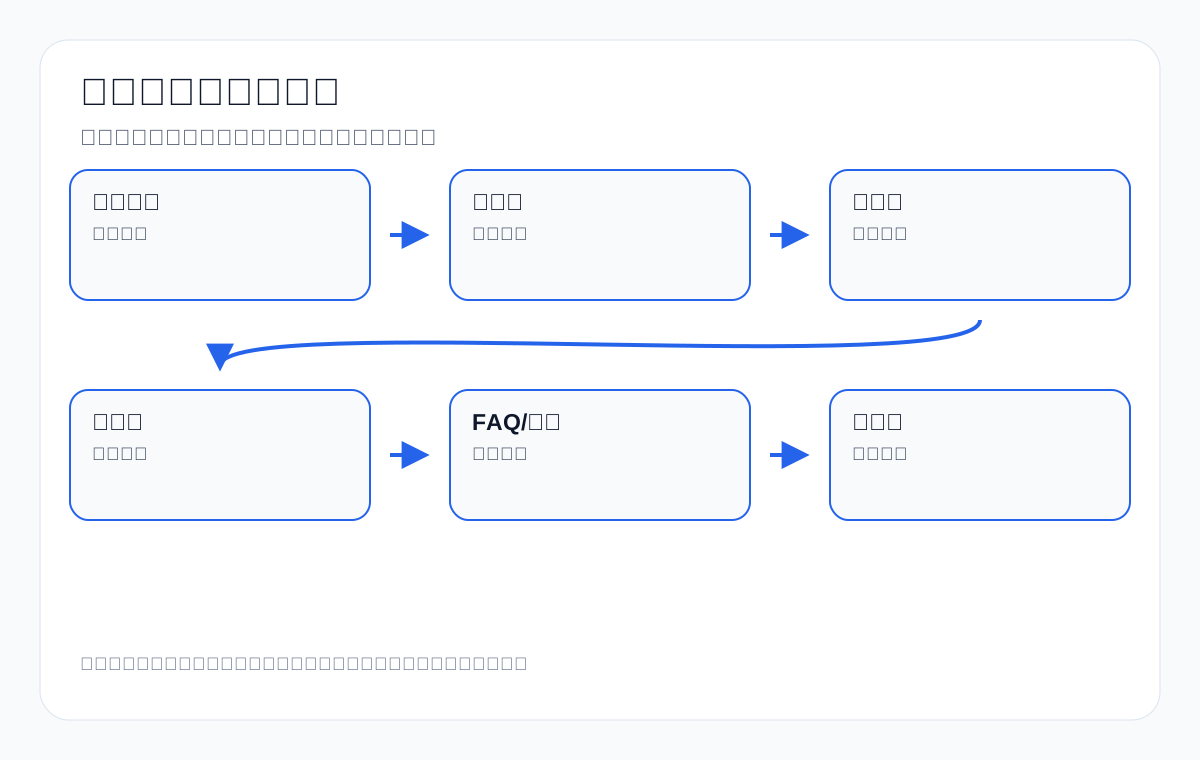
Internal linking means the link relationships between pages inside a website. For an export website, it is not a few “related reading” links tacked onto the end of an article. It is how you help buyers, Google, and AI systems understand which page is the core product entry, which page explains selection, which page carries specific specifications, which page is suited to inquiries, and which content is only supporting explanation.
If your website sells custom metal parts, LED flood light, packaging machine, medical probe, cnc machining parts, ceramic dinnerware, waterproof connector, industrial valve supplier, or private label activewear manufacturer, internal links directly affect whether search engines can find your key product pages, whether buyers can move from a tutorial into a product, and whether AI can read your pages as one complete topic.
In today’s SERPs, internal linking guides from Ahrefs, Backlinko, Semrush, Moz, and others usually cover PageRank, anchor text, page depth, orphan pages, topic clusters, site structure, and audit tools. These are a solid SEO foundation. But the export B2B context needs more: how product categories and product pages should link to each other, how technical guides should lead to inquiries, how old articles can support new products, how anchor text should use English product terms, how GSC queries should guide internal links, and how AI search can identify the topical boundaries of an official website through internal links.
Conclusion first: 6 principles of internal linking for export websites
- Links should serve search intent: link from explanatory content to category pages, product pages, application pages, or inquiry pages.
- Anchor text should be specific: prefer product terms, attribute terms, scenario terms, and action terms over “click here”.
- Important pages should be shallow: core categories, key products, and inquiry pages should not be buried at deep levels.
- Do not distribute evenly: more important pages should get more relevant entry points.
- Avoid relying on navigation alone: body links explain context better than mechanical navigation.
- Review after optimizing: look at crawling, GSC queries, GA4 paths, inquiry sources, and AI citations.
Which export SEO problems do internal links solve
| Problem | Symptom | How internal links help |
|---|---|---|
| Key products are not indexed | Product pages are rarely crawled or get no impressions | Add entry points from categories, guides, and application pages |
| Keyword cannibalization | Several articles compete for the same term | Point internal links to the main page and define clear roles |
| Articles get traffic but no inquiries | Readers leave after reading | Link to relevant products and the RFQ |
| Weak category pages | Only a product list | Strengthen topical signals from tutorials and application pages |
| Orphan pages | No body-text entry points | Add contextual links |
| AI does not cite the official website | Topical relationships are unclear | Build a complete path across definitions, guides, products, and FAQs |
Step 1: Define page roles first
Before internal linking, you need to know what role each page plays. Common pages on an export website include the homepage, core service/product pages, category pages, product pages, application pages, technical guides, FAQs, case studies, downloads, and the contact/inquiry page. Different roles link in different directions.
| Page role | Main task | Should link to |
|---|---|---|
| Homepage | Present the brand and core product lines | Core categories, services, inquiries |
| Category page | Capture commercial product terms | Key products, selection guides, application pages |
| Product page | Explain specific specifications and support inquiries | Related products, categories, FAQs, inquiries |
| Application page | Explain industry scenarios | Product combinations, case boundaries, inquiries |
| Technical guide | Explain problems and selection | Category pages, product pages, downloads |
| FAQ | Answer purchasing questions | Products, services, contact page |
| Downloads | Provide catalogs/specs | The matching products and inquiries |
| Contact page | Conversion entry | Does not need excessive links |
Step 2: Build topic clusters, not scattered links
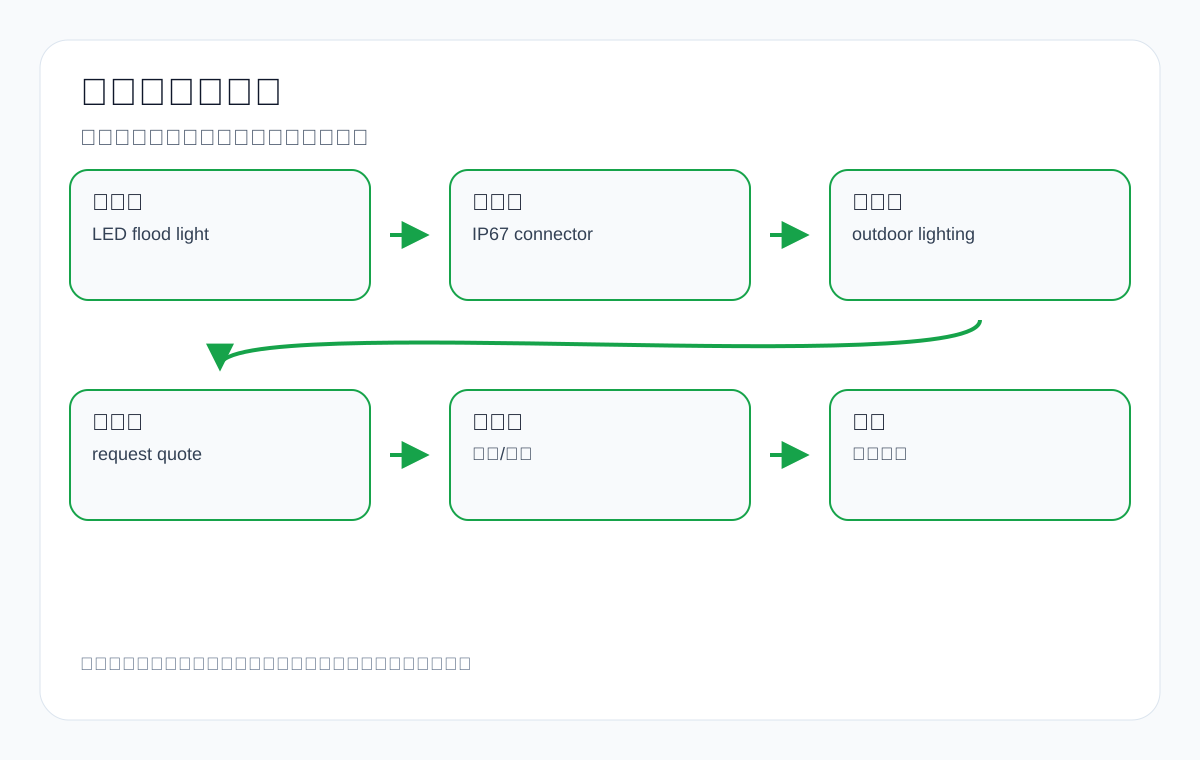
A topic cluster is not about applying a label for its own sake. It is about organizing the pages that belong to the same purchasing topic. Take waterproof connector as an example: there can be a core category page, an IP67/IP68 guide, a pin count guide, an outdoor lighting application page, specific product pages, and an RFQ page.
| Cluster level | waterproof connector example | Link direction |
|---|---|---|
| Pillar page | Waterproof Connector Manufacturer | Links down to types, applications, and guides |
| Subcategory | IP67 Waterproof Connector | Links to products and the IP guide |
| Technical guide | IP67 vs IP68 Connector | Links to the relevant category and products |
| Application page | Connector for Outdoor Lighting | Links to LED flood light and connector products |
| Product page | 4 Pin Waterproof Connector | Links to the category, related products, and inquiries |
| FAQ/RFQ | MOQ, lead time, custom cable assembly | Links to the inquiry form |
Step 3: How to write anchor text
Anchor text is the clickable text of a link. Good anchor text lets users know what the next page is before they click, and it helps search engines understand what the target page is about.
| Anchor text type | When to use it | Example |
|---|---|---|
| Exact product term | Linking to a category or product page | LED flood light manufacturer |
| Attribute term | Linking to a specification page | IP67 waterproof connector |
| Scenario term | Linking to an application page | outdoor stadium lighting solution |
| Question term | Linking to a guide | how to choose packaging machine |
| Action term | Linking to a conversion page | request a quote for custom metal parts |
| Brand/series term | Linking to a brand or series page | industrial valve product series |
Anchor text to avoid
| Wording to avoid | Problem | Better wording |
|---|---|---|
| Click here | No context | See the waterproof connector selection guide |
| More content | Does not say what the target page is | Read the LED flood light wattage guide |
| Product page | Too generic | See the 200W LED flood light product page |
| Our services | Unclear | Get quoting guidance for CNC machining parts |
| Related articles | Weakly relevant | See the ceramic dinnerware OEM packaging FAQ |
| Learn more | Usable but not specific enough | Learn about the private label activewear customization process |
Step 4: How category pages should link
Category pages are the core commercial entry points of an export website. They should link to key products, selection guides, application pages, and FAQs, rather than only showing product cards.
| Category page module | Link target | Example |
|---|---|---|
| Above-the-fold introduction | Core products and application pages | LED flood light for stadium lighting |
| Selection table | Technical guides | IP rating guide, wattage guide |
| Product list | Key product pages | 200W LED flood light |
| Application scenarios | Industry pages | warehouse lighting solution |
| FAQ | Inquiry page and downloads | request lighting layout |
| Bottom recommendations | Related categories | solar flood lights, street lights |
Step 5: How product pages should link
| Product page position | Link direction | Export example |
|---|---|---|
| Product summary | Back to the category page | Waterproof Connectors |
| Below the specification table | Specification explanation guide | IP67 vs IP68 guide |
| Application paragraph | Application page | connectors for marine equipment |
| Related products | Alternative models | 5 pin waterproof connector |
| Downloads | catalog/spec sheet | download connector datasheet |
| CTA | Inquiry page | send cable assembly drawing |
Step 6: How technical articles should lead to commercial pages
Many export website articles get read but generate no inquiries because the article does not link naturally to products and the inquiry path. A technical article is not a hard sell, but it should guide readers to the next step in the right place.
| Article type | Should link to | Example |
|---|---|---|
| Selection guide | Category pages, product pages, RFQ | how to choose packaging machine -> packaging machine products |
| Comparison article | Related categories and products | IP67 vs IP68 -> waterproof connector category |
| Material article | Material product or process pages | aluminum vs stainless steel -> custom metal parts |
| Troubleshooting | Technical support and product pages | LED flood light flickering -> driver/fixture pages |
| Purchasing checklist | Inquiry page | CNC machining RFQ checklist -> send drawing |
Step 7: Internal linking and keyword mapping
Every important keyword should have a main page. Internal links should direct related terms and long-tail terms to the right main page, so that several weak pages do not compete with each other.
| Keyword type | Main page | Internal link strategy |
|---|---|---|
| manufacturer/supplier | Category or commercial page | Articles and product pages link back to the category |
| Specific model | Product page | Categories and guides link to the product |
| how to choose | Guide page | Product pages and FAQs link to the guide |
| vs/difference | Comparison page | Category and product pages link to each other |
| MOQ/lead time | FAQ or inquiry page | Product page CTA links |
| industry application | Application page | Categories and articles link to the application page |
Step 8: Body links matter more than mechanical recommendations
Footers, sidebars, and recommendation modules help, but body links provide more semantic context. For example, linking to the waterproof connector guide while explaining IP rating is more natural than a random recommendation at the bottom of the page.
| Link position | Value | Recommendation |
|---|---|---|
| Body paragraph | Strong context | Use first |
| Table cell | Relevant to decisions | Good for selection tables |
| FAQ answer | Handles specific questions | Link to products/guides |
| Breadcrumbs | Clear structure | Must be kept |
| Sidebar | Supports discovery | Do not use it to replace body links |
| Footer | Site-wide entry point | Only core pages |
Step 9: How to find orphan pages
- Use a crawler tool to export URLs with 0 or very few inlinks.
- Cross-check pages that have impressions in GSC but weak internal entry points.
- Check URLs that are in the sitemap but have no entry point in page body text.
- Check whether old articles, old products, and downloads still have business value.
- Add body-text links to important orphan pages from categories, guides, or related products.
| Orphan page type | How to handle it | Example |
|---|---|---|
| Key product page | Add links from categories and articles | medical probe cable assembly |
| Old article with traffic | Update it and link to the new main page | old CNC guide -> new custom metal parts guide |
| Downloads | Pair with an HTML description page | catalog PDF -> product category |
| Valueless old page | Delete or noindex | Expired trade show announcement |
| Application page | Link from categories and products | waterproof connector for outdoor lighting |
Step 10: More internal links is not better
Packing dozens of links into one article divides attention. Export content should make links serve the reading path. Every link should answer: what problem can the reader solve after clicking? Is the target page a better place to handle the next step than the current page?
| Page type | Reasonable link direction | Avoid |
|---|---|---|
| Short product page | Category, related products, inquiries | Cramming in too many article links |
| Long guide | Category, products, FAQs, downloads | A link in every paragraph |
| Category page | Key products, guides, applications | Links to low-value tags |
| Homepage | Core categories and services | Dumping every article on the homepage |
| Contact page | A few trust pages | Many outbound links that distract from conversion |
Step 11: Internal linking examples for export products
| Product line | Pillar page | Supporting pages to link to |
|---|---|---|
| custom metal parts | Custom Metal Parts Manufacturer | CNC machining parts, material guide, tolerance guide, RFQ checklist |
| LED flood light | LED Flood Light Manufacturer | wattage guide, IP rating, stadium lighting, product series |
| packaging machine | Packaging Machine Supplier | pouch packing guide, powder packaging, maintenance FAQ |
| medical probe | Medical Probe Cable Assembly | compatibility, sterilization, connector material |
| ceramic dinnerware | Ceramic Dinnerware Manufacturer | restaurant dinnerware, OEM packaging, dishwasher safe FAQ |
| waterproof connector | Waterproof Connector Manufacturer | IP67 guide, pin count, outdoor lighting application |
Step 12: Internal link audit metrics
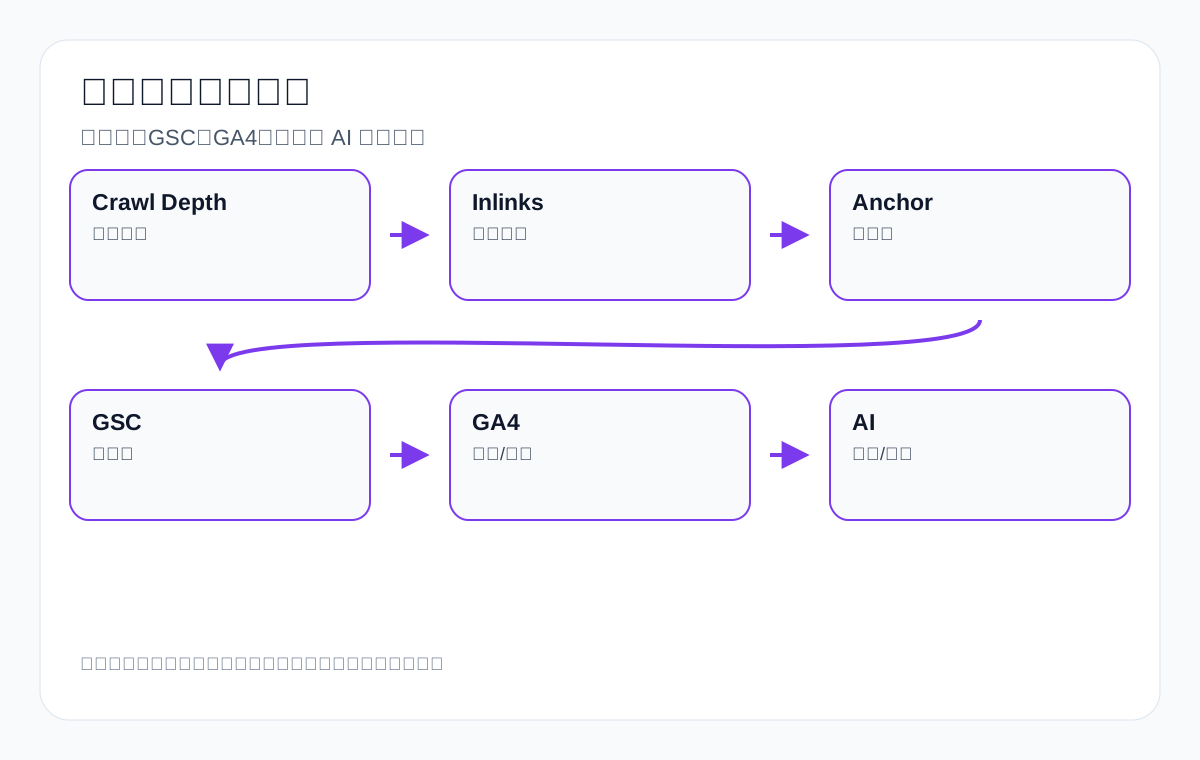
| Metric | Description | Target |
|---|---|---|
| Click depth | How many clicks from the homepage to the target page | Keep core pages as shallow as possible |
| Number of entry points | How many pages link to the target page | Important pages need more relevant entry points |
| Anchor text distribution | Whether link text is natural and varied | Product terms + scenario terms + question terms |
| Orphan pages | Pages with no entry points | Zero for important pages |
| GSC queries | Whether target terms are more concentrated after internal linking | Reduce cannibalization |
| GA4 paths | Whether users move from articles to products/inquiries | Improve conversion paths |
| Inquiry sources | Which content brings RFQs | Optimize commercial links |
| AI citations | Whether answers cite topical pages | Improve understanding |
Step 13: Internal linking in the age of AI search
AI systems need to understand entity relationships. Internal links help them see what products the company makes, which products belong to the same series, which guides explain the same topic, and which pages are authoritative entry points.
| Entity relationship | How to write the internal link | Example |
|---|---|---|
| Product–category | Product pages link to the category | 4 pin connector -> Waterproof Connectors |
| Category–guide | Category pages link to selection guides | LED Flood Lights -> wattage guide |
| Guide–product | Guides link to the corresponding products | IP67 guide -> IP67 connectors |
| Application–product | Application pages link product combinations | outdoor lighting -> LED flood light + connector |
| FAQ–inquiry | FAQs link to the RFQ | MOQ question -> request quote |
| Brand–capability | The about page links product capabilities | factory capability -> CNC machining parts |
Step 14: Internal link optimization workflow
- List core categories, key products, application pages, guide pages, and inquiry pages.
- Assign a primary keyword and a role to each page.
- Crawl the site and export inlinks, outlinks, click depth, and anchor text.
- Flag orphan pages, deep pages, cannibalizing pages, and irrelevant links.
- Add body internal links from relevant high-value pages.
- Replace vague anchor text with specific product terms or question terms.
- Update the sitemap and important page modules.
- After publishing, review crawling, GSC, GA4, inquiries, and AI citations.
Step 15: Common mistakes in internal link optimization
- Every article links to the homepage, so product pages get no support.
- Using only “click here” or “learn more”, which makes anchor text meaningless.
- Internal links sit only in bottom recommendations, with no context in the body.
- Forcing links to irrelevant pages for SEO, which hurts readability.
- Making a separate page for every keyword so they compete with each other internally.
- After a redesign, old internal links still point to 404s or old categories.
- Product pages do not link to relevant guides and inquiry pages.
- Looking only at link count, not link relevance and user paths.
Step 16: How to use GSC queries to improve internal links
GSC tells you which terms users typed to find a page. When optimizing internal links, do not write anchor text on gut feeling alone. Combine real queries, page roles, and commercial paths. For example, if an article earns impressions for waterproof connector IP67 but is not itself a product page, it should link naturally from the relevant paragraph to the IP67 Waterproof Connector category or product page.
| GSC signal | Description | Internal link action |
|---|---|---|
| An article shows commercial product terms | The article captures pre-purchase intent | Link to the category or product page |
| A category page shows how-to terms | Users need selection explanations | Link to a technical guide |
| A product page shows comparison terms | Users are comparing specifications | Link to a comparison article |
| The same primary term appears on several pages | Possible cannibalization | Link to the main page consistently |
| A page has impressions but no clicks | The title or intent is weak | Improve the above-the-fold area and link to a better-matching page |
For a cnc machining parts website, if GSC shows that terms such as material selection, tolerance, surface finish, and quote drawing are spread across several old articles, you can organize them into a custom metal parts pillar page and link to it from those old articles with natural anchor text.
Step 17: How to avoid internal links creating keyword cannibalization
More internal links is not better. If several pages link to each other with the same primary keyword, search engines may struggle to tell which page is the main one. Export websites need a “main page first” linking rule.
| Cannibalization scenario | Wrong linking approach | Correct approach |
|---|---|---|
| Several articles all cover LED flood light | They link to each other with LED flood light anchor text | Link them consistently to the LED Flood Light category page |
| A product page and a category page compete for manufacturer | The product page title and internal links both use manufacturer | Give manufacturer to the category page and use model terms on the product page |
| An application page and a guide page compete for how to choose | Both use the same question term | Let the guide own the question term and the application page own the scenario term |
| The FAQ page becomes too strong | Every question links to the FAQ | The FAQ links back to products and categories |
| Old articles still point to the old main page | The old page captures the primary term | Update the old articles to link to the new main page |
Step 18: Product launches, discontinuations, and internal link maintenance
Export product lines change. When an old model is discontinued, a new series launches, categories are adjusted, or products are merged, internal links must be maintained at the same time. Otherwise users enter old products from articles, or search engines keep crawling pages that no longer matter.
| Change | Internal link handling | Example |
|---|---|---|
| Old model discontinued, replacement available | Change article and category links to the new model | old 150W LED flood light -> new 160W series |
| Old model still has after-sales value | Keep the description and link the replacement | replacement waterproof connector |
| New category goes live | Add entry points from the homepage, articles, and application pages | new ceramic dinnerware collection |
| Products merged | Old links point to the main product or series page | CNC aluminum parts -> custom metal parts series |
| Product deleted | Clean up old internal links | Avoid 404s and disappointing users |
Step 19: Internal linking for application and industry pages
Application pages matter on export B2B websites because buyers often search by industry and use case. An application page should not be pure promotion. It should connect industry problems, recommended products, technical guides, and the inquiry path.
| Application page module | Link target | Example |
|---|---|---|
| Industry problem | Technical guide | outdoor lighting glare control guide |
| Recommended products | Product/category page | LED flood light for warehouse |
| Specification requirements | Parameter guide | IP rating, wattage, beam angle |
| Purchasing advice | RFQ checklist | send installation height and area size |
| Related scenarios | Other application pages | stadium lighting, parking lot lighting |
Step 20: How to do internal linking in FAQs
FAQs are a good internal link entry point. They handle specific questions and are well suited to linking to products, guides, downloads, and inquiry pages. But a FAQ should not become a link farm. Put one most relevant next step in each answer.
| FAQ question | Link target | Anchor text example |
|---|---|---|
| What is the MOQ? | Inquiry page or product page | send your quantity for a custom quote |
| What is the difference between IP67 and IP68? | Comparison guide | IP67 vs IP68 waterproof connector guide |
| How do I choose the wattage of an LED flood light? | Selection article | LED flood light wattage selection guide |
| Can you do private label customization? | Customization process page | private label activewear customization process |
| Which drawings are needed? | RFQ checklist | custom metal parts drawing checklist |
Step 21: Internal linking for multilingual sites
Multilingual export sites should avoid linking randomly across language versions. English articles should link to English product pages, and Spanish articles should link to Spanish product pages. If the target-language content is not complete yet, you can cautiously link to the English main page, but users should know they will enter English content.
| Problem | Risk | Recommendation |
|---|---|---|
| An English page links to a Chinese page | Broken user experience | Link to pages in the same language |
| Categories do not match across languages | Confusing hreflang and topics | Build a language mapping table |
| Machine-translated pages link to each other heavily | Low-quality signals spread | Strengthen the core language first |
| The language navigation is not crawlable | Search engines struggle to find language versions | Use HTML links |
| The inquiry page is only in Chinese | Poor conversion from overseas buyers | Provide an English RFQ form |
Step 22: Special internal linking issues on WooCommerce product sites
WooCommerce sites typically have products, categories, tags, attributes, variations, and filter pages. An internal linking strategy needs to control duplication so that large numbers of valueless parameter pages do not gain entry points.
| WooCommerce page | Internal link recommendation | Note |
|---|---|---|
| Product category | Link from navigation, homepage, articles, and application pages | Core entry point |
| Product page | Link from categories, related products, and guides | Capture long-tail terms |
| Attribute page | Strengthen links only when they have search value | Avoid duplication |
| Tag page | Use with caution | Risk of thin pages |
| Filter page | Mostly for user filtering only | Should not be linked everywhere |
| Cart/inquiry page | Clear entry from product pages | Make sure it is tappable on mobile |
Step 23: How to review before and after internal link optimization
Internal link optimization does not end when the changes are published. At minimum, record crawling, queries, paths, and inquiry changes before and after. Otherwise it is hard to tell which links actually helped.
| Review period | What to look at | How to judge |
|---|---|---|
| 7 days | Whether pages return 200 and old links are fixed | Crawler checks and front-end spot checks |
| 14–30 days | Whether important pages are crawled more | Logs or GSC crawl trends |
| 30–60 days | Whether GSC queries are more concentrated | The main page gets more relevant impressions |
| 60–90 days | GA4 paths and inquiry sources | More paths from articles to products/inquiries |
| After 90 days | Overall topic cluster performance | Long-tail terms, AI citations, and inquiry quality |
Step 24: How to write an internal link optimization ticket
To avoid nobody knowing what changed, keep a checklist for every internal link optimization. The checklist is not internal jargon. It lets the team know which user problem each link serves.
| Field | Example | Purpose |
|---|---|---|
| Source page | How to choose LED flood light wattage | Know where to add the link |
| Target page | 200W LED Flood Light | Know the receiving page |
| Anchor text | 200W LED flood light for outdoor lighting | Keep the meaning clear |
| User intent | From selection into product evaluation | Explain the value of the link |
| Page role | Guide -> product page | Avoid random linking |
| Review metrics | Product page visits, RFQ, GSC | Makes later evaluation easier |
Step 25: Export internal linking case 1: custom metal parts
A topic like custom metal parts usually covers materials, processes, precision, surface treatment, applications, and quote materials. Internal links should connect commercial pages, process pages, material pages, and the RFQ checklist.
| Source page | Anchor text | Target page |
|---|---|---|
| Material selection guide | custom stainless steel metal parts | Stainless steel custom parts category |
| Tolerance article | CNC machining parts tolerance guide | CNC machining capability page |
| Application page | custom metal parts for medical devices | Medical application page |
| RFQ checklist | send drawing for custom metal parts quote | Inquiry page |
Step 26: Export internal linking case 2: packaging machine
| Source page | Link target | Reason |
|---|---|---|
| Powder packaging selection guide | powder packaging machine category | From question to product |
| Pouch type comparison article | pouch packaging machine product | Capture specific equipment |
| Maintenance FAQ | spare parts and service page | Address after-sales concerns |
| Capacity calculation article | request a packaging solution | Guide users to a solution consultation |
Step 27: Export internal linking case 3: ceramic dinnerware
- The restaurant dinnerware supplier page links to material, safety, and packaging FAQs.
- The ceramic dinnerware set product page links to the dishwasher safe, microwave safe, and OEM packaging guides.
- The gift set application page links to private label packaging and the catalog download.
- If an old promotional article still gets visits, it can link to the current main category or new product series.
- MOQ, sample, and lead time items in the FAQ link to the inquiry page.
Step 28: Export internal linking case 4: medical probe
| Page | Link direction | Purpose |
|---|---|---|
| medical probe cable assembly | sterilization compatibility guide | Explain technical boundaries |
| connector material guide | medical probe product page | Capture product demand |
| FAQ | send drawing and compatibility requirements | Improve inquiry quality |
| Application page | custom medical cable assembly | Connect the industry scenario and the product |
Step 29: Internal link audit checklist
- Do core category pages get entry points from the homepage, navigation, related articles, and application pages?
- Do key product pages get entry points from category pages, comparison pages, FAQs, and technical guides?
- Does each primary commercial term have only one clear main page?
- Do old articles still link to expired products, old URLs, or 404 pages?
- Does body anchor text explain the target page instead of saying “learn more”?
- Do product pages link to specification explanations, application scenarios, and the inquiry page?
- Do category pages link to the selection table, FAQs, key products, and application pages?
- Do downloads have an HTML page handling them instead of being isolated PDFs?
- Do multilingual pages link to the same-language version?
- After internal link optimization, do you review GSC, GA4, crawling, and inquiry paths?
Step 30: Internal linking errors and fixes
| Error | Why it is bad | Fix |
|---|---|---|
| Putting the same 20 product links at the bottom of every article | Weak relevance; users may not need them | Link relevant products only in the matching paragraph |
| An LED flood light article links to the homepage | The homepage is not the best-matching target page | Link to the LED flood light category or the matching model |
| A waterproof connector FAQ links to every product | High choice cost | Link to IP67, pin count, or the RFQ depending on the question |
| A custom metal parts material article links only to the blog | It cannot enter the commercial path | Link to the material category, process pages, and the inquiry checklist |
| An old article links to a 404 product | Users and crawlers hit a dead end | Update it to a replacement product or series page |
| All anchor text is exact match | Unnatural and hard to read | Mix product terms, scenario terms, and natural descriptions |
Step 31: Internal linking and page depth
Page depth is how many clicks it takes to reach a target page from the homepage or another important entry point. Core product categories, key product pages, and important inquiry pages should not be too deep. Search engines and users both find shallow pages with relevant entry points more easily.
| Page | Recommended depth | Note |
|---|---|---|
| Core product category | 1–2 clicks | Reachable from the homepage or main navigation |
| Key product page | 2–3 clicks | Reachable from category pages and articles |
| Application page | 2–3 clicks | Entered from categories and guides |
| Technical guide | 2–4 clicks | Entered from the resource center and related products |
| Downloads | Entered from the matching product page | Should not exist in isolation |
| Old archives | Can be deeper or noindex | Do not compete for core entry points |
Step 32: Internal linking and conversion paths
The ultimate goal of internal links is not to keep users browsing the site forever. It is to help buyers finish their evaluation and move to the next conversation. Every content page should have a reasonable next step, but the next step differs from page to page.
| User stage | Page type | Next-step link |
|---|---|---|
| Understanding the problem | Technical article | Selection guide, category page |
| Comparing options | Comparison page | Related products, application page |
| Confirming specifications | Product page | Specification table, downloads, RFQ |
| Preparing to request a quote | RFQ checklist | Inquiry form, drawing upload |
| Evaluating suppliers | About/capability page | Product capabilities, certifications, contact page |
Step 33: Internal linking and image/chart modules
Charts and images can also carry internal links. For example, below a chart for choosing LED flood light wattage, link to the corresponding product series; below a waterproof connector pin count diagram, link to the 2 pin, 3 pin, and 4 pin products; a ceramic dinnerware set image links to the matching set category. This is more natural than piling all links at the end of the article.
| Image/text module | Linkable target | Example |
|---|---|---|
| Selection flowchart | Category page or RFQ | choose packaging machine -> request solution |
| Specification comparison table | Product page | IP67 4 pin connector |
| Application scenario image | Application page | stadium lighting solution |
| Material matrix | Material guide | aluminum vs stainless steel |
| Download preview image | PDF/materials page | catalog download |
Step 34: Internal linking and AI citation review
AI citations depend not only on single-page content but also on the entity relationships across a site. If a topic has only orphan pages, it is harder for AI to tell where it sits on the official website. Internal links can connect definitions, decision tables, product pages, FAQs, downloads, and the inquiry path into a comprehensible network.
| AI question | Page chain it should be able to find | Export example |
|---|---|---|
| how to choose waterproof connector | guide -> IP rating -> product -> RFQ | IP67 connector selection |
| best LED flood light wattage | wattage guide -> application page -> product series | stadium lighting |
| custom metal parts material | material guide -> process page -> quote checklist | aluminum vs stainless steel |
| ceramic dinnerware OEM packaging | packaging guide -> product series -> private label inquiry | private label dinnerware |
| packaging machine for powder | application guide -> equipment category -> solution consultation | powder pouch packing |
Step 35: Quality checks after updating internal links
| Question | Passing behavior | Failing behavior |
|---|---|---|
| Can users understand what the next page is? | Anchor text clearly describes the target | Everything says “click here” |
| Is the link relevant? | Directly relevant to the current paragraph | Crammed in just to add links |
| Do important pages get support? | More entry points to category and product pages | Links are still concentrated on the homepage and blog |
| Is cannibalization reduced? | The main page gets consistent signals | Several pages keep competing for the same term |
| Are conversion paths improved? | Articles flow more smoothly to products/RFQs | Users still just read and leave |
Step 36: Which pages should not get many internal links
Not every page needs many internal links. Contact pages, privacy policies, terms of service, checkout pages, account pages, pure download pages, and low-value archive pages should stay clear and simple. This is especially true of the contact page: users are already ready to get in touch, so do not pull their attention away with a mass of links.
| Page type | Internal link strategy | Reason |
|---|---|---|
| Contact page | A few trust links are enough | Avoid distracting from conversion |
| Privacy/terms | Necessary navigation | Not an SEO entry point |
| Checkout/inquiry submission page | Keep the path short | Reduce distractions |
| Low-value archives | Do not strengthen | Avoid wasting crawl budget |
| Tag pages | Use caution | Prone to thin content |
In the end, review against real purchasing paths, crawling improvements, and inquiry quality rather than making vague judgments.
FAQ: Common questions about internal linking
Can internal links directly improve rankings?
No ranking result can be promised, but internal links help search engines discover pages, understand how pages relate, and guide users toward more relevant products and inquiry paths.
How many internal links should one article include?
There is no fixed number. Long articles can have more, but every link should be relevant to its context and help readers take the next step.
Should anchor text match keywords exactly?
You can use product terms naturally, but do not repeat them mechanically. A better approach is to mix product terms, attribute terms, scenario terms, question terms, and action terms.
Should product pages link back to articles?
Yes. A product page can link to selection guides, specification explanations, installation instructions, and FAQs to help buyers make further judgments.
Do orphan pages have to be kept?
Not necessarily. First judge whether they have search, business, or trust value. If they do, add entry points; if not, merge, noindex, or delete them.
Which matters more, navigation links or body links?
Both matter. Navigation handles structural discovery, while body links handle contextual explanation. Body internal links are especially needed between technical guides, product pages, and category pages.
How soon should you review after internal link optimization?
Check crawling and errors after 7 days, look at GSC queries and page performance after 30 days, and review inquiry paths and topic cluster performance after 60–90 days.
Conclusion: Internal linking is purchasing-path design for an export website
Internal linking is not a simple SEO trick. It is purchasing-path design for an export website. It keeps pages about custom metal parts, LED flood light, packaging machine, medical probe, cnc machining parts, ceramic dinnerware, and waterproof connector from being isolated, and it moves buyers from a question to a product, from a product to materials, and from materials to an inquiry.
When you manage internal links with clear page roles, natural anchor text, relevant body links, and reviewable data, your website becomes easier for search engines to crawl and for AI systems to understand, and it does a better job of bringing genuinely interested overseas buyers to the right pages.
Official sources and acceptance boundaries for internal link structure
The internal link structure of an export website should be built around products, categories, application scenarios, and reference pages. Acceptance is not about how many links there are, but whether the links are crawlable and the context is natural.
| Official source | What it is used to judge | Boundary that must not be crossed |
|---|---|---|
| Google: Make links crawlable | Verify whether body, navigation, and module links are crawlable | A JavaScript redirect cannot replace a real link |
| Google: SEO Starter Guide | Check whether anchor text clearly describes the target page | Repeated anchor text does not equal topical authority |
| Google: Helpful content | Confirm whether internal links serve the user path | Mechanically inserting links is not content quality |
| Search Console Performance report | Review query/page data for the linked pages | With no data, keep the baseline |
| Google: Sitemaps overview | Compare the sitemap with body-text entry points | Submitting a URL does not mean it carries contextual weight |
Low-data review table
| Check item | Fields to record | How to write it in a low-data period |
|---|---|---|
| Page status | index/follow, canonical, sitemap, HTTP status code, body internal links | Record only the current state; do not write about search performance |
| Content evidence | Page role, sources of facts, product or service materials, update date | If material is missing, list the gaps; do not invent cases |
| GSC review | query, page, country, device, date window | If GSC has zero rows, write zero rows; do not extrapolate rankings or clicks |
| Conversion observation | GA4 events, forms, downloads, email clicks, inquiry entry points | If there are no events, fix tracking first; do not write inquiry conclusions |
Keep reading this SEO series
If you are systematically working through export website SEO, it is worth continuing with the articles below. Get the relationships between crawling, indexing, content, links, and review straight first, then decide which page to change next.
- How to choose keyword tools: choose by diagnostic scenario, not by working down a tool list
- What is SEO: a beginner’s guide for export websites, from crawling and indexing to ranking and inquiries
- How to build high-quality backlinks: a guide to link assets, outreach emails, and risk review for export websites
- How to use backlink analysis tools: a guide to link audits, risk identification, and competitor opportunity discovery for export websites
- How to judge backlink quality: a guide to relevance, trusted sources, and risk control
- How to do competitor SEO analysis: a guide to page types, content gaps, and export inquiry opportunities
{
“@context”: “https://schema.org”,
“@type”: “FAQPage”,
“mainEntity”: [
{
“@type”: “Question”,
“name”: “Can internal links directly improve rankings?”,
“acceptedAnswer”: {
“@type”: “Answer”,
“text”: “No ranking result can be promised, but internal links help search engines discover pages, understand how pages relate, and guide users toward more relevant products and inquiry paths.”
}
},
{
“@type”: “Question”,
“name”: “How many internal links should one article include?”,
“acceptedAnswer”: {
“@type”: “Answer”,
“text”: “There is no fixed number. Long articles can have more, but every link should be relevant to its context and help readers take the next step.”
}
},
{
“@type”: “Question”,
“name”: “Should anchor text match keywords exactly?”,
“acceptedAnswer”: {
“@type”: “Answer”,
“text”: “You can use product terms naturally, but do not repeat them mechanically. A better approach is to mix product terms, attribute terms, scenario terms, question terms, and action terms.”
}
},
{
“@type”: “Question”,
“name”: “Should product pages link back to articles?”,
“acceptedAnswer”: {
“@type”: “Answer”,
“text”: “Yes. A product page can link to selection guides, specification explanations, installation instructions, and FAQs to help buyers make further judgments.”
}
},
{
“@type”: “Question”,
“name”: “Do orphan pages have to be kept?”,
“acceptedAnswer”: {
“@type”: “Answer”,
“text”: “Not necessarily. First judge whether they have search, business, or trust value. If they do, add entry points; if not, merge, noindex, or delete them.”
}
}
]
}
This page is machine-translated from the Simplified Chinese version and awaiting human review. It has not yet been proofread.