For export businesses, WooCommerce SEO is not just about installing an SEO plugin on a WordPress store, and it is not about making product titles longer. What it has to solve is this: whether category pages can capture buyers’ English product terms, whether product pages can answer sourcing and inquiry questions, whether filter and attribute pages create duplicate content, whether images and speed hurt the mobile experience, whether structured data helps search engines understand price, stock, reviews, and product relationships, and ultimately whether visitors can move smoothly from a search entry point into an RFQ, a sample request, WhatsApp, or email.
If your website sells custom metal parts, LED flood light, packaging machine, medical probe, cnc machining parts, ceramic dinnerware, waterproof connector, industrial valve supplier, or private label activewear manufacturer products, the SEO priorities for WooCommerce are not exactly the same as those of an ordinary retail store. Many export websites do not close sales online; instead they use WooCommerce to manage products, categories, attributes, images, specifications, downloadable documents, and inquiry entry points. The optimization focus is therefore not a single metric such as add-to-cart rate, but search visibility, product comprehension, trust building, and inquiry quality.
In the current SERP, WooCommerce SEO guides from Rank Math, Yoast, Semrush, and others usually cover plugin settings, product titles, category pages, schema, breadcrumbs, image alt text, speed, product descriptions, and index control, and these are the necessary basics. But the B2B export scenario still lacks finer judgment calls: which product pages should be indexed, which attribute filters should not be opened up, how to write a category page as a sourcing entry point, how product variations can avoid duplication, how a catalog/RFQ model should handle price and stock, how GSC queries can be used to infer product structure, and whether AI search can cite specifications and selection tables from your own website. This article works through each item in the order an export business would implement it.
Official documentation boundaries: WooCommerce SEO starts by separating categories, products, indexing, and data definitions
When doing SEO for an export WooCommerce site, you cannot look only at plugin scores or whether a page has been published. A more reliable approach is to validate the category structure, product page facts, variations and attributes, URLs, breadcrumbs, structured data, sitemap, robots, GSC, GA4, speed, and AI search boundaries separately. Only conclusions written this way read like technical documentation that can be reviewed, rather than a vague statement that “optimization is complete.”
For export products such as custom metal parts, LED flood lights, packaging machines, medical probes, waterproof connectors, industrial valve suppliers, ceramic dinnerware, and private label activewear manufacturers, the core of WooCommerce SEO is not to cram every item into one store, but to make sure both buyers and search systems can understand: what the product family is, how models are divided, where the specifications are, where certificates and documents are, what information must be submitted before an inquiry, and whether the page can be discovered and crawled normally.
Mapping table of official documentation to WooCommerce SEO acceptance fields
| Official documentation | Corresponding module | What it can verify | What it cannot imply |
|---|---|---|---|
| WooCommerce Docs: Managing product taxonomies | Categories, tags, attributes | Whether product categories, attributes, and tags are organized around real product families, materials, specifications, and uses. | Automatically generated attribute pages cannot all be treated as high-value entry points. |
| WooCommerce Docs: Variable product | Variable products | Whether variations such as color, size, connector, wattage, and material are clearly named and their differences readable. | Internal codes cannot replace the fields buyers use to make sourcing decisions. |
| WooCommerce Docs: Permalinks | URL structure | Whether product, category, and attribute URLs are stable and avoid messy paths and duplicate entry points. | A short URL does not mean the page already has search performance. |
| WooCommerce Docs: WooCommerce Analytics | Product and sales observation | Can help observe product paths, orders, and sales data. | Cannot replace GSC search performance, nor explain AI citations. |
| Google Search Central: SEO Starter Guide | Basic page quality | Whether titles, body copy, image descriptions, internal links, and page purpose serve real users. | Cannot be written as a guaranteed ranking or a guaranteed click result. |
| Google Search Central: Search Essentials | Basic search eligibility | Whether pages are accessible and indexable and avoid spammy and misleading content. | Basic compliance does not mean the page already appears in search results. |
| Google Search Central: Sitemaps overview | URL discovery path | Whether core category pages, product pages, resource pages, and article pages are included in the sitemap. | A sitemap containing a URL does not mean the page is indexed. |
| Google Search Central: robots.txt introduction | Crawl rules | Whether product pages, category pages, images, PDFs, scripts, and styles are mistakenly blocked. | robots allowing a URL does not mean the page will be shown. |
| Google Search Central: Consolidate duplicate URLs | Duplicate URLs and canonical | Whether filter pages, sort pages, pagination, and variation pages have a clear canonical strategy. | canonical is not a directive, nor a traffic promise. |
| Google Search Central: Product structured data | Product structured data | Whether fields such as Product, Offer, and Review come from visible page facts. | Price, stock, ratings, certifications, or brand fields must not be fabricated. |
| Google Search Central: Merchant listing structured data | Merchant listing fields | Merchant fields such as price, availability, shipping, and returns need real sources. | B2B quote-based products must not be written as an untrue retail state. |
| Google Search Central: Breadcrumb structured data | Breadcrumbs | Whether the hierarchy of categories, subcategories, and product pages is clear. | Breadcrumbs cannot replace body-copy internal links and category explanations. |
| Google Search Central: Structured data general guidelines | General structured data rules | Whether schema fields match visible page content and whether multiple plugins output duplicates. | Schema is not a controller for rich results or AI answers. |
| Search Console Help: Performance report | GSC search performance | View clicks, impressions, CTR, and average position by query, page, country, and device. | Without GSC row data, rankings, clicks, or CTR must not be invented. |
| Search Console Help: URL Inspection tool | Single URL status | Indexing, crawling, and canonical status of key category pages, product pages, and resource pages. | A single URL being inspectable does not mean it has received impressions. |
| Google Analytics Help: Recommended events for online sales | GA4 ecommerce events | Events such as view_item, select_item, add_to_cart, and purchase can help observe product paths. | B2B inquiry sites must also look at RFQ, forms, email, and downloads separately. |
| Google Search Central: AI features and your website | Basic boundaries of AI search | AI features still depend on pages being accessible, indexable, clearly written, and consistent with structured data. | Cannot promise that an AI answer will definitely use a particular product page. |
| OpenAI Platform: Bots | AI crawler access | The purposes and access boundaries of OAI-SearchBot, GPTBot, and ChatGPT-User must be checked separately. | Allowing a given bot access does not mean AI search results will change. |
| Bing Webmaster Blog: AI Performance | Bing AI observation | Where visible in the account, citations, cited pages, and grounding query phrases can be recorded. | A citation is not a ranking, an answer position, or an inquiry result. |
| IndexNow: Documentation | URL update notification | After product pages and category pages are updated, the submission time, URL list, and response status can be recorded. | HTTP 200 only means the notification was received, not that the page is indexed. |
WooCommerce SEO baseline checklist: keep categories, products, variations, speed, and inquiries separate
The SEO baseline for an export WooCommerce site must be checked by page type. Category pages carry product families, product pages carry models and specifications, variations carry differentiating fields, resource pages carry certificates and downloads, and inquiry pages carry the purchasing action. Mix these together and you end up writing plenty of articles while the product pages remain unusable.
| Module | Minimum acceptance fields | Export product example | How to review |
|---|---|---|---|
| Product category page | Product family description, application scenarios, representative products, specification ranges, certifications, FAQ, and internal links. | An LED flood light category page should explain wattage, IP rating, installation scenarios, and certifications. | Front-end body copy, internal links, sitemap, GSC page rows. |
| Product page | Model, material, specifications, MOQ, lead time, packaging, certificates, image descriptions, RFQ entry point. | A waterproof connector product page should explain the connector interface, IP rating, cable, and temperature range. | Visible page specifications, schema, image alt text, GA4 events. |
| Variations and attributes | Attribute names buyers can understand, and variation differences written into the body copy or a table. | A private label activewear manufacturer needs to distinguish fabric, size, color, and sampling. | Attribute page index strategy, variation URLs, canonical. |
| Documents and downloads | certificate, datasheet, manual, installation, and maintenance content have HTML summaries. | Compatible models and document downloads for a medical probe must not be hidden only in a PDF file name. | Resource page body copy, download events, file accessibility. |
| Speed and experience | Image dimensions, caching, core page load, mobile tables and readability. | Large images of ceramic dinnerware must keep their detail without slowing down the category page. | PageSpeed, browser checks, mobile overflow. |
| Inquiry path | Forms, email, WhatsApp, downloads, RFQ fields, and sales feedback recorded separately. | custom metal parts should allow submitting drawing, material, tolerance, and quantity. | GA4 events, inquiry fields, sales notes. |
When there is no GSC data, WooCommerce SEO conclusions must be downgraded
If Search Console has no query, page, or page-query rows for the last 28 or 90 days, a WooCommerce SEO report must not state existing rankings, clicks, CTR, or inquiry changes. At this stage you can validate the page baseline, technical baseline, event baseline, and query set; only after real data arrives can search performance be judged.
| Current evidence | Can be written as | Cannot be written as | Next step |
|---|---|---|---|
| No query or page rows in GSC | No data baseline yet for judging search performance. | Category or product page search performance has improved. | Recheck query, page, and page-query after 7–14 days. |
| Category page body copy added | Product family semantics and internal link paths are clearer. | A given category term has received impressions. | Check index status, GSC, logs, and sitemap. |
| Product page specifications added | Product facts and RFQ fields are more complete. | Inquiry volume has increased. | Check GA4 events, inquired products, and sales feedback. |
| Schema reviewed | Structured data matches visible page content. | Rich results will definitely appear in search results. | Combine official testing, GSC enhancements, and page performance. |
| AI sample set established | There is a repeatable question set for observation. | An AI platform has already adopted the website’s pages. | Retest the same query set repeatedly and record citations and incorrect facts. |
30-60-90 day review: WooCommerce SEO should read search, product paths, and inquiries in separate tables
A review of an export WooCommerce site cannot look only at traffic. The first stage checks whether page and technical actions have landed, the second stage checks whether GSC and GA4 have formed an observable baseline, and the third stage puts AI samples, inquiry quality, and sales feedback together to decide the next round of priorities.
| Period | Review focus | Fields to record | What it is good for judging |
|---|---|---|---|
| Days 0–30 | Category page body copy, product specifications, schema, sitemap, robots, canonical, mobile tables. | URL, page type, action, launch date, review result. | Whether the controllable baseline has landed. |
| Days 31–60 | Whether GSC shows query and page rows for category/product pages, and whether GA4 events work normally. | query, page, country, device, view_item, RFQ, downloads, email clicks. | Whether observable data is starting to form. |
| Days 61–90 | AI answer samples, Bing citations, inquired products, sales feedback, and their relationship to page actions. | Platform, query, cited URL, error points, inquiry fields, sales notes. | Which product family and page type to prioritize in the next round. |
Delivery boundaries: WooCommerce SEO can deliver page actions, not platform results
Reliable WooCommerce SEO delivery turns categories, products, variations, documents, structured data, and inquiry paths into reviewable actions. What can be delivered is a URL list, field improvements, technical checks, event configuration, a review table, and risk notes; what can only be observed is search systems, AI platforms, and buyer behavior.
| Delivery scope | Can deliver | Can only observe | Acceptance materials |
|---|---|---|---|
| Category structure | Category hierarchy, product family descriptions, representative products, application scenarios, and internal link paths. | The long-term position of a given category term. | Category URLs, front-end body copy, internal links, and sitemap. |
| Product page | Specification tables, certifications, MOQ, packaging, lead time, image descriptions, and the RFQ entry point. | That a given product page will definitely bring inquiries. | Before/after summaries, page source, GA4 events. |
| Technical baseline | robots, sitemap, index/follow, canonical, schema, mobile tables, and speed checks. | When the search system crawls, indexes, or displays. | Source code, official tests, status codes, GSC single URL inspection. |
| Data review | GSC, GA4, WooCommerce Analytics, AI samples, and inquiry fields recorded in separate tables. | Trends, growth, or business conclusions in the absence of data. | Export files, sample tables, review dates, and a next-step list. |
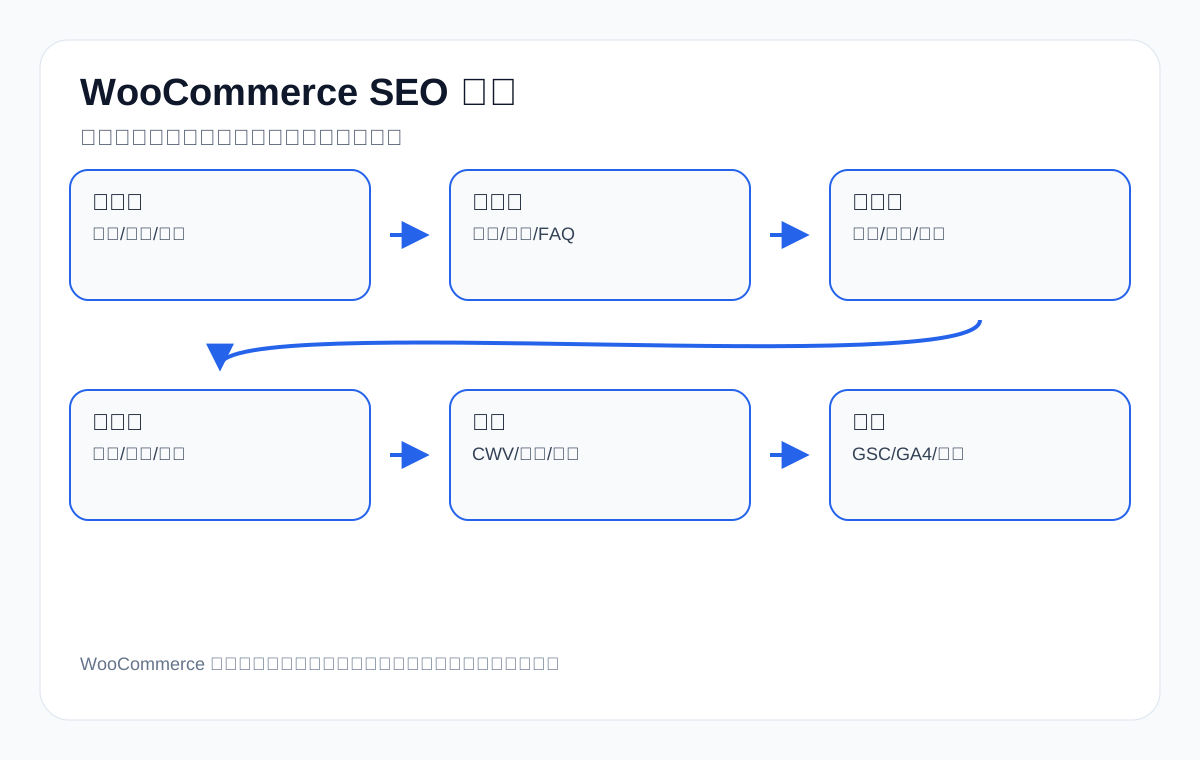
The conclusion first: the order of WooCommerce SEO optimization for export sites
- Start with the category architecture: give core English product terms, industry terms, and application terms clear entry points.
- Then work on product page quality: titles, specifications, images, applications, FAQ, downloadable documents, and inquiry entry points must all be complete.
- Control indexing: categories and important product pages participate in search, while filter, search, cart, account, and similar pages avoid creating duplicate content.
- Handle speed: images, caching, database, plugins, and mobile Core Web Vitals affect crawling and conversion.
- Add structured data: information such as Product, Breadcrumb, Organization, and FAQ must be accurate; do not write fake reviews or stock.
- Review with data: look at GSC queries, GA4 behavior, RFQ sources, CRM product lines, and AI citations together.
How WooCommerce SEO differs from ordinary WordPress SEO
| Dimension | Ordinary content site | WooCommerce export e-commerce site | SEO risk |
|---|---|---|---|
| Page types | Articles, pages, categories | Products, product categories, attributes, variations, filters, checkout flow | Many duplicate pages |
| Search intent | Mainly learning and research | Sourcing, selection, comparison, inquiry | Stronger commercial intent |
| Content requirements | Explain a topic | Explain products, specifications, applications, evidence | Thin product pages are common |
| Technical complexity | Article URLs are relatively stable | Pagination, sorting, filters, stock, variations | Index control is hard |
| Conversion path | Read, contact | Product detail, download, RFQ, sample | CTA design matters |
| Data review | GSC + GA4 | GSC + GA4 + orders/RFQ/CRM | Business signals matter more |
Step 1: Design the product category architecture
The most important SEO entry points for an export WooCommerce site are usually not individual product pages but product category pages and application scenario pages. Buyers often search combinations such as manufacturer, supplier, custom, wholesale, for application, material, size, and certification. The category structure must be able to capture these intents.
| Category level | Intent captured | Export example |
|---|---|---|
| Top-level category | Core product family | LED Flood Lights, CNC Machining Parts, Waterproof Connectors |
| Second-level category | Material/process/specification | Stainless Steel CNC Parts, IP67 Connectors, Solar LED Flood Lights |
| Application page | Industry or use scenario | Outdoor Stadium Lighting, Medical Device Cable Connector |
| Material page | Material selection and limits | Aluminum vs Stainless Steel Custom Metal Parts |
| Solution page | Sourcing problems and selection | How to Choose Packaging Machine for Powder Products |
| Brand/series page | Model and series comparison | Commercial LED Flood Light Series Comparison |
Do not name categories only after internal product lines; check them against buyers’ search language. For example, a company may internally call something “Series A lighting,” while overseas buyers search for outdoor LED flood light 200W, IP66 LED flood light, or stadium flood light supplier. Category page titles and body copy should use the English product terms buyers understand.
Step 2: A category page cannot be just a product list
Many WooCommerce category pages have only a product grid, with no introduction, selection table, FAQ, or internal links. Such pages struggle to compete for manufacturer/supplier/comparison searches. A category page should work like a sourcing entry page: first explain what products and applications the category suits, then show the products, then offer selection guidance.
| Module | What to write | Example |
|---|---|---|
| Above-the-fold definition | What the category is and who it is for | IP67 waterproof connectors for outdoor lighting and industrial equipment |
| Selection table | Specifications, materials, applications, certifications | pin count, cable diameter, IP rating |
| Product list | Core products and differences | Group by wattage, material, size, application |
| Application scenarios | Why buyers need it | marine, outdoor lighting, automation equipment |
| Sourcing guidance | MOQ, customization, samples, lead time | What information to prepare before an RFQ |
| FAQ | Common questions | IP67 vs IP68, OEM packaging, lead time |
| Internal links | Link to product pages, technical pages, application pages | From category to specific models and guides |
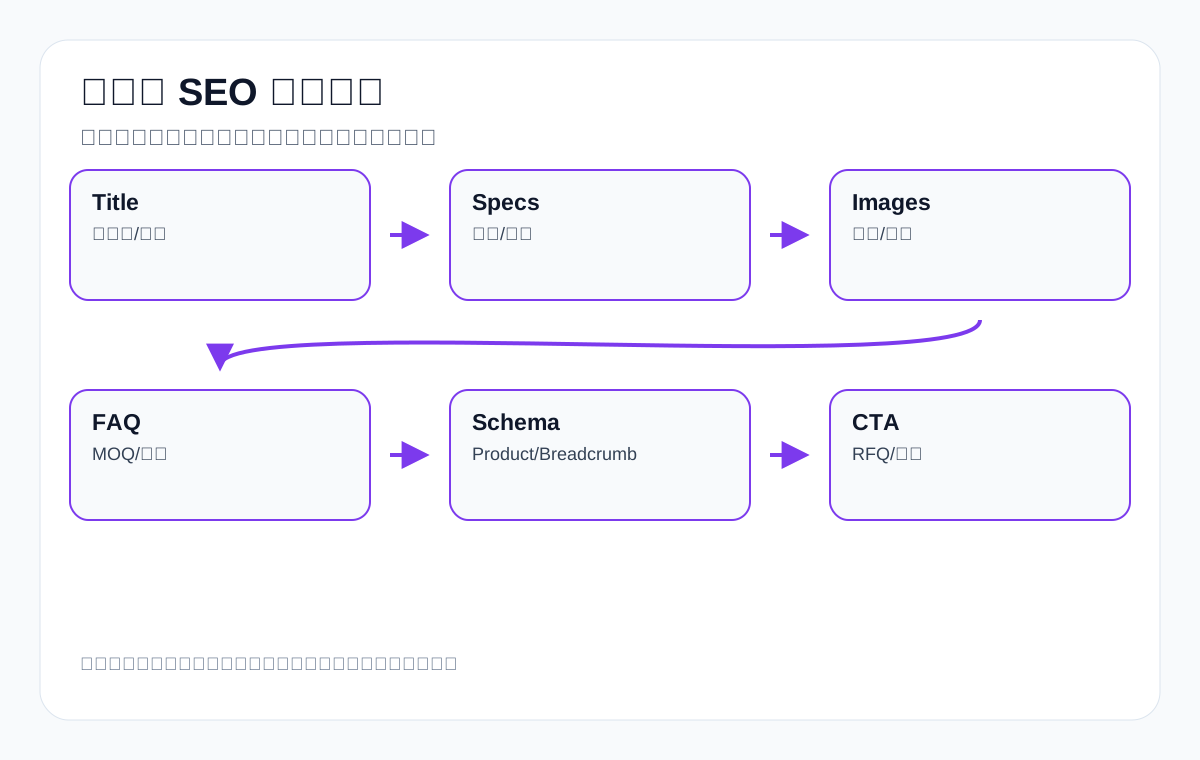
Step 3: How to write product page titles
A product page title must be understandable to search engines and let buyers quickly judge whether the product is relevant. Do not stuff in every keyword. The title should include the core product term, key attributes, application or specification, and remain readable.
| Product | Weak title | Better direction |
|---|---|---|
| LED flood light | High Quality LED Light | 200W LED Flood Light for Outdoor Stadium Lighting, IP66 |
| waterproof connector | Waterproof Connector | IP67 Waterproof Connector 4 Pin for Outdoor Cable Assembly |
| custom metal parts | Metal Parts | Custom Metal Parts CNC Machining, Aluminum and Stainless Steel |
| ceramic dinnerware | Dinnerware Set | 16-Piece Ceramic Dinnerware Set, Dishwasher Safe, OEM Packaging |
| medical probe | Medical Probe | Medical Ultrasound Probe Cable Assembly with Custom Connector |
| private label activewear | Sportswear | Private Label Activewear Manufacturer for Yoga and Training Wear |
Step 4: Product descriptions must answer buyer questions
Export product pages cannot just say “high quality, competitive price, fast delivery.” Buyers care more about specifications, materials, applications, certifications, customization limits, samples, packaging, lead time, quality control, and after-sales service.
| Buyer question | Product page should answer | Applicable products |
|---|---|---|
| Is this product suitable for my application? | Application scenarios, limitations, recommended operating conditions | LED flood light, industrial valve |
| What specifications are available? | Dimensions, wattage, material, precision, connector | custom metal parts, connector |
| Can it be customized? | OEM/ODM, drawings, samples, MOQ | private label activewear, ceramic dinnerware |
| How is quality assessed? | Certifications, testing, QC process, material certificates | medical probe, packaging machine |
| How is delivery handled? | Lead time, packaging, logistics, after-sales | All export products |
| What should an inquiry include? | Drawings, quantity, application, target market | custom parts, machinery |
Step 5: Product specification tables and images are part of SEO content
Google and AI systems increasingly rely on clearly structured information. Product specification tables, dimension drawings, application images, installation images, packaging images, and material comparison charts are not just for users; they are also evidence that helps the page be understood.
| Asset | SEO role | Export example |
|---|---|---|
| Specification table | Clarify the product entity and attributes | voltage, wattage, IP rating, material |
| Dimension drawing | Reduce pre-inquiry communication cost | connector pin layout, dinnerware dimensions |
| Application image | Help match scenario terms | outdoor lighting, marine, restaurant, factory |
| Comparison image | Capture comparison intent | IP67 vs IP68, aluminum vs stainless steel |
| Packaging image | Explain export packaging and brand customization | OEM box, pallet, carton |
| Certificate/test image | Increase trust | CE, RoHS, ISO, pressure test |
Step 6: How to handle product variations and duplicate content
WooCommerce variable products are convenient, but they can easily create duplicate content. Whether variations such as color, size, wattage, material, and packaging type deserve their own pages depends on whether they have independent search intent and enough content.
| Variation case | Recommended handling | Example |
|---|---|---|
| Only the color differs | Usually use a variation, do not create a separate page | black/white connector |
| The specification has independent search | A separate page or category entry point is possible | 100W/200W LED flood light |
| Material affects the sourcing decision | Can create a material page or product filter | aluminum vs stainless steel CNC parts |
| The application is completely different | Can create an application page | waterproof connector for marine vs lighting |
| Only stock/SKU differences | Do not index separately | packaging option |
| Large numbers of parameter filter combinations | Use noindex/canonical with care | ?size=xl&color=red |
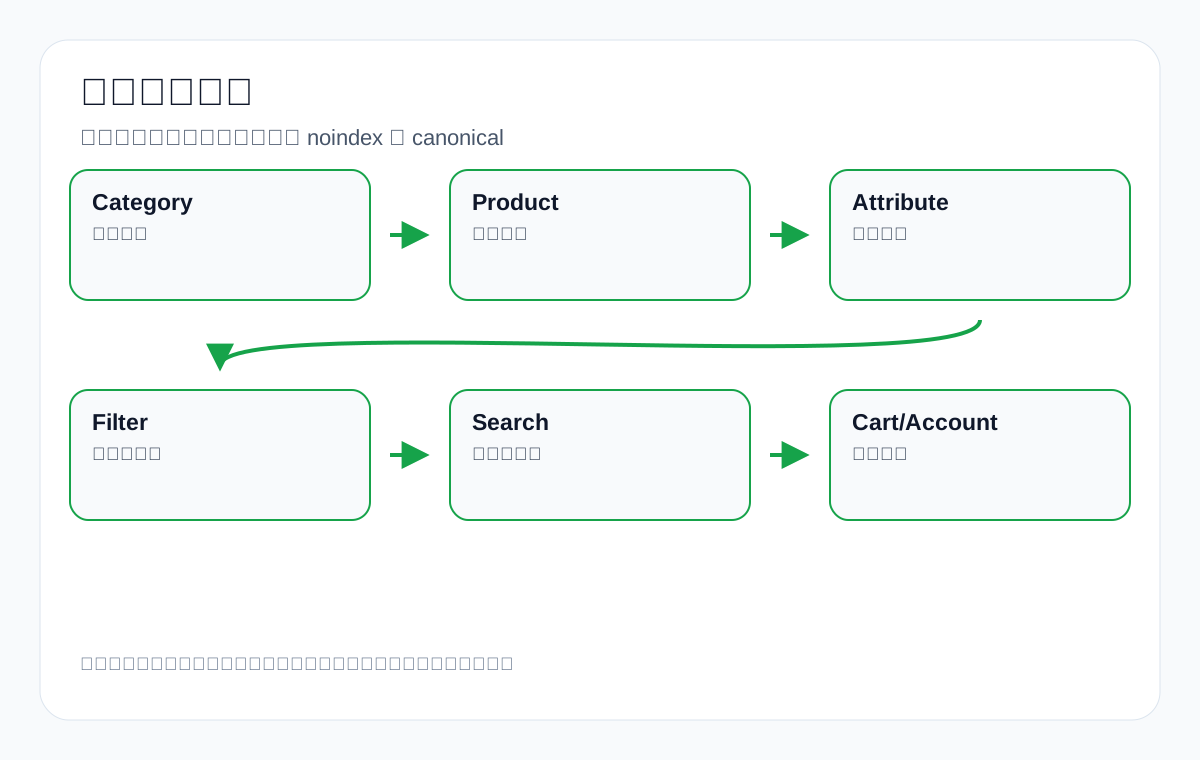
Step 7: Index control for attribute, filter, and sort pages
A common risk for export WooCommerce sites is that attribute, filter, sort, search result, and pagination combinations get crawled by search engines, creating large numbers of low-value URLs. It must be clear which pages can participate in search and which should be noindexed or canonicalized to the main page.
| URL type | Recommended for indexing | Reason |
|---|---|---|
| Core product category | Yes | Captures main product terms and commercial intent |
| High-value application page | Yes | Captures industry and scenario terms |
| Individual important product page | Yes | Captures model, specification, and long-tail terms |
| Attribute page | Depends | Only open up when material/application has search value |
| Filter combination page | Mostly no | Prone to duplication and infinite combinations |
| Sort page | No | Provides no independent value |
| Site search page | No | Dynamic and duplicative |
| Cart/checkout/account | No | No search value and privacy-related |
Step 8: URLs, breadcrumbs, and internal links
URLs and breadcrumbs on an export WooCommerce site should help users understand the level a product sits at. Internal links should run from category pages to product pages, from product pages to technical guides, and from guides back to categories and the inquiry page.
| Location | Optimization point | Example |
|---|---|---|
| URL | Short, stable, contains the product term | /product/waterproof-connector-ip67-4-pin/ |
| Breadcrumbs | Show the category hierarchy | Home > Connectors > Waterproof Connectors |
| Category page body copy | Link to key products and guides | IP rating guide, cable assembly page |
| Product page | Link to related products and applications | related LED flood light accessories |
| Article page | Link to category pages and the inquiry page | how to choose packaging machine -> products |
| Footer/navigation | Only include core entry points | Do not stuff every small page into the navigation |
Step 9: WooCommerce Schema and structured data
WooCommerce usually outputs Product schema, but export sites need to check whether the fields are accurate. Do not write fake reviews, fake stock, or fake prices just to look better. In a B2B catalog model, if the price requires a quote, offer information can be handled carefully without being misleading.
| Schema field | What to check | Risk |
|---|---|---|
| name | Whether it matches the product title | Confusing names hurt comprehension |
| image | Whether there is a main image and clear images | Missing images hurt rich results |
| description | Whether it truly summarizes the product | Vague descriptions do not help |
| sku/mpn | Whether the SKU or model is accurate | Duplicate models cause confusion |
| brand/manufacturer | Whether the brand or manufacturer is consistent | Entity signals become confusing |
| offers | Whether price, currency, and stock are real | Price and stock must not be fabricated |
| aggregateRating | Whether it genuinely comes from reviews | Do not fake reviews |
| breadcrumb | Whether the hierarchy is correct | Helps understand site structure |
Step 10: WooCommerce image SEO and speed
Export sites usually have many product images, and they are large. Images affect both SEO and conversion. Compress them, use WebP/AVIF, set appropriate dimensions, add alt text, and avoid slow mobile loading.
| Image type | Optimization method | alt example |
|---|---|---|
| Product main image | Clear white background, compressed dimensions | 200W LED flood light IP66 outdoor |
| Dimension drawing | Label units and key specifications | IP67 waterproof connector 4 pin dimensions |
| Application image | Show real usage scenarios | ceramic dinnerware set for restaurant table |
| Packaging image | Show export packaging | custom metal parts export carton packaging |
| Comparison image | Explain differences | aluminum vs stainless steel CNC parts |
| Certificate image | Avoid oversized files; downloadable when needed | CE RoHS certificate for LED flood light |
Step 11: What to look at first in speed optimization
WooCommerce is heavier than ordinary WordPress because of the cart, product queries, variations, stock, images, plugins, and scripts. Speed optimization should start with the critical paths that affect users and crawling, rather than blindly turning features off.
| Problem | Symptom | Direction |
|---|---|---|
| Oversized images | Slow LCP on product pages | Compression, WebP, correct dimensions, lazy loading |
| Too many plugins | Too much script and CSS | Disable unused features, load on demand |
| Slow database | Slow responses on category and product pages | Clean up unused data, cache queries |
| Cart fragments script | cart fragments loading site-wide | Disable or defer on demand |
| Cache misses | Pages cannot be cached | Separate logged-in, cart, and normal visitor states |
| Heavy mobile layout | Poor CLS/INP | Simplify the above-the-fold area and interactions |
Step 12: How to divide content between category pages and product pages
A common problem is writing duplicate content on category pages and product pages. Category pages should answer “how do I choose within this product family,” while product pages answer “is this specific product right for me.”
| Content module | Category page handles | Product page handles |
|---|---|---|
| Keywords | manufacturer/supplier/category | model/specification/long tail |
| Selection | Compare different series | Explain a single product’s specifications |
| Images | Category scenarios and product groups | Individual product detail, dimensions, packaging |
| FAQ | Category selection questions | Usage and customization questions for that product |
| CTA | View products / get a solution | Request a quote / sample / discuss drawings |
| Internal links | Link to products and guides | Link to category, application, related products |
Step 13: How to do WooCommerce SEO in a B2B RFQ model
Many export websites use WooCommerce to manage products but do not enable online payment. This does not hurt SEO; the key is to make the next inquiry step clear to buyers. Product pages can replace Add to Cart with CTAs such as Request a Quote, Get Sample, Send Drawing, and Download Catalog.
| RFQ module | Should include | Reason |
|---|---|---|
| Inquiry button | Prominent, fixed, tappable on mobile | Reduce conversion friction |
| Form fields | Product, quantity, application, target market, drawing upload | Improve inquiry quality |
| Downloadable documents | catalog, spec sheet, manual | Help buyers evaluate internally |
| Sample information | Sample lead time, cost, customization limits | Reduce unproductive back-and-forth |
| WhatsApp/email | Backup communication channels | Fits the habits of export customers |
| Privacy statement | How documents and drawings are handled | Build trust |
Step 14: How to diagnose WooCommerce SEO with GSC
| GSC symptom | Possible cause | Action |
|---|---|---|
| High impressions, low clicks on category pages | Weak title/meta or unclear product scope | Improve the title, above-the-fold content, and selection table |
| No impressions for product pages | No long-tail terms, weak internal links, thin content | Add specifications, FAQ, internal links, and images |
| Many filter URLs indexed | Improper index control | noindex/canonical/robots rules |
| Queries landing on the wrong page | Confused keyword mapping | Adjust internal links and page titles |
| Country mismatch | Content language and market do not match | Add target-market phrasing |
| Rankings between 8–20 | The page has potential but is not strong enough | Add comparisons, FAQ, applications, and images |
Step 15: How to review GA4, inquiries, and CRM
WooCommerce SEO cannot look only at organic clicks. Export sites need to see whether visitors reach product detail pages, view images, download documents, submit RFQs, or open WhatsApp, and whether inquiries match the target product lines.
| Metric | Description | Optimization action |
|---|---|---|
| Product page views | Which products get organic traffic | Strengthen related categories and internal links |
| RFQ submissions | Which pages bring inquiries | Improve CTAs and forms |
| Document downloads | Which catalogs are downloaded | Add document entry points and explanations |
| Image interaction | Whether dimension/application images are viewed | Add key images |
| Country/region | Whether visits come from target markets | Adjust content and language |
| CRM quality | Inquired product, quantity, budget, follow-up outcome | Judge the quality of SEO traffic |
Step 16: WooCommerce and AI search/GEO
AI search prefers product pages with clear structure, well-defined entities, and complete specifications. If a WooCommerce product page has only a short description, a price, and images, AI has difficulty citing it. The page should include definitions, specifications, applications, comparisons, FAQ, and limitations.
| AI-citable elements | How to write | Example |
|---|---|---|
| Clear product definition | Explain the product and application in one sentence | IP67 waterproof connector for outdoor cable assemblies |
| Specification table | List key parameters in a structured way | pin count, wire gauge, material, IP rating |
| Selection guidance | Give judgments by condition | LED flood light wattage by installation height |
| FAQ | Answer common buyer questions | MOQ, sample, lead time, certification |
| Application scenarios | Connect products with industries | medical device, marine, industrial automation |
| Limitations | Avoid exaggeration | Do not promise results; state the applicable boundaries |
Export industry example: custom metal parts WooCommerce architecture
| Page | Target terms | Content focus |
|---|---|---|
| Category page | custom metal parts manufacturer | Materials, processes, applications, inquiry documents |
| Product page | CNC aluminum part | Drawings, precision, surface treatment, dimensions |
| Material page | aluminum vs stainless steel custom parts | Material selection and cost |
| Application page | custom metal parts for automotive | Industry applications and quality requirements |
| Guide page | how to request CNC machining quote | RFQ checklist and drawing requirements |
Export industry example: LED flood light WooCommerce architecture
| Page | Target terms | Content focus |
|---|---|---|
| Category page | LED flood light manufacturer | Wattage, IP, efficacy, applications |
| Product page | 200W LED flood light IP66 | Specifications, dimensions, light distribution, installation |
| Application page | stadium LED flood light supplier | Scenarios, illuminance, installation height |
| Comparison page | IP66 vs IP67 LED flood light | Protection rating and environment |
| FAQ | LED flood light MOQ lead time | Sourcing questions |
Export industry example: ceramic dinnerware WooCommerce architecture
- The category page captures ceramic dinnerware set, restaurant dinnerware supplier, and OEM dinnerware manufacturer.
- Product pages state the piece count, material, glaze, dimensions, packaging, safety standards, and whether the item is dishwasher safe.
- Application pages distinguish hotel, restaurant, home, gift, and private label.
- Images should include the set, dimensions, table settings, packaging, and color series.
- The FAQ explains MOQ, logo, packaging, samples, breakage rate, and lead time.
WooCommerce SEO checklist
- Do all core category pages have target English product terms and selection content?
- Do product pages have a specification table, applications, images, FAQ, and an RFQ entry point?
- Do attribute pages and filter pages have a clear index strategy?
- Are site search, cart, checkout, and account pages kept out of the index?
- Are Product schema and Breadcrumb schema accurate?
- Are images compressed, and does alt text describe the product and scenario?
- Are the mobile above-the-fold area, LCP, CLS, and INP acceptable?
- Does GSC show large numbers of duplicates, crawled-but-not-indexed pages, or incorrect canonicals?
- Does GA4 record product page views, document downloads, inquiries, and WhatsApp clicks?
- Can the CRM trace back the product lines and inquiry quality brought by organic traffic?
Common misconceptions
- Category pages contain only a product list, with no copy, tables, or FAQ.
- All attribute filters are opened to indexing, creating too many duplicate pages.
- Product pages only say “high quality” and do not answer specification or application questions.
- Images are very large and load slowly on mobile.
- Fake reviews or stock are used to fill structured data.
- Product variations are split into large numbers of thin pages.
- Looking only at rankings, not at RFQ and inquiry quality.
- The B2B quote model still copies retail cart logic.
Step 17: Principles for choosing plugins for an export WooCommerce site
The WooCommerce ecosystem has many plugins, but export sites should not pile on plugins for features. Every added plugin can add CSS, JavaScript, database queries, shortcode dependencies, and maintenance risk. SEO plugins, caching plugins, image compression plugins, inquiry plugins, multilingual plugins, product filter plugins, schema plugins, and form plugins can also affect each other. When choosing a plugin, ask whether it solves a real problem, not how long its feature list is.
| Plugin type | Criteria | Risk | Recommendation |
|---|---|---|---|
| SEO plugin | Whether it can control title, meta, canonical, schema, sitemap | Multiple plugins output duplicate meta | Keep only one main SEO plugin |
| Filter plugin | Whether filter URL indexing can be controlled | Generates large numbers of duplicate URLs | Test GSC and crawlers before launch |
| Inquiry plugin | Whether it supports product information, attachments, spam protection, and CRM | Slow forms, lost leads, incomplete fields | Put RFQ quality at the center |
| Cache plugin | Whether it is compatible with cart, inquiries, and login states | Caches wrong prices or stock | Separate visitor pages from dynamic pages |
| Image plugin | Whether it compresses automatically and generates WebP | Over-compression hurts product detail | Keep product main images sharp |
| Multilingual plugin | Whether hreflang, URLs, and translation fields are clear | Duplicate language pages and wrong hreflang | Only open languages you can maintain |
For example, on a packaging machine website, if a product filter plugin automatically generates URLs such as /machines/?speed=60&material=stainless-steel&voltage=220v and search engines crawl them, thousands of low-value pages can appear. The right approach is to let only core categories, application pages, and parameter pages with independent search intent participate in indexing, while other filter results are used for user filtering only.
Step 18: SEO considerations for multilingual WooCommerce sites
Many export websites build English, Spanish, French, German, Arabic, and other language versions. Multilingual does not end with translating the products once. WooCommerce multilingual work involves product titles, categories, attributes, variations, image alt text, URLs, schema, sitemap, hreflang, and stock fields. If handled poorly, search engines see large numbers of duplicate or incomplete pages.
| Item | Correct approach | Common problem |
|---|---|---|
| Language URLs | Keep a stable structure such as /en/, /es/ | Different languages mixed under the same URL |
| hreflang | Point to the corresponding language versions | Missing, mismatched, or only one-way |
| Product attributes | Fully translate fields such as material, size, and certification | Titles translated while attributes remain in Chinese |
| Image alt | Describe the product and scenario in the target language | All languages share a Chinese alt |
| FAQ | Rewrite for the sourcing habits of the target market | Chinese questions translated literally, reading unnaturally |
| sitemap | Pages in different languages can be discovered | Only the primary language pages are submitted |
If the team is not yet able to maintain multilingual product content, it is better to make the English main site strong first than to generate a large number of low-quality machine-translated product pages at once. For products such as ceramic dinnerware and private label activewear manufacturer, sizes, packaging, styles, and phrasing differ across markets, and simple translation rarely satisfies search intent.
Step 19: SEO risks when migrating or redesigning a WooCommerce site
When an export site migrates from an old system to WooCommerce, or changes from a plain brochure site into a product catalog site, the most easily lost assets are URLs, titles, images, internal links, redirects, schema, and product category relationships. A migration is not a change of appearance; it is moving search assets.
| Migration item | Must check | Consequence of omission |
|---|---|---|
| URL mapping | Map old products, old categories, and old articles one by one | Produces 404s and loses historical rankings |
| 301 redirects | Old URLs point to the most relevant new URLs | Users and search engines cannot find the successor page |
| Product categories | Whether new categories capture old keywords | Core term entry points are lost |
| Image paths | Whether main images, dimension drawings, and certificate images are accessible | Product page trust declines |
| Internal links | Whether articles and categories still link to products | Site authority and user paths are broken |
| Form events | Whether RFQ, downloads, and WhatsApp are tracked | SEO business value cannot be judged |
After a migration, do not just check whether the homepage works. Sample-check core category pages, key product pages, old URLs, images, downloadable documents, schema, mobile speed, and inquiry forms. For products with long decision cycles such as cnc machining parts or industrial valve supplier, old articles and technical documents often carry trust, so they are especially important to keep during a migration.
Step 20: Content clusters for an export WooCommerce site
WooCommerce product pages are usually not suited to carrying all educational content themselves. A better approach is to use content clusters to support category pages and product pages: category pages capture commercial terms, product pages capture model and specification terms, technical articles capture selection and comparison terms, FAQ captures sourcing questions, and case or application pages capture industry terms.
| Content type | Terms captured | Link direction | Example |
|---|---|---|---|
| Category page | manufacturer, supplier, wholesale | Link to products and guides | waterproof connector manufacturer |
| Product page | model, specification, material | Link to category and related products | IP67 4 pin waterproof connector |
| Selection guide | how to choose, selection guide | Link to category and inquiry page | how to choose LED flood light wattage |
| Comparison page | vs, difference, comparison | Link to the corresponding products | IP67 vs IP68 connector |
| Application page | for industry/application | Link to product combinations | connectors for outdoor lighting |
| FAQ page | MOQ, sample, lead time | Link to RFQ and products | custom metal parts quote FAQ |
This structure is more effective than simply adding more products. It lets Google and AI systems see that you not only have a product list, but can also explain how to choose a product, what scenarios it suits, and how it differs from alternatives.
Step 21: WooCommerce SEO priorities differ by export business model
| Business model | SEO focus | Conversion focus |
|---|---|---|
| OEM/ODM factory | Customization capability, materials, processes, industry applications | Drawing upload, samples, MOQ, lead time |
| Trading company | Product range, supply chain, fast matching | Fast quoting, multi-product combinations |
| Brand going global | Brand terms, product series, reviews and content | Purchase, distribution, dealer inquiries |
| Parts supplier | Models, compatibility, specification long-tail terms | Replacement models and bulk purchasing |
| Machinery and equipment | Applications, capacity, video, after-sales | Solution consulting and technical communication |
| Light consumer goods | Material, style, packaging, private label | Samples, catalogs, custom packaging |
So do not copy a generic e-commerce SEO checklist. A site selling medical probe products needs to emphasize compatibility, materials, and compliance boundaries; a site selling ceramic dinnerware should emphasize sets, packaging, style, and safety; and a site selling packaging machine products should use video, flow diagrams, and application scenarios to explain equipment capability.
FAQ: common WooCommerce SEO questions
Does WooCommerce SEO require online payment?
No. Many export sites use WooCommerce to manage products and categories, but their conversion goals are RFQs, sample requests, catalog downloads, or WhatsApp conversations. The SEO focus is to make product and category pages understandable to search and to let buyers inquire smoothly.
Should a product category page contain a lot of text?
Write useful content, not filler. A category page should explain the product range, applications, selection, specifications, FAQ, and related products so buyers know how to choose.
Should filter pages be indexed?
Only consider opening them up when a filter combination has independent search demand, enough content, and no duplication. Most sort, filter, and parameter combination pages should be noindexed or canonicalized to the main category.
Does the absence of a price on a product page hurt SEO?
Not necessarily. B2B export products often require a quote. As long as the page clearly explains specifications, applications, customization options, MOQ, samples, and the inquiry path, it can still satisfy commercial search intent.
What is most easily overlooked in WooCommerce SEO?
The most easily overlooked items are category page quality, product specification tables, image speed, filter index control, and inquiry data review.
Does structured data guarantee rich results?
No. Structured data only helps search engines understand the page; whether rich results appear depends on the search engine’s judgment, page quality, and the query context.
Should export product pages include an FAQ?
Yes. An FAQ can cover sourcing questions such as MOQ, sample, lead time, customization, certification, packaging, and shipping, and it is also easier for AI to extract.
How often should WooCommerce SEO be reviewed?
For core category pages and key product pages, review GSC, GA4, and inquiry data monthly; product line changes, the pre-peak season, and site redesigns all warrant a focused review.
Conclusion: the goal of WooCommerce SEO is to make products easier to understand and inquire about
The value of WooCommerce SEO lies not in how many plugins are installed, but in organizing product categories, product pages, attributes, images, speed, structured data, and inquiry paths into a clear system. For Chinese export factories and trading companies, a website is not a display shelf but the entry point where buyers judge a supplier’s capability, product fit, and communication cost.
Whether you sell custom metal parts, LED flood light, packaging machine, medical probe, cnc machining parts, ceramic dinnerware, waterproof connector, or private label activewear manufacturer products, category pages must answer “how to choose,” product pages must answer “is it suitable,” technical content must answer “why trust it,” and the inquiry path must answer “how do we talk next.” This cannot promise rankings or inquiry results, but it can substantially improve the foundation for pages to be understood by search engines, AI systems, and real buyers.
Continue reading this SEO series
If you are working through export website SEO systematically, it is worth continuing with the articles below. Clarify how crawling, indexing, content, links, and review relate to each other before deciding which page to change next.
- How to do Shopify SEO: a guide to collection pages, product pages, blog, and speed optimization for export DTC sites
- How to do B2B SEO: a guide to long decision cycles, technical content, and export inquiry quality
- Google crawling, indexing, and ranking process: a diagnostic guide for export websites from indexing to inquiries
- How search engines work: a guide to crawling, indexing, ranking, and export website diagnosis
- Technical SEO audit checklist: a diagnostic guide to crawling, indexing, structure, and inquiry paths for export websites
- Sitemap technical guide: sitemap submission, index diagnosis, and troubleshooting common errors
{
“@context”: “https://schema.org”,
“@type”: “FAQPage”,
“mainEntity”: [
{
“@type”: “Question”,
“name”: “Does WooCommerce SEO require online payment?”,
“acceptedAnswer”: {
“@type”: “Answer”,
“text”: “No. Many export sites use WooCommerce to manage products and categories, but their conversion goals are RFQs, sample requests, catalog downloads, or WhatsApp conversations. The SEO focus is to make product and category pages understandable to search and to let buyers inquire smoothly.”
}
},
{
“@type”: “Question”,
“name”: “Should a product category page contain a lot of text?”,
“acceptedAnswer”: {
“@type”: “Answer”,
“text”: “Write useful content, not filler. A category page should explain the product range, applications, selection, specifications, FAQ, and related products so buyers know how to choose.”
}
},
{
“@type”: “Question”,
“name”: “Should filter pages be indexed?”,
“acceptedAnswer”: {
“@type”: “Answer”,
“text”: “Only consider opening them up when a filter combination has independent search demand, enough content, and no duplication. Most sort, filter, and parameter combination pages should be noindexed or canonicalized to the main category.”
}
},
{
“@type”: “Question”,
“name”: “Does the absence of a price on a product page hurt SEO?”,
“acceptedAnswer”: {
“@type”: “Answer”,
“text”: “Not necessarily. B2B export products often require a quote. As long as the page clearly explains specifications, applications, customization options, MOQ, samples, and the inquiry path, it can still satisfy commercial search intent.”
}
},
{
“@type”: “Question”,
“name”: “What is most easily overlooked in WooCommerce SEO?”,
“acceptedAnswer”: {
“@type”: “Answer”,
“text”: “The most easily overlooked items are category page quality, product specification tables, image speed, filter index control, and inquiry data review.”
}
}
]
}
This page is machine-translated from the Simplified Chinese version and awaiting human review. It has not yet been proofread.