I. What to Look at First in WooCommerce Google Export Lead Generation Optimization
WooCommerce is well suited to managing products for export businesses, but a default product system is not automatically suited to Google lead generation. For domestic export factories and trading companies, the core of WooCommerce optimization is not how many features are installed, but whether category pages, filter pages, product pages, application pages and inquiry paths form a page system that search engines can understand and that overseas buyers can read.
For example, a factory making waterproof connector may have hundreds of models, pin counts, IP ratings, cable lengths and mounting methods in its system. If all the products are simply uploaded, buyers will struggle to find the model they need, and Google will struggle to tell which pages correspond to queries such as M12 waterproof connector manufacturer, IP67 connector cable and waterproof connector 4 pin. Optimization has to address page roles, content depth and inquiry handling.
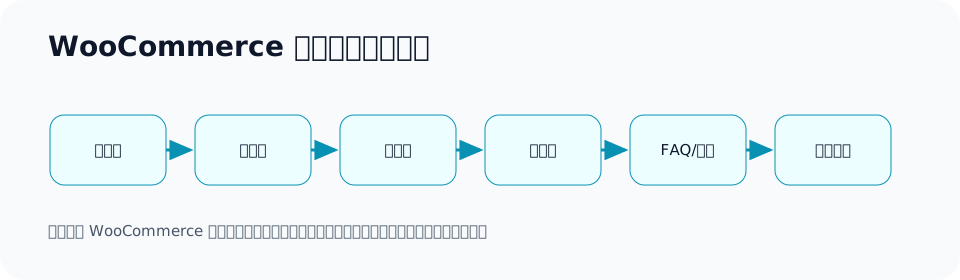
| Page type | Lead generation task | Optimization focus |
|---|---|---|
| Category page | Capture broad product terms | Product scope, model selection, applications, internal links |
| Filter page | Capture high-intent specification terms | Decide whether it is worth indexing on its own |
| Product page | Capture model numbers and specific inquiries | Specifications, applications, certifications, FAQ, form |
| Application page | Capture industry solution terms | Pain points, product combinations, purchasing advice |
| Contact page | Capture conversions | Requirement fields, attribution, response notes |
II. Benchmarking the Top Result: What Sets This Apart from Ordinary WooCommerce Tutorials
Many WooCommerce SEO tutorials cover titles, descriptions, image alt text, plugin settings and speed optimization. That information is valuable, but it is not enough for B2B export businesses. The real questions for exporters are: how should product categories be split? Should filter pages be indexed? How can a product page turn from a specification table into a purchasing page buyers can read? When English long-tail terms appear in GSC, should you add a category page, a product page or an application page?
So this article does not only cover general settings; it breaks things down by export lead generation scenario: category pages, filter pages, product pages, application pages, inquiry paths and review metrics. The goal is to help B2B products such as custom metal parts, LED flood light, packaging machine, medical probe, cnc machining parts, ceramic dinnerware and industrial valve supplier each find a WooCommerce page optimization approach that fits them.
| What ordinary tutorials usually cover | What export businesses also need | What this article adds |
|---|---|---|
| Install an SEO plugin | Page intent and product structure | Plan around product terms and purchasing scenarios |
| Fill in the title and description | Content buyers need in order to decide | Specifications, applications, FAQ, inquiry prompts |
| Optimize images | Product and scenario descriptions | File names, alt text, application images and detail images |
| Improve speed | Conversion paths and data review | GSC, GA4 and inquiry source checks |
III. How to Optimize Category Pages: More Than Just a Product List
By default, a WooCommerce category page easily turns into a product list: one title, a short description and dozens of product cards. Such a page helps buyers only a little and is not clear enough for Google. An export category page should answer: which products does this category cover? Which applications is it suited to? How do buyers choose a model? Which specifications are most common? And if they are unsure, how should they send an inquiry?
Taking LED flood light as an example, the category page can explain the power range, beam angle, IP rating, mounting method, suitable scenarios, certifications and common projects. Taking industrial valve supplier as an example, the category page should explain valve types, materials, pressure ratings, applicable media, industry applications and the parameters needed for an inquiry.
| Category page module | What to write | Example |
|---|---|---|
| Category description | Product scope and target buyers | outdoor LED flood lights for projects |
| Selection table | How to choose the key parameters | Power, color temperature, IP rating, mounting height |
| Application scenarios | Where the product is used | warehouse, stadium, parking lot |
| Internal links | Link to sub-categories and key products | high power, solar, motion sensor |
| FAQ | Common questions before purchasing | MOQ, samples, certifications, lead time |
IV. Should Filter Pages Be Indexed: First Decide Whether They Are Purchasing Terms
WooCommerce’s filtering feature generates a large number of URLs. Not every filter page should be indexed, and not every filter page should be merged into the main category. The key question is whether it corresponds to a real purchasing need. If the filter is only sorting, a price range or the number of items displayed, most have no independent search value; if the filter corresponds to a specific specification, application or model, it may be worth upgrading into its own page.
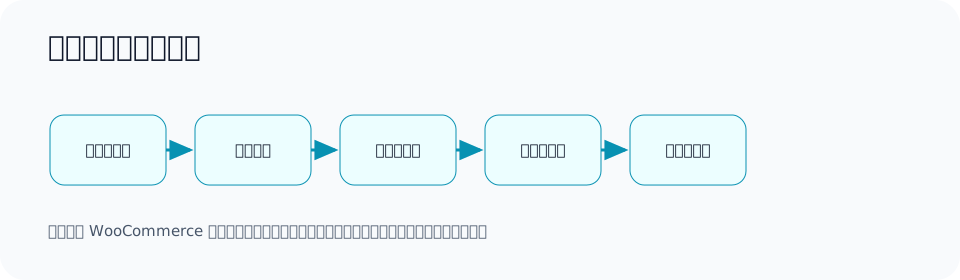
| Filter condition | Recommendation | Reason | Example |
|---|---|---|---|
| Sorting | Not recommended for indexation | Does not change search intent | ?orderby=price |
| Color | Depends on the industry | Can be kept if there is purchasing demand | black ceramic dinnerware |
| Core specifications | May deserve its own page | Buyers search for it | 4 pin waterproof connector |
| Application industry | Recommend an application page | Can capture solution terms | packaging machine for powder |
| Stock status | Usually not indexed | Status changes quickly | in stock only |
V. Product Page Optimization: From Product Details to a Purchasing Decision Page
A WooCommerce product page cannot rely only on the product title, price and specifications. B2B export purchasing usually does not mean placing an order directly; it means requesting a quote, making a sample, confirming specifications and discussing lead time. So a product page should leave buyers knowing: whether this product suits them, what information they need to provide, whether it can be customized and how to get a quote.
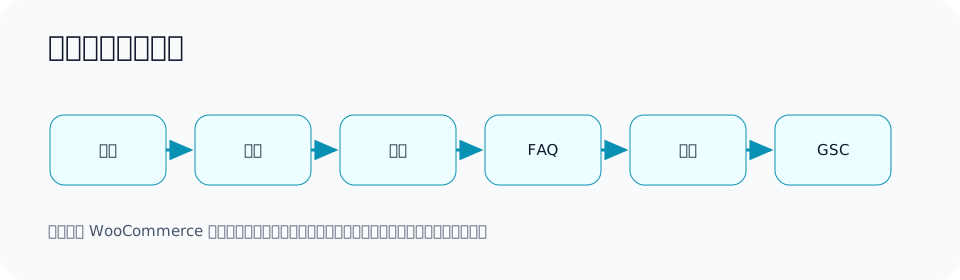
| Product page module | Purpose | Example content |
|---|---|---|
| Product overview | Quickly explain the suitable scenarios | medical probe for diagnostic equipment |
| Specification table | Help buyers choose a model | Material, dimensions, tolerance, certifications |
| Application notes | Explain where it is used | automation equipment, hospital device |
| Customization capability | Capture non-standard requirements | logo, color, material, cable length, packaging |
| FAQ | Reduce communication costs | MOQ, samples, lead time, drawing format |
| Inquiry prompt | Increase qualified inquiries | Please provide quantity, target country and specifications |
VI. Product Titles and URLs: Readable and Stable
WooCommerce product titles need to serve both buyer understanding and search intent. Do not write only an internal model number, and do not stuff in every keyword. A fairly safe structure is: core product term + key specification/application + supplier positioning or customization capability. URLs should be short, in English and stable, and should not be changed frequently.
| Weak title | Clearer title | Reason |
|---|---|---|
| Model A-25 | IP67 4 Pin Waterproof Connector for Outdoor Equipment | Buyers can understand the product and scenario |
| LED Light | Outdoor LED Flood Light for Warehouse and Parking Lot Projects | Includes product and application |
| Part 036 | Custom CNC Machining Parts for Automation Equipment | Explains customization capability and industry |
VII. How Images, Videos and Downloadable Materials Serve Lead Generation
Export product images are not just decoration. Buyers need to see the overall appearance, details, dimensions, interfaces, packaging, application scenarios and factory capability. Image file names and alt text should also describe the product, not IMG_001. Videos can show equipment operation, installation methods, testing processes and packaging and shipping. Downloadable materials can include spec sheets, selection tables, certificates or manuals, but the download entry points should work together with the inquiry path.
On a packaging machine page, for example, a video showing material feeding, measuring, sealing and finished product output is more convincing than a single equipment photo. On a custom metal parts page, detail images, inspection images and surface treatment comparison images help customers judge process capability.
VIII. WooCommerce Internal Links: Make Important Pages Discoverable
Export WooCommerce sites often have a large number of product pages, but the truly important pages do not have enough internal links. The homepage, category pages, product pages, application pages and articles should form clear paths. Internal links are not about piling up links; they tell buyers what to look at next and help search engines understand page relationships.
| Current location | Should link to | Purpose |
|---|---|---|
| Homepage | Core product categories, key applications, contact page | Distribute the main entry points |
| Category page | Sub-categories, key products, selection guide | Capture broad category terms |
| Product page | Related products, application pages, FAQ, contact page | Encourage comparison and inquiries |
| Application page | Related product combinations and solutions | Capture scenario needs |
| Tutorials/Articles | Related categories and product pages | Direct informational demand to commercial pages |
IX. Technical Checks: Speed, Indexing, Structured Data and Parameter Control
Common technical problems on WooCommerce sites include: images that are too large, too many variations slowing pages down, messy parameter URLs, duplicate titles, unclear handling of pagination and filters, and a rise in 404s after products are discontinued. The goal of a technical check is not complex configuration but ensuring important pages are accessible, crawlable, understandable and reviewable.
| Check item | How to judge | Direction of action |
|---|---|---|
| Speed | Whether category and product pages load reliably | Compress images, reduce unnecessary scripts, optimize caching |
| Indexing | Whether GSC reports duplicates or crawled but not indexed | Check content quality, canonical and internal links |
| Parameters | Whether filter and sort URLs proliferate | Separate valuable filters from noisy parameters |
| Discontinued products | Whether there are many 404s | Keep an explanation, recommend alternatives or redirect sensibly |
| Structured data | Whether product information is clear | Complete applicable information such as price, stock, ratings and FAQ |
X. GSC Review: How to Change Pages After Seeing Query Terms
WooCommerce optimization cannot rely only on pre-launch judgment. After launch, you need to look at GSC query terms and page performance. For example, if a category page gets impressions for waterproof connector for marine equipment but few clicks, the page may need more content on marine equipment applications; if a product page shows custom metal parts tolerance, buyers care about tolerance capability, so inspection and process notes can be added.
| GSC symptom | Possible cause | Optimization action |
|---|---|---|
| Impressions but low clicks | The title is not a good match or is not appealing enough | Change the title and description, add points buyers care about |
| Clicks but few inquiries | The page does not answer purchasing questions | Add specifications, applications, FAQ and form prompts |
| Scattered query terms | Page intent is too broad | Split into category, application or product pages |
| Important terms get no impressions | Missing corresponding pages or thin content | Create or strengthen pages |
| Many duplicate page warnings | Messy parameters or variations | Handle canonical, filters and sitemap |
XI. GA4 and Inquiry Sources: Judging Whether Optimization Really Adds Value
GSC tells you about search performance; GA4 and inquiry records tell you what happened after the visit. An export WooCommerce site should track product page visits, category page entrances, form submissions, WhatsApp clicks, email clicks, material downloads and target countries. Otherwise, when pages get traffic but no inquiries, the team will not know whether the problem is content, product, price or the form.
It is advisable to design inquiry form fields to better suit B2B: product name, quantity, target country, application scenario, whether customization is needed, and whether drawings or samples are available. Only then can later reviews judge which pages bring inquiries closer to real business opportunities.
XII. How to Handle Discontinued and Out-of-Stock Products
WooCommerce sites often run into discontinued products, upgraded models and temporary stock-outs. Do not simply delete all the pages. For products that still have search and after-sales value, you can keep an explanation and recommend replacement models; for pages that are permanently replaced and have no independent value, you can use a 301; for temporarily out-of-stock products, you can keep the page and explain the expected supply situation. Export purchasing cycles are long, and many customers will find you through an old model number.
| Status | Recommendation | Reason |
|---|---|---|
| Short-term stock-out | Keep the page, explain lead time or alternatives | Avoid losing potential customers |
| Model upgrade | Recommend the new model on the old page or use a 301 | Capture old search demand |
| Permanently discontinued but the documentation has value | Keep the documentation page and guide visitors to inquire | After-sales and replacement purchasing may still exist |
| Worthless duplicate products | Merge or redirect | Reduce thin pages |
XIII. Common Misconceptions
1. Thinking that uploading products equals completing SEO
Uploading products is only data entry. SEO requires page intent, content explanation, internal links, images, FAQ, speed and review.
2. Opening all filter pages to indexation
This creates a large number of thin pages. Only filter conditions with search demand, enough products and content that can be strengthened are worth upgrading into stable pages.
3. Writing only specifications on product pages
Specifications matter, but buyers also need applications, model selection, certifications, MOQ, lead time, customization and inquiry prompts.
4. Stuffing keywords into every product title
Titles should clearly express the product and scenario; keyword stuffing reduces readability and does not help long-term trust.
5. Ignoring inquiry quality
Traffic growth does not equal successful lead generation. You need to see whether inquiries come from target countries, target products and real purchasing needs.
XIV. FAQ
1. Is WooCommerce suitable for B2B export websites?
It suits many small and medium-sized export businesses, especially sites that need to manage products, categories, images and inquiries. But it should be optimized around B2B inquiry logic, not displayed only according to retail e-commerce logic.
2. If products have no prices, should we still use WooCommerce?
Yes. Many B2B websites do not display prices directly; they use product management, category structure and inquiry buttons to capture demand. The key is to let customers know how to submit specifications and quantities.
3. Should all filter pages be noindexed?
No, it should not be a blanket rule. Sorting and item counts are usually not indexed; specification filters with real search demand can be considered for upgrading into static categories or topic pages.
4. What should we do when there are many product variations?
First decide whether each variation corresponds to an independent purchasing need. Variations with no search value can be shown on the same page; variations with clear search terms and content differences can be handled on their own pages.
5. How long does WooCommerce SEO optimization take to show results?
Technical adjustments can be verified the same day, while changes in search understanding and inquiries need to be observed weekly and monthly. It is advisable to keep reviewing with GSC, GA4 and inquiry records.
6. On a new site, should category pages or product pages be optimized first?
Usually, get the core category pages and key product pages right first, then expand application pages and long-tail product pages based on GSC query terms.
XV. Final Checklist
| Check item | Passing standard | Review metric |
|---|---|---|
| Category page | Has description, selection guidance, applications, FAQ and internal links | Category page impressions and clicks |
| Filter page | Upgrade the valuable ones, control the worthless ones | Duplicate pages and crawl status |
| Product page | Complete specifications, applications, certifications, FAQ and inquiry prompts | Product page inquiries and time on page |
| Image materials | Clear file names, alt text, detail images and downloads | Image loading and material clicks |
| Internal links | Important pages reachable from the homepage, categories and articles | Entry pages and paths |
| Data | GSC, GA4, forms and inquiry sources are visible | Query terms, clicks, inquiry quality |
In the end, WooCommerce Google export lead generation optimization is not about making the product system more complex, but about making every valuable product, category and application scenario findable, understandable and open to inquiry. For exporters, that is the core of category page, filter page and product page optimization.
XVI. How Long Should Category Page Copy Be: Judge by the Purchasing Decision, Not a Fixed Word Count
The copy length of an export WooCommerce category page should be determined by product complexity and how hard the decision is for buyers. A simple standard part may be explained in a few hundred to just over a thousand words; complex equipment, custom machining and industrial components usually need more complete selection guidance, application scenarios and FAQ. Do not write nothing just to keep the category page short, and do not write empty words just to reach a word count.
For example, on a ceramic dinnerware category page, buyers care about material, glaze color, restaurant/hotel applications, dishwasher suitability, food-contact safety, packaging and breakage control. On an industrial valve supplier category page, buyers care about materials, pressure, media, connection methods, standards, lead time and testing. Both pages are called category pages, but the content depth is completely different.
| Product complexity | Category page content focus | Suggested modules |
|---|---|---|
| Simple consumer goods | Styles, materials, packaging, MOQ | Product scope, applications, FAQ, inquiry |
| Industrial parts | Materials, specifications, tolerances, applications | Selection table, process notes, quality control |
| Machinery and equipment | Capacity, materials, configuration, after-sales | Solution description, video, parameters, installation issues |
| Custom products | Customization process, samples, drawings, delivery | Process table, documentation requirements, common misconceptions |
XVII. How to Handle Product Variations: Same Page or Separate Pages
WooCommerce’s variation feature is convenient, but SEO requires caution. Color, size, length, material, interface, power and packaging method can all become variations. Whether to split them into separate pages depends on whether they represent an independent search need and purchasing decision. If it is only a color option, it can usually be shown on the same page; if a variation corresponds to a completely different application, parameters and buyer question, a separate page should be considered.
| Variation type | Recommendation | Example | Reason |
|---|---|---|---|
| Color differences | Usually show on the same page | white / black connector | If search demand is weak, there is no need to split the page |
| Core specification differences | Possibly a separate page | 4 pin / 8 pin waterproof connector | Buyers search by specification |
| Application differences | Recommend an application page or separate page | packaging machine for powder/liquid | Materials and configuration differ |
| Material differences | Depends on the industry | stainless steel / brass valve | Affects application and quotation |
| Private label customization differences | Usually make a customization capability page | private label activewear | Customers care about the process and MOQ |
After splitting pages, the differing content must be filled in. If two pages differ only in title while the images are similar and the body text is identical, Google may still see them as duplicates. Export sites need to write out the purchasing differences behind the variations: applications, parameters, materials, testing, packaging, delivery and inquiry materials.
XVIII. What to Do When There Are Too Many Product Categories: Keep the Levels Buyers Understand First
Many WooCommerce sites have a messy category hierarchy: some categories are split by product model, some by material, some by application and some by internal series. Buyers do not know where to click, and Google struggles to understand which categories matter most. It is advisable to start the category structure from the dimensions buyers search by and understand, then supplement other dimensions with attributes, filters or application pages.
| Category dimension | Suitable situation | Risk | Recommendation |
|---|---|---|---|
| By broad product type | Most export websites | Too broad to capture long-tail terms | Use as a top-level category |
| By application industry | Product uses differ clearly | Mixing with product categories creates confusion | Make industry application pages |
| By material | Material affects the purchasing decision | Thin if there is no search demand | Make filter or topic pages |
| By internal model | When customers are familiar with the model | New customers cannot understand it | Put it on the product page or in a model index |
For example, on a cnc machining parts website, top-level categories can be organized by material or process, but application industry also matters. A more stable approach is: product categories capture CNC machining parts, aluminum machining parts and stainless steel machining parts, while application pages capture scenarios such as medical device parts, automation equipment parts and automotive components.
XIX. WooCommerce On-Site Search Data Also Matters
Besides GSC, on-site search terms are also valuable. If overseas buyers frequently search for a specification, model or application after entering the site, the navigation or page content may not be clear enough. WooCommerce on-site search data can help decide whether to add categories, adjust product naming, add FAQ or optimize filters.
| On-site search symptom | What it indicates | Optimization action |
|---|---|---|
| Frequent searches for a model | Product entry points are not obvious | Strengthen category pages and internal links |
| Frequent searches for application scenarios | Missing application pages | Add industry/application solutions |
| No results after searching | Naming does not match how buyers speak | Add synonyms, adjust titles |
| Searches do not lead to inquiries | Product pages are not persuasive enough | Add parameters, FAQ, CTA |
XX. WooCommerce Optimization Examples for Different Product Lines
The following export product lines show how to put this into practice rather than staying at the settings level.
| Product line | Category page | Filter/Topic page | Product page focus |
|---|---|---|---|
| custom metal parts | Categorize by material, process and application | aluminum, stainless steel, surface finish | Drawings, tolerances, equipment, inspection, samples |
| LED flood light | Categorize by power and application | stadium, warehouse, parking lot | Power, luminous efficacy, IP rating, certifications, installation |
| packaging machine | Categorize by material and packaging format | powder, granule, liquid, food | Capacity, video, configuration, after-sales, sample testing |
| medical probe | Categorize by use and interface | diagnostic equipment, sensor type | Materials, precision, sterilization, quality control |
| ceramic dinnerware | Categorize by series and application | hotel, restaurant, custom logo | Glaze color, packaging, food safety, breakage control |
XXI. How to Write a Product Page FAQ That Is Actually Useful
A FAQ is not just a few random questions; it is putting the questions sales keeps answering onto the page. Common FAQ topics for B2B export products include MOQ, samples, lead time, certifications, packaging, customization, drawing formats, quality inspection, payment and shipping. The purpose of a FAQ is to help buyers decide more quickly whether to keep inquiring and to let the page cover more real purchasing questions.
| FAQ type | Example question | Suitable products |
|---|---|---|
| Specifications | Can you customize the cable length? | waterproof connector |
| Certifications | Do you provide CE or RoHS documents? | LED flood light |
| Samples | Can we test one set before bulk order? | packaging machine |
| Drawings | Which drawing format do you accept? | custom metal parts |
| Packaging | Can you support private label packaging? | activewear, dinnerware |
XXII. Looking at WooCommerce Product Pages as Ad Landing Pages
Many export businesses send Google Ads or social media ads directly to WooCommerce product pages. If the product page has only product information, ad clicks may be wasted. A product page suitable as a landing page needs clear selling points, application scenarios, trust proof, FAQ, a form and entry points to related products. Otherwise, customers finish reading and still do not know why they should contact you.
For example, when advertising private label activewear manufacturer, the landing page cannot just show a few garments; it should explain fabrics, sizes, logo techniques, packaging, MOQ, sampling, lead time, quality inspection and target market support. Ads bring high-cost visits, so the page must take on a stronger decision and conversion role.
XXIII. How SEO Relates to Inventory, Price and Ordering Features
A B2B export WooCommerce site does not have to display prices or open direct ordering. Many products need to be quoted by specification, quantity, material and destination country. The point of SEO optimization is not that you must have a retail-style shopping cart, but that pages clearly express the product and guide visitors toward an inquiry. If showing a price would mislead customers, you can use an inquiry button, a quote form or a “request a quote” flow.
| Business model | Price display recommendation | Conversion method |
|---|---|---|
| Standard small items | Can show a range or a minimum order note | Request a quote or place a small order |
| Industrial customization | Usually not shown as a fixed price | Submit drawings and quantity for a quote |
| Machinery and equipment | Quote by configuration | Submit material and capacity requirements |
| Private label customization | Quote by MOQ and packaging | Submit style, fabric and logo requirements |
XXIV. Monthly Optimization Rhythm After Launch
After an export WooCommerce site goes live, optimization can proceed in small monthly steps rather than one big overhaul. In the first month, look at crawling, indexing, speed and forms; in the second month, look at GSC query terms and category page performance; in the third month, look at product page inquiries and application page opportunities; after that, keep adding pages based on high-intent query terms and sales feedback.
| Month | Review focus | Output action |
|---|---|---|
| Month 1 | Technical and indexing foundation | Fix indexing, speed, forms and sitemap |
| Month 2 | Query terms and category pages | Optimize titles, add category descriptions, adjust internal links |
| Month 3 | Product pages and inquiries | Add FAQ, applications and form fields |
| Month 4 onward | Application pages and topic pages | Expand high-value long-tail pages |
XXV. Conclusion: The Core of WooCommerce Optimization Is Turning the Product System into a Lead Generation System
WooCommerce’s strength is convenient product management, but export lead generation needs more than product management. Category pages must carry broad category terms and model selection tasks, filter pages must separate real purchasing needs from noisy parameters, product pages must answer buyers’ purchasing questions, application pages must capture industry scenarios, and data reviews must tell the team where to optimize next.
If your WooCommerce site currently has only product lists and simple details, that does not mean it has no value; it means there is still a lot of room for optimization. Start with core categories, key products, real inquiry questions and GSC query terms, and step by step turn the pages into lead generation assets that overseas buyers can understand, search engines can read and the sales team can review.
Official Sources and the Boundaries of WooCommerce Export Lead Generation
When using WooCommerce for Google export lead generation, the point is not how many plugins are installed, but whether category pages, product pages, structured data, indexing entry points and inquiry events can be connected. When product page information is incomplete, SEO can hardly fill in the facts on behalf of the business.
| Module | Official source | WooCommerce checkpoint | Boundary |
|---|---|---|---|
| Product structured data | Product structured data | name, image, description, offers, SKU, brand, price/inventory strategy | Structured data cannot replace real product information |
| Product snippet display | Product snippet structured data | Whether single product pages, variation pages and review/offer fields are suitable | Rich result display is decided by the system |
| Merchant listings | Merchant listing structured data | Fields such as price, stock and returns suitable for purchasable products | B2B inquiry-based products may not suit all fields |
| Canonical URL | Canonical URL methods | Canonical relationships among filter, sort, variation and parameter pages | Do not use canonical to arbitrarily merge different search intents |
| Search performance | Search Console Performance report | Look at query/page performance separately for category and product pages | Do not write a product page visit as a confirmed inquiry |
WooCommerce Page Responsibility Table
| Page type | What it handles | What information to add first |
|---|---|---|
| Category page | Handles product families, application scenarios, specification ranges and internal links | Product family description, representative models, application industries, FAQ |
| Product page | Handles specific models, parameters, images, certifications and inquiry actions | Specification table, MOQ, packaging, lead time, downloadable materials |
| Filter page | Only open combinations that have independent search demand | First decide whether there is independent content and a canonical URL |
| Review page | Records GSC, GA4 and inquiry paths | Set up events, page actions and review dates |
Continue Reading This SEO Series
If you are systematically working through export website SEO, it is worth continuing with the articles below. First clarify the relationships among crawling, indexing, content, links and review, then decide which page to change next.
- What Shopify Google export lead generation optimization includes: collection pages, product pages, speed and content division of work
- What a Google website diagnosis service includes: a guide to technical, content, indexing and GSC diagnosis
- How to do WordPress SEO: a guide to indexing, speed and content structure optimization for export websites
- How to do e-commerce SEO: how category pages, product pages, filter pages and content pages divide work on export websites
- How to do product page SEO: a guide to titles, FAQ, Schema and internal link optimization for export product pages
- How to do local SEO: a guide to Google Business Profile, reviews, NAP and local pages
{
“@context”: “https://schema.org”,
“@type”: “FAQPage”,
“mainEntity”: [
{
“@type”: “Question”,
“name”: “1. Is WooCommerce suitable for B2B export websites?”,
“acceptedAnswer”: {
“@type”: “Answer”,
“text”: “It suits many small and medium-sized export businesses, especially sites that need to manage products, categories, images and inquiries. But it should be optimized around B2B inquiry logic, not displayed only according to retail e-commerce logic.”
}
},
{
“@type”: “Question”,
“name”: “2. If products have no prices, should we still use WooCommerce?”,
“acceptedAnswer”: {
“@type”: “Answer”,
“text”: “Yes. Many B2B websites do not display prices directly; they use product management, category structure and inquiry buttons to capture demand. The key is to let customers know how to submit specifications and quantities.”
}
},
{
“@type”: “Question”,
“name”: “3. Should all filter pages be noindexed?”,
“acceptedAnswer”: {
“@type”: “Answer”,
“text”: “No, it should not be a blanket rule. Sorting and item counts are usually not indexed; specification filters with real search demand can be considered for upgrading into static categories or topic pages.”
}
},
{
“@type”: “Question”,
“name”: “4. What should we do when there are many product variations?”,
“acceptedAnswer”: {
“@type”: “Answer”,
“text”: “First decide whether each variation corresponds to an independent purchasing need. Variations with no search value can be shown on the same page; variations with clear search terms and content differences can be handled on their own pages.”
}
},
{
“@type”: “Question”,
“name”: “5. How long does WooCommerce SEO optimization take to show results?”,
“acceptedAnswer”: {
“@type”: “Answer”,
“text”: “Technical adjustments can be verified the same day, while changes in search understanding and inquiries need to be observed weekly and monthly. It is advisable to keep reviewing with GSC, GA4 and inquiry records.”
}
}
]
}
This page is machine-translated from the Simplified Chinese version and awaiting human review. It has not yet been proofread.