WordPress SEO is not over once you “install an SEO plugin.” For Chinese export manufacturers and trading companies, what really affects Google lead generation is whether the English website can be crawled consistently by Google, whether core category and product pages match procurement search intent, whether mobile speed drags down the experience, whether the content structure helps buyers make quick judgments, and whether GSC, GA4, and inquiry sources can later be used for review.
If your website sells custom metal parts, LED flood light, packaging machine, medical probe, cnc machining parts, ceramic dinnerware, waterproof connector, industrial valve supplier, or private label activewear manufacturer, the point of WordPress SEO is not turning every article’s indicator green, but giving product terms, category terms, application-scenario terms, resource terms, and inquiry terms their own suitable pages to capture.
This guide follows the actual optimization order for an export WordPress site: first sort out indexing and basic settings, then look at page roles, then handle titles, descriptions, Schema, images, speed, internal links, and review. You can treat it as an SEO health-check checklist for an export WordPress website, rather than a tutorial for one single feature setting.
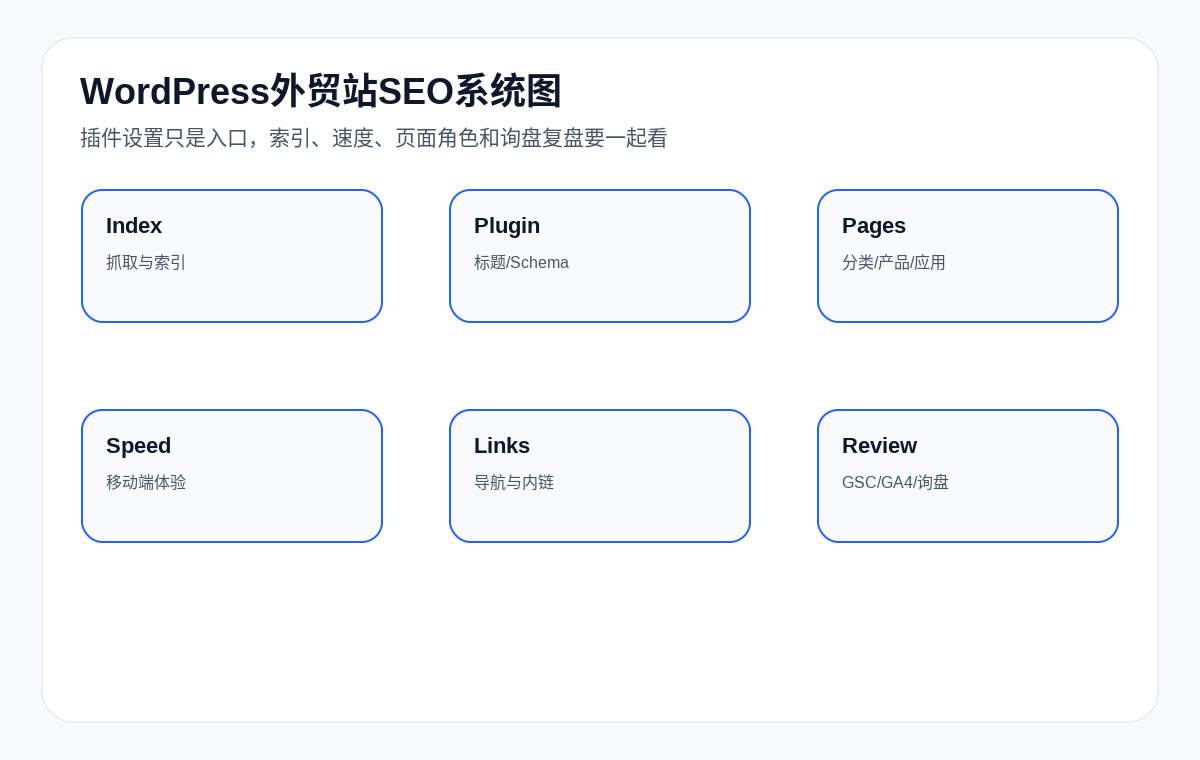
Start with search intent: what users searching WordPress SEO actually want to solve
The search intent behind “WordPress SEO” usually falls into three categories. The first is people who have just built a WordPress site and do not know what to set up first among permalinks, sitemap, robots, noindex, SEO plugins, and Search Console; the second is sites that are already online but have indexing and ranking problems on category pages, product pages, or article pages; the third is export companies that already have an English site and want to know whether WordPress can support long-term lead generation, and whether to fix speed, content, or structure first.
In current Google results, WPBeginner’s WordPress SEO beginner’s guide, Rank Math’s WordPress SEO guide, Yoast’s WordPress SEO documentation, Google Search Central’s SEO Starter Guide, and the product structured data documentation cover basic settings, plugin configuration, site structure, content quality, and structured data respectively. Their strength is that they are complete and clearly step-by-step, suitable for beginners; their shortcoming is that most are aimed at general blogs, news sites, or local businesses, and few explain in depth how category pages, product pages, application pages, resource download pages, and inquiry pages should divide work on an export B2B site.
So this article will not just repeat “install a plugin, write a title, submit a sitemap.” We place WordPress SEO inside the export lead-generation chain: a buyer searches an English product term on Google, lands on a category page or article page, continues to check specifications, certifications, cases, and resources, and finally submits a sample, quote, or custom requirement. Whether optimization works depends on whether this chain becomes clearer, faster, and more trustworthy.
Common WordPress SEO queries and search intent judgment
| Query | Real user question | How this article addresses it | Writing reminder |
|---|---|---|---|
| WordPress SEO | Wants a complete method | Give the system framework first, then the setup order and checklist | Do not only discuss one plugin feature |
| WordPress SEO checklist | Wants to check item by item | Provide an actionable checklist and review metrics | Each item must explain how to judge the result |
| WordPress SEO plugin settings | Wants to configure Rank Math/Yoast | Explain titles, descriptions, sitemap, Schema, and breadcrumbs clearly | Emphasize that the plugin is not the optimization itself |
| WordPress SEO for ecommerce | Wants to optimize products/categories | Address product pages, category pages, images, and structured data | Suitable for export B2B and B2B2C scenarios |
| WordPress SEO speed | Worried that speed affects indexing and inquiries | Diagnose with Core Web Vitals, images, and caching | Do not chase scores only |
Step 1: First confirm that the WordPress site can be discovered and indexed by Google normally
The most common low-level problem on export websites is discussing keyword difficulty, article length, or backlinks before the content has entered the effective index. After a WordPress site goes live, is redesigned, changes theme, migrates servers, or adjusts a multilingual plugin, an indexing check should come first. This is especially true for B2B export sites: once category pages and product pages are mistakenly blocked, buyers searching industrial valve supplier or custom metal parts manufacturer will have a hard time finding the official site.
Fix the check order: first site visibility, then robots.txt, then the XML sitemap, then whether important pages are selected by Google as the canonical version, and finally the indexing report in Search Console. Do not rewrite content immediately just because a page has no ranking; many times the problem lies in crawling, canonical URLs, or confused page roles.
WordPress indexing basic settings checklist
| Check item | How to check | Export site scenario | Risk reminder |
|---|---|---|---|
| Search engine visibility | Check whether WordPress reading settings allow search engine indexing | Before and after a new site goes live, after a redesign | A wrong checkbox can keep the whole site out of the index for a long time |
| Permalinks | Prefer short, readable, stable English URLs | /cnc-machining-parts/ | Do not change URLs frequently after launch |
| Sitemap | Confirm whether posts, pages, products, categories, etc. enter the XML sitemap as needed | Submit to Google Search Console | Do not include all low-value tag pages |
| robots.txt | Block only worthless crawling, not core content and resources | Allow CSS/JS/images to be crawled | Do not use Disallow to solve duplicate content |
| Canonical | Similar or parameter pages should point to the main version | The same product with different filter parameters | Misuse can prevent important pages from being selected |
| noindex | Use for pages with no search value, not for pages you cannot be bothered to optimize | Internal search results, temporary pages | Core category pages must not be noindexed casually |
| HTTPS | Use a secure connection site-wide and avoid mixed content | Inquiry forms, resource download pages | Both trust and browser experience are affected |
If a new export site has just launched, submit the homepage, core category pages, 3 to 5 key product pages, 2 to 3 application pages, and several high-value guide pages to GSC first, and use the URL inspection tool to confirm whether they are crawlable and indexable. Do not push a large number of low-value tags, test pages, and duplicate archive pages to Google all at once.
Step 2: Clarify page roles so that not all pages compete for the same term
WordPress makes it very easy to create posts, categories, tags, pages, and extended product content. That freedom is an advantage, but without page-role planning it also causes keyword cannibalization. For example, if a website has an “LED flood light supplier” category page, a “best LED flood light supplier” article page, and an “LED flood light manufacturer” homepage section that all target the same group of terms, Google has a harder time deciding which page is most suitable for buyers.
Export companies are better off dividing work by “procurement intent—page type”: category pages capture product family and supplier terms, product pages capture specification and model terms, application pages capture industry scenario terms, article pages capture question and comparison terms, resource pages capture datasheet, catalog, manual and other resource terms, and inquiry pages capture quote, sample, custom, OEM and other conversion terms.
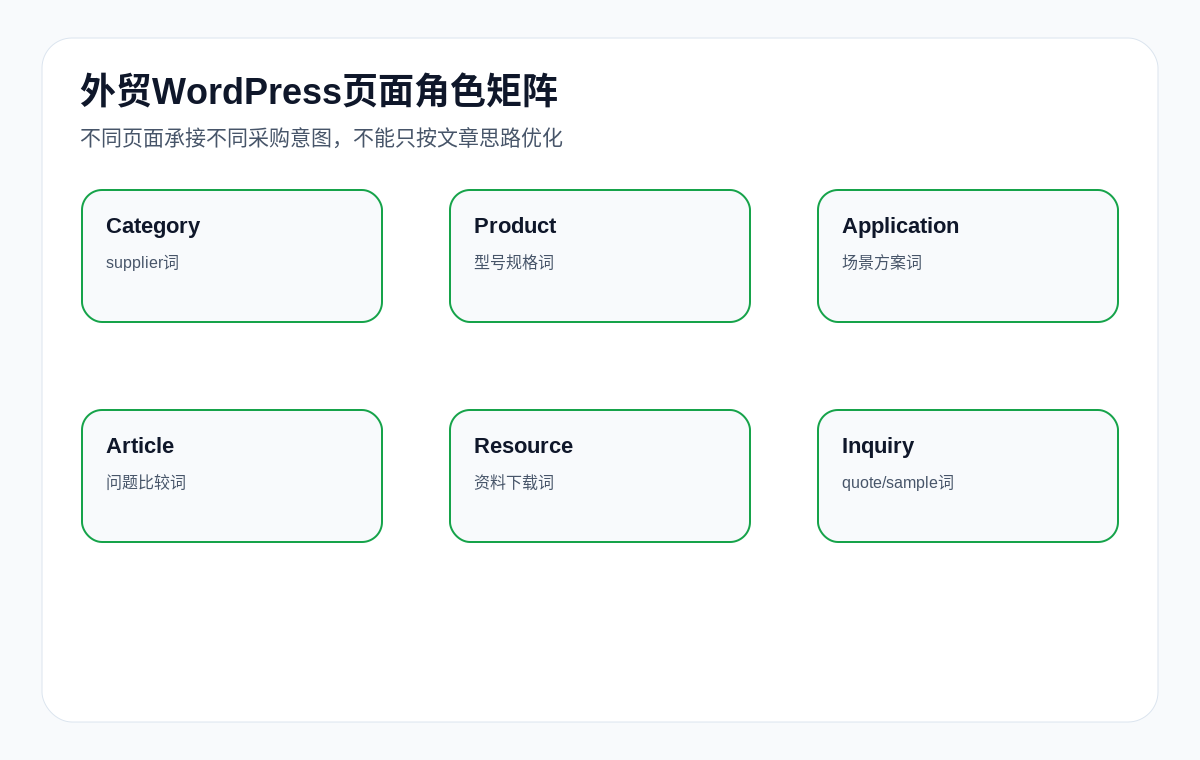
Export WordPress site page role matrix
| Page type | Main intent captured | Example English product term | Optimization focus |
|---|---|---|---|
| Homepage | Brand and core business | custom metal parts manufacturer | Explain capability boundaries, industries, product entry points, and trust information |
| Category page | Product family and procurement terms | LED flood light supplier | Product range, filtering, parameter summary, application entry points |
| Product page | Models, specifications, customization, certification | M12 waterproof connector IP67 | Parameter table, drawings, materials, MOQ, FAQ, inquiry entry |
| Application page | Industry or scenario solutions | packaging machine for food factory | Scenario problems, recommended products, selection basis, case boundaries |
| Article page | Questions, comparisons, tutorials, standards | how to choose cnc machining parts supplier | Judgment criteria, steps, pitfalls, internal links to categories and products |
| Resource page | catalog, datasheet, manual | medical probe datasheet | Resource description, applicable models, next step after download |
| Inquiry page | quote, sample, OEM | custom metal parts quote | Clear fields, delivery explanation, boundaries for samples and quotes |
Step 3: How to use an SEO plugin — serve page roles first, then page scores
Rank Math, Yoast, or other SEO tools can help generate sitemaps, edit titles and descriptions, set canonical tags, output Schema, and manage breadcrumbs and Open Graph. But they cannot judge buyer intent for you, nor can they automatically make weak content strong. When an export site uses an SEO tool, first ask what task the page must accomplish, then fill in the settings.
Take a waterproof connector product page as an example. The title should immediately let buyers know the specification range, application environment, or supply capability; the description should explain which parameters and customization information can be seen; the FAQ should answer MOQ, samples, certifications, wire gauge, IP rating, and lead time; and the Product Schema should only reflect information actually displayed on the page. Do not write nonexistent ratings, stock, or prices just to look rich.
Common SEO plugin features and correct usage for export sites
| Feature | Correct use | Export English example | What to avoid |
|---|---|---|---|
| Title | Explain the page role and core procurement term | LED Flood Light Manufacturer | IP65 Outdoor Lighting | Do not stuff multiple unrelated keywords into one title |
| Meta description | Explain what buyers can get | View wattage, beam angle, housing, certification and custom options | It is not a ranking promise, but a reason to click |
| Schema | Help understand entities and page types | Product, FAQ, Breadcrumb, Organization | Do not force information that the content does not show into structured data |
| Sitemap | Let Google discover important URLs | Categories, products, articles, resource pages | Do not submit all low-value tag pages |
| Breadcrumb | Make the hierarchy clearer | Home > Products > Waterproof Connector | The hierarchy must match real navigation |
| Open Graph | Improve sharing display | Industry articles, product guides | Not core to SEO, but helps consistency when shared |
Many companies agonize over whether Rank Math or Yoast is better. A more realistic judgment is: can the team consistently maintain titles, descriptions, sitemap, Schema, and breadcrumbs; does it avoid opening several similar tools at once; and does it check the front-end display every time products, categories, and articles are updated. Tool choice matters, but more important than the tool is whether the page itself solves a procurement problem.
Step 4: Permalinks and URL structure should be stable, short, and readable
WordPress default URLs are not necessarily suitable for export SEO. English export sites should keep URLs as short, readable, and stable as possible, preferring English product terms and page roles over Chinese pinyin, dates, overly long directories, or meaningless numbers. For example, /products/waterproof-connector/ is usually more suitable for capturing a core category or product family than /2026/05/what-is-waterproof-connector-product-page-guide/.
If the website has been online for a long time, do not change URLs casually just to make them “look better.” First export the pages with current organic traffic, pages with backlinks, inquiry entry pages, and indexed pages, and confirm which URLs must stay, which can use 301 redirects, and which only need title and body changes. URL structure changes are high-risk actions and must be evaluated first.
Export WordPress URL structure decision table
| URL type | Suitable scenario | Example | Notes |
|---|---|---|---|
| Short product family URL | Core category or product family | /led-flood-light/ | Stability first; avoid frequent changes |
| Product detail URL | Specific model or specification | /waterproof-connector/m12-ip67/ | Model changes need version management |
| Application scenario URL | Industry or use | /applications/packaging-machine-food-factory/ | Can link to related products |
| Resource URL | catalog or datasheet | /resources/medical-probe-datasheet/ | Resource pages must state the scope of application |
| Article URL | Tutorials, comparisons, selection | /how-to-choose-cnc-machining-parts-supplier/ | Do not stuff too many stop words |
Step 5: A category page is not just a list page; it must support procurement judgment
Many WordPress export category pages are just a list of product cards, with no text descriptions, filtering logic, application entry points, or procurement FAQ. For Google and buyers, such pages have a hard time proving they are more valuable than competitors. A strong category page should at least answer: which models does this product family include? Which industries is it mainly used in? Which parameters should be examined when purchasing? What customization can we provide? Should the next step be products, resources, or an inquiry?
For example, an LED flood light supplier category page should not only have product images and titles; it should also explain power range, luminous efficacy, color temperature, IP rating, installation method, certification, housing material, and common applications; a ceramic dinnerware manufacturer category page should emphasize material, glaze, craftsmanship, set combinations, packaging, food-contact standards, and OEM capability.
Suggested content modules for category pages
| Module | Question to answer | Example | SEO value |
|---|---|---|---|
| Product family overview | What products this category covers | LED flood light 30W-300W outdoor series | Let Google understand the topic boundary |
| Parameter summary | Which parameters buyers look at first | wattage, lumen, beam angle, IP rating | Improve selection efficiency |
| Application entry | Which scenarios it suits | warehouse, stadium, parking lot | Capture scenario terms |
| Product filtering | How to narrow the choice | Filter by wattage, housing, certification | Improve experience and conversion |
| FAQ | What is commonly asked before purchase | MOQ, sample, lead time, custom logo | Cover long-tail questions |
| Internal links | Where to go next | Product pages, application pages, resource pages, inquiry pages | Pass relevance and the conversion path |
Step 6: Product pages should reduce procurement communication costs, not just show images
The SEO value of an export product page is not just ranking. It also determines whether buyers are willing to send an inquiry, whether the inquiry is effective, and whether salespeople need to repeatedly explain basic parameters. A good product page should let buyers quickly judge: whether it meets specifications, whether it can be customized, whether it has certifications, whether it suits their application scenario, and whether it is worth requesting a sample or quote.
Take cnc machining parts as an example: the product page should show materials, precision, tolerances, surface treatment, equipment capability, drawing formats, inspection methods, MOQ, and lead time; for medical probe, it should also emphasize compatible models, material safety, sterilization or packaging requirements, applicable equipment, quality standards, and resource downloads.
Product page SEO and inquiry quality checklist
| Module | Content to include | Procurement value | Review metric |
|---|---|---|---|
| Title/H1 | Product name, specification, or core selling point | Quickly confirm the page topic | Whether it matches target GSC queries |
| Parameter table | Dimensions, material, certification, model, customization items | Reduce inefficient communication | Whether inquiries contain clear specifications |
| Images/drawings | Multi-angle images, application images, dimension drawings | Build trust and understanding | Image search and dwell performance |
| Application description | Applicable industries, environments, equipment | Connect scenario terms | Application page clicks and internal link clicks |
| FAQ | MOQ, samples, lead time, certification, packaging | Address procurement concerns | Browsing depth before form submission |
| CTA | Get a quote, sample, drawing confirmation | Drive conversion | Inquiry rate and inquiry quality |
Step 7: Article content should lead technical questions toward products and the inquiry path
WordPress is well suited to publishing articles continuously, but an export site should not write articles just for the sake of updating. Every article should serve a procurement question and link naturally to the relevant category page, product page, application page, or resource page. For example, “how to choose a packaging machine supplier” can explain selection criteria, factory audits, capacity, after-sales service, spare parts, certification, and sample testing, and finally link to the packaging equipment category, the food industry application page, and the inquiry page.
If an article only discusses general concepts and links to no business pages, it will be hard to generate effective inquiries even if it gains traffic. Conversely, an article built around custom metal parts tolerance guide, if it can explain tolerance grades, material selection, surface treatment, drawing requirements, quoting materials, and quality inspection methods, can help SEO, sales, and procurement communication at the same time.
If a WordPress article already has a title, body, and tables, yet remains stuck at “Discovered – currently not indexed” for a long time, do not just keep adding more articles. First put it back into a content quality diagnosis: does the page lack independent judgment, is it merely restating general concepts in different words, does it lack enough business support roles. For this diagnosis you can refer to the low-value page diagnostic guide, judging together with coverage status, page roles, and body evidence.
Export WordPress article topic and internal link planning table
| Article type | Target query | Where to link | Success signal |
|---|---|---|---|
| Selection guide | how to choose waterproof connector | Connector category, specific models, inquiry page | Increased impressions for target terms and product page clicks |
| Comparison article | aluminum vs stainless steel custom parts | Related material product pages, machining capability page | Longer buyer dwell time and more specific inquiries |
| Standard explanation | IP65 vs IP67 LED flood light | Lighting category, certification resource page | Long-tail queries and FAQ clicks |
| Application guide | packaging machine for frozen food | Application page, recommended products, inquiry page | Application terms entering GSC |
| Resource explanation | medical probe datasheet explained | Resource download page, product page | Improved downloads and inquiry quality |
Step 8: Image SEO should balance clarity, speed, and semantics
Export product images are not decoration. Product images, application images, structural drawings, dimension drawings, certification images, and packaging images all affect whether buyers trust the page. WordPress image optimization should not just chase the smallest possible file; it should balance clarity, loading speed, and understandability. If product details cannot be seen clearly, a high compression score is meaningless.
Use readable English filenames for images, for example m12-waterproof-connector-ip67-front-view.webp, and write alt text that describes the image content instead of stuffing keywords, for example “IP67 M12 waterproof connector front view with threaded shell”. Category pages can use scenario images to help buyers understand the application, while product pages should have detail images and dimension drawings.
WordPress export site image optimization table
| Image type | Filename suggestion | Alt text style | Optimization focus |
|---|---|---|---|
| Main product image | product-name-main-view.webp | Describe the product front and key features | Clear, clean background, appropriate size |
| Detail image | waterproof-connector-pin-detail.webp | Describe pins, interface, or material details | Do not over-compress |
| Application image | led-flood-light-warehouse.webp | Describe the usage scenario | Connect application terms |
| Dimension drawing | cnc-part-drawing-dimensions.webp | Describe dimensions or drawing information | Convenient for procurement judgment |
| Packaging image | ceramic-dinnerware-export-packaging.webp | Describe the export packaging method | Increase trust |
Step 9: Speed optimization should start from the procurement path, not just tool scores
Google emphasizes page experience and Core Web Vitals, but when an export site optimizes speed, it should not stare only at a single test score. More important is whether the mobile procurement path is smooth: can the category page show the product range quickly, can the product page open images and parameters, can the inquiry form respond quickly, and can the resource page download normally.
WordPress speed problems often come from heavyweight themes, too many front-end scripts, uncompressed images, low-performance hosting, forms or animations loaded site-wide, and improper caching configuration. Optimize the most important pages first: homepage, core category pages, key product pages, application pages, and inquiry pages. Do not sacrifice the stability of core conversion pages for a low-value article page.
Core Web Vitals and WordPress export site diagnostic table
| Problem | Common cause | Direction | Verification method |
|---|---|---|---|
| Slow LCP | Large above-the-fold image, server response, font blocking | Compress the above-the-fold image, cache, reduce blocking resources | Check PageSpeed and real mobile loading |
| Poor INP | Too many scripts, heavy form or popup interactions | Reduce site-wide scripts, delay non-critical features | Check mobile menu clicks and form response |
| High CLS | Images without dimensions, ad/form shifts, font swaps | Set image dimensions, avoid lazy-loading key above-the-fold images | Check whether the layout jumps as the page opens |
| Images too large | Uploading original product images directly | Generate WebP/AVIF while keeping necessary clarity | Check whether product details are still clear |
| Plugins too heavy | Loading unnecessary features on every page | Disable irrelevant modules, load resources per page | Check whether core page speed and functionality are normal |
Step 10: Structured data must be true; do not fabricate ratings, stock, or prices
Structured data can help search engines understand the organization, breadcrumbs, products, FAQ, and articles, but it is not a cheating entry point. Export B2B websites often do not have public prices, stock, or ratings, and in that case you should not fabricate them to enrich results. A safer approach is to let the page body fully present product parameters, certifications, applications, and FAQ, and to use structured data consistent with the page content.
For B2B pages such as industrial valve supplier or private label activewear manufacturer, Product Schema can include real information such as name, image, description, SKU or model, brand, and category; FAQ Schema is only used for FAQ visible on the page; Breadcrumb Schema must match the real navigation hierarchy.
Common Schema types for export WordPress
| Schema type | Suitable page | Purpose | Risk reminder |
|---|---|---|---|
| Organization | Brand, official website, Logo, contact information | Official site entity identification | Company information must be consistent |
| BreadcrumbList | Page hierarchy | Category pages, product pages, article pages | Hierarchy consistent with navigation |
| Product | Product name, image, description, SKU, brand, quoting method | Product pages | If there is no price, handle it carefully; do not fabricate stock or ratings |
| FAQPage | FAQ visible on the page | Product pages, tutorial pages, application pages | FAQ must be visible in the body |
| Article | Author, publish time, modified time, title | Tutorial articles | The update time must match the actual update |
Step 11: Design internal links around the procurement path, not just related articles
WordPress default related articles, categories, and tags are not the same as high-quality internal links. Internal links on an export website should help buyers move from a question to a solution, from a solution to a product, and from a product to resources and an inquiry. For example, an article on “how to choose waterproof connector” should link to the waterproof connector category page, M8/M12/M16 product pages, application scenario pages, IP rating explanation, and inquiry page.
Internal link anchor text should naturally describe the next step, not mechanically repeat the exact same keyword. You can use expressions closer to procurement actions, such as “view the M12 waterproof connector specification range,” “compare IP65 and IP67 connector application differences,” or “submit drawings to confirm a custom metal parts quote.”
Export WordPress internal link path table
| Current page | Next page | Anchor text example | Purpose |
|---|---|---|---|
| Problem article | Category page | View the waterproof connector product range | Direct informational traffic to the product family |
| Category page | Product page | Compare M12 IP67 connector specifications | Help buyers narrow choices |
| Product page | Resource page | Download the medical probe datasheet | Reduce technical communication costs |
| Application page | Recommended products | Connector solutions for packaging machines | Connect scenarios and products |
| Article page | Inquiry page | Submit custom metal parts drawings to confirm a quote | Drive effective inquiries |
Step 12: Multilingual and regional versions must avoid cannibalizing each other
Many export WordPress sites create English, Chinese, Spanish, German, or other language versions. Multilingual is not simply copying pages and translating titles. Each language version needs a clear URL, hreflang, canonical, and content localization strategy. Otherwise Google may treat pages in different languages and regions as duplicates or display the wrong version.
If the target market is mainly European and American buyers, English pages should first satisfy English search intent; Chinese pages can serve domestic brand trust or team introduction, but do not let Chinese pages compete with English pages for the same English procurement term. Product names, specifications, certifications, and resources can stay consistent, while sales wording, FAQ, and case boundaries should be adjusted to the market.
Multilingual WordPress SEO checklist
| Check item | Correct practice | Common mistake | Verification method |
|---|---|---|---|
| URL structure | /en/, /de/, or subdomains are clear | Languages mixed in the same URL | Crawl sample pages |
| hreflang | Language and region correspond | Missing return tags | Check with tools or source code |
| canonical | Point to the main version in the same language | All pointing to the English page | Check canonical URLs in GSC |
| Content localization | Adjust FAQ and wording by market | Machine translation without adapting scenarios | Manually spot-check key pages |
| Internal links | Prioritize same-language internal links | English pages linking heavily to Chinese pages | Check navigation and body links |
Step 13: WooCommerce or a product plugin is not mandatory, but product management must be clear
Some export B2B sites use WooCommerce to manage products, while others use regular pages or custom post types. There is no absolute answer in SEO. The key is whether products have stable URLs, clear categories, maintainable parameters, sitemap output, editable titles and descriptions, Schema support, and arranged internal links and inquiry entries. If there are many products, many parameters, and complex categories, structured product management is usually more stable; if it is just a small capability showcase, regular pages are fine.
Do not force public prices, a shopping cart, and stock just to “look like ecommerce.” Common conversions on B2B export sites are RFQs, samples, drawing confirmation, catalog downloads, WhatsApp communication, and email inquiries. The page structure should be designed around the real transaction path.
Product management approach selection table
| Approach | Suitable situation | Advantage | Notes |
|---|---|---|---|
| Regular pages | Few products, mainly showcase | Flexible and simple | Parameter updates easily become inconsistent |
| Custom post type | Moderate number of products, fixed fields | Clear structure, extensible | Requires technical maintenance |
| WooCommerce | Many SKUs, many categories, many variants | Mature product management | The B2B conversion path needs adjustment |
| Resource library with product pages | Many datasheets/catalogs | Supports procurement judgment | Resource pages must link back to products |
Step 14: Look at GSC, GA4, and inquiry data together
WordPress SEO does not end after publishing. You need to regularly check whether pages are discovered, whether queries match expectations, whether clicks are growing, whether the visit path enters products and inquiries, and whether inquiry content is more specific. Looking only at rankings leads to misjudgment, and looking only at traffic also leads to misjudgment. Export websites ultimately need to see whether search visibility helps sales obtain clearer procurement requirements.
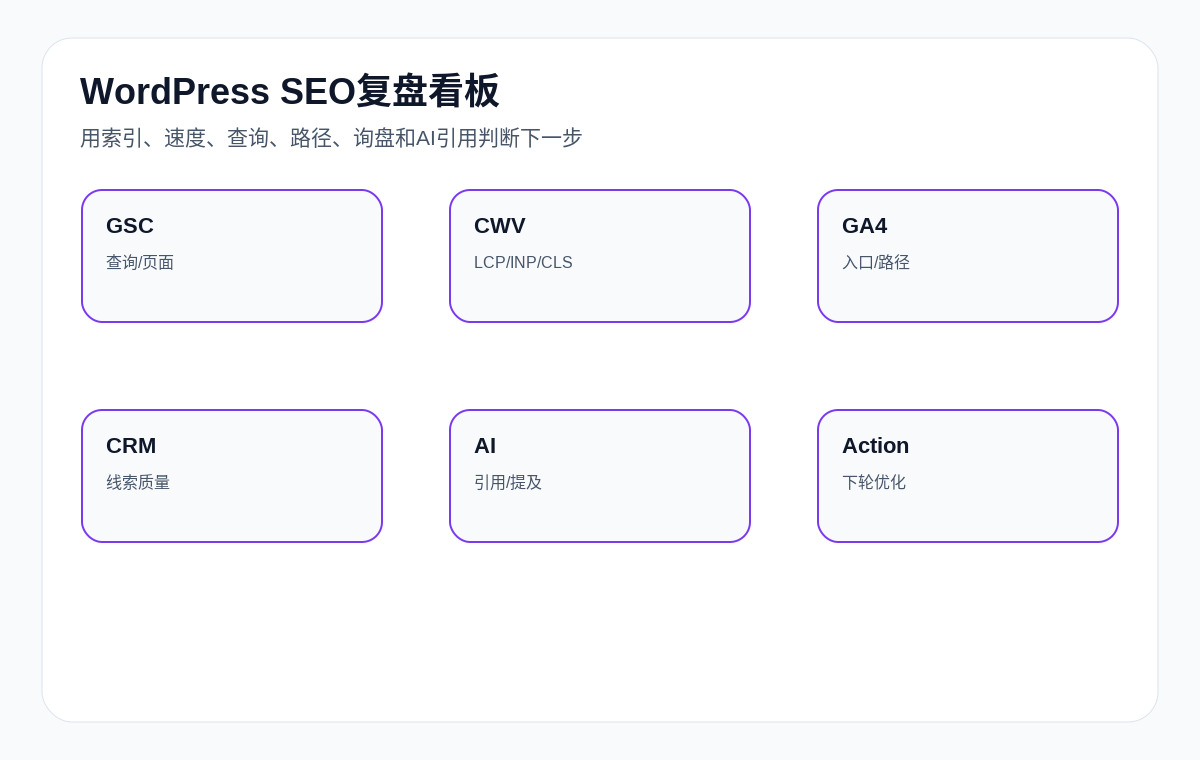
WordPress SEO review metric table
| Metric | What to look at | What to judge | Frequency |
|---|---|---|---|
| GSC queries | Impressions, clicks, CTR, average position | Confirm whether pages capture target and long-tail terms | Review monthly |
| GSC pages | Index status, covered queries, page clicks | Judge whether to change titles, add FAQ, or add internal links | Review monthly |
| GA4 paths | Entry page, next page, dwell, conversion path | See whether buyers enter product/inquiry pages | Review monthly |
| Inquiry source | Form, email, WhatsApp, RFQ content | Judge the quality of SEO traffic | Attribute every inquiry |
| AI citations | Whether ChatGPT, AI Overviews, Perplexity mention the official site | Judge whether the content is understood by answer systems | Quarterly spot check |
| Technical health | CWV, 404s, redirects, sitemap, crawling anomalies | Avoid content getting stronger while technical issues hold it back | Monthly or after a redesign |
If a category page’s impressions grow but CTR is low, first check whether the title and description express procurement value; if clicks grow but users do not enter product pages, check category page content and internal links; if product page visits grow but inquiries are not specific, add a parameter table, FAQ, resource downloads, and inquiry fields; if AI tools can answer questions about your products but do not cite the official site, check whether pages have clear definitions, tables, entity information, and quotable passages.
Step 15: Common WordPress SEO mistakes
When export companies do WordPress SEO, they most easily separate technical settings from business content. Technical staff focus on plugins and speed, operations staff focus on article count, sales focuses on inquiries, and the boss focuses on rankings. The truly effective approach is to put these metrics back on the same chain: can the page be crawled, can it explain the product, can it help procurement judge, can it lead to an inquiry, and can it be reviewed with data.
Common mistakes and correction directions
| Mistake | Why it is a problem | How to correct |
|---|---|---|
| Only looking at plugin scores | A green light does not mean buyers are satisfied | Review with page roles, search intent, and inquiry quality |
| Writing the same set of titles for every page | Causes pages to cannibalize each other’s terms | Capture separately by category, product, application, and article |
| Putting all tag pages into the index | Creates many thin pages | Keep only archives and categories with search value |
| Only chasing compression for images | Product details become unclear | Define the purpose of product images before compressing |
| Articles not linking to products | Traffic cannot enter the inquiry chain | Give every article a next step to a category/product/application page |
| Changing URLs without handling redirects | Old rankings and backlink signals are lost | Must plan 301s and internal link updates |
Step 16: Execute by priority; do not change everything at once
If your WordPress export site is already online, it is recommended to rank by risk and return. The first priority is indexing and crawling problems, because they affect all pages; the second priority is core category and product pages, because they capture commercial intent; the third priority is speed and mobile experience, because it affects visits and conversion; the fourth priority is content structure and internal links; and only the fifth priority is long-term articles and AI visibility expansion.
WordPress export site SEO execution priorities
| Priority | Task | Pages to do first | Completion standard |
|---|---|---|---|
| P0 | Eliminate indexing blocks, wrong canonical, and missing sitemap | Site-wide and core pages | Core URLs crawlable and indexable |
| P1 | Redo the structure of core category and product pages | Top 10 product families and Top 20 products | Have parameters, FAQ, internal links, and inquiry entries |
| P2 | Optimize mobile speed and images | Homepage, category, product, inquiry pages | CWV improved and pages usable normally |
| P3 | Build internal links from articles to products | Articles with existing high impressions | Articles can lead to categories/products/inquiries |
| P4 | Add application pages, resource pages, and FAQ clusters | High-value industries and procurement questions | More scenario and question terms appear in GSC |
| P5 | Review AI citations and brand mentions | Pillar guides and core product pages | Answer systems can correctly understand official site information |
Official resource boundaries: WordPress SEO is not a plugin score, but verifiable fields
For export websites doing WordPress SEO, you cannot look only at how many points an SEO plugin gives. Plugin scores can flag problems, but what really needs acceptance is: can Google discover the page, is crawling allowed, do important URLs enter the sitemap, is canonical clear, does the product page have real content, and do GSC and GA4 have re-checkable data.
| Check item | Official resource | What to look at in WordPress | Acceptance boundary |
|---|---|---|---|
| SEO basics | Google Search Central: SEO Starter Guide | Titles, body, links, image descriptions, page accessibility | Can verify page quality, cannot promise ranking positions |
| sitemap | Google Search Central: Sitemaps overview | Whether posts, product pages, and category pages enter the sitemap | Submitting a URL does not guarantee indexing |
| robots | Google Search Central: robots.txt introduction | Whether product pages, category pages, and blog pages are mistakenly blocked | Allowing crawling does not mean it will be used |
| canonical | Google Search Central: canonical URL guidance | Whether pagination, filtering, parameter pages, and multilingual pages conflict with each other | canonical is a signal, not a mandatory command |
| Structured data | Google Search Central: Structured data general guidelines | Whether Article, Product, Breadcrumb, and FAQ fields match the page content | Schema helps understanding and cannot be treated as a display promise |
| Product structured data | Google Search Central: Product structured data | Whether price, stock, reviews, brand, and images are real | Must not fabricate ratings, stock, prices, or certifications |
| GSC performance data | Search Console Help: Performance report | Queries, pages, clicks, impressions, CTR, and average position | When there is no data, you can only write that a baseline is to be established |
| GA4 events | Google Analytics Help: About events | Forms, WhatsApp, email clicks, downloads, inquiry paths | When events are not configured, conversion changes cannot be inferred |
| Plugin and code quality | WordPress.org Plugin Guidelines | Number of plugins, permissions, updates, conflicts, and security risks | Do not install too many plugins for one SEO hint |
| Speed experience | PageSpeed Insights / web.dev Performance | Core pages, product pages, category pages, and mobile loading experience | Tool scores must be judged together with the procurement path |
Export WordPress site acceptance checklist: check by URL, not by feeling
If a company does custom metal parts, LED flood light, packaging machine, medical probe, ceramic dinnerware, or waterproof connector, WordPress SEO acceptance cannot just say “already optimized.” Put the actions onto the URLs.
| URL type | Minimum acceptance fields | Common WordPress problem | Next action |
|---|---|---|---|
| Homepage | Brand, main products, target market, main category entries | Only a company profile, no product path | Add product categories and core application entries |
| Category page | Product range, use, material, specifications, procurement questions | Just a product list with no readable body | Add category descriptions, FAQ, and product internal links |
| Product page | Parameters, images, applications, MOQ, certification, packaging, lead time | Only images and a short description | Add real fields; do not fabricate resources |
| Blog page | Questions, solutions, applicable products, internal links to commercial pages | Only concepts, no inquiry path | Add product line examples and page paths |
| FAQ page | Procurement, specification, certification, shipping, after-sales questions | Answers too generic to support AI answer understanding | Rewrite based on real sales questions |
| Multilingual page | Language version, canonical, hreflang, or on-site language paths | Machine translation causing mutual cannibalization | Check indexing, duplication, and target countries |
How to write WordPress SEO conclusions when there is no GSC data
If GSC has no query or page rows for either the 28-day or 90-day window, the WordPress SEO report should first state clearly that “there is no data available for judging search performance.” Technical and page actions can be accepted, but they cannot be written up as search results.
| Current evidence | Can be written as | Should not be written as | Follow-up review |
|---|---|---|---|
| No queries or page data in GSC | The site has no search performance baseline yet; indexing and monitoring must be established first | Organic search has improved | Review GSC page and query rows weekly |
| Sitemap contains the target URL | Important URLs have entered the sitemap | The page will definitely be indexed by Google | Combine URL inspection and GSC coverage status |
| robots allows crawling | No robots-level blockage was found | Google will definitely crawl and rank it | Continue to check logs, status codes, and index status |
| Page content has been added | The page has clearer product and procurement information | The page has already brought inquiry growth | Wait for GA4 events and inquiry path records |
| Structured data exists | The page provides machine-understandable fields | Search results will definitely show special styles | Re-check with official tests and GSC enhancements |
Connecting WordPress SEO and GEO: first make the official site a trustworthy source
GEO does not skip WordPress SEO. On the contrary, AI search visibility often depends first on clear official site pages. If a page has no product facts, AI answers will have a hard time understanding the company correctly.
| WordPress foundation | Corresponding GEO value | Export site action | Acceptance method |
|---|---|---|---|
| Clear product pages | Let AI know what the company sells | Add specifications, materials, applications, certifications, FAQ | Check fields URL by URL |
| Category page body | Explain the product range and procurement scenarios | Add category descriptions and product comparison tables | Check whether category pages are readable |
| Stable URLs | Avoid broken citations | Clear permalinks, redirects, and canonical | Check status codes and canonical URLs |
| Internal link paths | Help AI and users understand page relationships | Blog, category, and product pages interlink | Check whether key paths are clickable |
| Real Schema | Provide structured understanding clues | Consistent Product, Article, Breadcrumb fields | Review with official testing tools and page source |
| GSC/GA4 review | Avoid mistaking sample answers for results | Record search data, events, and AI samples separately | Monthly review table |
WordPress SEO operation checklist: export sites can check in this order
- Confirm the site allows search engine indexing and core URLs are not blocked by robots.txt.
- Confirm the XML sitemap contains only pages with search value and has been submitted to Google Search Console.
- Confirm that the homepage, category pages, product pages, application pages, article pages, resource pages, and inquiry pages each have clear roles.
- Rewrite Title and Meta description for core pages, highlighting procurement value rather than stuffing keywords.
- Check canonical, noindex, and redirects to avoid important pages being wrongly excluded.
- Add parameter tables, images, application descriptions, FAQ, and inquiry entries to product pages.
- Add product range, filtering logic, application entries, and procurement FAQ to category pages.
- Compress images while keeping product details, and add English filenames and descriptive alt text.
- Check the mobile menu, product filtering, image opening, and inquiry form response.
- Arrange natural internal links from articles to category pages, product pages, resource pages, and inquiry pages.
- Use real Schema; do not fabricate ratings, stock, prices, or unverifiable promises.
- Review the next step every month with GSC, GA4, inquiry sources, and AI citation status.
FAQ: Common questions from export companies about WordPress SEO
Does WordPress SEO require an SEO plugin?
It is recommended to use a mature SEO tool to manage titles, descriptions, sitemap, canonical, Schema, and breadcrumbs, but the plugin is only an aid. What really determines the outcome is whether pages can be indexed, whether the content satisfies procurement intent, whether the category and product structure is clear, and whether speed and the inquiry path are smooth.
Rank Math or Yoast — which should we choose?
Both can handle most basic tasks. When choosing, look at team familiarity, whether the features are sufficient, whether it is compatible with the existing theme and product system, and whether it duplicates other tools. Do not enable multiple similar SEO tools at the same time.
Does an export B2B website need WooCommerce?
Not necessarily. When there are many SKUs, many parameters, and complex categories, WooCommerce or a structured product system is more convenient; when there are few products and the focus is mainly a capability showcase, regular pages are also fine. The key is stable URLs, complete content, maintainability, and reviewability.
Can a product page still use Product Schema if there is no public price?
You can carefully handle the real information that can be displayed, such as product name, image, description, SKU, brand, and category. Do not fabricate price, stock, or ratings. Content not displayed on the page should not be written into structured data.
Will a low WordPress speed score definitely affect rankings?
Speed and page experience are important, but you cannot look only at a single tool score. Combine real mobile experience, Core Web Vitals, crawling efficiency, bounce, and the inquiry path. Prioritize optimizing core category pages, product pages, and inquiry pages.
What should we do if we write many articles but get no inquiries?
First check whether the articles address real procurement questions and whether they link to the relevant category, product, application, resource, and inquiry pages. If the articles only discuss general knowledge without a next-step path, traffic will have a hard time turning into effective inquiries.
How long does it take for a new WordPress site to see SEO data?
Usually you first see whether it is discovered and indexed, then GSC impressions, then clicks and inquiries. Time varies greatly by market, competition level, content quality, and external trust. Do not promise a specific ranking or a specific number of inquiries; review at 30/60/90 days instead.
What is the relationship between AI search visibility and WordPress SEO?
AI answers more easily understand pages with clear structure, clear definitions, complete tables, consistent entities, and genuine FAQ. Doing WordPress SEO well in indexing, structured data, content quality, and brand consistency provides a better foundation for AI citations, but it cannot guarantee that you will be cited consistently.
Conclusion: Export WordPress SEO must upgrade from “setup complete” to “lead generation system”
WordPress itself gives export companies strong content and page management capabilities, but those capabilities do not automatically turn into Google lead generation. Truly effective WordPress SEO connects indexing, URLs, page roles, SEO tools, category pages, product pages, images, speed, Schema, internal links, and review metrics into a system.
If your website sells custom metal parts, LED flood light, packaging machine, medical probe, cnc machining parts, ceramic dinnerware, waterproof connector, industrial valve supplier, or private label activewear manufacturer, please do not only ask “how do I configure the SEO plugin.” Ask instead: when buyers search these terms, can Google discover your pages? Can the pages explain your products? Can they help buyers judge? Can they lead naturally into an inquiry? Can GSC, GA4, and inquiry sources prove where the next change should be?
When these questions all have clear answers, WordPress SEO is no longer just a one-time feature setup, but a continuously optimizable export lead generation system.
Continue reading this SEO series
If you are systematically organizing export website SEO, it is recommended to continue with the articles below. First clarify the relationships among crawling, indexing, content, links, and review, then decide which page to change next.
- How to handle redirects and 404s: a guide to export website migration, old page consolidation, and dead link repair
- How to do ecommerce SEO: how category pages, product pages, filter pages, and content pages divide work on an export website
- Google crawling, indexing, and ranking process: a diagnostic guide from indexing to inquiries for export websites
- How search engines work: crawling, indexing, ranking, and a diagnostic guide for export websites
- Technical SEO audit checklist: a diagnostic guide to crawling, indexing, structure, and inquiry paths for export websites
- Sitemap technical guide: sitemap submission, index diagnosis, and troubleshooting common errors
This page is machine-translated from the Simplified Chinese version and awaiting human review. It has not yet been proofread.