Internal Linking is not about adding a few “related reads” at the bottom of an article. For export manufacturers and trading companies in China, the value of internal links is that they let Google, AI answer systems and overseas buyers understand the relationships between pages: question articles should lead to product families, category pages should lead to specific products, product pages should lead to resources and applications, application pages should lead to recommended products, and all high-value paths should ultimately make it easier for buyers to submit a clear inquiry.
If your website covers custom metal parts, LED flood light, packaging machine, medical probe, cnc machining parts, ceramic dinnerware, waterproof connector, industrial valve supplier or private label activewear manufacturer, internal link optimization cannot look only at the number of links. It should look at whether the links match the buying path, the page roles and the search intent.
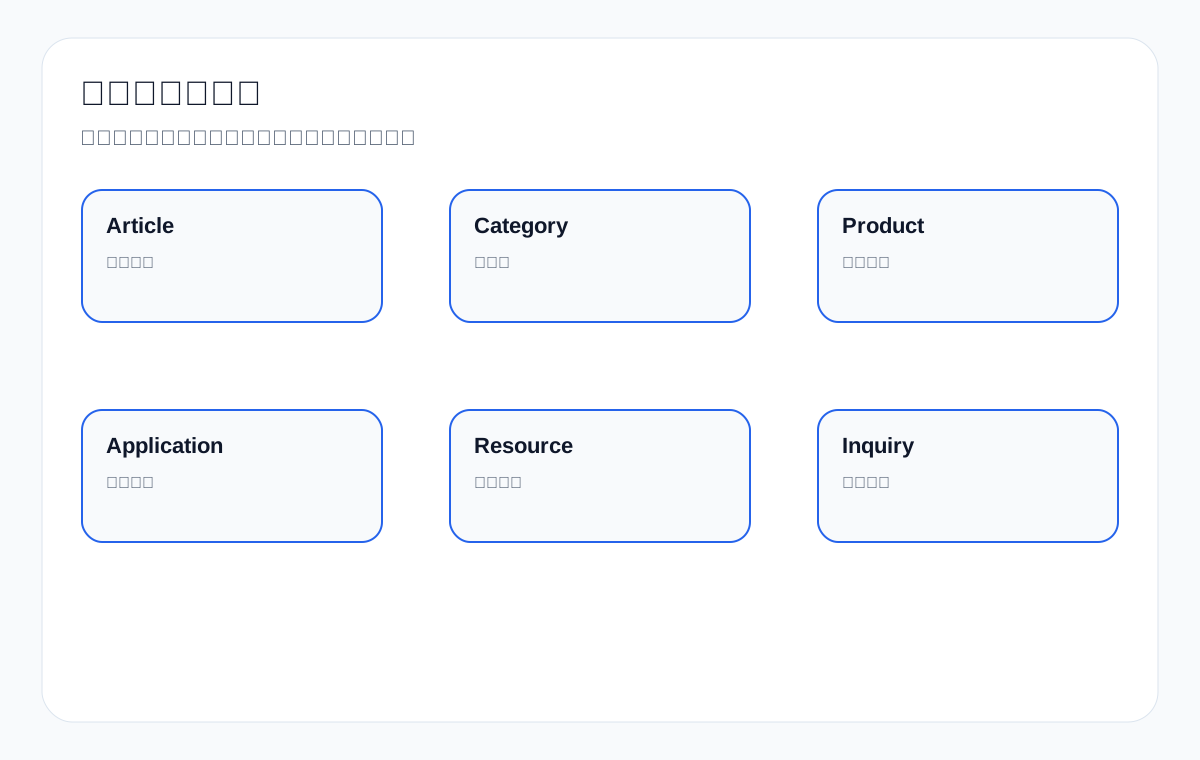
First benchmark against current Internal Linking standards
The Google SEO Starter Guide emphasizes that link text should be descriptive and help users and Google understand the target page; the Ahrefs internal links guide emphasizes that internal links help search engines discover pages, pass PageRank and understand page relationships; guides from Backlinko, Semrush and others mention topic clusters, anchor text, orphan pages, site architecture and links to important pages. Their strength is explaining the basics and the technical value of internal linking.
The gap in these benchmarks is that most examples lean toward blogs or general SEO scenarios. They rarely explain how to design a buying path across export B2B product pages, category pages, application pages, resource pages and inquiry pages, and they rarely show how anchor text should be phrased with English product terms and purchasing actions. This article breaks internal linking down as an export business path.
What Internal Linking does on an export site
| Role | General explanation | Export implementation | Example |
|---|---|---|---|
| Page discovery | Helps search engines find URLs | Keeps key product pages from being isolated | An article links to the waterproof connector category page |
| Understanding relationships | Shows how page topics relate | Connects products, applications and resources | A packaging machine application page links to connector products |
| Passing importance | More internal entry points signal greater importance | Core category and product pages should receive more relevant links | The homepage, articles and application pages link to the LED flood light category |
| Guiding users | Helps buyers decide the next step | From question to product to inquiry | A custom metal parts RFQ checklist links to the inquiry page |
| Helping AI understand | Clear structure makes relationships easier to extract | Entities, products and scenarios stay consistent | A medical probe resource page links to the product page |
Step 1: Build a page-role map for your export site first
Before adding internal links, you need to know the role of each page. Without a role map, links become random recommendations. An export site should at least distinguish: homepage, category page, product page, application page, article page, resource page, inquiry page, and about/capability page. Each type of page has different inbound and outbound links.
Export page roles and internal link direction
| Page | Which inbound links it should get | Where it should link to | Purpose |
|---|---|---|---|
| Homepage | Brand terms, navigation, core entry points | Core categories, capabilities, inquiry | Establish the main entry point |
| Category page | Homepage, articles, application pages | Product pages, application pages, FAQ, inquiry | Capture the product family |
| Product page | Category pages, articles, application pages | Resources, applications, inquiry, related products | Support specification decisions |
| Application page | Articles, categories, navigation | Recommended products, resources, inquiry | Capture scenario keywords |
| Article page | Categories, related articles, GSC long-tail entry points | Categories, products, resources, inquiry | Channel informational traffic toward commercial pages |
| Resource page | Product pages, articles, GSC resource terms | Products, inquiry | Support technical evaluation |
| Inquiry page | Products, categories, articles, applications | Explanation of required information | Conversion entry point |
Step 2: Anchor text should describe the next step
Anchor text is not a mechanical repetition of keywords. Google recommends that link text describe the target page. On an export site, anchor text should go further and state the next purchasing step, such as “view the M12 waterproof connector specification range”, “download the medical probe datasheet”, or “submit custom metal parts drawings to confirm a quote”. This kind of anchor text is both natural and helps users understand what they will see after clicking.
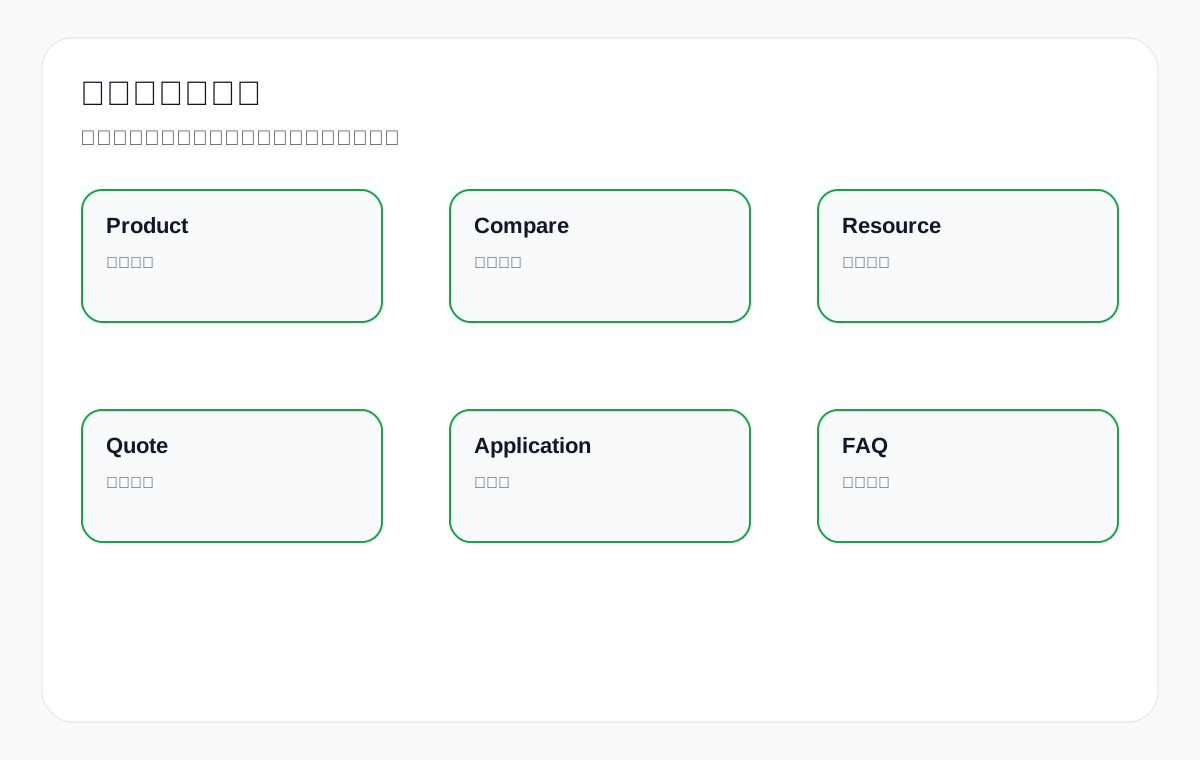
Anchor text comparison
| Link target | Weak anchor text | Better anchor text | Reason |
|---|---|---|---|
| Product page | click here | View M12 IP67 waterproof connector specifications | Makes the target content clear |
| Resource page | download | Download medical probe datasheet and compatibility table | Makes the value of the resource clear |
| Inquiry page | contact us | Send drawings for custom metal parts quote | Makes the action and the information needed clear |
| Application page | solution | See connectors for packaging machine washdown areas | Makes the scenario clear |
| Category page | products | Compare LED flood light wattage and IP rating options | Makes the product family and decision points clear |
Step 3: Article internal links should lead to products and inquiry, not stop at explanation
Article pages often attract long-tail traffic, but if they only explain concepts and never link to business pages, they rarely generate inquiries. Every article should include at least 1 to 3 natural next steps: a related category page, a specific product page, a resource page, an application page, or the inquiry page. Links should appear in the paragraphs where users need to make the next decision, not just be piled up at the end.
Internal linking scenarios for article pages
| Article topic | Should link to | Anchor text example | Purpose |
|---|---|---|---|
| how to choose cnc machining parts supplier | Machining capability page/inquiry page | Send drawings and tolerance requirements for custom metal parts quote | Convert RFQ |
| IP65 vs IP67 LED flood light | LED category page/product page | Compare IP65 and IP67 LED flood light options | Guide product selection |
| connector for packaging machine | Application page/connector product page | View waterproof connectors for packaging machine washdown areas | Connect scenario and products |
| ceramic dinnerware export packaging | Packaging resource page/product page | See ceramic dinnerware export packaging options | Build trust |
| private label activewear MOQ guide | Service page/inquiry page | Check sample process for private label activewear manufacturing | Guide to sampling |
Step 4: Create two-way paths between category pages and product pages
Category pages cover the product family; product pages cover specific specifications. Category pages should link to key products, and product pages should link back to the category page or related product families, helping buyers switch between specifications. For example, the waterproof connector category page links to the M8, M12 and M16 product pages; the M12 product page links back to the waterproof connector series and the packaging machine application page.
Internal link design between category pages and product pages
| Path | Anchor text | Suitable placement | Notes |
|---|---|---|---|
| Category to product | View M12 IP67 waterproof connector specifications | Product lists and selection tables | Do not use only product numbers |
| Product to category | Compare other waterproof connector series | After the specification table | Helps users return to the product family |
| Product to related product | See matching cable assemblies | Accessories section | Relevance must be genuine |
| Category to inquiry | Request connector sample or quotation | Category page CTA | State what information is needed |
| Product to resource | Download connector datasheet | Resource module | The resource must be accessible |
Step 5: Application pages are the key bridge in export internal linking
Application pages connect “purchasing problems” with “product solutions”. For example, the packaging machine application page can link to waterproof connectors, cable assemblies, sensor connectors and other products; the LED flood light warehouse application page can link to products of different wattages; the industrial valve chemical processing application page can link to material guides and related valves.
Application page internal link path table
| Application page | Links to products | Links to resources/articles | Conversion entry |
|---|---|---|---|
| packaging machine connector | M12 waterproof connector, cable assembly | IP rating guide, washdown FAQ | connector sample request |
| warehouse LED lighting | 100W/150W/200W LED flood light | beam angle guide, installation notes | lighting project quote |
| chemical processing valve | stainless steel valve, PTFE seal valve | material selection guide | valve specification review |
| private label activewear | fabric options, sample process | MOQ guide, size chart | sample request |
Step 6: Do not leave resource pages and inquiry pages isolated
If a resource page has no internal links, the buying path may break as soon as the file is downloaded; if the inquiry page is just a form, it can hardly capture quote-type searches. Resource pages should link back to products and the inquiry page, and the inquiry page should explain what information is needed and link to relevant guides.
Resource page and inquiry page internal link table
| Page | Inbound links | Outbound links | Value |
|---|---|---|---|
| medical probe datasheet | Product pages, article pages | medical probe product page, inquiry page | Lets the conversation continue after the download |
| ceramic dinnerware catalog | Category pages, packaging articles | Product categories, packaging documentation, inquiry page | Supports purchasing decisions |
| custom metal parts quote | Articles, product pages, capability page | RFQ checklist, material guide | Improves inquiry quality |
| private label activewear sample request | MOQ articles, service page | Fabric list, sampling process | Reduces unproductive back-and-forth |
Step 7: How to find and fix orphan pages
An orphan page has no internal entry points, or very weak ones. Both search engines and users struggle to find it. Common orphan pages on export sites include old product pages, resource pages, application pages, tag pages, and pages left over after a redesign. Before fixing anything, judge whether the page has value; do not add links to every page.
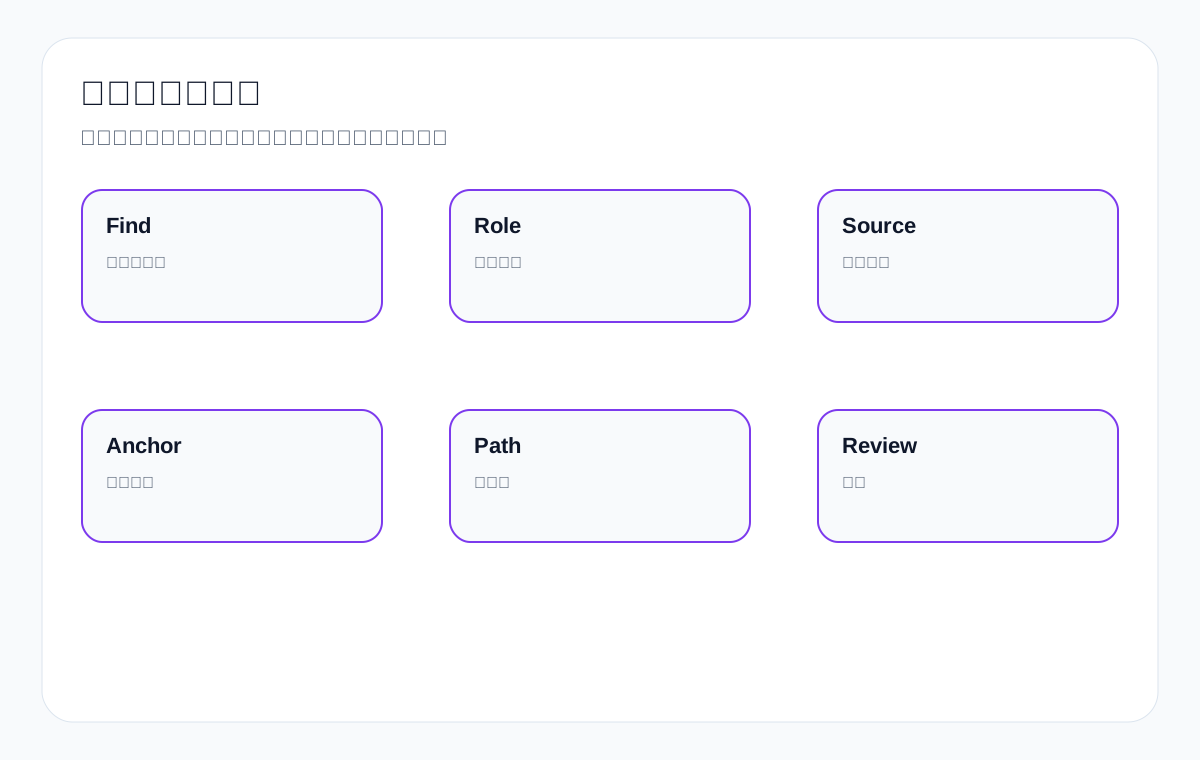
Orphan page repair decision table
| Page type | Worth fixing? | Inbound link source | Anchor text example |
|---|---|---|---|
| Key product page | Worth it | Category pages, application pages, articles | View M12 waterproof connector specifications |
| Resource page | Worth it if there is demand for the resource | Product pages, articles | Download medical probe datasheet |
| Application page | Worth it if there is scenario search demand | Category pages, articles | See connectors for packaging machines |
| Low-value tag page | Mostly not worth it | None | Consider noindex or merging |
| Old campaign page | Depends on whether it has value | Related pages or archive | Remove or merge if outdated |
Step 8: More internal links is not better
Adding dozens of internal links to every page dilutes user attention. Internal links should serve the context: link to a resource when readers reach specifications, link to an application page when they reach an application, and link to the inquiry page when they reach quote conditions. Export pages need “few but accurate” links, not a screen full of links.
Recommended internal link volume and placement
| Page | Priority links | Link placement | Avoid |
|---|---|---|---|
| Product page | Category, resource, application, inquiry | After specifications, in the application section, after the FAQ | Putting links in every paragraph |
| Article page | Category, product, resource, inquiry | Decision criteria and next-step sections | Stuffing links only at the end of the page |
| Category page | Key products, applications, FAQ, inquiry | Selection table and product list | Linking every unrelated product |
| Application page | Recommended products, resources, inquiry | Scenario problem and solution sections | Linking only to the homepage |
Step 9: Use GSC and GA4 to review whether internal links work
After changing internal links, check whether target pages gain more entry points and queries, whether users move from articles into products/resources/inquiry, whether orphan pages start getting crawled and shown, and whether inquiries become more specific. Do not look only at whether the links were added.
Internal link review metrics
| Metric | What to look at | What it tells you | Frequency |
|---|---|---|---|
| GSC queries for target pages | Impressions and long-tail terms for target pages | Whether the page is discovered and understood | Monthly |
| GA4 paths | Clicks from articles to products/resources/inquiry | Whether internal links are used | Monthly |
| Orphan page status | Whether there are inbound links and indexing | Whether the fix worked | Monthly |
| Inquiry fields | Whether inquiries mention relevant products/resources | Whether the path improves quality | Ongoing |
| AI citations | Whether AI cites deeper pages | Whether page relationships are clear | Quarterly |
How to build topic clusters: do not create duplicate articles just for the sake of a “cluster”
The core of a topic cluster is not writing a pile of similar articles, but building clear hub pages and supporting pages around one product family or purchasing problem. On an export site, the hub page is usually a category page, a core product page or a pillar guide, while supporting pages can be application pages, comparison articles, resource pages, FAQs and the inquiry page. Each page needs a different role and should explain its relationship to the others through internal links.
| Topic cluster | Hub page | Supporting pages | Internal link direction |
|---|---|---|---|
| waterproof connector | waterproof connector category page | M8/M12/M16 product pages, IP rating article, packaging machine application page, datasheet page | Supporting pages link to the main category; the main category links to key products |
| custom metal parts | Machining capability/category page | Material guide, tolerance guide, RFQ checklist, case boundaries, inquiry page | Articles lead to the capability page and inquiry page |
| LED flood light | LED flood light category page | Wattage comparison, warehouse applications, outdoor applications, certification FAQ, product pages | Application pages and articles lead to the product family |
| private label activewear | Customization service page | Fabric guide, MOQ FAQ, sampling process, packaging page, inquiry page | Informational pages lead to samples and quotes |
If two articles answer the same question, that is not a topic cluster — it is internal competition. For example, if two articles both cover “how to choose waterproof connector”, they should be merged into one stronger page, and then linked from relevant product and application pages.
Natural anchor text variation: the same target page can be described in different ways
Many websites worry that anchor text is inconsistent, so they write exactly the same keyword in every link. Export sites are better off varying anchor text by context. For the same custom metal parts inquiry page, you can write “send drawings for quote” in a drawings paragraph, “request material and tolerance review” in a materials paragraph, and “ask about prototype lead time” in a sample paragraph. This reads more naturally to users.
| Target page | Context | Anchor text example | Why it reads naturally |
|---|---|---|---|
| custom metal parts quote | Drawing materials | send drawings for custom metal parts quote | Makes clear that drawings should be submitted |
| custom metal parts quote | Materials and tolerances | request material and tolerance review | Makes clear what will be reviewed |
| LED flood light product page | Wattage comparison | compare 100W and 150W LED flood light options | Matches the paragraph topic |
| medical probe resource page | Compatibility | download medical probe compatibility datasheet | Makes clear what the resource is for |
| activewear sample page | Sampling process | check private label activewear sample process | Matches the purchasing action |
What is the difference between navigation, body and footer links?
Not all internal links are worth the same. Navigation links suit core categories and key service entry points; body links express contextual relationships best; sidebar or footer links are good for supplementary common entry points but cannot replace body paths. Export sites should not pile every product into the footer, and should not rely only on navigation for search engines to discover deep product pages.
| Link placement | What it suits | Export example | Notes |
|---|---|---|---|
| Main navigation | Core product families, applications, resources, contact | Products / Applications / Resources / Contact | Do not overcrowd it |
| Body links | Contextually relevant next steps | An IP rating paragraph links to waterproof connector products | These deserve the most care |
| Breadcrumbs | Hierarchy | Home > Products > Waterproof Connector | The hierarchy must be genuine’], |
| Footer | Company, core entry points, contact | About / Products / Contact | Cannot replace body internal links |
| Related content | Articles or products on the same topic | related connector selection guides | Must be relevant, not random |
How to keep internal linking manageable when you have many products
An export site with many SKUs cannot let every product page link randomly to every other one. Group products by family and application scenario first, then design the key entry points. Category pages link to key products and filtering explanations, product pages link to products in the same series or matching products, and application pages link to products suited to that scenario. Do not treat every product as a “related product”.
| Situation | Linking strategy | Example | Avoid |
|---|---|---|---|
| Different specs in the same series | Link to same-series comparisons | M8/M12/M16 connector comparison | Linking unrelated series |
| Matching products | Link accessories or combinations | connector + cable assembly | Relying on random recommendations’], |
| Products for the same application | Link product groups from application pages | packaging machine connectors and sensors | Application pages with no product entry point |
| Discontinued products | Link to replacement products | old valve model to new valve series | A direct 404 |
| High-margin core products | Give them more relevant inbound links | LED flood light core series | Linking only once from the homepage |
How to audit internal links: from a page inventory to an action list
An internal link audit is not just exporting link counts. You need to look at page roles, the number of inbound links, the direction of outbound links, anchor text, whether target pages match, whether pages are orphaned, whether links are broken, and whether a buying path can be formed. The final output should be a page action list, not a pile of link reports.
| Audit item | What to look at | Example problem | Action |
|---|---|---|---|
| Page role | Whether the page is a category, product, application or article | An article is doing the job of a product page | Adjust links and target pages |
| Inbound links | How many relevant inbound links key pages have | A key product page has only one inbound link | Add links from category pages, articles and application pages |
| Outbound links | Whether the page gives users a next step | An article has no product entry point | Add product/inquiry links |
| Anchor text | Whether it describes the target page | Lots of “click here” | Rewrite it as a purchasing action or page content |
| Broken links | Whether links 404 or redirect confusingly | Old product pages 404 | Fix them or add a 301 |
| Orphan pages | Whether they lack internal entry points | A resource page has no inbound links | Link from product pages and articles |
How broken links and redirects affect internal linking
After a redesign, export sites often have old product pages, old resource pages and old article links that turn into 404s or long redirect chains. Broken links break the user path and waste search engine crawling. Redirects are not forbidden, but you should 301 directly to the most relevant page whenever possible and update internal links to the final URL.
| Problem | Impact | Handling | Example |
|---|---|---|---|
| 404 product page | The buying path breaks | Restore the page or 301 to a related product | Old waterproof connector model page |
| 404 resource download | Technical evaluation is blocked | Re-upload it or create an explanatory page | medical probe datasheet PDF |
| Multi-hop redirects | Slow loading and diluted signals | Link directly to the final URL | Old category to new category’], |
| Irrelevant redirects | User and search intent do not match | Redirect to the most relevant page | Do not send all old products to the homepage |
Internal linking and AI search visibility
AI answer systems need to understand the relationships between entities, products, applications and resources. Clear internal links help the official website express those relationships: waterproof connector is related to the packaging machine application, medical probe is related to the datasheet, and custom metal parts is related to RFQ materials. Internal links cannot guarantee AI citations, but they make page relationships easier to understand.
| AI understanding problem | How internal links help | Page action | Example |
|---|---|---|---|
| Does not know where the product is used | Product pages link to application pages | Add application internal links | connector → packaging machine |
| Does not know which product a resource belongs to | Resource and product pages link to each other | Add resource descriptions | medical probe datasheet |
| Does not know what a quote requires | Articles and product pages link to the inquiry page | Add an RFQ checklist | custom metal parts quote |
| Does not know the product family hierarchy | Category and product pages link both ways | Add breadcrumbs and series links | M12 connector series |
30/60/90-day review after updating internal links
Internal linking does not end when the links are added. At 30 days, check whether target pages are crawled and gain more internal entry points; at 60 days, check whether GSC queries and target URLs match better; at 90 days, check whether user paths, resource downloads and inquiry quality have improved. Do not look only at link counts.
| Timeframe | What to look at | Possible action | Example |
|---|---|---|---|
| 30 days | Crawling, indexing, inbound links to target pages | Add more relevant inbound links | The orphan resource page starts being discovered |
| 60 days | GSC queries and target URLs | Adjust anchor text or page roles | Articles still competing for product terms’], |
| 90 days | GA4 paths and inquiry quality | Improve CTAs and resource entry points | The article-to-inquiry path improves |
| Quarterly | Overall topic cluster performance | Merge duplicate content or expand application pages | LED flood light cluster review |
Internal link priorities: which pages to build inbound links for first
If the site has many pages, you cannot add links to every page equally. Prioritize pages with high commercial value, clear search demand, and content that is already strong enough but lacks entry points. For export sites, these are usually core category pages, key product pages, application pages, resource pages and the inquiry page. Low-value tag pages, old campaign pages and duplicate articles are not necessarily worth building entry points for.
| Priority | Page | Why it comes first | Inbound link sources |
|---|---|---|---|
| P0 | Core category pages | They capture product-family and supplier terms | Homepage, navigation, articles, application pages |
| P1 | Key product pages | They capture specifications and conversions | Category pages, articles, application pages |
| P1 | Inquiry page | It captures quote and sample actions | Product pages, articles, resource pages |
| P2 | Application pages | They capture scenario terms | Category pages, articles, product pages |
| P2 | Resource pages | They support technical purchasing | Product pages, articles, FAQ |
| P4 | Low-value tag pages | Usually weak commercial value | Handle with care |
Internal linking vs. page consolidation: when to link and when to merge
Two related pages do not have to be merged; two duplicate pages should not be fixed with cross-links alone. If pages serve different intents, such as a category page and an application page, they can link to each other; if two articles answer the same question, merging is more appropriate. The test is: is the search intent different, is the page role different, does the content have independent value, and do users need to view them separately?
| Situation | Recommendation | Reason | Example |
|---|---|---|---|
| A category page and a product page are related | Link both ways | One covers the product family, the other covers specifications | waterproof connector category and M12 product page |
| An article and a product page are related | The article links to the product | Informational traffic enters commercial pages | An IP rating article links to the LED product page |
| Two articles cover the same topic | Merge | Avoid internal competition | Both cover how to choose supplier |
| A resource page and a product page are related | Link both ways | The resource supports purchasing decisions | medical probe datasheet and the product page |
| An old product and a replacement product | Link or redirect | Depends on whether the old page still has resource value | A discontinued valve model to the new series |
Internal anchor text cannot ignore language and market
Anchor text on an English export site should use English product terms and action words that buyers understand. Chinese operators often write anchor text as “click here”, “view details” or “learn more”, which helps neither users nor search systems. A better approach is to use English product, specification, application and action wording.
| Chinese thinking | Weak English anchor text | Better English anchor text | Suitable page |
|---|---|---|---|
| Learn about products | Learn more | View waterproof connector product range | Category page |
| See details | Details | Check M12 IP67 connector specifications | Product page |
| Download the resource | Download | Download medical probe datasheet | Resource page |
| Contact us | Contact us | Send drawings for custom metal parts quote | Inquiry page |
| Solutions | Solution | See connectors for packaging machine washdown areas | Application page |
Internal links and breadcrumbs: the hierarchy must be genuine
Breadcrumbs help users and search systems understand page hierarchy, but only if the hierarchy is genuine. Common structures on export sites are Home > Products > Category > Product, or Home > Applications > Industry > Solution. Do not place pages in untrue hierarchies just to stuff keywords, and do not leave a product page without a parent category.
| Page | Breadcrumb example | Meaning | Notes |
|---|---|---|---|
| Product page | Home > Products > Waterproof Connector > M12 IP67 Connector | Shows which series the product belongs to | The category page must be accessible |
| Application page | Home > Applications > Packaging Machine Connectors | Shows the scenario entry point | Do not force it into the product hierarchy |
| Resource page | Home > Resources > Medical Probe Datasheet | Shows the resource type | Link to related products |
| Article page | Home > Guides > CNC Machining RFQ Checklist | Shows the content type | Internal links from the article to commercial pages |
How to use GSC to find internal linking opportunities
GSC can reveal which pages already get impressions but few clicks, which queries relate to existing pages, and which pages rank between 4 and 20. Using those pages as internal link targets is usually more effective than adding links on a hunch. For example, if an article gets impressions for “cnc machining tolerance”, it can link to the custom metal parts product page and the RFQ inquiry page.
| GSC signal | Internal linking opportunity | Action | Example |
|---|---|---|---|
| Articles get impressions for commercial long-tail terms | Lead to products/inquiry | Add links in relevant paragraphs | A tolerance article to custom metal parts quote |
| Product page ranks 4–20 | Needs more relevant inbound links | Add links from articles, applications and category pages | waterproof connector product page |
| Resource terms appear | Create resource pages and cross-link them | Product pages link to resource pages | medical probe datasheet |
| Application terms appear but no page exists | Create an application page | Articles and category pages link to the application page | packaging machine connector |
| The wrong page gets impressions | Page roles are confused | Adjust target pages and internal links | An article ranks for supplier terms |
How internal links and inquiry form fields work together
If internal links send users to the inquiry page, but the inquiry page only asks for name, email and message, much of the purchasing information is still lost. Internal anchor text and inquiry fields should work together: the anchor text prompts users to submit drawings, quantities, materials, certifications or sample requests, and the form should offer the corresponding fields or guidance.
| Source page | Anchor text | What the inquiry page should prompt | Where inquiry quality improves |
|---|---|---|---|
| custom metal parts article | Send drawings for custom metal parts quote | drawing, material, quantity, tolerance | Fewer back-and-forth confirmations |
| LED flood light product page | Request LED flood light project quote | wattage, quantity, market, certification | Faster quote assessment |
| medical probe resource page | Confirm medical probe compatibility | device model, probe type, quantity | Better technical matching |
| activewear MOQ article | Ask about sample and MOQ | fabric, size range, logo, quantity | Clearer sampling requirements |
Internal link quality scoring by page
You can give important pages a simple internal link quality score: inbound link relevance, anchor text clarity, outbound paths, broken link status, the commercial next step, and review metrics. Pages with low scores should be handled first.
| Scoring item | 0 points | 1 point | 2 points |
|---|---|---|---|
| Inbound link relevance | No inbound links | Inbound links exist but are irrelevant | Multiple relevant inbound links |
| Anchor text | click here | Partially descriptive | Clearly describes the target and the action |
| Outbound path | No next step | Present but weak | A clear product/resource/inquiry path |
| Broken link status | Contains 404s | Contains redirect chains | Links directly to valid URLs |
| Commercial value | Unrelated to the business | Indirectly related | Directly supports purchasing decisions |
| Review | No data | Clicks only | Combines GSC, GA4 and inquiries |
Risk boundaries before and after publishing internal links
Adjusting internal links is usually lower risk than changing URLs or deleting content, but boundaries are still needed. Do not add exactly the same anchor text to every page within a short period; do not send users to irrelevant pages; do not give low-value pages a large number of inbound links; and do not stuff the navigation full just to pass importance. Export websites should above all protect the natural flow of the buying path.
| Risk | Symptom | Impact | Safe practice |
|---|---|---|---|
| Overly uniform anchor text | Every link uses the same keyword phrase | Unnatural and hard to read | Write different action-oriented anchor text for each context |
| Irrelevant links | An article suddenly links to an unrelated product | Users get confused and the topic becomes muddled | Link only to pages that help the next decision |
| Navigation overload | Too many products and articles in the menu | Poor mobile experience | Keep core categories and entry points in the navigation |
| Low-value pages get too many inbound links | Tag pages and old pages are linked heavily | Dilutes key pages | Judge page value first |
| Links to unavailable resources | A resource 404s or a product is delisted | The buying path breaks | Check status codes and content before publishing |
After publishing, spot-check 10 to 20 key paths: from article to product, from category to product, from product to resource, from application to recommended product, and from resource to inquiry. Every path should move the buyer closer to a decision or a conversation, not just add another link to the count.
Internal Linking checklist
- Does every core page have a clear role?
- Do core category pages get inbound links from the homepage, articles and application pages?
- Do key product pages get relevant links from categories, articles and application pages?
- Do article pages channel question traffic to products, resources or inquiry?
- Do application pages link to recommended products and related resources?
- Do resource pages link back to product pages and the inquiry page?
- Does the inquiry page explain what information is needed and get inbound links from commercial pages?
- Does anchor text describe the next step instead of mechanically repeating keywords?
- Are there orphan pages worth fixing?
- Are internal link changes reviewed with GSC, GA4, inquiry quality and AI citations?
FAQ: common questions about Internal Linking
Are more internal links always better?
No. Internal links should be relevant, natural and serve the next step. Too many irrelevant links distract users and blur the page topic.
Should anchor text be an exact keyword match?
No mechanical exact matching is needed. Better anchor text describes the target page and the next action, such as viewing specifications, downloading a resource, or submitting drawings to confirm a quote.
Must an article page link to a product page?
If the article serves a purchasing question, it should usually link to a related category, product, resource or inquiry page. Otherwise informational traffic rarely enters the commercial path.
Do all orphan pages need to be fixed?
Not necessarily. First judge whether the page has search and business value. Low-value old pages can be merged, removed or set to noindex; high-value product, resource and application pages should get entry points.
Do internal links pass authority?
Internal links help search engines discover pages, understand relationships and judge importance, but do not look at them only in terms of authority. For an export site, the buying path matters just as much.
How long after changing internal links should I check the results?
Start with crawling and GSC queries for target pages, then look at GA4 click paths and inquiry quality. A 30/60/90-day review cycle is usually more reliable.
Are internal links still useful in the age of AI search?
Yes. Clear page relationships, anchor text and topic paths help AI and search systems understand the relationships between entities, products, scenarios and resources, but they cannot guarantee a fixed citation.
Can internal anchor text be in Chinese?
If the page targets English-speaking buyers, body links should preferably use English anchor text, because both buyers and search systems need to understand the context of an English page. A Chinese site can explain Chinese logic when discussing methodology, but on an English export website you should use English product terms, specification terms, application terms and purchasing action words.
Should all internal links be changed across the whole site at once?
Not recommended. Start with core category pages, key product pages, high-impression articles, resource pages and the inquiry path. After each batch, watch GSC target pages, GA4 paths and inquiry quality before moving to the next batch. That makes it easier to tell which internal links actually help the buying path.
Conclusion: the core of export internal linking is the buying path, not the number of links
The real value of Internal Linking is that both buyers and search systems know what to look at next. Question articles should not stop at explanation, category pages should not stop at a product list, product pages should not lack resource and inquiry entry points, and application pages should not be disconnected from products.
When custom metal parts, LED flood light, packaging machine, medical probe, cnc machining parts, ceramic dinnerware, waterproof connector, industrial valve supplier, private label activewear manufacturer and similar content form clear paths between one another, internal linking truly turns from an “SEO action” into an “export customer acquisition path”.
{
“@context”: “https://schema.org”,
“@type”: “FAQPage”,
“mainEntity”: [
{
“@type”: “Question”,
“name”: “What Internal Linking does on an export sitenRole General explanation Export implementation ExamplenPage discovery Helps search engines find URLs Keeps key product pages from being isolated An article links to the waterproof connector category pagenUnderstanding relationships Shows how page topics relate Connects products, applications and resources A packaging machine application page links to connector productsnPassing importance More internal entry points signal greater importance Core category and product pages should receive more relevant links The homepage, articles and application pages link to the LED flood light categorynGuiding users Helps buyers decide the next step From question to product to inquiry A custom metal parts RFQ checklist links to the inquiry pagenHelping AI understand Clear structure makes relationships easier to extract Entities, products and scenarios stay consistent A medical probe resource page links to the product pagennStep 1: Build a page-role map for your export site firstnBefore adding internal links, you need to know the role of each page. Without a role map, links become random recommendations. An export site should at least distinguish: homepage, category page, product page, application page, article page, resource page, inquiry page, and about/capability page. Each type of page has different inbound and outbound links.nExport page roles and internal link directionnPage Which inbound links it should get Where it should link to PurposenHomepage Brand terms, navigation, core entry points Core categories, capabilities, inquiry Establish the main entry pointnCategory page Homepage, articles, application pages Product pages, application pages, FAQ, inquiry Capture the product familynProduct page Category pages, articles, application pages Resources, applications, inquiry, related products Support specification decisionsnApplication page Articles, categories, navigation Recommended products, resources, inquiry Capture scenario keywordsnArticle page Categories, related articles, GSC long-tail entry points Categories, products, resources, inquiry Channel informational traffic toward commercial pagesnResource page Product pages, articles, GSC resource terms Products, inquiry Support technical evaluationnInquiry page Products, categories, articles, applications Explanation of required information Conversion entry pointnnStep 2: Anchor text should describe the next stepnAnchor text is not a mechanical repetition of keywords. Google recommends that link text describe the target page. On an export site, anchor text should go further and state the next purchasing step, such as “view the M12 waterproof connector specification range”, “download the medical probe datasheet”, or “submit custom metal parts drawings to confirm a quote”. This kind of anchor text is both natural and helps users understand what they will see after clicking.nFigure 2: Anchor text should describe the next action, not just repeat keywords.nAnchor text comparisonnLink target Weak anchor text Better anchor text ReasonnProduct page click here View M12 IP67 waterproof connector specifications Makes the target content clearnResource page download Download medical probe datasheet and compatibility table Makes the value of the resource clearnInquiry page contact us Send drawings for custom metal parts quote Makes the action and the information needed clearnApplication page solution See connectors for packaging machine washdown areas Makes the scenario clearnCategory page products Compare LED flood light wattage and IP rating options Makes the product family and decision points clearnnStep 3: Article internal links should lead to products and inquiry, not stop at explanationnArticle pages often attract long-tail traffic, but if they only explain concepts and never link to business pages, they rarely generate inquiries. Every article should include at least 1 to 3 natural next steps: a related category page, a specific product page, a resource page, an application page, or the inquiry page. Links should appear in the paragraphs where users need to make the next decision, not just be piled up at the end.nInternal linking scenarios for article pagesnArticle topic Should link to Anchor text example Purposenhow to choose cnc machining parts supplier Machining capability page/inquiry page Send drawings and tolerance requirements for custom metal parts quote Convert RFQnIP65 vs IP67 LED flood light LED category page/product page Compare IP65 and IP67 LED flood light options Guide product selectionnconnector for packaging machine Application page/connector product page View waterproof connectors for packaging machine washdown areas Connect scenario and productsnceramic dinnerware export packaging Packaging resource page/product page See ceramic dinnerware export packaging options Build trustnprivate label activewear MOQ guide Service page/inquiry page Check sample process for private label activewear manufacturing Guide to samplingnnStep 4: Create two-way paths between category pages and product pagesnCategory pages cover the product family; product pages cover specific specifications. Category pages should link to key products, and product pages should link back to the category page or related product families, helping buyers switch between specifications. For example, the waterproof connector category page links to the M8, M12 and M16 product pages; the M12 product page links back to the waterproof connector series and the packaging machine application page.nInternal link design between category pages and product pagesnPath Anchor text Suitable placement NotesnCategory to product View M12 IP67 waterproof connector specifications Product lists and selection tables Do not use only product numbersnProduct to category Compare other waterproof connector series After the specification table Helps users return to the product familynProduct to related product See matching cable assemblies Accessories section Relevance must be genuinenCategory to inquiry Request connector sample or quotation Category page CTA State what information is needednProduct to resource Download connector datasheet Resource module The resource must be accessiblennStep 5: Application pages are the key bridge in export internal linkingnApplication pages connect “purchasing problems” with “product solutions”. For example, the packaging machine application page can link to waterproof connectors, cable assemblies, sensor connectors and other products; the LED flood light warehouse application page can link to products of different wattages; the industrial valve chemical processing application page can link to material guides and related valves.nApplication page internal link path tablenApplication page Links to products Links to resources/articles Conversion entrynpackaging machine connector M12 waterproof connector, cable assembly IP rating guide, washdown FAQ connector sample requestnwarehouse LED lighting 100W/150W/200W LED flood light beam angle guide, installation notes lighting project quotenchemical processing valve stainless steel valve, PTFE seal valve material selection guide valve specification reviewnprivate label activewear fabric options, sample process MOQ guide, size chart sample requestnnStep 6: Do not leave resource pages and inquiry pages isolatednIf a resource page has no internal links, the buying path may break as soon as the file is downloaded; if the inquiry page is just a form, it can hardly capture quote-type searches. Resource pages should link back to products and the inquiry page, and the inquiry page should explain what information is needed and link to relevant guides.nResource page and inquiry page internal link tablenPage Inbound links Outbound links Valuenmedical probe datasheet Product pages, article pages medical probe product page, inquiry page Lets the conversation continue after the downloadnceramic dinnerware catalog Category pages, packaging articles Product categories, packaging documentation, inquiry page Supports purchasing decisionsncustom metal parts quote Articles, product pages, capability page RFQ checklist, material guide Improves inquiry qualitynprivate label activewear sample request MOQ articles, service page Fabric list, sampling process Reduces unproductive back-and-forthnnStep 7: How to find and fix orphan pagesnAn orphan page has no internal entry points, or very weak ones. Both search engines and users struggle to find it. Common orphan pages on export sites include old product pages, resource pages, application pages, tag pages, and pages left over after a redesign. Before fixing anything, judge whether the page has value; do not add links to every page.nFigure 3: To fix an orphan page, first judge its role, then add suitable entry points.nOrphan page repair decision tablenPage type Worth fixing? Inbound link source Anchor text examplenKey product page Worth it Category pages, application pages, articles View M12 waterproof connector specificationsnResource page Worth it if there is demand for the resource Product pages, articles Download medical probe datasheetnApplication page Worth it if there is scenario search demand Category pages, articles See connectors for packaging machinesnLow-value tag page Mostly not worth it None Consider noindex or mergingnOld campaign page Depends on whether it has value Related pages or archive Remove or merge if outdatednnStep 8: More internal links is not betternAdding dozens of internal links to every page dilutes user attention. Internal links should serve the context: link to a resource when readers reach specifications, link to an application page when they reach an application, and link to the inquiry page when they reach quote conditions. Export pages need “few but accurate” links, not a screen full of links.nRecommended internal link volume and placementnPage Priority links Link placement AvoidnProduct page Category, resource, application, inquiry After specifications, in the application section, after the FAQ Putting links in every paragraphnArticle page Category, product, resource, inquiry Decision criteria and next-step sections Stuffing links only at the end of the pagenCategory page Key products, applications, FAQ, inquiry Selection table and product list Linking every unrelated productnApplication page Recommended products, resources, inquiry Scenario problem and solution sections Linking only to the homepagennStep 9: Use GSC and GA4 to review whether internal links worknAfter changing internal links, check whether target pages gain more entry points and queries, whether users move from articles into products/resources/inquiry, whether orphan pages start getting crawled and shown, and whether inquiries become more specific. Do not look only at whether the links were added.nInternal link review metricsnMetric What to look at What it tells you FrequencynGSC queries for target pages Impressions and long-tail terms for target pages Whether the page is discovered and understood MonthlynGA4 paths Clicks from articles to products/resources/inquiry Whether internal links are used MonthlynOrphan page status Whether there are inbound links and indexing Whether the fix worked MonthlynInquiry fields Whether inquiries mention relevant products/resources Whether the path improves quality OngoingnAI citations Whether AI cites deeper pages Whether page relationships are clear QuarterlynnnHow to build topic clusters: do not create duplicate articles just for the sake of a “cluster”nThe core of a topic cluster is not writing a pile of similar articles, but building clear hub pages and supporting pages around one product family or purchasing problem. On an export site, the hub page is usually a category page, a core product page or a pillar guide, while supporting pages can be application pages, comparison articles, resource pages, FAQs and the inquiry page. Each page needs a different role and should explain its relationship to the others through internal links.nTopic cluster Hub page Supporting pages Internal link directionnwaterproof connector waterproof connector category page M8/M12/M16 product pages, IP rating article, packaging machine application page, datasheet page Supporting pages link to the main category; the main category links to key productsncustom metal parts Machining capability/category page Material guide, tolerance guide, RFQ checklist, case boundaries, inquiry page Articles lead to the capability page and inquiry pagenLED flood light LED flood light category page Wattage comparison, warehouse applications, outdoor applications, certification FAQ, product pages Application pages and articles lead to the product familynprivate label activewear Customization service page Fabric guide, MOQ FAQ, sampling process, packaging page, inquiry page Informational pages lead to samples and quotesnnIf two articles answer the same question, that is not a topic cluster — it is internal competition. For example, if two articles both cover “how to choose waterproof connector”, they should be merged into one stronger page, and then linked from relevant product and application pages.nnNatural anchor text variation: the same target page can be described in different waysnMany websites worry that anchor text is inconsistent, so they write exactly the same keyword in every link. Export sites are better off varying anchor text by context. For the same custom metal parts inquiry page, you can write “send drawings for quote” in a drawings paragraph, “request material and tolerance review” in a materials paragraph, and “ask about prototype lead time” in a sample paragraph. This reads more naturally to users.nTarget page Context Anchor text example Why it reads naturallyncustom metal parts quote Drawing materials send drawings for custom metal parts quote Makes clear that drawings should be submittedncustom metal parts quote Materials and tolerances request material and tolerance review Makes clear what will be reviewednLED flood light product page Wattage comparison compare 100W and 150W LED flood light options Matches the paragraph topicnmedical probe resource page Compatibility download medical probe compatibility datasheet Makes clear what the resource is fornactivewear sample page Sampling process check private label activewear sample process Matches the purchasing actionnnnWhat is the difference between navigation, body and footer links?nNot all internal links are worth the same. Navigation links suit core categories and key service entry points; body links express contextual relationships best; sidebar or footer links are good for supplementary common entry points but cannot replace body paths. Export sites should not pile every product into the footer, and should not rely only on navigation for search engines to discover deep product pages.nLink placement What it suits Export example NotesnMain navigation Core product families, applications, resources, contact Products / Applications / Resources / Contact Do not overcrowd itnBody links Contextually relevant next steps An IP rating paragraph links to waterproof connector products These deserve the most carenBreadcrumbs Hierarchy Home > Products > Waterproof Connector The hierarchy must be genuine’],nFooter Company, core entry points, contact About / Products / Contact Cannot replace body internal linksnRelated content Articles or products on the same topic related connector selection guides Must be relevant, not randomnnnHow to keep internal linking manageable when you have many productsnAn export site with many SKUs cannot let every product page link randomly to every other one. Group products by family and application scenario first, then design the key entry points. Category pages link to key products and filtering explanations, product pages link to products in the same series or matching products, and application pages link to products suited to that scenario. Do not treat every product as a “related product”.nSituation Linking strategy Example AvoidnDifferent specs in the same series Link to same-series comparisons M8/M12/M16 connector comparison Linking unrelated seriesnMatching products Link accessories or combinations connector + cable assembly Relying on random recommendations’],nProducts for the same application Link product groups from application pages packaging machine connectors and sensors Application pages with no product entry pointnDiscontinued products Link to replacement products old valve model to new valve series A direct 404nHigh-margin core products Give them more relevant inbound links LED flood light core series Linking only once from the homepagennnHow to audit internal links: from a page inventory to an action listnAn internal link audit is not just exporting link counts. You need to look at page roles, the number of inbound links, the direction of outbound links, anchor text, whether target pages match, whether pages are orphaned, whether links are broken, and whether a buying path can be formed. The final output should be a page action list, not a pile of link reports.nAudit item What to look at Example problem ActionnPage role Whether the page is a category, product, application or article An article is doing the job of a product page Adjust links and target pagesnInbound links How many relevant inbound links key pages have A key product page has only one inbound link Add links from category pages, articles and application pagesnOutbound links Whether the page gives users a next step An article has no product entry point Add product/inquiry linksnAnchor text Whether it describes the target page Lots of “click here” Rewrite it as a purchasing action or page contentnBroken links Whether links 404 or redirect confusingly Old product pages 404 Fix them or add a 301nOrphan pages Whether they lack internal entry points A resource page has no inbound links Link from product pages and articlesnnnHow broken links and redirects affect internal linkingnAfter a redesign, export sites often have old product pages, old resource pages and old article links that turn into 404s or long redirect chains. Broken links break the user path and waste search engine crawling. Redirects are not forbidden, but you should 301 directly to the most relevant page whenever possible and update internal links to the final URL.nProblem Impact Handling Examplen404 product page The buying path breaks Restore the page or 301 to a related product Old waterproof connector model pagen404 resource download Technical evaluation is blocked Re-upload it or create an explanatory page medical probe datasheet PDFnMulti-hop redirects Slow loading and diluted signals Link directly to the final URL Old category to new category’],nIrrelevant redirects User and search intent do not match Redirect to the most relevant page Do not send all old products to the homepagennnInternal linking and AI search visibilitynAI answer systems need to understand the relationships between entities, products, applications and resources. Clear internal links help the official website express those relationships: waterproof connector is related to the packaging machine application, medical probe is related to the datasheet, and custom metal parts is related to RFQ materials. Internal links cannot guarantee AI citations, but they make page relationships easier to understand.nAI understanding problem How internal links help Page action ExamplenDoes not know where the product is used Product pages link to application pages Add application internal links connector → packaging machinenDoes not know which product a resource belongs to Resource and product pages link to each other Add resource descriptions medical probe datasheetnDoes not know what a quote requires Articles and product pages link to the inquiry page Add an RFQ checklist custom metal parts quotenDoes not know the product family hierarchy Category and product pages link both ways Add breadcrumbs and series links M12 connector seriesnnn30/60/90-day review after updating internal linksnInternal linking does not end when the links are added. At 30 days, check whether target pages are crawled and gain more internal entry points; at 60 days, check whether GSC queries and target URLs match better; at 90 days, check whether user paths, resource downloads and inquiry quality have improved. Do not look only at link counts.nTimeframe What to look at Possible action Examplen30 days Crawling, indexing, inbound links to target pages Add more relevant inbound links The orphan resource page starts being discoveredn60 days GSC queries and target URLs Adjust anchor text or page roles Articles still competing for product terms’],n90 days GA4 paths and inquiry quality Improve CTAs and resource entry points The article-to-inquiry path improvesnQuarterly Overall topic cluster performance Merge duplicate content or expand application pages LED flood light cluster reviewnnnnInternal link priorities: which pages to build inbound links for firstnIf the site has many pages, you cannot add links to every page equally. Prioritize pages with high commercial value, clear search demand, and content that is already strong enough but lacks entry points. For export sites, these are usually core category pages, key product pages, application pages, resource pages and the inquiry page. Low-value tag pages, old campaign pages and duplicate articles are not necessarily worth building entry points for.nPriority Page Why it comes first Inbound link sourcesnP0 Core category pages They capture product-family and supplier terms Homepage, navigation, articles, application pagesnP1 Key product pages They capture specifications and conversions Category pages, articles, application pagesnP1 Inquiry page It captures quote and sample actions Product pages, articles, resource pagesnP2 Application pages They capture scenario terms Category pages, articles, product pagesnP2 Resource pages They support technical purchasing Product pages, articles, FAQnP4 Low-value tag pages Usually weak commercial value Handle with carennnInternal linking vs. page consolidation: when to link and when to mergenTwo related pages do not have to be merged; two duplicate pages should not be fixed with cross-links alone. If pages serve different intents, such as a category page and an application page, they can link to each other; if two articles answer the same question, merging is more appropriate. The test is: is the search intent different, is the page role different, does the content have independent value, and do users need to view them separately?nSituation Recommendation Reason ExamplenA category page and a product page are related Link both ways One covers the product family, the other covers specifications waterproof connector category and M12 product pagenAn article and a product page are related The article links to the product Informational traffic enters commercial pages An IP rating article links to the LED product pagenTwo articles cover the same topic Merge Avoid internal competition Both cover how to choose suppliernA resource page and a product page are related Link both ways The resource supports purchasing decisions medical probe datasheet and the product pagenAn old product and a replacement product Link or redirect Depends on whether the old page still has resource value A discontinued valve model to the new seriesnnnInternal anchor text cannot ignore language and marketnAnchor text on an English export site should use English product terms and action words that buyers understand. Chinese operators often write anchor text as “click here”, “view details” or “learn more”, which helps neither users nor search systems. A better approach is to use English product, specification, application and action wording.nChinese thinking Weak English anchor text Better English anchor text Suitable pagenLearn about products Learn more View waterproof connector product range Category pagenSee details Details Check M12 IP67 connector specifications Product pagenDownload the resource Download Download medical probe datasheet Resource pagenContact us Contact us Send drawings for custom metal parts quote Inquiry pagenSolutions Solution See connectors for packaging machine washdown areas Application pagennnInternal links and breadcrumbs: the hierarchy must be genuinenBreadcrumbs help users and search systems understand page hierarchy, but only if the hierarchy is genuine. Common structures on export sites are Home > Products > Category > Product, or Home > Applications > Industry > Solution. Do not place pages in untrue hierarchies just to stuff keywords, and do not leave a product page without a parent category.nPage Breadcrumb example Meaning NotesnProduct page Home > Products > Waterproof Connector > M12 IP67 Connector Shows which series the product belongs to The category page must be accessiblenApplication page Home > Applications > Packaging Machine Connectors Shows the scenario entry point Do not force it into the product hierarchynResource page Home > Resources > Medical Probe Datasheet Shows the resource type Link to related productsnArticle page Home > Guides > CNC Machining RFQ Checklist Shows the content type Internal links from the article to commercial pagesnnnHow to use GSC to find internal linking opportunitiesnGSC can reveal which pages already get impressions but few clicks, which queries relate to existing pages, and which pages rank between 4 and 20. Using those pages as internal link targets is usually more effective than adding links on a hunch. For example, if an article gets impressions for “cnc machining tolerance”, it can link to the custom metal parts product page and the RFQ inquiry page.nGSC signal Internal linking opportunity Action ExamplenArticles get impressions for commercial long-tail terms Lead to products/inquiry Add links in relevant paragraphs A tolerance article to custom metal parts quotenProduct page ranks 4–20 Needs more relevant inbound links Add links from articles, applications and category pages waterproof connector product pagenResource terms appear Create resource pages and cross-link them Product pages link to resource pages medical probe datasheetnApplication terms appear but no page exists Create an application page Articles and category pages link to the application page packaging machine connectornThe wrong page gets impressions Page roles are confused Adjust target pages and internal links An article ranks for supplier termsnnnHow internal links and inquiry form fields work togethernIf internal links send users to the inquiry page, but the inquiry page only asks for name, email and message, much of the purchasing information is still lost. Internal anchor text and inquiry fields should work together: the anchor text prompts users to submit drawings, quantities, materials, certifications or sample requests, and the form should offer the corresponding fields or guidance.nSource page Anchor text What the inquiry page should prompt Where inquiry quality improvesncustom metal parts article Send drawings for custom metal parts quote drawing, material, quantity, tolerance Fewer back-and-forth confirmationsnLED flood light product page Request LED flood light project quote wattage, quantity, market, certification Faster quote assessmentnmedical probe resource page Confirm medical probe compatibility device model, probe type, quantity Better technical matchingnactivewear MOQ article Ask about sample and MOQ fabric, size range, logo, quantity Clearer sampling requirementsnnnInternal link quality scoring by pagenYou can give important pages a simple internal link quality score: inbound link relevance, anchor text clarity, outbound paths, broken link status, the commercial next step, and review metrics. Pages with low scores should be handled first.nScoring item 0 points 1 point 2 pointsnInbound link relevance No inbound links Inbound links exist but are irrelevant Multiple relevant inbound linksnAnchor text click here Partially descriptive Clearly describes the target and the actionnOutbound path No next step Present but weak A clear product/resource/inquiry pathnBroken link status Contains 404s Contains redirect chains Links directly to valid URLsnCommercial value Unrelated to the business Indirectly related Directly supports purchasing decisionsnReview No data Clicks only Combines GSC, GA4 and inquiriesnnnRisk boundaries before and after publishing internal linksnAdjusting internal links is usually lower risk than changing URLs or deleting content, but boundaries are still needed. Do not add exactly the same anchor text to every page within a short period; do not send users to irrelevant pages; do not give low-value pages a large number of inbound links; and do not stuff the navigation full just to pass importance. Export websites should above all protect the natural flow of the buying path.nRisk Symptom Impact Safe practicenOverly uniform anchor text Every link uses the same keyword phrase Unnatural and hard to read Write different action-oriented anchor text for each contextnIrrelevant links An article suddenly links to an unrelated product Users get confused and the topic becomes muddled Link only to pages that help the next decisionnNavigation overload Too many products and articles in the menu Poor mobile experience Keep core categories and entry points in the navigationnLow-value pages get too many inbound links Tag pages and old pages are linked heavily Dilutes key pages Judge page value firstnLinks to unavailable resources A resource 404s or a product is delisted The buying path breaks Check status codes and content before publishingnnAfter publishing, spot-check 10 to 20 key paths: from article to product, from category to product, from product to resource, from application to recommended product, and from resource to inquiry. Every path should move the buyer closer to a decision or a conversation, not just add another link to the count.nnInternal Linking checklistnDoes every core page have a clear role? Do core category pages get inbound links from the homepage, articles and application pages? Do key product pages get relevant links from categories, articles and application pages? Do article pages channel question traffic to products, resources or inquiry? Do application pages link to recommended products and related resources? Do resource pages link back to product pages and the inquiry page? Does the inquiry page explain what information is needed and get inbound links from commercial pages? Does anchor text describe the next step instead of mechanically repeating keywords? Are there orphan pages worth fixing? Are internal link changes reviewed with GSC, GA4, inquiry quality and AI citations?nFAQ: common questions about Internal LinkingnAre more internal links always better?”,
“acceptedAnswer”: {
“@type”: “Answer”,
“text”: “No. Internal links should be relevant, natural and serve the next step. Too many irrelevant links distract users and blur the page topic.”
}
},
{
“@type”: “Question”,
“name”: “Should anchor text be an exact keyword match?”,
“acceptedAnswer”: {
“@type”: “Answer”,
“text”: “No mechanical exact matching is needed. Better anchor text describes the target page and the next action, such as viewing specifications, downloading a resource, or submitting drawings to confirm a quote.”
}
},
{
“@type”: “Question”,
“name”: “Must an article page link to a product page?”,
“acceptedAnswer”: {
“@type”: “Answer”,
“text”: “If the article serves a purchasing question, it should usually link to a related category, product, resource or inquiry page. Otherwise informational traffic rarely enters the commercial path.”
}
},
{
“@type”: “Question”,
“name”: “Do all orphan pages need to be fixed?”,
“acceptedAnswer”: {
“@type”: “Answer”,
“text”: “Not necessarily. First judge whether the page has search and business value. Low-value old pages can be merged, removed or set to noindex; high-value product, resource and application pages should get entry points.”
}
},
{
“@type”: “Question”,
“name”: “Do internal links pass authority?”,
“acceptedAnswer”: {
“@type”: “Answer”,
“text”: “Internal links help search engines discover pages, understand relationships and judge importance, but do not look at them only in terms of authority. For an export site, the buying path matters just as much.”
}
}
]
}
Official sources and acceptance boundaries for Internal Linking
The value of internal links lies in helping users and search systems understand topic relationships. Acceptance checks should look at crawlable hrefs, contextual anchor text, target page roles and GSC page changes.
| Official source | What it is used to judge | Boundary not to cross |
|---|---|---|
| Google: Make links crawlable | Confirm whether a link can be followed by Google | An interaction without an href is not a crawlable internal link |
| Google: SEO Starter Guide | Check whether link text describes the target page | The number of internal links is not a standalone ranking formula |
| Google: Helpful content | Judge whether links help users complete the task | Adding links just to stuff anchor text hurts readability |
| Search Console Performance report | Observe query and impression changes by linked page | In a low-data period you cannot claim internal links have worked |
| Google: Sitemaps overview | Helps confirm discovery paths for important pages | A sitemap cannot replace body internal links |
Low-data-period review table
| Check item | Fields to record | How to write during a low-data period |
|---|---|---|
| Page status | index/follow, canonical, sitemap, HTTP status code, body internal links | Record only the current state; do not claim search results |
| Content evidence | Page role, sources of facts, product or service materials, update date | If materials are missing, list the gaps; do not invent cases |
| GSC review | query, page, country, device, date window | If GSC returns zero rows, write zero rows; do not extrapolate rankings or clicks |
| Conversion observation | GA4 events, forms, downloads, email clicks, inquiry entry points | If there are no events, fix tracking first; do not draw inquiry conclusions |
Continue reading this SEO series
If you are working through export website SEO systematically, it is worth continuing with the articles below. Get crawling, indexing, content, links and review straight first, then decide which page to change next.
- What is On-Page SEO: a guide to title, H1-H3, body content and image optimization for export websites
- What is a Content Audit: a guide to deciding whether to update, merge or delete content on an export website
- What is SEO: a beginner’s guide to crawling, indexing, ranking and inquiries for export websites
- How to do Google SEO: which steps to tackle first
- Google SEO tutorial: the fundamentals export websites still cannot skip in 2026
- Google crawling, indexing and ranking: a diagnostic guide for export websites from indexing to inquiries
This page is machine-translated from the Simplified Chinese version and awaiting human review. It has not yet been proofread.