Content audit, often called content auditing in Chinese, is not about exporting every article on a website and reading through them all, nor is it about deleting historical content on sight. For export websites, the core of a content audit is judging whether each page still has a clear role: is it a category page targeting product-family terms, a product page targeting model and specification terms, an industry page targeting application-scenario terms, an article answering procurement questions, or an inquiry page handling quotes and sample communication? Only after determining a page’s role can you decide whether to keep, update, merge, split, redirect, or remove it.
This article is written for domestic Chinese export manufacturers, factories, and trading companies. We will use export product terms such as custom metal parts, LED flood light, packaging machine, medical probe, cnc machining parts, ceramic dinnerware, waterproof connector, industrial valve supplier, and private label activewear manufacturer to explain how to do a content audit. The point is not to chase page count, but to make every valuable page able to answer buyer questions, match search intent, connect products with inquiries, and be continuously reviewed through GSC, GA4, inquiry sources, and AI citations.
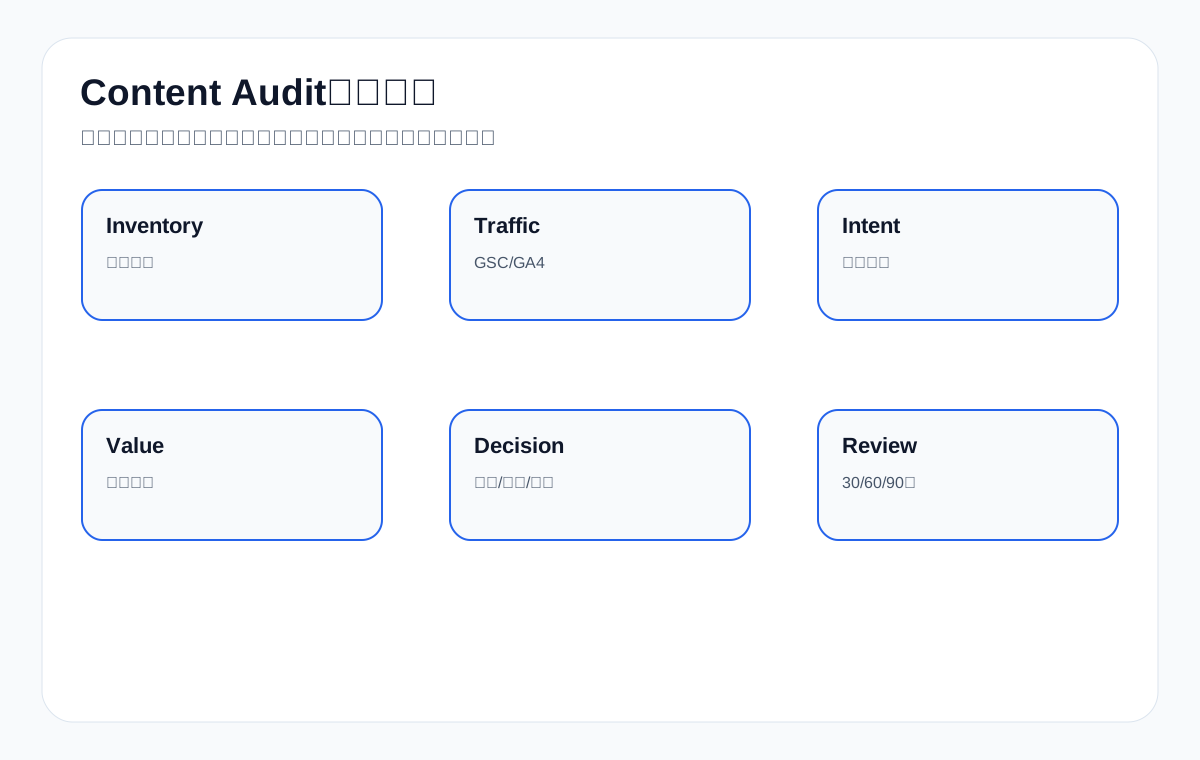
Official documentation boundaries: a content audit does not delete pages by publish date, it assigns actions based on evidence
The most common mistake export websites make with a content audit is deciding a page’s fate by publish date, word count, traffic, or personal feeling. A genuinely useful content audit first puts each page back into its job: is it a product page, category page, application page, resource page, article page, or inquiry page? When page jobs differ, the judgments for keeping, updating, merging, splitting, noindexing, redirecting, and removing also differ.
Google’s official documentation does not require websites to delete old pages in order to “update.” A more reliable approach is to judge using Search Console query/page data, index status from URL Inspection, the discovery path of sitemaps and canonicals, GA4 events, inquiry quality, and sales feedback together. When there is no GSC row-level data, a content audit can only establish a page-role baseline; it cannot claim that “a certain page is already dragging down rankings.”
Export websites especially need to be cautious. Many low-traffic product pages should not necessarily be deleted. For example, a specific model page for waterproof connector, a process page for custom metal parts, or a resource page for medical probe may have no traffic in the short term, but they still have value for sales communication, resource citations, AI search understanding, and inquiry preparation. Page actions must be reviewable; do not rely on a single score.
Mapping table: official documentation vs. content audit acceptance fields
| Official documentation entry point | What a content audit can use it to judge | Export website acceptance fields | What conclusions it cannot directly support |
|---|---|---|---|
| Google Search Central: SEO Starter Guide | Whether the page serves real users and whether the content is clear and useful. | Whether product specs, application scenarios, FAQ, resource downloads, and inquiry entry points are complete. | It cannot judge page quality by word count. |
| Google Search Central: Search Essentials | Whether the page meets crawlability, indexability, and basic quality requirements. | Status codes, indexing eligibility, page quality risk, spam risk. | It cannot present basic compliance as a search performance result. |
| Search Console Help: Performance report | View clicks, impressions, CTR, and average position by query/page. | Whether the page targets the expected English product terms and procurement questions. | Without row data, it cannot fabricate ranking, click, or CTR changes. |
| Google Analytics Help: About events | Observe on-site actions such as forms, email, WhatsApp, resource downloads, and RFQ buttons. | Whether content pages support product clicks, resource downloads, and inquiry preparation. | It cannot interpret traffic directly as inquiry quality. |
| Google Search Central: Debugging drops in Google Search traffic | When investigating a search traffic drop, distinguish query, page, demand, and technical changes. | Action records, SERP changes, and index status before and after the page’s decline. | It cannot delete a page the moment a decline appears. |
| Search Console Help: URL Inspection tool | Spot-check a single page’s indexed version, canonical, and indexability status. | Before merging or removing, confirm the page version Google sees. | It cannot by itself prove a page will gain search performance. |
| Google Search Central: Sitemaps overview | Confirm that important URLs enter the discovery path. | Whether kept pages, updated pages, and post-merge target pages are in the sitemap. | It cannot promise that submission guarantees indexing. |
| Google Search Central: robots.txt introduction | Check whether crawl rules are mistakenly blocking pages or resources. | Whether product images, PDF resources, page assets, and AI-related crawler access are mistakenly blocked. | It cannot use robots as a substitute for noindex or redirect strategy. |
| Google Search Central: Preferred URL guidance | Handle duplicate, similar, parameter, and preferred URL issues. | Whether the relationship among target page, canonical, internal links, and old URL is clear when merging content. | It cannot guarantee Google will always choose the declared URL. |
| Google Search Central: Block Search indexing with noindex | When a page should not enter the index, use noindex to express the indexing boundary. | Whether low-value filter pages, duplicate pages, and temporary pages should be noindexed. | It cannot treat noindex as deleting a page. |
| Google Search Central: Redirects and Google Search | Handle redirects when merging content or migrating URLs. | Redirect relationships when merging old articles into a new guide or old product pages into a new model page. | It cannot delete content without handling the old URL. |
| Google Search Central: AI features and your website | In an AI search environment, pages must still remain accessible, indexable, and clear. | A content audit should keep resource pages that explain product facts and procurement questions. | It cannot promise that an AI answer will definitely use a certain page. |
| OpenAI Platform: Bots | Check the access boundaries of AI-related crawlers. | Whether important resource pages and product pages are mistakenly blocked by crawl rules. | It cannot explain that ChatGPT will display the official website in a specified way. |
Content audit action boundaries: what to look at for keep, update, merge, split, and remove
The most important deliverable of a content audit is not a “delete/keep” table, but the action rationale for each URL. The rationale must be traceable to data, page facts, and business value.
| Action | Suitable conditions | Evidence needed | Export example |
|---|---|---|---|
| Keep | The page role is clear and can support procurement decisions or sales communication. | Product facts, internal links, inquiry records, sales feedback. | The medical probe datasheet has low traffic but sales often send it to customers. |
| Update | The page direction is right, but specs, FAQ, applications, or resources are outdated. | GSC queries, page traffic, sales questions, product resource changes. | Add IP rating, installation method, and application scenarios to the LED flood light page. |
| Merge | Multiple pages repeat the same topic, target similar intent, and split internal links and content. | Query overlap, content overlap, target URL mismatch, scattered internal links. | Combine three custom metal parts material articles into one materials and processes guide. |
| Split | One page carries too many different search intents. | Different query groups, different product lines, different inquiry paths. | Split the packaging machine page into powder, granule, and liquid scenario pages. |
| noindex | The page is useful to users but not suitable as a search entry point. | Duplicate filter pages, internal search pages, temporary campaign pages. | Keep the product filter parameter page for users without entering the search index. |
| Redirect | The old URL has been replaced by a more complete page. | The old and new pages share the same topic, and the old URL still has backlinks or traffic. | The old-model waterproof connector page redirects to the new-model description page. |
| Remove | The page has no business value, no search value, and no facts worth updating. | No GSC performance, no traffic, no sales use, no internal link value. | An expired trade show notice with no product or resource value. |
Without GSC data, a content audit can only establish a page-role baseline first
When there is no Search Console row-level data, you can still do a content audit, but the conclusions must be downgraded. You cannot say a page is “dragging down rankings,” nor that a page “should be deleted.” You can first judge whether the page role is clear, whether product facts are complete, whether it is in the sitemap, whether it is crawlable, whether there are GA4 events, and whether it is used by sales.
| Current evidence | Can judge | Cannot judge | Next step |
|---|---|---|---|
| GSC query/page shows 0 rows | Page role, URL inventory, index discovery path. | Ranking decline, CTR change, click loss. | Build an observation sheet and wait for query/page data to appear. |
| GA4 events not configured | Which buttons and downloads need tracking. | Whether the page brings valid inquiries. | Configure form, email, WhatsApp, and download events. |
| Sales feedback missing | Whether the page content lacks procurement fields. | Whether the page reduces communication cost. | Have sales fill in the questions customers ask most and how resources are used. |
| AI samples not established | Which pages are suitable as sources of product facts. | Whether AI answers already use the official website. | Build a query set and sample records. |
| Index status unclear | First spot-check URL Inspection, sitemap, canonical, and robots. | That a page with no performance simply has poor content. | Rule out technical and discovery issues. |
Risk checks before merging and removing: keep canonical, noindex, redirect, and internal links separate
The riskiest actions in a content audit are merging and removing. They affect URL relationships, internal links, user entry points, and search discovery paths. When export websites handle old product pages, old articles, and old category pages, they must first write the technical actions clearly.
| Risk point | Pre-handling check | Handling action | Post-handling review |
|---|---|---|---|
| The old URL still has backlinks or traffic | Check traffic, backlinks, internal links, and sales use. | Prefer redirecting to the most relevant page. | Check the redirect, target page content, and internal links. |
| Two pages have similar topics | Compare queries, titles, body content, target products, and inquiry paths. | Merge content and unify the target page. | Check whether canonical, sitemap, and internal links are updated. |
| The page is useful to users but not suitable for indexing | Confirm whether it is a filter page, duplicate page, or internal page. | Consider noindex rather than deletion. | Recheck that the page is still accessible and no longer serves as a search entry point. |
| The product model is discontinued | Confirm the replacement model, resource value, and likelihood of customer search. | Keep an explanation, merge into the replacement model, or redirect. | Check the inquiry page and related product links. |
| Old article information is outdated | Confirm whether it can still support a category page, product page, or FAQ. | Update, merge, or redirect to a new guide. | Check the old article’s internal links and the new page’s content completeness. |
30-60-90 day review: look at search performance, on-site events, inquiry quality, and AI visibility separately
A content audit does not end on the day of publication. After updating, merging, splitting, noindexing, and redirecting, you must review in stages. In the short term, check whether the technical actions are correct; in the medium term, check whether search and behavior show explainable changes; in the long term, check inquiry quality and sales feedback.
| Timeframe | What to look at in Search Console | What to look at in GA4 and inquiries | What to look at in AI visibility | What it is suitable for judging |
|---|---|---|---|---|
| 30 days | Whether target URLs are in the sitemap, whether query/page data appears, and whether old URL handling is clear. | Whether events can be recorded and whether product page and resource page paths are observable. | Whether a query set is established and whether samples can be re-tested. | Whether technical actions and page roles are implemented. |
| 60 days | Whether target pages capture the expected English product terms and whether CTR is abnormal. | Whether resource downloads, email clicks, and RFQ entry points show behavioral signals. | Whether answers mention the brand, official website URL, or changes in third-party sources. | Whether updating or merging made pages clearer. |
| 90 days | Query themes, page performance, average ranking, and click trends. | Inquiry products, spec completeness, countries, and sales feedback. | Whether changes in AI samples correlate with strengthened page facts. | Whether to continue expanding to more product lines. |
1. Conclusion first: a content audit is not about deleting old articles, but about reassigning page jobs
Many websites make two extreme mistakes when doing a content audit: one is wanting to delete historical content on sight, and the other is keeping everything because a page still has a little traffic. Export websites cannot do this. Whether a page should be kept cannot be judged only by publish date and word count; you must look at whether it still has search intent, business value, page role, internal link value, and a conversion path. Some old pages have low traffic but capture precise inquiries; some high-traffic articles get many visits but bring no procurement intent at all; some product pages have no traffic because their titles, images, specs, and internal links are not well done, not because there is no demand for the product.
Export website page-role audit table
| Page type | Suitable for targeting | Export English example | Audit focus |
|---|---|---|---|
| Category page | Product family, supplier, manufacturer, wholesale | LED flood light supplier | Check product range, filters, internal links, and procurement notes |
| Product page | Model, spec, material, certification, dimensions | M12 waterproof connector IP67 | Check specs, images, variants, FAQ, and inquiry entry points |
| Application page | for industry, scenario, equipment, material | packaging machine for food factory | Check scenario questions, selection tables, and recommended products |
| Article page | how to, what is, vs, checklist | how to choose cnc machining parts supplier | Check decision criteria, steps, mistakes, and internal links |
| Resource page | catalog, datasheet, manual, standard | medical probe datasheet | Check whether resources are downloadable and link to products and inquiries |
| Inquiry page | quote, sample, custom, OEM | custom metal parts quote | Check form fields, trust information, and quote boundaries |
For example, a term like LED flood light supplier should not be targeted by a single article alone; it should have a clear collection page. how to choose waterproof connector suits a guide article; M12 waterproof connector IP67 suits a product page; packaging machine for food factory suits an application page. The first step of a content audit is to put each page back into the position it should hold.
2. What top-ranking and authoritative sources say about content audits, and what we still need to add
Mainstream content audit guides usually suggest first building a URL inventory, then collecting data on traffic, rankings, backlinks, conversions, content quality, duplicate content, keyword overlap, and update dates, and then assigning each page an action: keep, update, merge, delete, or redirect. Tool-oriented guides from Ahrefs, Semrush, Moz, and others also emphasize judging by content performance, keywords, backlinks, and technical issues. Google Search Central’s documentation on helpful content, low-value content, and quality also reminds websites to focus on whether a page genuinely helps users, rather than mass-producing low-quality pages for search engines.
These benchmarks are important, but they are not enough for Chinese export companies. Export site content is not pure media content, nor pure e-commerce retail content. It often mixes product catalogs, category pages, industry applications, English technical articles, downloadable resources, inquiry pages, trade show news, and company introductions. We must add judgments for the export scenario: whether a page serves buyers, whether it uses real English product terms, whether it has specs and selection tables, whether it links to products/inquiries, whether it brings valid RFQs, whether it is cited by AI answers, and whether it is consistent with sales feedback.
3. Before a content audit, build a page inventory and fields first
A content audit cannot rely on browsing by eye alone. You need a page inventory that records each URL’s basic information, search data, traffic data, business data, and recommended action. For WordPress or Shopify sites, you can assemble it from the sitemap, CMS export, GSC page data, GA4 landing pages, CRM/inquiry records, internal link tools, and manual checks. The clearer the fields, the less the later judgments rely on gut feeling.
Content audit page inventory field table
| Field | Why it is needed | Example |
|---|---|---|
| URL | Uniquely identify the page | /waterproof-connector/ |
| Page type | Determine the role | category page/product page/application page/article page |
| Target query | Clarify the main intent | waterproof connector supplier |
| GSC impressions/clicks | Judge search performance | impressions, clicks, CTR |
| GA4 entry/path | Judge visit behavior | landing page, scroll, click |
| Inquiries/leads | Judge business value | RFQ, samples, quotes, spec confirmation |
| Backlinks/internal links | Judge page assets and link relationships | whether important pages are supported |
| Content gaps | Determine the update direction | missing spec tables, FAQ, images, application notes |
| Recommended action | Form the execution result | keep/update/merge/split/remove |
4. Decision framework: when to keep, update, merge, split, or remove
The hardest part of a content audit is not collecting data; it is making decisions. You cannot delete a page just because it is old, nor keep it just because it has a little traffic. The table below can serve as the basis for deciding actions on an export website. Before actually executing, also check whether the page has backlinks, whether it is referenced by internal pages, whether it has historical inquiries, whether there is a replacement page, and whether it will affect user paths.
Content audit decision table
| Action | Applicable situation | Export example | Recommended handling |
|---|---|---|---|
| Keep | The page still has a clear role, stable data, and non-outdated content | Brand pages, core product pages, important policy pages | Add light updates and internal links |
| Update | The intent still matches, but the information is old and lacks tables, FAQ, or examples | An old product page SEO guide | Rewrite the above-the-fold content, add data, and add export scenarios |
| Merge | Multiple pages answer the same main intent, splitting queries and internal links | Two articles both covering waterproof connector how to choose | Consolidate into a stronger page and handle redirects |
| Split | One page mixes several different intents | An article covering product pages, category pages, and quote pages at once | Split into different pages and interlink them |
| Remove | No business value, no search value, thin content with nothing to merge into | Outdated campaign pages or low-quality tag pages | Handle carefully, keep a backup and a replacement path |
| Redirect | The old URL has backlinks, impressions, or traffic, but the new page matches better | An old product line merged into a new collection page | 301 to the most relevant page |
5. Update: when to rewrite or expand instead of merging or deleting
Updating suits pages whose role is still correct but whose content quality is insufficient or whose information is outdated. For example, an article about cnc machining parts may still match buyer needs but lack materials, tolerances, surface treatment, drawing requirements, quote information, and common mistakes; an LED flood light collection page may still target product-family terms but have only product cards, with no application notes, spec table, certification notes, or FAQ. Such pages should not be deleted; they should be upgraded.
When updating, prioritize adding “procurement decision information,” not simply adding words. Common additions to export pages include product spec tables, material comparison tables, application scenario images, selection steps, quality control notes, certification boundaries, MOQ, sample lead times, packaging methods, target market differences, FAQ, internal links to related products, and inquiry prompts. Technical articles should add specific operating steps, decision criteria, error examples, GSC/GA4 review metrics, and next actions.
Content update priority table
| Page problem | What to add first | Export example |
|---|---|---|
| Outdated information | Update standards, specs, market wording | medical probe sterilization methods or compatible device notes |
| Missing procurement decision info | Spec tables, selection tables, MOQ, sample lead times | custom metal parts material and tolerance notes |
| Missing search match | Rewrite title, H1, above-the-fold answer | LED flood light supplier collection page copy |
| Missing conversion path | Add inquiry entry points and related products | packaging machine application page linking to the quote page |
| Missing structured content | Add tables, FAQ, definitions, and checklists | waterproof connector IP rating comparison table |
6. Merge: when multiple pages should be consolidated into one stronger page
Merging suits situations where multiple pages answer the same main intent, content overlaps heavily, queries overlap, internal links are scattered, and one page is clearly more suitable as the main page. Common merge scenarios on export sites include: several old articles all explaining how to choose the same product; multiple tag pages, category pages, and article pages competing for the same supplier term; and one product line split into many thin pages, leaving search engines unsure which page matters most.
Be careful when merging. First choose the main page, then organize the valuable paragraphs, images, FAQ, tables, and comments from the other pages into it; then handle internal links by pointing related pages to the main page; if the old page has backlinks, impressions, or traffic, set up a redirect to the most relevant new page; if the old page is completely worthless, still keep a backup and a record. Merging is not pasting text together; it is rebuilding a more complete and clearer page.
Content merge decision table
| Signal | Description | Action |
|---|---|---|
| Multiple URLs for the same query | GSC shows several pages getting impressions for the same term | Choose a main page and merge duplicate content |
| Highly similar content | Different titles but answering the same question | Keep the most complete page |
| Scattered internal links | Related articles point to several similar pages | Unify anchor text and the main page |
| The SERP only needs one page type | Results lean toward guides or categories | Keep the matching page type |
| The old page has backlinks | It cannot be removed directly | Redirect to the most relevant page |
7. Split: when one page should be split into multiple pages
Splitting suits a page that mixes several different search intents, so that none is answered in depth. For example, one article covering product page SEO, collection page SEO, technical SEO, content audit, and AI search visibility leaves readers still unsure of the next step; a collection page targeting supplier, how to choose, datasheet, and quote at the same time makes it hard for search engines to determine the main intent. Splitting is not about increasing page count; it is about giving each page a clear job.
For example, if a waterproof connector page simultaneously covers product listings, IP rating explanations, outdoor lighting applications, the quote process, and datasheet downloads, it can be split into: a waterproof connector supplier collection page, a how to choose waterproof connector guide, a waterproof connector for outdoor lighting application page, specific model product pages, a datasheet resource page, and a quote inquiry page. After splitting, connect them with clear internal links to avoid orphan pages.
8. Remove: when a page can truly be deleted or de-indexed
Removal is the riskiest action in a content audit. Only when a page has no search value, no business value, no backlink value, no internal path value, and no content worth updating or merging should you consider removing or de-indexing it. Common candidates on export sites include: expired campaign pages, empty tag pages, auto-generated thin pages, duplicate filter pages, low-value product pages for discontinued products with no replacement, and historical content unrelated to the main business.
Do not delete a page just because it has no traffic in the short term. Some B2B product terms have low search volume but high value per inquiry; some resource pages get few visits but are important pages for buyers doing technical confirmation; some product pages currently have no ranking because their internal links and content are too weak, not because the product has no value. Before removing, you must check GSC, GA4, backlinks, internal links, sales feedback, and replacement pages.
If a page is nearly an empty shell, duplicated, or impossible for Google to understand as a valuable page, first use the low-value page diagnostic guide to distinguish “weak content that can be updated” from “low-value pages that should be merged or removed,” then decide whether to noindex, merge, redirect, or rewrite.
Pre-removal checklist
| Check item | If valuable | If worthless |
|---|---|---|
| GSC queries | Keep or update | Continue checking other signals |
| GA4 traffic | Analyze paths and intent | Possible removal |
| Inquiry records | Prioritize keeping or strengthening | Continue checking for a replacement page |
| Backlinks | Redirect to a related page | Avoid a direct 404 |
| Internal links | Update link targets | Clean up invalid paths |
| Replacement page | Redirect or merge | Consider removal |
9. Judge with GSC, GA4, and inquiry records together; do not look only at traffic
An export content audit must look at search data and business data together. GSC can tell you queries, impressions, clicks, countries, and URLs; GA4 can tell you landing pages, time on page, paths, and events; inquiry records can tell you whether visits are close to real procurement. Looking at any single data source alone can lead to misjudgment. For example, an article with many visits whose readers stay only briefly and never enter a product page may be general traffic; a product page with few visits, where every visit comes from precise terms and produces RFQs, is actually more valuable.
Content audit signal judgment table
| Signal | Possible cause | How to verify | Recommended action |
|---|---|---|---|
| GSC impressions decline | Lower demand, SERP changes, title mismatch, outdated page | Date comparison, query changes, SERP observation | First decide whether to update; do not remove directly |
| Low CTR | Title and snippet are unappealing, page type mismatch | Compare titles of pages at the same position | Change the title, above-the-fold content, and snippet |
| Ranking URL switching | Page role conflict or scattered internal link signals | GSC query-page dimension | Clarify the main page and merge/interlink |
| Traffic without inquiries | Terms are not commercial enough, page targeting is weak | GA4 paths, inquiry records | Add procurement decision info and action entry points |
| High bounce | Content mismatch or a weak above-the-fold answer | Heatmaps/paths/page content | Rewrite the above-the-fold content and structure |
| No AI citations | Unstructured information, missing definitions, tables, FAQ | AI answer observation, page structure | Add definitions, tables, and FAQ |
10. Export English product term examples: how to audit different pages
custom metal parts
If the page has only a company introduction and no materials, processes, tolerances, surface treatment, drawing requirements, or inquiry fields, it should be updated into a procurement decision page; if multiple articles cover the same machining capability, they should be merged into a more complete page.
LED flood light
The collection page should target supplier/manufacturer and application scenarios; product pages should target wattage, IP rating, color temperature, and certification; old articles that cover only general knowledge should have selection tables and internal links added.
packaging machine
Application pages should distinguish food, powder, liquid, granule, bagged, and bottled; if articles and collection pages are mixed together, split them into scenario pages and product pages.
medical probe
Resource pages and product pages should include compatible devices, materials, sterilization methods, interfaces, and packaging; outdated resources should not be deleted directly but linked to the latest product or given a replacement note.
ceramic dinnerware
The collection page should distinguish hotel, restaurant, retail, and custom patterns; low-quality product pages should have dimensions, glaze, packaging, MOQ, and images added.
waterproof connector
IP rating, pin count, wire gauge, housing material, and application scenarios must be clear; multiple how to choose articles can be merged into one strong guide.
11. Content audit workflow in practice: from inventory to post-publication review
Step 1: Export the page inventory
Gather URLs from the sitemap, CMS, GSC, and GA4, and note page type, title, status, last updated date, and intended page role.
Step 2: Add search data
For each page, add GSC impressions, clicks, CTR, average ranking, main queries, countries, and comparison period.
Step 3: Add business data
Include inquiry sources, quotes, samples, spec confirmations, sales feedback, and product line value in the judgment; do not look only at traffic.
Step 4: Look at SERP intent
For key pages, manually look at the first page of search results and judge whether the current results lean toward category pages, product pages, articles, platforms, or brands.
Step 5: Assign actions
Tag each page as keep, update, merge, split, remove, or redirect, and write the rationale clearly.
Step 6: Handle high-value pages first
Prioritize pages with impressions, commercial intent, product value, or inquiry potential.
Step 7: Post-publication review
Observe queries, URL matching, internal link paths, inquiry quality, and AI citation changes at 30/60/90 days.
12. Common content audit mistakes
Mistake 1: Deciding a page’s fate by publish date
An old page may still have value, and a new page may have no search intent. Look at page role, queries, and business value.
Mistake 2: Judging quality by word count
Word count is only one signal. Procurement decision information, structure, images, specs, FAQ, and internal links matter more.
Mistake 3: Deleting without updating
Many page problems can be solved by updating, merging, and internal linking; removing directly may lose existing signals.
Mistake 4: Looking only at traffic and not inquiries
Export sites must look at lead quality. Low-traffic pages with high inquiry value should not be discarded lightly.
Mistake 5: Not handling internal links after merging
If internal links still point to the old page, the main page’s signals remain diluted.
Mistake 6: Ignoring page type
Articles, product pages, category pages, and application pages cannot be audited by the same standard.
Mistake 7: No review
A content audit is not a one-time cleanup; you must track subsequent search performance and business feedback.
13. Post-publication review metrics: how to judge whether a content audit worked
After a content audit is complete, do not immediately judge success by “whether rankings rose right away.” Updates, merges, redirects, and internal link adjustments all take time to be crawled and understood. Observe in stages at 7, 30, 60, and 90 days. In the early stage, confirm the technical state; in the middle stage, look at queries and clicks; in the later stage, look at whether page roles are stable and inquiry quality improves.
Content audit review metrics table
| Timeframe | Search metrics | Page metrics | Business metrics |
|---|---|---|---|
| 7 days | Whether URLs are crawled and redirects take effect | Whether pages open normally and internal links work | Do not judge conversion yet |
| 30 days | Whether target queries concentrate on the target URL | Whether landing pages, scroll, and click paths improve | Whether more relevant inquiries appear |
| 60 days | Whether CTR, impressions, and URL matching improve | Whether paths from articles to product/category pages form | Whether inquiry quality approaches the target product line |
| 90 days | Whether ranking stability and topic coverage strengthen | Whether the relationship between supporting pages and main pages is clear | Whether quotes, samples, and spec confirmations are more accurate |
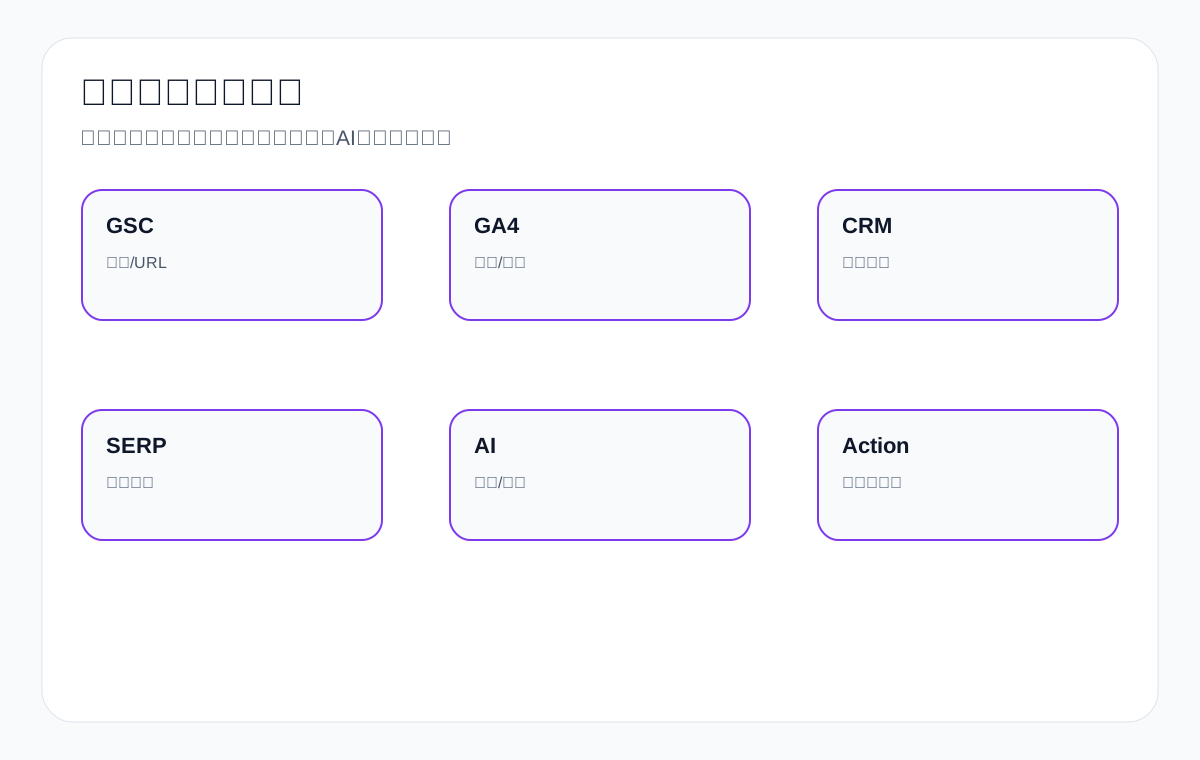
14. FAQ: common content audit questions
How often should a content audit be done?
We recommend a light audit every quarter and a deep audit every six months to a year. After product line changes, a site redesign, a traffic decline, or a large content launch, do an additional dedicated audit.
Can you do a content audit without GSC data?
You can do a basic audit, but the judgment will rely more on page roles, SERP, product value, and internal links. We recommend setting up GSC and GA4 at the same time so you can review with real data later.
Must low-traffic pages be deleted?
Not necessarily. A B2B export page may have low search volume but high inquiry value. Look at whether it has precise queries, product value, sales feedback, and room for updates.
Will merging content lose rankings?
If the main intent is clear before and after the merge, the old page has a reasonable redirect, internal links are updated, and the content is more complete, it usually helps concentrate signals. But do not force-merge different intents.
Is longer content always better when updating?
No. Updates should add procurement decision information, tables, FAQ, images, data, and internal links. Padding with empty words to hit a word count lowers page quality.
What should be done with a product page that has no traffic?
First check the title, specs, images, internal links, collection entry points, and search intent. If the product has business value, optimize it first; do not remove it directly.
What is the relationship between a content audit and keyword cannibalization?
A content audit can uncover multiple pages answering the same query, page role conflicts, and URL switching, which are often the signs of keyword cannibalization.
Do we still need content audits in the age of AI search?
Even more so. AI relies more on structured, clear, trustworthy, extractable information. When auditing, check definitions, tables, FAQ, entity information, and citation conditions.
15. Content audit scoring: do not decide a page’s fate with a single score
Many teams like to score every page, such as a traffic score, conversion score, content quality score, or backlink score. Scoring can help with ranking, but it cannot replace judgment. Export websites especially cannot rely on a traffic score alone. A medical probe datasheet page may get only a few visits a month, but the visitors are all technical buyers or engineers; a general industry news page may get more visits but has no inquiry value at all. Content audit scoring should be divided into six categories: search value, business value, content completeness, page role, update potential, and risk.
The purpose of scoring is not to let the system delete pages automatically, but to let the team know what to handle first. Pages with high search value, high business value, and low content completeness should be updated first; pages with high business value but weak search performance should first have titles, internal links, and procurement information added; pages with high search but low business value should be assessed for whether they can lead to product pages; only pages with low search, low business, few links, and no replacement meaning become candidates for removal or de-indexing.
Export content audit scoring table
| Scoring dimension | High-score signal | Low-score signal | Recommended action |
|---|---|---|---|
| Search value | Has impressions, clicks, rankings, or long-tail terms | No queries at all over the long term | Prioritize optimizing high-scoring pages |
| Business value | Tied to profitable products, samples, quotes, or sales feedback | Unrelated to the main products | High business scores should not be deleted lightly |
| Content completeness | Has specs, tables, FAQ, images, and internal links | Only general descriptions | If completeness is low but the page has value, update it |
| Page role | One page targets one main intent | Several intents mixed together | Split or rewrite the structure |
| Link value | Has backlinks or important internal links | Orphan page | Be careful with redirects when link value exists |
| Risk level | Impact after handling is manageable | May affect a core entry point | For high risk, back up first and handle in small batches |
16. Dedicated export product page audit: not every low-traffic product page should be removed
Product pages are the most easily misjudged pages on export websites. Many product pages have low search volume, but they target model, spec, material, certification, and procurement confirmation needs. Terms like M12 waterproof connector, 100W LED flood light, and custom aluminum CNC machining parts may not have large search volume, but they may be closer to an inquiry. If a product page has no traffic, first judge whether its content and internal links are weak, rather than immediately concluding the product has no value.
A product page audit should look at four things: first, whether it has a unique product positioning and whether the title includes core specs; second, whether it has enough images, spec tables, application notes, and FAQ; third, whether it receives internal links from collection pages, related articles, and application pages; fourth, whether it has a clear inquiry entry point. Many product pages are not “supposed to not exist”; they are simply not supported by collection pages and the content system, and they do not give buyers enough reason to make contact.
Product page audit checklist
| Check item | Passing state | Common problem | Action |
|---|---|---|---|
| Title | Product name + key specs are clear | Only a generic product term or a part number | Rewrite the title and H1 |
| Specs | Material, dimensions, certification, and application are clear | Only marketing adjectives | Add a spec table |
| Images | Detail, dimension, application, and packaging images are complete | Only one product image | Add images or an explanatory module |
| Internal links | Reachable from collection pages, articles, and application pages | Orphan page | Add relevant internal links |
| Inquiry | Form fields are close to a product quote | Only a generic contact entry point is left | Add quantity, drawing, and spec fields |
17. Dedicated category and collection page audit: commercial export terms usually should not be targeted by articles alone
Category pages or collection pages are important entry points for commercial terms such as supplier, manufacturer, wholesale, custom, OEM, and factory. During a content audit, if you find that an article is targeting terms like LED flood light supplier, industrial valve supplier, or private label activewear manufacturer, watch out for a page type mismatch. An article can explain how to choose a supplier, but commercial terms need a clear product-family or service-capability page.
A category page audit should look at product range, filter logic, category description, procurement questions, application scenarios, and internal product links. Many export collection pages have only product cards and no descriptive text, which makes it hard for both search engines and buyers to understand the page’s value. When updating, do not write a vague company introduction; explain the product series, applicable industries, material/spec range, certification, customization capability, MOQ, samples, and common procurement questions.
Category page audit checklist
| Module | Should answer | Example |
|---|---|---|
| Product range | Which products this category includes | LED flood light wattage and IP ratings |
| Buyer identity | Whether it suits supplier/factory/wholesale searches | industrial valve supplier |
| Filter logic | How buyers narrow down their choices | material, size, application, certification |
| Application scenarios | Which industries the products suit | warehouse, food factory, medical device |
| Related content | Whether it links to selection guides and product pages | how to choose waterproof connector |
| Inquiry entry point | Whether requirements can be submitted quickly | request quote with quantity and specs |
18. Dedicated article page audit: informational content must support commercial pages
Articles on an export site are not there to gain readership on their own; they exist to answer pre-purchase questions and support category pages, product pages, and inquiry pages. When auditing an article, check whether it answers real buyer questions, whether it uses export English product terms, whether it has decision criteria, tables, FAQ, images, and steps, and whether it internally links to relevant commercial pages. If an article only offers definitions and no next-step path, it will struggle to become a lead-generation asset even if it gets traffic.
For example, an article about ceramic dinnerware can cover ceramic vs porcelain dinnerware, hotel dinnerware durability, and custom logo dinnerware MOQ; an article about packaging machine can cover vertical vs horizontal packaging machine and how to choose packaging machine for snacks; an article about custom metal parts can cover materials, tolerances, surface treatment, and drawing preparation. Every article should clearly support a specific product family or application page.
Article page audit checklist
| Check item | Passing state | Handling action |
|---|---|---|
| Above-the-fold answer | The opening directly answers the core question | Rewrite the introduction and conclusion |
| Export examples | Use real product terms and procurement scenarios | Replace generic SEO or internal wording |
| Decision table | Help buyers compare and choose | Add a table or matrix |
| Internal link path | Link to collection pages, product pages, and inquiry pages | Add natural anchor text |
| Review metrics | Explain how to measure results with GSC/GA4/inquiries | Add a review module |
19. Migration and redirect risk: preserve evidence before merging or removing
When a content audit involves merging and redirects, the risk comes mainly from three directions: the old URL still has search impressions, the old URL has external links, and the old URL is heavily referenced internally. If you handle it without records, it is hard to tell later where traffic changes came from. Before every merge or removal, save the historical content, old title, old meta, GSC queries, GA4 traffic, backlinks, internal links, and recommended action. After handling, record the new URL, redirect status, and review date.
For export sites, we do not recommend handling a large number of pages at once. Start with a batch of low-risk pages: thin content with no inquiries, no backlinks, no core product value, and no important internal links. After observing for 30–60 days, handle more complex pages. Core product pages, key category pages, pages with historical inquiries, and resource pages used by the sales team should be reviewed separately and not handled purely by a tool score.
Pre-handling backup field table
| Field | Why save it | Later use |
|---|---|---|
| Original URL and title | Confirm the object being handled | Review and rollback |
| Original body | Preserve valuable content | Merge or restore |
| GSC queries | Know which terms the page targeted | Judge whether signals concentrate after migration |
| GA4 traffic | Know the page’s entry points and paths | Judge the user impact |
| Inquiry records | Avoid harming high-value pages | Business review |
| Handling action | Explain why it was updated/merged/removed | Team communication and audit records |
20. Content audits from the perspective of AI search visibility
Answer-oriented search such as AI Overviews, ChatGPT, and Gemini adds a new dimension to content audits: whether a page is easy to understand and cite. Traditional content audits look at rankings, traffic, backlinks, and conversions; an AI visibility audit also looks at whether a page has clear definitions, entity consistency, tables, FAQ, steps, specs, citation conditions, and brand information. Not every page needs to chase AI citations, but core technical guides, product selection guides, category descriptions, and resource pages should have the basic structure needed for machine extraction.
Take waterproof connector selection content as an example. If the page only says “good quality, widely used,” it is hard for AI to extract a valuable answer; if the page has an IP67/IP68 comparison table, pin count selection, wire gauge range, material differences, outdoor lighting and industrial equipment applications, a procurement mistake checklist, FAQ, and product links, it is easier to understand. During a content audit, you can add an “AI extractability” field to key pages, recording whether they have definitions, tables, steps, FAQ, product entities, and clear sources.
AI visibility content audit table
| Check item | Passing state | Export page example | Optimization action |
|---|---|---|---|
| Definition | Explain the concept clearly in one sentence | what is waterproof connector | Add a concise definition |
| Table | Extractable comparisons and judgments | IP67 vs IP68 | Add a spec matrix |
| Steps | A clearly ordered process | how to choose packaging machine | Add a selection workflow |
| Entities | Brand, product, application, and standards are consistent | industrial valve material standard | Unify terminology and internal links |
| FAQ | Answer real buyer questions | MOQ, sample, certification | Add a Q&A module |
| Action path | Move from the answer into a product or inquiry | request quote / view products | Add internal links and CTAs |
21. Team collaboration: a content audit cannot be done by writers alone
An export website content audit requires sales, product, operations, and technical staff to take part together. Sales knows which pages bring real inquiries, product knows which specs are easily misunderstood, operations knows which pages have traffic and paths, and technical knows which URLs can be handled safely. If only writers review pages, content quality is easily reduced to writing quality; if only technical staff look at data, business value is easily overlooked. Whether a page should be updated, merged, or removed usually needs both search data and sales feedback to support it.
We recommend holding a short meeting after each content audit to discuss only high-priority pages: which pages should be updated, which pages need sales to add common questions, which product pages need images and specs added, which old articles can be merged, and which pages carry handling risk. This turns a content audit into an ongoing optimization mechanism rather than a one-time cleanup task.
Content audit collaboration role table
| Role | What they provide | What misjudgment to avoid |
|---|---|---|
| Sales | Real inquiry questions, quote quality, customer countries | Wrongly deleting low-traffic, high-value pages |
| Product/engineering | Specs, materials, application boundaries, certification requirements | Content that reads well but is technically inaccurate |
| Operations | GSC, GA4, page paths, content scheduling | Deciding priorities by gut feeling alone |
| Technical | Redirects, indexing, speed, structured data | 404s or index confusion after handling |
| Owner | Final action and review date | No one tracking results after the changes |
22. An export site content audit example: from problems to actions
Suppose an export manufacturer sells custom metal parts, cnc machining parts, and waterproof connector at the same time. The audit finds: first, the custom metal parts page has impressions but a low CTR; second, three cnc machining articles have duplicate content; third, the waterproof connector product page has no spec table; fourth, an old trade show news item has no traffic and no internal links; fifth, the how to choose supplier article gets traffic but does not lead to product pages.
In this case the action is not to uniformly “rewrite all pages.” The custom metal parts page should have its title, above-the-fold content, and material/process table updated; the three cnc machining articles should be merged into one stronger guide with internal links pointing to product and inquiry pages; the waterproof connector product page should have specs, applications, FAQ, and images added; the old trade show news item can be considered for removal or archiving if it has no value; the how to choose supplier article should have a selection table, common mistakes, and internal links to relevant collection pages added. Each action corresponds to a different problem.
Export content audit example table
| Page | Problem found | Recommended action | Review metric |
|---|---|---|---|
| custom metal parts category page | High impressions but low CTR | Update the title, above-the-fold content, and material/process table | CTR, inquiry relevance |
| Three cnc machining articles | Duplicate intent, scattered internal links | Merge into a main guide | Target URL query concentration |
| waterproof connector product page | Missing specs and FAQ | Add a spec table, applications, and an inquiry entry point | Product page traffic and RFQs |
| Old trade show news | No search, no internal links, no business value | Archive or mark as a removal candidate | Confirm no important entry point is lost |
| how to choose supplier article | Gets traffic but does not lead to products | Add internal links and a procurement checklist | Clicks from the article to the collection page |
23. Content audit deliverables: what to leave behind in the end
A proper content audit should not leave behind only the words “checked.” It should leave reusable deliverables: a page inventory, field definitions, data screenshots or exports, a recommended action for each page, priority, responsible role, backup path, redirect relationships, update notes, and review dates. That way, when a second audit round happens later, the team knows why things were handled that way and can judge whether the actions worked.
For export companies, the most valuable deliverables are the “page action table” and the “content opportunity table.” The page action table tells you which URLs to update, merge, keep, or remove; the content opportunity table tells you which product lines still lack category pages, application pages, guides, FAQ, or resource pages. The former solves existing problems; the latter guides future content development.
Content audit deliverable list
| Deliverable | Content | Purpose |
|---|---|---|
| Page inventory | URL, title, type, data, action | Unify the audit scope |
| Priority table | High/medium/low handling order | Allocate resources |
| Merge/redirect table | Old URL, new URL, rationale | Reduce migration risk |
| Update requirements table | Missing tables, FAQ, images, internal links, specs | Guide content upgrades |
| Content opportunity table | Missing pages and topics | Guide later development |
| Review plan | 30/60/90-day check metrics | Judge effectiveness |
24. The final criterion: a content audit is about giving pages a stronger role, not about reducing page count
The goal of a content audit is not simply to reduce the number of pages, nor to turn every page into a long article. For export companies, a genuinely good content audit makes every page that remains clearer: what search intent it targets, what kind of buyer questions it serves, which products and inquiry entry points it should link to, and how to review it with GSC, GA4, inquiry records, and AI citations. If a page has value, update it or merge it into a stronger page; only if a page has no value and no replacement meaning should you handle it carefully.
When you audit export product content such as custom metal parts, LED flood light, packaging machine, medical probe, cnc machining parts, ceramic dinnerware, waterproof connector, industrial valve supplier, and private label activewear manufacturer by this standard, pages shift from “we wrote one” to assets that “can be searched, can be understood, can support procurement decisions, and can lead to inquiries.”
{
“@context”: “https://schema.org”,
“@type”: “FAQPage”,
“mainEntity”: [
{
“@type”: “Question”,
“name”: “Content audit review metrics tablenTimeframe Search metrics Page metrics Business metricsn7 days Whether URLs are crawled and redirects take effect Whether pages open normally and internal links work Do not judge conversion yetn30 days Whether target queries concentrate on the target URL Whether landing pages, scroll, and click paths improve Whether more relevant inquiries appearn60 days Whether CTR, impressions, and URL matching improve Whether paths from articles to product/category pages form Whether inquiry quality approaches the target product linen90 days Whether ranking stability and topic coverage strengthen Whether the relationship between supporting pages and main pages is clear Whether quotes, samples, and spec confirmations are more accuratennFigure 3: After a content audit is complete, keep reviewing with search performance, visit paths, inquiry quality, and AI citations.n14. FAQ: Common content audit questionsnHow often should a content audit be done?”,
“acceptedAnswer”: {
“@type”: “Answer”,
“text”: “We recommend a light audit every quarter and a deep audit every six months to a year. After product line changes, a site redesign, a traffic decline, or a large content launch, do an additional dedicated audit.”
}
},
{
“@type”: “Question”,
“name”: “Can you do a content audit without GSC data?”,
“acceptedAnswer”: {
“@type”: “Answer”,
“text”: “You can do a basic audit, but the judgment will rely more on page roles, SERP, product value, and internal links. We recommend setting up GSC and GA4 at the same time so you can review with real data later.”
}
},
{
“@type”: “Question”,
“name”: “Must low-traffic pages be deleted?”,
“acceptedAnswer”: {
“@type”: “Answer”,
“text”: “Not necessarily. A B2B export page may have low search volume but high inquiry value. Look at whether it has precise queries, product value, sales feedback, and room for updates.”
}
},
{
“@type”: “Question”,
“name”: “Will merging content lose rankings?”,
“acceptedAnswer”: {
“@type”: “Answer”,
“text”: “If the main intent is clear before and after the merge, the old page has a reasonable redirect, internal links are updated, and the content is more complete, it usually helps concentrate signals. But do not force-merge different intents.”
}
},
{
“@type”: “Question”,
“name”: “Is longer content always better when updating?”,
“acceptedAnswer”: {
“@type”: “Answer”,
“text”: “No. Updates should add procurement decision information, tables, FAQ, images, data, and internal links. Padding with empty words to hit a word count lowers page quality.”
}
}
]
}
Continue reading this SEO series
If you are systematically working through export website SEO, we suggest continuing with the articles below. First clarify the relationships among crawling, indexing, content, links, and review, then decide which page to change next.
- What is internal linking: a guide to related topics, anchor text, and inquiry path optimization for export websites
- What is an SEO audit: how to check an export website from technical, content, and links to inquiry review
- How to do content SEO: a guide to search intent, information gain, and indexable content
- How to do keyword research: export product terms, search intent, and page mapping workflow
- How to mine competitor keywords: from competitor pages and English product terms to inquiry opportunities
- How to choose keyword tools: select by diagnostic scenario, not by following a tool list
This page is machine-translated from the Simplified Chinese version and awaiting human review. It has not yet been proofread.