On-Page SEO is not about stuffing keywords into titles, H1s and image alt text. For Chinese export manufacturers and trading companies, the goal of on-page optimization is to let Google, AI answer systems and overseas buyers quickly understand: what sourcing problem this page solves, which products and scenarios it fits, and what specifications, evidence, images, FAQs, documents and next-step inquiry paths it offers.
If your website covers export products such as custom metal parts, LED flood light, packaging machine, medical probe, cnc machining parts, ceramic dinnerware, waterproof connector, industrial valve supplier or private label activewear manufacturer, On-Page SEO should revolve around buyer decisions, not around tool scores.
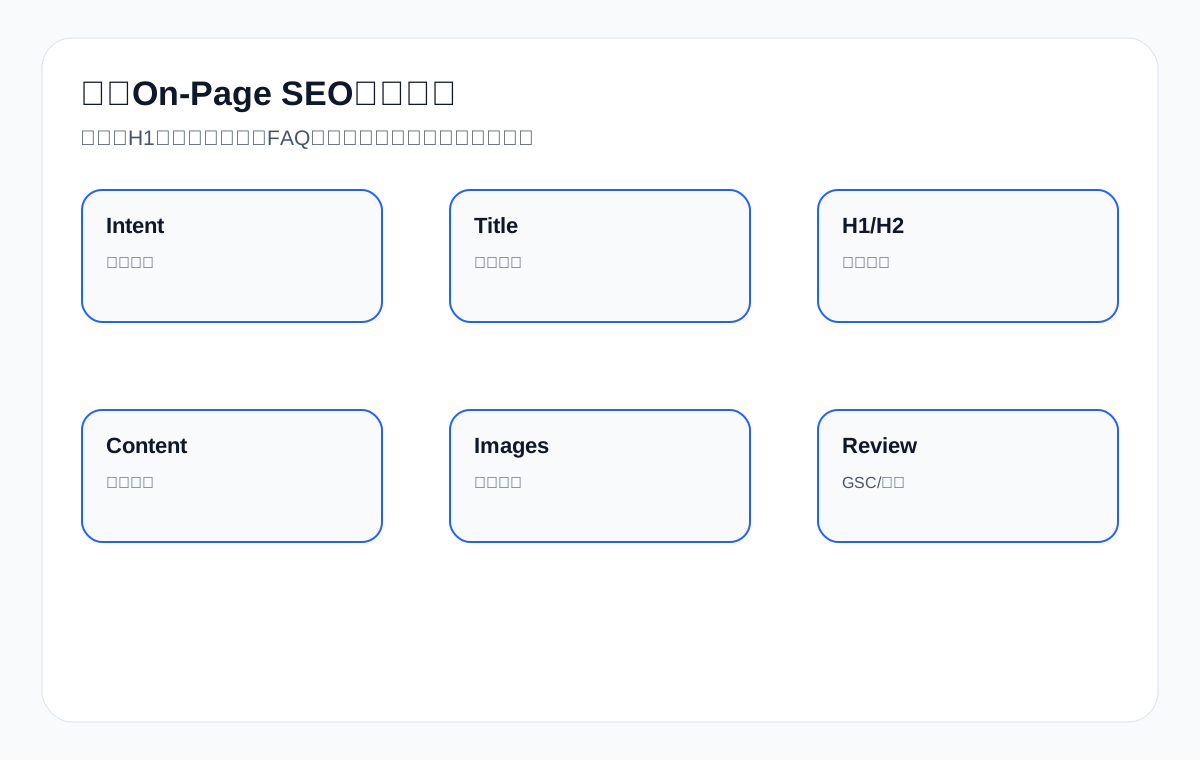
First, benchmark against the current On-Page SEO baseline
In today’s Google search results, Backlinko’s On-Page SEO guide covers titles, front-loaded keywords, H1-H6, above-the-fold content, content chunking, images and user experience; Google’s SEO Starter Guide emphasizes title links, page structure, images, links and helpful content; Ahrefs and Semrush also list titles, meta descriptions, headings, content, image alt text, internal links and search intent as core checks. The strength of these guides is a complete general framework and clear instructions.
Their gap is that most examples lean toward blogs, SaaS or general websites, and they rarely explain how export B2B pages should write product page titles, category page H2s, application page body copy, resource page images and inquiry page FAQs. This article breaks On-Page SEO down by export page role, telling you what each page type should optimize, how to judge whether it is over-optimized, and how to review results with GSC and inquiry quality.
On-Page SEO elements and export page goals
| Element | What it solves | Export-site approach | Common mistakes |
|---|---|---|---|
| Title | Search-result clicks and topic signal | Product term + specification/scenario + sourcing value | Stuffing several unrelated terms |
| H1 | Page headline and user confirmation | Consistent with the page’s real role | Hidden H1 or multiple conflicting H1s |
| H2/H3 | Content hierarchy and scannability | Organized around sourcing questions | Splitting headings artificially just to place keywords |
| Body copy | Explains the product, scenario and decision criteria | Specs, applications, FAQ, documents, next step | Vague talk about company strength |
| Images | Visual evidence and image search | Product, dimension, application and packaging images | Keyword-stuffed alt text |
| Internal links | Guides the next step and topic relationships | Article to product, product to documents/inquiry | Only linking related articles |
Step 1: Define the page role and search intent first
The first step of On-Page SEO is not writing the title, but judging the page role. Category pages, product pages, application pages, article pages, resource pages and inquiry pages serve different search intents, so their titles, H1s, body copy, images and FAQs differ. For example, LED flood light supplier fits a category page better, 150W IP65 LED flood light fits a product page better, and LED flood light for warehouse fits an application page better.
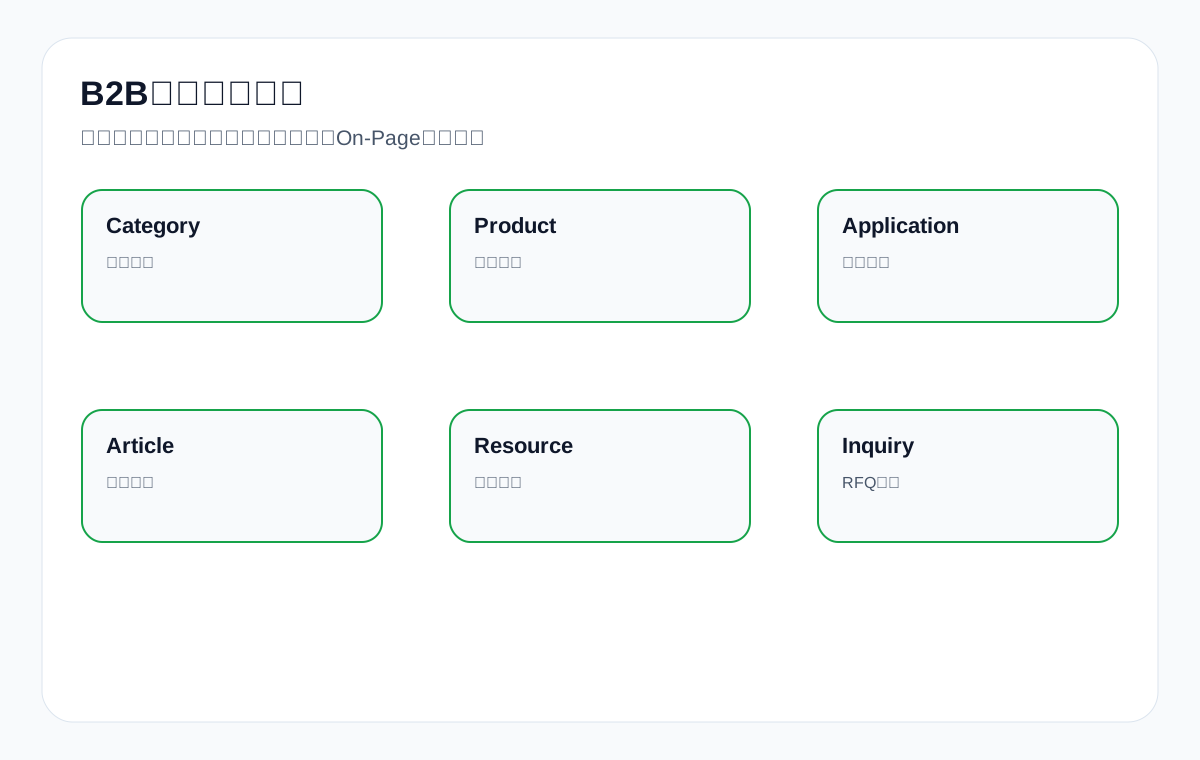
Export page roles and On-Page priorities
| Page role | Target queries | Title focus | Body focus |
|---|---|---|---|
| Category page | Product family, supplier, manufacturer | Product family + supply capability + range | Product range, filtering, applications, FAQ |
| Product page | Model, specifications, material, certification | Product name + key specs + applications | Specs, images, documents, FAQ, inquiry |
| Application page | for + industry/scenario | Product/solution + scenario | Scenario problems, recommended products, selection basis |
| Article page | how to, vs, checklist | Problem + decision value | Steps, tables, mistakes, internal links |
| Resource page | datasheet, catalog, manual | Resource type + product | Applicable models, download notes, related products |
| Inquiry page | quote, sample, OEM | Action + product/service scope | RFQ fields, samples, lead time, boundaries |
Step 2: How to write a title that is both clear and click-worthy
The title is one of the most important click entry points in search results. Google may rewrite titles, but a clear, accurate title that matches the page content still matters a great deal. An export page title should not be just a product name, and it should not stack several product terms together. A better formula is: main product term + key specification/scenario/page role + sourcing value.
Title formulas for export pages
| Page | Weak version | Better version | Why |
|---|---|---|---|
| Category page | Products | LED Flood Light Supplier: IP65 Outdoor Lights for Industrial Projects | States the product family and sourcing scenario |
| Product page | M12 Connector | M12 Waterproof Connector IP67 5 Pin for Packaging Machine | Includes specs and application |
| Application page | Solutions | Packaging Machine Connector Selection Guide for Washdown Areas | Clear scenario |
| Article page | Guide | How to Choose Custom Metal Parts Supplier: Drawing, Tolerance and RFQ Checklist | Clear problem and value |
| Resource page | Download | Medical Probe Datasheet: Compatibility, Material and Packaging Notes | Clear resource content |
| Inquiry page | Contact Us | Custom Metal Parts Quote: Send Drawing, Material and Quantity for Review | Clear action |
Step 3: H1, H2 and H3 are page logic, not typographic decoration
The H1 should let users confirm “I’m in the right place”, H2s should break down the page’s main questions, and H3s should expand the details. Export pages do not need to force keywords into every heading for SEO; instead, headings should help buyers scan quickly. For example, a product page can use H2s for Specifications, Applications, Customization, FAQ and Downloads, while an application page can use H2s for scenario problems, selection criteria, recommended products, documents and inquiry.
Heading hierarchy examples
| Page type | H1 | Example H2s | Example H3s |
|---|---|---|---|
| Product page | M12 Waterproof Connector IP67 | Specifications / Applications / Custom Options / FAQ | Pin options / Cable materials / Sample lead time |
| Category page | LED Flood Light Supplier | Product Range / Wattage Comparison / Applications / FAQ | 50W vs 100W / Warehouse lighting |
| Application page | Connectors for Packaging Machines | Washdown risk / Recommended products / Selection table | IP rating / Cable material |
| Article page | How to Choose CNC Machining Parts Supplier | Supplier criteria / RFQ checklist / Mistakes / FAQ | Tolerance / Surface finish |
Step 4: The first screen of the body must answer the buyer’s most pressing questions
Guides such as Backlinko’s stress that important content should appear early. The same applies to export pages: the first screen should not be just a large image and a slogan. A product page’s first screen should state what the product is, what applications it suits, key specs, customization options and the next step; an article page’s first screen should state what problem the article solves, who it is for, and what the reader can decide after reading it.
First-screen content for export pages
| Page | Must answer on the first screen | Example |
|---|---|---|
| Product page | What it is, key specs, suitable scenarios, how to request a quote | IP67 M12 connector for automation and packaging machines |
| Category page | Product range, supply capability, target industries | LED flood light 30W-300W for warehouse, stadium and outdoor projects |
| Application page | Scenario problems, recommended direction, why it matters | Washdown areas require sealed connectors and chemical-resistant cable options |
| Article page | The problem, decision criteria, next page | This guide explains what drawings and tolerances are needed for custom metal parts quote |
| Resource page | What the resource contains, which products it covers | Download datasheet for medical probe compatibility and packaging notes |
Step 5: Body depth should serve sourcing decisions, not word count
Export On-Page body copy should help buyers decide: whether the product works, whether specs match, where the risks are, what information they need to provide, and how to request a quote next. Different products need different evidence. custom metal parts need materials, tolerances, surface finishes and drawings; ceramic dinnerware needs material, packaging, food-contact information and MOQ; medical probe needs compatible models, material safety and a datasheet.
Evidence matrix for export product body copy
| Product | What the body must cover | Images/documents | FAQ direction |
|---|---|---|---|
| custom metal parts | Materials, tolerances, processes, drawing formats, QC | Machining drawings, inspection images, RFQ checklist | What information is needed for a quote |
| LED flood light | Wattage, luminous efficacy, IP rating, certifications, installation | Application photos, light distribution diagrams, certifications | How to choose between IP65 and IP67 |
| packaging machine | Capacity, suitable materials, voltage, configuration, after-sales | Process diagrams, equipment photos | Sample testing and lead time |
| medical probe | Compatibility, materials, packaging, standards, documents | datasheet, compatibility table | How to confirm compatible models |
| waterproof connector | Pins, IP rating, cable gauge, locking method | Structure diagrams, dimension drawings | Differences between M8/M12/M16 |
| private label activewear | Fabric, sizing, workmanship, sampling, packaging | Fabric photos, sample garment photos | MOQ and sample process |
Step 6: Image SEO should describe real content, not stuff keywords
Export images are trust evidence. Image filenames and alt text should describe the image content, for example m12-waterproof-connector-ip67-front-view.webp and “IP67 M12 waterproof connector front view with threaded shell”. Do not write alt text as a string of keywords. A product page should at least consider a main image, detail images, a dimension drawing, application photos, packaging photos or document screenshots.
Image types and SEO treatment
| Image type | Filename example | Alt text approach | Sourcing value |
|---|---|---|---|
| Main product image | m12-waterproof-connector-main.webp | M12 waterproof connector front view | Identify the product |
| Dimension drawing | cnc-machining-parts-drawing.webp | CNC machining parts dimension drawing with tolerance notes | Confirm dimensions |
| Application photo | led-flood-light-warehouse.webp | LED flood light installed in warehouse high ceiling area | Understand the scenario |
| Packaging photo | ceramic-dinnerware-export-packaging.webp | Ceramic dinnerware export packaging with inner box and carton | Reduce shipping concerns |
| Document screenshot | medical-probe-datasheet-preview.webp | Medical probe datasheet preview with compatibility table | Support technical evaluation |
Step 7: FAQs must come from real sourcing questions
The FAQ is not a word-count module. It should come from sales conversations, GSC question queries, PAA, gaps in AI answers and inquiry forms. Common FAQ topics on export sites include MOQ, samples, lead time, certifications, customization, packaging, documents, drawings, compatibility and after-sales. FAQs should appear in visible body content before you consider FAQ Schema.
FAQ question bank for export sites
| Question type | Example question (English) | Suitable pages | Answer focus |
|---|---|---|---|
| MOQ | What is the MOQ for private label activewear? | Product/inquiry page | Explain what affects MOQ |
| Samples | Can I get LED flood light samples? | Product page | Sample terms and turnaround |
| Drawings | Which drawing format is needed for custom metal parts? | Product/inquiry page | PDF, STEP, IGES and similar |
| Certifications | Which certifications are available? | Product/resource page | Certifications you can genuinely provide |
| Compatibility | How to confirm medical probe compatibility? | Product/resource page | Model, equipment, documents |
| Packaging | How is ceramic dinnerware packed for export? | Product/resource page | Inner box, outer carton, testing |
Step 8: Internal links should serve the sourcing path
Internal links in On-Page SEO are not about casually adding “related articles”. An export site should funnel informational traffic toward products and inquiries, point product pages toward documents and applications, and point application pages toward recommended products. Anchor text should naturally describe the next step, for example “view the M12 waterproof connector specification range”, “download medical probe datasheet” or “submit a custom metal parts drawing for a quote”.
Once internal links are written into the body, you also need to confirm they are genuinely crawlable links, rather than relying only on button scripts, collapsible components or front-end event navigation. This matters especially for product, category and application pages on export sites: if key entry points cannot be discovered reliably by search engines, the topical relationships between pages stay weak. You can work through the crawlable links inspection guide to confirm body links, navigation links, pagination links and mobile entry points one by one.
On-Page internal linking paths for export sites
| Current page | Next page | Example anchor text | Purpose |
|---|---|---|---|
| Article page | Category page | View waterproof connector product range | Funnel informational traffic to the product family |
| Category page | Product page | Compare M12 IP67 connector options | Help buyers narrow the choice |
| Product page | Resource page | Download medical probe datasheet | Support technical evaluation |
| Application page | Product page | Recommended connectors for packaging machines | Connect scenario and product |
| Product page | Inquiry page | Send drawing for custom metal parts quote | Drive qualified inquiries |
Step 9: Mobile and first-screen experience are part of On-Page too
If the mobile first screen shows only a large image and no title, summary or inquiry entry point, buyers will leave quickly. An export site should check whether the H1 is visible on mobile, whether spec tables are readable, whether images are sharp, whether the CTA is obvious and whether the form is easy to fill in. On-Page SEO is not just for search engines; it should also let buyers complete their assessment smoothly.
Mobile On-Page checklist
| Check item | Problem symptom | Improvement direction | How to verify |
|---|---|---|---|
| H1 visible | The first screen shows only a large image | Move the title and summary up | Open on a phone |
| Spec table readable | The table overflows horizontally | Group it or make it scrollable | Check on a real device |
| Images sharp | Detail is lost after compression | Keep key detail images | Zoom in to check |
| CTA obvious | The inquiry entry point is too far down | Place inquiry buttons in each section | Walk through the path |
| FAQ expandable | Questions are hard to scan | Clear headings and short answers | Read on a phone |
Step 10: Review whether On-Page works with GSC and inquiry quality
After changing a page, do not look only at tool scores. At minimum, check whether GSC queries match better, whether CTR improves, whether the target URL is correct, whether GA4 paths reach product/document/inquiry pages, whether inquiries are more specific, and whether AI answers are more likely to cite the definitions, tables and FAQs on the page.
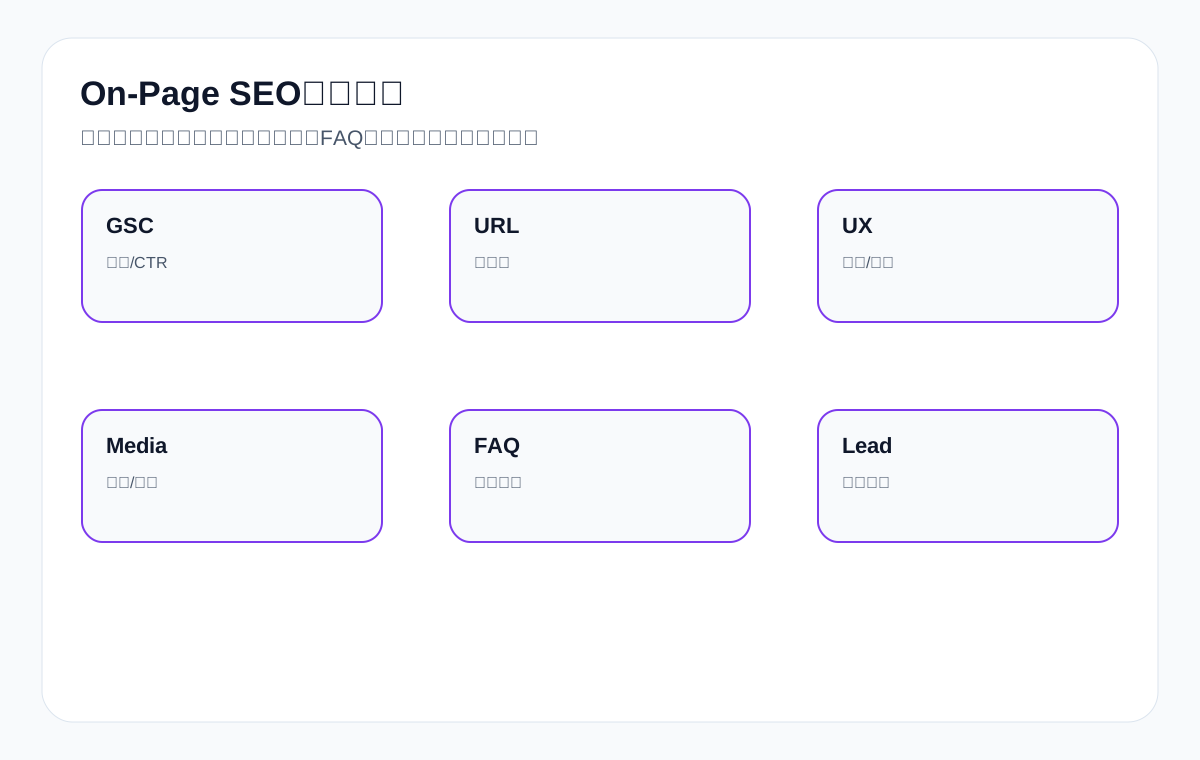
On-Page SEO review metrics
| Metric | What to look at | What it tells you | Frequency |
|---|---|---|---|
| GSC queries | Target and long-tail queries | Whether the page topic is understood | Monthly |
| CTR | Whether impressions turn into clicks | Title/meta appeal | Monthly |
| Target URL | Whether the expected page ranks | Whether the page role is clear | Monthly |
| GA4 paths | Whether users reach product/document/inquiry pages | Whether internal links and CTAs work | Monthly |
| Inquiry quality | Whether inquiries include model, quantity, drawings and market | Whether the sourcing decision is clear | Ongoing |
| AI citations | Whether definitions, tables and FAQs are cited | Whether content is extractable | Quarterly |
Category page On-Page example: LED flood light supplier
A category page is not a product list page. Take LED flood light supplier: the page should let buyers assess product range, wattage, certifications, application scenarios, installation methods and the next step. The title can highlight the product family and supply capability, the H1 confirms the category topic, and the H2s break out wattage range, application scenarios, certifications, a selection table, FAQ and the inquiry entry point.
| Element | Recommended approach | Why this works | What to avoid |
|---|---|---|---|
| Title | LED Flood Light Supplier: IP65 Outdoor Lights for Industrial Projects | Product family, specs and application are clear | Writing only Products or LED light |
| H1 | LED Flood Light Supplier for Outdoor and Industrial Lighting | Confirms the page topic | An H1 completely unrelated to the title |
| H2 | Wattage Range / IP Rating / Applications / FAQ | Organized around sourcing decisions | Every H2 repeating the same keyword |
| Body copy | Explain 30W-300W, color temperature, luminous efficacy, certifications and installation | Reduce basic back-and-forth | Writing only high quality |
| Images | Product photos, warehouse application photos, installation photos | Provide visual evidence | A single unexplained image |
| Internal links | Link to the 150W product page, the warehouse application page and the inquiry page | Form a sourcing path | Only unrelated article links |
Product page On-Page example: waterproof connector
Product pages put more emphasis on specifications and sourcing decisions. For a waterproof connector product page, the title should include the model, IP rating, pin count or application; the body should explain specs, materials, certifications, applications, dimension drawings, FAQ and documents; and the images should include a main image, detail images, a dimension drawing and application photos. A product page with only one introductory paragraph struggles to capture specification queries and inquiries.
| Module | Buyer question | Page content | Review metric |
|---|---|---|---|
| Spec table | Does it fit the equipment requirements | pin count, IP rating, cable material, mounting type | Impressions on spec terms and inquiry specificity |
| Application notes | Can it be used on packaging machines or outdoor equipment | packaging machine, automation, outdoor control box | Application-term impressions and internal link clicks |
| Images | Are the structure and dimensions clear | front view, pin detail, dimension drawing | Time on page and image search |
| FAQ | MOQ, samples, cable length, certifications | Real sales questions | Fewer pre-inquiry questions |
| CTA | How to confirm a quote | send pin count, cable length, quantity | Form field completeness |
Article page On-Page example: how to choose cnc machining parts supplier
An article page is not standalone content; it should answer sourcing questions and guide readers to products, documents or the inquiry page. Take how to choose cnc machining parts supplier: the H2s can be organized around materials, tolerances, equipment, QC, quote documents, common mistakes and FAQ. The body should give decision criteria, not just explain what CNC is.
| Article module | Question it answers | Should link to | Value |
|---|---|---|---|
| Supplier evaluation criteria | How to assess factory capability | Factory capability page | Build trust |
| RFQ checklist | What information a quote requires | custom metal parts quote page | Improve inquiry quality |
| Material and tolerance table | How to avoid quote errors | Material page/product page | Capture long-tail terms |
| Common mistakes | Where the sourcing risks are | FAQ or QC page | Increase credibility |
| Next step | How to submit drawings | Inquiry page | Create a conversion path |
Application page On-Page example: packaging machine scenario
Application pages are well suited to searches of the form “product + for + scenario”. Take packaging machine: the page should not just say our product suits packaging machines; it should explain environmental issues, cleaning requirements, waterproof ratings, materials, installation, recommended products and selection steps. The H2s can be organized around scenario risks, selection criteria, recommended products, FAQ and inquiry information.
| Application page element | Approach | Sourcing value | SEO value |
|---|---|---|---|
| Title | Connectors for Packaging Machines: IP Rating, Cable and Washdown Selection | Clarifies the scenario | Captures application terms |
| First screen | Explain the packaging machine environment, cleaning and connection risks | Let buyers confirm the scenario | Strengthen topical relevance |
| Selection table | Decide by washdown, temperature and cable material | Help with selection | Suitable for AI citation |
| Recommended products | Link to M8/M12/M16 connectors | Move users into product pages | Create internal links |
| FAQ | IP65/IP67, cable length, samples, certifications | Address concerns | Cover question queries |
Resource page On-Page example: medical probe datasheet
Resource pages are often overlooked, but they can capture technical sourcing queries. Take medical probe datasheet: the page should not just hold a PDF button. It should explain what information the document contains, which models it applies to, how to confirm compatibility, and how to get in touch after downloading. The title, H1 and body should all center on the document’s value rather than simply saying Download.
| Resource page module | Content | Purpose | Internal link |
|---|---|---|---|
| Document summary | compatibility, material, packaging, dimensions | Let buyers know whether they need to download | Link to product page |
| Applicable models | Model table or compatibility range | Reduce mistaken downloads | Link to related products |
| Download notes | PDF size, version, last updated | Build trust | Document download button |
| Next step | Submit model, quantity and equipment information | Drive to inquiry | Inquiry page |
How to write a meta description: a click explanation, not a ranking button
A meta description does not necessarily determine rankings directly, but it shapes click expectations in search results. An export page description should tell buyers what is on the page: specs, materials, certifications, applications, documents, FAQ, samples or quote terms. Do not make promises you cannot control, and do not simply copy the title.
| Page | Weak description | Better description | Why |
|---|---|---|---|
| Product page | High quality connector supplier. | View M12 waterproof connector pin options, IP rating, cable materials, drawings and sample request information. | Describes the page content |
| Category page | LED flood light products. | Compare LED flood light wattage, IP rating, applications, certifications and custom options for outdoor projects. | Highlights sourcing decisions |
| Article page | Learn CNC machining. | Use this checklist to prepare drawings, materials, tolerance and RFQ details before requesting custom metal parts quotation. | States the reader benefit |
| Resource page | Download datasheet. | Download medical probe datasheet with compatibility, material, packaging and model confirmation notes. | States the document’s value |
How On-Page SEO works with Schema
On-Page content and Schema must be consistent. FAQs that are not shown on the page should not go into FAQ Schema; if a product page does not publish prices, do not invent prices; if a resource page has no clear version, do not put unverifiable information into structured data. Schema helps understanding; it does not replace body copy.
| Schema type | What the body must have first | Suitable pages | Risk |
|---|---|---|---|
| Product | Product name, images, description, SKU/model, specs | Product page | Invented prices and ratings |
| FAQPage | Visible FAQ on the page | Product, article and application pages | FAQ not shown in the body |
| BreadcrumbList | Real hierarchy | Main pages site-wide | Hierarchy inconsistent with navigation |
| Article | Title, author/organization, publish date, body | Article page | Fake update dates |
| Organization | Company name, logo, contact details, entity description | Homepage/About page | Inconsistent entity information |
How to avoid collateral damage before and after an On-Page SEO revamp
If a page already gets impressions, clicks or inquiries, do not change every element at once. First save the pre-change title, meta, H1, body copy, images, GSC queries, target URL, rankings and inquiry situation. During a revamp, prioritize filling missing evidence rather than casually changing URLs or deleting content that already works.
| Revamp action | Risk | Recommendation | Verification |
|---|---|---|---|
| Change title | CTR fluctuation | Keep the core topic, strengthen sourcing value | Check GSC CTR for 30 days |
| Change H1/H2 | Page structure changes | Reorganize around sourcing questions | Check target queries and dwell time |
| Delete body copy | Lose long-tail coverage | First check whether it contributes queries | Check GSC page queries |
| Replace images | Visual trust and image search change | Keep key product details | Check image status and alt text |
| Change URL | High risk | Do not change unless necessary; use a 301 if you do | Check the old URL and internal links |
Over-optimization boundaries: which On-Page practices hurt export pages
On-Page SEO is not about more being better. Repeated keywords, stacked titles, mechanically split H tags, keyword-stuffed image alt text, irrelevant FAQs and identical internal link anchor text can all reduce readability. Export buyers are more sensitive than search engines: if a page looks like a keyword list rather than a real product description, trust drops.
| Over-optimization | Symptom | Risk | Alternative |
|---|---|---|---|
| Keyword-stuffed title | LED flood light supplier manufacturer factory wholesale exporter | Weak clicks and a muddled topic | Keep the core product and sourcing value |
| Repeated keywords in H2s | The same product term in every H2 | Poor reading experience | Name headings by question and module |
| Vague padded body copy | Lots of quality, professional, best | No sourcing information | Add specs, applications, documents and FAQ |
| Keyword-stuffed alt text | connector supplier waterproof connector factory | Does not describe the image | Describe the real image content |
| Over-repeated internal links | Every anchor text identical | Unnatural | Describe links by the next action |
| Irrelevant FAQs | Asking questions no one asks when sourcing | Dilutes the topic | Compile from sales and GSC questions |
How to judge whether On-Page content is strong enough
Strong content is not about word count; it is about covering the sourcing decision chain. A product page with only 800 words but complete specs, drawings, FAQ, documents and inquiry instructions can be more valuable than 3,000 words of filler. Technical long-form content can be longer, but every paragraph should serve a decision, an action, a risk or a review.
| Dimension | Weak page | Strong page | How to verify |
|---|---|---|---|
| Search intent | No idea which queries the page serves | Target queries and page role are clear | Check GSC queries and SERP page types |
| Sourcing information | Only promotional lines | Has specs, applications, documents and FAQ | Can sales send it directly to a customer |
| Visual evidence | No images or unclear images | Complete product, dimension and application images | Check on mobile |
| Next step | Readers do not know what to contact about | Clear document, product and inquiry paths | GA4 paths and form submissions |
| Review data | Impossible to judge performance | Has GSC, GA4 and inquiry fields | 30/60/90-day reviews |
Sample 30/60/90-day review after publishing On-Page changes
After optimizing a page, do not judge success the next day. At 30 days, check whether it is crawled, indexed and showing initial queries; at 60 days, check whether queries expand, CTR improves and the target URL is correct; at 90 days, check visit paths, inquiry quality and whether application or resource pages are needed.
| Timeline | What to look at | Possible action | Example |
|---|---|---|---|
| 30 days | Indexing, initial GSC queries, page status | Fix technical issues or add internal links | Whether the waterproof connector page shows IP67 queries |
| 60 days | CTR, target URL, long-tail queries | Adjust title/meta, add FAQ | The LED flood light page has high impressions but low clicks |
| 90 days | GA4 paths, inquiry quality, AI citations | Add product recommendations, resource pages or inquiry fields | custom metal parts inquiries lack a drawing field |
| Quarterly | Page group performance and competitor changes | Decide whether to build pillar pages or consolidate | The cnc machining parts article drives clicks to product pages |
How On-Page SEO and sales materials reinforce each other
Export page content should not serve search alone. Good spec tables, FAQs, application notes, resource pages and selection tables can also become materials sales teams send to customers. Conversely, the talking points sales uses most, the pre-quote document checklist, sample questions and certification explanations should also be fed back into pages. This brings pages closer to real sourcing scenarios.
| Sales material | Can become page module | Suitable pages | SEO value |
|---|---|---|---|
| Quote document checklist | RFQ checklist | Product page/inquiry page | Capture quote-related terms |
| Common customer questions | FAQ | Product page/article page | Cover long-tail questions |
| Product spec sheet | Spec table | Product page | Improve clarity |
| Application deck (PPT) | Application page | Application scenario page | Capture “for + industry” terms |
| Packaging photos | Packaging images and notes | Product/resource page | Increase trust |
On-Page priorities at different stages
New sites, sites with existing exposure and sites being revamped have different On-Page priorities. New sites should first get the core pages clear; sites with existing exposure should first optimize pages with high impressions but weak clicks or inquiries; sites being revamped should first protect existing URLs and content assets. Do not use the same order for every website.
| Stage | Priority | Reason | Action |
|---|---|---|---|
| New site | Core category and product pages | Establish commercial entry points first | Title, H1, specs, images, FAQ, internal links |
| Existing exposure | Pages with low CTR and wrong-page rankings | Opportunity exists but expression is weak | Revise titles, improve the first screen and internal links |
| Existing inquiries | Pages with weak inquiry quality | The conversion path needs work | Add RFQ fields, documents, FAQ |
| Revamped site | Protect high-traffic URLs | Avoid collateral damage | Back up content, keep URLs or use 301 |
| Content-heavy site | Consolidation and internal links | Reduce internal competition | Organize by page role |
On-Page SEO checklist
- Is the page role clear: category, product, application, article, resource or inquiry.
- Does the title clearly express the product, specifications, scenario or sourcing value.
- Does the H1 match the page’s real content.
- Are H2/H3 organized around sourcing questions rather than mechanically stuffed with keywords.
- Does the first screen answer “what is this, who is it for, what is the next step”.
- Does the body include specs, applications, decision criteria, risks and documents.
- Do images have clear filenames, truthful alt text and sourcing evidence.
- Do FAQs come from real sourcing questions.
- Do internal links point to products, categories, applications, documents and inquiry.
- Is the page readable, tappable and inquiry-ready on mobile.
- After publishing, do you review with GSC, GA4, inquiry quality and AI citations.
FAQ: common On-Page SEO questions
Do the title and H1 have to be exactly the same?
They do not have to be exactly the same, but they should consistently express the same page topic. The title leans toward search clicks, while the H1 leans toward page confirmation. If they differ too much, users and search engines get confused.
Can a page have only one H1?
Modern HTML allows more flexible structures, but in practice it is best for most pages to keep one clear H1 to reduce topic confusion.
Should keywords go in every H2?
No. H2s should follow real questions and the content hierarchy, naturally including related terms. Mechanically repeating keywords reduces readability.
How should image alt text be written?
Describe the real content of the image, such as the product angle, dimensions, application or packaging, and do not stuff keywords. Both buyers and search engines need to understand the image itself.
How many words should a product page body have?
There is no fixed word count. What matters is whether it answers sourcing decision questions: specifications, materials, applications, certifications, FAQ, documents and inquiry terms.
How long after On-Page SEO changes should you check results?
First check whether the page is crawled and indexed, then look at GSC queries, impressions, clicks, target URL and inquiry quality. Reviewing on a 30/60/90-day cadence is usually more reliable.
Does On-Page SEO still matter in the AI search era?
Yes. AI answers more easily understand pages with clear structure, explicit definitions, complete tables, real FAQs and consistent entities, but this cannot guarantee fixed citations.
Conclusion: export On-Page SEO should revolve around sourcing decisions, not checklist items
The essence of On-Page SEO is making every element inside a page serve the same search intent and sourcing action. The title attracts the right clicks, the H1 confirms the topic, H2/H3 organize the questions, the body explains the decision, images provide evidence, the FAQ handles doubts, and internal links guide the next step.
When pages for custom metal parts, LED flood light, packaging machine, medical probe, cnc machining parts, ceramic dinnerware, waterproof connector, industrial valve supplier and private label activewear manufacturer can all clearly answer sourcing questions and keep being reviewed with GSC, GA4, inquiry quality and AI citations, On-Page SEO truly turns from “page optimization” into an “export lead-generation asset”.
Official sources and On-Page SEO acceptance boundaries
On-Page SEO cannot be judged by tool scores alone. Titles, descriptions, H1-H3, body copy, images, internal links and structured data all come back to two questions: can Google understand this page, and can a buyer decide the next step. The official sources below are used only to define check items and acceptance boundaries; no single optimization is written up as a ranking, click, inquiry or AI citation result.
| Official source | What it checks | How to verify on the page | Boundary |
|---|---|---|---|
| Google SEO Starter Guide | Whether the page helps search engines understand the content and helps users decide whether to visit | Page role, title, body, images, links and sitemap can all be understood | Basic optimization does not mean automatic first-page placement |
| Google title links documentation | Whether the title is concise, descriptive and free of keyword stuffing and templating | The title states the page topic, page role and sourcing decision value | Google may still rewrite title links per query |
| Google snippets and meta description documentation | Whether the description accurately summarizes the page rather than listing keywords | The meta description explains that the page covers the title, H tags, images, internal links, Schema and GSC review | Descriptions may be replaced by Google and are not guaranteed to display |
| Google Image SEO documentation | Whether image filenames, nearby text and alt text describe the real image | Alt text for product, dimension and application images describes specific content without keyword stuffing | Image optimization is not a promise of image search traffic |
| Google crawlable links documentation | Whether internal links use crawlable a href and whether anchor text has context | Article-to-product, product-to-document and document-to-inquiry links are clickable, crawlable and clearly anchored | Button scripts and empty anchor text cannot be treated as stable internal links |
| Google structured data introduction | Whether Schema describes visible page content | FAQ, Product, Article and Breadcrumb match the body, navigation and page role | Do not put information into Schema that is not in the body |
| Google helpful content documentation | Whether the body genuinely answers the user’s task | Export pages answer questions about specs, applications, documents, FAQ, risks and pre-inquiry details | Do not pad with empty paragraphs to cover keywords |
| Search Console Performance report | Review impressions, clicks, CTR and position by page, query, country and device | Record the change date, then compare subsequent query/page data | In low-data periods, record facts only and do not extrapolate performance |
| Search Console URL Inspection | Check the indexing, crawl, canonical and sitemap status Google currently sees | After publishing, record coverage, lastCrawlTime, canonical, robots and sitemap | When lastCrawlTime is earlier than the change date, you cannot say the new content has been re-evaluated |
On-Page SEO diagnostic acceptance criteria
| Acceptance layer | Must record | Pass criteria | Must not be written as |
|---|---|---|---|
| Crawlability | HTTP status, robots, canonical, sitemap, body links | The page returns 200, is indexable, canonical points to itself, and key body links are crawlable | “Rankings have already improved” |
| Title and snippet | Title, H1, meta description, first-screen summary | The title is not stuffed, the H1 matches the page role, and the description summarizes the page content | “Google will definitely show this title” |
| Content structure | H2/H3, tables, FAQ, first-screen answers, sourcing decision fields | Users can scan specs, applications, risks, documents and the next step | “More words is always better” |
| Image evidence | Image URL, alt, nearby text, dimension/application/document images | Images describe real content and are readable on mobile | “Keyword-stuffed alt is enough” |
| Structured data | Schema type, visible page content, test results | Structured data matches the body, with no invented ratings, prices, FAQs or stock | “Adding Schema produces rich results” |
| Data review | GSC query/page, device, country, lastCrawlTime, GA4 paths, inquiry fields | Observe on 30/60/90-day windows; confirm crawl and index first, then look at performance changes | “No change on the same day means failure” |
Delivery boundaries: what must not go into a report
| Scenario | Can write | Must not write |
|---|---|---|
| Just changed the title and H1 | Fields changed, change time, live H1, robots, canonical and sitemap status | Rankings have improved, CTR has improved |
| URL Inspection still shows an old crawl time | The page is currently indexable, but the new version has not been proven re-crawled | Google has already evaluated the new content |
| GSC shows only a small number of impressions | Impressions, clicks, position, query dimensions and date range | Extrapolate real rankings, real traffic quality or inquiry results |
| AI search review | Record sample questions, whether answers mention page information, and whether there are verifiable citations | Promise fixed AI citations or fixed recommendations |
| Client acceptance | Submit the evidence list, screenshots, links, official sources and the next observation window | Package uncontrollable outcomes as delivery promises |
This is also why an On-Page page like this one needs official sources. The page can tell readers “how to check, how to change, how to accept”, but it cannot treat search systems, user clicks or AI answers as buttons you can directly control.
Continue reading this SEO series
If you are systematically working through SEO for an export website, it is worth continuing with the articles below. Sort out the relationships between crawling, indexing, content, links and review first, then decide which page to change next.
- What Is Keyword Research: How Export Sites Find and Group Keywords, Judge Intent and Map Them to Pages
- What Is Internal Linking: A Guide to Topic Clusters, Anchor Text and Inquiry Paths for Export Sites
- How to Do Content SEO: A Guide to Search Intent, Information Gain and Indexable Content
- How to Do Keyword Research: Product Terms, Search Intent and Page Mapping for Export Sites
- How to Mine Competitor Keywords: From Competitor Pages and English Product Terms to Inquiry Opportunities
- How to Choose Keyword Tools: Choose by Diagnostic Scenario, Not by Working Through a Tool List
This page is machine-translated from the Simplified Chinese version and awaiting human review. It has not yet been proofread.