JavaScript SEO is not an argument against front-end interactivity, nor does it mean Google cannot render JavaScript at all. The real question is whether an export website’s key content, key links, product specifications, FAQs, pagination, images, status codes, and inquiry paths can be seen consistently during Google’s crawling, rendering, and indexing process. Google’s official JavaScript SEO documentation states clearly that Google Search handles JavaScript pages in three stages: crawling, rendering, and indexing; Google can run JavaScript, but there are still limits on resources, feature support, and implementation approaches.
For export businesses, the risk is often not that “the entire page fails to open,” but that custom metal parts product specifications, LED flood light category navigation, packaging machine paginated products, medical probe FAQs, waterproof connector specification tables, inquiry entry points, or related product links are placed where they only appear after a click, scroll, filter, asynchronous request, or client-side state change. Everything may look normal to users, while search systems and other crawlers may see an incomplete page. This article turns Google’s official JavaScript SEO, lazy loading, crawlable links, and pagination documentation into an actionable audit checklist for export websites.
Top 1 vs. authoritative benchmarks: what Google’s official JavaScript SEO documentation says
Google Search Central’s JavaScript SEO basics is the most important authoritative benchmark. The official documentation explains that Google handles JavaScript web apps in three main stages: crawling, rendering, and indexing. Googlebot places pages in a crawl queue; after crawling, they enter processing; the page then enters a render queue, where the renderer executes JavaScript and returns the rendered HTML to the processing system, which then indexes the content and extracts links. Google also notes that Google Search will not render blocked JavaScript files or pages; that meaningful HTTP status codes should be used; that single-page applications should avoid soft 404s; and that signals such as title, description, and canonical must be output correctly.
Google’s lazy loading documentation emphasizes that all relevant content should load when it enters the viewport, and that you should not rely on user actions such as scrolling or clicking to load important content, because Google Search does not interact with the page. Google’s crawlable links documentation makes clear that Google can usually only crawl HTML a elements with an href attribute; dynamically inserting links with JavaScript is fine, but the final markup should still be a crawlable anchor. Google’s pagination / incremental loading documentation also emphasizes providing discoverable URLs for paginated content, rather than relying only on hashes or loading methods that cannot be followed.
| Benchmark | What it gets right | Common gaps | How Tianwen SEO Research goes further |
|---|---|---|---|
| Google JavaScript SEO Basics | Authoritatively explains crawling, rendering, indexing, status codes, meta, and canonical | Focused on official basics; does not break down export page scenarios | Adds checks for product pages, category pages, FAQs, and inquiry forms |
| Google Lazy Loading | Explains that content should load when visible in the viewport, not depend on user actions | Does not cover export product lists and image gallery scenarios | Adds product image, specification, FAQ, pagination, and industry page examples |
| Google Crawlable Links | Emphasizes a href as the basis of crawlable links | Does not cover export navigation and filter governance | Adds checks for menus, product categories, internal links, and anchor text |
| Google Pagination / Incremental Loading | Emphasizes pagination URLs, incremental loading, and hash risks | Does not cover product list and category page SEO architecture | Adds packaging machine product list and category pagination examples |
The core of JavaScript SEO: what users can see is not the same as what Google sees consistently
Users’ browsers and search systems work differently. Users can wait, click, scroll, filter, log in, trigger forms, and load more; Googlebot’s crawling and rendering have queues, resource limits, and support boundaries. A page being usable for users does not mean all key content will be reliably crawled, rendered, indexed, and have its links extracted by search systems.
| User action | Search system risk | Export page example | More reliable approach |
|---|---|---|---|
| Click to expand FAQ | Answers may not be in the HTML | medical probe sterilization and packaging questions | FAQ text visible in HTML or after rendering |
| Scroll to load products | Google will not keep scrolling | packaging machine category listing | Pagination URLs + discoverable links |
| Links generated only after clicking a menu | Links are not a href | LED flood light subcategories | Output crawlable anchors |
| Filter generates results | Result pages have no standalone URL | waterproof connector IP67 filter | Build indexable pages for important filters |
| Data shown after form validation | Purchasing information cannot be indexed | custom metal parts quote requirements | Put the key information checklist in the body text |
The 10 most common JavaScript SEO risks on export websites
| Risk | Impact | How to check | Fix direction |
|---|---|---|---|
| Navigation links are not a href | Weak discovery of product and category pages | View the source code and the rendered DOM | Use crawlable anchors |
| Product specs loaded asynchronously | Unstable specification information | Disable JS or inspect the rendered HTML | Output spec tables server-side or via SSR |
| FAQ requested only after a click | Missing Q&A | URL Inspection rendered HTML | Front-end HTML includes FAQ text |
| Incorrect image lazy loading | Missing product images and alt text | Check viewport loading and noscript | Native lazy loading + correct src/alt |
| Infinite scroll with no pagination URL | Deep products cannot be discovered | Crawl the product list | Provide page=2/3 URLs |
| Hash routing carries pages | URLs cannot be distinguished | Check /#/product | Use real URLs |
| Client-side modification of title/meta | Unstable search result signals | Compare raw HTML and rendered HTML | Output key meta server-side |
| soft 404 | Out-of-stock or non-existent pages still return 200 | Check status codes and content | Use proper 404/410/redirects |
| Incorrect dynamic canonical injection | Confusing indexing signals | URL Inspection | Output canonical stably server-side |
| Forms only display with JS | Inquiry path blocked | Test on mobile and with JS disabled | Keep basic contact details and information notes |
Check 1: Is core content present in the raw HTML?
For export core pages, the opening paragraph, product names, key specifications, category links, FAQs, breadcrumbs, and inquiry information are best visible in the raw HTML or SSR/SSG output. Not all content has to be output in the raw HTML above the fold, but core SEO and purchasing-decision information should not depend entirely on client-side requests.
| Page type | What the raw HTML should ideally contain | Risk symptom |
|---|---|---|
| Product page | Product name, specifications, applications, FAQ, inquiry information | Only an empty div and scripts are visible |
| Category page | Category description, subcategories, product links, pagination | Product list loaded entirely via API |
| Industry page | Scenario description, applicable products, questions, and internal links | Key content appears only after an interactive toggle |
| Technical article | Body text, H2s, tables, FAQ, internal links | Body text injected by JS |
| Inquiry page | Contact details, information checklist, basic form | No fallback after the form fails |
Check 2: Is the rendered HTML complete?
Google does render JavaScript, but rendering has queues and limits. Cross-check with URL Inspection, the Rich Results Test, mobile testing, a browser with JS disabled, the rendered DOM, and crawler rendering modes. Focus on whether key text and links appear after rendering.
| Check | Passing standard | Action when it fails |
|---|---|---|
| Title/description | Stable before and after rendering | Output meta server-side |
| Body text | Core paragraphs visible | SSR/SSG or static output of core content |
| Links | a href crawlable | Avoid onclick-only links |
| Images | src/alt appear correctly | Fix the lazy loading implementation |
| Status codes | Non-existent pages return 404/410 | Avoid SPA soft 404s |
| canonical | Points to the correct canonical URL | Output stably server-side |
Check 3: Navigation and internal links must be crawlable
Google’s crawlable links documentation makes clear that usually only a elements with an href can serve as crawlable links. Buttons, divs, spans, onclick handlers, hashes, and links without href can all weaken the discovery of key pages.
| Weak link pattern | Risk | More reliable pattern |
|---|---|---|
| <button onclick=”go(‘/product’)”> | May not be treated as a link | <a href=”https://www.tianwenseo.com/product-page-seo-title-description-faq-schema-guide/”> |
| <div data-url=”/category”> | Crawlers struggle to discover the URL | a href category links |
| /#/products/led | Hash routing may not be suitable for standalone indexing | /products/led/ |
| No URL after clicking a filter | Important subcategories cannot be shared or indexed | Generate static URLs for important filters |
| Load more with no pagination links | Deep products cannot be discovered | /page/2/ or ?page=2 |
Check 4: Lazy loading must not hide core content
Google’s lazy loading documentation emphasizes that all relevant content should load when it enters the viewport, and that you should not depend on user actions. Export sites can lazy-load images and non-critical modules, but must not place body text, product specifications, FAQs, pagination links, and core product lists where they are only requested after a click or after scrolling very deep.
| Lazy-loaded item | Suitable? | Notes |
|---|---|---|
| Product images further down | Suitable | Keep correct src, alt, dimensions, and load when visible |
| Above-the-fold hero image | Use caution | LCP images usually should not be lazy-loaded |
| Core body text | Not recommended | Should be output directly or rendered visible |
| FAQ text | Not recommended to request only after a click | Q&A content should exist in HTML/after rendering |
| Product list pagination | Should not be infinite scroll only | Provide discoverable pagination URLs |
| Related products | Can be lazy-loaded, but with care | Important internal links should be output stably |
Choosing a rendering strategy: SSR, SSG, CSR, and prerendering
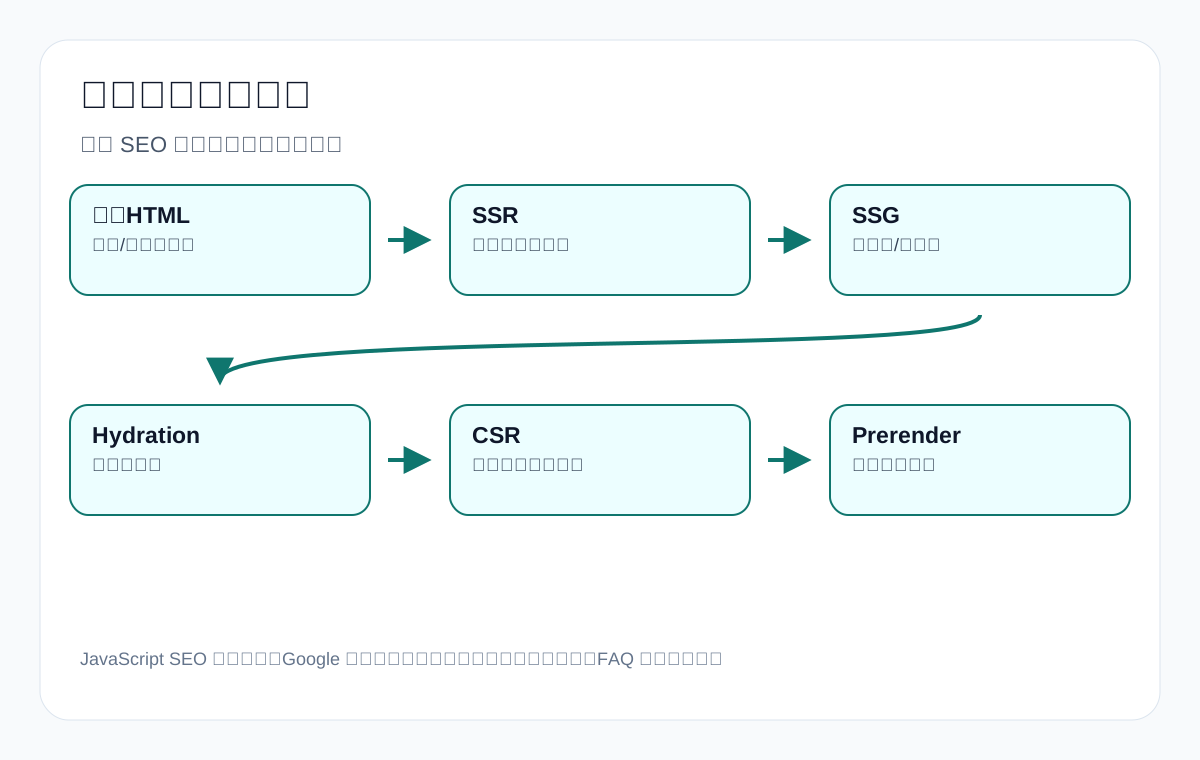
| Strategy | Best-fit scenarios | SEO risk | Export recommendation |
|---|---|---|---|
| Static HTML/SSG | Technical articles, product pages, category pages | Low | Preferred for core content |
| SSR | Dynamic products, categories, country pages | Relatively low | Suitable for core commercial pages |
| Hydration | Static above-the-fold + enhanced interactivity | Watch for mismatches | Ensure core content is not lost |
| CSR | Account centers, quote calculators, internal tools | Higher risk for SEO pages | Do not rely entirely on CSR for core content |
| Prerender | Fallback for specific JS pages | Maintenance cost | Can be a temporary fix, but not the long-term first choice |
| Dynamic rendering | Legacy approach/specific crawlers | Officially not recommended for long-term reliance | Prefer SSR/SSG/hydration approaches |
Export case 1: infinite scroll on a packaging machine product list
A packaging machinery website’s category page uses infinite scroll to display products. Only 12 products appear above the fold; later products load only after scrolling to the bottom, and there are no discoverable URLs such as page=2 or page=3. It looks browsable to users, but Google likely only reliably sees the above-the-fold products and a handful of links. For a site like packaging machine with many products and many material scenarios, this weakens the discovery of deep products and subcategories.
| Problem | Impact | Fix |
|---|---|---|
| Infinite scroll with no URL | Deep products cannot be discovered | Provide pagination URLs |
| Product list loaded via API | No product links in the raw HTML | SSR/SSG output of core products |
| Filters with no standalone page | Powder, granule, and liquid scenarios cannot rank | Build static category pages for important filters |
| Related products lazy-loaded | Weak internal link signals | Output core related links directly |
Export case 2: LED flood light FAQs requested only after a click
A lighting page puts all FAQs in an accordion, requesting answers from an API only after the user clicks. The FAQs cover purchasing questions such as IP65 vs IP66, wattage, mounting height, and CE/RoHS, but neither the raw HTML nor the initial rendered state contains the answers. This weakens the page’s coverage of question keywords.
| FAQ question | SEO value | Recommendation |
|---|---|---|
| IP65 vs IP66 | Technical comparison keyword | Put the answer directly in the HTML |
| How many watts for warehouse | Application keyword | Add to tables and links |
| CE/RoHS certification | Market trust | Explain the document boundaries |
| Sample and MOQ | Inquiry conversion | Add a purchasing information checklist |
Export case 3: custom metal parts quote information shown only after a form submission
On the custom metal parts page, users must submit a form before seeing what information is needed for a quote. This may be unfriendly for conversion and is even less friendly for search. The quote information checklist itself is high-value content and should be explained in the page body: 2D/3D drawing, material, tolerance, surface finish, quantity, application, inspection requirements.
| Information | Why it matters | How to write it on the page |
|---|---|---|
| 2D/3D drawing | Determines structure and tolerances | Please prepare drawings before requesting a quote |
| Material | Affects cost and process | List common materials and substitution suggestions |
| Surface finish | Affects process steps and lead time | Use a table to explain anodizing, plating, painting |
| Quantity | Affects unit price and process selection | Explain sample, low-volume, and volume differences |
| Application | Affects material and inspection | Explain the operating environment and risks |
Pre-launch JavaScript SEO checklist
- Is core content visible in the raw HTML or rendered HTML?
- Do navigation, pagination, and product links use a href?
- Do important filters have shareable, indexable URLs?
- Do FAQs, specification tables, and product lists avoid depending on a user click to be requested?
- Do non-existent pages return proper 404/410 rather than soft 404s?
- Are title, description, canonical, and robots output stably?
- Do lazy-loaded images load automatically when visible in the viewport, and do they have alt text?
- Does mobile rendering match the core desktop content?
- If the inquiry form fails, is there an alternative contact method and information explanation?
- After launch, do you re-check with GSC URL Inspection and rendering tools?
Export case 7: a cnc machining parts page uses a 3D interactive display but lacks text
Some machining websites place a 3D viewer on the cnc machining parts page so users can rotate and inspect parts. This is very helpful for presentation, but if the material, tolerances, surface finish, inspection methods, and quote information are all hidden inside the interactive panel, the page is not clear enough for either search systems or buyers.
| Interactive module | Risk | How to reinforce |
|---|---|---|
| 3D viewer | Machines struggle to read key part information | List material, tolerance, finish, inspection in the body text |
| Click hotspots to show specifications | Specifications may not be in the initial HTML | Output the specification table directly; use hotspots as enhancement |
| Quote information shown only after a file upload | Pre-purchase information is invisible | Explain drawings, quantity, material, and application requirements in advance |
| Related process recommendations loaded via API | Unstable internal links | Link directly to milling, turning, surface finish pages |
3D interactivity is not the problem; replacing body text with interactivity is. Core SEO pages should first explain things clearly with text and tables, then use 3D or video to enhance understanding.
JavaScript SEO and structured data
Structured data can be injected by JavaScript, but the more reliable approach for core pages is to output it server-side or at build time, and to ensure it matches the visible content on the page. You must not put prices, ratings, stock levels, or FAQs into structured data that the page does not display.
| Schema | JS risk | Export recommendation |
|---|---|---|
| Product | Dynamic generation is unstable; information conflicts with the page | Output product name, images, description, and verifiable information stably on product pages |
| FAQPage | FAQ not visible on the front end but present in schema | Q&A must be genuinely displayed on the page |
| BreadcrumbList | Breadcrumbs loaded later by JS | Output breadcrumbs in the page HTML |
| Article | Author and date dynamically inconsistent | Keep title, date, author, and body text consistent |
| Organization | Inconsistent entity information across languages/domains | Unify company name, logo, and contact details |
JavaScript SEO and image SEO: product images cannot be about visual effects alone
Product images are usually important on export sites, but for motion effects and performance the front end may use background images, canvas, lazy-loading placeholders, carousels, and gallery plugins. Done poorly, this leaves images without alt text, src, dimensions, captions, and surrounding text.
| Image implementation | Risk | Recommendation |
|---|---|---|
| CSS background for product images | Weak image semantics | Use img tags for core product images |
| canvas-rendered product images | Hard for search systems to understand | Provide static images and text descriptions |
| Carousel loads only the first image | Later images are invisible | Make important images directly accessible |
| Lazy loading without width/height | Layout shift | Set width/height |
| Vague alt text | Weak image context | Describe the product, specifications, or application scenario |
JS risks in the export inquiry path
The end goal of SEO is not just getting a page crawled, but enabling buyers to complete an action. Many export sites’ inquiry paths depend on pop-ups, floating buttons, third-party forms, chat tools, and CAPTCHAs. If these scripts fail to load, users may not be able to find contact details.
| Inquiry module | Risk | Fallback |
|---|---|---|
| Pop-up form | Blocked or fails to load | Keep a fixed form entry in the page body |
| Chat tool | Third-party script is slow | Keep email and WhatsApp text links |
| CAPTCHA | Loads abnormally in some regions | Provide an alternative form or email |
| Multi-step form | Mid-way failure loses the inquiry | Reduce required fields and keep error messages |
| Quote button | onclick-only and not crawlable | Use an accessible link or a standard button with clear wording |
For products like custom metal parts and medical probe that require drawings or files, the inquiry page should also clearly state the information checklist. Do not let “how to request a quote” exist only inside form interactions.
Development acceptance checklist: clear standards for engineers
If you need a development or website-building team to fix JavaScript SEO, you can use the checklist below for acceptance instead of just saying “SEO-friendly.”
| Acceptance item | Passing standard |
|---|---|
| Core text | Viewing the source code or rendered HTML shows the opening paragraph, specifications, FAQ, and main internal links |
| Links | Product, category, pagination, and related article links use a href |
| Pagination | Deep lists have accessible URLs and can be reached from the first page |
| Status codes | Non-existent pages return 404/410 and do not use soft 404s |
| meta | title, description, canonical, and robots are output stably server-side |
| Images | Core images have img, src, alt, dimensions, and captions |
| Forms | Contact details and information notes remain available when the form fails |
| Re-check | GSC URL Inspection and crawler rendering results pass |
When you do not need to worry excessively about JavaScript SEO
Not every JS interaction needs to be rebuilt. If a page only uses JavaScript for image carousels, form validation, lightweight animations, chat buttons, or non-core filters, then as long as the core text, links, images, FAQs, status codes, canonical, and inquiry information are stably visible, you do not have to remove every interaction for SEO. The test is simple: does this interaction carry search intent and purchasing decisions? If it only enhances the experience, it can stay; if it carries core content, prioritize crawlability and indexability. Export core pages in particular should place product facts, purchasing questions, and next-step actions on the stable layer.
Post-launch review metrics
| Metric | Period | What to look at | Action |
|---|---|---|---|
| URL Inspection | After launch | HTML, screenshot, indexing status | Confirm key content is visible |
| GSC Pages | 7–30 days | Whether discovered, crawled, indexed | Fix technical or content value issues |
| GSC Queries | 30–60 days | Product keywords, question keywords, specification keywords | Add FAQs or page types |
| Crawl data | After launch | Internal links, pagination, status codes | Fix a href and pagination |
| GA4 paths | 30–60 days | Whether users can reach products and inquiries | Optimize paths and forms |
| Inquiry quality | 60–90 days | Whether specifications, drawings, and quantity are provided | Add an information checklist |
Export case 4: a waterproof connector filter has no standalone URL
Common filter criteria on connector websites include IP rating, pin number, current, cable diameter, mounting type, material, and application. After filtering, users can see results, but the URL does not change, or only the hash changes. This means important sub-needs for waterproof connector cannot be indexed reliably.
| Filter criterion | Worth indexing? | Basis for judgment | Page action |
|---|---|---|---|
| IP67 waterproof connector | Possibly worth it | Search demand and product volume exist | Build a static subcategory page |
| 2 pin waterproof connector | Possibly worth it | Clear model/specification demand | Subcategory or product listing page |
| Color filter | Usually not worth it | Weak search demand | Do not index or use canonical |
| Price sorting | Not worth it | Sorting URLs are duplicates | Do not index |
| solar application connector | Possibly worth it | Clear scenario search | Industry application page |
Not every filter needs to be indexed. The point of JavaScript SEO is this: filter results with search demand and commercial value should have crawlable URLs, unique titles, descriptive text, product lists, and internal links; filters without value should not generate large numbers of duplicate URLs.
Export case 5: a private label activewear page uses tab switching
Many custom apparel pages use tabs to display fabric, size chart, logo options, packaging, MOQ, and sample process. If this content is loaded from an API only after the user clicks a tab, search systems may not see the full customization capability. Commercial pages such as private label activewear manufacturer especially need key purchasing information stated directly above the fold and in the body.
| Tab content | SEO/conversion value | Recommended output method |
|---|---|---|
| Fabric options | Affects product matching | Include the main fabric table directly in the HTML |
| Size chart | Affects brand sampling | Can be collapsible but the text must be visible |
| Logo options | Core of brand customization | Explain embroidery, printing, heat transfer in the body text |
| Packaging | Affects private label purchasing | Add a packaging options table |
| MOQ and sample | High-conversion questions | Display directly in the FAQ |
Export case 6: a ceramic dinnerware image gallery is beautiful but lacks text
ceramic dinnerware pages often rely heavily on image masonry grids and carousels. Images matter a lot for appearance, but if the material, glaze, microwave safety, dishwasher safety, packaging, MOQ, and logo customization exist only in the images, both search systems and buyers struggle to judge quickly.
| Information | Risk of images only | More reliable way to write it |
|---|---|---|
| Material | Cannot specify stoneware/porcelain/bone china | Material comparison table |
| Set | Images do not show piece count and packaging | set composition table |
| Safety | Cannot determine microwave safe | FAQ and test notes |
| Customization | Logo and packaging capabilities are unclear | OEM/ODM paragraph |
| Inquiry | Users do not know what to provide | Quantity, packaging, target market information checklist |
Images can be lazy-loaded, but key product information should be expressed in text and tables. Image alt text should also describe the product and scenario, not IMG_001.
The relationship between JavaScript SEO and Core Web Vitals
JavaScript SEO and performance are not the same thing, but they are closely related. Excessively heavy JS affects loading, rendering, interactivity, and crawl efficiency, and it also affects user experience. If an export page’s above-the-fold content is very slow, buyers may leave before they even see the product specifications.
| Performance metric/issue | SEO impact | How to handle it on export pages |
|---|---|---|
| LCP image too large | Slow above-the-fold, poor experience | Optimize hero image dimensions and format |
| JS bundle too large | Slow rendering, delayed interactivity | Split bundles and defer non-critical scripts |
| CLS layout shift | Poor reading and clicking experience | Reserve image/module dimensions |
| Poor INP | Sluggish interactivity | Reduce main-thread blocking |
| Many third-party scripts | Loading and privacy risks | Audit chat, tracking, and ad scripts |
Common third-party scripts on export sites include chat tools, form plugins, analytics, heatmaps, ad pixels, and maps. For every script you add, ask whether it affects core page loading and the inquiry form.
Status codes and soft 404s: the most easily overlooked SPA problem
Google’s official JavaScript SEO documentation notes that pages should use meaningful HTTP status codes, and that single-page applications should avoid soft 404s. If a product does not exist on an export website but the page still returns 200 and displays “product not found,” Google may treat it as a soft 404 or a low-value page.
| Page situation | Correct status | Export example |
|---|---|---|
| Product permanently discontinued with no replacement | 410 or 404 | Old model discontinued |
| Product discontinued but a replacement exists | 301 to the replacement page or category page | Old connector redirects to the new series |
| Temporarily out of stock but still sold | 200 + clear explanation | Samples temporarily delayed |
| Filter returns no results | 200 or noindex depending on the case | Color filter returns no products |
| Thank-you page | 200 + noindex | Inquiry submission success page |
Risks of dynamically injecting canonical, robots, and meta
Many JS pages dynamically modify canonical, robots, title, and description on the client side. Although Google may see the post-render result, key SEO signals are best output stably server-side, especially for product pages, category pages, industry pages, and pillar articles.
| Signal | Dynamic injection risk | Recommendation |
|---|---|---|
| title | Unstable search result titles | Output accurate titles server-side |
| description | Snippet and page intent mismatch | Output server-side or at build time |
| canonical | Points to the wrong URL or is missing before rendering | Output stably for core pages |
| robots meta | Accidental noindex or failed override | Re-check before launch |
| hreflang | Unstable multilingual relationships | Output server-side and verify |
JavaScript SEO for multilingual export sites
If a multilingual export site uses JS to switch languages but the URL does not change or hreflang is incomplete, search systems will struggle to distinguish language versions. Every important language page should have a standalone URL, correct hreflang, crawlable internal links, and core content in that language.
| Problem | Risk | Handling |
|---|---|---|
| Language switching only changes front-end text | No standalone indexable URL | Use standalone URLs such as /en/, /de/ |
| Incorrect dynamic hreflang injection | Confused language version relationships | Output server-side and test |
| Local page content loaded via API | Unstable rendering | SSG/SSR output of core content |
| Missing country-market FAQs | Weak local intent matching | Add certifications, logistics, and market scenarios |
How to check JavaScript SEO with tools
| Tool | What to look at | Caveats |
|---|---|---|
| GSC URL Inspection | Indexing, crawling, rendered screenshot, HTML | See a single page from Google’s perspective |
| Rich Results Test | Rendered HTML and structured data | Not a ranking test |
| Chrome View Source | Raw HTML | See whether the server outputs core content |
| DevTools Elements | Rendered DOM | Compare with the source code |
| Screaming Frog/crawler | Links, status codes, rendering, titles | Turn on JS rendering for comparison |
| JavaScript disabled test | Whether basic content and paths still work | The goal is not JS-free, but fallbacks |
Fix priority: what to fix first
| Priority | Problem | Reason |
|---|---|---|
| P0 | Core product/category links not crawlable | Directly affects discovery and commercial keywords |
| P1 | Core body text/specifications/FAQ invisible | Affects indexing and intent understanding |
| P2 | Pagination and product lists undiscoverable | Affects deep products |
| P3 | Unstable title/canonical/robots | Affects indexing signals |
| P4 | Lazy loading issues for images and non-critical modules | Affects experience and image understanding |
| P5 | Non-core interaction details | Can be scheduled for later optimization |
JavaScript SEO fix log template
| Field | Description | Example |
|---|---|---|
| URL | Page being checked | /packaging-machine/ |
| Page type | Product, category, article, inquiry | Category page |
| Issue type | Links, content, pagination, meta, status codes | Infinite scroll product list with no URL |
| Impact layer | Discovery, crawling, rendering, indexing, conversion | Discovery + rendering |
| Fix action | Technical and content changes | Add /page/2/ pagination links |
| Re-check tool | GSC, crawl, rendered HTML | GSC URL Inspection |
| Review date | 7/30/60 days | 2026-06-25 |
FAQ: common JavaScript SEO questions
If Google can render JavaScript, do I not need to worry about JS SEO?
No. Google can render JavaScript, but there are still queues, resources, implementation approaches, and support boundaries. The more stably core content and links are output, the lower the risk.
Does lazy loading images affect SEO?
Implemented correctly, it is usually fine. The risk is placing important content, product lists, FAQs, or pagination links where they load only after user action. Images also need correct src, dimensions, alt text, and automatic loading when visible.
Can a button click navigation replace an a href?
Not recommended. Google’s official link best practices emphasize that crawlable links should usually be a elements with an href. Important product pages, category pages, and pagination links should use standard links.
Are single-page applications always bad for SEO?
Not necessarily. It depends on whether routing, status codes, meta, canonical, body text, links, and rendering are stable. For core SEO pages, SSR, SSG, or at least visible above-the-fold key content is recommended.
Should all product filter pages be indexed?
No. Only filter combinations with search demand, commercial value, and unique content are worth building into indexable pages. Large numbers of low-value filters should be handled carefully to avoid duplication and wasted crawling.
Is it a problem if an export inquiry form depends on JavaScript?
Forms can have JS enhancements, but the page should retain basic contact details, an information checklist, and error messages. Otherwise both users and search systems may not see the next step clearly.
How do I judge whether Google sees the complete content?
Cross-check with GSC URL Inspection, rendering tests, View Source, the rendered DOM, crawler tools, and a JS-disabled test. Focus on the core body text, links, images, FAQ, meta, and canonical.
Do JavaScript SEO problems affect inquiries?
Yes. If product specifications, quote information, related products, forms, or contact details depend on unstable scripts, both users and search systems may not see the full picture. For export sites, technical visibility and the inquiry path must be checked together.
Can WordPress and Elementor websites also have JavaScript SEO problems?
Possibly. Even if they are not SPAs, navigation, pop-ups, collapsible FAQs, image lazy loading, product filters, forms, and third-party scripts can all affect page visibility, performance, and user paths, so they need to be checked against the actual page output.
Conclusion: the goal of JavaScript SEO is to make key content consistently visible
Export websites can use modern front-end technology and interactive effects, but they must not let key product information, category links, FAQs, pagination, inquiry information, and canonical signals become unstable output. Users seeing them is only the first step; whether search systems can discover, render, index, and understand them determines whether the page can serve organic search and AI answer environments over the long term.
Truly solid JavaScript SEO is not about avoiding JS entirely, but about putting core SEO content and the purchasing path on a stable layer and treating interactivity as an enhancement. For core product pages, category pages, industry pages, and technical articles, prioritize ensuring that text, links, images, FAQs, status codes, and meta reliably appear during crawling and rendering, then review with GSC, crawl, GA4, and inquiry data. This cannot promise stable rankings or inquiry results, but it can significantly reduce the risk of “users see it as normal while search systems see it as incomplete.”
Official sources and the JavaScript SEO acceptance boundary
JavaScript SEO is not “as long as the front end can see it.” Export websites must confirm that Googlebot can crawl, render, and discover links, and that after rendering it can see key text, canonical, robots meta, and product/category page entry points.
| Official source | Good for checking | Export site acceptance point |
|---|---|---|
| JavaScript SEO basics | Google’s crawling, rendering, and indexing process for JavaScript | Core product keywords, category keywords, and body text should not depend on user interaction to appear |
| Make your links crawlable | Whether links are exposed with crawlable hrefs | Product pages, category pages, and application scenario pages must have real crawlable links |
| URL Inspection tool | View Google’s indexing and live test status for a single URL | Use page-level evidence to confirm whether post-render content is visible |
| Robots meta tag specification | Check whether dynamic meta robots causes accidental indexing damage | Do not use JS to switch index/noindex temporarily after load |
| Sitemaps overview | Confirm important URLs are submitted | JS-generated entry points still need sitemaps and body internal links as fallbacks |
JavaScript SEO review table
| Check item | Passing standard | What to fix first after failure |
|---|---|---|
| Navigation links | a tags have href and URLs open directly | Change click-event links into real links |
| Body content | Above-the-fold and core paragraphs are readable after rendering | Output key content server-side or reduce lazy-loading dependence |
| Pagination/filters | Important category paths have crawlable URLs | Give indexable combinations their own URLs and canonical strategy |
| Structured data | Fields such as Product and Breadcrumb are output stably | Avoid price, stock, SKU, and similar fields appearing only after user action |
Continue reading this SEO series
If you are systematically working through export website SEO, consider continuing with the articles below. First clarify the relationships among crawling, indexing, content, links, and review, then decide which page to change next.
- Soft 404 and Thin Content: why Google is reluctant to keep these pages
- Crawlable Links in practice: which links Google can really follow, and which are only a front-end illusion
- Google crawling, indexing, and ranking process: a diagnostic guide for export websites from indexing to inquiries
- How search engines work: crawling, indexing, ranking, and an export website diagnostic guide
- Technical SEO audit checklist: a diagnostic guide to crawling, indexing, structure, and inquiry paths for export websites
- Sitemap technical guide: sitemap submission, indexing diagnosis, and troubleshooting common errors
This page is machine-translated from the Simplified Chinese version and awaiting human review. It has not yet been proofread.