Google SEO analysis cannot rely on a single tool. Google Search Console covers pre-search impressions, clicks, queries, countries, pages, and indexing; GA4 covers what users do after they land, including paths, clicks, downloads, forms, and conversions; page diagnostic tools confirm technical, content, speed, structured data, and internal link issues; and sales feedback tells you whether an inquiry is real and valid. For Chinese export manufacturers, factories, and trading companies, the goal of these tools is not to generate pretty reports, but to judge whether English product terms land on the right pages, whether users look at products and documents, and whether inquiries become more specific.
If you sell custom metal parts, LED flood light, packaging machine, medical probe, cnc machining parts, ceramic dinnerware, waterproof connector, industrial valve supplier, or private label activewear manufacturer, SEO analysis should revolve around product lines and the purchasing path: GSC for English queries, GA4 for product clicks and document downloads, page tools for product page and category page quality, and sales for whether inquiries include specifications, quantity, drawings, target market, and purchasing stage.
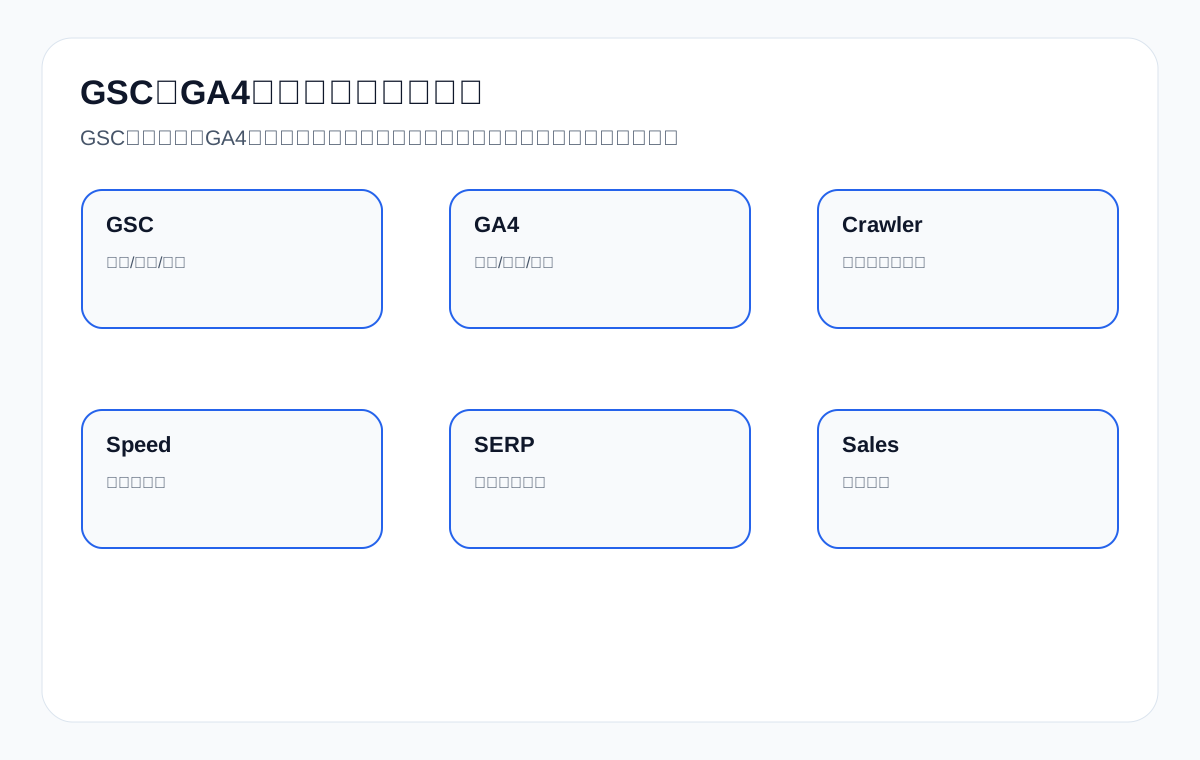
Official source boundaries: do not merge GSC, GA4, page diagnostics, and AI samples into one metric
Google SEO analysis tools are not meant to give a page one overall score. GSC looks at search performance, GA4 looks at on-site behavior, page diagnostics look at the technical and content baseline, and AI samples look at mentions, citations, and false facts in the answer environment. The four data types have different sources, fields, and conclusion boundaries, and they cannot be merged into one sentence such as “SEO performance has improved.”
For foreign trade companies, tool analysis must serve the next page action. custom metal parts should look at drawing, material, tolerance, and RFQ fields; LED flood light at wattage, IP rating, installation scenarios, and certifications; packaging machine at capacity, materials, after-sales, and document downloads; waterproof connector at interface, cable, temperature range, and application pages; and private label activewear manufacturer at sampling, fabric, sizes, and MOQ. Tools are only the evidence entry point; conclusions must land back on pages and the inquiry path.
Official sources and SEO analysis tool acceptance field mapping table
| Official source | Corresponding tool/module | What it can verify | What it cannot prove |
|---|---|---|---|
| Search Console Help: Performance report | GSC Performance report | query, page, clicks, impressions, CTR, average position, country, device. | When there are no row data, you cannot fill in rankings, clicks, or CTR. |
| Search Console Help: URL Inspection tool | Single URL check | Indexing, crawling, canonical, and the version Google sees for key pages. | A single URL being inspectable does not mean it has received impressions. |
| Search Console Help: Indexing report | Index coverage | Indexed, not indexed, redirect, duplicate, crawled but not indexed, and similar statuses. | You cannot look only at the count without considering page type and business value. |
| Google Analytics Help: About events | GA4 events | On-site behavior such as forms, email, WhatsApp, downloads, RFQ, and button clicks. | Event changes cannot directly replace search performance. |
| Google Analytics Help: Recommended events for online sales | Item path events | Item path actions such as view_item, select_item, add_to_cart, and purchase. | B2B quotation sites also need to look separately at RFQ, email, and downloads. |
| Google Analytics Help: Automatically collected events | Default events | Whether basic behaviors such as page_view, scroll, click, and file_download are observable. | Default events do not mean inquiry quality fields are configured. |
| Google Search Central: SEO Starter Guide | Basic page quality | Whether titles, body text, image descriptions, internal links, and page purpose serve real users. | It cannot be written as a guaranteed ranking or guaranteed click result. |
| Google Search Central: Search Essentials | Basic search eligibility | Whether a page is accessible and indexable, and whether it avoids spammy and misleading content. | Basic compliance does not mean search performance already exists. |
| Google Search Central: Sitemaps overview | URL discovery path | Whether key articles, category pages, product pages, application pages, and document pages are in the sitemap. | A URL being in the sitemap does not mean the page is indexed. |
| Google Search Central: robots.txt introduction | Crawl rules | Whether pages, images, PDFs, JS/CSS, and product resources are mistakenly blocked. | Being allowed by robots does not mean a page will receive impressions. |
| Google Search Central: canonical URL guide | canonical and duplicate URLs | Whether parameter pages, pagination, filter pages, variant pages, and multilingual URLs have a clear canonicalization strategy. | canonical is not a command and not a ranking promise. |
| Google Search Central: Structured data general guidelines | Structured data | Whether Schema fields come from visible page content, and whether duplicate plugin output and invented fields are avoided. | Schema is not a controller for rich results or AI answers. |
| Google Search Central: Page experience | Page experience | Whether mobile usability, loading experience, intrusive elements, and page readability affect users. | Passing experience checks does not guarantee a high ranking. |
| Google Search Central: AI features and your website | Basic boundaries of AI search | AI features still depend on pages being accessible, indexable, clear in content, and consistent in structured data. | You cannot promise that AI answers will use the official website page. |
| OpenAI Platform: Bots | AI crawler access | The purposes and access boundaries of OAI-SearchBot, GPTBot, and ChatGPT-User should be checked separately. | Allowing a bot access does not mean AI search results change. |
| Bing Webmaster Blog: AI Performance | Bing AI observation | If visible in the account, you can record citations, cited pages, and grounding query phrases. | A citation is not a ranking, an answer position, or an inquiry result. |
| IndexNow: Documentation | URL update notification | After adding, updating, or deleting URLs, record the submission time, URL list, and response status. | HTTP 200 only means the notification was received, not that the page is indexed. |
How GSC, GA4, and page diagnostics divide the work: one question needs at least three tables
The key to combining tools is to first ask which layer the question belongs to. GSC tells you whether the search system gives impressions and clicks, GA4 tells you what users do after entering the site, and page diagnostics tell you whether URLs, crawling, indexing, content, and experience have obvious problems. The three complement each other but cannot replace one another.
| Question | Check GSC first | Then GA4 | Finally land on a page action |
|---|---|---|---|
| Impressions but no clicks | query, page, CTR, country, device. | Usually GA4 still cannot see enough behavior. | Change the title, snippet, page positioning, and product family wording. |
| Clicks but no inquiries | Confirm which queries and pages the clicks come from. | Look at forms, email, WhatsApp, downloads, RFQ, and dwell paths. | Add RFQ fields, product parameters, FAQ, document downloads, and contact entries. |
| Low indexing | Look at page rows, the indexing report, and the URL Inspection tool. | See whether these URLs get real visits. | Check sitemap, robots, canonical, internal links, and content depth. |
| Wrong countries | Look at the country dimension and the corresponding queries. | Look at inquiry actions and page paths by country. | Adjust application scenarios, language, market entries, and case evidence. |
| AI samples do not cite the official site | First check whether official site pages have search performance and an indexing base. | See whether related pages produce on-site behavior. | Add citable facts, entity consistency, document pages, and internal links. |
When there is no GSC data, the tool report must be downgraded to a baseline report
If Search Console has no query, page, or page-query rows in the last 28 or 90 days, the SEO analysis report cannot claim existing rankings, impressions, clicks, CTR, or inquiry changes. What can be done at this stage is a tool baseline, technical baseline, page baseline, event baseline, and review framework. If the data has not appeared, do not speak for the data.
| Current evidence | Can be written as | Cannot be written as | Next review |
|---|---|---|---|
| GSC has no query and page rows | There is temporarily no data baseline for judging search performance. | Rankings, clicks, or CTR have already improved. | Review query, page, and page-query in 7-14 days. |
| GA4 has page visits | There is already an observation entry for on-site behavior. | These visits definitely come from organic search. | Combine with source/medium, landing page, and events. |
| Events are configured | Forms, email, downloads, and RFQ actions can be observed later. | Event changes directly equal SEO results. | Combine with GSC, pages, inquiry products, and sales feedback. |
| Page diagnostics are complete | The technical and content baseline has been established. | External platforms have already adopted the page. | Look at indexing status, GSC, logs, and AI samples. |
| AI samples are established | There is a repeatable question set for observation. | The samples represent long-term results or results for all regions. | Retest the same question set continuously and record citations and false facts. |
Foreign trade SEO analysis dashboard: product lines, pages, queries, and inquiries must line up
If foreign trade SEO analysis looks only at total traffic, it is easy to misjudge. A better dashboard is split by product line: which pages each product line has, which queries get impressions, which pages get clicks, which events have actions, and which inquiries have sales feedback. That is how you know whether the next step is to change a category page, product page, application page, document page, or inquiry page.
| Dashboard field | Data source | Why record it | Example |
|---|---|---|---|
| Product line | Business list, category pages, product pages. | Avoid mixing all pages into one average. | waterproof connector, custom metal parts. |
| Target URL | sitemap, GSC page, on-site navigation. | Confirm whether the page is discoverable and reviewable. | Category page, product page, document page, application page. |
| Queries | GSC query. | Judge what buyers are actually asking. | supplier, manufacturer, MOQ, datasheet, quote. |
| On-site events | GA4 events. | Judge whether there is a purchasing action after the visit. | form_submit, file_download, email_click, rfq_click. |
| Inquiry quality | Form fields, CRM, sales notes. | Judge whether SEO pages serve real sales conversations. | Product, country, quantity, drawing, budget, lead time. |
| AI samples | Fixed question set, Bing AI Performance, manual sample sheet. | Observe whether the official site is mentioned, cited, or misstated. | Record platform, question, cited URL, competitor source. |
AI citation monitoring boundaries: mentions, citations, clicks, and inquiries must be kept separate
When AI citations are brought into SEO analysis, four things are easiest to confuse: the brand is mentioned, the official site is cited, organic search gets clicks, and a customer sends an inquiry. They are not the same metric. Tool reports must write them separately, and especially when there is no GSC row data, AI samples must not be written as search results or business results.
| Metric | How to record | What it can show | What it cannot show |
|---|---|---|---|
| Brand mention | Platform, question, answer summary, whether the brand appears. | AI answers may recognize the brand or product. | It cannot show that the official site was cited. |
| Official site citation | Cited URL, citation position, date, question number. | A page on the official site became one of the answer sources. | It cannot show stable long-term appearance. |
| Organic clicks | GSC clicks, page, query, country, device. | Google search results brought clicks. | It cannot directly show inquiry quality. |
| On-site behavior | GA4 event, landing page, source/medium. | Whether users take actions after entering the site. | It cannot by itself prove a change in the search system. |
| Inquiry quality | Product, country, quantity, drawing, document needs, sales notes. | Whether the page serves real purchasing conversations. | It cannot replace GSC or AI samples. |
30-60-90 day review: tool data must become page actions
SEO tool analysis is not about exporting a few screenshots each month. It should turn the data seen this month into the next round of page actions. In the first 30 days, check whether tools and events can record; at 60 days, check whether GSC and GA4 show an observable baseline; at 90 days, put AI samples, inquiry fields, and sales feedback together to judge priorities.
| Cycle | Review focus | Recorded fields | What it is good for judging |
|---|---|---|---|
| 0-30 days | GSC access, GA4 events, sitemap, robots, index/follow, canonical, Schema. | URL, action, launch date, review result, owner. | Whether the tool and page baseline is established. |
| 31-60 days | Whether GSC shows query/page rows, and whether GA4 events work normally. | query, page, country, device, events, downloads, forms, email clicks. | Whether observable data is starting to form. |
| 61-90 days | The relationship between AI answer samples, Bing citations, inquiry products, sales feedback, and page actions. | Platform, question, cited URL, competitor source, inquiry fields, sales notes. | Which product line, page type, and evidence module to fix first next round. |
II. Start by separating: each tool answers a different question
GSC answers “how users see you in search results”: which queries, which pages, which country, how many impressions, how many clicks, and whether pages are indexed. GA4 answers “what users do after entering the site”: which pages they view, which products they click, which documents they download, and whether they submit forms. Page diagnostic tools answer “what is wrong with the page itself”: title, status code, speed, structured data, internal links, and thin content.
If you hand every question to one tool, you will misjudge. For example, low GSC clicks do not necessarily mean poor page experience; they may mean an unappealing title, low rankings, or a mismatch between query and intent. Low GA4 conversions do not necessarily mean the SEO terms are wrong; the form may be too complex or the product page may lack documents.
The right approach is to define the question first, then choose the tool.
Question-to-tool mapping table
| Question | Priority tool | Supporting judgment |
|---|---|---|
| Is the page indexed? | GSC URL Inspection | Sitemap and source code |
| Which English terms bring impressions? | GSC Performance | SERP benchmarking |
| Do users view products? | GA4 events and paths | Page heat zones/clicks |
| Are there page technical problems? | Crawler, PSI, source code | GSC coverage report |
| Are inquiries valid? | Forms/CRM/sales feedback | GA4 landing page |
III. How to use GSC for foreign trade SEO analysis
GSC is best for pre-search data: queries, pages, countries, devices, impressions, clicks, click-through rate, average position, and indexing status. Foreign trade websites should focus on whether English product terms, supplier terms, parameter terms, application terms, and document terms land on the right pages.
For example, waterproof connector supplier should mainly land on a category or capability page; M12 4 pin waterproof connector should land on a product page; how to choose waterproof connector should land on a tutorial page; waterproof connector datasheet should land on a document page.
If queries and pages are mismatched, you need to adjust the page role, title, content, and internal links.
GSC foreign trade analysis table
| GSC dimension | What to look at | Action |
|---|---|---|
| Query | English product terms and question terms | Judge intent |
| Page | Which page gets impressions | Check whether it is placed correctly |
| Country | Whether it matches the target market | Adjust market wording |
| CTR | Whether title and description attract clicks | Optimize the search snippet |
| Indexing | Whether core pages are in the index | Fix technical or content issues |
IV. How to use GA4 for SEO behavior analysis
GA4 does not tell you the search terms directly, but it tells you what users do after entering the site. Foreign trade SEO should set key events: product card clicks, document downloads, inquiry button clicks, form start, form submission, email clicks, WhatsApp clicks, and drawing uploads.
If a tutorial gets high traffic but no product clicks, internal links and CTAs are weak; if a product page gets many visits but few form starts, page information or the inquiry entry may be insufficient; if many forms start but few are submitted, the form fields or trust information may be a problem.
GA4 must be combined with GSC page data to form a path from query to behavior.
GA4 event design table
| Event | Description | Foreign trade meaning |
|---|---|---|
| view_item_list | View product list | Whether the category page works |
| select_item | Click a product | Whether product cards attract clicks |
| file_download | Download a document | Whether the document is valuable |
| form_start | Start an inquiry | Whether the CTA works |
| generate_lead | Submit a form | A lead is created |
| upload_drawing | Upload a drawing | A high-quality B2B signal |
V. How to read GSC and GA4 together
The greatest value of GSC and GA4 lies in connecting them. GSC tells you which queries give a page impressions and clicks, and GA4 tells you whether behavior happens after entering that page. Only together can they judge the quality of SEO traffic.
For example, if a LED flood light guide has many how to queries in GSC and GA4 shows users continue to click the LED flood light category page and datasheet, the content is educating users and guiding them toward purchasing. Conversely, if GA4 shows many exits, check whether the article lacks product entry points.
Do not look only at total traffic. Break it down by page, product line, country, and event.
GSC + GA4 joint diagnosis table
| Symptom | Possible cause | Action |
|---|---|---|
| High GSC impressions, low clicks | Low ranking or weak snippet | Optimize title, description, and content match |
| High clicks but GA4 bounce | Page does not satisfy intent | Rewrite the introduction and structure |
| High tutorial visits, no product clicks | Weak internal links and CTAs | Add related products and documents |
| High product page visits, no forms | Insufficient documents and trust | Add parameters, certificates, FAQ |
| Many form submissions but invalid | Term intent or form field problem | Adjust target terms and fields |
VI. What page diagnostic tools should look at: fewer red flags is not always better
Crawler tools, PageSpeed, Rich Results Test, browser developer tools, and source code checks can find page problems, but you should rank them by business value. Many red flags do not mean everything must be fixed immediately; problems on core product pages outrank low-value tag pages.
Page diagnostics should focus on: status codes, titles, H1, canonical, noindex, internal links, images, speed, structured data, mobile, content depth, tables, and FAQ.
For example, a main custom metal parts capability page missing parameters and an inquiry entry is more important than an old tag page with an overly long title.
Page diagnostic priority table
| Problem | High-priority case | Low-priority case |
|---|---|---|
| noindex | Core category/product page blocked | Low-value filter page |
| Duplicate titles | Duplicate on main pages | Duplicate on tag pages |
| Slow speed | Slow core entry page | Slightly slow low-traffic page |
| Structured data errors | Wrong fields on product pages | Pages with no rich result value |
| Thin content | Thin main product pages | Thin non-core news pages |
VII. Build an SEO analysis dashboard by product line
Foreign trade enterprises should not look only at site-wide averages. Different product lines have different search demand, margins, inquiry quality, and competition. Build a dashboard by product line, for example LED flood light, waterproof connector, custom metal parts, and packaging machine.
For each product line, look at: whether the core category page is indexed, queries for the main product pages, application page performance, document downloads, inquiry volume, and sales validity. That is how you know where resources should go.
Site-wide traffic growth with no change in high-margin product lines is not real success.
Product line dashboard fields
| Field | Description | Tool source |
|---|---|---|
| Product line | LED flood light, etc. | Business definition |
| Core pages | Category/product/application/document | URL list |
| Queries | English product terms and question terms | GSC |
| Behavior | Clicks, downloads, forms | GA4 |
| Inquiry quality | Validity and stage | Sales feedback |
VIII. How to analyze the country dimension: more traffic does not mean the right market
Foreign trade websites must look at countries. If a page’s traffic grows mainly from non-target markets, inquiries may be poor. Both GSC and GA4 can be viewed by country, and sales feedback should also record country and customer type.
For example, private label activewear manufacturer may care more about the United States, the United Kingdom, and Australia; industrial valve supplier may care more about the Middle East, Europe, and Southeast Asia. Different product lines have different target markets.
The country dimension helps judge whether content language, certifications, cases, units, and inquiry forms need adjustment.
Country dimension analysis table
| Symptom | Possible cause | Action |
|---|---|---|
| Few impressions in target countries | Term or content mismatch | Add local wording and certifications |
| Many clicks from non-target countries | Content too broad | Adjust title and page positioning |
| High clicks in target countries but no inquiries | Insufficient page trust | Add documents and forms |
| High inquiry quality from one country | Market opportunity | Expand content for that market |
| Scattered performance across countries | Unclear positioning | Split pages or content by market |
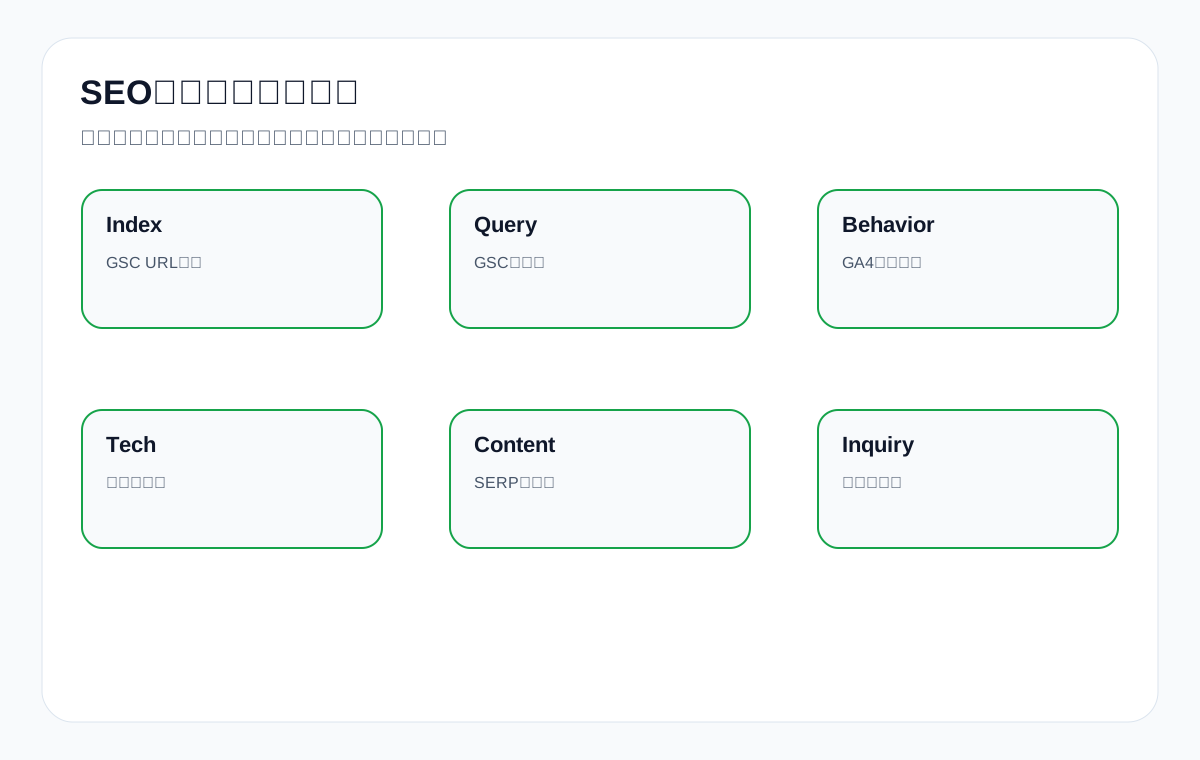
IX. How to diagnose “impressions without clicks”
High impressions but low clicks in GSC commonly comes from lower rankings, an unappealing title or description, a page type mismatch, insufficient brand trust, or stronger results in the SERP. Do not immediately conclude that the content failed.
First check whether queries and pages match, then check the ranking range and CTR, then check the SERP result types. If the top results are all category pages while yours is a blog page, adjust the page type; if the page type is right but the title is too broad, change the title and description.
For example, if waterproof connector supplier lands on a blog page, low clicks are normal, and the category page should be strengthened.
High impressions, low clicks diagnostic table
| Check item | Judgment | Action |
|---|---|---|
| Query intent | Whether it matches the page | Adjust page targeting |
| Ranking range | Whether it is in the top 10 or top 20 | Add content and links |
| Title and description | Whether they are clear and specific | Rewrite the snippet |
| SERP type | Whether the format matches | Change the page type |
| Brand trust | Whether there is credible material | Add certificates and an about page |
X. How to diagnose “clicks without inquiries”
For clicks without inquiries, use GA4 and page diagnostics to look at the path after users enter the site. Whether they scroll, click products, download documents, reach the contact page, start a form, and submit the form.
If users stop on a tutorial page, product links may be missing; if they reach a product page but do not submit, parameters, price explanation, MOQ, certificates, or the form entry may be missing; if forms start but are not submitted, there may be too many fields or insufficient trust.
Sales should also feed back the reasons for invalid inquiries, to judge whether the terms are inaccurate or the page is not clear enough.
Clicks without inquiries diagnostic table
| Symptom | Possible cause | Action |
|---|---|---|
| Exit from tutorial page | No next step | Add product and document links |
| No form clicks on product page | Insufficient information | Add parameters, FAQ, certificates |
| Form started but not submitted | Field or trust problem | Simplify the form and explanation |
| Invalid inquiries | Weak term intent | Adjust target terms and content |
| Many document downloads, few inquiries | Long purchasing cycle | Add an email follow-up entry |
XI. How to diagnose “low indexing”
For low indexing, first distinguish technical blocks, insufficient page value, weak internal links, duplicate pages, and insufficient crawling of a new site. GSC URL Inspection, Page indexing, sitemaps, crawlers, and server logs can be read together.
Core pages that are not indexed should be handled first: check noindex, robots, canonical, status codes, thin content, internal link entries, and page speed. Low-value pages not being indexed is not necessarily a problem.
Foreign trade enterprises should not chase indexing numbers only; they should ensure that main product pages, category pages, application pages, and document pages are in the index.
Low indexing diagnostic table
| Cause | Check tool | Handling |
|---|---|---|
| noindex/robots | Source code, GSC | Fix the block |
| Wrong canonical | Source code, crawler | Point to the correct main page |
| Thin content | Page audit | Add product facts |
| Weak internal links | Crawler, on-site links | Add body content entries |
| Duplicate pages | GSC, canonical | Merge or canonicalize |
XII. How to diagnose “ranking fluctuations”
Ranking fluctuations require looking at queries, pages, SERP changes, competitors, page updates, indexing status, and seasonality. Do not look only at a single keyword’s single-day ranking. Many foreign trade B2B terms have low search volume, so fluctuation is even more normal.
GSC shows average position and impression trends, SERP benchmarking shows whether result types changed, page diagnostics show whether there are technical errors, and GA4 and inquiries show business impact.
If rankings fluctuate but inquiry quality is stable, a major overhaul is not necessarily needed; if queries for core pages keep declining, do a content and SERP review.
Ranking fluctuation diagnostic table
| Check item | Description | Action |
|---|---|---|
| Time range | Look at a 4-12 week trend | Avoid single-day misjudgment |
| SERP changes | Whether result types changed | Adjust the page format |
| Competitor changes | Whether competitors strengthened | Add content and documents |
| Technical status | Whether indexing and speed are abnormal | Fix blocks |
| Business impact | Whether inquiries declined | Decide priority |
XIII. AI citations should also be part of tool analysis
Traditional tools cannot see all AI answers, but you can build a fixed query set and record manually or with tools: whether the brand is mentioned, whether the official site is cited, whether the description is accurate, and whether competitors appear. Then read it together with GSC, GA4, and inquiry data.
For example, if ChatGPT or AI Overviews describes a waterproof connector question incorrectly, the official site material may not be clear enough, and the product page and FAQ need additions. If AI mentions competitors but not you, external signals and document assets may be insufficient.
AI citation analysis should not replace SEO analysis; it is a new layer of visibility review.
AI citation analysis table
| Metric | What to look at | Action |
|---|---|---|
| Mention | Whether the brand is mentioned | Add entities and content |
| Citation | Whether the official site is cited | Strengthen document pages |
| Accuracy | Whether the description is accurate | Correct product facts |
| Competitor | Why competitors appear | Benchmark the gaps |
| Inquiry | Whether it brings more specific leads | Review the page path |
XIV. How to write a monthly SEO analysis report
A foreign trade SEO monthly report should not pile up tool screenshots. Write it by product line: this month’s key findings, GSC query changes, GA4 behavior changes, page diagnostic problems, inquiry quality, completed actions, and next month’s priorities.
Every conclusion needs data and an action. For example, “the LED flood light category page gained impressions in the United States, but product clicks are low; next month add a selection table, document entry, and parking lot application page.”
The value of the report is to help the team decide the next step, not to prove that many tools were reviewed.
Monthly report structure table
| Module | Content | Output |
|---|---|---|
| Summary | 3-5 key findings | Readable by decision makers |
| GSC | Queries, pages, countries | Pre-search performance |
| GA4 | Behavior, events, conversions | Post-visit performance |
| Page diagnostics | Technical and content problems | Fix list |
| Inquiry feedback | Validity and product line | Business judgment |
| Next month’s plan | Priority pages and actions | Execution roadmap |
XV. Common mistakes in using tools
Mistake one: replacing GSC with a ranking tool. Ranking tools can only assist; GSC is the search performance data Google gives the site.
Mistake two: using GA4 to explain indexing problems. GA4 cannot see search impressions and indexing status for pages that never entered the site.
Mistake three: fixing every red flag a tool shows. Sort by core pages and business value.
Mistake four: looking only at total traffic. Foreign trade SEO should look at product line, country, page, and inquiry quality.
Mistake five: not connecting sales feedback. Without sales feedback, you cannot judge whether SEO leads are valid.
Misconception correction table
| Misconception | Consequence | Correction |
|---|---|---|
| Look only at rankings | Ignore queries and pages | Review with GSC |
| Look only at GA4 | Cannot see pre-search problems | Combine with GSC |
| Fix all tool red flags | Wasted resources | Follow business priority |
| Look only at total traffic | Misjudge market quality | Split by country and product line |
| No sales feedback | Disconnected from business | Set up inquiry tagging |
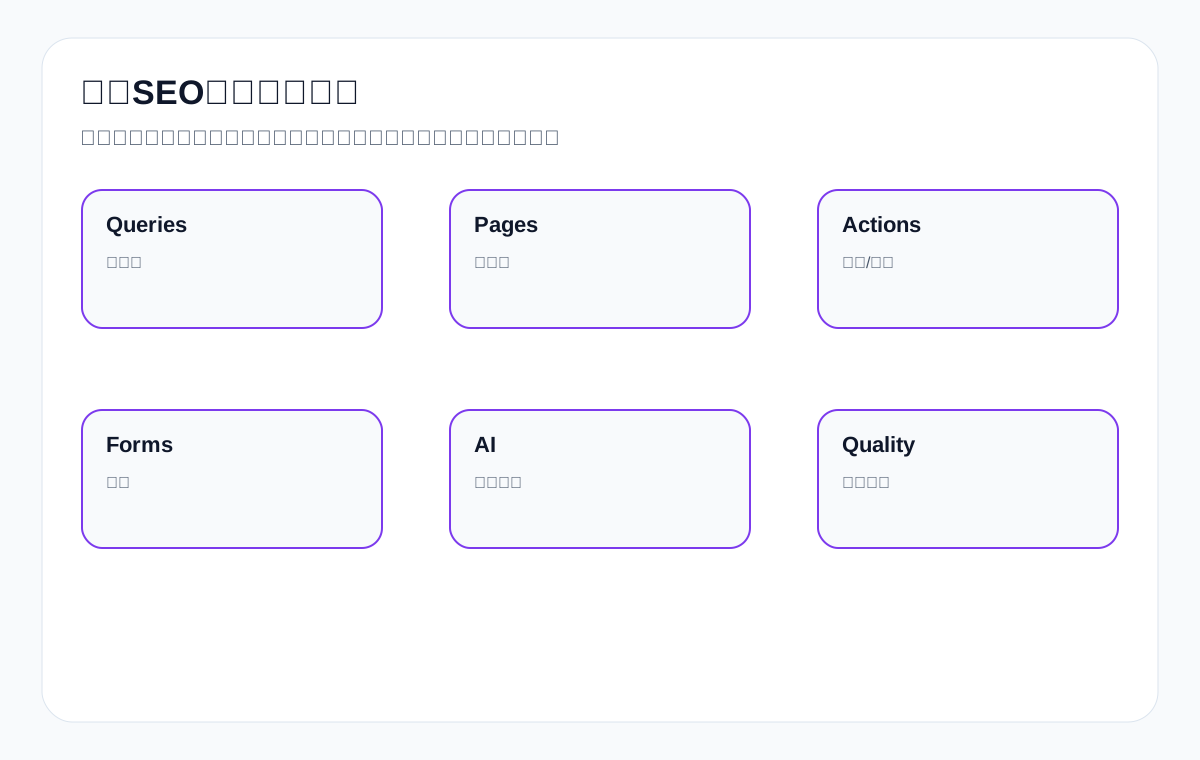
XVIII. How to read the GSC Pages report: start with pages, then look at queries
Many people open GSC and look at the queries list first, but foreign trade websites are better analyzed by page first. That is because SEO ultimately optimizes page assets: whether a category page, product page, application page, document page, or tutorial page carries the right search intent.
After opening Performance, you can filter a core URL first, such as the LED flood light category page, then see which queries it gets. If LED flood light supplier, outdoor LED flood light manufacturer, and parking lot LED flood light appear, the page direction is close; if many how to install and what is question terms appear, you may need a tutorial page or adjusted page content.
Analyzing by page avoids a common mistake: seeing a query with impressions and rushing to write a new article. In fact, an existing page may already cover it and only needs strengthening.
GSC page analysis steps
| Step | Operation | Judgment |
|---|---|---|
| 1 | Filter core URL | See single-page performance |
| 2 | View queries | Judge whether intent matches |
| 3 | View countries | Confirm market quality |
| 4 | View CTR | Judge title and snippet |
| 5 | Define actions | Add content, internal links, or a page type |
XIX. How to read the GSC Queries report: don’t only look at high-volume terms
Many high-value foreign trade B2B terms have low search volume but strong intent. For example, custom metal parts drawing quote, IP67 waterproof connector 4 pin, powder packaging machine for coffee, private label ceramic dinnerware MOQ, these terms can bring more specific inquiries.
The queries report should be grouped: supplier terms, product terms, parameter terms, application terms, document terms, question terms, and brand terms. Each group maps to different pages and actions. Weak supplier terms: add a category page; weak parameter terms: add a product page; weak document terms: add a datasheet page; growing question terms: add tutorials and FAQ.
Do not chase only the biggest terms. The value of foreign trade SEO often comes from a group of long-tail purchasing terms rather than one big term.
Query grouping table
| Group | Example | Target page | Action |
|---|---|---|---|
| Supplier terms | waterproof connector supplier | Category page | Add supply capability |
| Product terms | 100W LED flood light | Product page | Add parameters and images |
| Parameter terms | IP67 connector 4 pin | Product/subcategory | Add specification notes |
| Application terms | connector for marine lighting | Application page | Add scenarios and recommended products |
| Document terms | packaging machine manual | Document page | Add download and explanation |
XX. GA4 event setup: the minimum actions a foreign trade site should track
If GA4 only has basic visit tracking and no key events, SEO analysis lacks a conversion path. A foreign trade website should at least track product clicks, document downloads, inquiry button clicks, form start, form submission, email clicks, WhatsApp clicks, phone clicks, and file uploads.
For custom metal parts, uploading a drawing is a very important high-quality event; for packaging machine, video plays and document downloads may show users entering the comparison stage; for ceramic dinnerware, catalog downloads and private label inquiries may matter more.
Event names should be stable for long-term comparison. Do not change event names on every redesign, or the data cannot be reviewed continuously.
Foreign trade GA4 event setup table
| Event name | Trigger action | Business meaning |
|---|---|---|
| select_product | Click a product card | Category page effectiveness |
| download_datasheet | Download a document | Purchasing validation intent |
| click_inquiry | Click the inquiry button | Entering the conversion path |
| form_start | Start filling the form | CTA and trust are working |
| generate_lead | Submit the form | A lead is created |
| upload_drawing | Upload a drawing | High-quality custom demand |
XXI. How form fields support SEO review
Many foreign trade site forms only collect name, email, and message, which makes it hard to judge the quality of leads from SEO. Add lightweight product-related fields: product line, quantity, target market, whether a drawing exists, application scenario, required certifications, and purchasing stage. Do not add too many fields, but they should help sales judge.
For example, a waterproof connector inquiry can ask pin count, cable length, application, and quantity; custom metal parts can require drawing upload, material, surface finish, and quantity; packaging machine can ask material, package size, and speed requirement.
These fields also feed back into SEO: if many inquiries ask about the same certificate or parameter, add pages and FAQ.
Inquiry fields and SEO review
| Field | Purpose | Content feedback |
|---|---|---|
| Product line | Judge which page brings leads | Product line priority |
| Quantity | Judge purchasing scale | MOQ and bulk notes |
| Target market | Judge country quality | Localized content |
| Drawing/documents | Judge customization depth | Quotation guide |
| Application scenario | Judge demand type | Application pages and FAQ |
XXII. Page diagnostic case: a category page gets impressions but no product clicks
Suppose the LED flood light category page gains impressions in GSC, but GA4 shows very few product clicks. Do not look only at rankings; check page content and experience: whether product cards are clear, whether filters work, whether wattage and applications are shown, whether the top blocks products, whether mobile is hard to use, and whether there is a selection guide.
Page diagnostic tools can check speed, images, mobile, and HTML structure; manual review checks whether a buyer can find the right product within 30 seconds. Sales feedback can confirm whether users often ask questions the page should already answer.
Actions might be: rearrange product cards, add wattage filters, add application entries, add a selection table, and add datasheet downloads and inquiry buttons.
Category page diagnostic table
| Check item | Problem signal | Action |
|---|---|---|
| Product cards | Images only, no parameters | Add wattage, IP, application |
| Filters | Users cannot find specifications | Add key filters |
| Selection guide | Users do not know how to choose | Add a comparison table |
| Document entry | Cannot download the datasheet | Add document page links |
| Mobile | Cards are hard to tap | Optimize the layout |
XXIII. Page diagnostic case: a tutorial page gets traffic but no inquiries
A tutorial page with traffic but no inquiries usually means the path is not well designed, not that the tutorial has no value. After reading “how to choose waterproof connector”, users should naturally reach product categories, related products, datasheets, and the inquiry page.
GA4 shows the next-page path and click events from the tutorial page; GSC shows which question terms the tutorial page covers; page diagnostics show internal links, CTAs, and content structure. Sales feedback shows whether users mention questions from the article in inquiries.
Actions might be: add a recommended products table, related document links, a quotation checklist, FAQ, and scenario entries inside the tutorial, instead of only a contact us at the end.
Tutorial page diagnostic table
| Check item | Problem | Action |
|---|---|---|
| Internal links | No product entry | Link categories and product pages |
| Documents | No supporting evidence | Link datasheets and certificates |
| CTA | Only at the end | Add a next step in key paragraphs |
| FAQ | Does not cover inquiry questions | Add MOQ, samples, certificates |
| Path | Empty next page | Optimize related recommendations |
XXIV. Page diagnostic case: a product page gets many clicks but few forms
A product page with many clicks but few forms means users are interested but not ready to make contact. Possible causes include incomplete parameters, missing documents, unclear MOQ, unclear certifications, insufficient images, no explanation of lead time and customization capability, and an unobvious form entry.
For CNC machining parts, users may need to see materials, precision, surface treatment, inspection methods, and a drawing upload entry; for ceramic dinnerware, users may need to see material, safety standards, packaging, and private label capability.
Tools can discover behavior, but business materials determine the quality of the fix. SEO analysis should push product pages to become purchasing decision pages.
Product page conversion diagnostic table
| Gap | User question | Strengthening |
|---|---|---|
| Few parameters | Is it suitable for my needs? | Add a specification table |
| Few documents | Can we evaluate it internally? | Add a datasheet |
| Unclear certifications | Can it enter the target market? | Add certificate notes |
| Unclear MOQ | Does it meet our purchasing volume? | Add FAQ |
| Weak form | How do I request a quote? | Add a document checklist and entry |
XXV. How to build an SEO tool stack: a small, sufficient stack beats buying tools everywhere
Foreign trade enterprises do not need to buy many tools at the start. The most basic stack can be GSC, GA4, PageSpeed Insights, Rich Results Test, one crawler tool, one keyword/competitor tool, and a form or CRM record. The point is not the number of tools, but that each tool owns one question.
If the budget is limited, first use the free GSC and GA4 well, then use a crawler to check pages regularly. Paid tools suit competitors, keywords, backlinks, and content gaps, but they cannot replace product documents and sales feedback.
The tool stack should serve the process: find problems, judge priority, execute page changes, and review results. Do not let tool reports become a new burden.
Recommended foreign trade SEO tool stack table
| Tool type | Purpose | Minimum configuration |
|---|---|---|
| Search performance | Queries, pages, indexing | Google Search Console |
| Behavior analysis | Events, paths, conversions | GA4 or similar |
| Page crawling | Titles, status codes, internal links | Screaming Frog/Sitebulb |
| Speed experience | CWV and mobile experience | PageSpeed Insights |
| Competitor keywords | SERP and keyword gaps | Ahrefs/Semrush, etc. |
| Sales feedback | Lead quality | Forms/CRM/spreadsheet |
XXVI. What to review weekly, monthly, and quarterly
SEO analysis does not require staring at all data every day. Foreign trade sites can use a cadence: weekly anomalies and inquiries, monthly page and product line performance, and quarterly content, technical, and market reviews.
Weekly is good for GSC anomalies, core page indexing, whether forms work, and inquiry quality; monthly for queries, page entries, GA4 events, document downloads, and product line performance; quarterly for the page system, content cannibalization, technical debt, competitor changes, and AI answer accuracy.
With a clear cadence, the team will not be drowned in data, nor discover problems long after traffic has fallen.
Review cadence table
| Cadence | Focus | Output |
|---|---|---|
| Weekly | Indexing anomalies, inquiry anomalies, form availability | Anomaly handling list |
| Monthly | Queries, pages, events, lead quality | Monthly optimization plan |
| Quarterly | Product lines, content system, competitors, AI accuracy | Quarterly strategy adjustment |
| After a redesign | Status codes, indexing, forms, speed | Risk recheck |
| New product launch | Pages, documents, events, internal links | Launch checklist |
XXVII. How to judge data anomalies: find the scope first, then the cause
When SEO data is abnormal, do not change the whole site immediately. First judge the scope: a site-wide decline, a product line decline, a country decline, a page decline, or a type of query decline. The scope determines where to look.
A site-wide decline may be technical, indexing, redesign, or seasonality; a single product line decline may be competitors, content, or market change; a country decline may be localization or demand change; a page decline may be page quality, SERP format, or internal links.
Suggested troubleshooting order: GSC for scope, GA4 for behavior, crawler for technology, SERP for competition, and sales for inquiry impact. That way a local problem does not expand into site-wide anxiety.
Anomaly troubleshooting table
| Anomaly scope | Possible cause | Priority tool |
|---|---|---|
| Site-wide decline | Technology, indexing, algorithm, season | GSC, crawler, logs |
| Product line decline | Content or competitor change | GSC, SERP, sales |
| Country decline | Market or localization problem | GSC country, GA4 country |
| Single page decline | Page intent or technical problem | URL inspection, SERP, page audit |
| Inquiry decline | Conversion path or lead quality | GA4, forms, sales feedback |
XXVIII. Case study: how to diagnose waterproof connector with tools
Suppose inquiries decrease on a waterproof connector website. Step one, use GSC to check core queries: whether waterproof connector supplier, IP67 connector, M12 connector, and connector for outdoor lighting declined. Step two, look at pages: which of the category page, product page, application page, and document page declined. Step three, use GA4 to see product clicks and form events. Step four, use page tools to check technology and content.
If GSC shows the supplier term still gets clicks but GA4 forms decline, it may be a conversion path problem; if GSC shows IP67 queries decline, competitors may have overtaken the product page or parameter content; if document downloads decline, it may be a document entry or page speed problem.
Finally, verify with sales feedback: fewer inquiries means lower volume, fewer valid leads, or customers asking different questions.
waterproof connector diagnostic path
| Step | Tool | Judgment |
|---|---|---|
| Queries | GSC | Whether supplier/IP67/M12 changed |
| Pages | GSC Page | Whether the category page or product page declined |
| Behavior | GA4 | Product clicks and form events |
| Page quality | Crawler/manual | Parameters, documents, internal links |
| Business feedback | Sales | Whether leads are valid |
XXIX. Case study: how to diagnose custom metal parts with tools
A custom metal parts website should not look only at traffic. What matters more is whether inquiries include drawings, materials, quantities, and tolerances. GSC can show queries such as custom metal parts, CNC machining parts, tolerance, surface finish, and upload drawing; GA4 can show drawing uploads and inquiry events; sales feedback can show quotation quality.
If a tolerance guide gets impressions but no upload drawing clicks, the article’s guidance is weak; if the CNC machining parts page gets visits but inquiries are not specific, the product page lacks a document checklist; if drawing uploads are many but sales considers them invalid, the form may lack material and quantity fields.
Only by combining tool data with sales judgment are optimization actions accurate.
custom metal parts diagnostic path
| Problem | Data source | Optimization action |
|---|---|---|
| Technical terms get impressions | GSC | Add internal links from tutorials to capability pages |
| Weak inquiries on product pages | GA4 + forms | Add a document checklist and cases |
| Few drawing uploads | GA4 events | Strengthen the upload drawing entry |
| Invalid leads | Sales feedback | Add material, quantity, and use fields |
| Inaccurate AI descriptions | AI query set | Add entities and document pages |
XXX. Turn tool conclusions into page actions
If SEO analysis cannot turn into page actions, it is just a report. Every conclusion should land on a specific URL and action: rewrite the title, add a parameter table, add FAQ, build a document page, fix canonical, add internal links, optimize the form, add an application page, and update Schema.
For example, if “GSC shows packaging machine for powder gets impressions but low clicks”, the action is not “keep observing” but checking whether the target page has powder materials, packaging range, speed, precision, video, and an inquiry entry. If not, add the page.
Page actions need a review time. Usually after content and internal link updates, you can check GSC and GA4 changes in 4 to 12 weeks; form and event fixes can be verified faster.
Conclusion-to-action conversion table
| Data conclusion | Page action | Review time |
|---|---|---|
| Query mismatch | Adjust page role and internal links | 4-8 weeks |
| Low CTR | Rewrite title and description | 2-6 weeks |
| Low product clicks | Change category page cards and filters | 2-4 weeks |
| Low form submissions | Simplify the form and add trust | 1-3 weeks |
| Invalid inquiries | Adjust content and fields | Monthly review |
XVI. FAQ: how Google SEO analysis tools work together
Which is more important, GSC or GA4?
They answer different questions. GSC looks at pre-search queries, impressions, clicks, and indexing, while GA4 looks at post-visit behavior and conversions. They cannot replace each other.
Why don’t GSC clicks and GA4 organic traffic match?
Measurement definitions, time, attribution, privacy, and sampling methods differ, so differences are normal. Looking at trends and the page dimension is more meaningful.
Which GSC data should a foreign trade site look at first?
First check whether core pages are indexed, then check whether English product terms, countries, pages, CTR, and queries land on the right pages.
Do you have to set up events in GA4?
It is recommended. Events such as product clicks, document downloads, form start, submission, email clicks, and drawing uploads help judge the quality of SEO traffic.
Are more page diagnostic tools better?
No. Enough tools is enough; the key is to rank the problems found by core pages and business value.
What should an SEO monthly report show the boss?
Give key findings, business impact, inquiry quality, completed actions, and next month’s priorities, not just a pile of screenshots.
What should you do if GSC shows a ranking decline?
First look at the time range, queries, pages, SERP changes, indexing status, and inquiry impact, not just single-day fluctuations.
How do you include AI citations in SEO analysis?
Build a fixed query set, record mentions, citations, accuracy, and competitors, then review it together with GSC, GA4, and inquiry quality.
Without GA4, can you use only GSC?
You can start with GSC for pre-search analysis, but you cannot fully judge post-visit behavior and conversions, so add GA4 or another behavior record as soon as possible.
How does sales feedback plug into SEO analysis?
Forms or CRM record the landing page, product line, country, quantity, specifications, validity, and purchasing stage, and report back to content and SEO every month.
XVII. Conclusion: the endpoint of SEO analysis tools is deciding the next action
Google SEO analysis tools are not better the more you have; each tool must answer the right question. GSC looks at pre-search, GA4 looks after the visit, page diagnostic tools look at the page itself, and sales feedback looks at inquiry quality. Only by combining the four can you judge where foreign trade SEO actually needs to change.
For Chinese export manufacturers and trading companies, the most important thing is to split by product line, page type, country, and inquiry quality, rather than looking only at site-wide traffic. Whether English product terms land on the right pages, whether users keep looking at products and documents, and whether inquiries are more specific are the core.
When tool analysis can turn into specific page actions: add a category page, change a product page, add a document page, adjust internal links, optimize the form, and update FAQ, then SEO review is truly valuable.
Final checklist
| Check item | Completion standard |
|---|---|
| GSC | Queries, pages, countries, and indexing reviewed regularly |
| GA4 | Product click, download, and form events set up |
| Page diagnostics | Core page technical and content problems ranked |
| Inquiry feedback | Sales marks validity and product line |
| AI review | Mentions, citations, and accuracy included in the monthly report |
| Action plan | Specific page actions output every month |
{
“@context”: “https://schema.org”,
“@type”: “FAQPage”,
“mainEntity”: [
{
“@type”: “Question”,
“name”: “Top1/authoritative benchmark comparison cardnnComparison dimension Authoritative content strengths Foreign trade enterprise gaps How this article fills themnnGSC Accurate query, indexing, and page data Lacks inquiry path explanation Add product pages and the country dimensionnGA4 Event and behavior analysis Lacks connection to SEO queries Add landing pages and product clicksnPage diagnostics Comprehensive technical items Lacks business priority Sort by product linenTool stack Lists tool types Prone to tool stacking Provide a question-to-tool matrixnReview data Many metrics Lacks sales quality Add inquiry validitynnII. Start by separating: each tool answers a different questionnGSC answers “how users see you in search results”: which queries, which pages, which country, how many impressions, how many clicks, and whether pages are indexed. GA4 answers “what users do after entering the site”: which pages they view, which products they click, which documents they download, and whether they submit forms. Page diagnostic tools answer “what is wrong with the page itself”: title, status code, speed, structured data, internal links, and thin content.nIf you hand every question to one tool, you will misjudge. For example, low GSC clicks do not necessarily mean poor page experience; they may mean an unappealing title, low rankings, or a mismatch between query and intent. Low GA4 conversions do not necessarily mean the SEO terms are wrong; the form may be too complex or the product page may lack documents.nThe right approach is to define the question first, then choose the tool.nQuestion-to-tool mapping tablennQuestion Priority tool Supporting judgmentnnIs the page indexed? GSC URL Inspection Sitemap and source codenWhich English terms bring impressions? GSC Performance SERP benchmarkingnDo users view products? GA4 events and paths Page heat zones/clicksnAre there page technical problems? Crawler, PSI, source code GSC coverage reportnAre inquiries valid? Forms/CRM/sales feedback GA4 landing pagennIII. How to use GSC for foreign trade SEO analysisnGSC is best for pre-search data: queries, pages, countries, devices, impressions, clicks, click-through rate, average position, and indexing status. Foreign trade websites should focus on whether English product terms, supplier terms, parameter terms, application terms, and document terms land on the right pages.nFor example, waterproof connector supplier should mainly land on a category or capability page; M12 4 pin waterproof connector should land on a product page; how to choose waterproof connector should land on a tutorial page; waterproof connector datasheet should land on a document page.nIf queries and pages are mismatched, you need to adjust the page role, title, content, and internal links.nGSC foreign trade analysis tablennGSC dimension What to look at ActionnnQuery English product terms and question terms Judge intentnPage Which page gets impressions Check whether it is placed correctlynCountry Whether it matches the target market Adjust market wordingnCTR Whether title and description attract clicks Optimize the search snippetnIndexing Whether core pages are in the index Fix technical or content issuesnnIV. How to use GA4 for SEO behavior analysisnGA4 does not tell you the search terms directly, but it tells you what users do after entering the site. Foreign trade SEO should set key events: product card clicks, document downloads, inquiry button clicks, form start, form submission, email clicks, WhatsApp clicks, and drawing uploads.nIf a tutorial gets high traffic but no product clicks, internal links and CTAs are weak; if a product page gets many visits but few form starts, page information or the inquiry entry may be insufficient; if many forms start but few are submitted, the form fields or trust information may be a problem.nGA4 must be combined with GSC page data to form a path from query to behavior.nGA4 event design tablennEvent Description Foreign trade meaningnnview_item_list View product list Whether the category page worksnselect_item Click a product Whether product cards attract clicksnfile_download Download a document Whether the document is valuablenform_start Start an inquiry Whether the CTA worksngenerate_lead Submit a form A lead is creatednupload_drawing Upload a drawing A high-quality B2B signalnnV. How to read GSC and GA4 togethernThe greatest value of GSC and GA4 lies in connecting them. GSC tells you which queries give a page impressions and clicks, and GA4 tells you whether behavior happens after entering that page. Only together can they judge the quality of SEO traffic.nFor example, if a LED flood light guide has many how to queries in GSC and GA4 shows users continue to click the LED flood light category page and datasheet, the content is educating users and guiding them toward purchasing. Conversely, if GA4 shows many exits, check whether the article lacks product entry points.nDo not look only at total traffic. Break it down by page, product line, country, and event.nGSC + GA4 joint diagnosis tablennSymptom Possible cause ActionnnHigh GSC impressions, low clicks Low ranking or weak snippet Optimize title, description, and content matchnHigh clicks but GA4 bounce Page does not satisfy intent Rewrite the introduction and structurenHigh tutorial visits, no product clicks Weak internal links and CTAs Add related products and documentsnHigh product page visits, no forms Insufficient documents and trust Add parameters, certificates, FAQnMany form submissions but invalid Term intent or form field problem Adjust target terms and fieldsnnVI. What page diagnostic tools should look at: fewer red flags is not always betternCrawler tools, PageSpeed, Rich Results Test, browser developer tools, and source code checks can find page problems, but you should rank them by business value. Many red flags do not mean everything must be fixed immediately; problems on core product pages outrank low-value tag pages.nPage diagnostics should focus on: status codes, titles, H1, canonical, noindex, internal links, images, speed, structured data, mobile, content depth, tables, and FAQ.nFor example, a main custom metal parts capability page missing parameters and an inquiry entry is more important than an old tag page with an overly long title.nPage diagnostic priority tablennProblem High-priority case Low-priority casennnoindex Core category/product page blocked Low-value filter pagenDuplicate titles Duplicate on main pages Duplicate on tag pagesnSlow speed Slow core entry page Slightly slow low-traffic pagenStructured data errors Wrong fields on product pages Pages with no rich result valuenThin content Thin main product pages Thin non-core news pagesnnVII. Build an SEO analysis dashboard by product linenForeign trade enterprises should not look only at site-wide averages. Different product lines have different search demand, margins, inquiry quality, and competition. Build a dashboard by product line, for example LED flood light, waterproof connector, custom metal parts, and packaging machine.nFor each product line, look at: whether the core category page is indexed, queries for the main product pages, application page performance, document downloads, inquiry volume, and sales validity. That is how you know where resources should go.nSite-wide traffic growth with no change in high-margin product lines is not real success.nProduct line dashboard fieldsnnField Description Tool sourcennProduct line LED flood light, etc. Business definitionnCore pages Category/product/application/document URL listnQueries English product terms and question terms GSCnBehavior Clicks, downloads, forms GA4nInquiry quality Validity and stage Sales feedbacknnVIII. How to analyze the country dimension: more traffic does not mean the right marketnForeign trade websites must look at countries. If a page’s traffic grows mainly from non-target markets, inquiries may be poor. Both GSC and GA4 can be viewed by country, and sales feedback should also record country and customer type.nFor example, private label activewear manufacturer may care more about the United States, the United Kingdom, and Australia; industrial valve supplier may care more about the Middle East, Europe, and Southeast Asia. Different product lines have different target markets.nThe country dimension helps judge whether content language, certifications, cases, units, and inquiry forms need adjustment.nCountry dimension analysis tablennSymptom Possible cause ActionnnFew impressions in target countries Term or content mismatch Add local wording and certificationsnMany clicks from non-target countries Content too broad Adjust title and page positioningnHigh clicks in target countries but no inquiries Insufficient page trust Add documents and formsnHigh inquiry quality from one country Market opportunity Expand content for that marketnScattered performance across countries Unclear positioning Split pages or content by marketnnFigure 2: Different questions need different tools; do not use one tool to explain every SEO phenomenon.nIX. How to diagnose “impressions without clicks”nHigh impressions but low clicks in GSC commonly comes from lower rankings, an unappealing title or description, a page type mismatch, insufficient brand trust, or stronger results in the SERP. Do not immediately conclude that the content failed.nFirst check whether queries and pages match, then check the ranking range and CTR, then check the SERP result types. If the top results are all category pages while yours is a blog page, adjust the page type; if the page type is right but the title is too broad, change the title and description.nFor example, if waterproof connector supplier lands on a blog page, low clicks are normal, and the category page should be strengthened.nHigh impressions, low clicks diagnostic tablennCheck item Judgment ActionnnQuery intent Whether it matches the page Adjust page targetingnRanking range Whether it is in the top 10 or top 20 Add content and linksnTitle and description Whether they are clear and specific Rewrite the snippetnSERP type Whether the format matches Change the page typenBrand trust Whether there is credible material Add certificates and an about pagennX. How to diagnose “clicks without inquiries”nFor clicks without inquiries, use GA4 and page diagnostics to look at the path after users enter the site. Whether they scroll, click products, download documents, reach the contact page, start a form, and submit the form.nIf users stop on a tutorial page, product links may be missing; if they reach a product page but do not submit, parameters, price explanation, MOQ, certificates, or the form entry may be missing; if forms start but are not submitted, there may be too many fields or insufficient trust.nSales should also feed back the reasons for invalid inquiries, to judge whether the terms are inaccurate or the page is not clear enough.nClicks without inquiries diagnostic tablennSymptom Possible cause ActionnnExit from tutorial page No next step Add product and document linksnNo form clicks on product page Insufficient information Add parameters, FAQ, certificatesnForm started but not submitted Field or trust problem Simplify the form and explanationnInvalid inquiries Weak term intent Adjust target terms and contentnMany document downloads, few inquiries Long purchasing cycle Add an email follow-up entrynnXI. How to diagnose “low indexing”nFor low indexing, first distinguish technical blocks, insufficient page value, weak internal links, duplicate pages, and insufficient crawling of a new site. GSC URL Inspection, Page indexing, sitemaps, crawlers, and server logs can be read together.nCore pages that are not indexed should be handled first: check noindex, robots, canonical, status codes, thin content, internal link entries, and page speed. Low-value pages not being indexed is not necessarily a problem.nForeign trade enterprises should not chase indexing numbers only; they should ensure that main product pages, category pages, application pages, and document pages are in the index.nLow indexing diagnostic tablennCause Check tool Handlingnnnoindex/robots Source code, GSC Fix the blocknWrong canonical Source code, crawler Point to the correct main pagenThin content Page audit Add product factsnWeak internal links Crawler, on-site links Add body content entriesnDuplicate pages GSC, canonical Merge or canonicalizennXII. How to diagnose “ranking fluctuations”nRanking fluctuations require looking at queries, pages, SERP changes, competitors, page updates, indexing status, and seasonality. Do not look only at a single keyword’s single-day ranking. Many foreign trade B2B terms have low search volume, so fluctuation is even more normal.nGSC shows average position and impression trends, SERP benchmarking shows whether result types changed, page diagnostics show whether there are technical errors, and GA4 and inquiries show business impact.nIf rankings fluctuate but inquiry quality is stable, a major overhaul is not necessarily needed; if queries for core pages keep declining, do a content and SERP review.nRanking fluctuation diagnostic tablennCheck item Description ActionnnTime range Look at a 4-12 week trend Avoid single-day misjudgmentnSERP changes Whether result types changed Adjust the page formatnCompetitor changes Whether competitors strengthened Add content and documentsnTechnical status Whether indexing and speed are abnormal Fix blocksnBusiness impact Whether inquiries declined Decide prioritynnXIII. AI citations should also be part of tool analysisnTraditional tools cannot see all AI answers, but you can build a fixed query set and record manually or with tools: whether the brand is mentioned, whether the official site is cited, whether the description is accurate, and whether competitors appear. Then read it together with GSC, GA4, and inquiry data.nFor example, if ChatGPT or AI Overviews describes a waterproof connector question incorrectly, the official site material may not be clear enough, and the product page and FAQ need additions. If AI mentions competitors but not you, external signals and document assets may be insufficient.nAI citation analysis should not replace SEO analysis; it is a new layer of visibility review.nAI citation analysis tablennMetric What to look at ActionnnMention Whether the brand is mentioned Add entities and contentnCitation Whether the official site is cited Strengthen document pagesnAccuracy Whether the description is accurate Correct product factsnCompetitor Why competitors appear Benchmark the gapsnInquiry Whether it brings more specific leads Review the page pathnnXIV. How to write a monthly SEO analysis reportnA foreign trade SEO monthly report should not pile up tool screenshots. Write it by product line: this month’s key findings, GSC query changes, GA4 behavior changes, page diagnostic problems, inquiry quality, completed actions, and next month’s priorities.nEvery conclusion needs data and an action. For example, “the LED flood light category page gained impressions in the United States, but product clicks are low; next month add a selection table, document entry, and parking lot application page”.nThe value of the report is to help the team decide the next step, not to prove that many tools were reviewed.nMonthly report structure tablennModule Content OutputnnSummary 3-5 key findings Readable by decision makersnGSC Queries, pages, countries Pre-search performancenGA4 Behavior, events, conversions Post-visit performancenPage diagnostics Technical and content problems Fix listnInquiry feedback Validity and product line Business judgmentnNext month’s plan Priority pages and actions Execution roadmapnnXV. Common mistakes in using toolsnMistake one: replacing GSC with a ranking tool. Ranking tools can only assist; GSC is the search performance data Google gives the site.nMistake two: using GA4 to explain indexing problems. GA4 cannot see search impressions and indexing status for pages that never entered the site.nMistake three: fixing every red flag a tool shows. Sort by core pages and business value.nMistake four: looking only at total traffic. Foreign trade SEO should look at product line, country, page, and inquiry quality.nMistake five: not connecting sales feedback. Without sales feedback, you cannot judge whether SEO leads are valid.nMisconception correction tablennMisconception Consequence CorrectionnnLook only at rankings Ignore queries and pages Review with GSCnLook only at GA4 Cannot see pre-search problems Combine with GSCnFix all tool red flags Wasted resources Follow business prioritynLook only at total traffic Misjudge market quality Split by country and product linenNo sales feedback Disconnected from business Set up inquiry taggingnnFigure 3: Foreign trade SEO diagnosis should put queries, page entries, document downloads, inquiry fields, and sales feedback together.nnXVIII. How to read the GSC Pages report: start with pages, then look at queriesnMany people open GSC and look at the queries list first, but foreign trade websites are better analyzed by page first. That is because SEO ultimately optimizes page assets: whether a category page, product page, application page, document page, or tutorial page carries the right search intent.nAfter opening Performance, you can filter a core URL first, such as the LED flood light category page, then see which queries it gets. If LED flood light supplier, outdoor LED flood light manufacturer, and parking lot LED flood light appear, the page direction is close; if many how to install and what is question terms appear, you may need a tutorial page or adjusted page content.nAnalyzing by page avoids a common mistake: seeing a query with impressions and rushing to write a new article. In fact, an existing page may already cover it and only needs strengthening. nGSC page analysis stepsnStep Operation Judgmentn1 Filter core URL See single-page performancen2 View queries Judge whether intent matchesn3 View countries Confirm market qualityn4 View CTR Judge title and snippetn5 Define actions Add content, internal links, or a page typennXIX. How to read the GSC Queries report: don’t only look at high-volume termsnMany high-value foreign trade B2B terms have low search volume but strong intent. For example, custom metal parts drawing quote, IP67 waterproof connector 4 pin, powder packaging machine for coffee, and private label ceramic dinnerware MOQ can bring more specific inquiries.nThe queries report should be grouped: supplier terms, product terms, parameter terms, application terms, document terms, question terms, and brand terms. Each group maps to different pages and actions. Weak supplier terms: add a category page; weak parameter terms: add a product page; weak document terms: add a datasheet page; growing question terms: add tutorials and FAQ.nDo not chase only the biggest terms. The value of foreign trade SEO often comes from a group of long-tail purchasing terms rather than one big term.nQuery grouping tablenGroup Example Target page ActionnSupplier terms waterproof connector supplier Category page Add supply capabilitynProduct terms 100W LED flood light Product page Add parameters and imagesnParameter terms IP67 connector 4 pin Product/subcategory Add specification notesnApplication terms connector for marine lighting Application page Add scenarios and recommended productsnDocument terms packaging machine manual Document page Add download and explanationnnXX. GA4 event setup: the minimum actions a foreign trade site should tracknIf GA4 only has basic visit tracking and no key events, SEO analysis lacks a conversion path. A foreign trade website should at least track product clicks, document downloads, inquiry button clicks, form start, form submission, email clicks, WhatsApp clicks, phone clicks, and file uploads.nFor custom metal parts, uploading a drawing is a very important high-quality event; for packaging machine, video plays and document downloads may show users entering the comparison stage; for ceramic dinnerware, catalog downloads and private label inquiries may matter more.nEvent names should be stable for long-term comparison. Do not change event names on every redesign, or the data cannot be reviewed continuously.nForeign trade GA4 event setup tablenEvent name Trigger action Business meaningnselect_product Click a product card Category page effectivenessndownload_datasheet Download a document Purchasing validation intentnclick_inquiry Click the inquiry button Entering the conversion pathnform_start Start filling the form CTA and trust are workingngenerate_lead Submit the form A lead is creatednupload_drawing Upload a drawing High-quality custom demandnnXXI. How form fields support SEO reviewnMany foreign trade site forms only collect name, email, and message, which makes it hard to judge the quality of leads from SEO. Add lightweight product-related fields: product line, quantity, target market, whether a drawing exists, application scenario, required certifications, and purchasing stage. Do not add too many fields, but they should help sales judge.nFor example, a waterproof connector inquiry can ask pin count, cable length, application, and quantity; custom metal parts can require drawing upload, material, surface finish, and quantity; packaging machine can ask material, package size, and speed requirement.nThese fields also feed back into SEO: if many inquiries ask about the same certificate or parameter, add pages and FAQ.nInquiry fields and SEO reviewnField Purpose Content feedbacknProduct line Judge which page brings leads Product line prioritynQuantity Judge purchasing scale MOQ and bulk notesnTarget market Judge country quality Localized contentnDrawing/documents Judge customization depth Quotation guidenApplication scenario Judge demand type Application pages and FAQnnXXII. Page diagnostic case: a category page gets impressions but no product clicksnSuppose the LED flood light category page gains impressions in GSC, but GA4 shows very few product clicks. Do not look only at rankings; check page content and experience: whether product cards are clear, whether filters work, whether wattage and applications are shown, whether the top blocks products, whether mobile is hard to use, and whether there is a selection guide.nPage diagnostic tools can check speed, images, mobile, and HTML structure; manual review checks whether a buyer can find the right product within 30 seconds. Sales feedback can confirm whether users often ask questions the page should already answer.nActions might be: rearrange product cards, add wattage filters, add application entries, add a selection table, and add datasheet downloads and inquiry buttons.nCategory page diagnostic tablenCheck item Problem signal ActionnProduct cards Images only, no parameters Add wattage, IP, applicationnFilters Users cannot find specifications Add key filtersnSelection guide Users do not know how to choose Add a comparison tablenDocument entry Cannot download the datasheet Add document page linksnMobile Cards are hard to tap Optimize the layoutnnXXIII. Page diagnostic case: a tutorial page gets traffic but no inquiriesnA tutorial page with traffic but no inquiries usually means the path is not well designed, not that the tutorial has no value. After reading “how to choose waterproof connector”, users should naturally reach product categories, related products, datasheets, and the inquiry page.nGA4 shows the next-page path and click events from the tutorial page; GSC shows which question terms the tutorial page covers; page diagnostics show internal links, CTAs, and content structure. Sales feedback shows whether users mention questions from the article in inquiries.nActions might be: add a recommended products table, related document links, a quotation checklist, FAQ, and scenario entries inside the tutorial, instead of only a contact us at the end. nTutorial page diagnostic tablenCheck item Problem ActionnInternal links No product entry Link categories and product pagesnDocuments No supporting evidence Link datasheets and certificatesnCTA Only at the end Add a next step in key paragraphsnFAQ Does not cover inquiry questions Add MOQ, samples, certificatesnPath Empty next page Optimize related recommendationsnnXXIV. Page diagnostic case: a product page gets many clicks but few formsnA product page with many clicks but few forms means users are interested but not ready to make contact. Possible causes include incomplete parameters, missing documents, unclear MOQ, unclear certifications, insufficient images, no explanation of lead time and customization capability, and an unobvious form entry. nFor CNC machining parts, users may need to see materials, precision, surface treatment, inspection methods, and a drawing upload entry; for ceramic dinnerware, users may need to see material, safety standards, packaging, and private label capability.nTools can discover behavior, but business materials determine the quality of the fix. SEO analysis should push product pages to become purchasing decision pages.nProduct page conversion diagnostic tablenGap User question StrengtheningnFew parameters Is it suitable for my needs? Add a specification tablenFew documents Can we evaluate it internally? Add a datasheetnUnclear certifications Can it enter the target market? Add certificate notesnUnclear MOQ Does it meet our purchasing volume? Add FAQnWeak form How do I request a quote? Add a document checklist and entrynnnnXXV. How to build an SEO tool stack: a small, sufficient stack beats buying tools everywherenForeign trade enterprises do not need to buy many tools at the start. The most basic stack can be GSC, GA4, PageSpeed Insights, Rich Results Test, one crawler tool, one keyword/competitor tool, and a form or CRM record. The point is not the number of tools, but that each tool owns one question.nIf the budget is limited, first use the free GSC and GA4 well, then use a crawler to check pages regularly. Paid tools suit competitors, keywords, backlinks, and content gaps, but they cannot replace product documents and sales feedback.nThe tool stack should serve the process: find problems, judge priority, execute page changes, and review results. Do not let tool reports become a new burden.nRecommended foreign trade SEO tool stack tablenTool type Purpose Minimum configurationnSearch performance Queries, pages, indexing Google Search ConsolenBehavior analysis Events, paths, conversions GA4 or similarnPage crawling Titles, status codes, internal links Screaming Frog/SitebulbnSpeed experience CWV and mobile experience PageSpeed InsightsnCompetitor keywords SERP and keyword gaps Ahrefs/Semrush, etc.nSales feedback Lead quality Forms/CRM/spreadsheetnnXXVI. What to review weekly, monthly, and quarterlynSEO analysis does not require staring at all data every day. Foreign trade sites can use a cadence: weekly anomalies and inquiries, monthly page and product line performance, and quarterly content, technical, and market reviews.nWeekly is good for GSC anomalies, core page indexing, whether forms work, and inquiry quality; monthly for queries, page entries, GA4 events, document downloads, and product line performance; quarterly for the page system, content cannibalization, technical debt, competitor changes, and AI answer accuracy.nWith a clear cadence, the team will not be drowned in data, nor discover problems long after traffic has fallen.nReview cadence tablenCadence Focus OutputnWeekly Indexing anomalies, inquiry anomalies, form availability Anomaly handling listnMonthly Queries, pages, events, lead quality Monthly optimization plannQuarterly Product lines, content system, competitors, AI accuracy Quarterly strategy adjustmentnAfter a redesign Status codes, indexing, forms, speed Risk rechecknNew product launch Pages, documents, events, internal links Launch checklistnnXXVII. How to judge data anomalies: find the scope first, then the causenWhen SEO data is abnormal, do not change the whole site immediately. First judge the scope: a site-wide decline, a product line decline, a country decline, a page decline, or a type of query decline. The scope determines where to look.nA site-wide decline may be technical, indexing, redesign, or seasonality; a single product line decline may be competitors, content, or market change; a country decline may be localization or demand change; a page decline may be page quality, SERP format, or internal links.nSuggested troubleshooting order: GSC for scope, GA4 for behavior, crawler for technology, SERP for competition, and sales for inquiry impact. That way a local problem does not expand into site-wide anxiety.nAnomaly troubleshooting tablenAnomaly scope Possible cause Priority toolnSite-wide decline Technology, indexing, algorithm, season GSC, crawler, logsnProduct line decline Content or competitor change GSC, SERP, salesnCountry decline Market or localization problem GSC country, GA4 countrynSingle page decline Page intent or technical problem URL inspection, SERP, page auditnInquiry decline Conversion path or lead quality GA4, forms, sales feedbacknnXXVIII. Case study: how to diagnose waterproof connector with toolsnSuppose inquiries decrease on a waterproof connector website. Step one, use GSC to check core queries: whether waterproof connector supplier, IP67 connector, M12 connector, and connector for outdoor lighting declined. Step two, look at pages: which of the category page, product page, application page, and document page declined. Step three, use GA4 to see product clicks and form events. Step four, use page tools to check technology and content.nIf GSC shows the supplier term still gets clicks but GA4 forms decline, it may be a conversion path problem; if GSC shows IP67 queries decline, competitors may have overtaken the product page or parameter content; if document downloads decline, it may be a document entry or page speed problem.nFinally, verify with sales feedback: fewer inquiries means lower volume, fewer valid leads, or customers asking different questions.nwaterproof connector diagnostic pathnStep Tool JudgmentnQueries GSC Whether supplier/IP67/M12 changednPages GSC Page Whether the category page or product page declinednBehavior GA4 Product clicks and form eventsnPage quality Crawler/manual Parameters, documents, internal linksnBusiness feedback Sales Whether leads are validnnXXIX. Case study: how to diagnose custom metal parts with toolsnA custom metal parts website should not look only at traffic. What matters more is whether inquiries include drawings, materials, quantities, and tolerances. GSC can show queries such as custom metal parts, CNC machining parts, tolerance, surface finish, and upload drawing; GA4 can show drawing uploads and inquiry events; sales feedback can show quotation quality.nIf a tolerance guide gets impressions but no upload drawing clicks, the article’s guidance is weak; if the CNC machining parts page gets visits but inquiries are not specific, the product page lacks a document checklist; if drawing uploads are many but sales considers them invalid, the form may lack material and quantity fields.nOnly by combining tool data with sales judgment are optimization actions accurate.ncustom metal parts diagnostic pathnProblem Data source Optimization actionnTechnical terms get impressions GSC Add internal links from tutorials to capability pagesnWeak inquiries on product pages GA4 + forms Add a document checklist and casesnFew drawing uploads GA4 events Strengthen the upload drawing entrynInvalid leads Sales feedback Add material, quantity, and use fieldsnInaccurate AI descriptions AI query set Add entities and document pagesnnXXX. Turn tool conclusions into page actionsnIf SEO analysis cannot turn into page actions, it is just a report. Every conclusion should land on a specific URL and action: rewrite the title, add a parameter table, add FAQ, build a document page, fix canonical, add internal links, optimize the form, add an application page, and update Schema.nFor example, if “GSC shows packaging machine for powder gets impressions but low clicks”, the action is not “keep observing” but checking whether the target page has powder materials, packaging range, speed, precision, video, and an inquiry entry. If not, add the page.nPage actions need a review time. Usually after content and internal link updates, you can check GSC and GA4 changes in 4 to 12 weeks; form and event fixes can be verified faster.nConclusion-to-action conversion tablenData conclusion Page action Review timenQuery mismatch Adjust page role and internal links 4-8 weeksnLow CTR Rewrite title and description 2-6 weeksnLow product clicks Change category page cards and filters 2-4 weeksnLow form submissions Simplify the form and add trust 1-3 weeksnInvalid inquiries Adjust content and fields Monthly reviewnnnXVI. FAQ: how Google SEO analysis tools work togethernWhich matters more, GSC or GA4?”,
“acceptedAnswer”: {
“@type”: “Answer”,
“text”: “They answer different questions. GSC looks at pre-search queries, impressions, clicks, and indexing, while GA4 looks at post-visit behavior and conversions. They cannot replace each other.”
}
},
{
“@type”: “Question”,
“name”: “Why don’t GSC clicks and GA4 organic traffic match?”,
“acceptedAnswer”: {
“@type”: “Answer”,
“text”: “Measurement definitions, time, attribution, privacy, and sampling methods differ, so differences are normal. Looking at trends and the page dimension is more meaningful.”
}
},
{
“@type”: “Question”,
“name”: “Which GSC data should a foreign trade site look at first?”,
“acceptedAnswer”: {
“@type”: “Answer”,
“text”: “First check whether core pages are indexed, then check whether English product terms, countries, pages, CTR, and queries land on the right pages.”
}
},
{
“@type”: “Question”,
“name”: “Do you have to set up events in GA4?”,
“acceptedAnswer”: {
“@type”: “Answer”,
“text”: “It is recommended. Events such as product clicks, document downloads, form start, submission, email clicks, and drawing uploads help judge the quality of SEO traffic.”
}
},
{
“@type”: “Question”,
“name”: “Are more page diagnostic tools better?”,
“acceptedAnswer”: {
“@type”: “Answer”,
“text”: “No. Enough tools is enough; the key is to rank the problems found by core pages and business value.”
}
}
]
}
Keep reading this set of SEO resources
If you are systematically organizing foreign trade website SEO, continue with the articles below. First clarify the relationships among crawling, indexing, content, links, and review, then decide which page to change next.
- What to confirm before a Google SEO service contract: goals, access, deliverables, and risk boundaries
- How to build an SEO tool stack: crawling, speed, logs, rankings, content, and inquiry review
- How to validate keywords with Google Trends: foreign trade product terms, seasonality, and regional judgment
- Google Trends usage details: region, category, and time window
- How to choose Google SEO tools: what to use for keywords, crawling, indexing, content, and inquiry review
- How to use Google Search Console: which data to check first for foreign trade website SEO diagnosis
This page is machine-translated from the Simplified Chinese version and awaiting human review. It has not yet been proofread.