SEO Diagnosis and Optimization: A Guide to Troubleshooting Indexing, Rankings, Technical Issues, and Inquiry Paths on Foreign-Trade Websites
SEO diagnosis does not begin by promising rankings, nor does it mean listing every tool error at once. For Chinese export manufacturers, factories, and trading companies, a genuinely valuable diagnosis breaks questions such as “why is this page not indexed, why are there impressions but no clicks, why does a product page generate no inquiries, and why did traffic drop after a redesign” into verifiable layers of problems. Only then can you decide whether to fix crawling and indexing, page content, product structure, internal link paths, speed and experience, or inquiry conversion first.
If your website sells custom metal parts, LED flood light, packaging machine, medical probe, cnc machining parts, ceramic dinnerware, waterproof connector, industrial valve supplier, or private label activewear manufacturer, SEO diagnosis cannot stop at “what position does the keyword rank”. The more important questions are: can Google discover your core category pages? Do product pages answer buyers’ questions? Do application pages provide evidence? Can resource pages be cited? Can inquiry pages record their source? Are the real questions your sales team receives fed back into the pages?
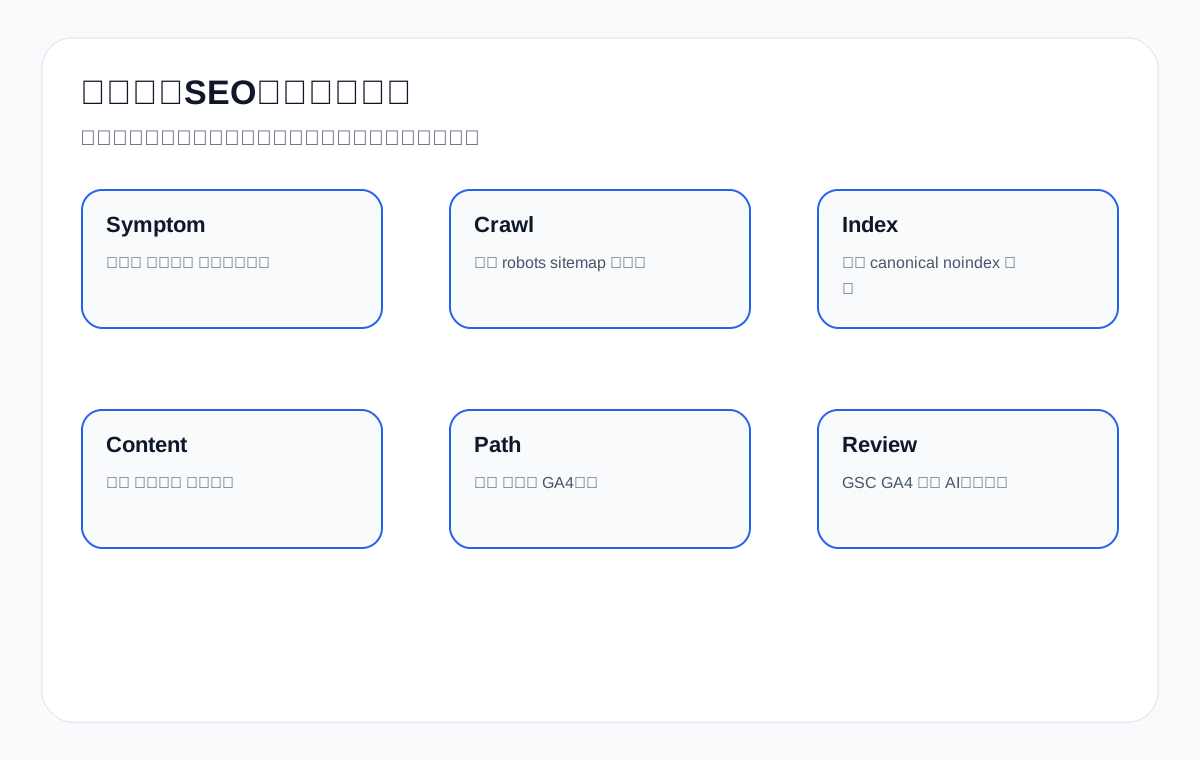
Mapping Target Queries to Diagnostic Needs
| Query type | Typical problem | Foreign-trade business scenario | Diagnostic focus |
|---|---|---|---|
| Indexing issues | new pages not indexed | A newly launched LED flood light product page is not indexed for a long time | Crawling, sitemap, noindex, canonical, duplicate content |
| Ranking fluctuations | ranking dropped after redesign | Traffic to the waterproof connector category page dropped after a redesign | Redirects, URL structure, internal links, title changes, logs |
| Impressions but no clicks | impressions no clicks | The ceramic dinnerware page gets impressions but no one clicks | Titles and snippets, search intent, above-the-fold answers, rich results |
| Clicks but no inquiries | organic traffic no leads | The packaging machine guide gets visits but no RFQs | Page paths, CTAs, RFQ fields, application evidence |
| Ineffective content | content not ranking | Publishing articles continuously but getting no inquiries for custom metal parts | Keyword mapping, page roles, content depth, internal links |
2. Benchmarking Against Top-Ranked and Authoritative Sources: What a General SEO Audit Checklist Still Misses
The top-ranked and authoritative content on SEO audit checklists today usually comes from Ahrefs, Semrush, Moz, Backlinko, and Google Search Central. These sources cover the basics well: crawling, indexing, page titles, technical errors, Core Web Vitals, structured data, duplicate content, internal links, external links, and content quality. As technical checklists, they are thorough.
But most of this material is aimed at general websites or SEO practitioners, and it lacks the business judgments foreign-trade companies care about most: how should product pages, category pages, application pages, resource pages, and inquiry pages each be diagnosed? How do English product terms and buyer questions map to pages? How should GSC queries, GA4 paths, inquiry sources, sales feedback, and AI citations be read together? If you do not have full data access, how far can a first-round diagnosis go? This article turns the general audit checklist into a diagnostic framework that foreign-trade websites can execute, verify, and review.
Benchmark Comparison Card: Top-Ranked and Authoritative Sources
| Benchmark source | Strengths | Common gaps for foreign-trade companies | What this article adds |
|---|---|---|---|
| Ahrefs SEO Audit | Clear steps; covers technical, content, links, and opportunities | More oriented toward general SEO operations | Adds product pages, category pages, inquiry paths, and foreign-trade product terms |
| Semrush SEO Audit Checklist | Detailed tool-based checks; complete technical items | Easily turns into a list of errors | Adds a priority matrix and business-impact judgment |
| Google Search Central | Reliable on crawling, indexing, structured data, and policy boundaries | Does not provide a service-oriented diagnostic process | Turns boundaries into questions a company can ask |
| General technical SEO articles | Covers speed, mobile, duplicate content, internal links | Lacks integration with GSC, GA4, and inquiries | Adds a review dashboard and a 30-day process |
3. When It Makes Sense to Start with an SEO Diagnosis
Not every website problem requires a broad diagnosis first. If a single title is weak, you can simply fix it. If one form button is not prominent enough, you can start with conversion optimization. But when a problem spans multiple pages, multiple product lines, or multiple data sources — or when you have already tried publishing content, changing titles, and adding pages without improvement — you should diagnose first.
Typical Symptoms That Warrant a Diagnosis First
| Symptom | Possible cause | Data to check first | What not to rush into |
|---|---|---|---|
| A new site is not indexed for a long time | Weak crawl entry points, duplicate pages, noindex, thin content | GSC page indexing, sitemap, robots, URL inspection | Do not keep piling up articles |
| Indexing declines on an older site | Redesign, canonical errors, duplicate pages, low-value content | Index coverage, logs, URL status, recent changes | Do not delete a large number of pages outright |
| Rankings suddenly drop | Redirects, title changes, competitor moves, technical resource anomalies | GSC date comparisons, GA4 landing pages, logs, SERP changes | Do not immediately overhaul the entire site |
| Impressions but no clicks | Title mismatch, weak snippet, wrong intent | GSC queries, CTR, page titles, SERP types | Do not just add keywords |
| Visits but no inquiries | Broken page paths, insufficient evidence, weak CTA | GA4 events, form sources, heatmaps, inquiry fields | Do not look at traffic alone |
| Lots of content but no growth | Duplicate topics, confused page roles, weak internal links | Content inventory, query mapping, internal links, product-line priorities | Do not keep publishing without a plan |
4. Diagnostic Layer 1: Crawling and Indexing
Crawling and indexing are foundational. If Google cannot reliably discover your pages, or pages are wrongly set to noindex, canonicalized elsewhere, missing from the sitemap, blocked by robots, or served by an unstable server, then downstream content and inquiry optimization will struggle to have any effect. Foreign-trade websites are especially prone to problems with multiple languages, product filters, legacy page migrations, caching/CDNs, lazy-loaded images, and bulk product pages.
Crawling and Indexing Diagnostic Checklist
| Check item | How to assess | Foreign-trade example | Priority |
|---|---|---|---|
| robots.txt | Whether it blocks important directories | /products/ or /category/ blocked by mistake | High |
| sitemap | Whether it includes core product, category, and application pages | The waterproof connector category page is missing from the sitemap | High |
| noindex | Whether pages are wrongly set to noindex | A new product page went live without removing the test setting | High |
| canonical | Whether it points to the wrong URL | Different product models all point to the same page | High |
| Status codes | Whether there are 404s, 5xx errors, or overly long redirect chains | An old trade-show link points to a 404 product page | High |
| Crawl entry points | Whether important pages have internal links | The packaging machine application page is orphaned | Medium-high |
5. Diagnostic Layer 2: Page Roles and Search Intent
Many foreign-trade websites do not lack content; their page roles are confused. A single category page tries to serve as a brand introduction, a product list, a technical encyclopedia, and an inquiry guide at the same time. One article tries to capture product terms, quote terms, application terms, and certificate terms. A product page shows only images and specifications but does not answer the questions buyers ask. SEO diagnosis must first determine which type of page should own each core query.
Mapping Query Intent to Page Roles
| Query example | Buyer intent | Suitable page | Diagnostic focus |
|---|---|---|---|
| cnc machining parts tolerance | Confirm machining capability and precision | Process page / resource page / product page | Tolerance table, materials, equipment, inspection notes |
| LED flood light for warehouse | Find an application solution | Application page / category page | Scenarios, wattage, mounting height, case images |
| packaging machine for powder | Choose an equipment type | Category page / application page | Material compatibility, capacity range, comparison table |
| ceramic dinnerware lead free | Verify compliance risk | Resource page / product page | Test standards, certificates, target-market notes |
| waterproof connector IP67 | Confirm rating and environment | Product page / FAQ | IP rating explanation, temperature, materials, application limits |
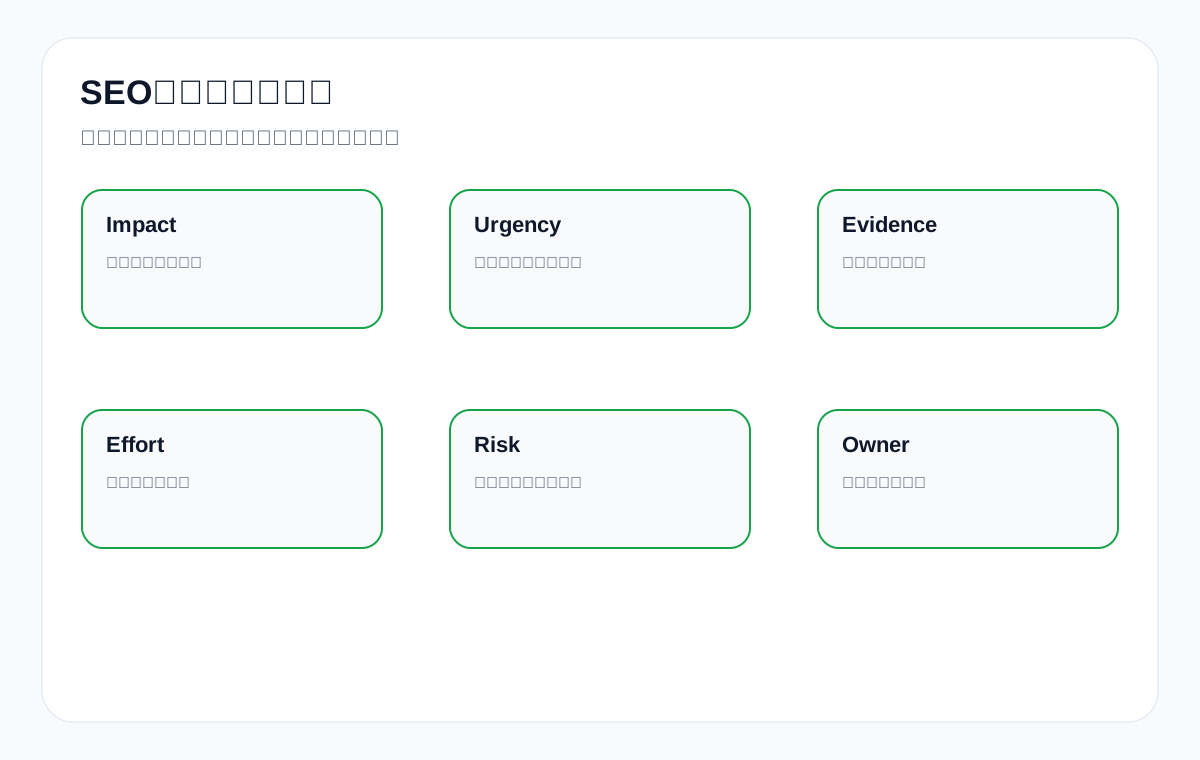
6. Diagnostic Layer 3: Titles, Above-the-Fold Content, and Content Evidence
When a page is indexed but performs poorly, examine its title, H1, above-the-fold answer, body structure, and evidence modules. Foreign-trade buyers are not there to read vague introductions; they need to quickly judge whether you can manufacture the product, whether it suits their application, whether you hold the certificates, whether you can quote, and whether you can deliver.
Content Evidence Module Diagnostic Table
| Module | What a good page should include | What goes wrong if missing | Suitable page |
|---|---|---|---|
| Above-the-fold answer | One sentence stating what problem the product or service solves | Users and search systems struggle to determine the topic | Category pages, service pages, guide pages |
| Specification table | Materials, specifications, MOQ, lead time, certifications | Buyers cannot compare | Product pages, category pages |
| Application scenarios | Industry, equipment, environment, constraints | Only product terms, with no buying context | Application pages, product pages |
| FAQ | MOQ, samples, certificates, lead time, customization | Long-tail questions have no landing page | Product pages, inquiry pages |
| Resource downloads | Datasheets, certificates, selection tables | No citable assets | Resource pages, product pages |
| RFQ guidance | Requires submitting drawings, quantities, materials, and so on | Low inquiry quality | Inquiry pages, product pages |
7. Diagnostic Layer 4: Internal Links, Section Structure, and Inquiry Paths
SEO diagnosis cannot look at single pages in isolation. Organic traffic to a foreign-trade website usually enters through articles, application pages, resource pages, and category pages, then flows to product pages and inquiry pages. If the internal link path is broken, a page may get visits but still generate no inquiries.
Internal Link and Inquiry Path Checklist
| Entry page | Where it should lead | Common problem | Fix recommendation |
|---|---|---|---|
| Technical article | Related category page, resource page, inquiry page | No next step after finishing the article | Add links to related products and resources |
| Category page | Featured products, application pages, FAQ | Only a product list | Add selection guidance and application entry points |
| Product page | RFQ form, resource downloads, similar products | Weak specifications, unclear inquiry entry | Add RFQ fields and CTAs |
| Application page | Corresponding products, cases, certificates | Scenario explained but no product entry | Add product modules and resource downloads |
| Resource page | Product page, inquiry page, email subscription | The path breaks after download | Add contact and related page links |
8. Diagnostic Layer 5: Technical Performance, Structured Data, and Mobile Experience
Technical issues do not necessarily explain every ranking change, but they affect crawl efficiency, page understanding, and user experience. Common technical issues on foreign-trade websites include slow mobile above-the-fold rendering, oversized images, missing structured data on product pages, incorrect FAQ markup, duplicate titles, pagination or filter pages generating large numbers of low-value URLs, and CDN caching that displays outdated pages.
Technical Diagnostic Priorities
| Technical item | Why it matters | How to assess | When to prioritize |
|---|---|---|---|
| Core Web Vitals | Affects user experience and some search performance | PageSpeed, CrUX, real user data | Core pages are noticeably slow |
| Structured data | Helps search engines understand products, FAQs, and organization information | Rich Results Test, Search Console enhancements | Product and FAQ pages are missing fields |
| Mobile usability | Overseas buyers often screen suppliers on their phones | Mobile screenshots, form testing | Forms or menus are unusable |
| Duplicate pages | Wastes crawl budget and dilutes intent | Site crawler, canonical, GSC duplicates | Many filter pages are indexed |
| Image assets | Affects speed and product understanding | Image file size, alt text, lazy loading | Product images are slow or lack descriptions |
9. Diagnostic Layer 6: GSC, GA4, Inquiries, and AI Citation Review
A complete diagnosis connects search data with business data. GSC tells you which queries and pages get impressions; GA4 tells you where users go after they arrive; your inquiry system tells you which products, countries, quantities, and questions are more valuable; AI answer sampling shows whether your brand and resource pages are cited. Looking at any single metric in isolation easily leads to misjudgment.
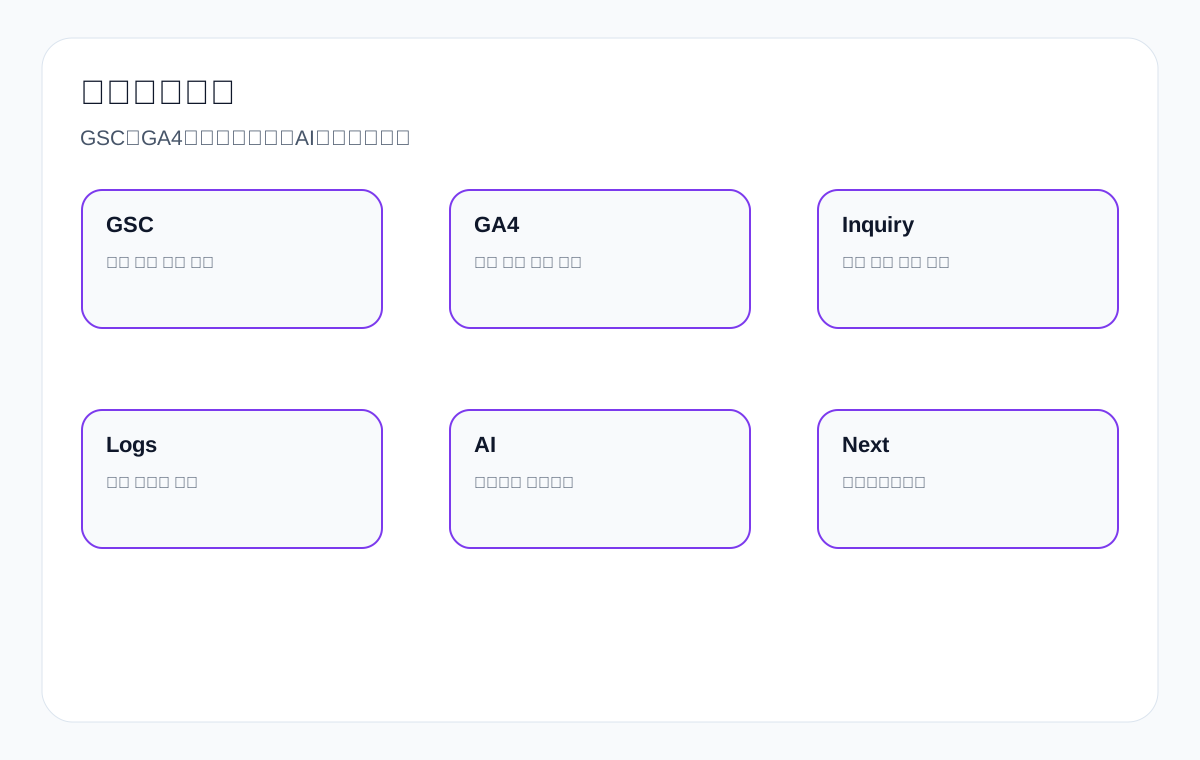
Review Metric Combination Table
| Data source | What to look at | Possible conclusion | Next step |
|---|---|---|---|
| GSC | Impressions, clicks, CTR, queries, pages | Impressions but no clicks | Revise titles, snippets, above-the-fold answers |
| GA4 | Landing pages, paths, events, downloads, forms | Visits but no action | Optimize CTAs, resource entry points, internal links |
| Inquiries | Product, country, quantity, source, questions | Low inquiry quality | Add qualifying information and RFQ fields |
| Logs | Googlebot visits, status codes, resources | Insufficient crawling of important pages | Improve internal links, sitemap, status codes |
| AI sampling | Brand mentions, official site citations, competitor co-occurrence | Insufficient evidence on resource pages | Add definitions, specifications, FAQs, certificate details |
10. A 30-Day SEO Diagnosis and Optimization Process
The 30-Day Diagnostic Process
| Phase | Task | Deliverable | Acceptance focus |
|---|---|---|---|
| Days 1-3 | Confirm target product lines, symptoms, and data access | Diagnostic scope table | Are the problems clearly defined |
| Days 4-7 | Crawling, indexing, and technical foundation checks | Technical issue list | Are high and low priorities distinguished |
| Days 8-12 | Page role and content intent checks | Page mapping table | Does it match English buyer queries |
| Days 13-17 | GSC, GA4, and inquiry source review | Data diagnostic table | Is it connected to business results |
| Days 18-23 | Propose fixes and content modules | Prioritized roadmap | Is it actionable and verifiable |
| Days 24-30 | Small-scale fixes and retesting | Fix log and next-round plan | Are there review metrics |
11. What an SEO Diagnosis Deliverable Should Include
A diagnostic report that is useful to a foreign-trade company should not be just tool screenshots and a list of errors. It should state the symptoms, evidence, scope of impact, affected pages, fix recommendations, responsible roles, expected observation metrics, and risk boundaries.
Diagnosis Deliverable Acceptance Table
| Deliverable | Must answer | What failure looks like |
|---|---|---|
| Issue overview | Which layers the site’s main problems are in | Listing only tool scores |
| Page list | Which pages to handle first, and why | No URL-level recommendations |
| Query mapping | Which pages target which English queries | Giving only a keyword list |
| Technical list | Which issues affect crawling and indexing, and which are watch items | Treating all issues as equally urgent |
| Content recommendations | Which modules to add to each page type | Only saying “add more original content” |
| Review metrics | Which data to use to judge change | No GSC/GA4/inquiry metrics |
| Boundary statement | Which results cannot be promised | Implying guaranteed rankings or guaranteed inquiries |
12. What a Company Needs to Prepare Before Starting
Kickoff Materials Checklist
| Item | Purpose | Minimum requirement |
|---|---|---|
| GSC access | View indexing, queries, and page performance | At least able to export the last 16 months of data |
| GA4 or an analytics tool | View landing pages and conversion paths | Ideally able to see form, download, and button events |
| Website admin access or a read-only environment | Confirm page settings and technical items | Take care with Elementor/WordPress pages |
| Product catalog | Establish page roles and English product terms | English product names, categories, applications, certificates |
| Typical inquiries | Identify real procurement questions | Emails or form content with personal data removed |
| Redesign records | Pinpoint the cause of traffic changes | URL structure, page components, CDN, caching, migration dates |
13. Common Misconceptions: Why Things Still Do Not Improve After a Diagnosis
Common Diagnostic Misconceptions
| Misconception | Why it fails | The right approach |
|---|---|---|
| Treating tool errors as conclusions | Tools cannot judge business priorities | Combine page roles with inquiry value |
| Fixing everything at once | Changes are too large to review | Batch changes by scope of impact and risk |
| Fixing only technical issues, not content | Pages still do not answer buyer questions | Add specifications, FAQs, evidence, and application scenarios |
| Writing articles only, never fixing product pages | Core inquiry pages remain weak | Prioritize category pages, product pages, and resource pages |
| Looking only at rankings, not inquiries | Traffic may not equal business opportunities | Combine GA4 with inquiry fields |
| Expecting immediate, stable change | Crawling, indexing, and rankings need observation periods | Set up 7-day, 30-day, and 60-day reviews |
14. FAQ: Common Questions About SEO Diagnosis and Optimization
What is the difference between SEO diagnosis and going straight to optimization?
Diagnosis identifies the problems and their priorities first; optimization executes based on the diagnosis. When a foreign-trade website has complex problems, diagnosing first prevents blindly publishing articles, changing titles, or altering technical settings.
What should I check first when a new foreign-trade site is not indexed?
First check robots, sitemap, noindex, canonical, status codes, internal link entry points, and whether pages are duplicates or too thin; then look at GSC URL Inspection and crawl activity in the logs.
What should I do when a page gets impressions but no clicks?
First check whether the query terms match the title and above-the-fold answer, then look at competitors’ titles, snippets, rich results, and page types in the SERP. Do not simply stuff more keywords into the title.
What should I do when there is organic traffic but no inquiries?
Look at GA4 paths, form events, resource downloads, CTAs, product evidence, and RFQ fields. Often the problem is not traffic but the page not giving buyers enough basis to make a judgment.
Can a diagnosis promise that rankings will definitely recover?
No. A diagnosis improves problem identification and fix prioritization, but search results are affected by algorithms, competitors, market demand, and crawl cycles. No specific position or number of inquiries can be promised.
Can you diagnose without GSC access?
A preliminary page and technical diagnosis is possible, but the conclusions will be limited. A formal diagnosis is best supported by GSC, GA4, site access, and product materials.
How often should a diagnostic report be reviewed?
After fixing major issues, review crawling and indexing at 7–14 days, impressions and clicks at 30 days, and queries, pages, and inquiry quality at 60 days.
Which matters more, product pages or article pages?
It depends on search intent. When buyers ask about specifications, certificates, MOQ, or lead time, product and category pages matter more; when they ask about methods, selection, or explanations, articles or resource pages are more suitable.
Should SEO diagnosis include AI search visibility?
If your target customers use tools such as ChatGPT, Perplexity, and Google AI Overviews for research, you can add AI answer sampling to see whether your brand, product materials, and official website are mentioned or cited.
What is usually fixed first after a diagnosis?
Usually the first fixes address issues affecting crawling, indexing, and core inquiry pages; then titles, above-the-fold content, internal links, evidence modules, and content expansion. The specific order depends on the data and page value.
15. Final Judgment: A Good Diagnosis Makes the Next Step Clearer
The value of SEO diagnosis for a foreign-trade website is not in listing as many problems as possible, but in letting the company know what to fix first, why to fix it, who will fix it, how long before reviewing, and which metrics to judge by. If the only takeaway after a diagnosis is “keep optimizing content”, the diagnosis was not specific enough.
A better diagnosis should land on specific pages and business actions: which custom metal parts pages need tolerance and material tables; which LED flood light application pages need mounting height and scenario images; which packaging machine category pages need material compatibility information; which medical probe pages need quality process details; and which waterproof connector product pages need to explain IP ratings and application limits. Only then does SEO diagnosis truly serve foreign-trade customer acquisition instead of stopping at tool errors.
16. Diagnosing Foreign-Trade Product Pages: More Than Titles and Keywords
Product pages are the most easily underestimated pages at many foreign-trade companies. They must help Google understand the product entity and the page topic, and also let overseas buyers quickly judge whether cooperation is possible. If a product page has only images, model numbers, and a line such as “quality product”, it will struggle to serve complex buying intent even if the title contains the product term.
Take custom metal parts as an example. Buyers typically care about materials, machining processes, tolerances, surface finishes, drawing formats, sample lead times, production capacity, quality inspection, and export experience. Diagnosis should not ask only “does the page contain the term custom metal parts”; it should check whether the page has a material table, tolerance ranges, target industries, drawing upload guidance, RFQ fields, and links to related process pages.
| Product page diagnostic item | What good looks like | What a problem looks like | Fix direction |
|---|---|---|---|
| Product definition | The above-the-fold area explains the product, its use, and who it suits | Only model numbers or marketing slogans | Add a clear definition and application scope |
| Specification evidence | Materials, specifications, MOQ, lead time, certifications, testing | Many images but little text | Add indexable tables and explanations |
| Buying questions | Answer questions about samples, customization, packaging, and export markets | FAQ missing | Add real questions from inquiries |
| Page paths | Can link to category, application, resource, and inquiry pages | Orphaned page | Add related internal links and CTAs |
| Trust evidence | Certificates, quality inspection, case boundaries, production process | Only saying “rich experience” | Add verifiable materials |
If a product page gets impressions but no inquiries, it is often not a single SEO problem but a page that fails to support the buying decision. The diagnostic report should clearly state which specifications are missing, which FAQs affect inquiry quality, which product images need explanatory text, and which application scenarios need their own dedicated pages.
17. Diagnosing Category Pages: The Core Pages Most Often Left Thin on Foreign-Trade Websites
Category pages are usually the key pages that capture broad product terms and solution terms on a foreign-trade website, but many category pages offer only a product list — no selection guidance, application scenarios, specification comparisons, certification requirements, or FAQs. Even when indexed, such pages struggle to perform consistently for highly competitive English product terms.
Take an LED flood light category page as an example. The page should help buyers assess wattage, mounting height, beam angle, IP rating, heat dissipation design, target scenarios, and certification requirements — not just display dozens of product cards. SEO diagnosis should check whether the category page answers “how to choose”, not merely “what products exist”.
| Category page module | Questions it should answer | Diagnostic signal | Optimization action |
|---|---|---|---|
| Selection guidance | How to choose among different products | Users browse but do not click products | Add comparison tables and selection advice |
| Application scenarios | Whether warehouse, parking lot, and stadium applications fit | Application terms have no landing page | Build application pages and interlink them |
| Specification comparison | Wattage, lumens, IP rating, certifications | Product cards lack information | Add a specification matrix |
| Purchasing terms | MOQ, samples, lead time, packaging | Inquiries repeatedly ask basic questions | Add purchasing FAQs |
| Resource entry | Datasheets, installation drawings, certificates | Resources are scattered or inaccessible | Create a resource download section |
Once a category page diagnosis is complete, it usually produces three types of actions: add above-the-fold and selection content, add internal links to product and application pages, and add FAQs and resource entry points. Do not treat a category page as a simple list page; it is often one of the most important organic search entry points on a foreign-trade website.
18. Diagnosing Application Pages: Why Technical Content Can Still Have No Purchasing Value
Application pages connect products with use scenarios. Many foreign-trade companies write broad statements such as “our products are widely used in industry, medical, automotive, and lighting”, without describing the specific environment, constraints, selection criteria, installation conditions, or purchasing considerations. Such application pages add little informational value.
Take packaging machine as an example. Equipment selection differs completely for powders, granules, liquids, pastes, fragile foods, and chemical materials. If the application page says only “suitable for the food, pharmaceutical, and chemical industries”, buyers still do not know which model to choose or which parameters to provide when submitting an inquiry.
| Application page diagnostic item | What a good page looks like | What a weak page looks like | Suggested additions |
|---|---|---|---|
| Scenario boundaries | State applicable and non-applicable conditions | Only lists applicable industries | Add material, capacity, and environmental constraints |
| Selection process | Tell buyers how to make an initial judgment | No steps | Add a 3–5 step selection process |
| Evidence materials | Includes specification tables, images, videos, or test descriptions | Only a text overview | Add charts and downloadable resources |
| Inquiry fields | Prompt for material, target capacity, and packaging specifications | The form asks only for name and phone number | Add RFQ fields and guidance |
The diagnostic conclusion for an application page is usually not “the content is not long enough” but “the buying decision is not explained clearly”. If an application scenario can be written as a selection guide, the page is more likely to capture long-tail queries and better serve real inquiries.
19. Diagnosing Resource and Certificate Pages: The Foundation of AI Citations and Buyer Trust
Foreign-trade companies often overlook their resource pages, certificate pages, and quality pages. In fact, these pages matter a great deal for buyer trust, Google’s understanding, and AI answer citations. Buyers ask whether a certificate applies to their target market, what the test standards are, whether materials are compliant, and how the quality process is controlled; AI answers are also more likely to cite clear, structured, verifiable materials.
For example, if a ceramic dinnerware website has test documentation for lead free, cadmium free, FDA food contact, LFGB, and dishwasher safe claims, it should not just place certificate images in a carousel. It should create crawlable resource pages that explain the certificate names, applicable products, target markets, test scope, and download entry points.
| Resource page type | Diagnostic focus | Common problem | Improvement suggestion |
|---|---|---|---|
| Certificate page | Certificate name, scope of application, market, validity period | Images only, no text | Add text explanations and product internal links |
| Datasheet | Whether specifications are complete and downloadable | The PDF is orphaned and not indexable | Create an HTML resource page |
| Selection table | Whether it helps buyers compare | Only a product list | Add a matrix and download entry |
| Quality process | Inspection checkpoints and responsibility boundaries | Only says “strict quality control” | Add the process and test items |
| FAQ resources | Whether it answers real procurement questions | Questions are too generic | Rewrite using questions from inquiries |
An important diagnostic metric for resource pages is whether they can be discovered through internal links, downloaded or cited by buyers, and surfaced in AI answers as evidence from your official site. They may not be the biggest traffic entry points, but they can be important assets for improving trust and inquiry quality.
20. Post-Diagnosis Fix Priorities: Fix What Blocks the Whole Site First
The most common mistake after a diagnosis is putting every problem on a single to-do list and then not knowing where to start. A sounder priority order ranks issues along four dimensions: whether they affect crawling and indexing, whether they affect core business pages, whether there is clear data evidence, and whether they can be fixed with low risk.
| Priority | Issue type | Example | Recommended handling |
|---|---|---|---|
| P0 | Blocks crawling or indexing | Core product directory set to noindex, robots blocked by mistake | Fix immediately and retest |
| P1 | Affects core inquiry pages | Wrong title intent on a key category page, product page 404 | Handle within a week |
| P2 | Affects content understanding | Missing specification tables, FAQs, application notes, internal links | Strengthen in batches by product line |
| P3 | Experience and enhancement items | Weak image alt text, incomplete structured data fields | Handle alongside content updates |
| P4 | Watch items | A few irrelevant external links, low-impact warnings | Record and review monthly |
This ordering helps companies avoid “looking busy while failing to solve the key problem”. If core product pages cannot be discovered, do not fret over the paragraph order of a single article. If inquiry pages cannot record their source, do not focus only on visit counts. If category page intent is muddled, do not keep publishing more similar articles.
21. Turning Diagnosis Results into a Monthly Optimization Plan
SEO diagnosis is not a one-off report but the starting point for the optimization plan that follows. It is best to turn the diagnosis into three phases: 30 days, 60 days, and 90 days. The first 30 days resolve blocking issues and high-value page problems; 60 days add content evidence, internal links, and inquiry paths; 90 days review query changes, AI citations, inquiry quality, and competitor gaps.
| Period | Focus | Output | Review metrics |
|---|---|---|---|
| 30 days | Crawling and indexing, core pages, serious technical issues | Fix log and retest screenshots | Index status, crawling, status codes, core page accessibility |
| 60 days | Page roles, content evidence, internal links, RFQ paths | Page update list | Impressions, clicks, landing pages, events, inquiry fields |
| 90 days | Query expansion, resource pages, competitor gaps, AI answers | Next-round content and technical roadmap | Query clusters, AI citations, brand terms, inquiry quality |
If the diagnosis cannot be turned into a monthly plan, it is still stuck at the problem-discovery stage. A genuinely useful diagnosis tells every participant their next step: which page modules the content team should add, which technical issues the developers should handle, which inquiry questions the sales team should provide, and which metrics the person in charge should watch.
22. Diagnostic Priorities for Foreign-Trade Websites of Different Sizes
Small foreign-trade sites, mid-sized product sites, and large multilingual sites have different diagnostic priorities. Small sites usually concentrate on thin pages, weak internal links, and insufficient resources; mid-sized sites are prone to confused product lines, duplicate pages, and broken inquiry paths; and large sites are more likely to face crawl budget, filter pages, language versions, and migration risks.
| Site type | Common problems | Diagnostic focus | Recommended first steps |
|---|---|---|---|
| Small brochure site | Few pages, thin product information, no resource pages | Page roles, above-the-fold answers, inquiry paths | Add core category and resource pages |
| Mid-sized product site | Many products but messy structure and many duplicate pages | Category structure, product mapping, internal links, canonical | Organize product lines and core pages |
| Large multilingual site | Complex language versions, filter pages, and redirects | hreflang, crawling, logs, pagination, parameter URLs | Start with a technical and indexing audit |
| Redesigned site | Lost legacy URLs, traffic fluctuations, changed page components | Redirects, content differences, internal links, GSC date comparisons | Restore signals for important pages |
| B2B inquiry site | Traffic exists but inquiries are inconsistent | GA4 events, RFQ fields, product evidence, CTAs | Connect SEO with the conversion path |
Even though they are all called “SEO diagnosis”, websites of different sizes should not use exactly the same report structure. Before the conversation, a foreign-trade company can state its site size, number of product lines, language versions, whether it has been redesigned, and whether GSC/GA4 data is available, so the diagnostic scope will be more accurate.
23. How to Tell Whether a Diagnosis Is Truly Client-Facing or Just Written for the Implementer
Client-readable diagnostic content should explain the problem, its impact, and the recommendation, not display internal operational steps. For example, do not write only “update the title tag”; explain that “the current title does not reflect the materials and application scenarios buyers care about most, resulting in impressions but weak clicks, so we recommend restructuring it as product + application + key specifications”.
| Phrasing | Hard for clients to understand | Client-readable version |
|---|---|---|
| Technical issue | Canonical anomaly | Multiple similar pages make it hard for search systems to determine which main page to index |
| Content issue | Intent mismatch | The page answers encyclopedia-style questions, but buyers are searching for selection guidance and pre-quote judgments |
| Structural issue | Insufficient internal links | After reading the guide, users cannot find the corresponding product or inquiry entry |
| Data issue | Low CTR | The page gets impressions but few clicks, meaning the title or snippet does not convey the value clearly |
| Conversion issue | Missing events | Cannot determine whether organic visitors submit inquiries or download resources |
This is also the core principle behind this page: do not show clients operational details, but explain the diagnostic logic, judgment recommendations, risk boundaries, and preparation items clearly. Clients need to know why diagnosis comes first, what the diagnosis examines, and how the results will be used — not a pile of internal jargon and task descriptions.
24. Three Typical Diagnostic Scenarios: How to Move from Symptoms to Recommendations
To make diagnosis easier to understand, complex problems can be broken into a few typical scenarios. The three scenarios below are not promises of results; they show how diagnosis moves from a symptom to a judgment and then to reviewable recommendations. When reading a diagnostic report, a foreign-trade company can also ask the provider to explain it this way instead of just handing over tool screenshots.
Scenario 1: An LED flood light Category Page Gets Impressions but a Low CTR
The symptom is that LED flood light queries show impressions in GSC, but the CTR is clearly lower than similar pages. The first step is not to add more keywords immediately, but to see whether the queries lean toward application scenarios such as warehouse, parking lot, stadium, and outdoor security. Next, check whether the title only names the product without conveying scenario, wattage, certifications, or supply capability. Finally, look at whether the top-ranking pages in the SERP offer clearer selection content.
| Checkpoint | Possible finding | Recommended action | Review metric |
|---|---|---|---|
| Query terms | Many warehouse / parking lot scenario terms | Add application scenario sections and internal links | Changes in impressions and clicks for scenario terms |
| Title and snippet | Only the product name, no buying decision support | Add application, certification, or supply scope | CTR change |
| Above-the-fold content | Only a product list | Add selection guidance and a specification matrix | Dwell time and product clicks |
| Inquiry path | Users cannot find the RFQ entry | Add scenario-based quote prompts | Form events and inquiry fields |
Scenario 2: A cnc machining parts Page Gets Traffic but Low-Quality Inquiries
If a page gets a fair amount of traffic but inquiries often lack drawings, materials, quantities, and surface finish requirements, the page is not qualifying or guiding visitors well. During diagnosis, check whether the product page clearly states the information needed for a quote, whether the form includes key fields, and whether the FAQ answers questions such as “how do I submit drawings”, “how are tolerances confirmed”, and “how long is the sample lead time”.
| Problem | Page behavior | Suggested additions | Business impact |
|---|---|---|---|
| Insufficient quote information | The customer sends a one-line inquiry | Add RFQ fields: drawing, material, quantity, finish | Improve effective communication rate |
| Unclear capability boundaries | Receiving requests that do not fit the machining capability | Add materials, equipment, and tolerance ranges | Reduce unqualified inquiries |
| Insufficient quality trust | The customer repeatedly asks about inspection | Add inspection equipment and quality process details | Increase buyer trust |
| Broken path | Article traffic does not reach product pages | Add internal links from process pages to product pages | Increase product page visits |
Scenario 3: A medical probe Resource Page Gets Visits but Does Not Build Trust
Medical-related products are more sensitive to quality, materials, compliance, and the production environment. Diagnosis should not look only at visit counts, but at whether the resource page explains materials, the production process, quality control, applicable boundaries, and target markets. If the page only describes “high quality” in general terms, buyers still cannot judge whether further conversation is worthwhile.
| Resource module | Diagnostic question | Suggested content | Review method |
|---|---|---|---|
| Material description | Does it explain contact materials and applicable scenarios | Add material types, constraints, and test descriptions | Resource page dwell time and downloads |
| Production process | Does it explain key control points | Add the process flow and quality checkpoints | Fewer repeat questions for sales |
| Compliance documentation | Can buyers verify it | Add certificate scope and download entry points | Resource downloads and inquiry quality |
| Inquiry entry | Does it prompt for the information the project requires | Add application, quantity, and technical requirement fields | Share of qualified inquiries |
These scenarios show that SEO diagnosis is ultimately not about proving a tool score, but about connecting search performance, page content, and buyer communication. As long as a diagnosis helps pages answer buyer questions more clearly, it is more valuable than simply chasing more broad traffic.
25. Post-Diagnosis Risk Boundaries: Which Changes Need an Observation Period
After diagnosis and fixes are complete, the company needs to give search systems and user behavior time to respond. Crawling and indexing issues may show changes within days to weeks; title and above-the-fold adjustments may appear first in CTR; content evidence and inquiry path optimization may need more traffic samples; and AI answer citations are more affected by platform and corpus updates.
| Change type | What is visible short term | What is visible mid term | What should not be promised |
|---|---|---|---|
| Crawling and indexing fixes | URL inspection, status codes, sitemap discovery | Index coverage and impression changes | A specific keyword reaching a fixed position immediately |
| Title and above-the-fold adjustments | Page impressions and CTR | Match with target queries | Improvement across all queries |
| Adding evidence to product pages | Dwell time, scroll depth, form clicks | Inquiry field quality | A guaranteed number of inquiries |
| Internal link path optimization | Path clicks, related page visits | Performance of page groups | A single page improving steadily right away |
| AI citation optimization | Changes in sampled answers | Trends in brand mentions and official site citations | A specific AI answer recommending you permanently |
Being clear about observation periods actually makes the collaboration more stable. When a company knows when to look at crawling, when to look at impressions, and when to look at inquiry quality, it will not overreact to a day or two of data fluctuation.
26. Conclusion: SEO Diagnosis Should Serve Foreign-Trade Customer Acquisition Decisions
SEO diagnosis and optimization is not about running a website through a tool once, nor about copying a generic checklist into every industry. It should serve a foreign-trade company’s customer acquisition decisions: which English buyer queries are valuable, which pages should capture those queries, which content lacks evidence, which technical issues affect discovery, which paths affect inquiries, and which changes need review.
If a diagnosis can clearly tell you that custom metal parts pages need tolerance and drawing-based quote guidance, LED flood light pages need application scenarios and installation parameters, packaging machine pages need a material compatibility table, medical probe pages need quality documentation, ceramic dinnerware pages need food-contact standards, and waterproof connector pages need IP rating and environmental limit explanations, then the diagnosis has moved beyond “checking a website” into “helping a foreign-trade company communicate better with buyers”.
Note: This page is a machine translation of the Simplified Chinese version and is still pending human review.